Seven AI Coding Plans, Seven Tabs to Check Quota Every Day? I Built a Dashboard That Shows Them All on One Screen
The short version
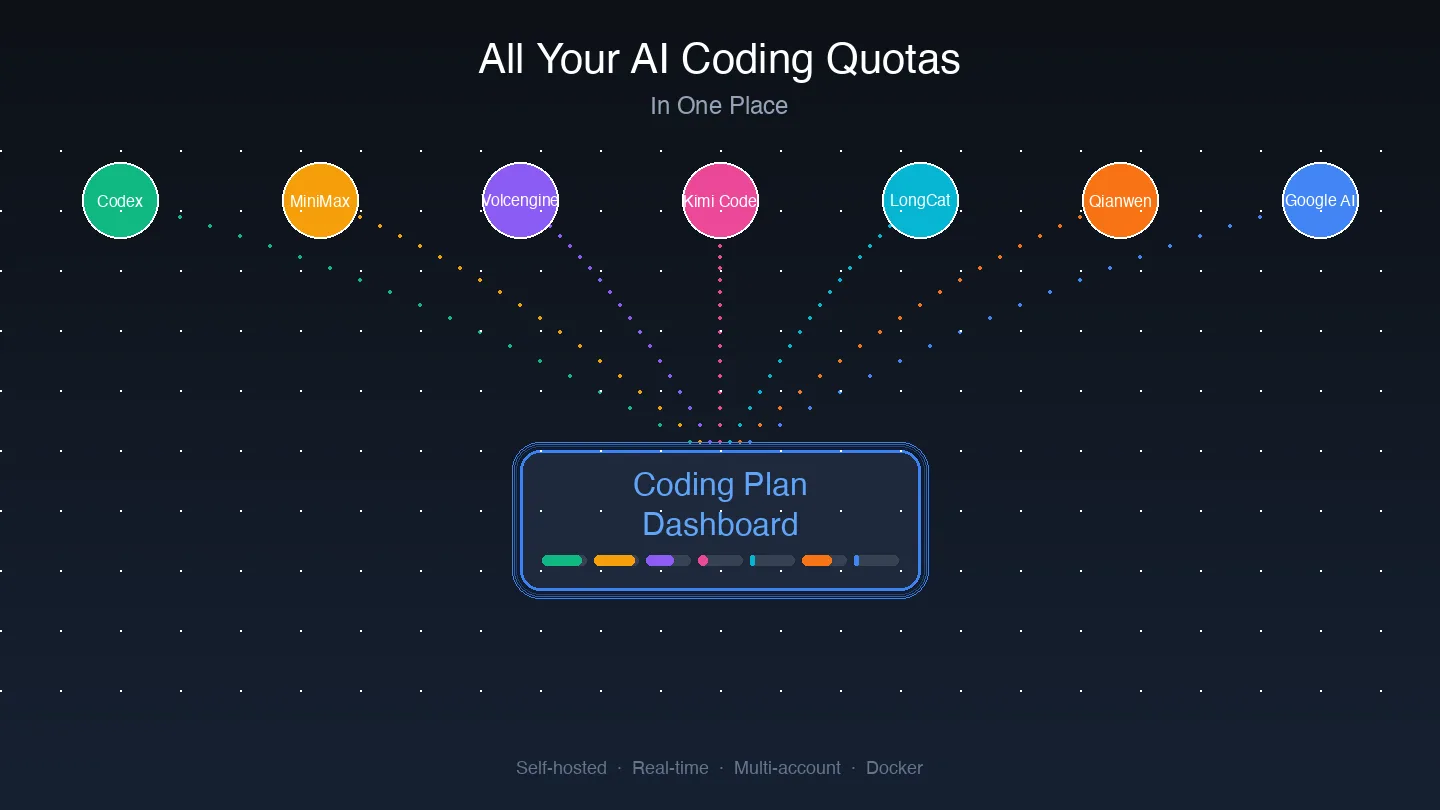
If you subscribe to several AI coding plans at once, such as Codex, MiniMax, Volcengine Ark, Kimi Code, LongCat, Qianwen AI, and Google AI, you have probably felt this pain: every day you check “how much quota is left” across seven websites with seven different login systems. I open-sourced a self-hosted quota dashboard, coding-plan-dashboard. After a single
docker compose up -d, the usage percentage, reset countdown, and account details of every platform are collected on one dark-themed page you can open in a browser. This post and its screenshots were made on July 26, 2026.
Why I needed this
From the second half of 2025 into 2026, AI coding tools appeared everywhere. OpenAI launched Codex, Anthropic’s Claude Code kept spreading, and in China Volcengine Ark, Kimi Code, MiniMax, LongCat, and Qianwen AI all released monthly plans aimed at coding. Google’s Gemini models joined in through tools such as Antigravity.
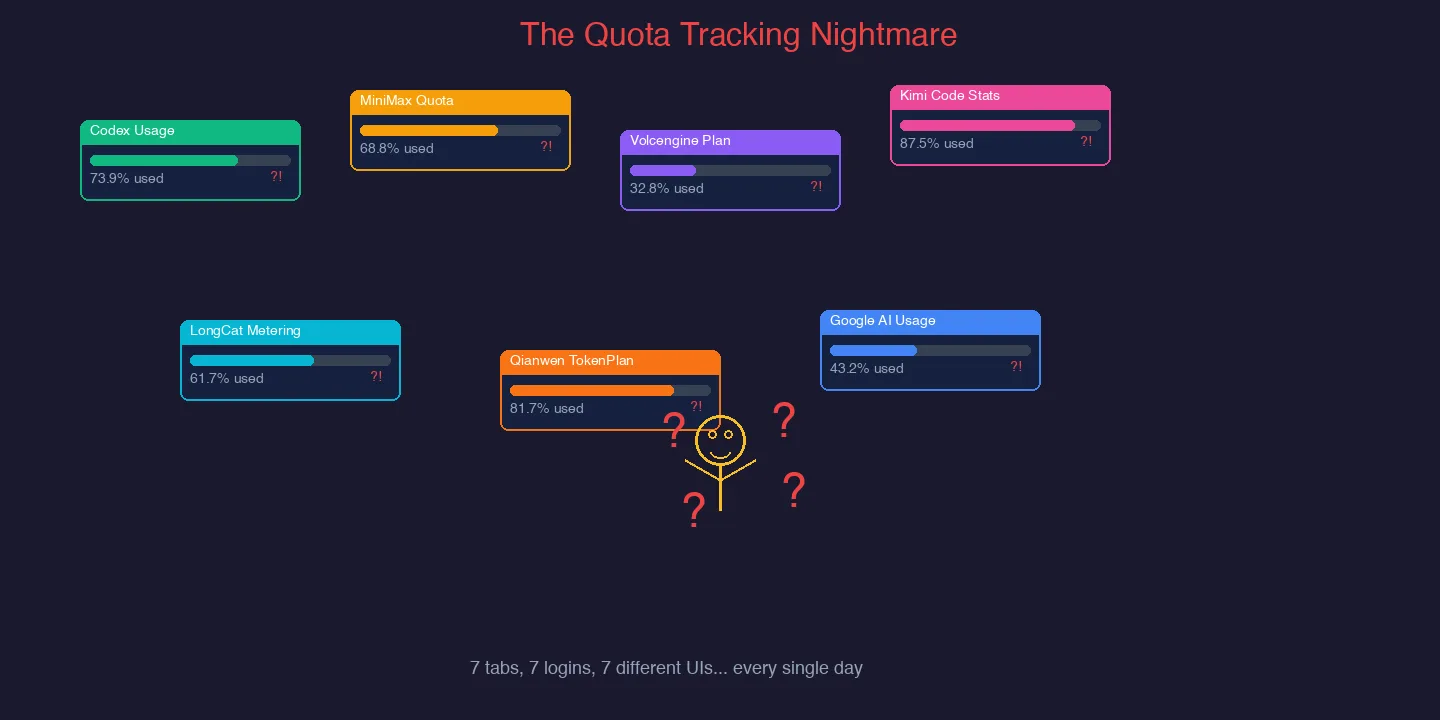
For a developer like me who uses “whichever is cheaper, whichever still has quota left,” subscribing to several platforms is almost unavoidable. The problem is that every platform checks quota differently:
- Codex: sign in to the ChatGPT backend and open the
/usagepage; - MiniMax: find the Token Plan page in its console;
- Volcengine Ark: CodingPlan and AgentPlan live in different places in the console;
- Kimi Code: subscription statistics sit behind a separate endpoint;
- LongCat: quota is on the token-pack page of the billing center;
- Qianwen AI: the TokenPlan comes from a data endpoint;
- Google AI: usage goes through yet another OAuth flow.
It is like holding monthly passes at seven different gyms and opening seven apps before every visit to check whether you can still go today. It works, but it is tedious.
What it looks like
Screenshots first. This is the dashboard running on my LAN:
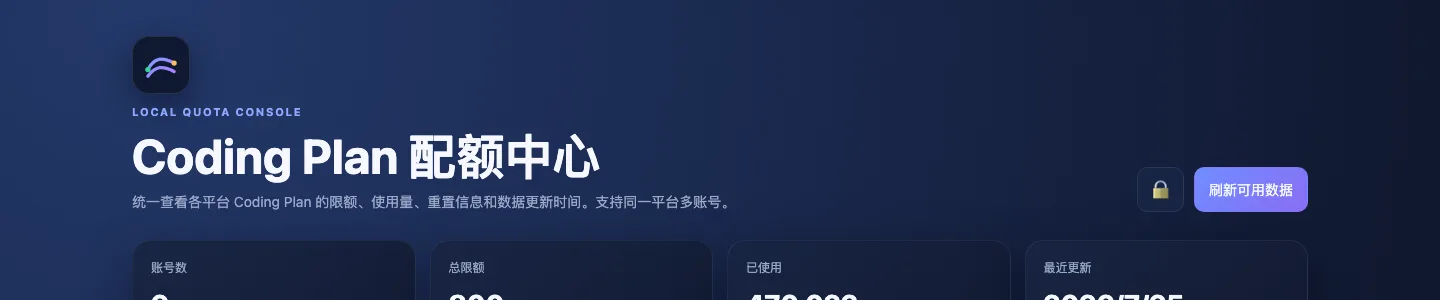
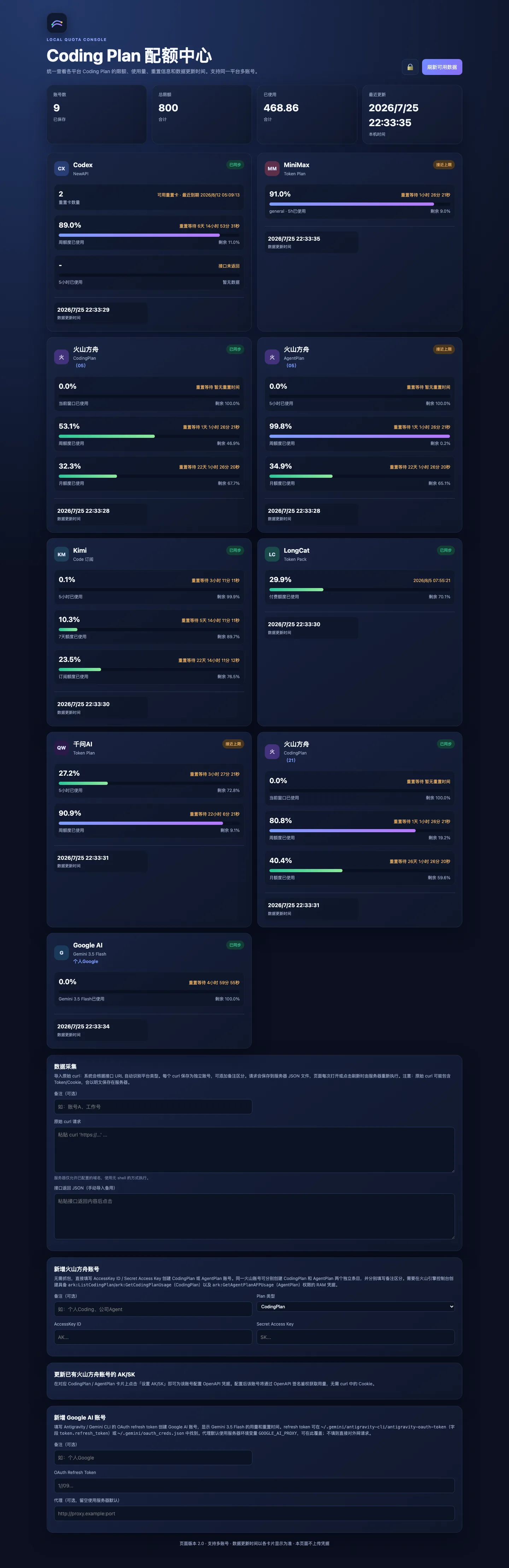
The top of the page has four summary cards: number of accounts (I have imported 9), total limit (800 requests), usage so far (412.855 requests), and the time of the last refresh. In the upper-right corner there is a lock icon (meaning the data is only reachable on the LAN) and a “refresh available data” button.
Scroll down and each platform gets its own card, laid out in two columns:
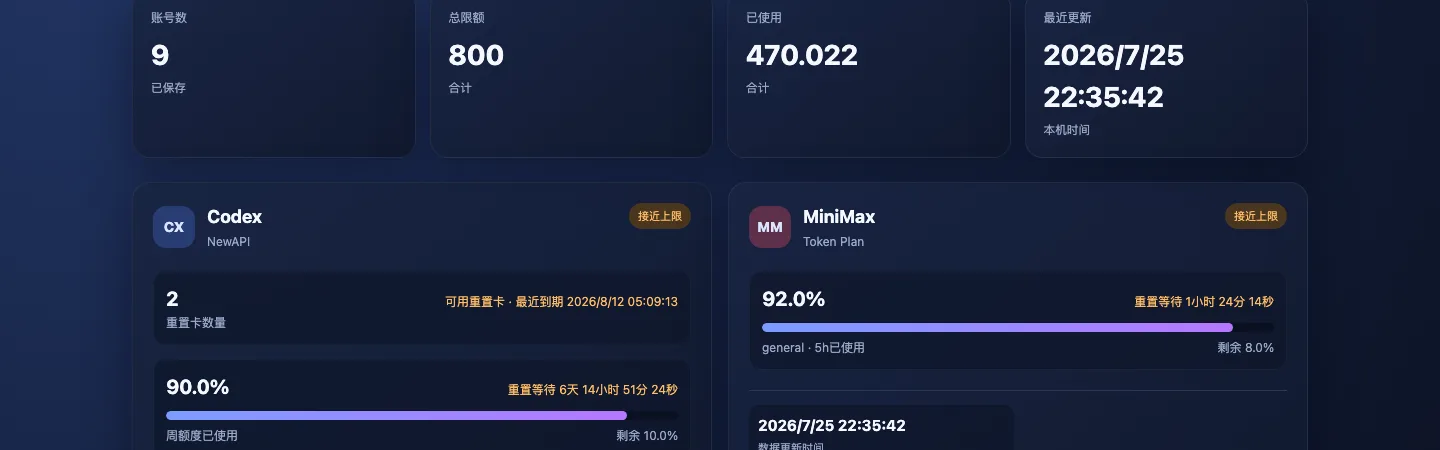
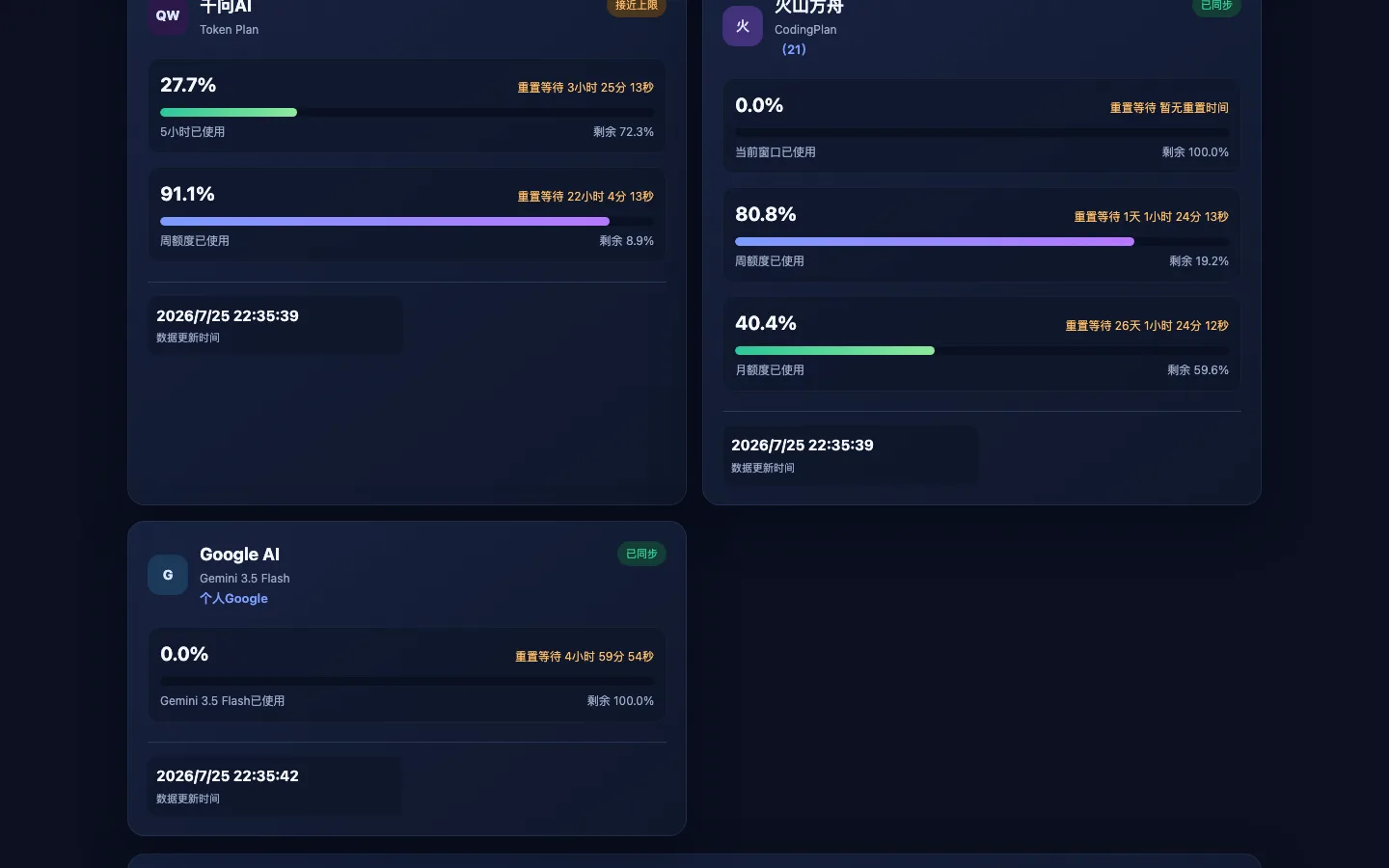
Take the Codex card: it shows that the account goes through a NewAPI relay channel, that 2 reset cards are available, and that the next reset card expires on August 12, 2026. The weekly quota is 96.0% used, with 4.0% left. A live reset countdown sits in the upper-right corner (“reset in 6 days 11 hours 23 minutes 42 seconds”), and the 5-hour window shows no data because the endpoint did not return it. The MiniMax card shows its 5-hour window at 29.0% used, with a gradient progress bar.
Seeing every platform at a glance is like merging seven gym apps into one health panel: no more remembering each gym’s password or jumping between seven screens. One page, everything visible.
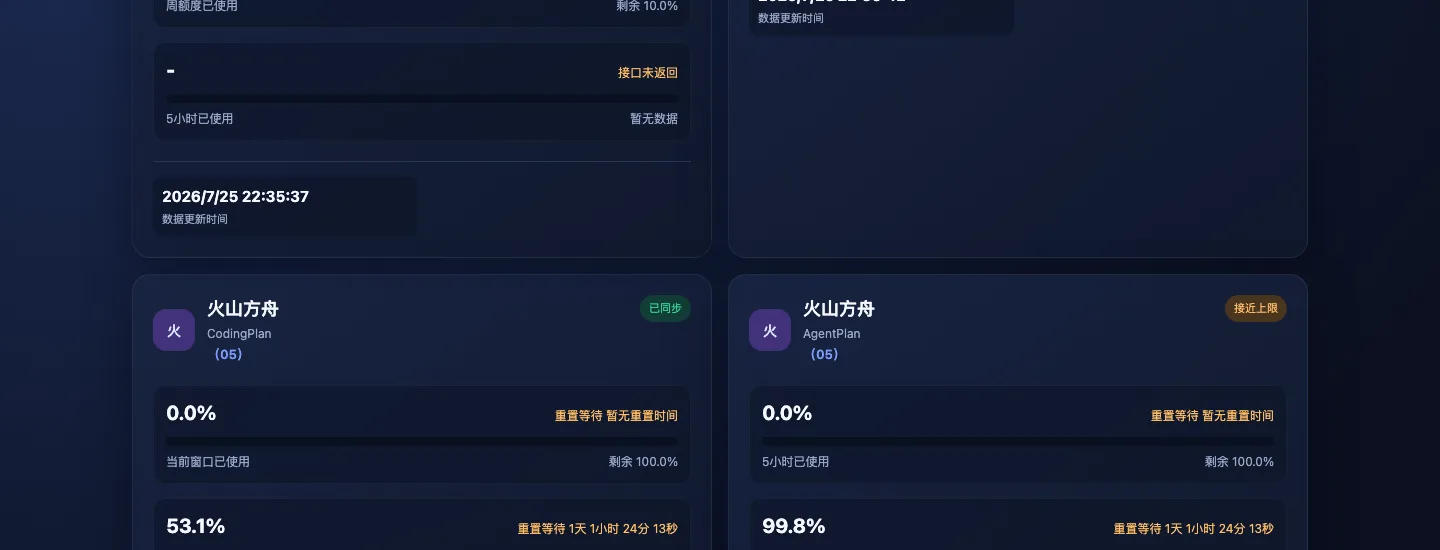
The Volcengine Ark section is a typical example. I imported CodingPlan and AgentPlan for several accounts, and each account gets its own sub-card with its own usage percentage and reset time. Think of a family with several gym cards: the panel shows each card separately instead of mixing them together.
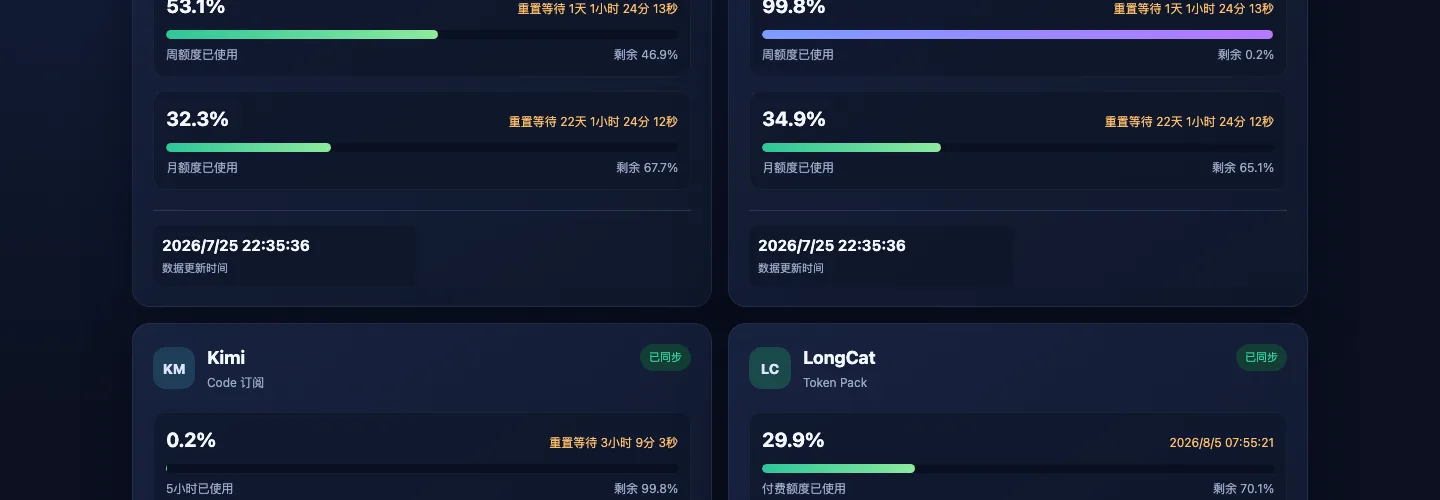
The Kimi Code and LongCat cards share the same style: a percentage, a colored progress bar, and a reset countdown. LongCat shows 31.7% used, while three Kimi Code accounts show 0.2%, 10.4%, and 23.5%. This is where multiple accounts pay off: when one account is nearly exhausted, one glance tells you which account to switch to.
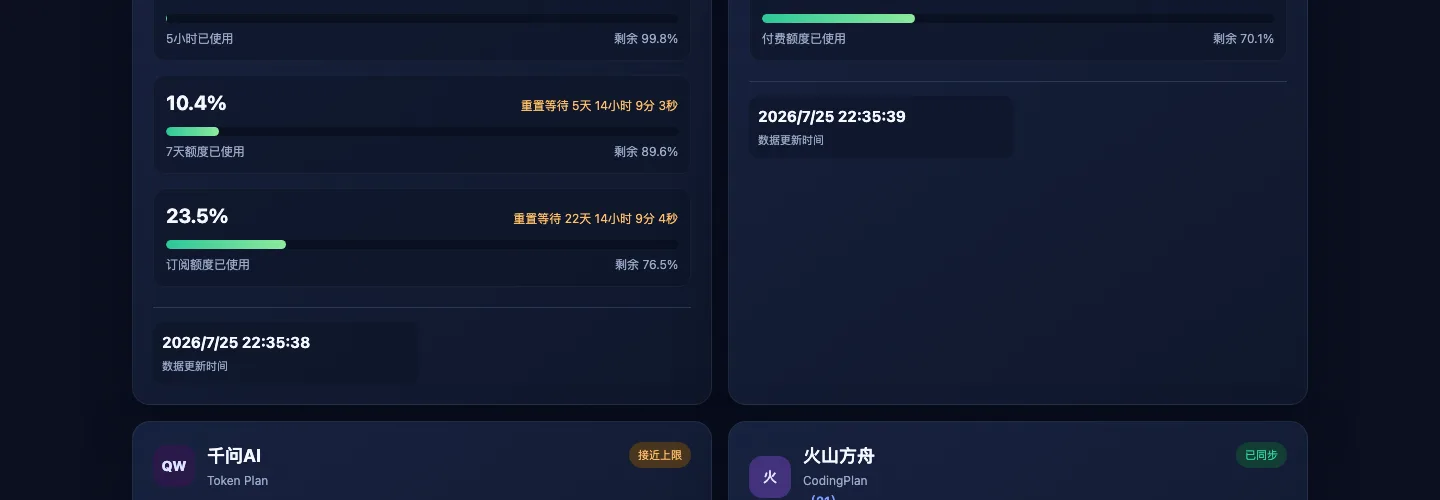
Qianwen AI’s TokenPlan and Google AI (Gemini 3.5 Flash) each have their own cards too. Google AI shows 0.0% usage because its OAuth refresh works differently: it only pulls data after you configure OAuth client credentials in environment variables.
How it works
The architecture fits in one sentence: you paste a curl command into the browser, the server parses it and replays the request in Python, caches the result as JSON, and the front end renders that JSON as cards.
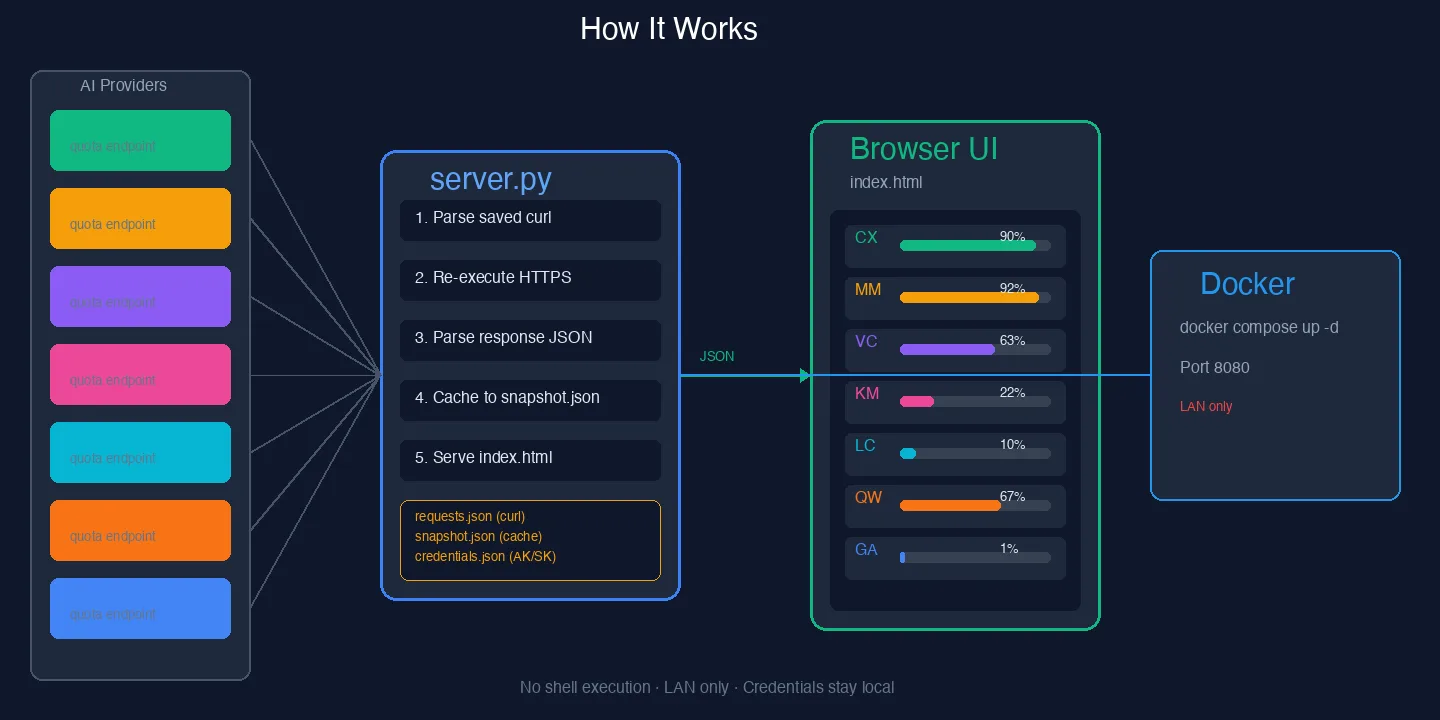
Think of it as a parcel-pickup service. You hand the pickup codes for seven couriers (the cookies, tokens, and headers in each curl command) to a butler (server.py). The butler makes the rounds for you and writes each parcel’s status (usage percentage, reset time) on one sheet (snapshot.json). You only need to read the sheet.
Step by step:
- Import curl: paste the raw curl command copied from your browser’s developer tools into the text box at the bottom of the page. The server identifies the platform from the URL. For example, a URL containing
chatgpt.com/backend-api/wham/usageis classified as Codex, one containingwww.minimaxi.comas MiniMax, and so on. - The server replays the request: server.py never runs curl in a shell. It parses the headers, cookies, and body from the curl command and sends the request again with Python’s HTTPS library. Even if your curl command includes
--proxyor--insecure, the server handles it correctly. - Results are persisted: each refreshed API response is saved to
snapshot.jsonandresults.json. After a container restart, the page shows the cached snapshot first and then quietly refreshes to the latest data, so you never stare at a blank loading screen. - Front-end rendering: index.html is a fully self-contained single-file front end with no external CDN dependencies. Each platform card shows the usage percentage (to one decimal place), a colored progress bar, and a live countdown.
Multiple accounts and special platforms
The dashboard can import several accounts for the same platform. Each account has its own label, edit, delete (with a second confirmation), and drag-to-reorder controls. This is especially handy for “switch to another account when one runs low”: instead of swapping cookies in the browser, you see every account lined up on the dashboard.
Volcengine Ark also supports a curl-free import: enter an Access Key and Secret Key directly on the card, and the server calls GetCodingPlanUsage or GetAgentPlanAFPUsage with HMAC-SHA256 V4 signing. This is far more stable than copying curl from the browser every time, because an AK/SK pair does not expire the way browser cookies do.
Codex also supports a NewAPI relay channel: if your Codex traffic goes through NewAPI, import the NewAPI /api/channel/{channelId}/codex/usage address and the server skips the official endpoint automatically, avoiding noisy 401 errors.
Deployment only needs Docker
The whole project has three core files: index.html (front end), server.py (back end), and docker-compose.yml (container definition). To deploy:
# 1. Clone the repository
git clone https://github.com/margrop/coding-plan-dashboard.git
# 2. Enter the directory
cd coding-plan-dashboard
# 3. Create the data directory
mkdir -p data && chmod 700 data
# 4. Start
docker compose up -d
# 5. Open http://<your-server-ip>:8080 in a browser
That is all five steps. It listens on port 8080 by default; if that port is taken, change the PORT environment variable in docker-compose.yml. Container data is mounted to the host’s data/ directory, which holds four JSON files:
requests.json: every curl command you imported (including tokens and cookies; treat it as a secret)credentials.json: Volcengine Ark AK/SK settingssnapshot.json: the latest quota snapshotresults.json: cached raw API responses for each account
If you manage Docker with Portainer, you can also create a Stack, paste in the contents of docker-compose.yml, and click Deploy. The host needs index.html, server.py, and an empty data/ directory in place first.
One-click deployment scripts for three platforms
The three scripts below do exactly the same thing: clone the repository from GitHub, create the data directory, and start the Docker container. They upload no configuration, call no third-party services, and depend on no external configuration platform. They require Docker Engine and Docker Compose v2 to be installed already.
Running it yourself: download the script for your platform and run it in a terminal. It creates a coding-plan-dashboard folder in your home directory and starts the container.
Letting an agent do it: send the prompt below to your AI coding agent (Claude Code, Kimi Code, Cursor, and so on), and it will download and run the setup for you:
Clone the repository from https://github.com/margrop/coding-plan-dashboard,
create a coding-plan-dashboard deployment directory in the current user's home directory,
run docker compose up -d to start the container,
then tell me the address to open.
What about security?
This is the question I get most often, and it was what I cared about most while building the project.
The server never runs curl in a shell. Imported curl commands are parsed by Python and replayed with a standard HTTPS library, so there is no command-injection risk.
Domain allowlist. The server only sends requests to chatgpt.com, www.minimaxi.com, console.volcengine.com, www.kimi.com, longcat.chat, cs-data.qianwenai.com, and any NewAPI address you configure yourself. It will not send HTTPS requests to arbitrary addresses.
Credentials stay local. requests.json and credentials.json are stored in the host’s data/ directory with permission 700 (only the owner can read or write). Do not commit them to Git, and do not upload backups to the public internet.
Keep it on the LAN. Port 8080 has no authentication by default, so make sure only trusted devices can reach it. If you need public access, put a reverse proxy with authentication in front of it.
An analogy: the dashboard is like a smart control panel in your living room. It shows the state of every room, but the panel itself has no lock, so keep it inside your home (the LAN) rather than mounting it at the gate of your housing complex (the internet).
How it compares with similar tools
The community already has some similar projects, such as the macOS menu-bar tool ai-quota, which shows Codex and Claude Code usage in the status bar, and the AI Usage Monitor Claude Code skill, which checks quota for several platforms in the terminal. Each has its strengths:
- ai-quota: a great native macOS experience, but only supports Codex and Claude Code, and only runs on macOS;
- AI Usage Monitor: convenient inside Claude Code, but needs the cclimits tool and covers fewer platforms;
- Kimi Code Usage MCP: focuses on Kimi Code alone, offering an MCP server and a VS Code extension.
coding-plan-dashboard takes a different position: a platform-agnostic, all-in-one, self-hosted web dashboard. It works on any operating system with a browser, doesn’t care which AI coding tool you use (it tracks quota, not tools), supports seven platforms, and can be extended at any time. If you only use one or two platforms, the lightweight tools above may suit you better. If, like me, you spread your bets widely, a single dashboard saves a lot of switching.
FAQ
Q: My curl command contains a token. Is that safe?
The token is stored in plain text in data/requests.json, the same level of protection as the token stored in your browser cookies. The server never sends it to any address outside the allowlist. Make sure the data/ directory has permission 700 and never upload backups to the public internet.
Q: Will I lose data when the container restarts?
No. All imported curl commands and quota snapshots are stored in the host-mounted data/ directory. After a restart, the page shows the last cached snapshot and refreshes quietly in the background.
Q: Which platforms are supported? Can I add more?
Currently supported: Codex, MiniMax, Volcengine Ark (CodingPlan and AgentPlan), Kimi Code, LongCat, Qianwen AI, and Google AI (Gemini 3.5 Flash / Antigravity). Adding a platform means adding URL detection and parsing logic in server.py and a card template in index.html. The project’s AGENTS.md has detailed development notes.
Q: Why is the Volcengine Ark AK/SK method better than curl?
Browser cookies expire, and so do tokens inside curl commands. An AK/SK pair is a long-lived credential that does not expire unless you rotate it. It also uses HMAC-SHA256 V4 signing and does not depend on a browser login session, so it is more stable.
Q: Can I deploy it on the public internet?
Technically yes, but it is strongly discouraged. The dashboard has no built-in authentication, so anyone who can reach it sees your quota information (not the raw tokens, but usage and account labels). If you must expose it publicly, put Nginx or Caddy in front as a reverse proxy and enable Basic Auth or OAuth.
Project links and contributing
The project is fully open source under the MIT license:
- GitHub repository: github.com/margrop/coding-plan-dashboard
- Bug reports and pull requests are welcome in GitHub Issues
- Tests:
node --test tests/parser.test.jsandpython3 -m unittest discover -s tests
If you find the project useful, a star is the best encouragement. If you use a platform I don’t cover yet, open a PR or an issue and I can add it.
One last thought: there are more and more AI coding plans, all competing on price, models, and quota. What we users really need is not more plans but a clearer picture of how much each plan has left. This dashboard handles that last step of pulling the information together. I hope it helps you too.