Docker Pulls Keep Timing Out? How to Choose, Configure, and Verify Chinese Registry Mirrors
The short answer
When Docker image pulls fail on a mainland China network, the image is not necessarily missing and DNS is not always the culprit. More often, the public registry path is congested, a mirror is temporarily unavailable, or the configuration was edited but Docker was never restarted.
My practical recommendation is simple: open status.anye.xyz first and treat it as a “weather report” for Docker mirrors; select a recently healthy HTTPS endpoint; edit the correct daemon configuration for your operating system; validate the JSON; restart Docker; and finally verify with a real pull of a small image.
1. Background: Why did it work yesterday but time out today?
A typical first symptom appears while deploying something ordinary such as nginx, redis, postgres, or a home-server application:
docker pull nginx:alpine
The terminal may show context deadline exceeded, TLS handshake timeout, connection reset by peer, or simply remain stuck while downloading layers. Changing DNS or trying another tag may occasionally help, which makes Docker feel unpredictable.
A better mental model is a library delivery service. Docker must first find the registry, connect to it, obtain the image manifest, download every layer, and verify the content. If any part of that route is blocked, the visible result is just “the image cannot be pulled.” A registry mirror is not magic; it is another entrance to the same supply chain.
2. What to measure: A homepage is not a pull test
A mirror homepage loading in a browser only proves that the homepage responded. Docker may still need Registry API endpoints, authentication, manifests, and layer downloads.
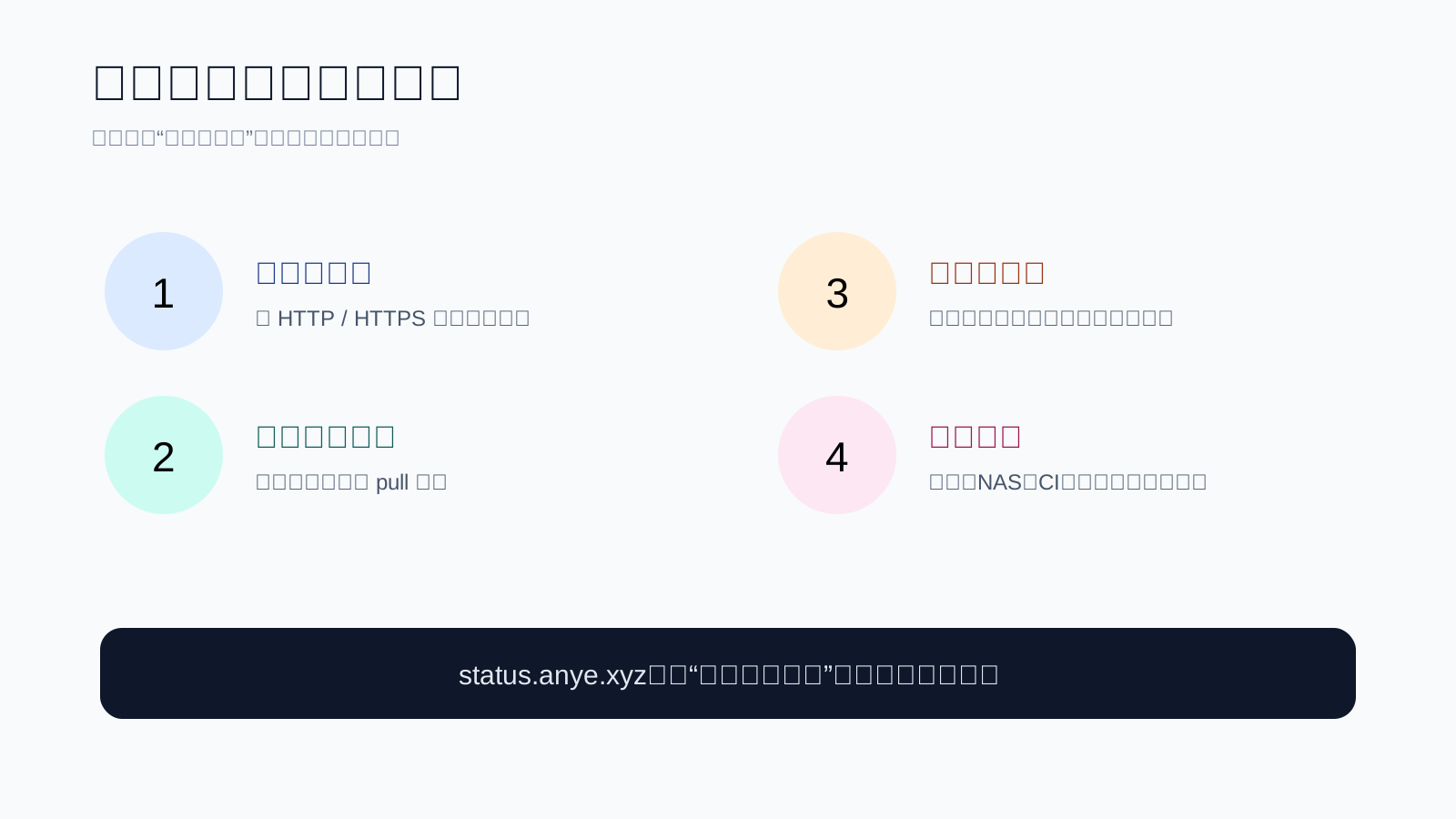
When comparing sources, ask four questions:
- Is it reachable from my network? Check HTTPS, certificates, and actual API access.
- Does it behave like a Docker Hub mirror? A search page or web proxy is not automatically a Registry mirror.
- Is it stable over time? A source that is fast once is less useful than one that stays available.
- Does it fit my workload? A NAS, a personal laptop, CI, and production systems have different risk tolerances.
3. Why use status.anye.xyz?
I recommend bookmarking status.anye.xyz because it brings multiple Docker mirror endpoints together and performs periodic availability checks. Think of it as a railway departure board: it does not drive the train for you, but it gives you a current view of which routes have been responding.
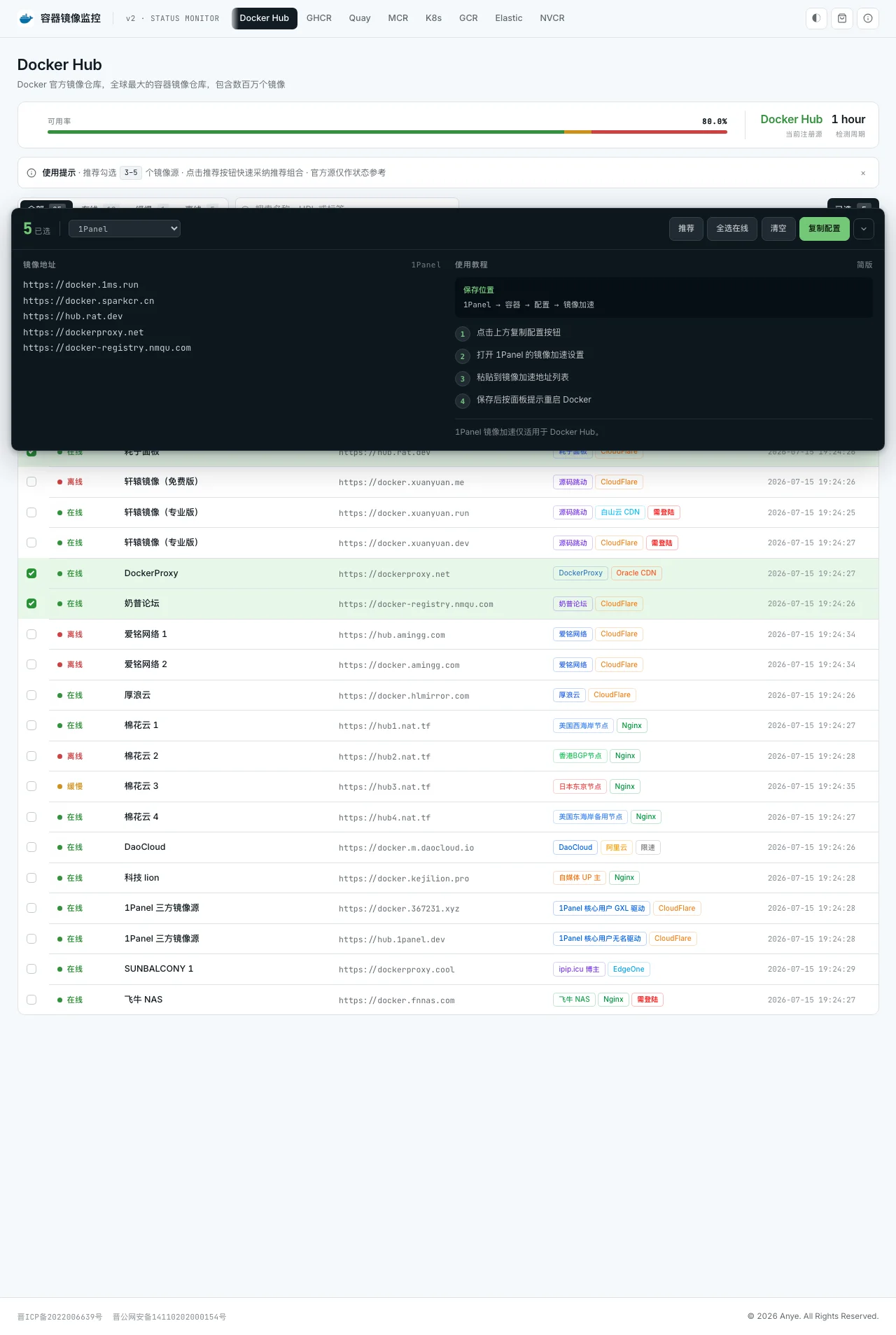
Use it as a decision aid:
- Check recent availability instead of trusting an old blog post.
- Prefer HTTPS unless you have a specific reason not to.
- Test with a small image such as
hello-worldoralpinebefore pulling multi-gigabyte images. - Keep a backup candidate because public services can be rate-limited or maintained.
- Re-check periodically; mirror configuration is not permanent infrastructure.
The status page represents a monitoring perspective. Your ISP, region, IPv4/IPv6 path, proxy, and DNS can differ. The final answer must come from your own docker pull.
4. Which file should you edit?
Docker’s daemon configuration is like a local routing board. If the file content is correct but the path is wrong, Docker will not read it.
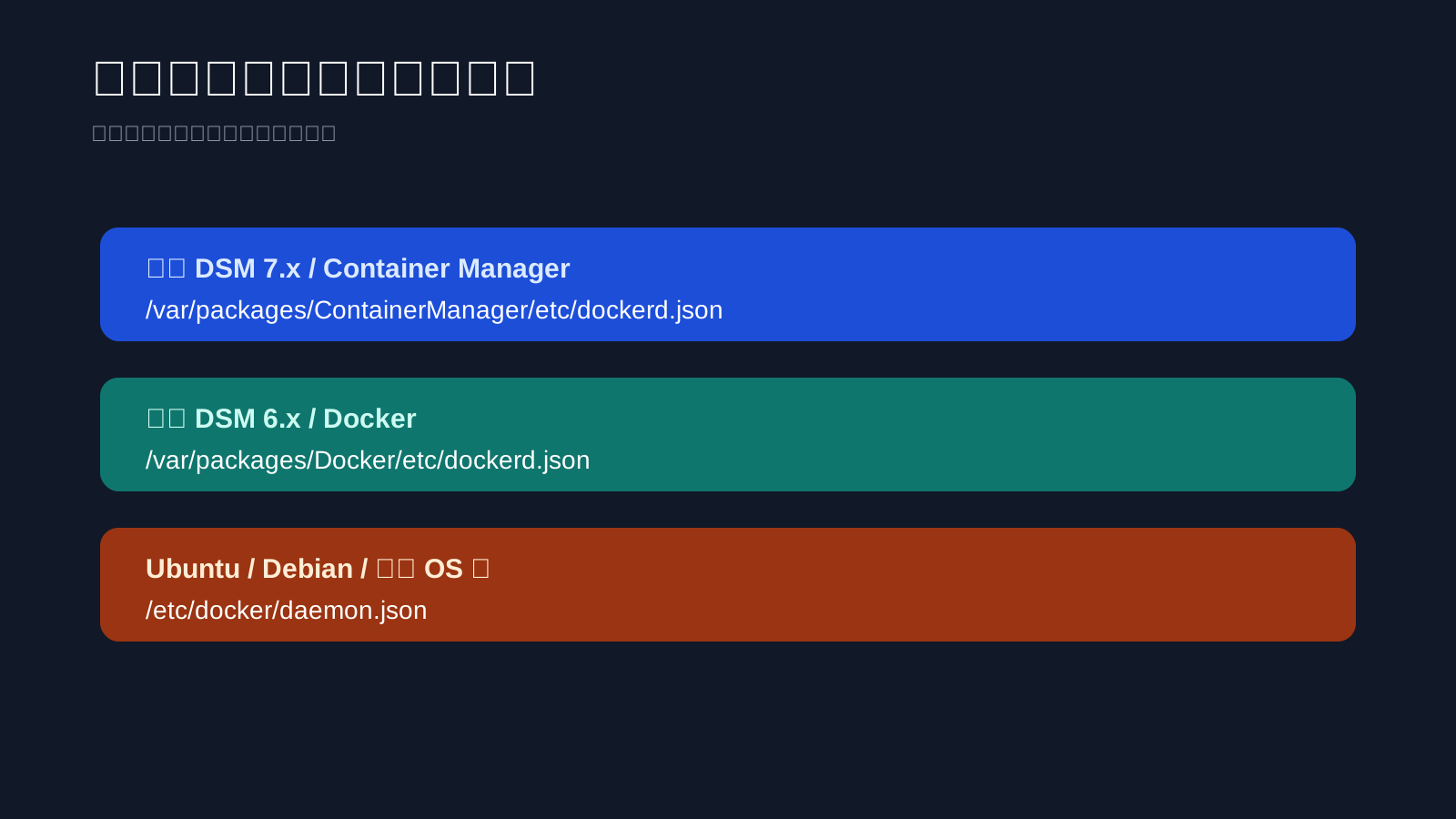
Synology DSM 7.x: Container Manager
Container Manager normally uses:
vim /var/packages/ContainerManager/etc/dockerd.json
Example configuration:
{
  "registry-mirrors": [
    "https://<healthy-mirror-endpoint>"
  ]
}
Replace the placeholder with a currently healthy endpoint selected from the status page. Do not blindly copy a static list from an old article.
Restart the Container Manager daemon:
systemctl restart pkg-ContainerManager-dockerd
If the service name differs on your DSM build, inspect it first:
systemctl list-units --type=service --all | grep -Ei 'docker|container'
Synology DSM 6.x: Docker
DSM 6.x uses:
vim /var/packages/Docker/etc/dockerd.json
Example:
{
  "registry-mirrors": [
    "https://<healthy-mirror-endpoint>"
  ]
}
Restart the Docker package:
synoservice --restart pkgctl-Docker
If that service name is unavailable, confirm the package service list:
synoservice --status | grep -Ei 'docker|container'
Ubuntu, Debian, fnOS, and other standard Linux systems
Most standard Docker installations use:
vim /etc/docker/daemon.json
Create the file if it does not exist:
{
  "registry-mirrors": [
    "https://<healthy-mirror-endpoint>"
  ]
}
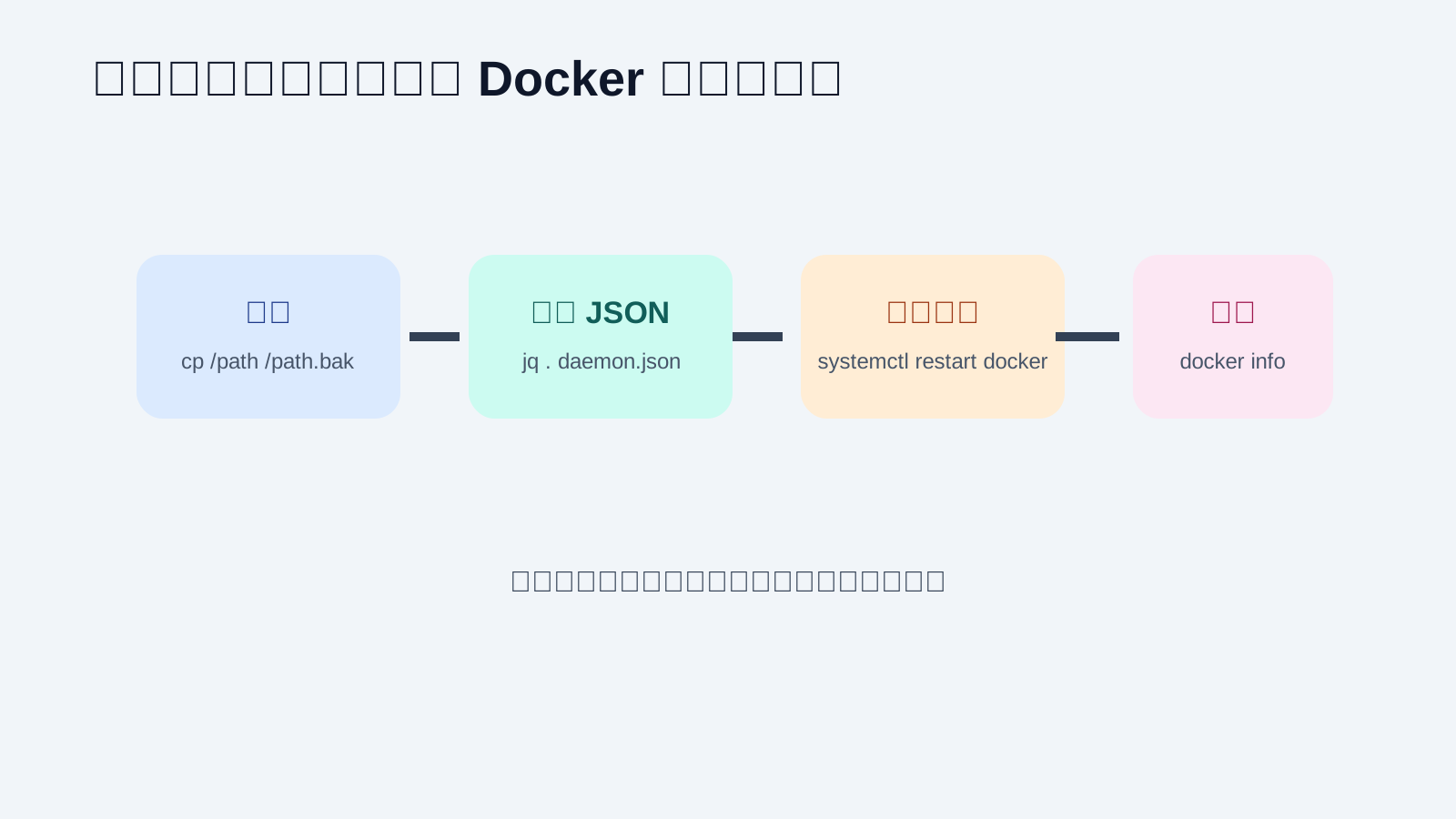
Validate it before restarting:
jq . /etc/docker/daemon.json
If jq is not installed:
python3 -m json.tool /etc/docker/daemon.json >/dev/null
Restart and inspect Docker:
systemctl daemon-reload
systemctl restart docker
systemctl --no-pager --full status docker
5. Why does the configuration appear to do nothing?
Four root causes account for most failures.
Root cause 1: Invalid JSON
JSON does not allow a trailing comma:
{
  "registry-mirrors": [
    "https://<healthy-mirror-endpoint>",
  ]
}
Run jq . or Python’s JSON parser before restarting. A daemon that cannot parse its configuration may fail to start.
Root cause 2: The wrong file was edited
Synology is not a standard Ubuntu installation. Editing /etc/docker/daemon.json may have no effect if the package starts dockerd with a different configuration path. Confirm the package version and actual daemon command line.
Root cause 3: Docker was not restarted
Saving a text file does not make every daemon reload its configuration. Restart Docker so it reads the new routing rules.
Root cause 4: A single public mirror became a hard dependency
Public mirrors can be maintained, rate-limited, or redesigned. Avoid making one endpoint the only dependency for every machine. Keep a small set of recently healthy candidates and re-test them.
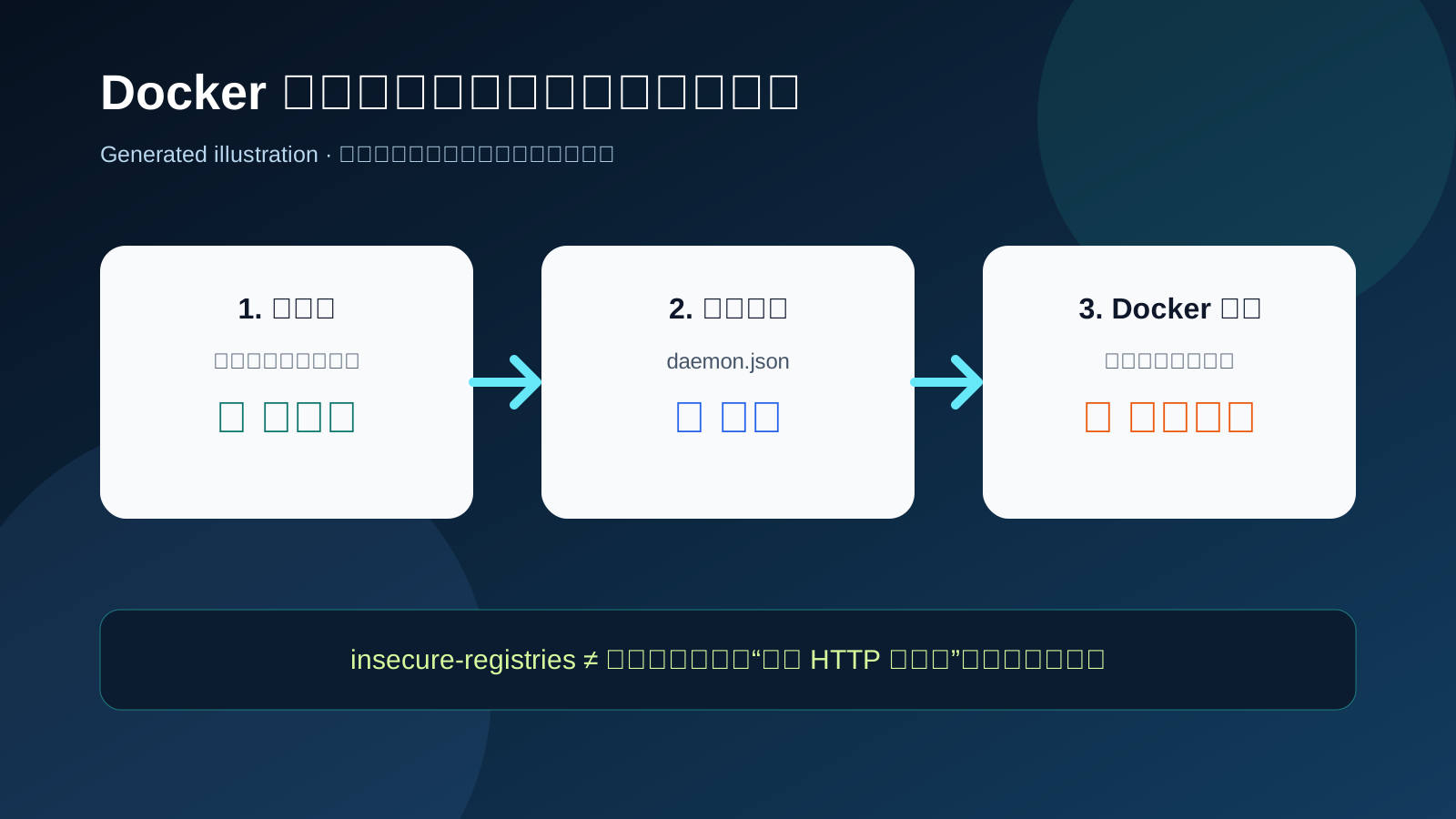
6. registry-mirrors and insecure-registries solve different problems
This distinction is the most important security note in this article.
registry-mirrors: accelerate public registry access
It answers: “Can I use a closer or more stable entrance when accessing a public registry?”
{
  "registry-mirrors": [
    "https://<healthy-mirror-endpoint>"
  ]
}
insecure-registries: allow an HTTP private registry
It answers: “Do I allow Docker to connect to a private registry that has no TLS certificate?”
In the earlier article Build a Private Docker Registry Without Hassle, I described creating a self-hosted Registry. If that private registry is intentionally HTTP-only inside a controlled network, the configuration can look like this:
{
  "registry-mirrors": [
    "https://<healthy-mirror-endpoint>"
  ],
  "insecure-registries": [
    "<your-private-registry-host>:<port>"
  ]
}
Placeholders are used deliberately so no real internal address appears in a public article.
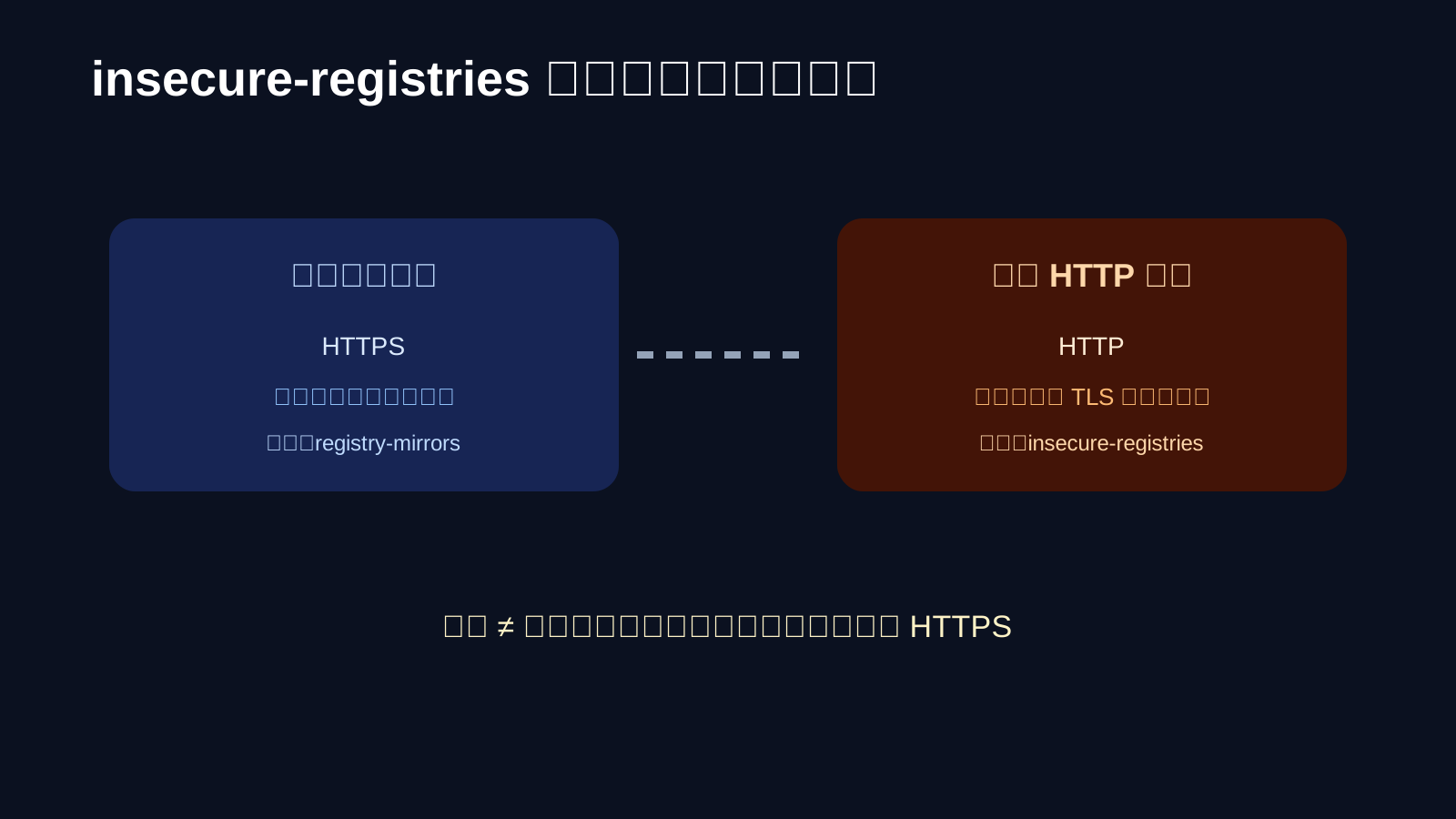
The word “insecure” is intentional. HTTP lacks TLS encryption and certificate verification, so traffic can be observed or modified. It may be acceptable in a controlled lab, but it should not be exposed to the public Internet. Prefer HTTPS for production private registries.
Remember:
registry-mirrorsdoes not authorize an HTTP private registry.insecure-registriesis not a public mirror.- Configure HTTPS for a private registry whenever practical.
- Use
insecure-registriesonly when you understand and control the network risk.
7. A repeatable verification checklist
Do not treat “the service restarted without an error” as the only success criterion:
# 1. Confirm Docker loaded the mirror
 docker info | sed -n '/Registry Mirrors/,+5p'

# 2. Confirm the daemon is healthy
 systemctl --no-pager --full status docker

# 3. Pull a small image
 docker pull hello-world

# 4. Confirm the image exists
 docker image ls hello-world
On Synology:
docker info | grep -A5 -Ei 'Registry Mirrors|Insecure Registries'
docker pull hello-world
If the status page reports a healthy source but your pull fails, check the path, JSON syntax, service restart, docker info, proxy, IPv6, DNS, and firewall in that order. Then test another currently healthy source.
8. Q&A
Q1: Is more mirrors always better?
No. A long list of unknown endpoints makes behavior harder to diagnose. Prefer a small set of trusted, recently healthy HTTPS candidates.
Q2: Why is registry-mirrors missing from docker info?
Usually the wrong file was edited, the JSON is invalid, or Docker was not restarted. On Synology, also confirm that the correct Container Manager or Docker package path was modified.
Q3: Can I keep insecure-registries enabled forever on a LAN?
You can technically do so, but “works” and “is a good long-term security choice” are different things. Use it only in a controlled lab or isolated network, and prefer HTTPS for long-lived private infrastructure.
Q4: The status page says a source is healthy, but my pull still fails. Why?
The status page is a reference point, not a probe from your network. Test locally and investigate proxy settings, IPv6, DNS, ISP routing, and firewalls before repeatedly retrying one broken path.
Q5: Will restarting Docker delete running containers?
A normal daemon restart does not delete containers or images, but it causes a short service interruption. Back up the configuration and schedule production changes carefully.
9. Final takeaway
The difficult part of Docker mirror configuration is not copying a JSON block. It is using the right order of operations: observe availability, choose an HTTPS endpoint, edit the path your operating system actually uses, validate the configuration, restart the daemon, and verify with a real pull.
If you remember only three lines:
- Use status.anye.xyz instead of trusting a stale mirror list.
- Validate JSON, restart Docker, and inspect
docker info. registry-mirrorsaccelerates public access;insecure-registriesallows an HTTP private registry. They are not interchangeable.
References: