[Repost] Google Cloud Free VM, 2-core 1 GB RAM, 30 GB disk, 200 GB traffic/month
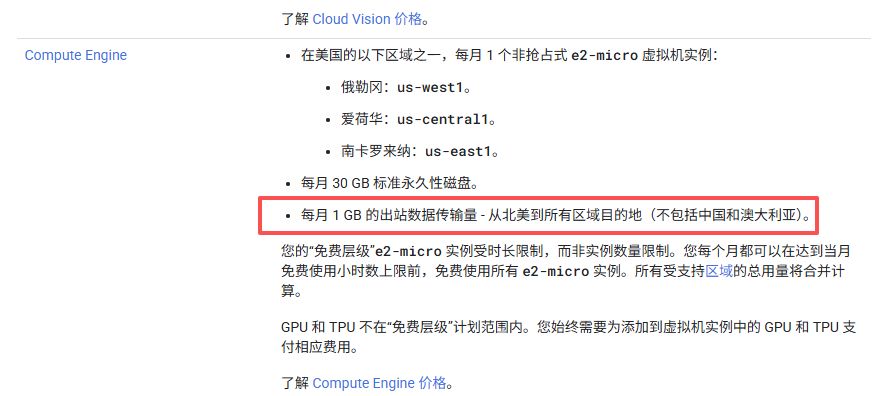
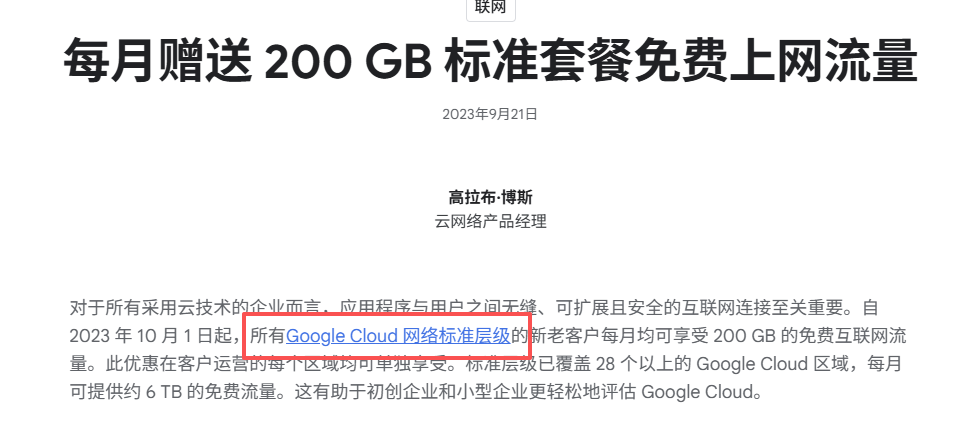
I have introduced several free cloud servers before. In fact, the three major overseas cloud providers (Google, Amazon, and Microsoft) all have free tiers. The latter two are time-limited and not very interesting. In addition to a three-month trial of regular-priced machines, Google also offers a permanent free server.It comes with 2 cores, 1 GB of memory, 30 GB of disk, and 200 GB of traffic per month. That is still enough to play around with.I. Google Cloud Trial & FreeGoogle Cloud, as the name suggests, is a cloud server made by Google. The current Google Cloud trial is only three months, and the quota seems to be 300 US dollars. If you buy a regular-price machine, it will be used up all at once, so it is better to use a free server.This article does not involve Google Cloud registration and trial use. Anyone with a Google account can register for this thing. It is not difficult. Moreover, I registered it several years ago. I don’t remember the specific details. If you don’t know, you can Google it yourself. Even if the new account is still on trial, it will not affect the trial of the free instance in this article.Mainly Google Cloud’s free servers. Google Cloud has given free quotas to corresponding regions.Oregon, Iowa, South Carolinae2-micro instance, 2-core CPU + 1g memory + 30g hard disk, with public network IPv4, 200g traffic per month. This traffic is not limited to regions. Some people will say that the picture does not say "1 per month" GB outbound traffic?" Yes, first of all, Google Cloud only counts outbound traffic, not two-way traffic. Secondly, the free 1g traffic in the picture is "advanced tier", not "standard tier" traffic. The advanced tier is a little better than the standard tier network quality, of course, it is only a little better (although it was not before), and the standard tier is global 200g traffic.
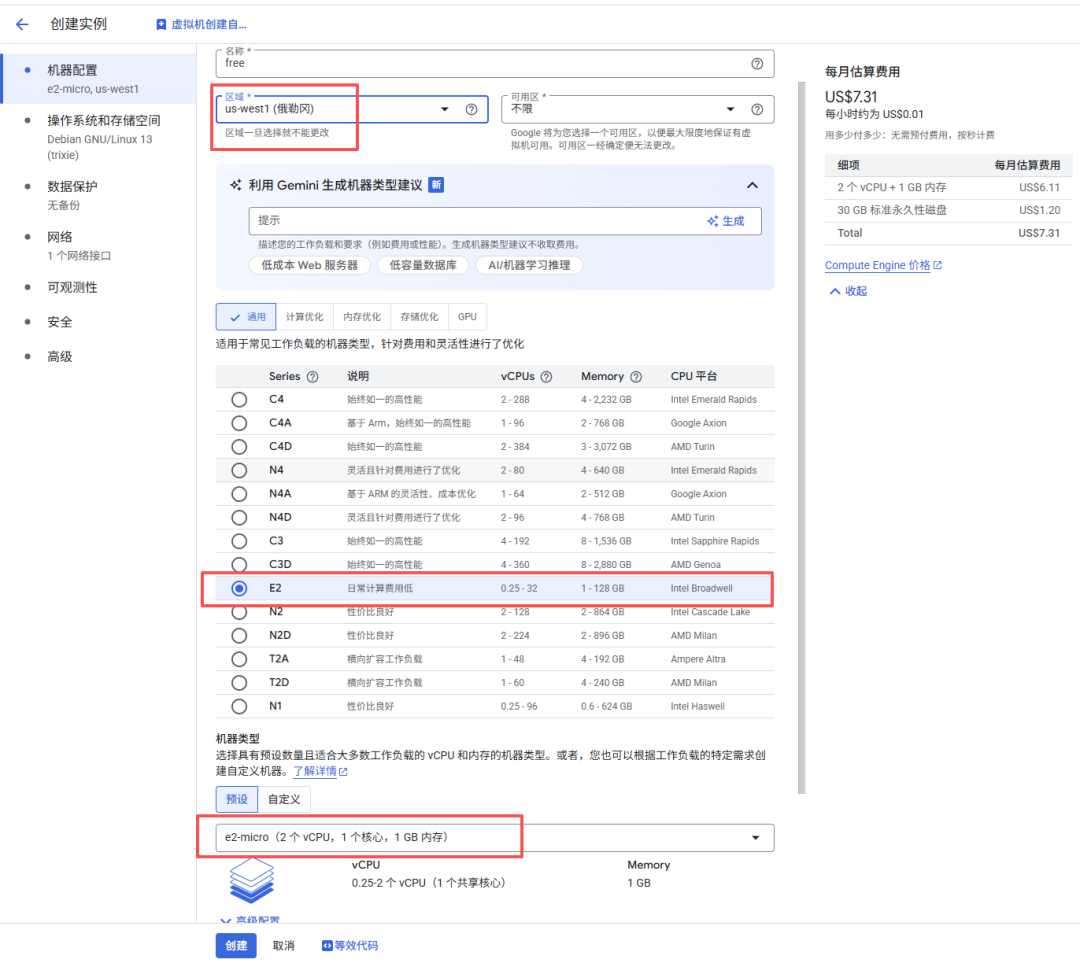
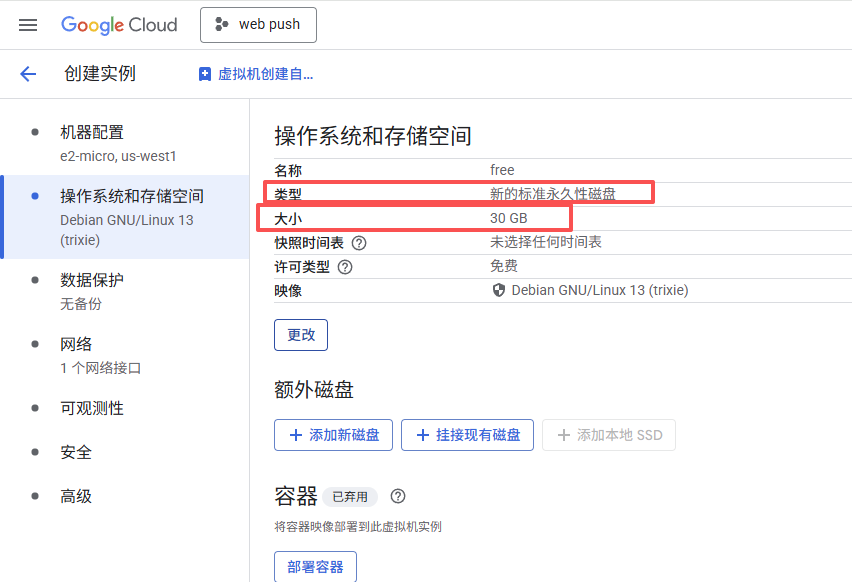
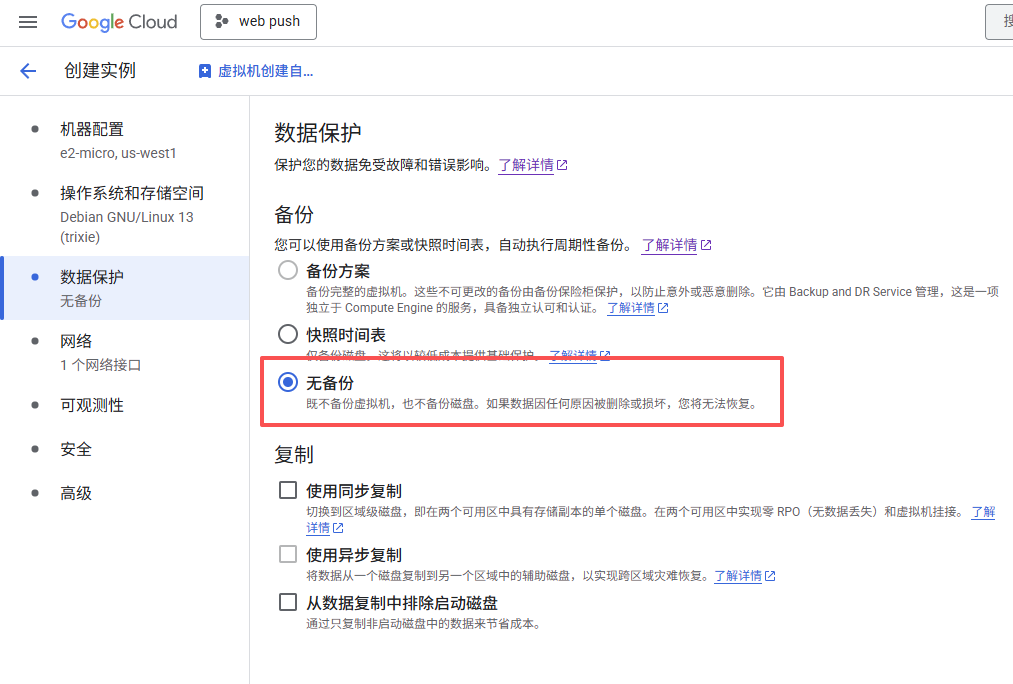
 But there is one exception,Akari, cloudflare, fastly these three companiesCDN manufacturers cooperate with Google, and connecting to their traffic requires money, so our server cannot connect to these three CDNs. I know that many people can't connect to Cloudflare, so what else can they do? As I said, it will indeed limit the playability, but if you use it as a personal small server, such as signing in, self-created notes, etc., there are also ways to play.II. Create a Free InstanceLog in to Google Cloud, create a virtual machine, and selectOregon region, of course the other three regions are also available, but the delay is higher thanOregon is high, no need to choose. Instance specification selectionFor e2-micro, the hard disk must be selected as "New Standard Permanent Disk". This is the only one that is free. The size is 30g. I recommend choosing debian13 for the image. Turn off data protection. Backing up also costs money. Don't turn it off and wait to be dumped.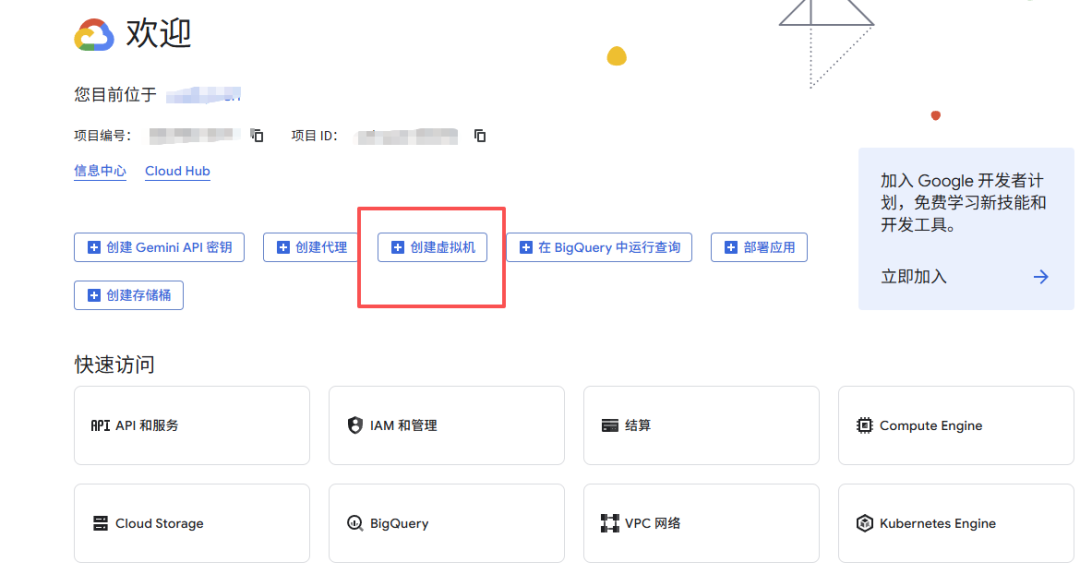
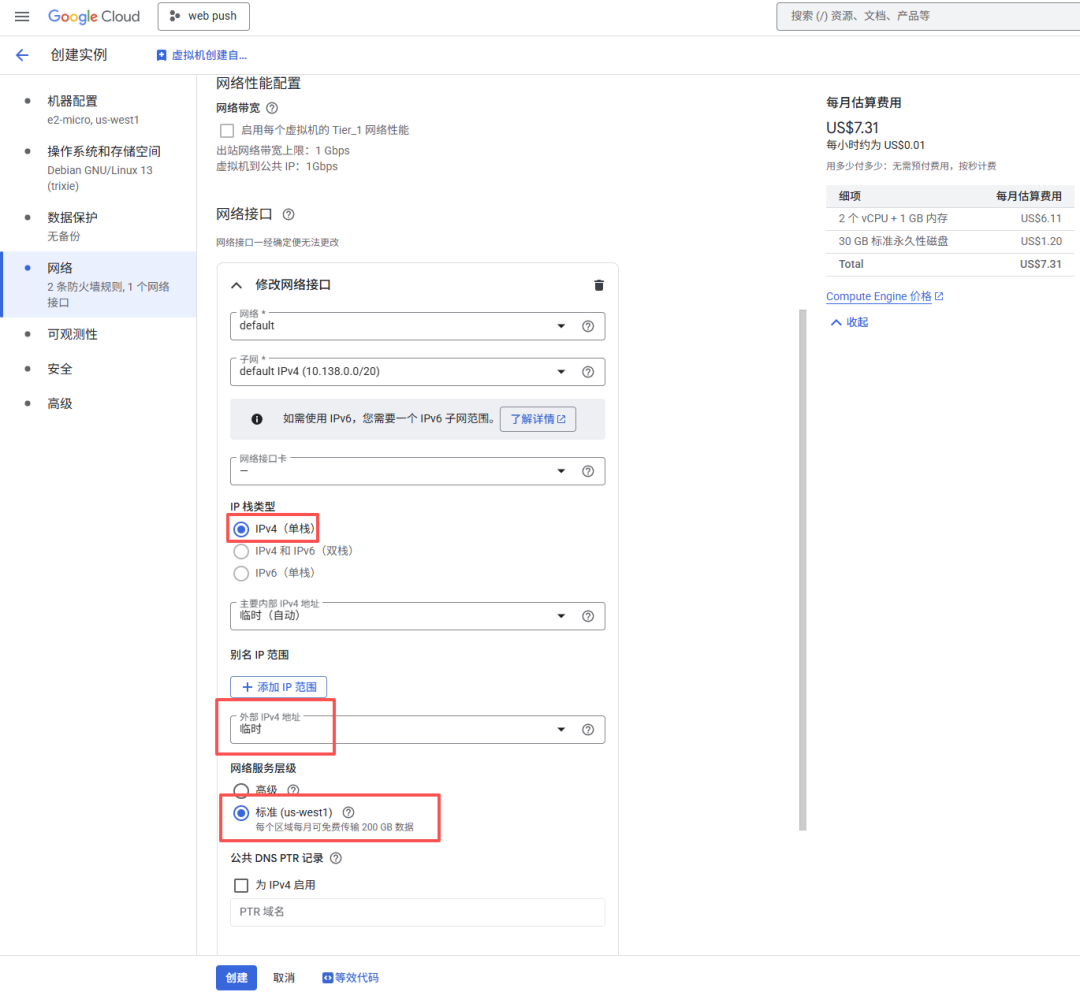
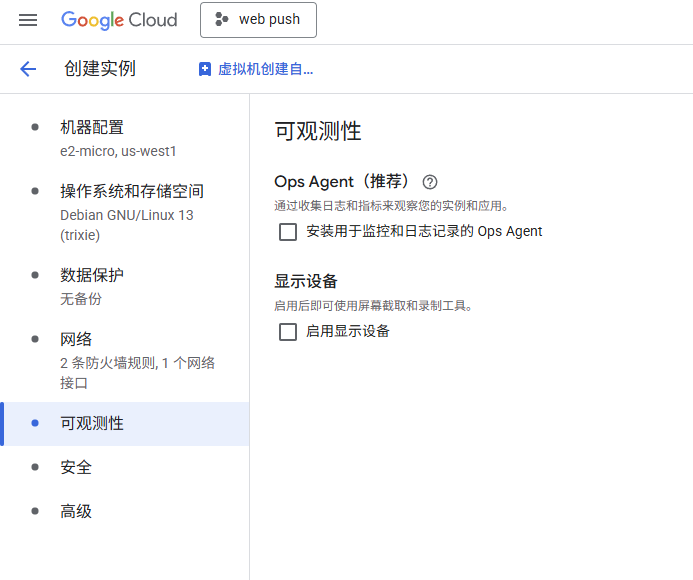
 You can configure the firewall on the network first to allow ports 80 and 443. Of course, you do not have to open them here; you can also configure the firewall later in the console. By default, ports 22, 3389, and ICMP are allowed. You still need to adjust the network interface. By default, the network is IPv4-only, and IPv6 costs money. Set the public IPv4 to ephemeral. That means the IPv4 address changes after the VM is stopped. It is not fixed. Why not use a fixed address? Because that costs money, but as long as the VM keeps running, the address will not change. Choose the Standard network service tier so you get 200 GB of free traffic every month. If you do not need it, remember to turn off observability. That will add extra agents to the server and is useless. Finally, confirm everything and create the instance.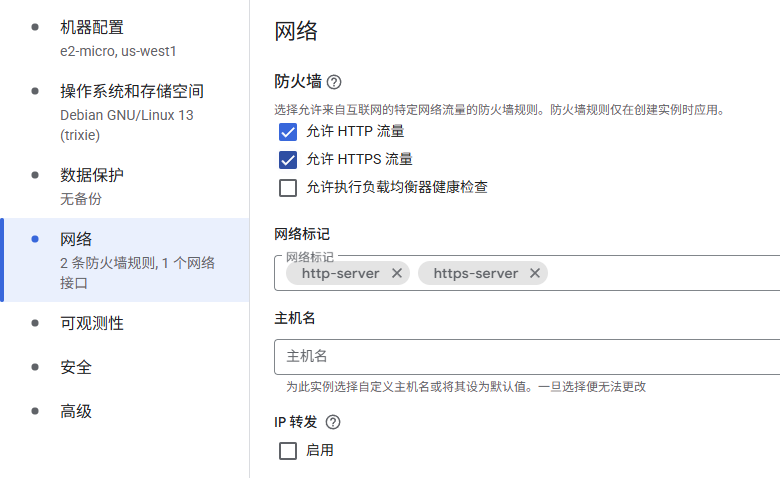
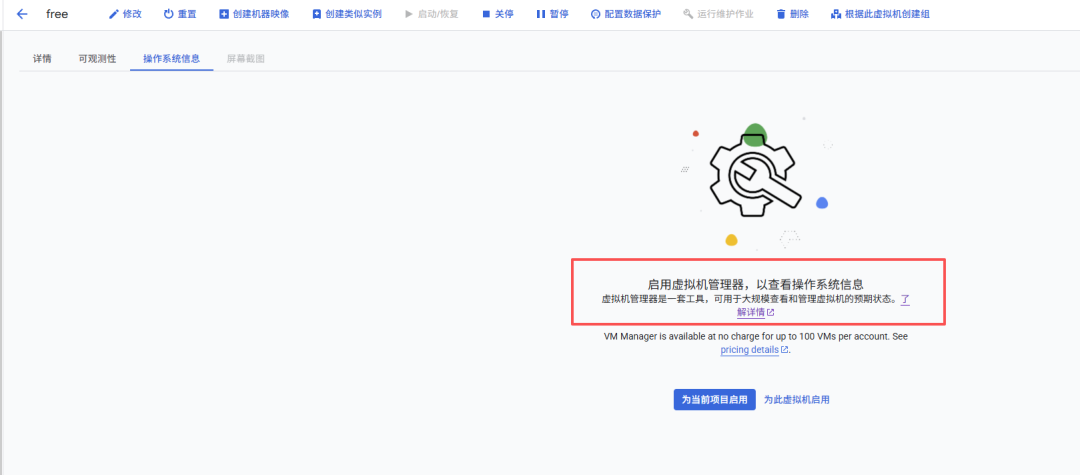
 Some people will ask, if there is an estimated cost next to it, how about spending money. . . . Of course it doesn’t cost money. What else can I say about a free server if it costs money? Of course, if you are afraid of spending money, just keep an eye on the bill from time to time. If there is any cost, just cancel the instance immediately. I can only say that I have not been charged at present, because some people occasionally have a charge of a few tenths of a dollar every month, but it is basically caused by accidentally connecting to those three CDNs. If it does not work, the card limit will be imposed. By the way, do not open the instance after it is created.Virtual machine manager, this thing also costs money...III. Configure the FirewallAs mentioned above, this free server cannot connect to akari, cloudflare, and fastly.cdn, otherwise the traffic money will be calculated.So if you want to use this server for free,we still need to passConfigurationThe firewall prohibits the server from connecting to the IP addresses of these three CDNs to achieve targeted blocking. Under normal circumstances, the IP address of the CDN manufacturer will not change. Cloudflare, for example, has not changed its IP address for several years, so as long as it is configured to prevent access to the corresponding IP address, there is basically no need to worry.The conventional method is to configure the firewall directly in the Google Cloud console, but that is too troublesome. Fortunately, a forum boss has made an iptables configuration script, which only needs to be run in the system to block the corresponding IP. Of course, if you still feelYou can also configure the firewall in the console, and just collect the IP address of the corresponding CDN by yourself, which is available on the official website.Enter the cloud server console. The newly created server can only be accessed by SSH at first. Run the following commands in order to finish the setup. Special reminder: change the package mirror first, because Debian's default mirror goes through Cloudflare and costs money.
sudo passwd# Set the root password. By default, the instance is not root and has no password.
su -# Switch to the root user
sudo sed -i 's/^#*PermitRootLogin.*/PermitRootLogin yes/' /etc/ssh/sshd_config && sudo systemctl restart ssh# Enable root SSH login. Skip this if you do not need it.
sudo bash -c '\rm -rf /etc/apt/sources.list.d/* && \truncate -s 0 /etc/apt/sources.list && \cat > /etc/apt/sources.list <<EOFdeb http:deb http:deb http:deb http:EOFapt update'# Switch to the Aliyun mirror. This example uses Debian; use the appropriate mirror on other systems.# Change the mirror first; domestic mirrors avoid those three CDNs and do not incur charges.
apt install -y iptables ipset curl# Install the iptables firewall
bash <(curl -fsSL https:# Run the script and write the blocked IP list into iptables
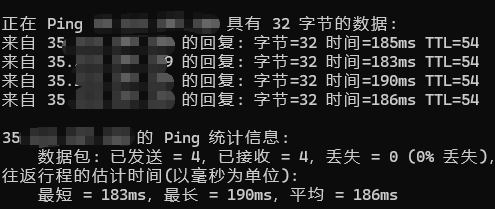
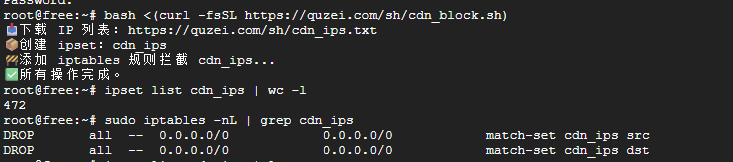 I have used this for a while and have not noticed any charges. This IP block list should be complete. Of course, if you are worried that it is incomplete, you can collect the list yourself. I also checked the latency of this server. As long as it works, that is enough for a free server.
Follow me to learn new technologies first

Source: https://mp.weixin.qq.com/s/CHeyCKgmBO_JYmItJuFiKQ