Stop Being a Switchboard Operator for Vendor Apps! Is Mi Home Truly Whole-Home Smart? A Beginner's Plain-English Guide to Home Assistant: Breaking Ecosystem Silos, Ending Cloud Blackouts, and Reclaiming Your Private Smart Brain
Have you ever found yourself in this seemingly futuristic yet utterly frustrating daily routine?
When decorating your house or buying smart appliances, you excitedly picked up Xiaomi smart wall switches, an Aqara human presence sensor, a Midea dual-inverter air conditioner, a Roborock robot vacuum, Yeelight ambient light strips, an iPhone, an Apple Watch, and a bedside Xiaoai AI speaker.
You proudly announced to your friends: “My home is 100% smart now!”
Yet real everyday life slaps you in the face with an exhausting reality: Every evening when you get home from work, you aren’t living in a futuristic sci-fi smart home. You have merely volunteered as an unpaid switchboard operator frantically juggling half a dozen vendor apps!
You push open the front door. The entryway is dark. You unlock your phone, swipe across screens to locate the “Mi Home” app, wait for the interface to load, and tap the entryway light. The hallway is stuffy. You swipe back to the home screen, find the “Midea Smart Life” app on page two, sit through a 5-second splash screen ad, and finally turn on the living room AC. There are crumbs on the rug. You toggle to the “Roborock” app to start a spot clean. You want background music while cooking dinner, so you jump into the “Apple Home” app to route audio to your HomePod.
Even more infuriating: if you want that cheap $3 Xiaomi door contact sensor to automatically turn on your Midea AC and dim the Yeelight ceiling light when you open the front door? Forget it. You can comb through the Mi Home automation menu for hours, and you will never find Midea listed. In the corporate boardroom, they are fierce commercial rivals who would rather burn bridges than let rival hardware communicate seamlessly.
And then comes the ultimate humiliation: a construction crew down the street accidentally cuts the municipal fiber optic cable, or your broadband provider experiences a routing glitch. You habitually tap a wall switch or call out to your voice speaker—and your entire house sits in dead silence. Because conventional smart gadgets must route signals thousands of miles across the globe to remote cloud servers in Beijing or Silicon Valley, a simple internet hiccup instantly demotes your expensive smart home into a completely helpless dumb home!
Must a smart home remain fractured across closed corporate silos forever?
Absolutely not! In our previous tutorial, we walked through how to install Home Assistant via Wintermelon HAOS (wghaos) in under 3 minutes, bypassing overseas network download deadlocks completely. Today, we step back to address the grand foundational question for every single-brand app user: What exactly is Home Assistant? Why is it the one true central brain your smart home deserves? And how can a Mi Home novice make the transition with zero hardware scrapped?

Figure 1: Original cover graphic. Comprehensive blueprint breaking down vendor pain points, the Home Assistant open architecture, and a seamless 4-step migration roadmap for Mi Home users.
Problem Background & Manifestation: The 4 Hidden Traps of Vendor Walled Gardens
When first dipping their toes into home automation, many users assume: “Mi Home is fine! I bought a couple of smart plugs and bulbs, connected them to Wi-Fi, and voice control works. Why on earth should I bother setting up a dedicated home server?”
That perspective is like only ever visiting one convenience store and believing it represents all global gastronomy. As you acquire more appliances across diverse categories, the four hidden traps of single-brand cloud ecosystems will inevitably strangle your setup:

Figure 2: Original root-cause diagram. Contrast between closed vendor cloud silos and the local-first Home Assistant unified architecture.
1. Trap 1: Mobile Switchboard App Hell (App Fragmentation)
Your smartphone home screen is littered with disparate corporate apps: Mi Home, Midea Smart Life, Haier Smart, Tuya Smart, Yeelight, Aqara Home, Philips Hue, and Google Home. Controlling a single room requires constant task-switching. Trying to grant permissions to family members or elderly parents means installing half a dozen apps on their phones, registering individual accounts, and sending multiple sharing invites. The setup that was supposed to save you effort ends up creating endless digital clutter.
2. Trap 2: The Berlin Wall of IoT (Cross-Brand Isolation)
This is the single biggest grievance among smart home enthusiasts. You want an ultra-affordable Xiaomi door sensor ($3) to trigger your top-rated Midea inverter AC; You want an Aqara presence sensor in the living room to set Philips Hue ambient strips to cinema mode; You want your iPhone control center to smoothly toggle generic budget switches. Within official vendor apps, this is an absolute impossibility. Tech giants erect towering walls around their walled gardens, forcing you to purchase their sub-par branded accessories just to achieve basic automations.
3. Trap 3: Cloud Blackouts & Latency (Cloud Dependency)
Most vendor apps operate on “pseudo-local control”: When you press a wireless button on your coffee table, the button does not talk directly to the ceiling light above your head. Instead, the signal leaves your home router, crosses the optical ONT, journeys thousands of miles through WAN fiber backbones to a corporate cloud cluster, queues up for authentication, and finally travels thousands of miles back into your living room.
- Daily annoyance: Pressing a button results in a 1~3 second sluggish delay, lacking the instant tactile snap of physical wiring;
- Catastrophic failure: If an ISP fiber line is cut, DNS misbehaves, or the vendor’s cloud server undergoes DDoS or routine maintenance, your entire smart home freezes completely.
4. Trap 4: Telemetry Leaks & E-Waste Bricking (Data Sovereignty)
Your daily waking hours, presence records, temperature readings, floorplan maps generated by robot vacuums, and even local camera streams are constantly uploaded to commercial cloud servers. As an end user, you have zero visibility into how your behavioral data is indexed or monetized for targeted advertising. Worse yet, when smaller IoT companies encounter financial trouble and pull the plug on their cloud servers, the smart hardware you paid hard cash for instantly bricks into unmanageable plastic e-waste.
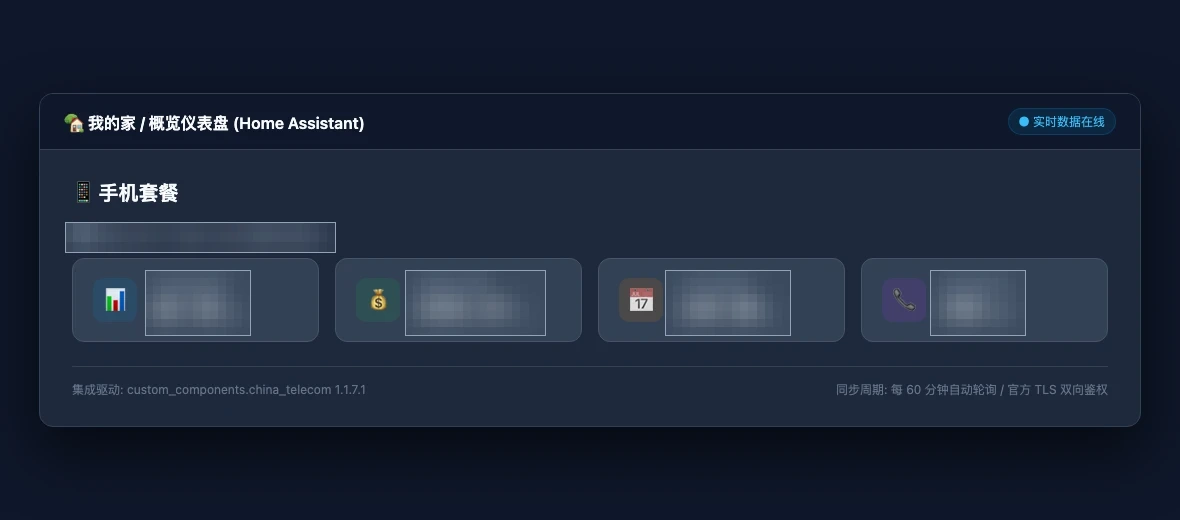
Figure 3: Real screenshot. In a unified Home Assistant mobile cockpit, telecom billing, room environmental sensors, and electrical switches converge into one cohesive panel, ending app juggling forever.
Problem Analysis & Root Cause: Why Tech Giants Will Never Grant You Freedom
Novices often wonder: “If cross-brand synergy is so obviously superior, why don’t Xiaomi, Midea, and Philips just cooperate on a universal app?" Examining corporate business models and communication protocols reveals an insurmountable conflict of interest:
-
Walled Gardens are Commercial Moats Basic IoT sensors yield razor-thin profit margins. The real corporate windfall lies in hardware ecosystem lock-in and subsequent recurring cloud subscriptions. If a $3 Xiaomi sensor could freely orchestrate any Gree or Midea AC, why would consumers buy the vendor’s proprietary air conditioners? Locking you into a closed garden is corporate self-preservation.
-
Cloud Dependency Feeds the Data Flywheel Centralized clouds enable tech giants to profile user sleep cycles, home occupancy, and appliance lifespans. Forcing hardware through a remote cloud login ensures high daily active user (DAU) metrics and elevates corporate valuations. Vendors have zero financial incentive to provide local-only LAN autonomy.
-
Proprietary Protocol Dialects Even though physical radios share common frequencies (Wi-Fi, BLE Mesh, Zigbee, Thread), device payloads are wrapped in encrypted proprietary headers: Xiaomi utilizes
Miot-Spec, Midea deploysMSmart, and Apple mandatesHAP. At the network packet layer, they speak completely alien languages.
The Solution: What is Home Assistant?
In response to this fragmented landscape, the global open-source community created the definitive answer: Home Assistant (HA).
By its technical definition, Home Assistant is a Python-based, event-driven, 100% locally hosted, open-source smart home operating system. Spanning more than a decade of active development with contributions from tens of thousands of global software engineers, it natively supports over 3,000 distinct device integrations.
For smart home newcomers, let us bypass the dry jargon and understand Home Assistant through four everyday analogies that even an elementary school student can grasp immediately:

Figure 4: Original analogy graphic. Home Assistant functions as the UN General Assembly: proprietary brand dialects are translated by Integrations into universal Lego blocks, empowering boundless automation.
Analogy 1: The “UN General Assembly & Simultaneous Translators”
Imagine your living room hosting a high-stakes diplomatic summit:
- Xiaomi devices arrive speaking “Miot dialect”;
- Midea appliances communicate in “MSmart encrypted French”;
- Philips and Aqara sensors chat in “Zigbee German”;
- Apple HomeKit sits in the VIP box, only accepting “HAP Royal English”.
Without an intermediary, they sit across from one another in complete silence. Home Assistant is the UN Assembly Hall constructed right inside your living room! Every Integration in HA acts as an expert simultaneous translator:
- The
Xiaomi Miot Autotranslator instantly decodes Xiaomi commands into standard actions; - The
Midea AC LANtranslator parses local network packets into universal climate operations; Inside the HA Core state engine, all corporate branding is stripped away, leaving only universal building blocks: - Any switch, regardless of brand, is standardized as
switch.xxx; - Any HVAC unit is standardized as
climate.xxx; - Any presence or contact detector is standardized as
binary_sensor.xxx.
Because every device now communicates in universal building blocks, a Xiaomi door sensor can trigger a Midea AC in 5 milliseconds—as easily as snapping two Lego bricks together!
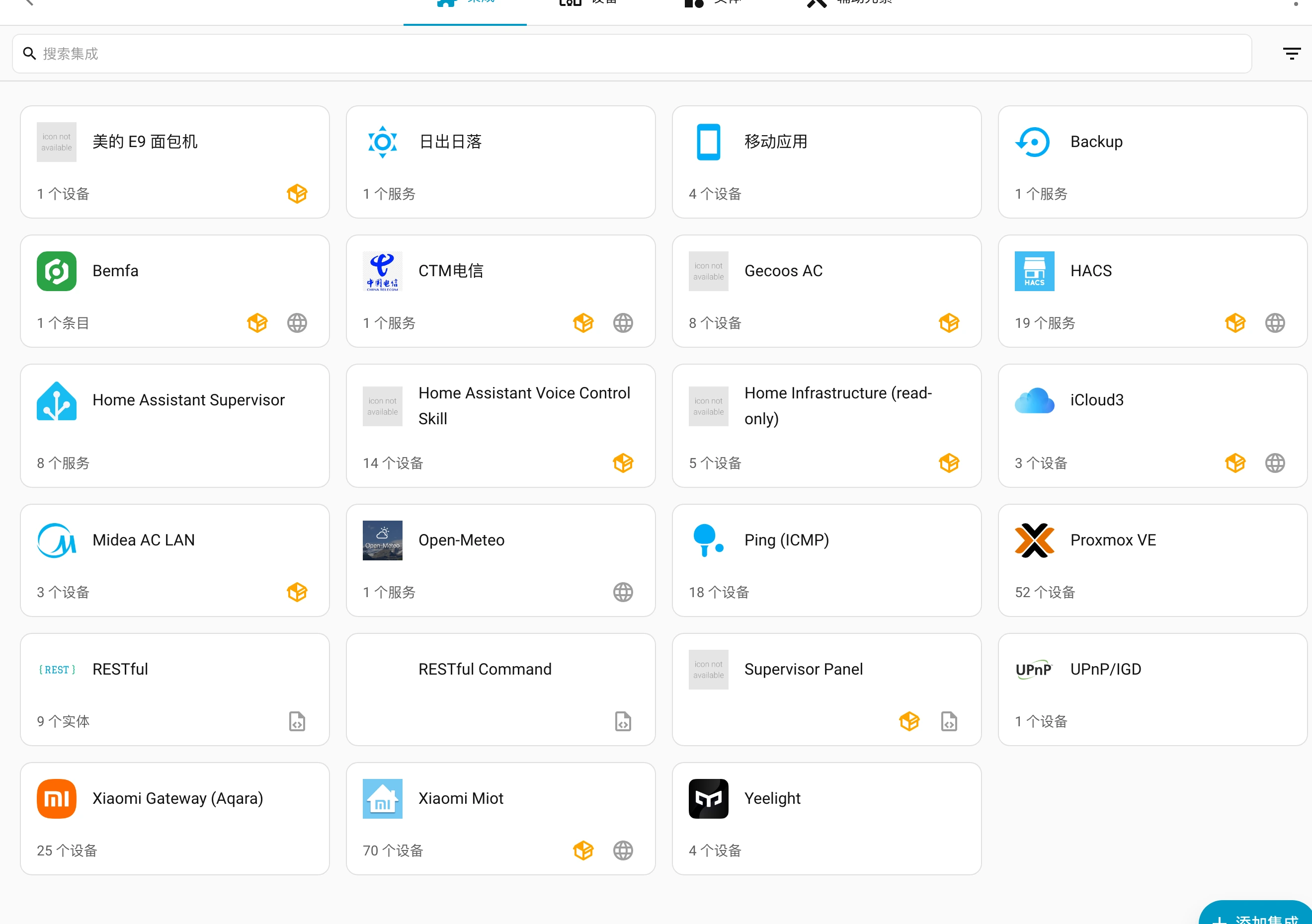
Figure 5: Real screenshot. Inside the Home Assistant Integrations dashboard, Midea ACs, Xiaomi appliances, sun tracking, and community HACS components coexist harmoniously.
Analogy 2: The “In-House Private Butler” vs “Remote Offshore Call Center”
Understanding local-first architecture is critical to appreciating HA’s rock-solid reliability:
- Using Mi Home or Midea Apps: Akin to hiring an offshore call center. Every time you want to switch on a light, you must place an international call across the ocean. An operator checks their logbook and calls back into your living room to flip the switch. If a transoceanic cable snaps or the call center takes a lunch break (cloud server outage), you are left stranded in pitch-black darkness.
- Using Home Assistant: Akin to employing a full-time, resident private butler who lives inside your home on a dedicated low-power mini PC. This butler never sleeps, never takes a break, and never relies on outside help. The microsecond your foot crosses an entryway sensor, the butler evaluates your custom home rules in local memory (2ms) and fires a direct LAN packet to the bulb.
Unplug your internet modem? Cut the fiber optic cable? The resident butler is still in your house! All automations, sensor reactions, and scheduled tasks fire uninterrupted with sub-10ms precision!

Figure 6: Original pipeline diagram. Full comparison between remote cloud round-trips (15003000ms, single point of failure) and local in-house execution (515ms, zero WAN dependency).
Analogy 3: Breaking Open the Box of “Universal Smart Home Legos”
In vendor apps, automation is painfully rudimentary: IF [Motion] THEN [Turn ON Light]. If you want a nuanced rule—such as: “IF it is a weekday between 11 PM and 5 AM, AND presence is detected in the hallway, AND the bedroom is occupied, AND outdoor temperature is below 15°C, THEN gently ramp baseboard lights to 10% brightness and preheat the bathroom floor”—vendor apps hit a brick wall.
In Home Assistant, physical devices are deconstructed into modular Entities. Like a pile of loose Lego pieces on a table:
- Triggers: Door opened, 30 minutes before sunset, iPhone battery below 20%, electricity entering off-peak tariff;
- Conditions: Only when nobody is home, only when room illuminance is under 30 Lux, only on workdays;
- Actions: Midea AC cools to 24°C, Yeelight fades to warm amber, Sony TV pauses playback, and HomePod plays gentle white noise.
Any combination of hardware parts can be orchestrated into any sequence you imagine.
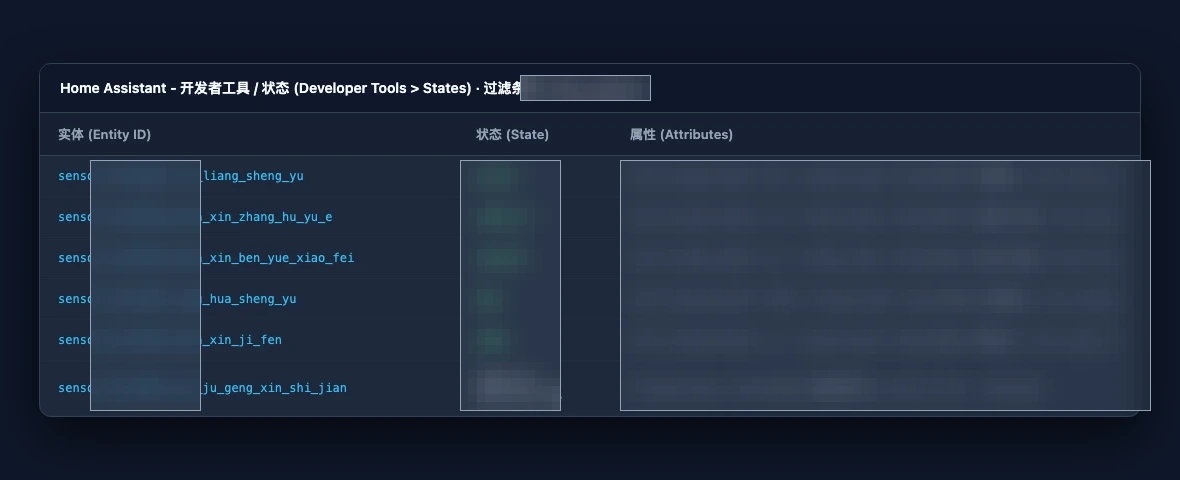
Figure 7: Real screenshot. In the entity registry, physical appliances are cleanly decoupled into distinct sensors, telemetry states, and toggles ready for modular automation.
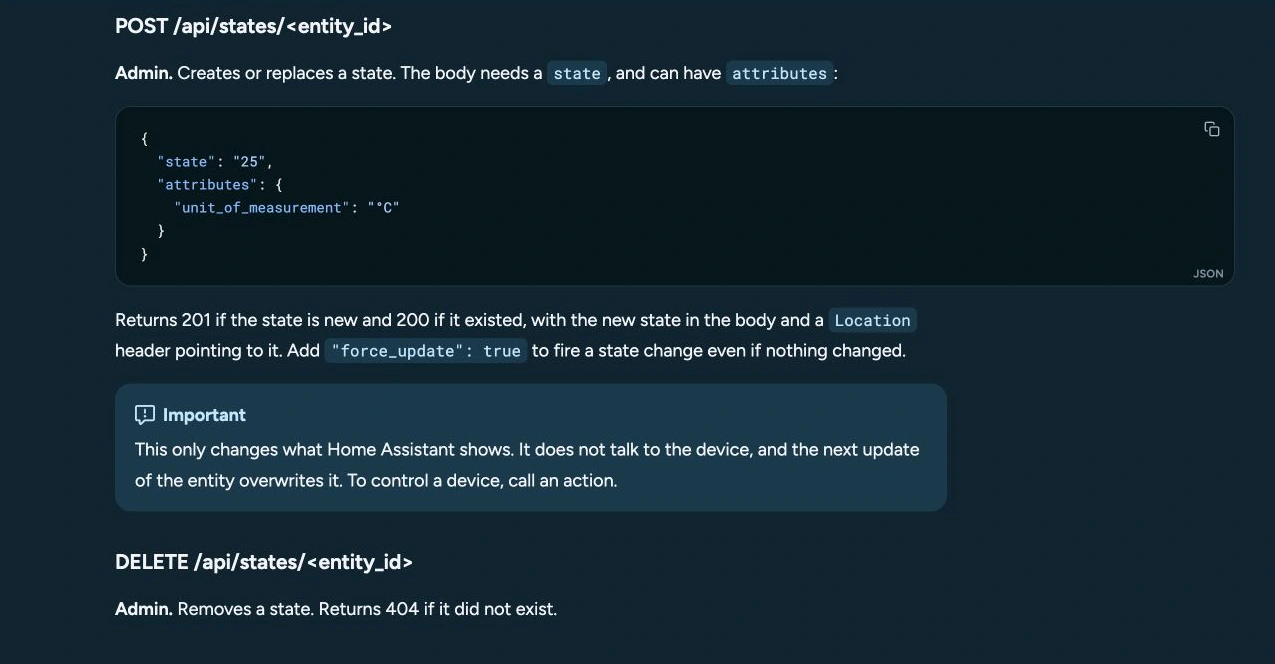
Figure 8: Real screenshot. Using visual service call tools, multi-vendor hardware actions are tested interactively without touching configuration code.
Analogy 4: Aesthetic Nirvana & The “Apple HomeKit Super-Bridge”
Many newcomers initially discover Home Assistant through viral social media posts showcasing stunning touch panels: HA boasts a formidable frontend architecture known as Lovelace Dashboards. You can drag and drop climate sliders, entity badges, CCTV camera feeds, and even 3D architectural floorplans into a sci-fi command center. Whether accessed via your work laptop browser, a wall-mounted tablet in the hallway, or your mobile phone, the interface renders crisply and responsively.
Even more remarkable for Apple users: Home Assistant features native Apple HomeKit Bridge support! Official Apple-certified HomeKit accessories frequently command a steep luxury tax. A certified door sensor can cost $30~$50, while a simple smart outlet commands $40. Through HA’s HomeKit Bridge, dirt-cheap $3 Xiaomi door sensors, Bluetooth thermometers, and generic smart plugs are exposed directly to your iOS device. You simply scan a QR code on your computer screen, and every budget sensor instantly becomes an official, native accessory inside the Apple Home app! You can lift your wrist to your Apple Watch and say: “Hey Siri, turn on the bedroom AC,” or “Hey Siri, is anyone in the living room?”, enjoying flawless native Apple integration at a fraction of the cost!
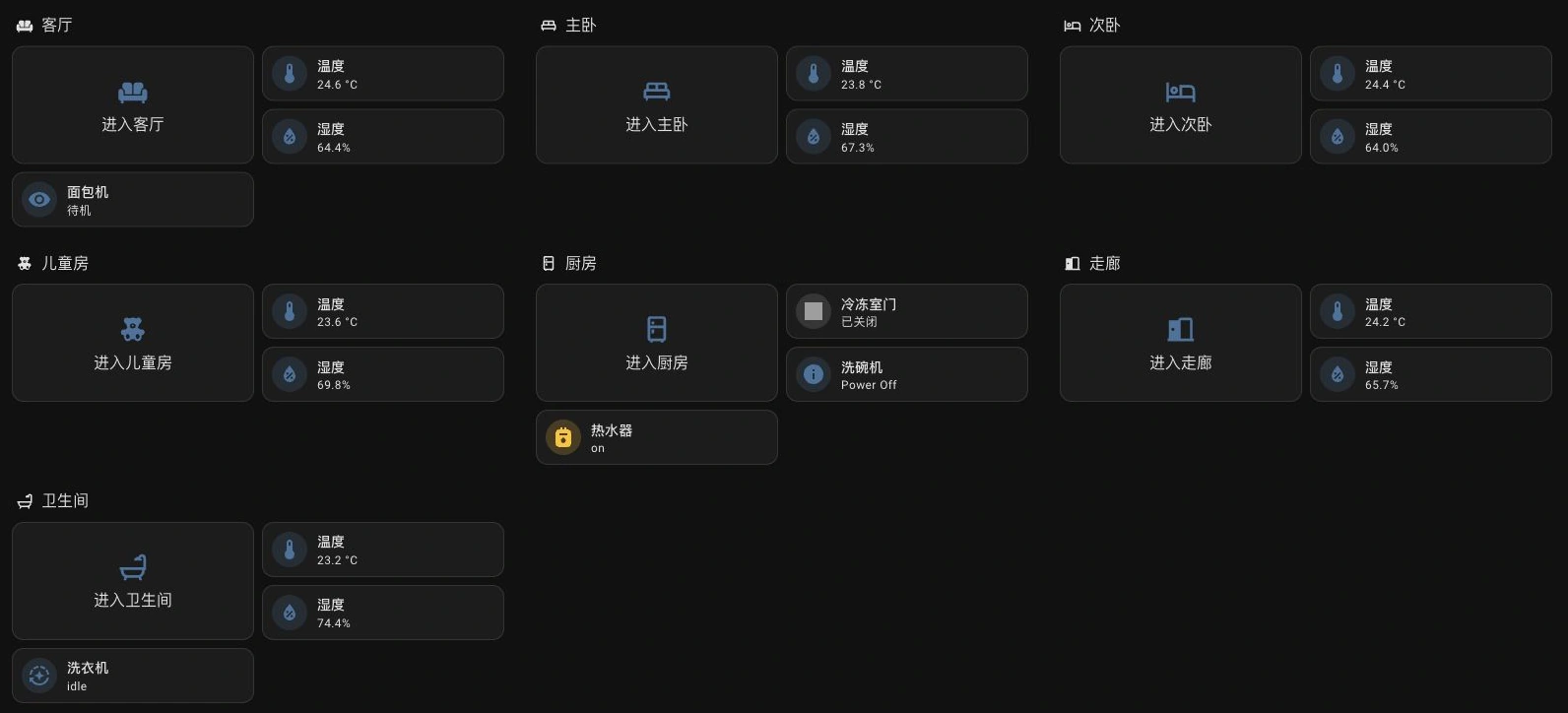
Figure 9: Real screenshot. Clean room-by-room layout aggregating climate, lights, and appliances into intuitive cards.
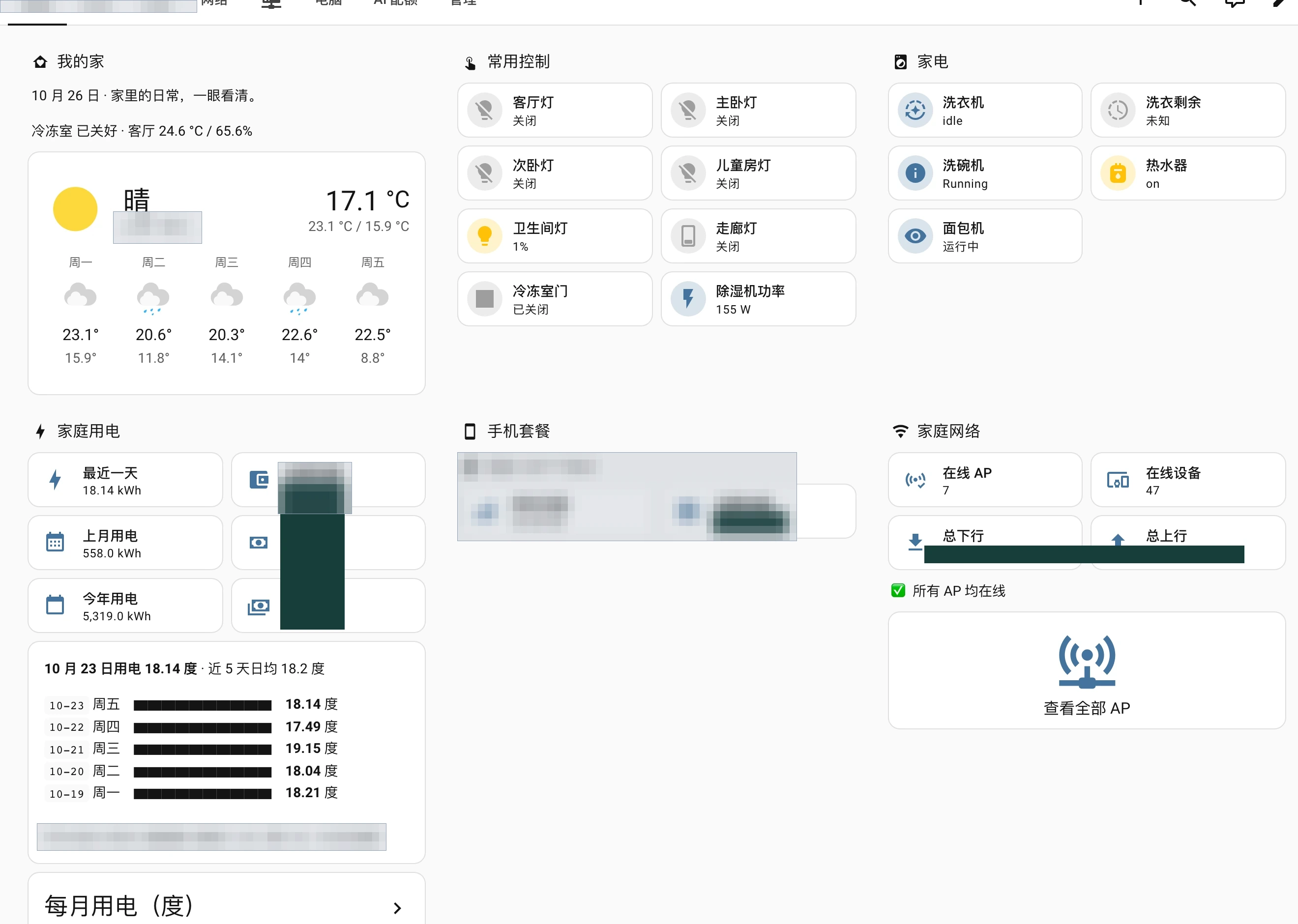
Figure 10: Real screenshot. Comprehensive high-resolution master dashboard displaying energy, climate, and appliances—fully bridgeable into native iOS Home and Siri control.
How a Mi Home Novice Takes the Leap: A 4-Step Zero-Risk Roadmap
Having grasped the possibilities, a Mi Home user may still worry: “This sounds incredible, but what about my existing Xiaomi setup? Do I have to re-pair every bulb? I don’t know Linux coding; will I break my home?”
Rest assured: transitioning to Home Assistant is a zero-risk, zero-waste, completely seamless migration:

Figure 11: Original roadmap diagram. Retaining existing hardware assets, Wintermelon HAOS 3-minute flashing, 10-second Xiaomi account sync, and universal HomeKit cross-linking.
Step 1: Zero Hardware Waste with Guaranteed Dual-Track Operation
Not a single screw, sensor, or bulb in your home needs to be discarded! When Home Assistant joins your network, your existing Mi Home and Midea apps continue functioning 100% as before. Grandparents and kids can still talk to Xiaoai speakers or tap wall switches without noticing any change whatsoever.
Step 2: Boot an Ultra-Low-Power Mini PC via Wintermelon HAOS
You need a tiny computer to serve as the resident butler’s physical body.
- Recommended Hardware: An unused old laptop, a second-hand thin client (HP T630, Lenovo mini PC, or J1900/N4100 industrial box), or a home NAS (Synology, QNAP);
- Power & Cost: These machines draw merely 5W~10W of power. Running 24/7 all year round consumes less than $5 in electricity annually—cheaper than a single month of cloud backup subscriptions;
- Pain-Free Flashing: As detailed in our previous article, skip the standard global ISO to avoid network timeout traps. Instead, flash the specialized Wintermelon HAOS (wghaos) image in 3 minutes, featuring local mirrors and the port 8124 companion cockpit!
Step 3: Add Xiaomi Miot Integration: 10-Second Auto Sync
Once HA boots, navigate to the Integrations dashboard and search for Xiaomi Miot Auto.
Input your Mi Home username and password, then hit Submit:
The magic happens in real time—
In less than 10 seconds, dozens of smart devices across your entire home—fans, rice cookers, purifiers, door sensors, and wall switches—are automatically discovered, cataloged, and rendered as standardized entities! You never have to poke paperclips into pinholes to re-pair equipment one by one!
Step 4: Tear Down Silos & Bridge to Apple HomeKit
Once your Xiaomi fleet is onboarded, the real fun begins:
- Bring in your Midea ACs via the
Midea AC LANintegration; - Integrate smart TVs and AV receivers through local DLNA / Android TV bindings;
- Toggle the built-in
HomeKit Bridgeswitch and scan the onscreen QR code with your iPhone; - Voila! Dozens of budget accessories populate your native Apple Home app, ready for instant cross-brand voice control via Siri!
Novice Soul-Searching Q&A: Busting the 8 Biggest Myths
To save you trial and error, we address the top eight questions and apprehensions beginners face:

Figure 12: Original decision matrix. In-depth evaluation across cross-brand connectivity, offline resilience, latency, Apple bridging, privacy, and long-term ownership costs.
Q1: After setting up Home Assistant, will my Mi Home App and Xiaoai Speaker still work?
Answer: Absolutely yes. They operate in parallel without interference! Home Assistant simply joins your local subnet as an authorized, supercharged family member. The official Mi Home app still works, and your Xiaoai speaker continues answering voice queries. In fact, HA can even read playback states from your smart speakers or broadcast custom voice announcements through them!
Q2: I don’t know Linux or coding, and I have never touched a terminal. Can I realistically manage this?
Answer: 100% yes! Modern Home Assistant has evolved far beyond the era when users had to hand-edit YAML configuration text files. Once your initial OS is flashed via Wintermelon HAOS, 99% of routine operations—adding integrations, building automations, and styling dashboards—are completed through visual web interfaces with intuitive dropdown menus and toggle switches.
Q3: Why does everyone insist that “offline reliability” is the golden standard? My internet rarely cuts out.
Answer: Local-first execution guarantees certainty and eliminating latency fatigue.
You may only notice internet outages when your laptop drops a connection. But micro-outages happen frequently: ISP DHCP renewals, local router bufferbloat, and vendor cloud server maintenance.
More importantly, local execution eradicates sluggishness. Bouncing signals off remote cloud servers introduces 13 seconds of latency. Local execution over LAN takes 515 milliseconds. The light turns on the very microsecond your finger touches the switch—delivering the crisp tactile feedback of physical wiring.
Q4: Isn’t Matter protocol supposed to unify all smart home brands? Why not just wait for Matter?
Answer: Matter is a worthy vision, but Home Assistant is Matter’s true master cockpit. While Matter standardizes connectivity, major appliance manufacturers are sluggish in backporting Matter firmware to legacy appliances. Crucially, Matter only specifies how devices talk—it does not provide the central brain that orchestrates cross-device logic. In Home Assistant, Matter is merely one of over 3,000 integrations. You can bridge modern Matter devices with five-year-old Xiaomi gadgets effortlessly today.
Q5: If the mini PC running Home Assistant freezes or loses power, will my physical lights stop working?
Answer: With proper smart wall switch hardware, you retain 100% mechanical fallback! If you install standard neutral-wire smart switches (such as Aqara or Xiaomi smart wall switches), they incorporate internal physical relays. Even if the home server loses power or your router restarts, pressing the physical wall paddle mechanically engages the relay, ensuring your family is never left in the dark.
Q6: What unique benefits does an Apple ecosystem user gain from Home Assistant?
Answer: Enjoying official Apple HomeKit functionality at a 90% discount! Official MFi-certified HomeKit accessories carry steep price premiums. Through HA’s HomeKit Bridge, $3 Xiaomi door sensors and $5 Tuya switches appear as native Apple Home accessories on your iPhone, iPad, Apple Watch, and Mac menu bar—unlocking effortless “Hey Siri” voice commands across budget hardware.
Q7: Are home server mini PCs expensive to buy, noisy, or hot?
Answer: Shockingly inexpensive, whisper quiet, and extremely energy-efficient.
Home Assistant Core is exceptionally lean, idling at roughly 1GB2GB of RAM and under 5% CPU load. A used $20$40 thin client or fanless industrial PC is about the size of a paperback book. Tucked inside a media cabinet, it produces zero noise, generates negligible heat, and draws less power than leaving a nightlight plugged in.
Q8: Is local data storage truly safer than relying on major corporate clouds?
Answer: Your telemetry remains your private property—forever. Under corporate cloud models, behavioral logs, room presence timelines, and occupancy habits are stored on third-party servers vulnerable to data mining and leaks. With Home Assistant, every state change, sensor history curve, and automation rule resides strictly on your local solid-state drive. Unless someone physically enters your residence and removes the drive, your personal life remains private.
Conclusion: From Passive Cloud Tenant to Sovereign Homeowner
When you only ever interact with vendor apps on a smartphone, it is easy to assume that home automation must inherently be fractured: tolerating app hopping, enduring sluggish cloud latency, and accepting ecosystem barriers.
In the open-source engineering community, we uphold a fundamental truth: “If your smart home cannot function without an active internet connection to someone else’s server, you do not truly own it—you are merely renting convenience from a tech giant."
The true brilliance of Home Assistant does not lie merely in its sleek dashboard tiles. It lies in returning complete sovereignty, uncompromised privacy, and infinite creative freedom back into the hands of homeowners.
As shown in our previous installation guide, spinning up a local home hub is now painless with Wintermelon HAOS. Dust off a spare mini PC, liberate your Xiaomi and Midea gear from closed gardens, and experience real home automation. The moment you press a $3 wireless button and watch your Midea AC spin up while Yeelight warm lighting engages and Siri whispers “Good night”—you will realize: This is what a true smart home was always meant to be!