Ten Years for 80 Yuan: Why a 6-Digit .xyz Domain Is Good Enough for Personal Labs
Short version
If the domain is for a home lab, personal testing, temporary demos, API callbacks, development services, or other non-formal websites, I would first look at low-cost
.xyzdomains. In China, Tencent Cloud often makes this especially convenient for domestic users. For some pure numeric.xyznames with six or more digits, the checkout page may show a very low first-year and renewal price. If the price is 8 RMB per year, buying 10 years costs only 80 RMB.This is not a recommendation for company websites, public products, serious brands, payment systems, or long-term marketing pages. For those, a readable and trustworthy brand domain is still worth the money.
When people start building a personal website, home lab, NAS callback endpoint, temporary API, reverse proxy, monitoring page, or small side project, they often overthink the domain name. Should it be a .com? Should it be short? Should it look like a real company? Should it use pinyin, English words, initials, or a private nickname?
My practical answer is: first decide what the domain is supposed to do.
If it is a serious public identity, choose the name carefully. If it is just a personal utility domain, do not spend too much money or attention on the name. In that case, the domain is not a brand asset. It is a stable handle for DNS, HTTPS, reverse proxy rules, ACME certificates, third-party callbacks, object storage, and temporary services.
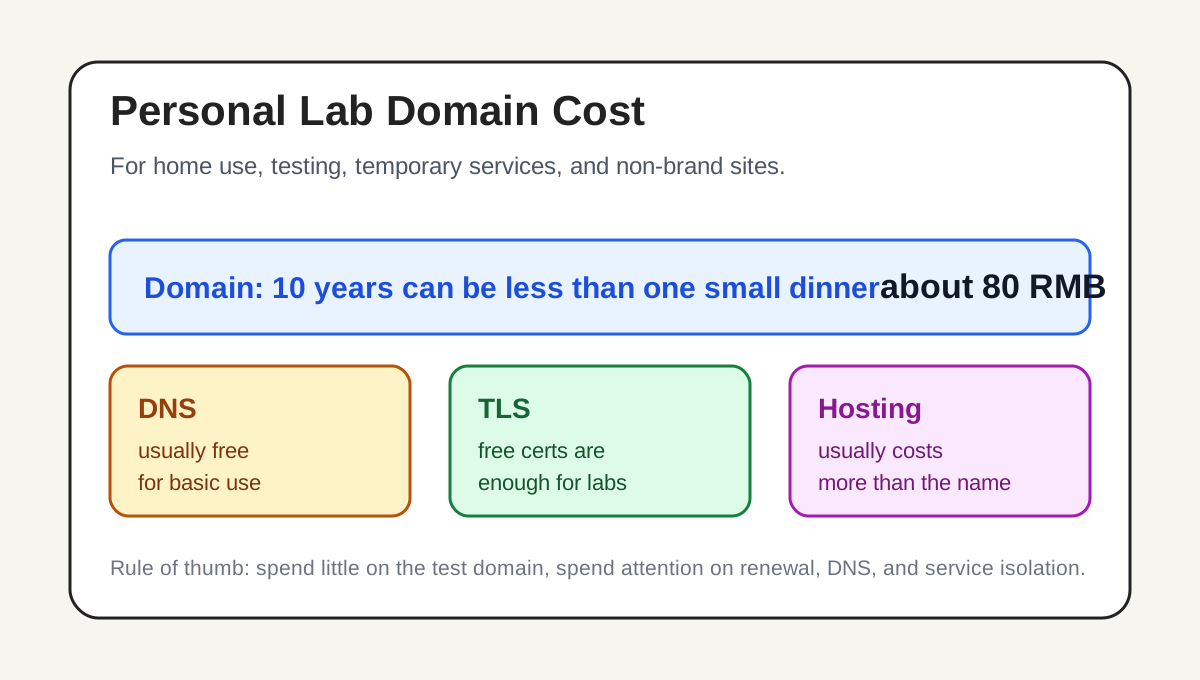
Figure 1: For a personal lab, the domain should be a cheap entry point, not the biggest expense.
1. This is not a brand-domain recommendation
Domain advice becomes confusing when people mix very different use cases. A numeric .xyz domain can look unprofessional. It is not easy to remember. It does not carry brand meaning. It may not inspire trust when shown to strangers.
All of that is true.
But it matters only if the domain is meant to be a brand. A company website, SaaS product, public open-source homepage, resume site, long-running blog, or commercial landing page should have a more readable and memorable domain. A good .com, .net, regional ccTLD, or carefully chosen name can be part of the product’s identity.
A personal lab is different. Common personal use cases include:
- Giving a NAS, router, monitoring page, photo service, note system, file service, or dashboard a stable address.
- Preparing a temporary public endpoint for a development API, webhook, OAuth callback, or demo page.
- Testing DNS records, CDN binding, object storage hosting, ACME certificates, and reverse proxies.
- Creating clear subdomains for different private tools.
- Avoiding accidental exposure of a main domain, public blog domain, or real project name in throwaway experiments.
In those cases, the domain does not need to tell a story. It needs to be cheap, stable, renewable, and easy to manage. A low-cost test domain that you can keep for many years is often more useful than a nicer-looking name that costs more every year.
So the recommendation in this article has a strict boundary: a cheap numeric .xyz is a practical choice for personal labs and informal sites, not for serious brand presence.
2. Why .xyz
The .xyz suffix has become common among personal websites, developer experiments, small tools, and temporary services. Its biggest advantage is not meaning. Its advantage is availability and cost.
Good short .com names are mostly gone. A readable English word or two-word combination may already be registered, parked, or priced far above what a personal test service deserves. Even when the first-year price looks acceptable, the renewal price may be much higher.
For a home lab, that cost is often unnecessary.
.xyz is neutral. It does not lock you into a particular industry. It is familiar enough for technical users. It works fine for test pages, utility services, callbacks, private dashboards, and short-lived projects. It is less strange than many obscure suffixes, while still being much cheaper than many desirable brand-style domains.
The key detail is that some numeric .xyz combinations can be very cheap. The words “some” and “checkout page” are important. Domain prices change. Registry rules, registrar campaigns, premium-name policies, and renewal prices can all change. Do not rely on an old screenshot or an article from months ago. The checkout page is the final source of truth.
I prefer pure numeric .xyz domains with six or more digits for three reasons.
First, they can be extremely cheap. If Tencent Cloud shows 8 RMB per year for both first-year registration and renewal, then a 10-year purchase costs only 80 RMB. That is less than many small software subscriptions, one month of a small server, or a casual dinner. For a utility domain that may stay in your lab for years, the price is easy to justify.
Second, they are clearly not brand domains. A random numeric name does not pretend to be beautiful. That is useful. It tells you what this domain is for: DNS records, certificates, callbacks, and service entry points. It does not need to represent you publicly.
Third, it works well with subdomains. The root name can be unimportant while subdomains carry the meaning. You may remember api, dev, lab, status, files, or notes, while the numeric root domain simply acts as the base.
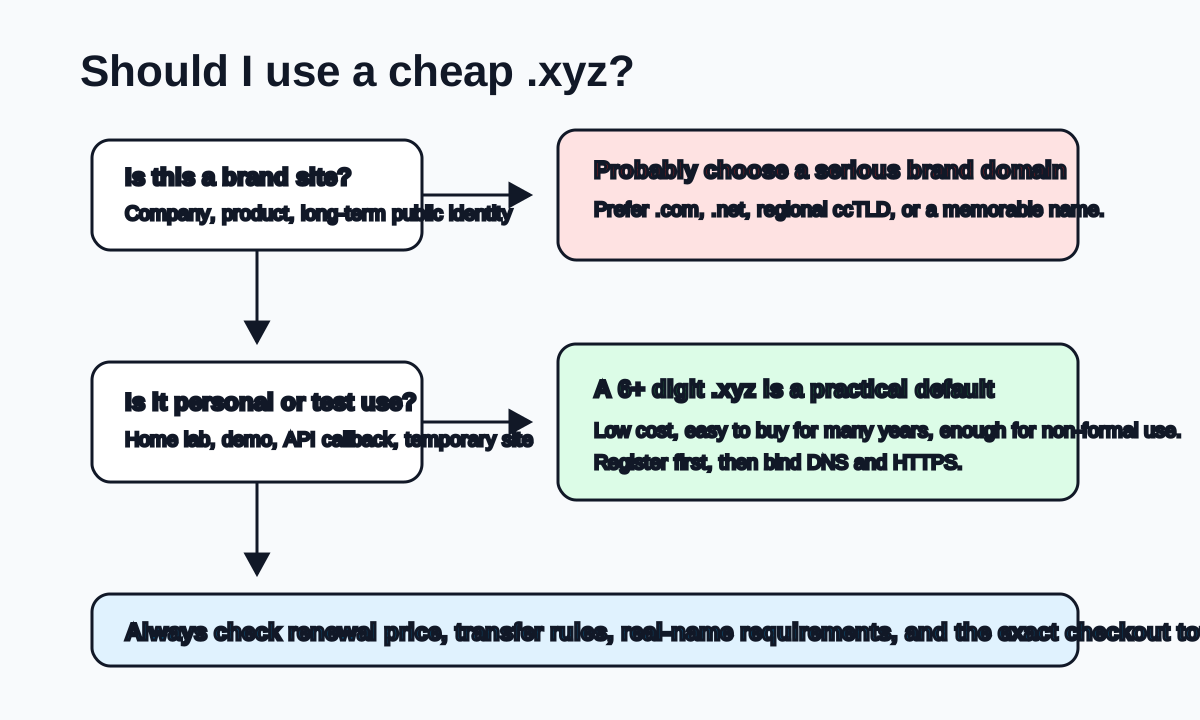
Figure 2: Choose the suffix after choosing the use case. Personal labs and brand sites follow different logic.
3. Why Tencent Cloud
For domestic users in China, I usually prefer a large mainstream provider such as Tencent Cloud for this kind of domain. The reason is not that Tencent Cloud will always be the cheapest registrar for every suffix. The reason is that it is convenient for the whole workflow.
You get a familiar account system, domestic payment methods, real-name verification, invoices, DNSPod, DNS management, certificates, CDN, object storage, cloud functions, and lightweight cloud servers in one ecosystem. After buying the domain, you can immediately configure records, verify certificates, and bind services without moving between many providers.
That convenience matters for personal users. Some registrars show very attractive first-year prices, but you still need to evaluate renewal prices, DNS quality, transfer rules, support language, billing, account security, and operational reliability. If you are not investing in domain names and only need one or two utility domains, saving one or two RMB is less important than reducing friction.
Tencent Cloud also has the practical advantage of DNSPod. After registration, you can add A, CNAME, TXT, CAA, and other records in a familiar interface. That makes later certificate verification, CDN setup, third-party platform verification, and service migration easier.
Still, do not buy blindly. Check four things before paying:
- Whether the selected
.xyzname is a normal-price domain, not a premium domain. - Whether the first-year price and renewal price both match your expectation.
- Whether you can buy the number of years you want, especially 10 years.
- Whether the final checkout total is really the amount you expect.
Domain pricing should always be verified at checkout. If the final price is different, choose another numeric combination or another suffix.
4. Strengths and weaknesses of 6+ digit numeric domains
Pure numeric domains have obvious strengths and obvious weaknesses. It is important to accept both.
The first strength is cost. Many longer numeric combinations have little brand value, so they can be priced very low. That is exactly what a personal lab needs.
The second strength is availability. You do not need to fight for an English word, pinyin phrase, abbreviation, hyphenated name, or clever pun. Pick a neutral number that does not carry an unwanted meaning, and move on.
The third strength is long-term ownership. The most annoying part of domains is not buying them. It is remembering renewals, avoiding expiration, recovering expired names, and reconfiguring everything after a missed payment. If the price is low enough, buying 10 years in one step removes that chore for a long time. An 80 RMB 10-year purchase is not really buying a beautiful name. It is buying peace of mind for a utility entry point.
The weaknesses are just as clear.
First, numeric domains are not memorable. You cannot expect other people to remember a random sequence of digits.
Second, they do not look formal. A visitor who sees a numeric .xyz will not automatically trust it. For login systems, payment flows, resumes, company websites, or public products, this matters.
Third, they may be treated with more suspicion by some filters. Low-cost suffixes and unfamiliar numeric domains can sometimes look more suspicious to security products, email gateways, or cautious users. This does not mean they are unusable, but it means you should not use them as the foundation for formal email sending or important user-facing systems.
Fourth, legal and compliance requirements still apply. Buying a cheap domain does not remove filing, content, security, or exposure responsibilities. If you point it to a public server and host a public site, follow the rules for your region and service type.
My rule is simple: use it freely for personal labs, but do not be lazy with serious projects.
5. What to do after buying it
Buying the domain is only the beginning. The real experience depends on DNS, HTTPS, reverse proxy rules, access control, and renewal management.
First, complete verification and configure DNS. Domestic platforms usually require real-name verification. After that, create a clean naming pattern for subdomains. For example:
dev.example.xyz       development test page
api.example.xyz       test API
status.example.xyz    monitoring status page
files.example.xyz     file or object storage entry
lab.example.xyz       home lab entry
These are examples only. Do not expose real internal service names, device models, family information, private project names, or sensitive labels in public DNS. Subdomains are public information. Keep them neutral.
Second, enable HTTPS. There is no good reason to leave public endpoints on plain HTTP today. Use ACME automation, a CDN-managed certificate, or a cloud certificate service. Many webhook providers, browser APIs, mobile WebViews, OAuth systems, and modern platforms expect HTTPS by default.
Third, think carefully about reverse proxies and access control. A cheap domain does not make it safe to expose admin panels to the Internet. Router dashboards, NAS consoles, database tools, download managers, and monitoring systems should not be public unless there is a strong reason. If they must be reachable, add authentication, IP restrictions, two-factor authentication, VPN, Tailscale, Zero Trust access, or another protective layer.
Fourth, document renewal and ownership. Even if you buy 10 years, record the registrar, expiry date, DNS provider, and main usage in your password manager or operations notes. Ten years is a long time, but it is not forever. A reminder one year before expiration is much better than emergency recovery after expiration.
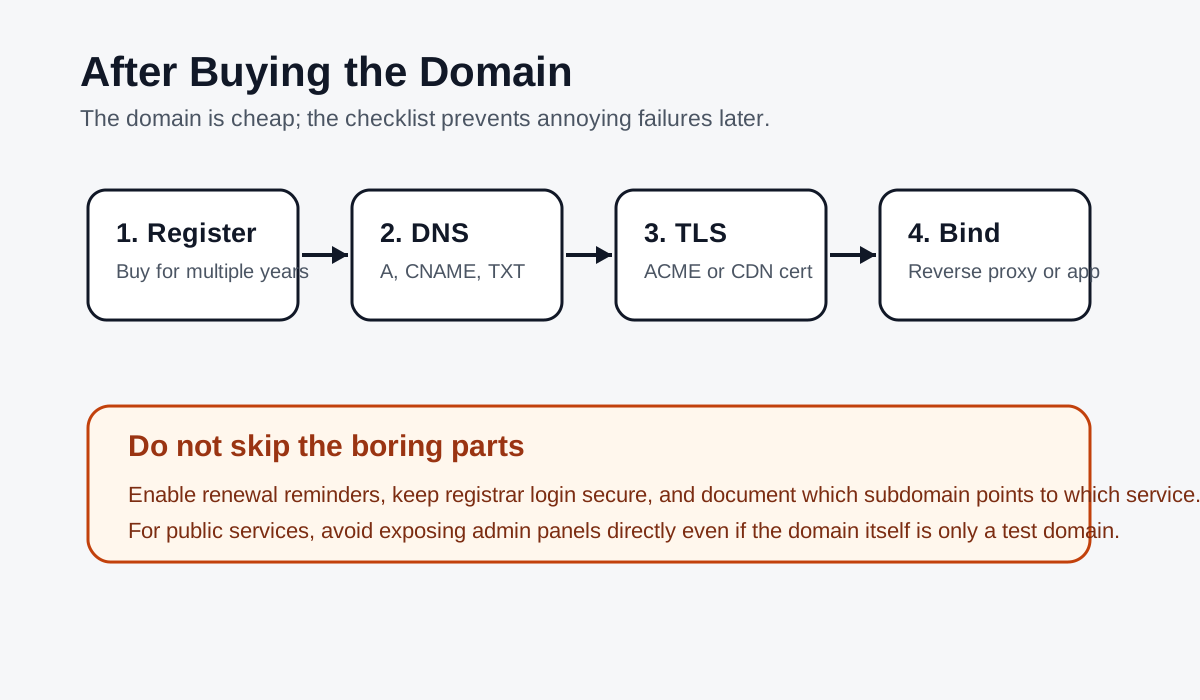
Figure 3: The cheap domain is just the entry point. The setup around it determines whether it is reliable.
6. My practical buying process
If I were buying a fresh domain today for personal lab use, I would follow this process:
- Confirm that it will not be used as a serious public brand.
- Open the Tencent Cloud domain registration page and search for
.xyz. - Try pure numeric names with six or more digits.
- Avoid numbers that carry sensitive, misleading, or personally meaningful information.
- Check both the first-year price and renewal price.
- If the checkout page shows 8 RMB per year and 10-year registration is supported, buy 10 years.
- Connect the domain to DNSPod and create a neutral subdomain naming convention.
- Test DNS, HTTPS, reverse proxy rules, and certificate renewal with a harmless service.
- Record the registrar, expiration date, and domain purpose in personal operations notes.
This process is not about collecting cheap domains. It is about turning domain ownership into a solved problem. A personal lab already has enough things to manage: servers, containers, backups, monitoring, certificates, proxies, permissions, network routes, and automation scripts. The domain should become stable infrastructure, not another recurring distraction.
7. When not to buy this kind of domain
There are several situations where I would not use this recommendation.
Do not use it for a serious public blog brand. If you want people to remember and share your site, a numeric .xyz is not ideal. Even with a small budget, choose something more readable.
Do not use it for a commercial service. Domain names shape first impressions. A low-cost numeric domain can reduce trust, especially when users are asked to log in, pay, or enter personal information.
Do not use it as your main email domain. Cheap suffixes and unfamiliar numeric names can face more deliverability and trust challenges. It is acceptable for tests, but not a great foundation for formal mail.
Do not buy many names just because they are cheap. One or two utility domains are usually enough for a personal lab. A low price is still wasteful if the domain has no purpose.
8. Summary
For home use, personal testing, and informal websites, a domain does not need to be expensive or elegant. It needs to be cheap, renewable, easy to manage, and clearly separated from serious brand identities.
Under that assumption, domestic users can reasonably start with Tencent Cloud and look at .xyz, especially pure numeric names with six or more digits. If the final checkout page confirms 8 RMB per year for both registration and renewal, a 10-year purchase costs only 80 RMB. That is a very practical price for a personal lab entry point.
Just keep the boundary clear. Cheap domains are great for cheap-risk scenarios. Brand sites, commercial products, public marketing pages, and formal email still deserve a more readable, more trustworthy, and more deliberate domain.
References
- Tencent Cloud domain registration page: https://buy.cloud.tencent.com/domain
- Tencent Cloud domain registration documentation: https://cloud.tencent.com/document/product/242
- DNSPod documentation: https://docs.dnspod.cn/
- ICANN registrant educational materials: https://www.icann.org/resources/pages/educational-2012-02-25-en