Why a NAS hostname with `speedtest` can sometimes be much faster
Short version
If your NAS is painfully slow when accessed from outside your home, and you control both your domain name and your reverse-proxy entry, putting
speedtestinto the subdomain can sometimes make a dramatic difference.
This is not magic and it is not guaranteed, but it often appears to hit a more permissive carrier policy path for “speed-test-like” traffic.
This post was inspired by a discussion on the fnNAS forum. The original thread makes a very direct claim: some home broadband lines seem to throttle ordinary NAS access quite aggressively, but once the hostname contains speedtest, the connection can suddenly behave much better.
I am not repeating the forum post word for word. Instead, I am turning the idea into a longer-lived technical note that answers three questions:
- Why this trick can work
- How to set it up with the least amount of moving parts
- When it will not work, or is not worth the effort
1. What the symptom looks like
A lot of people hit the same confusing pattern:
- The NAS is reachable from outside, but uploads or playback are painfully slow
- Speed tests look fine, yet the actual NAS service feels throttled
- HTTPS seems worse than HTTP
- Changing the access entry can suddenly change the user experience
The annoying part is that this is usually not a clean outage. The connection exists, but the throughput is too low to be comfortable. That is exactly why domain names, SNI, reverse-proxy behavior, and certificate details start to matter.
My working assumption is simple: some carriers apply policy based on more than just IP. They may look at hostnames, TLS SNI, traffic pattern, or service category. In that world, speedtest becomes a useful signal. It does not guarantee anything by itself, but it may steer the flow into a friendlier bucket.
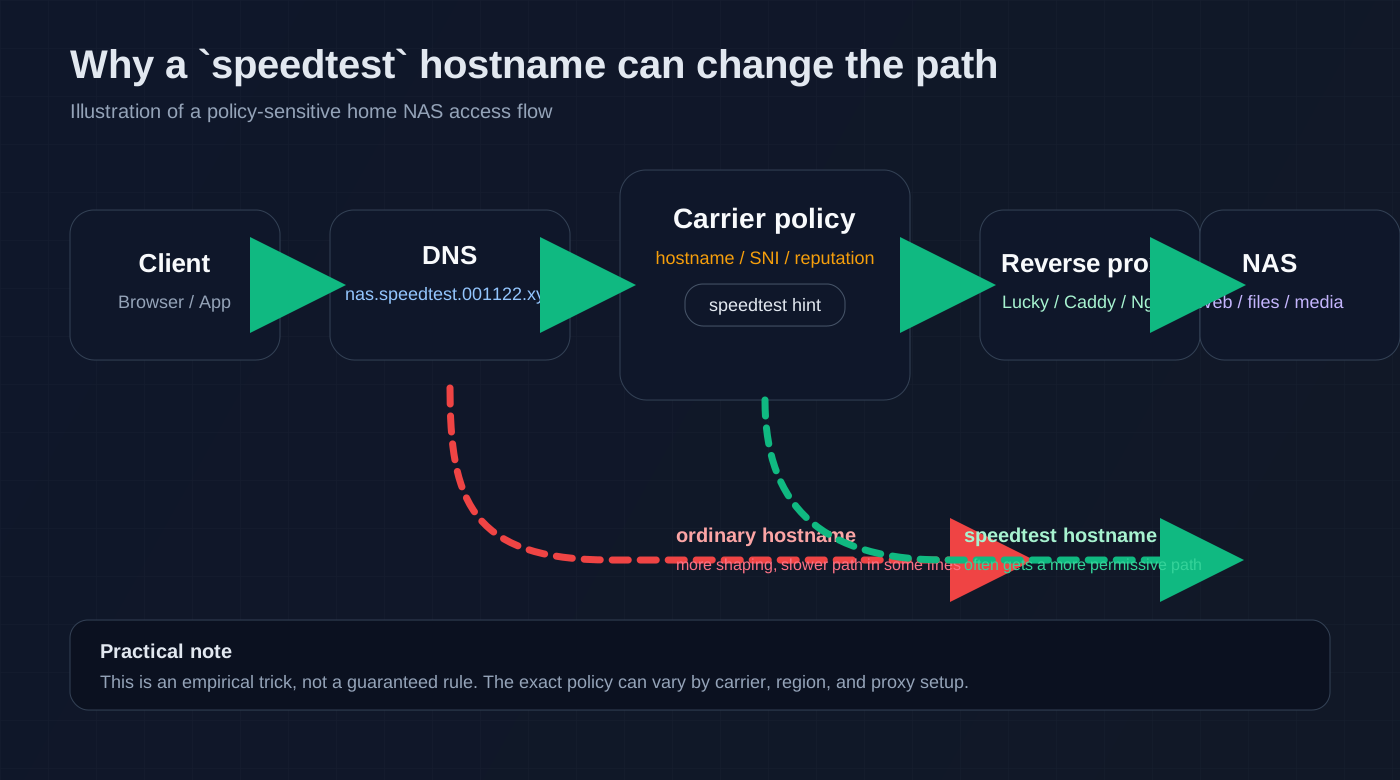
Figure 1: once speedtest is part of the subdomain, some carrier policies may treat the flow as speed-test-like traffic.
2. Why speedtest may help
The important caveat is that this is not universal. It depends on the carrier, the region, the access method, and your proxy setup.
Still, it is worth trying because the mechanism is plausible.
2.1 Speed-test traffic often gets special treatment
Network operators generally do not want their own speed-test path to be broken. Customers use it for troubleshooting, support calls, and quality checks. So it is reasonable to expect some systems to treat speed-test-like traffic differently.
That “different treatment” may come from:
- A hostname match
- TLS SNI inspection
- A known reputation or whitelist entry
- A behavioral heuristic that looks like test traffic rather than bulk transfer
The exact rule is usually opaque from the outside, and it may differ from carrier to carrier. But in practice, speedtest is often the easiest label to test.
2.2 The hostname matters more than the path
This part is crucial.
These two URLs are not equivalent for many network policy engines:
https://nas.speedtest.001122.xyz/https://001122.xyz/speedtest/nas/
The first one puts speedtest in the hostname, which is visible very early in the TLS flow. The second one only puts the word in the path, which is often hidden until much later, if at all.
So if you want to test this idea, keep one rule in mind:
Put
speedtestin the subdomain, not only in the path.
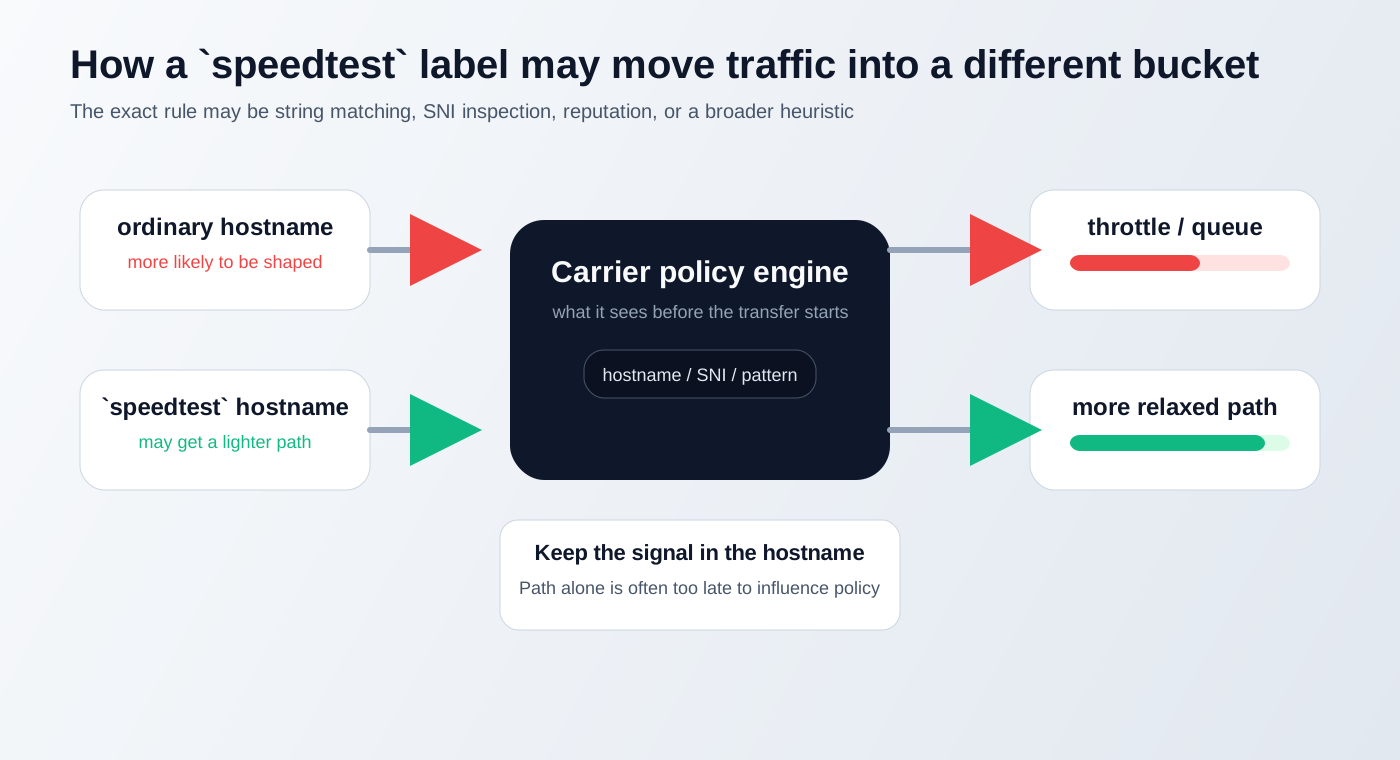
Figure 2: many policy engines decide before they ever need to inspect the URL path.
2.3 This is a policy hit, not a hack
I would not describe this as a magic bypass. A better mental model is: you rename your NAS entry so it more closely resembles a speed-test service, and that may happen to match a carrier rule that is less aggressive.
That also explains why it fails in some environments:
- If the policy only cares about IP, the hostname will not help
- If the policy is based on a richer traffic signature, renaming alone is not enough
- If your proxy or TLS setup is broken, the trick will not save you
3. What the minimal setup looks like
Keep the setup simple first. Do not start by mixing DDNS, FRP, proxy rules, certificates, WebDAV, and video transcoding all at once.
3.1 Pick a clear public entry
Suppose your external NAS entry is:
nas.speedtest.001122.xyz
The meaningful part is not nas. It is speedtest.
If you have a dynamic public IP, point the subdomain at the home edge. If you use DDNS, let the name CNAME to your dynamic record. If you have IPv6, keep the AAAA record in sync too.
3.2 Preserve Host and SNI
No matter whether you use Lucky, Caddy, Nginx, FRP, or HAProxy, the same idea applies:
- The public hostname should stay
nas.speedtest.001122.xyz - The TLS certificate should cover that hostname
- The reverse proxy should not rewrite the Host header into something else
If you keep the speedtest label in the public name but then strip it away inside the proxy layer, you may lose the very signal you are trying to test.
3.3 A tiny Caddy example
Just as a conceptual example:
nas.speedtest.001122.xyz {
    reverse_proxy 192.168.1.10:5001
}
What matters here is not Caddy itself. What matters is:
- The public hostname contains
speedtest - The proxy simply forwards traffic back to the NAS
If you prefer Nginx or Lucky, the same rule still applies.
4. How to verify whether it really helps
Do a proper comparison instead of relying on intuition.
4.1 Compare two entries
Prepare two reachable names:
- A normal entry:
nas.001122.xyz - A
speedtestentry:nas.speedtest.001122.xyz
Then test them from the same external device, at roughly the same time, on the same network:
- Does the page load faster?
- Do downloads stabilize more quickly?
- Does video playback start faster?
- Is the “connected but barely moving” symptom reduced?
4.2 Use the same resource
The comparison only makes sense if the resource is identical.
For example:
- Same NAS file
- Same download URL
- Same client
- Same external network
- Only the hostname changes
If only the hostname changes and the experience improves, then the name is clearly affecting the policy path.
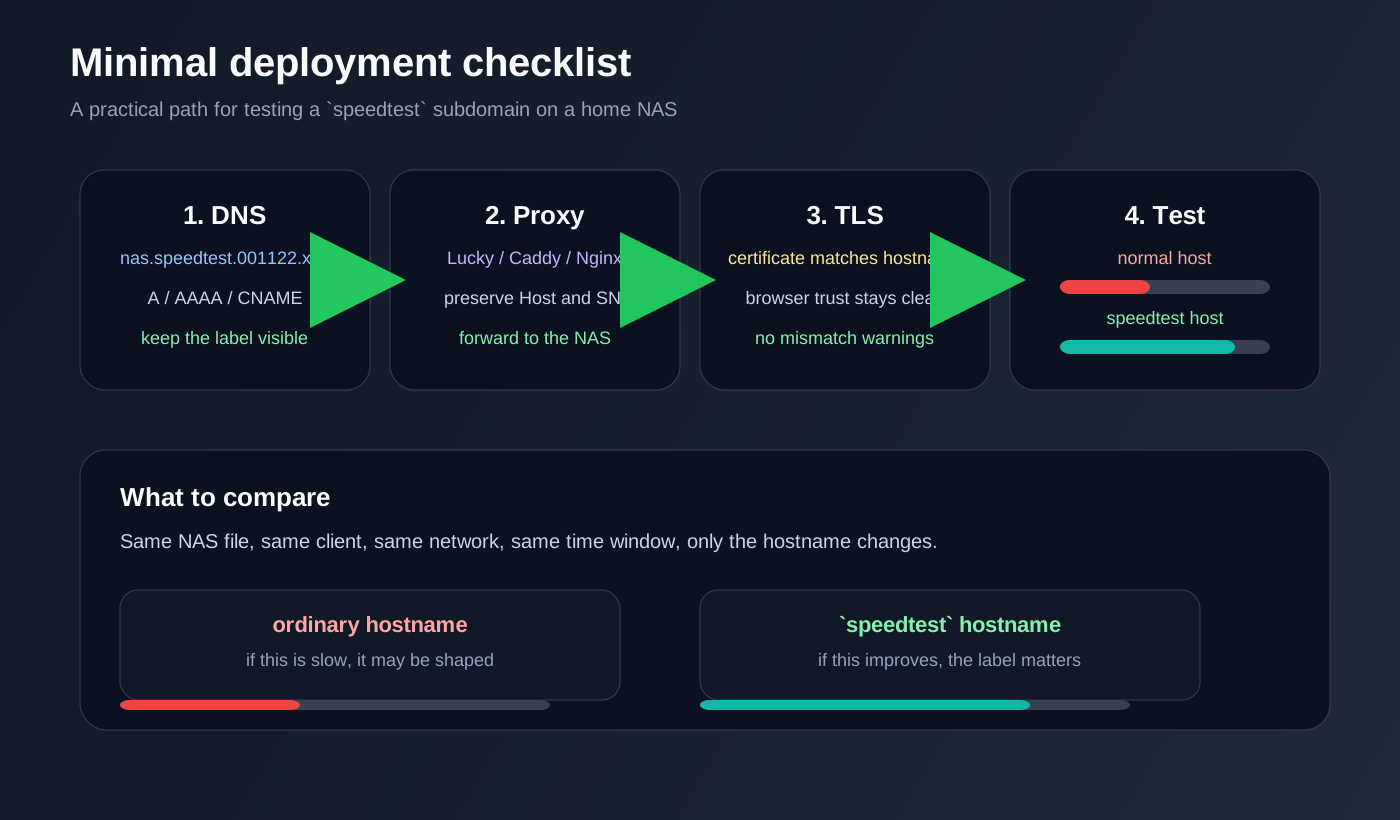
Figure 3: first make the minimal path work, then compare a normal hostname with the speedtest hostname.
4.3 It looks odd, but it is easy to test
One reason this trick is attractive is that the validation cost is low. You do not need to rebuild your home network. You can change the hostname and test again.
If it works, you keep it. If it does not, then the bottleneck is probably elsewhere:
- Your home upload speed is too small
- The NAS itself is too weak
- The proxy server is underpowered
- The workload is mostly transcode-bound
5. When it will fail
This is where many “quick fix” posts tend to be too optimistic. They only explain the success case.
5.1 The carrier may ignore hostnames
If the policy is driven mainly by IP, traffic pattern, or deeper inspection, changing the subdomain name will not do much.
5.2 Your proxy may erase the signal
If the public hostname contains speedtest, but the proxy rewrites the internal Host header into something unrelated, the signal may be lost after the first hop.
5.3 TLS mismatch can break the whole flow
If the certificate does not match the hostname, the browser will complain. If SNI and certificate names do not line up, some devices will fail before the traffic even gets a chance to be evaluated.
5.4 This is not a substitute for bandwidth
The speedtest trick does not turn a 10 Mbps upstream into 100 Mbps. At best, it helps an overly restricted path get closer to what it should have been in the first place.
6. How I would use it in practice
If I were keeping this setup long term, I would do it like this:
- Keep a normal entry as the fallback
- Keep a
speedtestentry as the preferred route - Point both names to the same NAS
- Keep DNS, certificates, and proxy config in sync
- Re-test occasionally, because carrier policy can change
That approach avoids overcommitting to a single trick. Carrier-side heuristics are not stable forever, so you want an easy fallback path.
7. A more realistic way to think about it
I prefer to think of this as hostname semantics optimization, not as cheating.
You are not pretending to be someone else’s service for malicious reasons. You are simply giving your own NAS entry a name that is less likely to get punished by an overzealous broadband policy.
If you already did the basics:
- Bridge mode on the modem
- PPPoE or proper routing on the router
- Working reverse proxy
- Valid HTTPS certificate
- Stable DDNS or public DNS
and external NAS access is still unreasonably slow, then trying speedtest in the subdomain is a very low-cost experiment.
8. Reference
The discussion that inspired this article:
https://club.fnnas.com/forum.php?mod=viewthread&tid=30354
9. Final note
What often feels like “throttling” on home broadband is not a full outage. It is usually a service path that is intentionally treated less kindly than normal speed-test traffic.
Renaming the NAS entry to nas.speedtest.001122.xyz is basically a way of borrowing a more trusted label and seeing whether that makes the path usable again.
It will not work everywhere, but as a low-risk, low-intrusion experiment, it is worth keeping in your home-network toolbox.