OpenClaw Backup Failure Investigation and Fix: From Two Broken Schedules to a Fully Restored Automation Pipeline
This post is a full incident review, not because the failure was dramatic, but because it was a very typical automation problem.
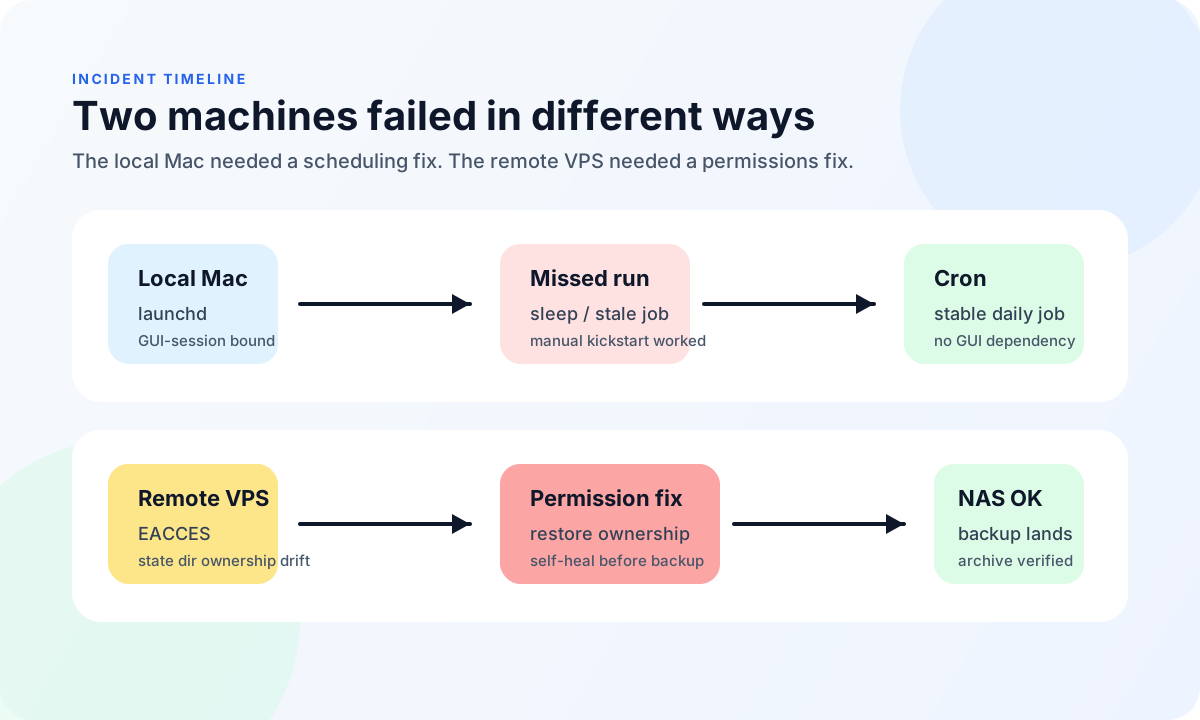
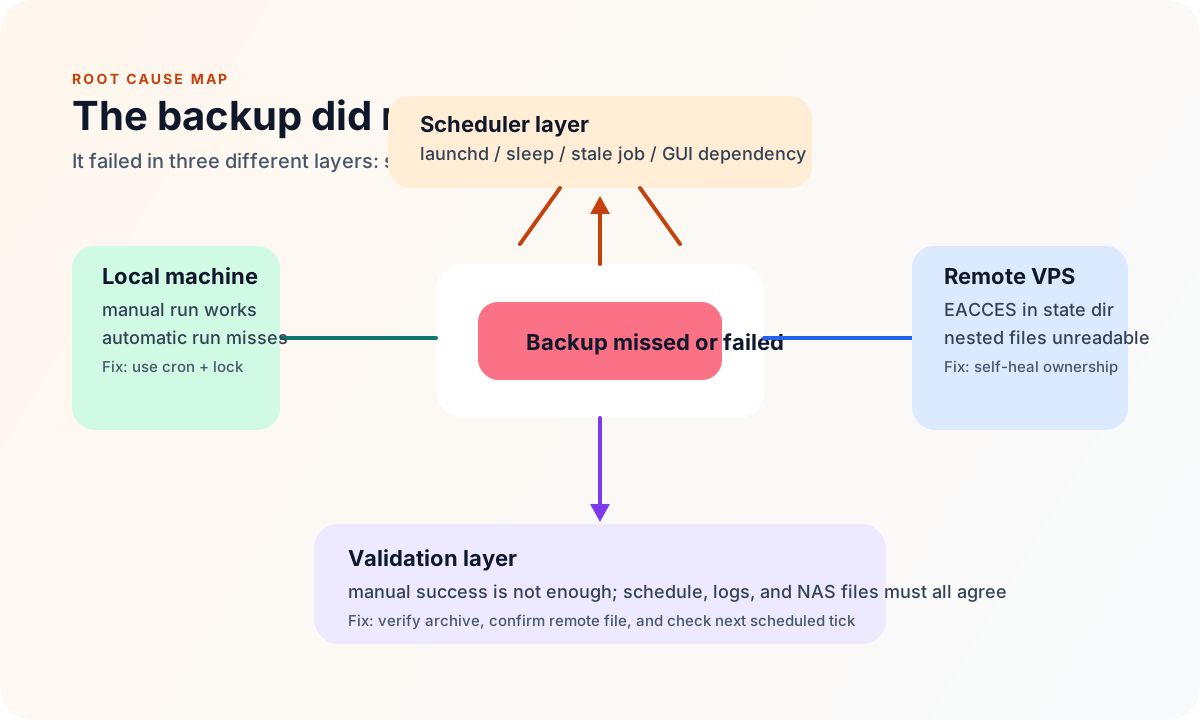
Two machines lost their automatic OpenClaw backups at the same time: a local macOS machine and a remote VPS. Manual runs worked on both sides, and the archives could still be synchronized to the NAS, but the scheduled jobs were unreliable. At first glance it looked like “the scheduler did not fire.” In reality, the root cause was spread across scheduling, permissions, locking, logging, and even the way I validated the schedule.
That combination is what makes these incidents annoying: every individual piece looks almost fine, yet the full pipeline still fails.
1. Why I wrote this up
OpenClaw’s backup flow is simple on paper:
- Generate a backup plan.
- Copy the target data into a staging directory.
- Build a compressed archive.
- Sync it to the NAS.
- Verify and clean up.
In a real automation system, though, failures rarely happen inside the happy path itself. They usually happen in the layers around it:
- The local scheduler is chosen poorly.
- A permissions drift appears on the remote machine.
- A repair task and a backup task collide.
- The test command used to verify the scheduler is accidentally written in a way that cron interprets differently.
Each issue alone is manageable. Together, they turn “automatic backups” into something that only works sometimes and fails silently enough to be dangerous.
This is why I wanted a public write-up. If I run into the same pattern again, I want a record that helps me avoid repeating the same mistakes.
2. The visible symptom: manual works, schedule does not
The first symptom was deceptively simple.
On the local machine, a manual run of the backup script completed successfully. The archive was created, and the NAS received the file. On the remote VPS, the repaired script also moved forward when launched manually, which meant the core flow itself was not fundamentally broken.
But once I moved back to the daily scheduled run, the results were wrong:
- The local Mac did not produce a new backup at the scheduled time.
- The remote VPS also stopped producing stable scheduled backups.
- The NAS still showed the last known archive from earlier runs.
That combination is easy to misread. The obvious guesses are:
- The backup script is broken.
- The NAS is unreachable.
- The network is unstable.
- The scheduler is not running at all.
The real lesson was to resist that first-layer explanation. In automation, a task can appear healthy in isolation and still fail as part of the full pipeline.
3. The local machine: LaunchAgent can be triggered manually, but that does not make it reliable
The local machine originally used a LaunchAgent. It is convenient, close to the user session, and easy to bootstrap. Manual kickstarts worked, so at first I assumed the setup was already reliable enough.
Then I found the problem.
LaunchAgent has two weaknesses in this kind of backup scenario:
- It is tied to the GUI session, which makes it much less robust than it first appears.
- If the machine is asleep, switching sessions, or the launch state is odd, the job may not start in the way you expect.
I also saw log messages that looked like “launch already in progress.” That means launchd believes the job is still running, so it will not spawn another copy. From the outside, that looks like a missed run; internally, the scheduler may think it already has a live instance.
That explained the weird behavior:
- Manual triggering worked.
- The job still looked present in launchd.
- The scheduled time came and went without a usable backup result.
The conclusion was straightforward: LaunchAgent was not the right tool for an unattended, must-run-daily backup job. As long as it depended on the GUI session, it was not reliable enough.
4. The local fix: move the schedule to cron
I moved the local automation from LaunchAgent to user-level cron. The reasons were pragmatic:
- cron does not depend on the current GUI session.
- It is a better fit for a simple daily job.
- It lets the backup script stay focused on backup work instead of launchd state handling.
I also added a few guardrails:
- A lock to prevent overlapping runs.
- Separate stdout and stderr logs.
- Verification at the end of the script.
- A structure that makes repeated runs deterministic.
The local scheduled entry became something like this:
15 3 * * * /path/to/openclaw-backup.sh >> /path/to/backup.log 2>> /path/to/backup.error.log
It is not fancy. That is the point. For automation, boring is often the right kind of boring.
5. The remote VPS issue: the backup script was fine, but the state directory permissions had drifted
The remote VPS had a different root cause.
There, openclaw backup create started failing with EACCES during a scan of the OpenClaw state directory. At first I suspected a generic file access problem, but the deeper inspection showed that the issue was not the core program. It was the ownership of files under the state directory.
In particular, the node user could not read a file similar to:
.../.openclaw/agents/main/agent/auth-profiles.json
That kind of failure is sneaky:
- It may not show up during ordinary manual checks.
- It only appears when the script reads or archives a deeper part of the tree.
- If you only look at the final archive target, you can easily mistake it for a NAS issue or a script logic problem.
I solved it in two steps:
- I restored ownership of the relevant OpenClaw state tree.
- I made the backup script self-heal ownership before it starts the backup work.
The second step is important. I did not want the system to rely on a human first repairing permissions before backup could continue.
6. Why I added a lock to the remote script too
The remote VPS has one more complication: OpenClaw is not the only task that touches the same runtime state around that time.
There is another maintenance job that may run near the same window. It is not a backup job, but it touches the same environment. If two jobs run too close together, they can interfere with each other.
So I added a lock to the remote backup script as well:
- Prevent backup and repair work from racing each other.
- Prevent a second backup from starting before the first one finishes.
- Make the behavior explicit when a job is already in flight.
That does not make the system “smarter.” It makes it more honest. If a run is already active, the next trigger should skip cleanly instead of pretending to do duplicate work.
7. A very small but very real cron trap: % is not just a character
While I was validating the cron jobs, I ran into a small but classic shell trap.
I initially wrote a test command like date '+%F %T' to generate a timestamp. When I put that into cron, the command behaved strangely. The reason is that cron treats % as a newline separator unless it is escaped.
So this is unsafe in cron:
* * * * * /bin/date '+%F %T'
And this is much safer for validation:
* * * * * /bin/date
It was a useful reminder that schedule validation is not only about “did the job run.” The test command itself also needs to be compatible with the scheduler.
8. What the final pipeline now looks like
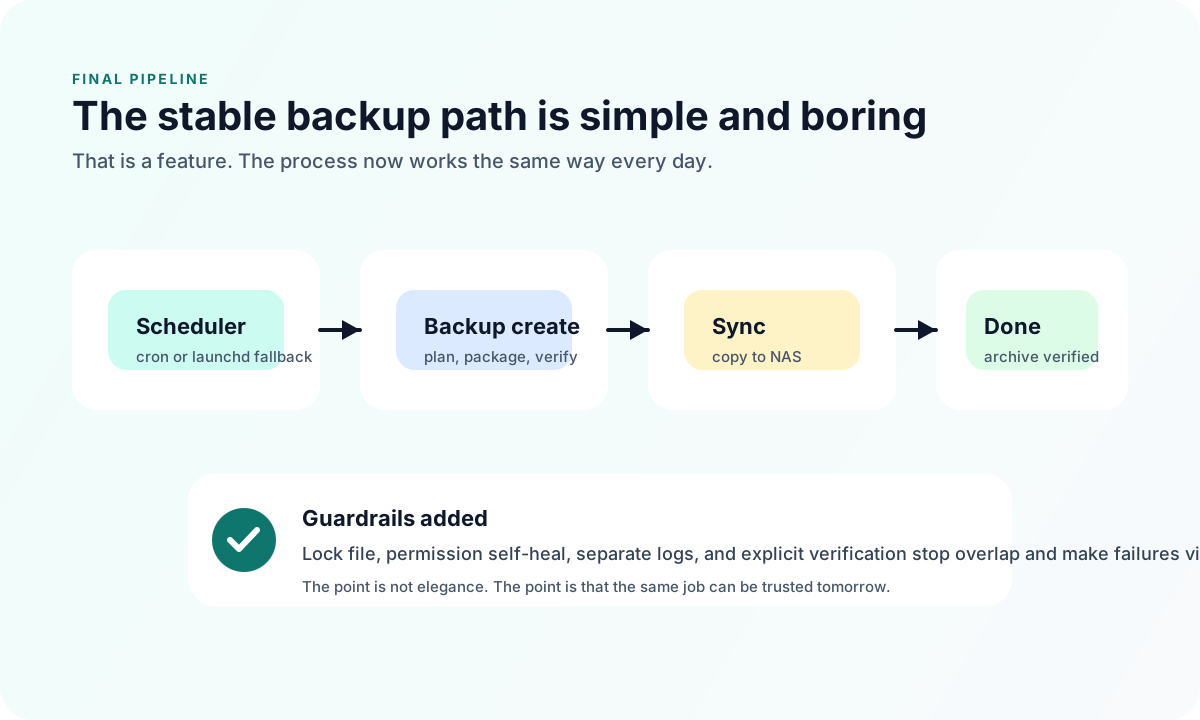
After the fixes, the backup flow became much cleaner and more predictable.
Local machine flow
- cron triggers the backup on time.
- The script acquires a lock.
- The backup plan is generated.
- The target data is staged.
- The archive is created.
- The archive is synchronized to the NAS.
- The archive is verified.
- Old archives are pruned.
Remote VPS flow
- cron triggers the backup on time.
- The script restores ownership on the state tree first.
- The backup is generated under the correct runtime user.
- The archive is synchronized to the NAS.
- Old archives are pruned.
- Logs remain readable and traceable.
Why verification matters
Because creating a file is not the same thing as successfully backing it up.
I now explicitly check:
- Whether the local archive exists.
- Whether the remote file is really present on the NAS.
- Whether the archive can be verified.
- Whether the next scheduled tick still works.
If all of that passes, then the backup is genuinely back.
9. What actually changed
If I had to compress the whole fix into one sentence, it would be this:
I did not just patch one error. I turned the whole automation path back into a predictable system.
Concretely, the changes were:
- The local machine no longer depends on a fragile
LaunchAgentsetup. - The local backup now runs through
cron. - The local script has a lock and clearer logs.
- The remote VPS self-heals ownership before backup.
- The remote script has a lock as well, so it does not race other maintenance work.
- I also corrected the schedule-validation step so I would not confuse a test-command bug with a scheduler bug.
None of those changes are flashy. They are the sort of changes that decide whether the job still works tomorrow.
10. The three lessons I would keep
1. Manual success is not scheduled success
A script can run perfectly by hand and still fail in automation.
That does not prove:
- The scheduler will trigger it at the right time.
- The scheduled environment behaves like the interactive shell.
- Sleep, permissions, cache reuse, or locking will not interfere.
2. The backup system should be able to heal itself first
If a backup system needs a human to rescue it every time a permissions drift or a minor race happens, it is not automated enough.
The target should be:
- Self-heal when possible.
- Fail clearly when not possible.
- Make the failure easy to detect and diagnose.
3. Verification should match the recovery goal
I no longer stop at “the command returned zero.” I want to know:
- The file landed on the NAS.
- The archive size looks reasonable.
- The archive can be verified.
- The next scheduled run still fires.
Only then do I call the issue resolved.
11. Closing
From a distance, this looked like a simple “OpenClaw backup failure.” In engineering terms, though, it was really a failure of the full automation chain.
The schedule layer was not reliable enough on the local machine. The state tree on the remote VPS had drifted in ownership. The scripts needed locks and clearer logging. The validation path needed to be more honest.
After the fix:
- The local machine now uses
croninstead ofLaunchAgent. - The remote VPS automatically corrects ownership before the backup work begins.
- Both sides have clearer logs and locks.
- New archives are appearing on the NAS again.
- Archive verification passes.
So the real outcome was not just “a backup started working again.” It was that the pipeline became something I can trust to keep working tomorrow.
If I see the same pattern again, the question I want to ask first is not “why did it fail this time?” The better question is:
Can this chain still run tomorrow, unattended, with the same result?