Is Giving One App All Your Passwords Insane? The Math Behind a Master Password and an Encrypted Vault
The short answer
A well-designed password manager does not merely remember a readable spreadsheet of your passwords. It stores an encrypted vault. Your master password is not normally used as the raw encryption key for every item. Instead, your device sends it through a deliberately expensive key derivation function, obtains derived key material, unlocks a randomly generated vault key, and decrypts your records locally. The server mainly stores and synchronizes ciphertext.
Putting your credentials in a password manager therefore does not mean placing unprotected eggs in one basket. It means replacing dozens of weak, reused secrets with one heavily defended entrance and a different random password for every site.
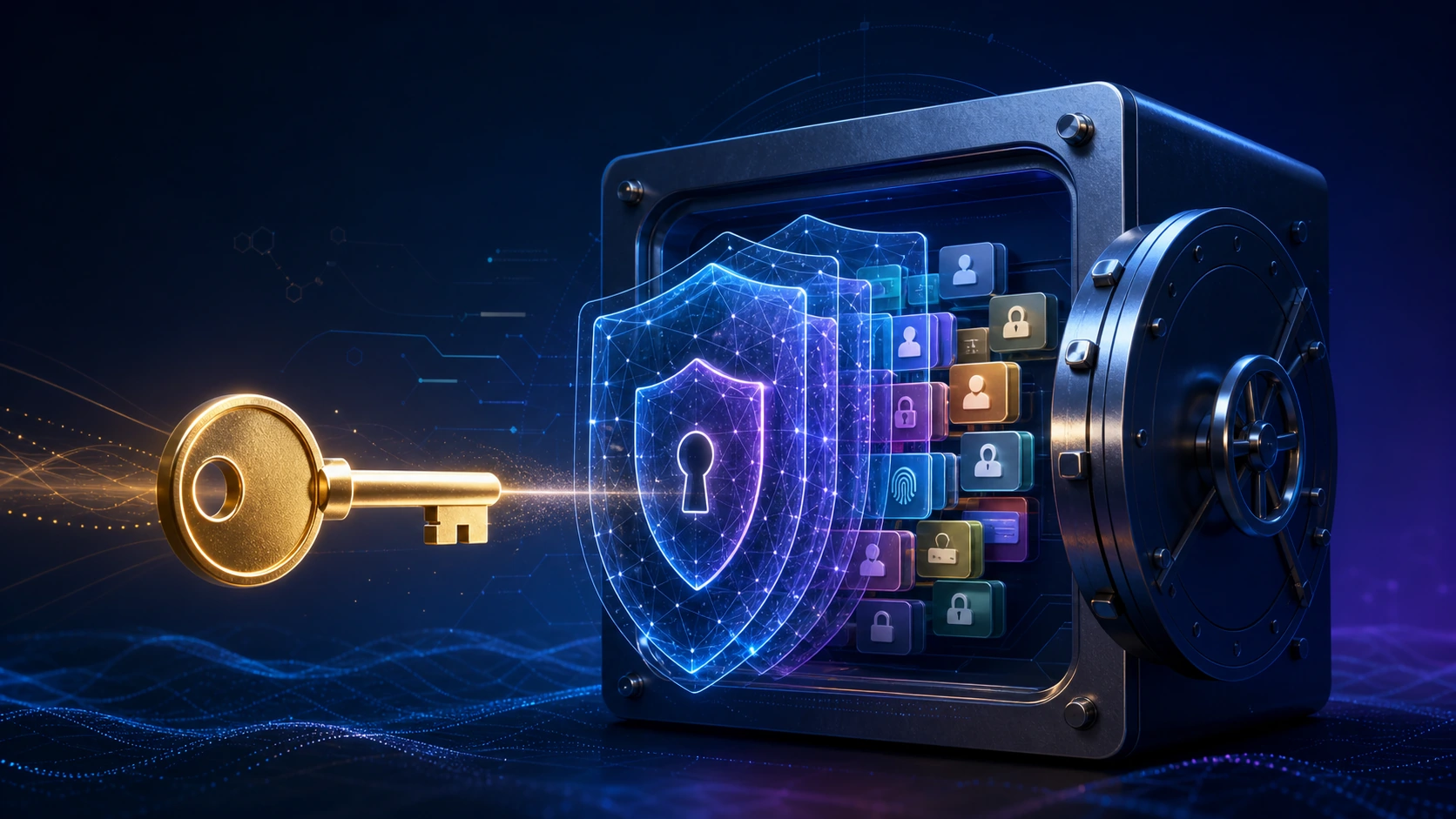
Original illustration: one master secret unlocks a protected vault containing unique credentials for different services.
The first question almost everyone asks is reasonable:
“If the password manager is hacked, do all my accounts fall at once?”
In the physical world, putting cash, identity documents, and bank cards in one box certainly creates an attractive target. Digital vaults are counterintuitive, however. A single vault can be both a concentration of risk and a powerful security multiplier. The result depends on whether the vault contains plaintext or ciphertext, where keys are created, how expensive one password guess is, and whether the same password is reused elsewhere.
This article is not an endorsement of one vendor. It explains the shared building blocks behind modern password managers: master passwords, salts, KDFs, symmetric encryption, authentication tags, zero-knowledge synchronization, offline cracking, and the failure boundaries that marketing pages often omit.
The bigger danger is usually password reuse
Most people do not naturally create a separate 20-character random password for every account. Real habits look more like this:
- one favorite password everywhere;
- the same password plus a site abbreviation;
- a name or birthday followed by a symbol;
- passwords scattered across browsers, notes, messages, and spreadsheets;
- the same secret for both low-value and critical accounts.
When a poorly defended site leaks credentials, attackers automatically try the same email and password against mail, storage, shopping, social, and business services. This is credential stuffing. Attackers do not need to break the other services; they only need to bet that a human reused a password.
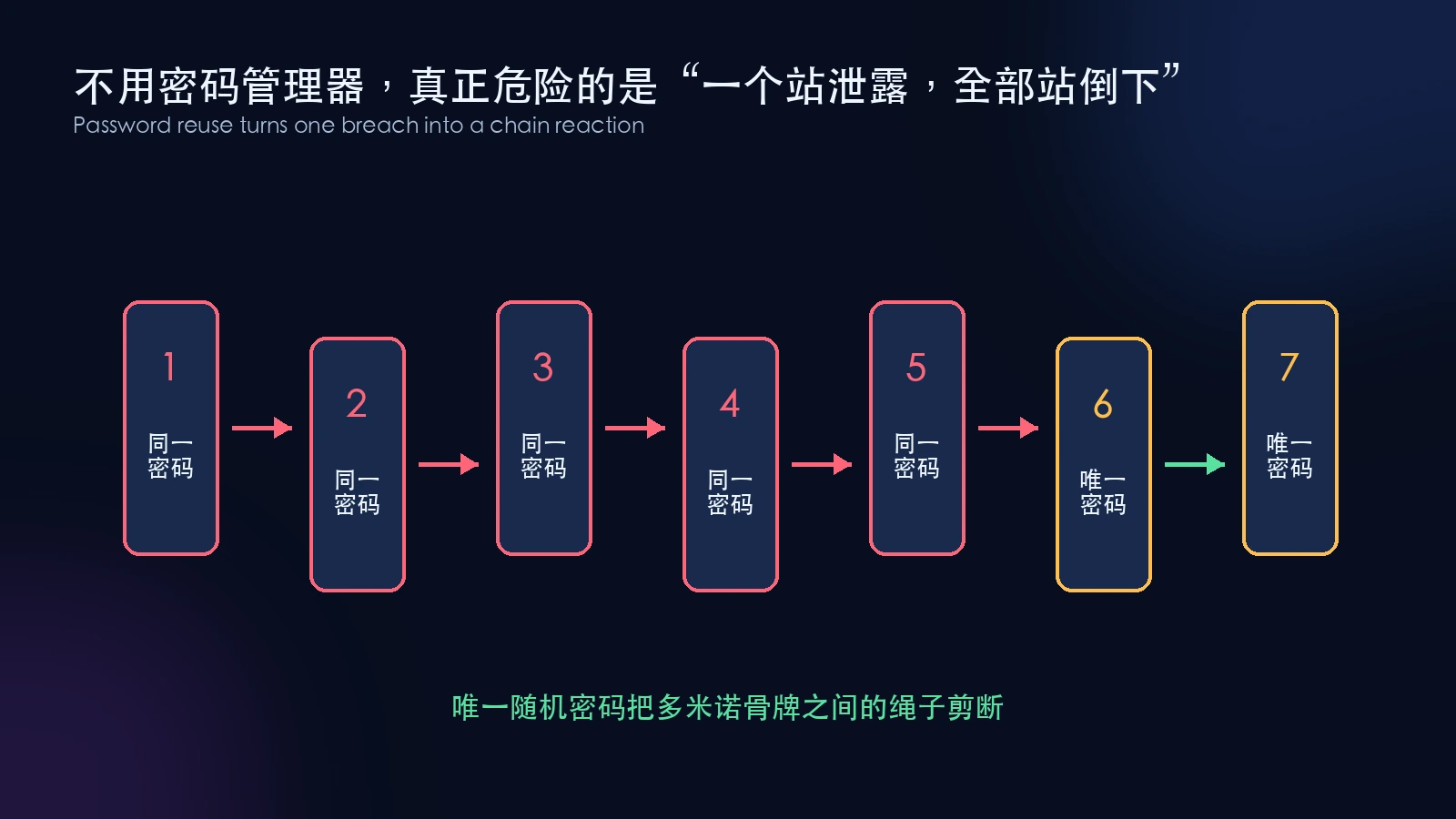
Password reuse ties accounts together. Unique generated passwords cut the cord between the dominoes.
NIST’s digital identity guidance explicitly says verifiers must allow password managers and autofill. It notes that password managers, particularly those with generators, increase the likelihood that people will choose stronger passwords. It also explains why distinct passwords matter for avoiding credential-stuffing attacks.
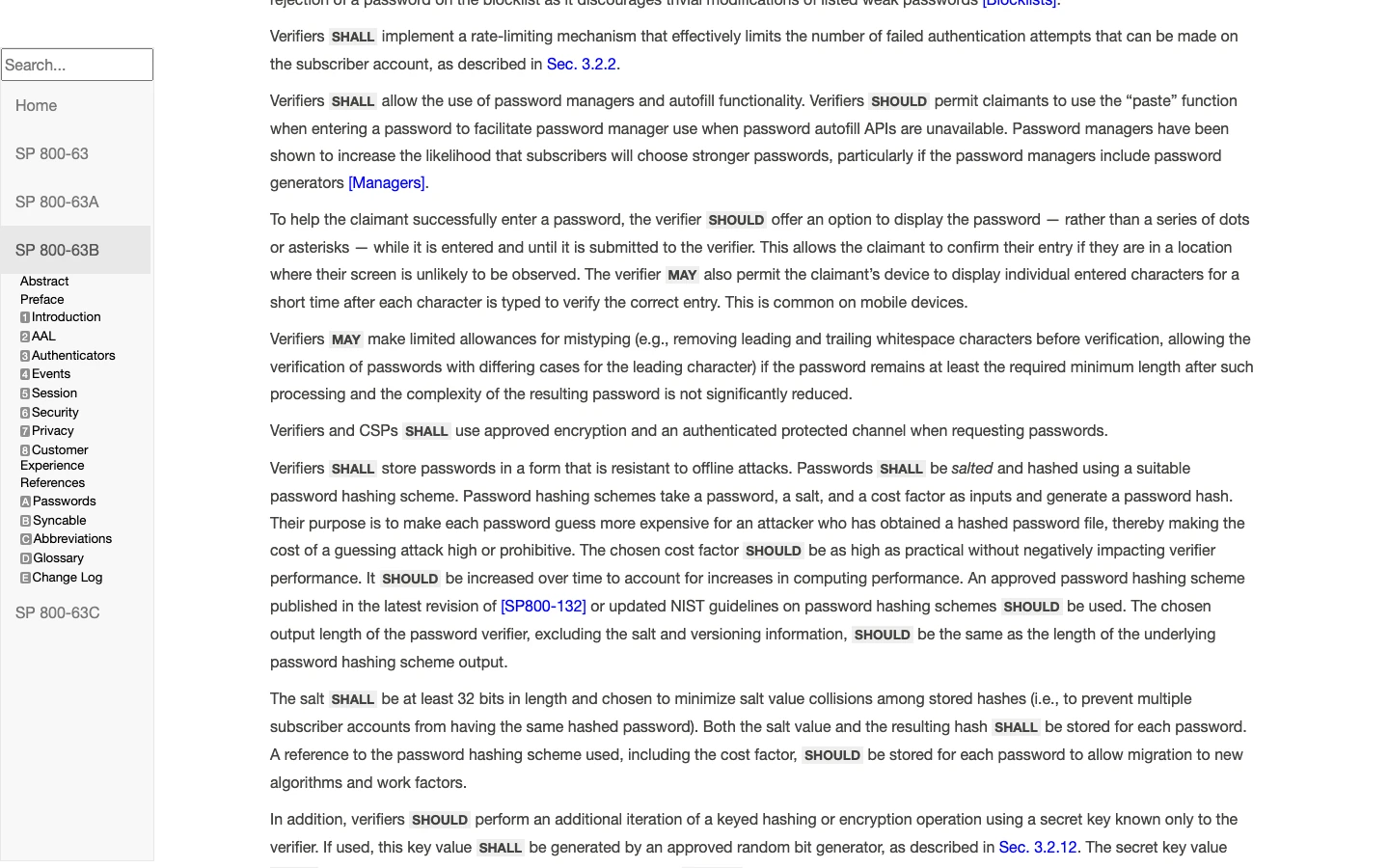
Real screenshot: NIST SP 800-63B, captured July 29, 2026.
The most important benefit is not memory assistance. It is permission to do two things that computers handle well and human memory handles poorly:
- generate an independent random password for every service;
- retrieve it accurately without simplifying it into a memorable pattern.
What is actually stored in the vault
A bank-vault analogy is imperfect because bank personnel may have procedures for accessing some physical boxes. A better analogy is that you transform a diary into a language only your device can reverse, then give a warehouse a copy of that scrambled text. The warehouse may know that a package exists and how large it is, but the pages remain ciphertext.
A typical vault may contain:
- site addresses, usernames, and passwords;
- secure notes, payment cards, or identity fields;
- randomly generated credentials;
- authentication data used to detect tampering;
- salts, KDF settings, format versions, and other public parameters needed for decryption.
Two jobs are often confused. An ordinary website only needs to verify whether the password entered at login is correct, so it should normally keep a one-way password hash. A password manager must recover the original password for autofill, so vault contents require reversible encryption.
OWASP’s password storage guidance recommends slow password hashing such as Argon2id for normal authentication databases and says passwords should not ordinarily be stored with reversible encryption. A password manager is a special system that genuinely needs the original secret, so it separates master-password verification from vault encryption.
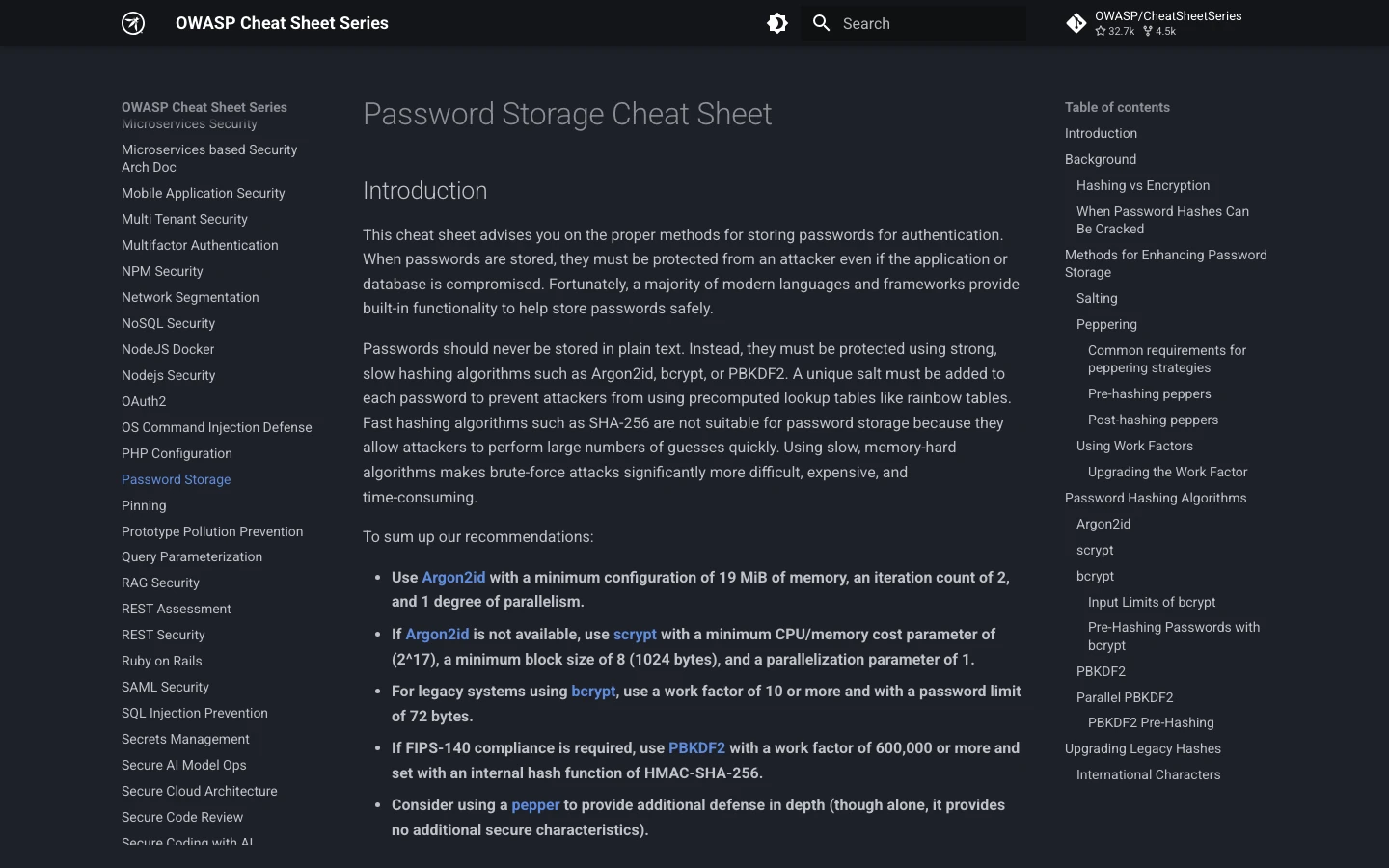
Real screenshot: OWASP Password Storage Cheat Sheet, captured July 29, 2026.
The master password is not the raw vault key
Using a human password directly as an AES key would be a weak design. Human passwords have variable length, predictable structure, and biased selection. Attackers could test common phrases at high speed.
A mature design first performs a derivation step:
master password + salt + KDF parameters
↓
key derivation function such as Argon2id or PBKDF2
↓
derived key material
↓
unlock a randomly generated vault key
↓
decrypt individual records
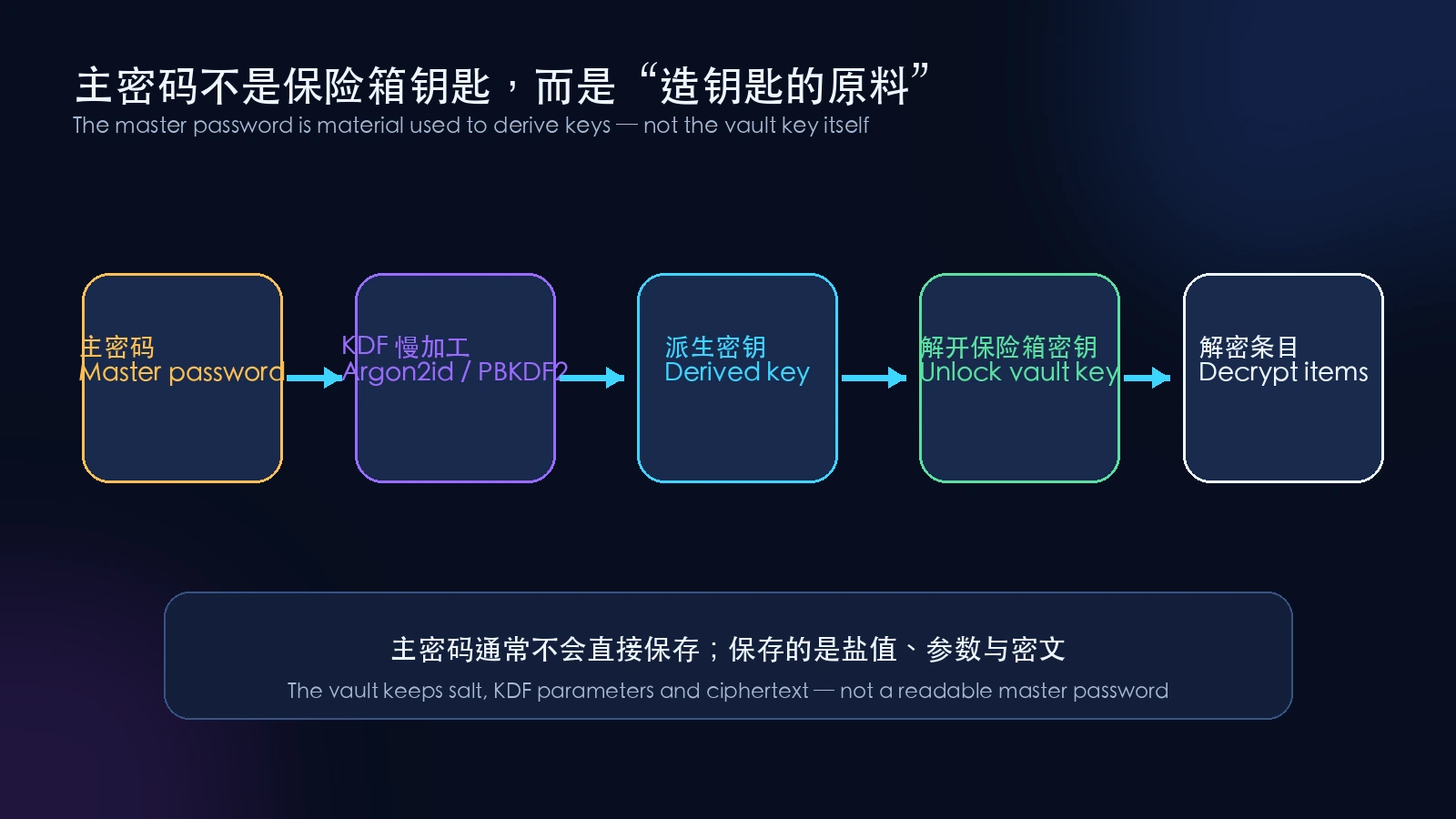
The master password is material used to manufacture a key. A random symmetric key usually performs bulk data encryption.
Why add a random vault key in the middle?
- changing the master password need not re-encrypt every item;
- the system can re-wrap only the vault key;
- sharing, organizations, trusted devices, and recovery can use separate key layers;
- individual items can have their own random keys, reducing the blast radius of one key.
Products use different key trees, and details change over time. Bitwarden’s current public white paper provides one concrete example: encryption keys are generated and managed by clients, vault data is encrypted before leaving a device, and each item is encrypted with a random Cipher Key that is itself protected by a user or organization symmetric key.
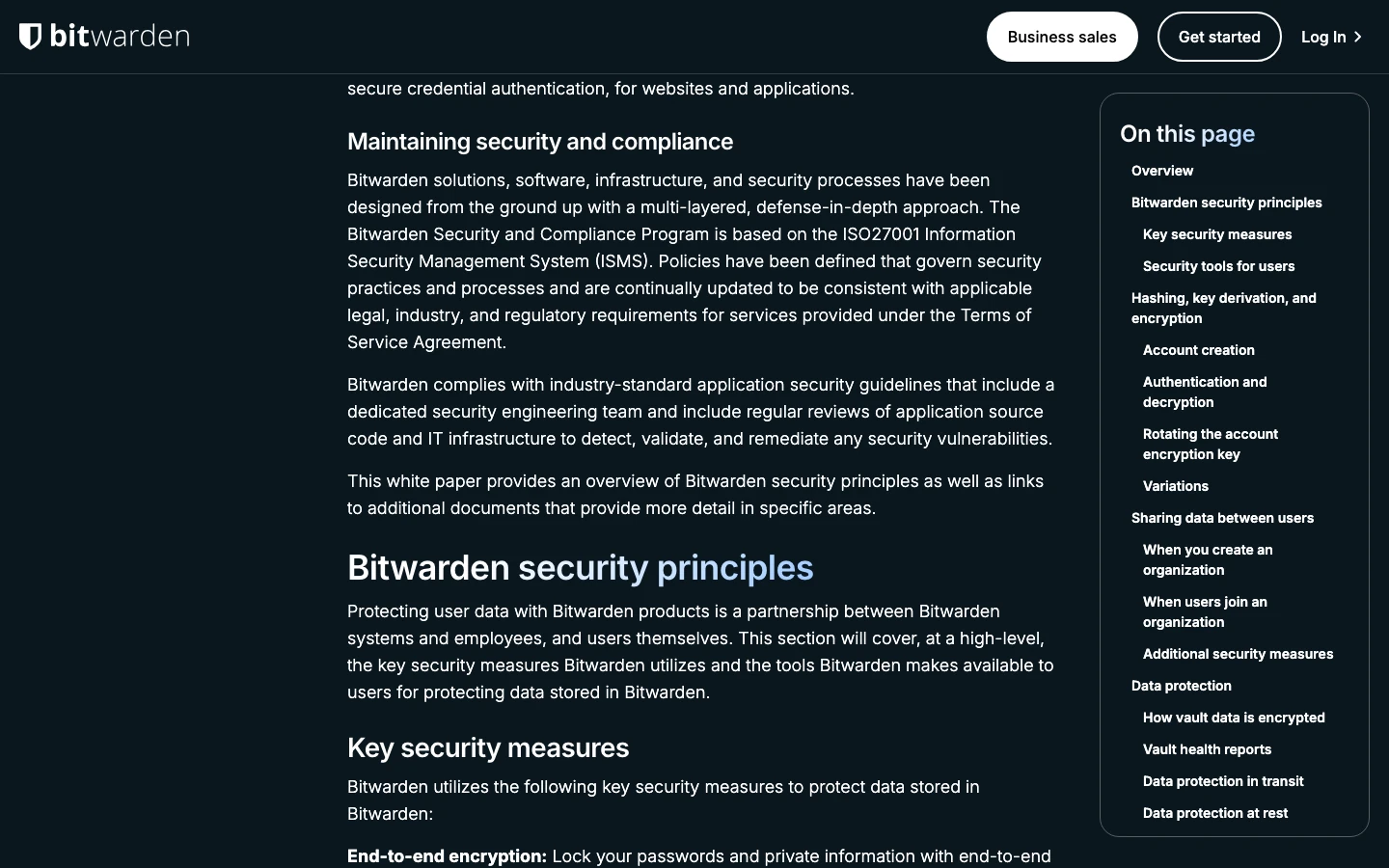
Real screenshot: Bitwarden Security Whitepaper, captured July 29, 2026. It is used as a public implementation example, not a product endorsement.
Why a KDF intentionally slows your computer
KDF means key derivation function. One of its most important goals sounds strange: make each computation deliberately slow or resource-intensive.
Imagine a heavy flour mill at the entrance to an apartment building. You use it once when you return home, so waiting a fraction of a second is acceptable. A thief wants to feed millions of candidate grains into the machine. If every attempt consumes time, memory, electricity, and hardware capacity, the attacker’s total cost grows rapidly.
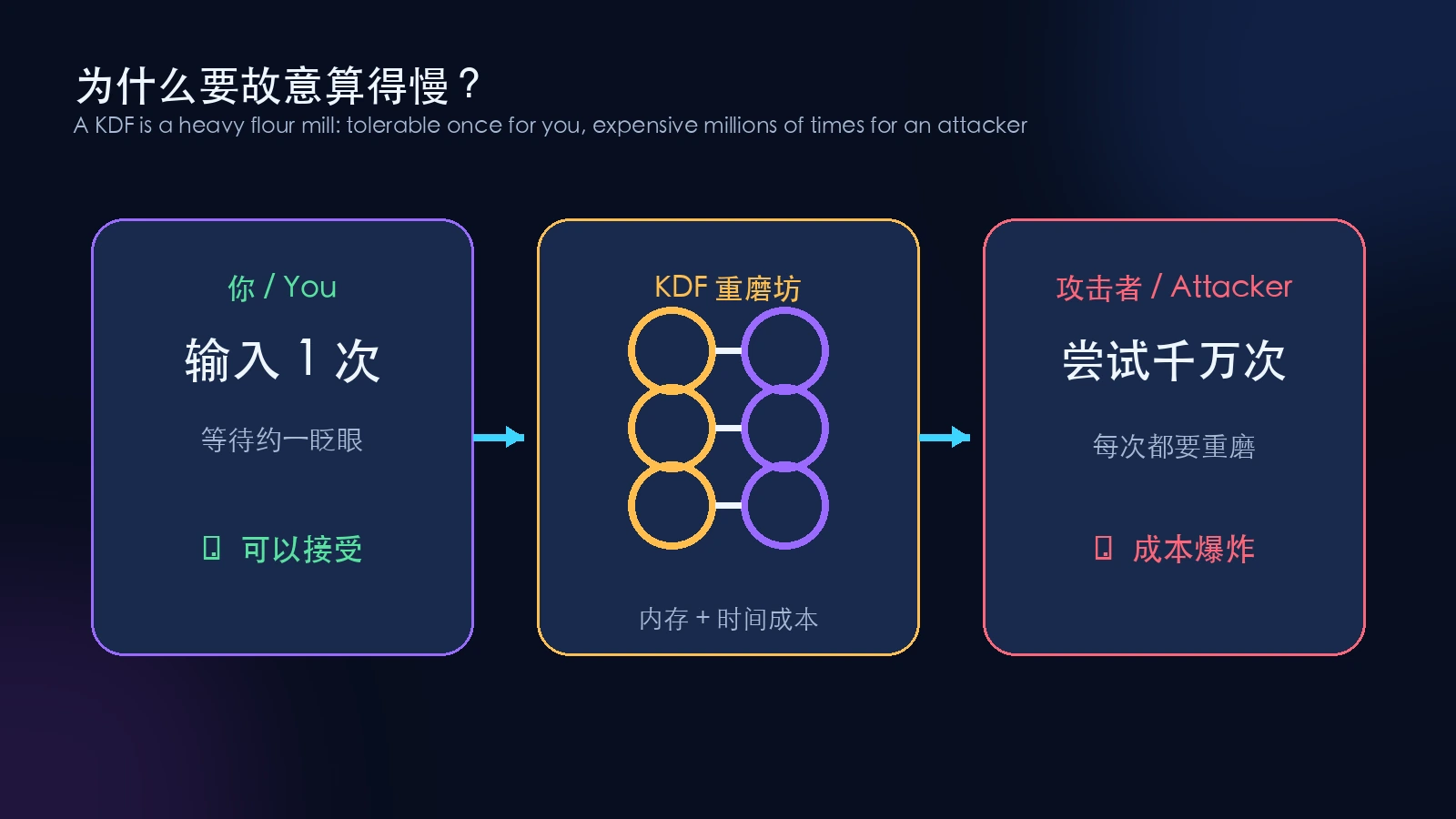
A legitimate user computes a few times. An attacker must pay the cost again for every candidate master password.
Common KDFs include PBKDF2, scrypt, and Argon2id:
- PBKDF2 mainly raises time cost through repeated computation and has broad compatibility;
- scrypt requires both computation and memory, reducing the parallel advantage of specialized hardware;
- Argon2id exposes memory, iteration, and parallelism settings and is a common modern choice for balancing GPU-cracking resistance and side-channel considerations.
Bitwarden’s KDF documentation currently describes both PBKDF2 and Argon2id, publishes default settings, and explains how memory, iterations, and parallelism affect resource use.
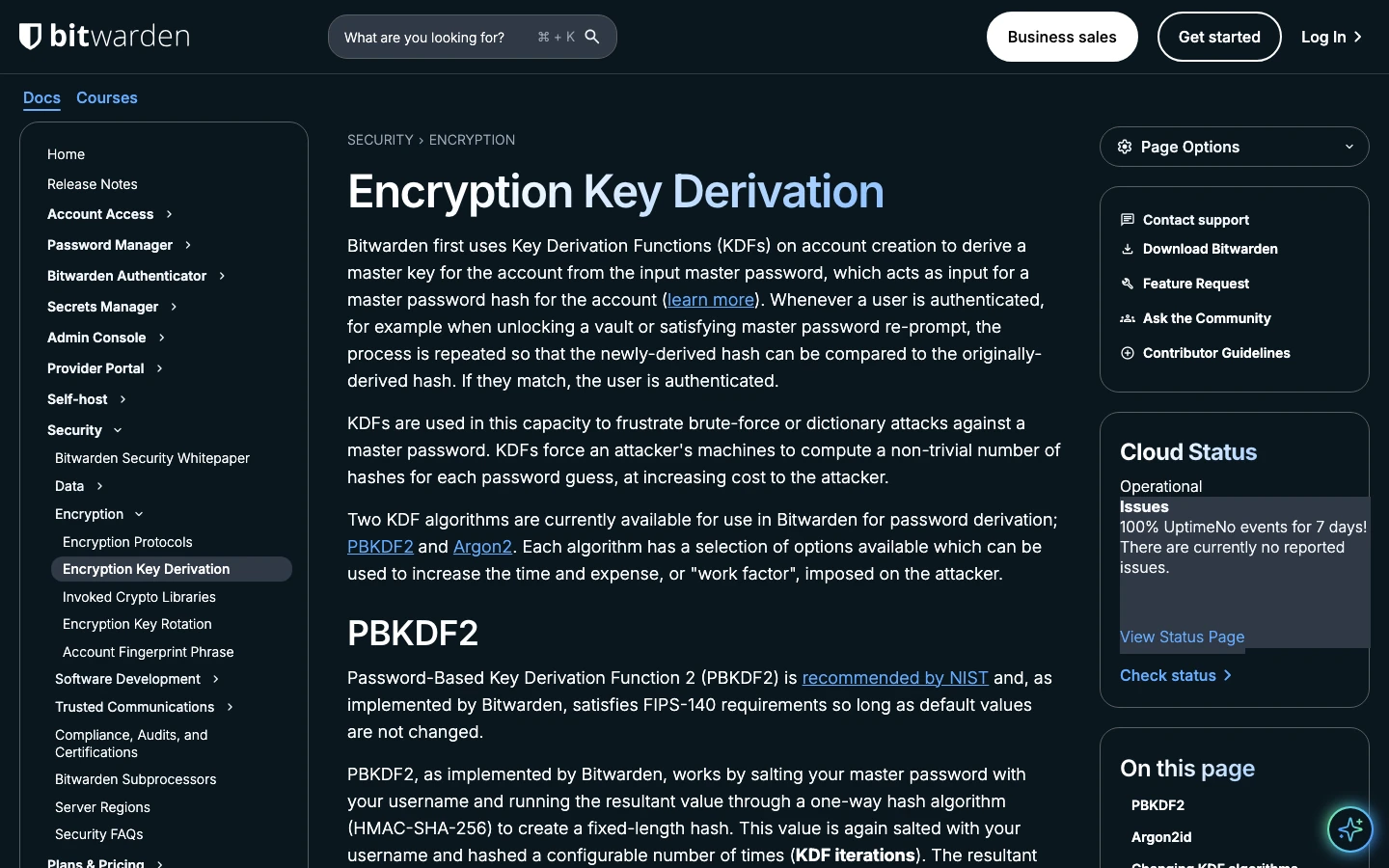
Real screenshot: Bitwarden Encryption Key Derivation documentation, captured July 29, 2026.
The critical limitation is that a KDF cannot turn 123456 into a strong secret. It only makes each guess more expensive. If the correct answer appears near the top of an attack dictionary, a slower door still opens quickly.
A salt is a unique lane number, not a second secret
A salt is usually public and stored with the vault. Its job is not to become a hidden extra password. It ensures that identical master passwords do not produce identical derived results.
Suppose every child in a class chooses summer-holiday for a locker. Without salts, an attacker can compute the answer once and compare it against the entire class. With a different random salt for every child, every result changes, so the attacker must recompute candidates separately.
Salts primarily:
- defeat reusable precomputed rainbow tables;
- prevent immediate identification of users who chose the same password.
The salt can be visible. It is a lane number, while security still comes from the master password’s search space and the KDF’s per-guess cost.
How large is AES-256
Password vaults commonly use mature symmetric encryption such as AES-256 or other widely analyzed authenticated-encryption constructions. AES-256 has a key space of 2^256, a decimal number with roughly 78 digits.
This does not mean an attacker waits 256 years. It means brute-forcing a truly random 256-bit key remains impractical even under fantastically generous assumptions about guesses per second.
Attackers therefore target cheaper paths:
- guess the master password;
- steal plaintext or key material from an unlocked device;
- imitate the login screen and phish the user;
- abuse extensions, clipboards, or keyloggers;
- attack account recovery and second-factor procedures.
The steel wall of the vault is often not the thinnest point. Human behavior and endpoint integrity are.
Encryption must also detect tampering
Encryption without integrity is like writing a letter in code but leaving the envelope unsealed. A thief may not understand the message but might still alter bytes and cause controlled changes after decryption.
Secure designs therefore authenticate ciphertext:
- some combine AES-CBC with HMAC;
- others use authenticated encryption such as AES-GCM or XChaCha20-Poly1305;
- authentication tags are verified before or during decryption.
Bitwarden’s current white paper publicly describes AES-CBC-256 with HMAC authentication. The important selection criterion is not loyalty to one algorithm name. It is the use of publicly analyzed standard constructions that protect both confidentiality and integrity.
What “zero knowledge” does and does not mean
Zero knowledge is one of the easiest password-manager phrases to turn into magic.
In this context, it generally means the service stores vault data encrypted by the client, while the master password and directly usable decryption keys are not handed to the server in readable form. Employees cannot query an ordinary database column and reveal your stored passwords.
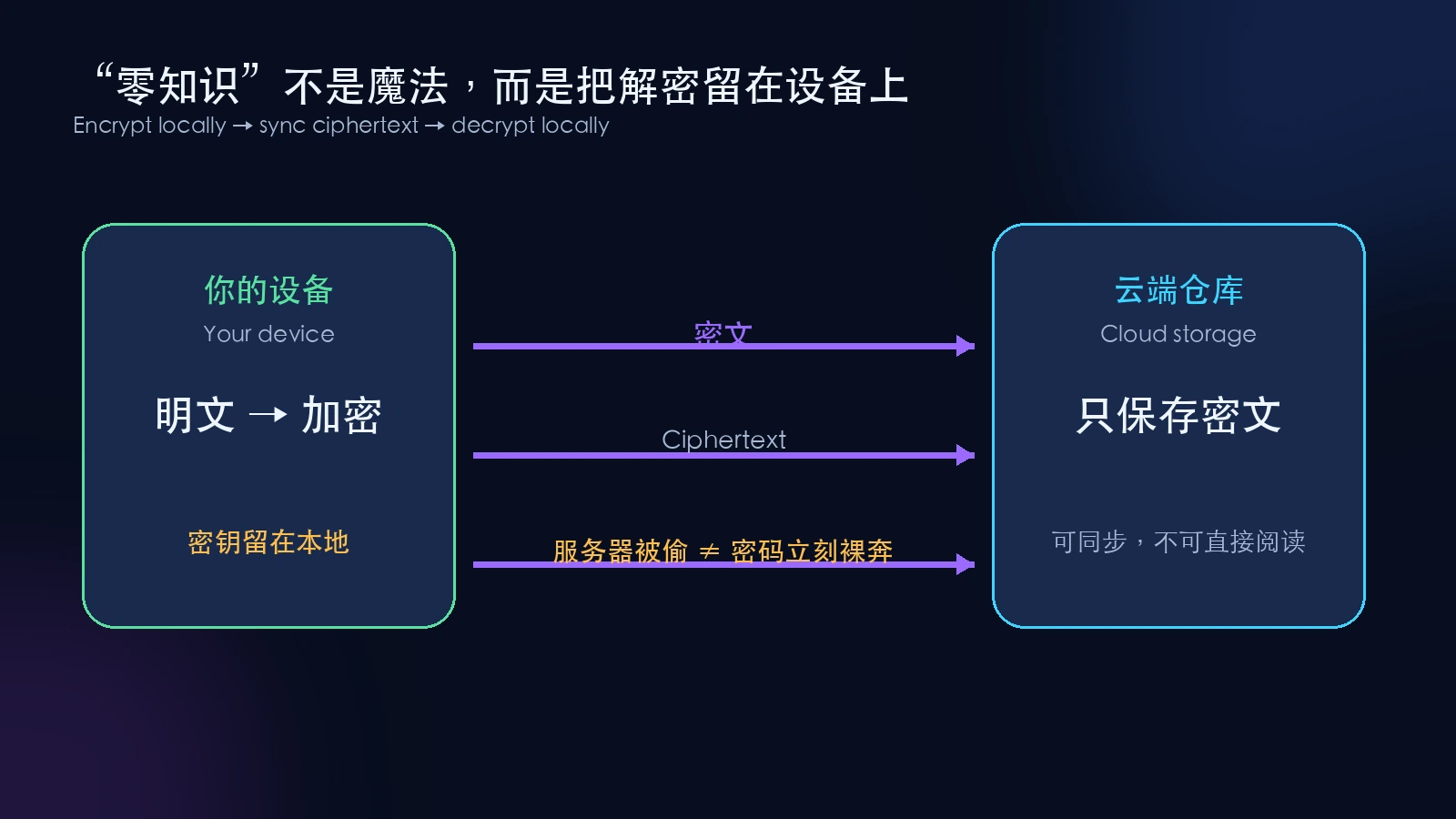
Encrypt locally, synchronize ciphertext, and decrypt again on a trusted device.
It does not mean the provider knows literally nothing. A service may still process administrative metadata such as account email, subscription state, device records, login timestamps, or item counts. The exact set differs by product and should be checked in privacy and security documentation.
It also does not make a web client invulnerable. Bitwarden’s white paper notes that a browser client depends on the integrity of the HTTPS connection used to deliver its code. If an attacker can tamper with the client delivered to the browser, a malicious client may capture secrets. High-value deployments must therefore consider software updates, code signing, extension permissions, and endpoint protection as well as cryptography.
What happens if an encrypted cloud vault is stolen
Assume a worst case: an attacker obtains a user’s encrypted vault, salt, and KDF parameters.
If the design has no additional defect, the attacker does not instantly receive readable passwords. Instead, the attacker receives an offline test:
- choose a candidate master password;
- combine it with the user’s salt;
- run the published KDF parameters;
- attempt to unlock protected key material or verify the result;
- repeat with the next candidate.
During online login, a server can rate-limit attempts, block abusive sources, or require another factor. After ciphertext is stolen, an attacker can guess on private hardware without using the login endpoint. Security then depends mainly on how difficult the master password is to guess and how expensive each guess is.
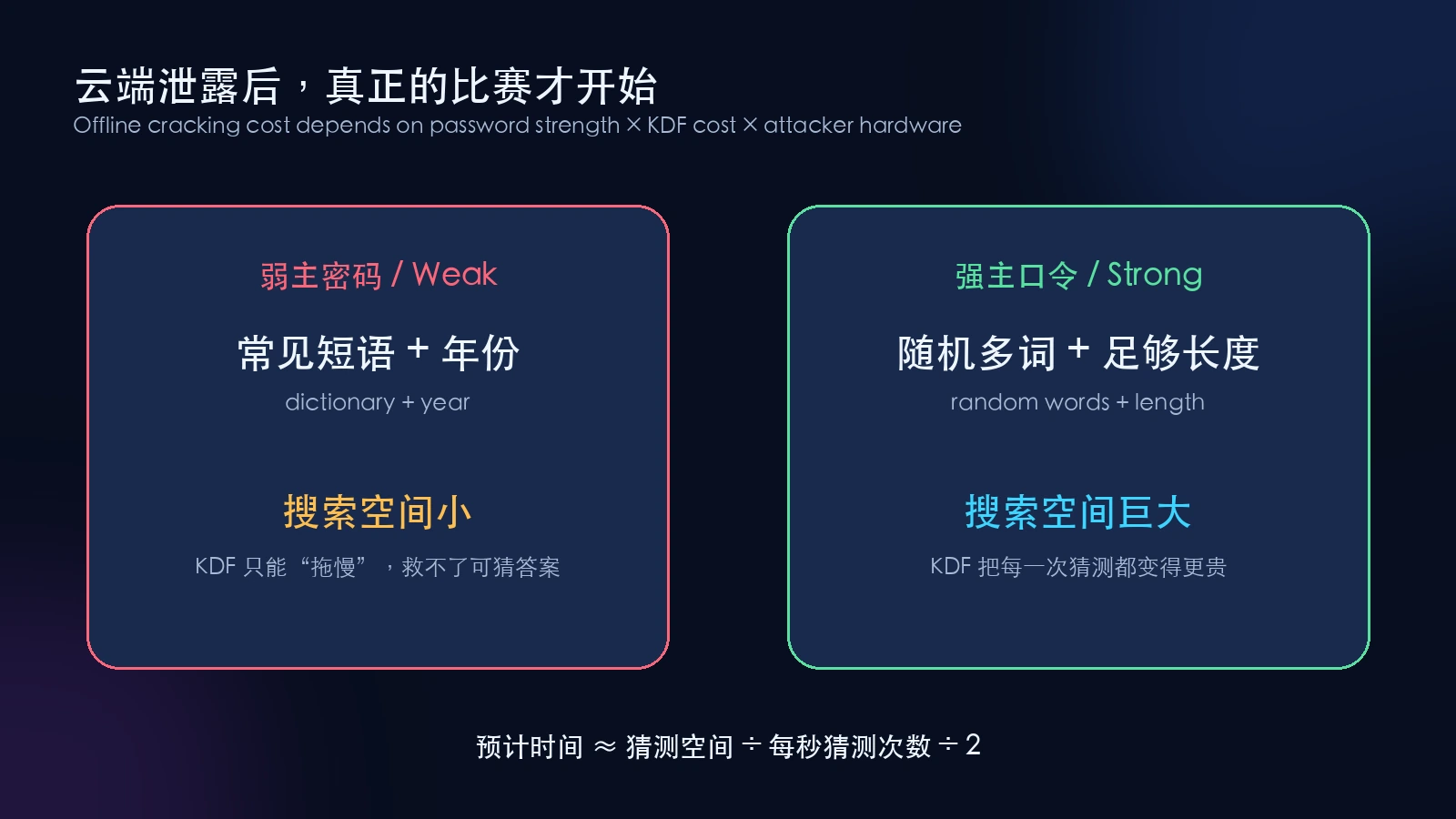
A KDF multiplies cost; it cannot resurrect a weak master password with a tiny search space.
A simplified average-time equation is:
average time ≈ candidate space ÷ guesses per second ÷ 2
The division by two represents finding the answer halfway through the space on average. Real attackers do not enumerate human choices uniformly. They prioritize leaked passwords, keyboard patterns, names, years, quotations, and common mutations. A password that visually contains twelve characters may have far less entropy than log₂(alphabet^12) if a person constructed it predictably.
Six genuinely random Diceware-style words have a theoretical space of about 77 bits. A quotation, lyric, or familiar sentence of the same length may have dramatically less. Length matters, but the generation process matters just as much.
Why recovery is the price of zero knowledge
If a provider truly lacks your decryption key, it cannot simply email your old master password back to you.
Products implement different recovery paths:
- changing the master password from an already trusted device;
- family or emergency contacts;
- enterprise account recovery;
- recovery codes, device keys, or trusted devices;
- deleting the account and starting over.
Convenient recovery creates another route that must be defended. The goal is not “no recovery at any cost.” It is recovery that is transparent, auditable, protected by waiting periods or additional factors, and understood by the owner.
A real example of vault security configuration
The KeePassXC user guide shows database security settings where a user can change the database password and add a key file or hardware key. It illustrates another architecture: the encrypted vault file can remain entirely under the user’s storage and synchronization control instead of relying on a vendor cloud.
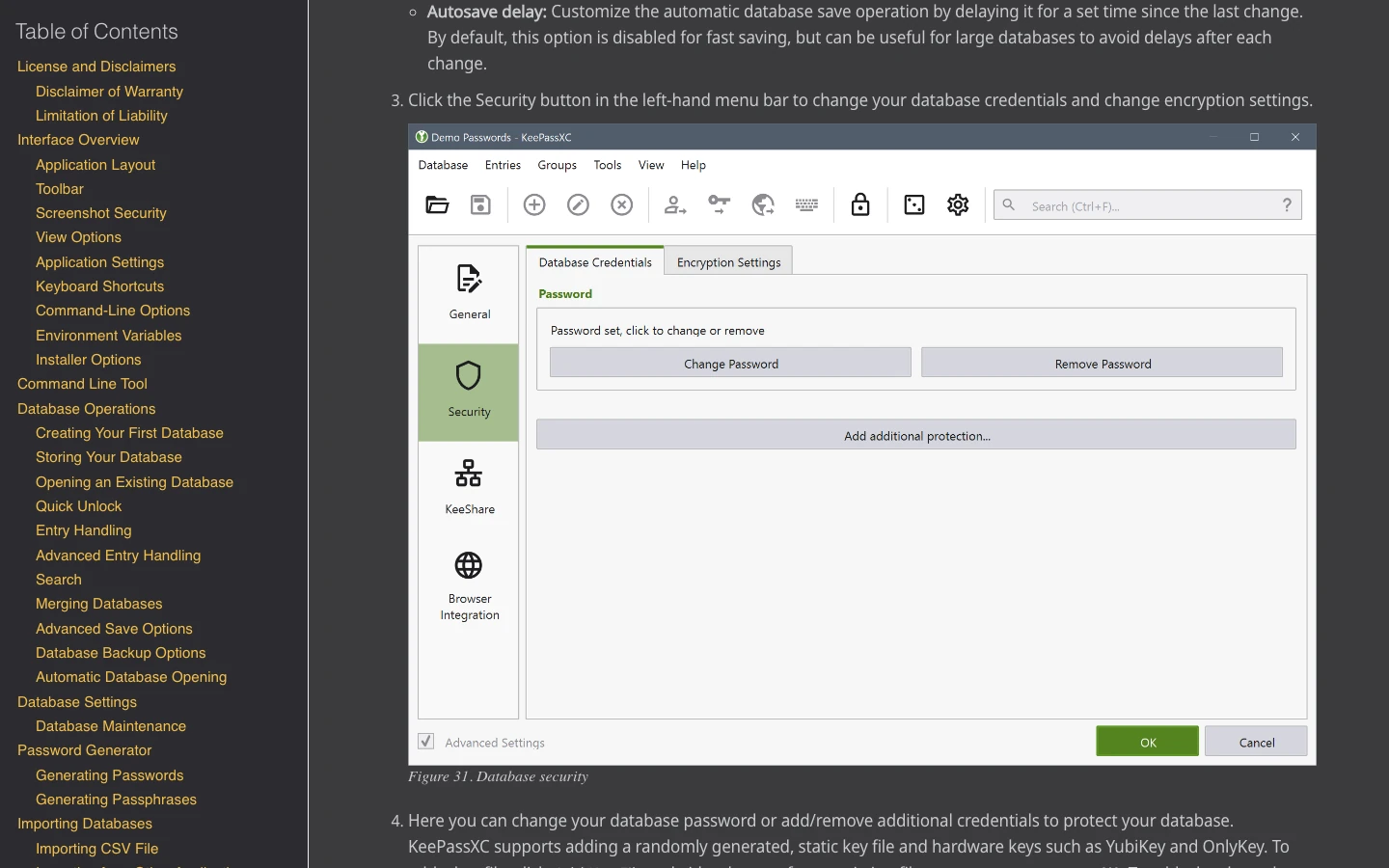
Real screenshot: KeePassXC’s official user guide, captured July 29, 2026.
Local-file and cloud-synchronized managers have different trade-offs:
| Model | Strengths | Responsibilities shifted to you |
|---|---|---|
| Local vault file | location control, offline use, less vendor dependence | backups, synchronization, conflicts, and device loss |
| End-to-end encrypted cloud sync | convenient multi-device use, sharing, and recovery options | client trust, account design, and service availability |
| Built-in browser manager | low friction and smooth autofill | portability, export, security controls, and ecosystem limits vary |
Local does not automatically mean secure, and cloud does not automatically mean unsafe. An unbacked local vault can disappear with one failed disk. A sound end-to-end encrypted cloud vault can remain computationally protected even after server-side data is copied.
Where password managers still fail
Any claim that a password manager makes a user absolutely safe is unprofessional. It greatly improves password uniqueness and strength, but it cannot erase every attack surface.
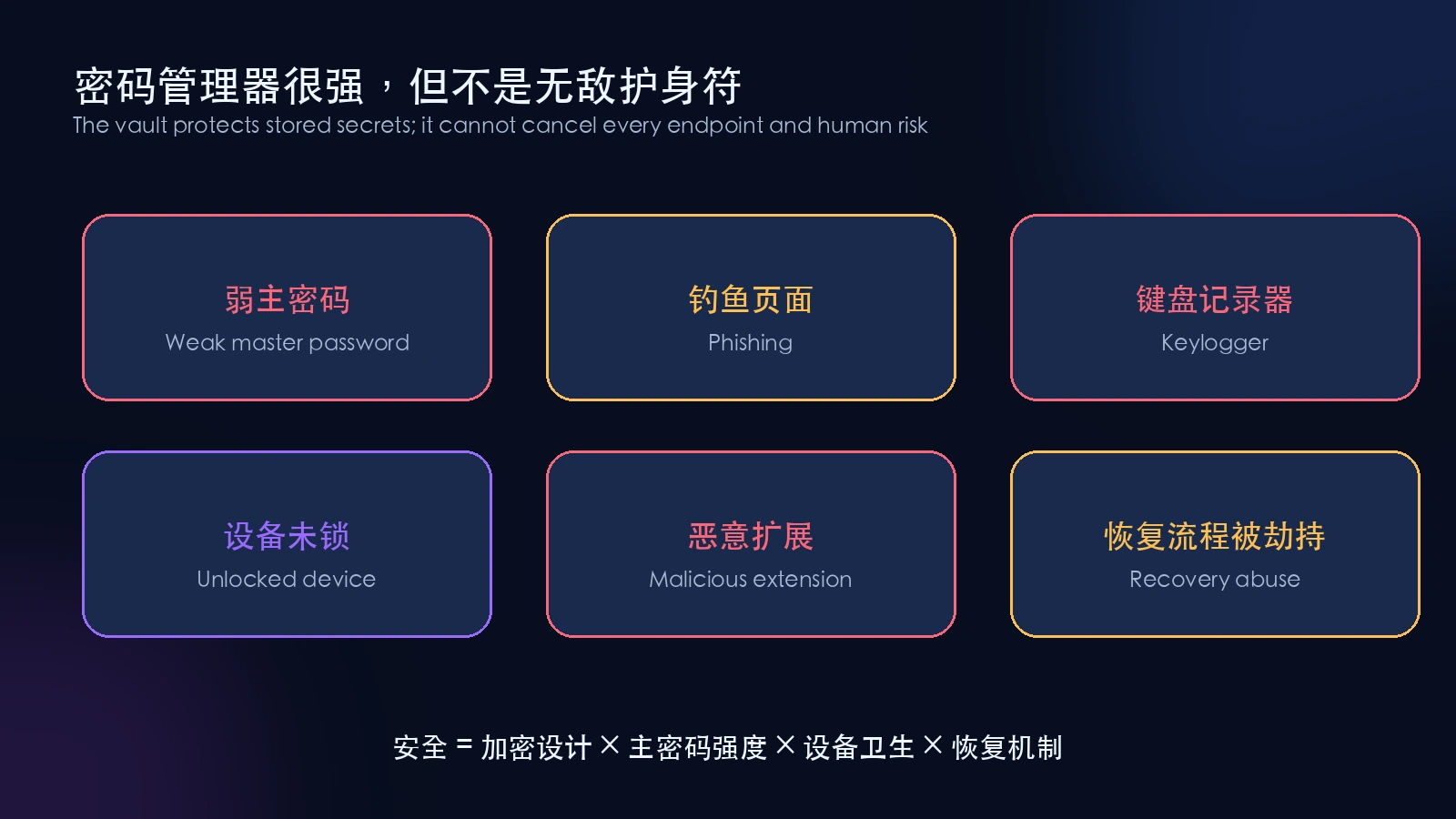
The vault protects stored secrets; phishing, malware, unlocked devices, and recovery paths can still bypass it.
A weak master password
This is the most direct failure. Adding a site name to a favorite password does not create a random master secret. The master password must be independent, unique, and long.
A compromised endpoint
When a vault is unlocked, the legitimate application must obtain plaintext for display and autofill. Malware with sufficient privileges may capture the screen, log keys, read the clipboard, or inject into the browser. Encryption protects data at rest; it cannot make a fully compromised endpoint trustworthy.
Phishing
Domain-aware autofill can reduce phishing risk because an extension normally refuses to fill credentials on a mismatched domain. A user can still manually paste a master password into a fake form or install a malicious client.
A vault that never locks
An unattended computer, a browser extension left unlocked indefinitely, or a phone without a reliable screen lock effectively leaves the vault door open. Use a sensible automatic lock timeout.
Lost second factors and recovery material
MFA protects online login but does not usually increase the cryptographic strength of a stolen offline vault. Recovery codes stored beside the master password on one unencrypted device create another single point of failure. These controls defend different entrances and should be layered.
Building a practical master passphrase
The most practical strategy is not memorizing a chaotic mixture of capitalization, digits, and symbols. It is using a sufficiently long, randomly generated, never-reused multiword passphrase.
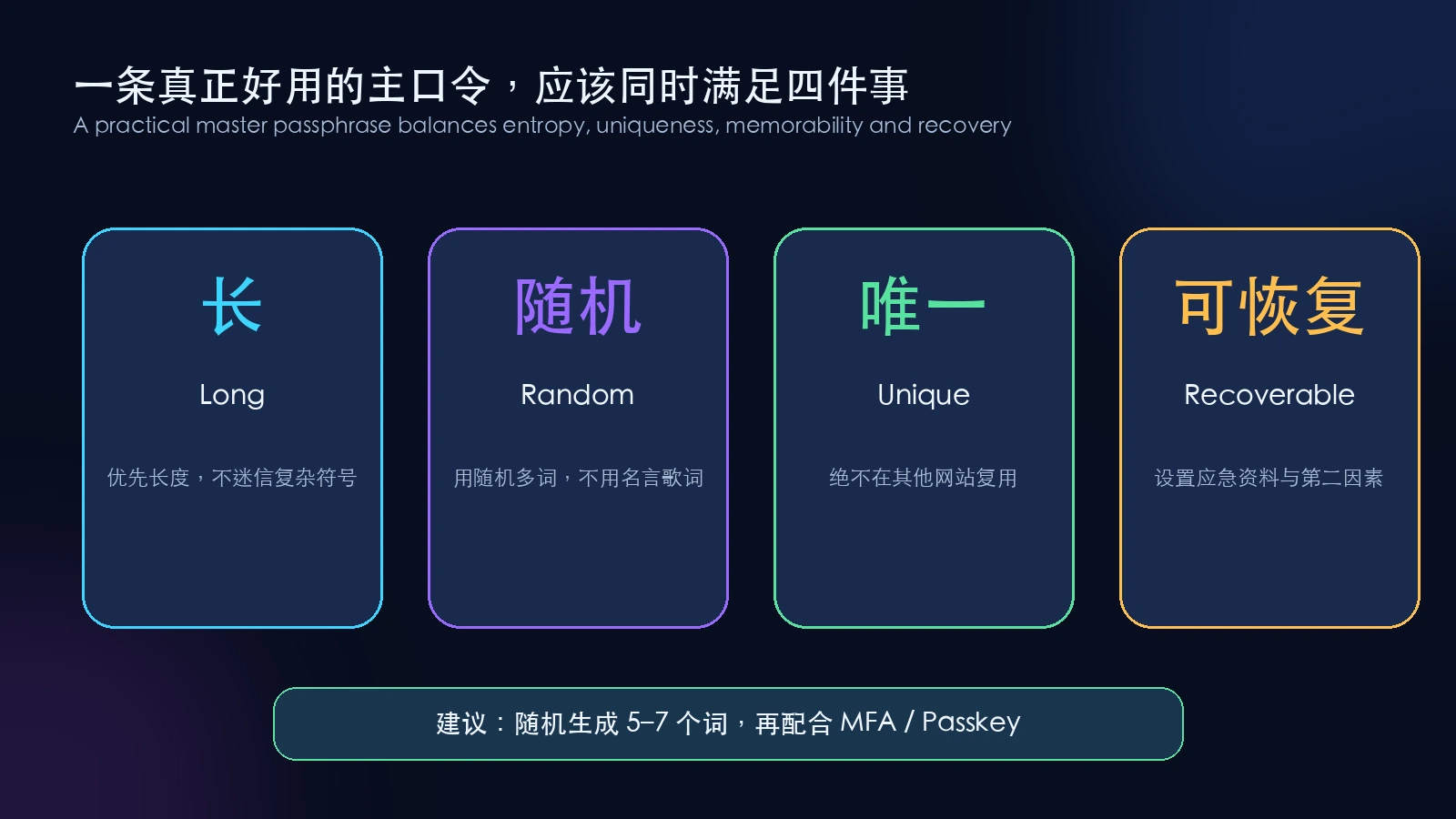
Length, randomness, uniqueness, and recoverability all matter.
Practical rules include:
- generate five to seven unrelated words with a trusted random method;
- avoid quotations, lyrics, addresses, schools, relatives, and years;
- never reuse the passphrase for email, device login, or another service;
- enter it several times in a safe environment to build muscle memory;
- keep emergency recovery material on paper or independent encrypted media in another location;
- enable independent MFA or a passkey for the password-manager account;
- automatically lock the vault after screen lock, browser exit, or short inactivity.
Never copy a public example passphrase. Anything printed in an article belongs in an attacker’s dictionary.
Do not choose a manager merely because it says AES-256
An algorithm label is only the beginning. Evaluate the system around it:
- Is the security design and key hierarchy documented publicly?
- Does it support a modern KDF and adjustable parameters?
- Does it use authenticated encryption or an equivalent encrypt-then-authenticate design?
- Do critical encryption and decryption operations occur on the client?
- Are independent audits and vulnerability responses published?
- Can users export data and avoid permanent lock-in?
- Are automatic locking, MFA, passkeys, recovery codes, and emergency access available?
- Are browser-extension permissions and update channels reasonable?
- Is the metadata collection described clearly enough to accept?
CISA’s public strong-password material also lists password managers as part of stronger password practice. The page is now marked as archived, but its core recommendation—generate and store strong passwords for separate accounts—remains useful context.
Real screenshot: CISA “Use Strong Passwords,” captured July 29, 2026. The page itself displays an archive notice.
The honest risk conclusion
A password manager creates a high-value target. Attackers have strong incentives to target the master password, unlocked endpoints, and the software-delivery chain.
Not using one does not remove the risk. It converts the risk into weaker, less visible, and harder-to-manage forms: reused passwords, predictable construction rules, reset dependence, exposed notes, scattered browser data, and slow breach response.
The useful question is not:
“Does a password manager have any risk?”
It is:
“Given the limits of real human memory, which approach forces an attacker to pay the greater total cost?”
For most people, a strong unique master passphrase, a publicly scrutinized password manager, unique generated passwords, and MFA or passkeys are substantially safer than manually reusing a handful of memorable passwords.
Frequently asked questions
What if the password-manager company disappears
Confirm in advance that the product supports a standard export or encrypted backup, and create periodic offline backups. Do not leave a plaintext CSV in the downloads folder. Move it immediately into encrypted storage or securely delete it after migration.
If a cloud vault is breached, must I change every password immediately
It depends on whether the incident exposed administrative metadata, encrypted vaults, a client update channel, or plaintext. Read the incident report, update clients, review KDF settings and master-password strength, and prioritize email, finance, cloud administration, and identity-recovery accounts. “It uses AES-256” is not a substitute for incident analysis.
Can the master password be stored inside the vault
The only copy cannot live exclusively inside the vault that it unlocks. Keep an emergency paper copy or use a genuinely independent encrypted system with separate access control.
Does biometric unlock replace the master password
Usually not. Biometrics often authorize the operating system or secure hardware to release locally protected key material. A reboot, timeout, policy change, or device migration may still require the master password.
Does MFA stop offline cracking
Usually not directly. MFA protects the online account entrance. If an attacker already possesses an offline-verifiable encrypted vault, the main cryptographic defenses remain master-password strength and KDF cost. Use both because they protect different attack paths.
Will passkeys make password managers obsolete
Not soon. Passkeys still need secure storage, synchronization, backup, and cross-device use. Password managers are evolving from password databases into broader digital identity and credential vaults. Passwords, TOTP seeds, recovery codes, passkeys, and secure notes will coexist for years.
The final takeaway
A password manager dares to remember everything not because it assumes it will never be attacked, but because it transforms an impossible human-memory problem into a more controllable engineering problem:
Use one strong master passphrase to derive key material through an expensive KDF, decrypt an authenticated vault on the device, let servers transport ciphertext, use a unique random password for every site, and defend endpoints, recovery, and second factors as separate layers.
The thing worth trusting is not a slogan. It is a public cryptographic design, verifiable client behavior, continuing security review, and your own discipline around the one master secret.
References
- NIST SP 800-63B: Authentication and Authenticator Management
- OWASP Password Storage Cheat Sheet
- Bitwarden Security Whitepaper
- Bitwarden Encryption Key Derivation
- KeePassXC User Guide
- CISA: Use Strong Passwords
This article explains general security principles and is not a security endorsement of a specific product. Implementations, defaults, and recovery mechanisms change; verify current official documentation before deployment or migration.