Your Photos May Have No Backup: Why a NAS Alone Is Not Enough
The short answer
If your photos exist only on a phone, a computer, and one NAS, you may not have three backups. You may have three doors leading to the same room. A lost phone, ransomware on the NAS, an accidental synchronized deletion, or a house fire can remove all three doors at once.
The rule worth remembering is 3-2-1: at least 3 copies, on at least 2 types of media, with at least 1 copy offsite. The stronger version is 3-2-1-1-0: add 1 offline or immutable copy, and verify that recovery has 0 undetected errors.
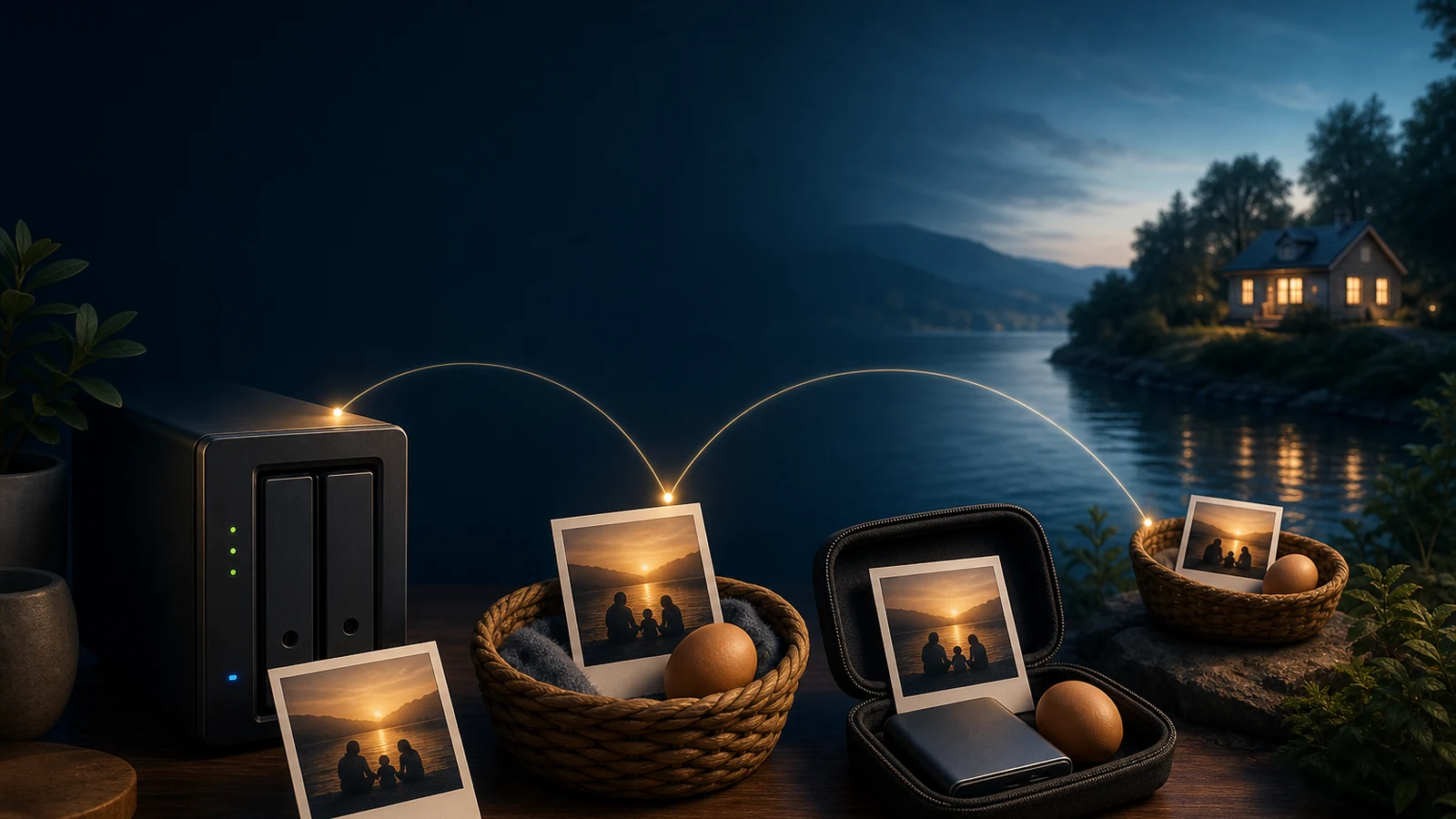
Figure 1: An original illustration. Keep photos like eggs: in different baskets, with the NAS, an external drive, and an offsite copy protecting against different failures.
Three screens can still share one fate
Many home setups look complete. A phone uploads automatically to a NAS, PhotoPrism indexes the files, and a computer keeps a synchronized folder. Open all three devices and the photos are visible, so it feels like the photos are backed up.
But visibility only proves that the access path works. It does not prove that the data has an independent escape route. A synchronization tool is an enthusiastic courier: if the source is deleted, it may deliver the deletion to the destination; if the source is encrypted, it may deliver the encrypted files too. RAID is a stronger basket, not a second building. It can keep a service running after one disk fails, but it cannot stop ransomware or protect the whole box from theft and fire.
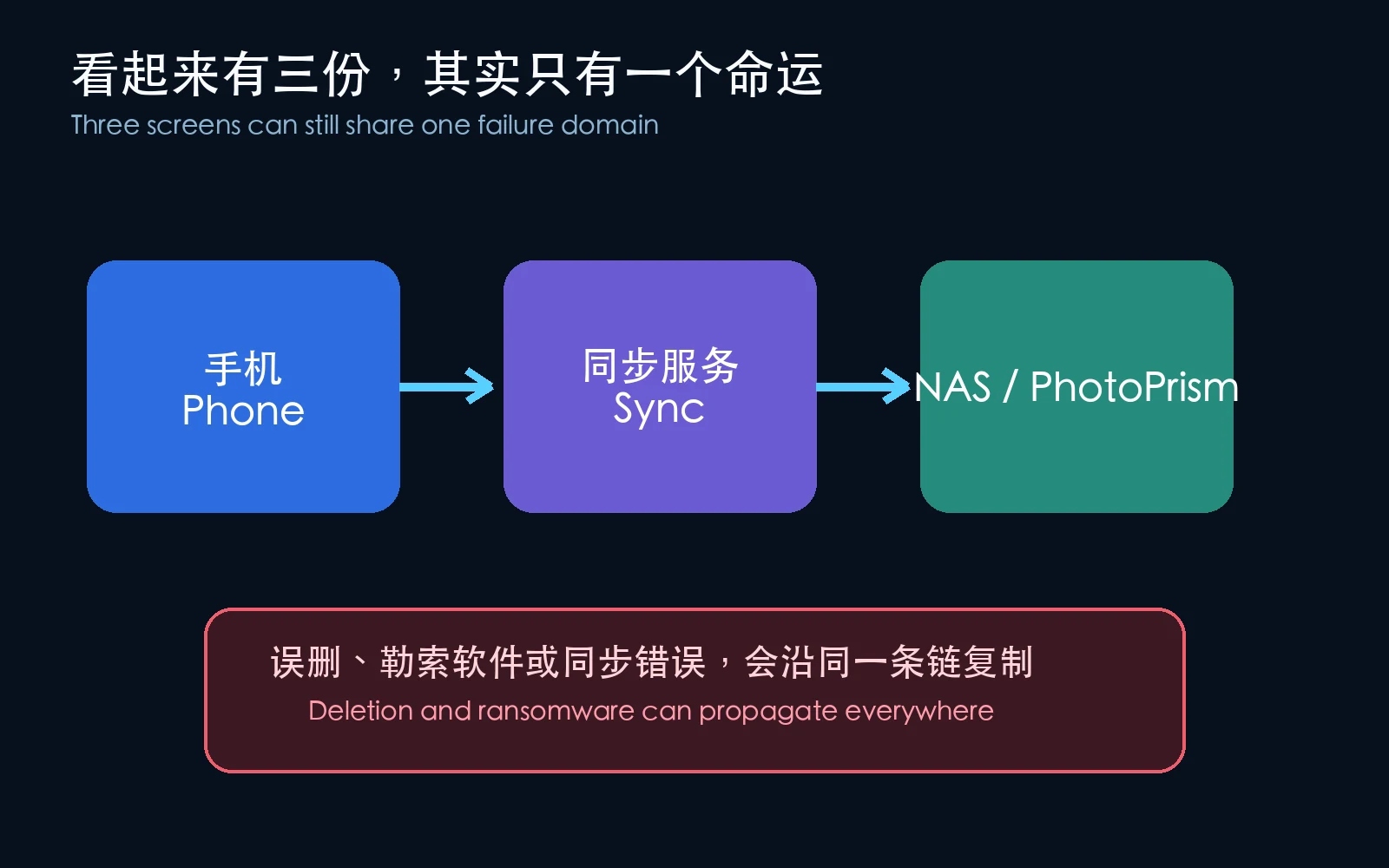
Figure 2: Three nodes on the same chain are not automatically three independent copies.
Four common false safeguards
- RAID is not backup: RAID mainly improves availability after a disk failure. It does not recover an accidental deletion or block ransomware.
- Synchronization is not backup: Synchronization tries to make both sides match. Backup tries to preserve a usable historical escape route.
- A photo app is not backup: PhotoPrism, Immich, Finder, and a system gallery are often indexing and presentation layers. They do not replace an independent copy of originals, databases, and configuration.
- A recycle bin is not backup: It is usually on the same disk, host, or account boundary. Hardware loss and ransomware can remove it too.
Root cause: the copies are not actually separated
Ask three small questions about every supposed copy:
- Is it on a different physical medium?
- Can it be read if the original device is completely dead?
- Can the same delete, encryption event, or administrator account modify it at the same time?
If the answers are unclear, the “second copy” is probably only a shadow of the first one.
Imagine putting three house keys in the same drawer. There are three keys, but a thief can take all three at once. Good backup separates the risk as well as the data: one copy stays in daily use, one sits on local backup media, and one leaves the building. Ideally, one copy is offline most of the time.
What does 3-2-1 actually mean?
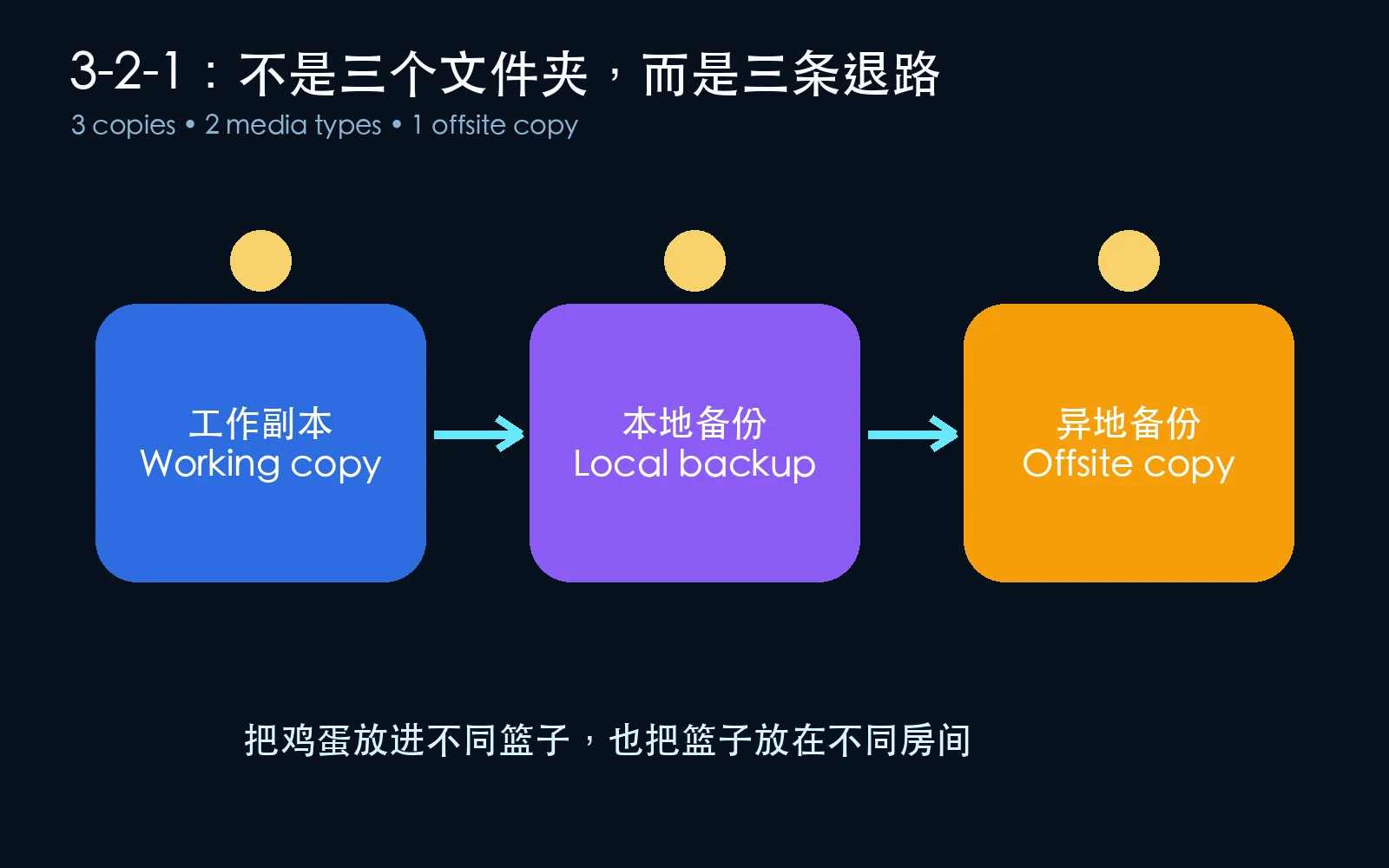
Figure 3: Three copies, two media types, and one offsite copy form a practical baseline for a household.
Three copies
“Three copies” does not mean making three directories on one disk. It means three independent ways to recover:
- Working copy: Photos on the phone, computer, or NAS used every day.
- Local backup: Another disk, another NAS, or a regularly disconnected external drive.
- Offsite backup: A copy stored in another building or physical location, potentially encrypted before it leaves the home.
Two media types
Two copies that fail in the same way do not add much safety. Two disks inside one NAS are still inside one machine. A NAS plus an external drive, or a computer plus an offline drive, is a more independent combination.
One offsite copy
The offsite copy protects against fire, water, theft, and loss of the whole room. It does not have to start with a cloud subscription. Two encrypted external drives can be rotated: one stays at home while the other is stored elsewhere, then they are exchanged on a schedule.
A small recovery drill I ran
To avoid touching real photos, I created six synthetic images and one text file. I copied them to three simulated targets and generated a SHA-256 manifest. Then I appended data to one photo in the NAS copy, checked whether the manifest detected it, and restored the original file from the offsite copy.
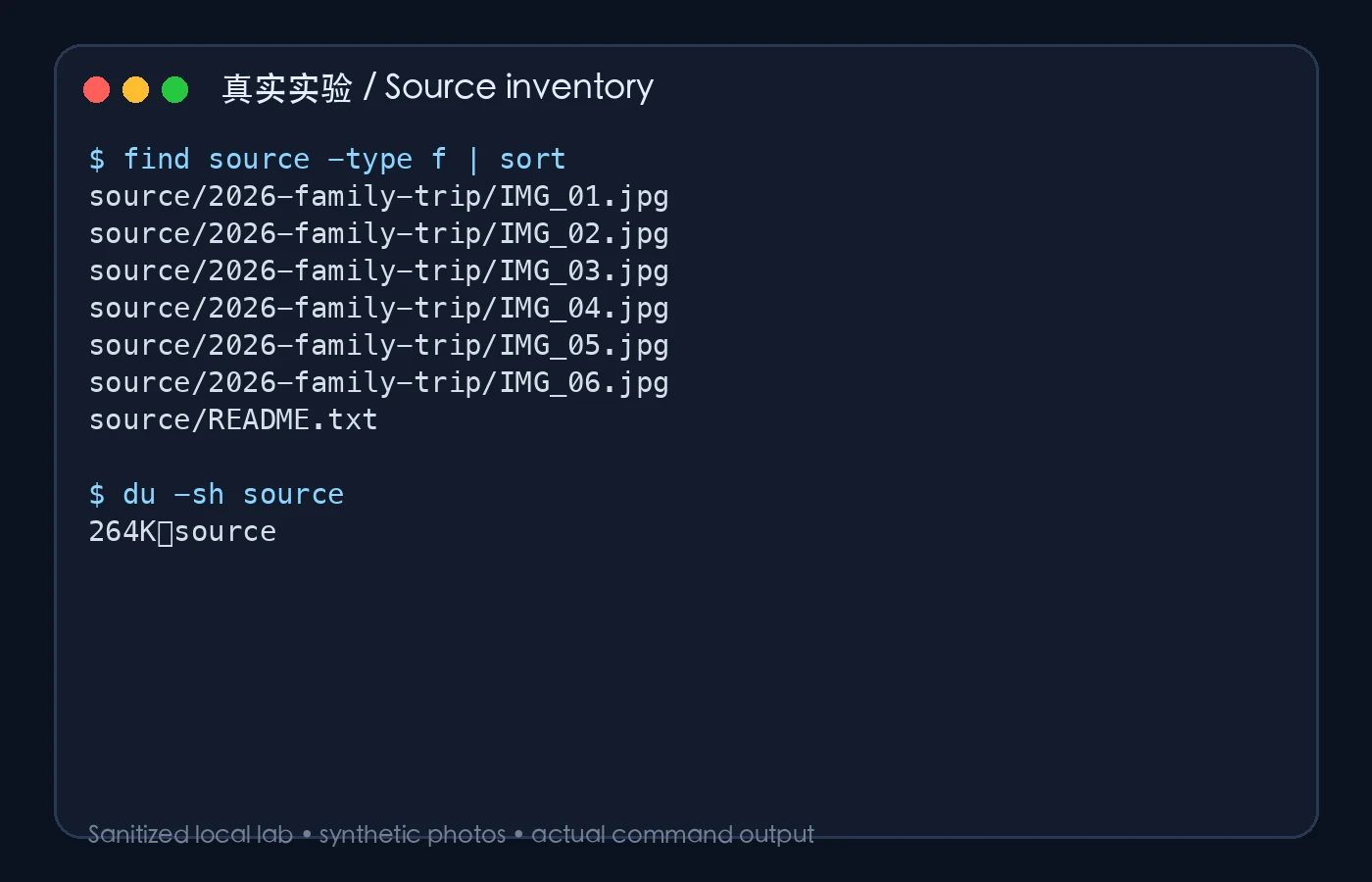
Figure 4: A real sanitized experiment screenshot. The source directory contains synthetic photos only.
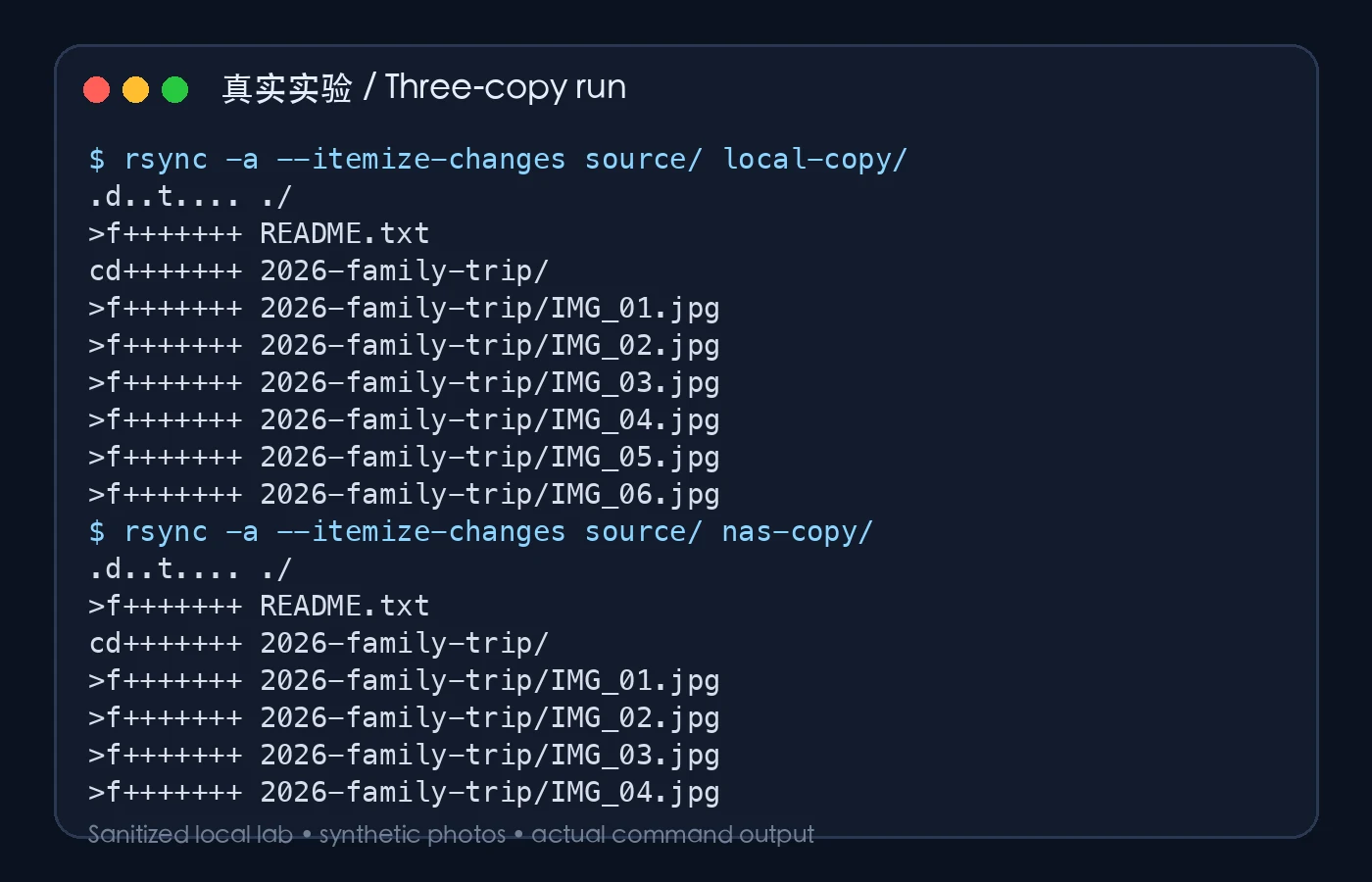
Figure 5: A real sanitized experiment screenshot. The command output shows three simulated targets; real use requires separate media and locations.
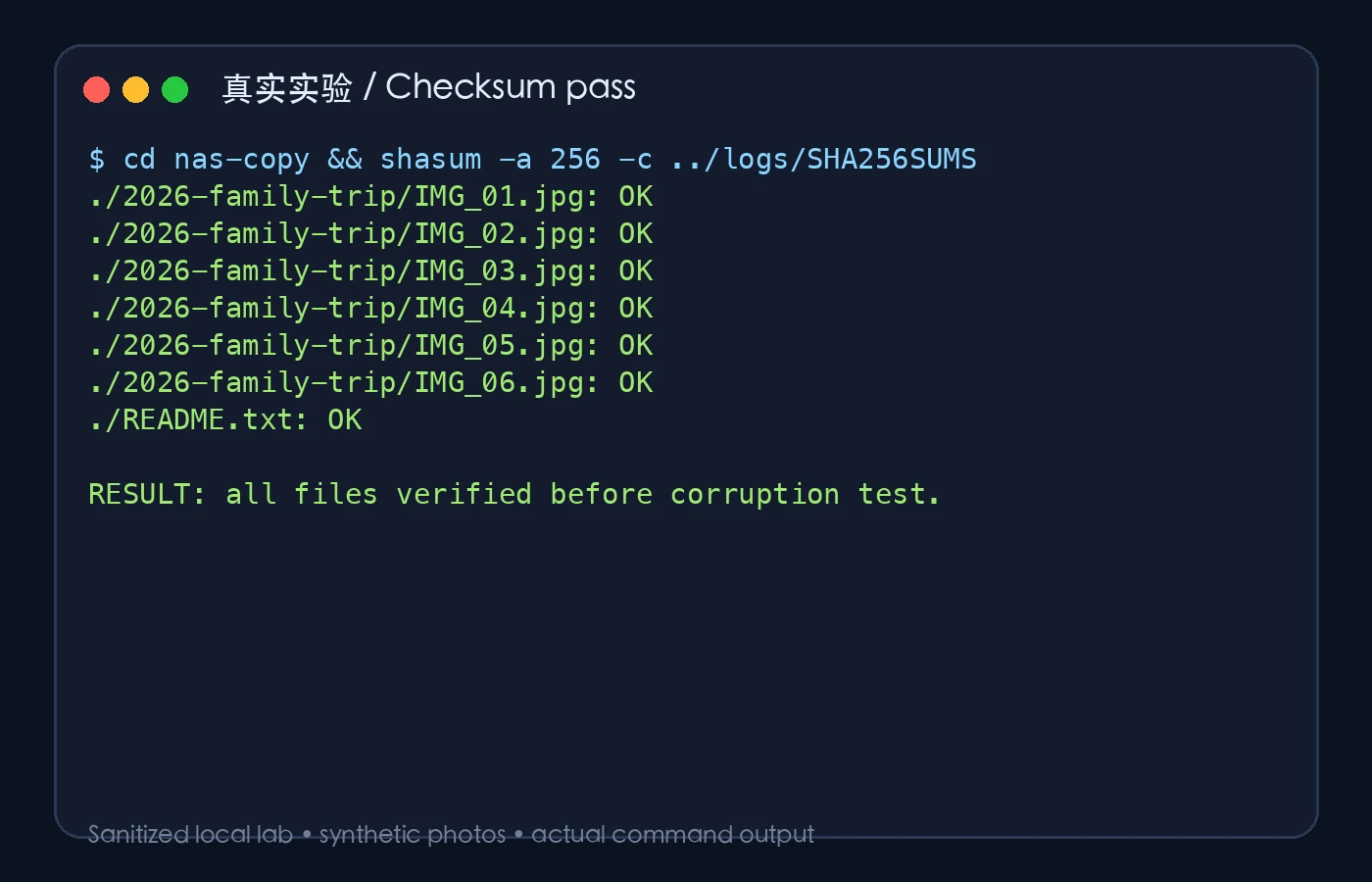
Figure 6: A real sanitized experiment screenshot. Every file returns OK before the fault is injected.
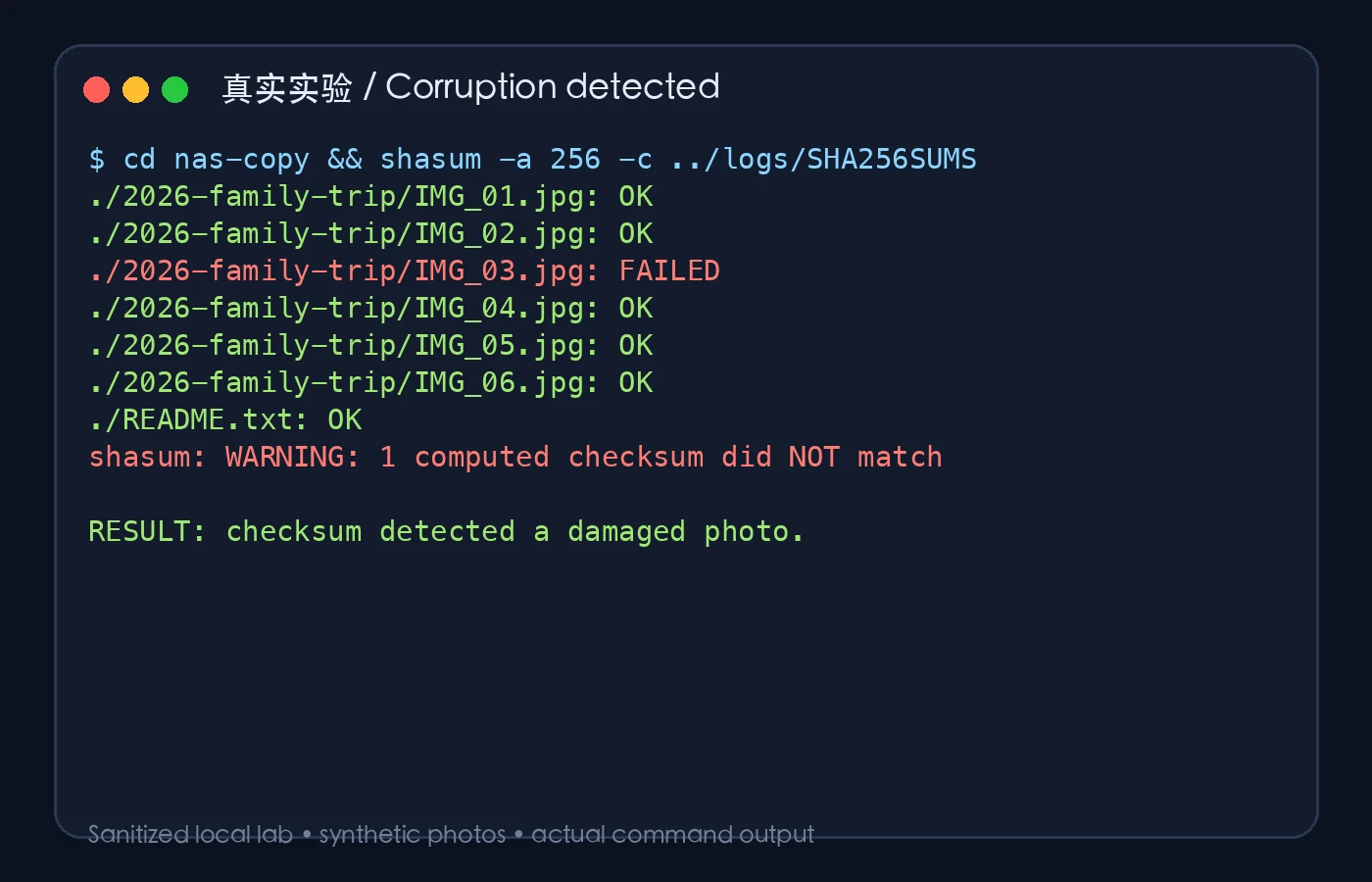
Figure 7: A real sanitized experiment screenshot. After one image is modified, SHA-256 identifies IMG_03.jpg as failed.
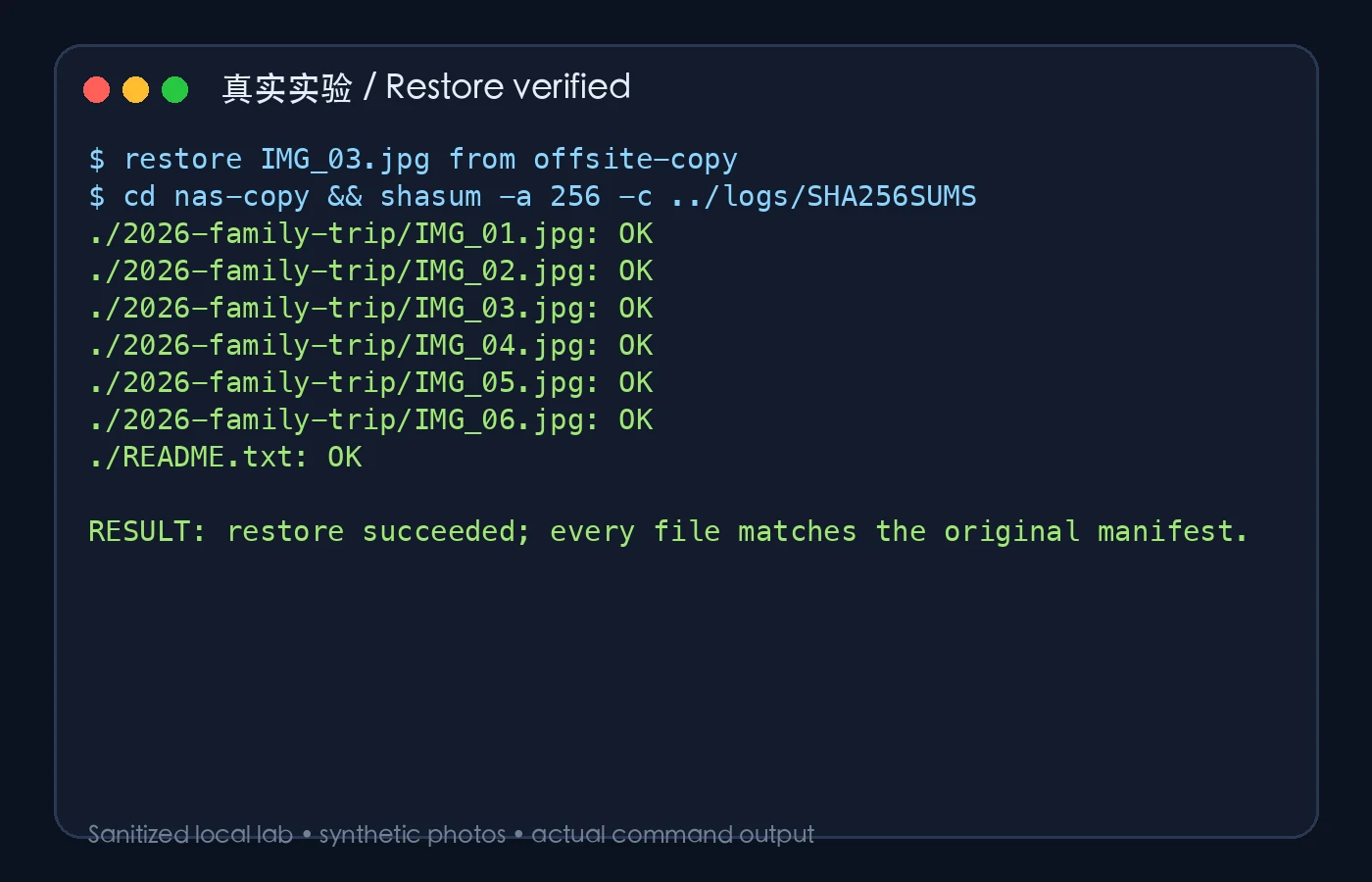
Figure 8: A real sanitized experiment screenshot. After restoration, every item returns to OK.
The experiment demonstrates a detail people often skip: a successful backup is not the same as a successful recovery. You need to take a file out, put it somewhere else, open it, and verify it.
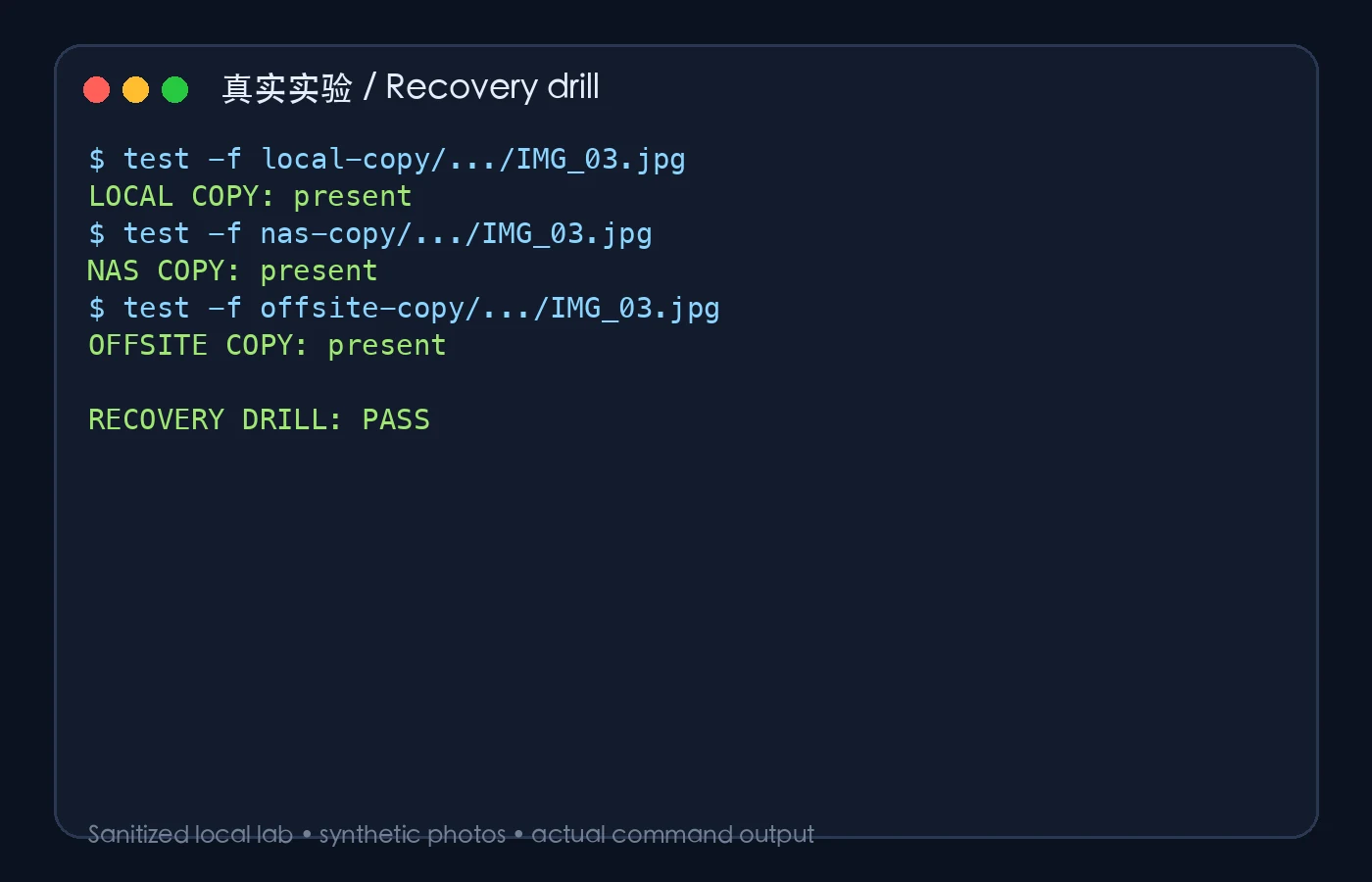
Figure 9: A real sanitized experiment screenshot. All three targets are present and a recovery drill has passed.
What should PhotoPrism and SiYuan users back up?
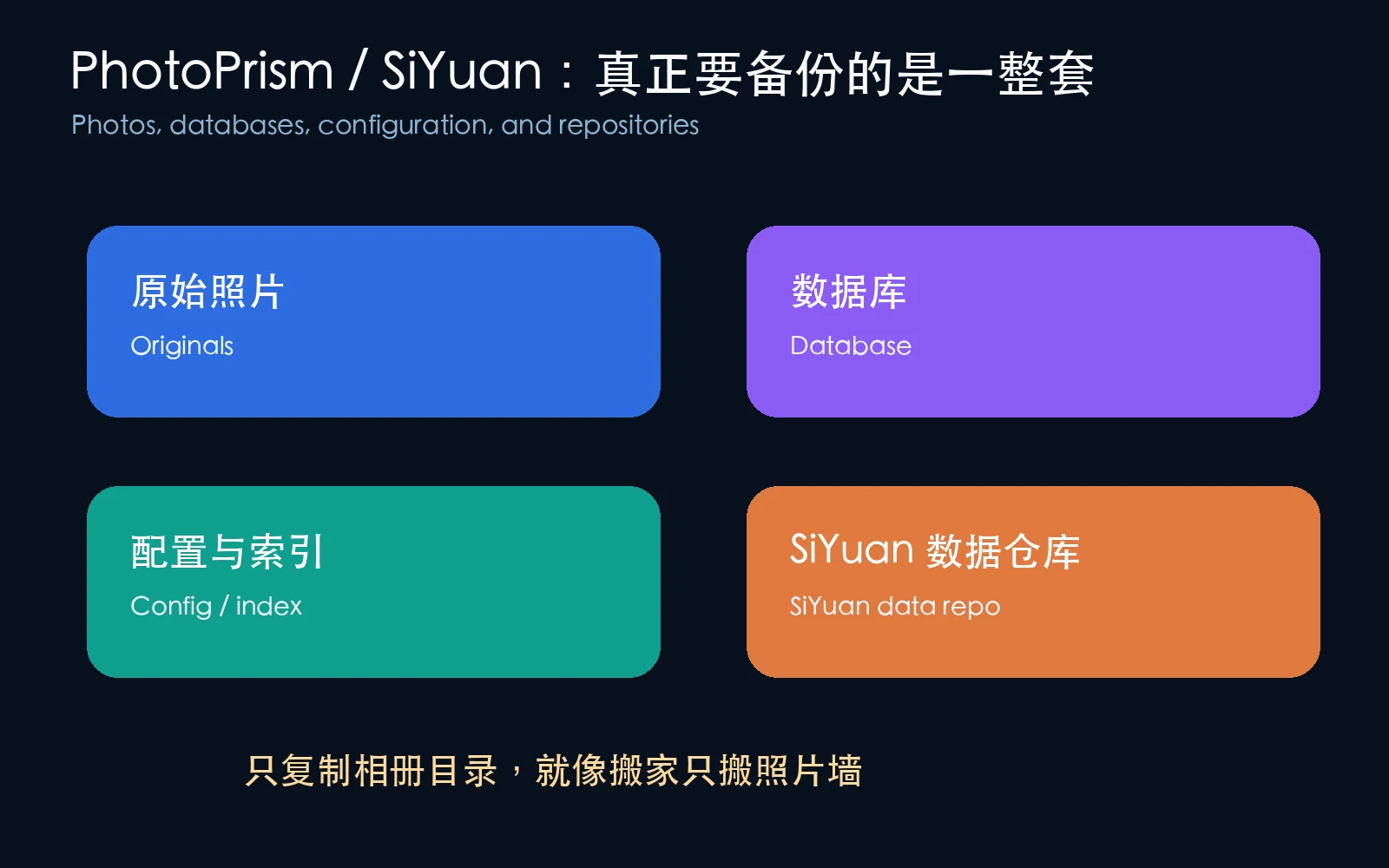
Figure 10: An application is more than one folder. Originals, databases, indexes, configuration, and a SiYuan data repository can all affect recovery.
PhotoPrism
Original photos are the most important PhotoPrism asset, but copying only the originals directory may not preserve your complete working state. The database, configuration, indexes, and import rules affect albums, labels, people, and search. Preserve originals first, then follow the official documentation for the database and configuration. Caches may be rebuilt; originals and databases should not be treated as disposable.
SiYuan
SiYuan centers on its data repository. Exporting a few Markdown files is not necessarily a full knowledge-base backup; documents, assets, databases, and configuration may work together. A simple method is to stop writes, copy the complete repository, keep historical versions, and open a restored copy periodically.
A practical priority
Protect original data first, application state second, and caches last. A thumbnail can often be rebuilt. An original photo usually cannot.
Three household designs
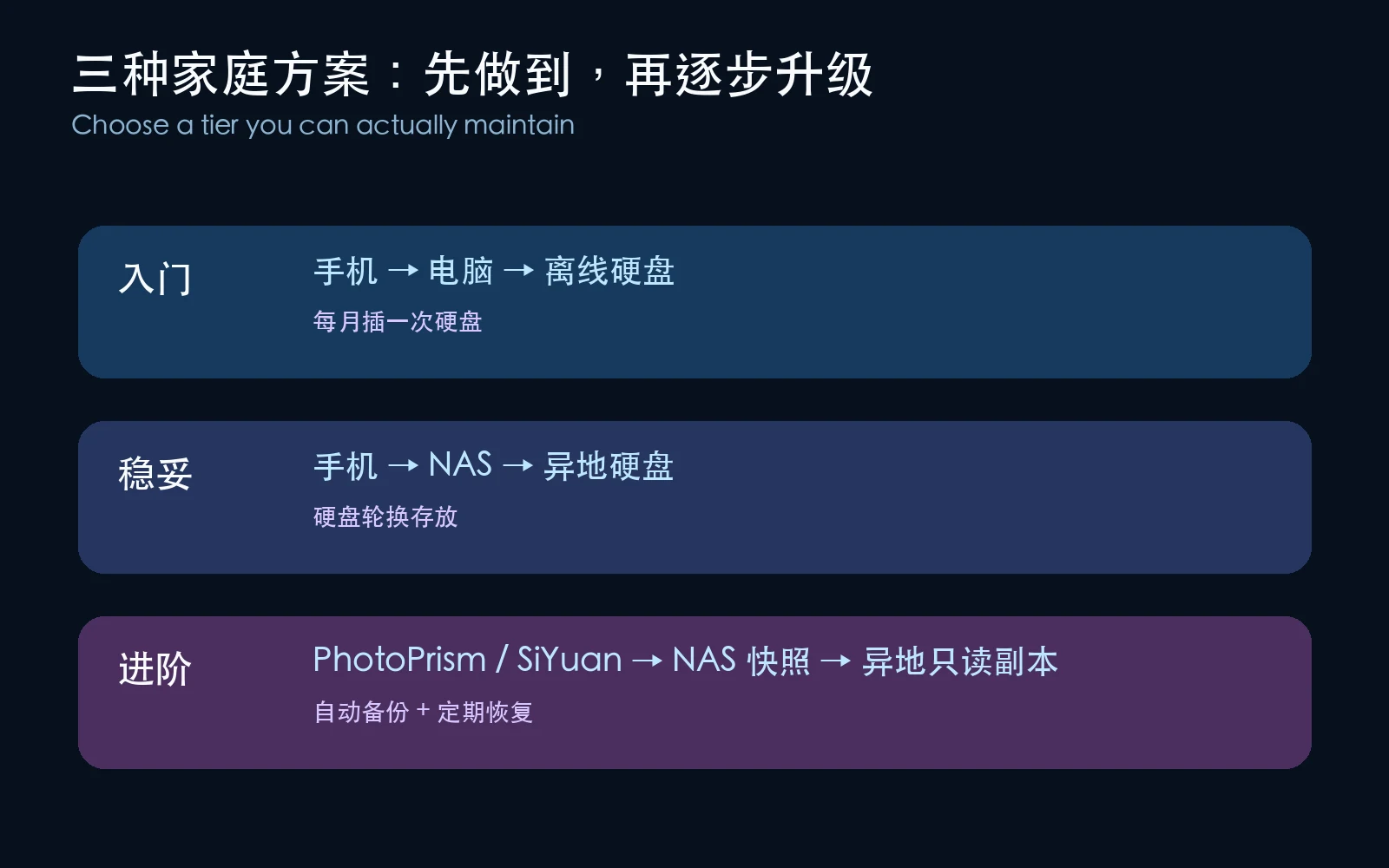
Figure 11: Do not start with the most complex architecture. Start with the one you can maintain.
Starter: phone, computer, offline drive
Import phone photos to a computer and make a dated full copy to an external drive every month. Eject the drive after the backup. It is not highly automated, but it is much stronger than leaving photos only on the phone.
Safer: phone, NAS, offsite drive
Collect originals on the NAS, use snapshots or versioned copies locally, and rotate two encrypted external drives so one stays away from home. You get the convenience of PhotoPrism and a copy that does not stay online with the NAS.
Advanced: application layer plus physical layer
PhotoPrism or SiYuan remains the daily interface, the NAS stores the working set, scripts create dated copies and manifests, and an offline drive protects against ransomware and total device loss. Complexity is not the goal; a repeatable recovery process is.
One-click helpers for three platforms
The article attachments contain native scripts. They do not call third-party services. Each script defaults to a dry run and copies only after an explicit --execute; none uses a mirror mode that deletes extra destination files.
Windows 11
Download photo-backup-windows11.ps1, preview first:
.\photo-backup-windows11.ps1 "D:\Photos" "E:\Backup" "F:\Offsite"
After checking the planned paths and timestamp, execute it:
.\photo-backup-windows11.ps1 "D:\Photos" "E:\Backup" "F:\Offsite" -Execute
The script uses robocopy and Get-FileHash, then prints BACKUP_STATUS=PASS.
Ubuntu 26.04
Download photo-backup-ubuntu2604.sh:
chmod +x photo-backup-ubuntu2604.sh
./photo-backup-ubuntu2604.sh "$HOME/Photos" "/media/$USER/Backup" "/media/$USER/Offsite"
./photo-backup-ubuntu2604.sh "$HOME/Photos" "/media/$USER/Backup" "/media/$USER/Offsite" --execute
macOS 26
Download photo-backup-macos26.sh:
chmod +x photo-backup-macos26.sh
./photo-backup-macos26.sh "$HOME/Pictures" "/Volumes/Backup" "/Volumes/Offsite"
./photo-backup-macos26.sh "$HOME/Pictures" "/Volumes/Backup" "/Volumes/Offsite" --execute
These scripts can copy and verify data, but they cannot create physical separation for you. If both targets are on one disk, one NAS, or one room, they still share one failure domain.
Human execution versus Agent execution
Human execution
Run the dry run first. Confirm that the source is not a cache directory, the destinations have enough space, and the offsite drive is actually mounted. After execution, check BACKUP_STATUS=PASS and open three to five random photos. At least once per quarter, restore one photo and one knowledge-base file to a temporary directory and open them.
Agent execution
Give a local Agent an explicit safety contract instead of saying “back up my photos”:
Read-only inspect the source, both destinations, available space, and mount points first.
Never delete destination files, never use a mirror-delete mode, and never upload to a third-party service.
Run a dry run and report file count, total size, media, and snapshot path. Wait for confirmation before execution.
After execution, create a SHA-256 manifest, verify both copies, restore at least three random files, and open them.
Report BACKUP_STATUS, CHECKSUM_STATUS, RESTORE_STATUS, and log paths.
If both destinations are on the same physical device or in the same location, mark 3-2-1 as NOT SATISFIED.
An Agent should behave like a careful housekeeper: make a list, move the boxes, and let you inspect the result. “Done” is not evidence of an offsite backup.
3-2-1-1-0: one more isolation boundary
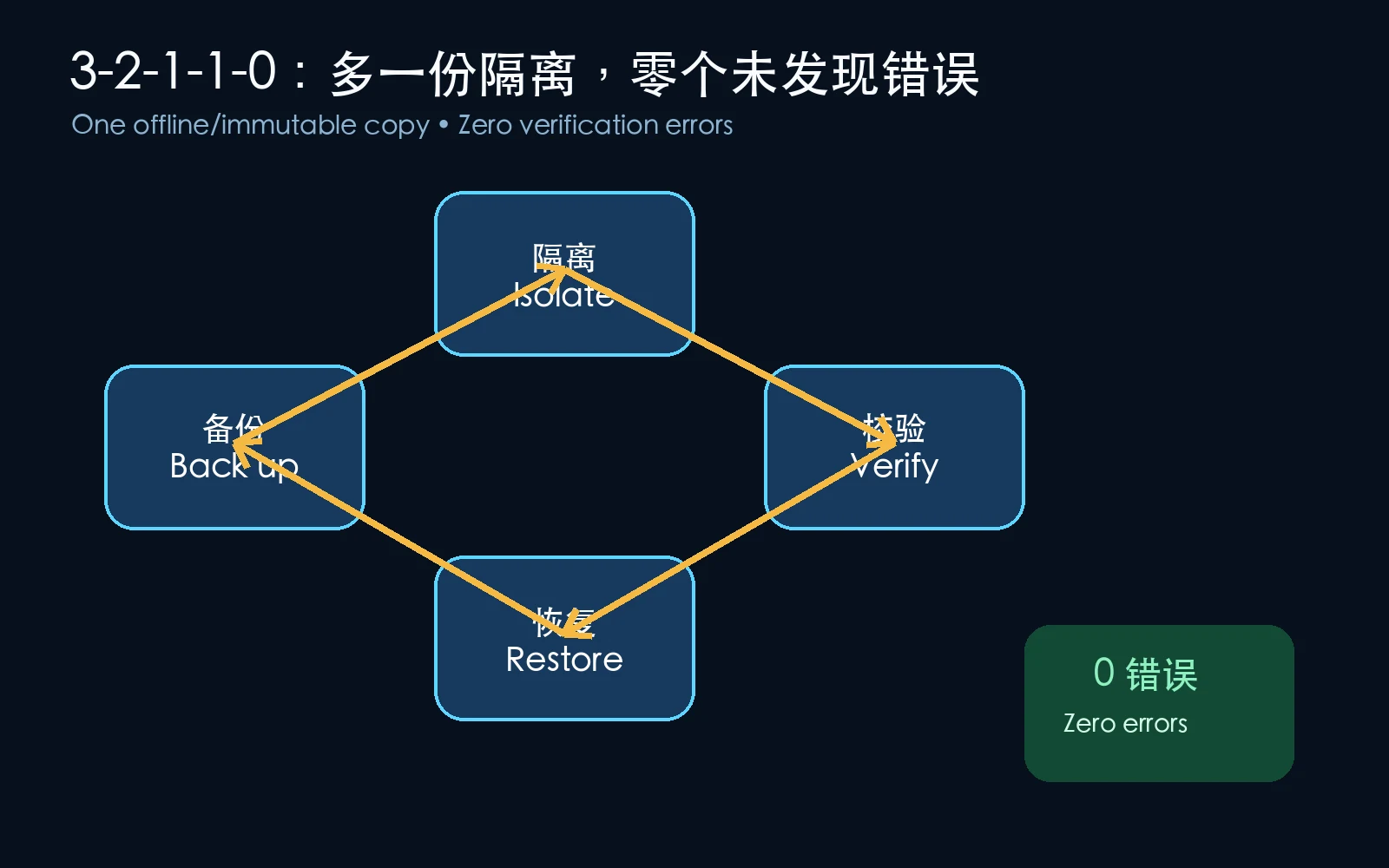
Figure 12: 3-2-1-1-0 is not a demand for expensive enterprise hardware. It adds offline protection and a verification habit.
- 3: at least three copies.
- 2: at least two media types.
- 1: at least one offsite copy.
- 1: at least one offline, read-only, or immutable copy.
- 0: zero undetected errors in recovery verification.
An offline copy is like a key in a safe: it is not participating in synchronization, so ransomware has a harder time reaching it. Verification is like checking the contents of a delivery box instead of merely checking that the box still exists.
A checklist you can finish today
- Identify the exact directory containing original photos.
- Find one local copy on a different device or medium.
- Find one offsite copy outside the room or building.
- Keep at least one copy disconnected most of the time.
- Generate a SHA-256 manifest and store it with the backup.
- Restore several photos and one application data file and open them.
- Record the latest backup time and the latest restore-test time.
Q&A
I have only one NAS. What should I do first?
Use an external drive large enough for the photo set and create a dated offline copy. Do not start with a RAID upgrade or a better gallery interface; first add another medium.
Are two NAS boxes in one room offsite?
No. They can protect against some device failures, but not fire, theft, or loss of the room. Offsite means a different physical location, not merely a different IP address.
Is cloud storage the best answer?
Cloud storage can be an offsite copy, but check version retention, deletion protection, encryption, and recovery cost. A cloud sync client is not automatically a backup if deletion propagates immediately.
How often should I test recovery?
At least quarterly for a slowly changing family archive; monthly for a heavy photo workflow, with a full directory drill twice a year. A backup without a restore test is like a life jacket that has never been worn.
Do I need every thumbnail and cache?
Not necessarily. Prioritize originals, application databases, configuration, and knowledge-base data. Caches can be lower priority only after confirming that the application can rebuild them.
The final answer
NAS is valuable, PhotoPrism is convenient, and SiYuan is excellent for long-term knowledge. They solve storage, search, and daily use; none automatically carries the entire disaster-recovery responsibility for you.
You do not need more entry points. You need an independent route that can bring the photos back after one entry point fails. Make an offline copy and run one restore test today. Once the eggs are in separate baskets, the photos are finally yours.