Do Not Just Copy QingLong Into BaiHu: A Real Safe Migration Drill
Bottom line first
Migrating from QingLong Panel to BaiHu Panel is not a directory-copy exercise. I ran a real migration drill in an isolated Docker environment: a fresh QingLong instance with sample environment variables, scripts, labels, and cron jobs; then a fresh BaiHu instance; then an actual conversion and verification pass.
The reliable migration unit is not the whole QingLong data directory. It is a set of assets: script files, environment variables, scheduled tasks, tags, enabled/disabled state, and task-variable relations. QingLong uses numeric IDs; BaiHu uses string IDs and relation tables. QingLong commands such as
task daily_check.pyalso need to become executable BaiHu commands such aspython /app/data/scripts/qinglong-migrated/daily_check.py.This article contains no full private IP address, private registry address, host name, token, cookie, or production secret. The screenshots come from a disposable lab, and the variables are redacted sample data.

This Is Not an Image Swap
QingLong and BaiHu are both script scheduling panels. A simple analogy: they are web-based housekeepers with alarm clocks. They know when to run a script, which variables the script needs, and where the logs are. But that housekeeper also has keys. It can execute commands.
That is why migration needs more care than moving photos from one folder to another. Scripts are the tools, environment variables are the keys and seasoning bottles, cron rules are the calendar, and tags are the sticky notes on each box. If you move only the tools and forget the keys, the job still fails.
BaiHu documentation describes Docker deployment, /app/data, /app/envs, runtime management, task scheduling, and compatibility with QingLong-style repository commands. QingLong’s Docker deployment commonly persists data under /ql/data. The trap is this: supporting QingLong-style repository commands does not mean BaiHu can directly import a QingLong database. A repository command format is like a shipping label. A database migration is like issuing new ID cards in a different school system.
References:
- QingLong GitHub: https://github.com/whyour/qinglong
- BaiHu Panel GitHub: https://github.com/engigu/baihu-panel
- BaiHu documentation: https://engigu.github.io/baihu-panel/
What I Actually Tested
The test assumed BaiHu had already been freshly installed. I created temporary lab containers only and did not touch any long-running service. The QingLong lab data contained:
- 2 environment variables, one enabled and one disabled.
- 2 scheduled tasks, one enabled and one disabled.
- 6 script files, including sample scripts and notification helper files from the QingLong image.
- Several labels, such as
lab,python,shell, anddisabled.
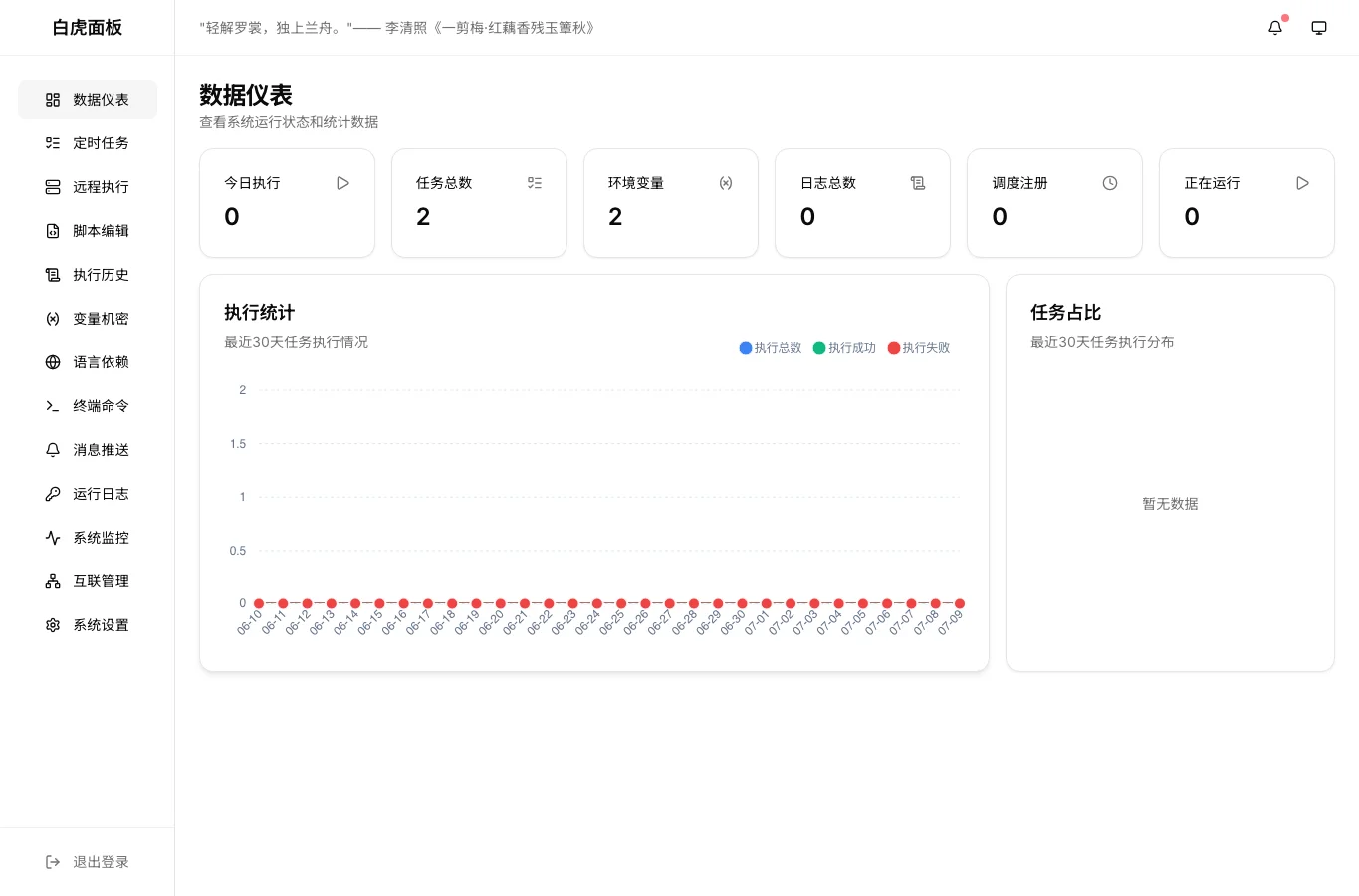
After migration, BaiHu reported 2 tasks and 2 environment variables through both the web UI and API.
Why Copying /ql/data Is Not Enough
QingLong stores its data under /ql/data. BaiHu stores application data under /app/data and runtime environments under /app/envs. Those paths look similar, but their internal ledgers are different.
The first difference is ID shape. QingLong’s Envs and Crontabs rows use numeric IDs. BaiHu’s baihu_envs, baihu_tasks, and baihu_data_relations use string IDs. You cannot copy “student number 1 belongs to club A” into a new school system where no student has that old number.
The second difference is command shape. QingLong commonly stores:
task daily_check.py
The migrated BaiHu task should execute something like:
python /app/data/scripts/qinglong-migrated/daily_check.py
Shell scripts become:
bash /app/data/scripts/qinglong-migrated/cleanup_cache.sh
The third difference is relation data. BaiHu has its own relation tables for tags and task-variable links. If you ignore those tables, the UI may show tasks and variables, but filtering, labels, and task context will not match what the user expects.
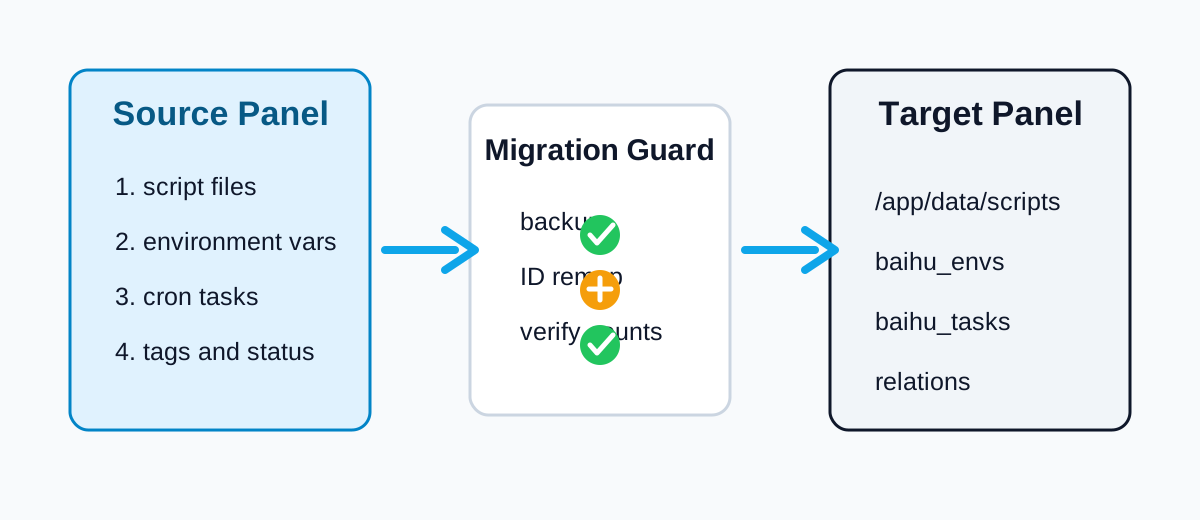
The Migration Order That Worked
First, inventory QingLong. At minimum, confirm:
/ql/data/db/database.sqlite
/ql/data/scripts/
Use your real Docker volume mapping, not somebody else’s path. On production systems, count tasks, variables, scripts, subscriptions, and dependency notes before migrating.
Second, confirm BaiHu has already initialized. A fresh SQLite deployment should have:
/app/data/baihu.db
The first issue I hit was simple: the host did not have the sqlite3 CLI. The migration script uses Python’s standard sqlite3 module, so it does not require an extra database command-line tool.
Third, stop BaiHu and back up the database. SQLite plus a running service can involve lock and WAL timing issues. The script creates a backup like:
baihu.db.before-ql2bh-<timestamp>.bak
Think of this as photographing the new apartment before moving boxes in. If the move goes wrong, you can still return to a known state.
Fourth, copy scripts into:
/app/data/scripts/qinglong-migrated/
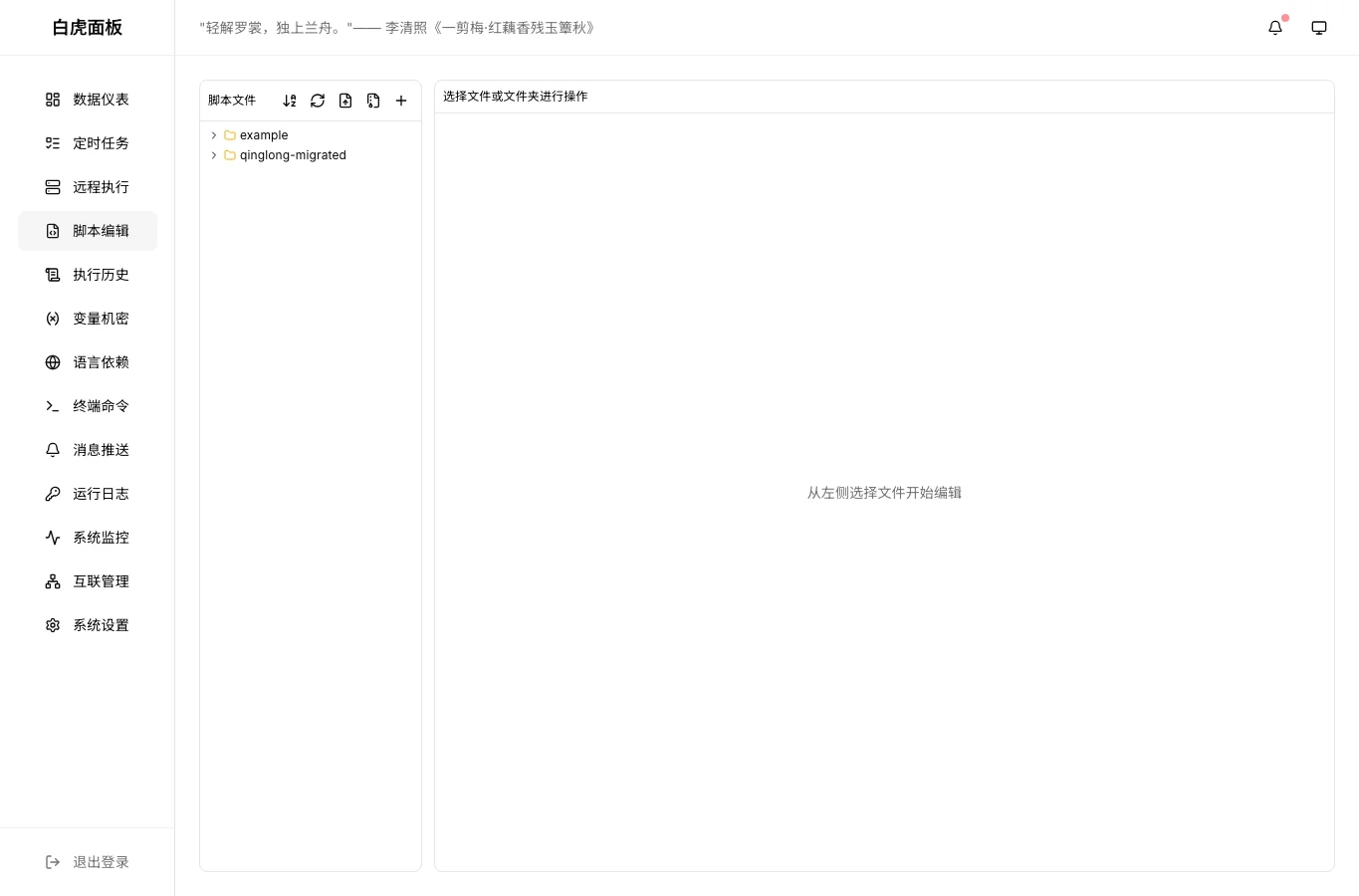
This avoids overwriting BaiHu’s own examples and makes migrated files easy to identify. The script also creates BaiHu script records for text files, so the Script Editor page can display them.
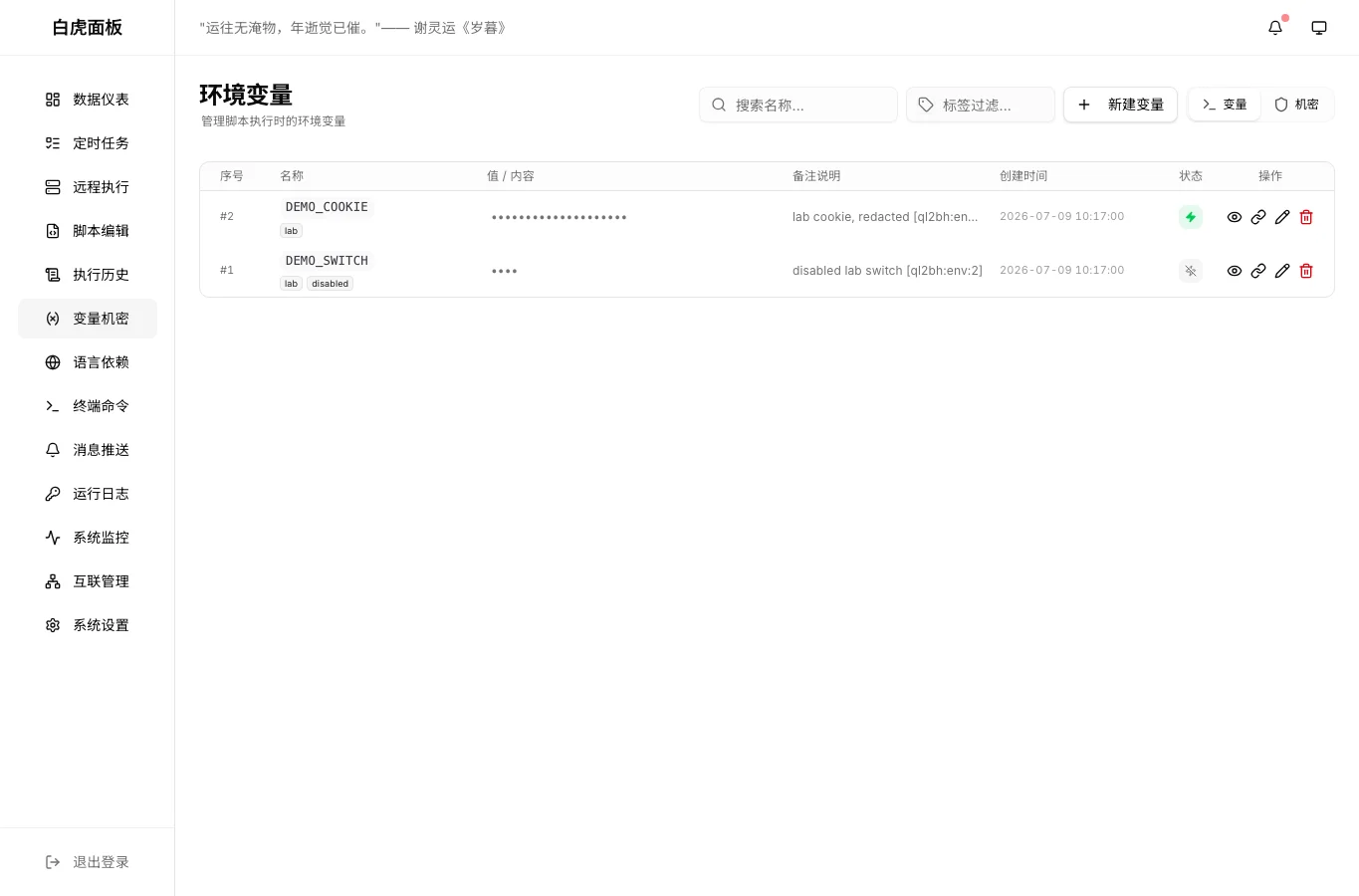
Fifth, convert environment variables. In the lab, QingLong status=0 mapped to enabled; non-zero mapped to disabled. The migration note includes a ql2bh marker, so repeated runs clean up only the previous imported rows and do not touch existing BaiHu data.
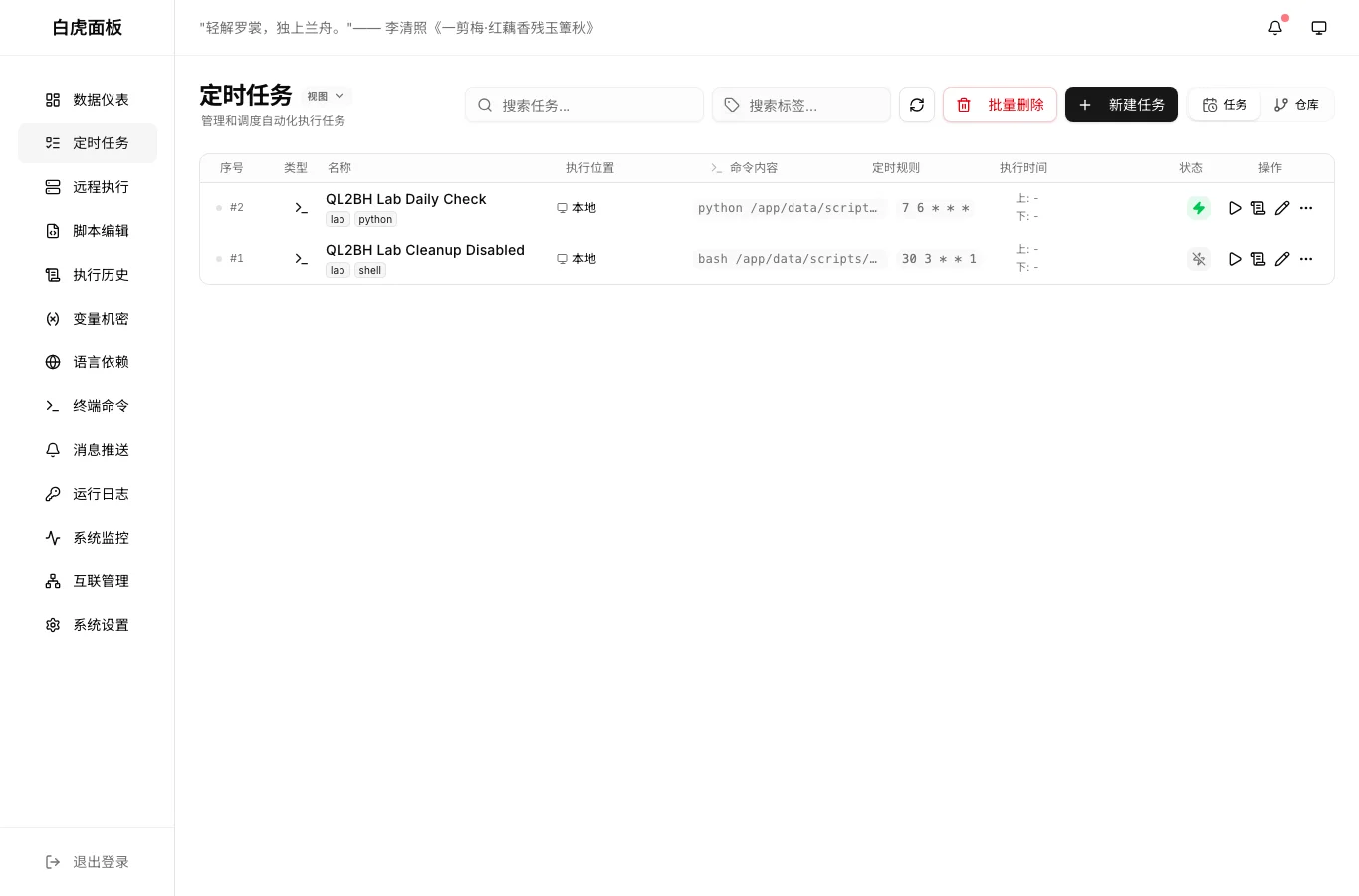
Sixth, convert cron jobs. Names, cron expressions, enabled state, pre/post commands, tags, and task commands are migrated. task xxx commands are rewritten into paths under /app/data/scripts/qinglong-migrated/.
Seventh, verify three ways:
- Database counts: variables, tasks, script records, and task-variable relations.
- API counts: BaiHu stats endpoint reports the expected task and variable totals.
- UI screenshots: dashboard, tasks, variables, and script pages all show migrated data.
Problems I Hit
First, BaiHu compatibility with QingLong repository commands is not QingLong database import. The fix is to migrate assets explicitly: scripts, variables, tasks, tags, and relations.
Second, reading only the SQLite main file can mislead you while WAL files are active. Stop BaiHu before migration, restart it after, then verify through API and UI.
Third, the host may not have sqlite3. Python’s standard library is enough.
Fourth, do not guess API paths. I first tried an environment-variable endpoint with a plural-looking path and got 404. The working BaiHu route is under /api/v1/env.
Fifth, large scripts inside nested SSH and shell quotes are brittle. My first inline attempt broke SQL string quoting before Python even had a chance to run correctly. The fix was to ship a real script file and execute it.
One-Click Scripts for Windows 11, Ubuntu 26.04, and macOS 26
The reusable migration files are included with this post:
- Core migrator: /downloads/ql2bh-migration/ql2bh-migrate.py
- Windows 11 PowerShell: /downloads/ql2bh-migration/run-ql2bh-windows11.ps1
- Ubuntu 26.04 Bash: /downloads/ql2bh-migration/run-ql2bh-ubuntu2604.sh
- macOS 26 Zsh: /downloads/ql2bh-migration/run-ql2bh-macos26.zsh
They assume QingLong and BaiHu data directories are available on the current machine and that the BaiHu container already exists. They do not require a third-party database or cloud service.
Windows 11:
Set-Location C:\panel-migration
.\run-ql2bh-windows11.ps1 `
  -QingLongData "D:\containers\qinglong\data" `
  -BaiHuData "D:\containers\baihu\data" `
  -BaiHuContainer "baihu"
Ubuntu 26.04:
cd /opt/panel-migration
export QL_DATA=/opt/qinglong/data
export BH_DATA=/opt/baihu/data
export BH_CONTAINER=baihu
./run-ql2bh-ubuntu2604.sh
macOS 26:
cd ~/panel-migration
export QL_DATA=~/Containers/qinglong/data
export BH_DATA=~/Containers/baihu/data
export BH_CONTAINER=baihu
./run-ql2bh-macos26.zsh
After running, verify:
docker logs --tail=80 baihu
docker ps --filter name=baihu
Then check BaiHu’s dashboard, scheduled tasks, variable secrets, and script editor pages.
Manual Operation Method
If you operate manually:
- Pause high-risk QingLong jobs first, especially jobs that send messages, delete files, place orders, or sync remote systems.
- Count QingLong variables, tasks, and script files.
- Confirm BaiHu has a backup or is freshly installed.
- Put the four migration files in one directory.
- Run the correct wrapper for your OS.
- Verify BaiHu counts and UI pages.
- Manually run one or two low-risk tasks.
- Keep the QingLong backup for at least one full execution cycle.
Do not delete QingLong immediately. Migration is like changing schools. A successful first roll call does not mean the old records should be burned on the same day.
Agent Operation Method
If an Agent performs the migration, give it a precise brief:
Migrate from QingLong to BaiHu. BaiHu is already freshly installed.
Requirements:
1. Do not overwrite existing BaiHu data unless it has a ql2bh marker.
2. Back up the BaiHu database before writing.
3. Stop the BaiHu container before migration and restart it after migration.
4. Read QingLong data only; do not delete QingLong data.
5. Convert scripts, envs, crontabs, tags, and enabled/disabled state.
6. Verify by database counts, BaiHu API, and BaiHu UI.
7. Report migrated counts, backup filename, issues, and fixes.
8. Do not print full private IP addresses, real tokens, cookies, or host names.
Also tell the Agent: if a container or directory was not created for this task, do not delete it. Report first. That sentence prevents many self-hosted accidents.
Q&A
Can I just copy scripts and recreate tasks by hand?
Yes. If you only have a few scripts, that is the safest path. The migrator is useful when you want to preserve cron rules, labels, and enabled state.
Will the script leak environment variable values?
It migrates values into BaiHu because that is the point of migration, but it does not print values. You still need to protect the BaiHu data directory and backup files.
Can subscriptions be migrated automatically too?
Not in this script. BaiHu can parse QingLong-style repository commands, but subscriptions involve branch, whitelist, blacklist, dependency, and comment-to-task behavior. Recreate those with BaiHu’s repository sync feature and verify them separately.
Why bind all migrated variables to migrated tasks?
QingLong workflows commonly rely on globally available variables. The script sets $task_all_envs=true and records task-variable relations so BaiHu behaves closer to the original workflow and remains easier to inspect.
When can QingLong be removed?
After BaiHu has completed at least one full schedule cycle, including daily and weekly jobs. Do not cut over based only on a green migration command.
Final Takeaway
The migration is successful only when the business behavior is successful. In this drill, I trusted four pieces of evidence: database counts, API counts, UI pages, and script directory visibility.
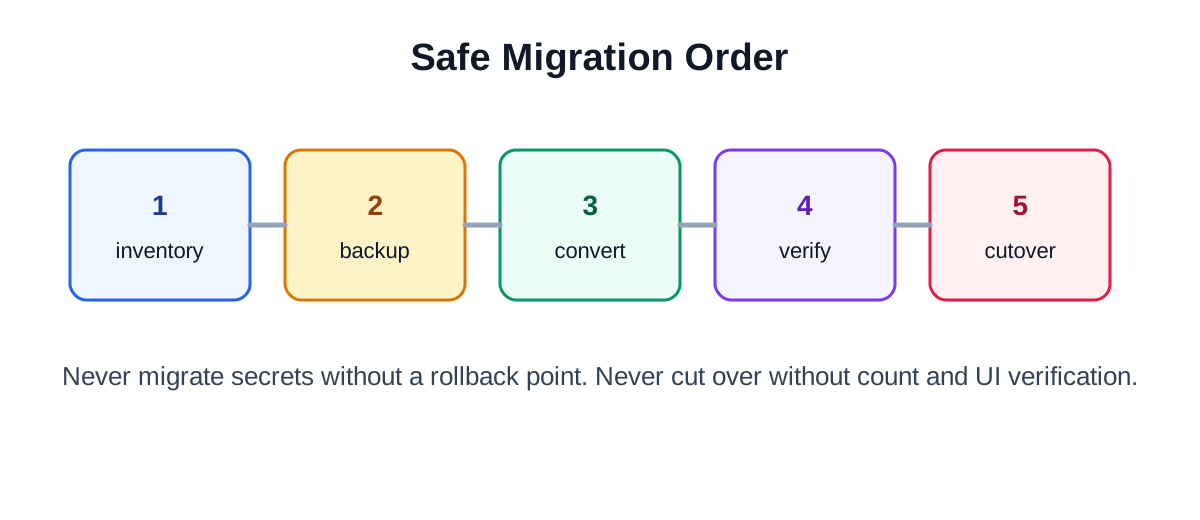
The safe order is simple: inventory, back up, convert, verify, then cut over. Treat the migration like moving a workshop, not like copying a folder, and the right checks become obvious.