[Translation] Synology SSH Commands Cheatsheet
Warning: Running these SSH commands may damage your system/hard drive. Do not execute them if you don’t understand what they do!
Command Cheatsheet
Print workgroup for NAS:
synowin -getWorkgroup
Join a new workgroup for NAS:
synowin -joinWorkgroup <group>
Print general info:
synoservice --status
Setup mail via CLI:
synosyslogmail
Check upgrades:
synoupgrade --check 3
Dump data about your NAS:
syno_system_dump
Print network info incl. current duplex:
synonet --show
Print current hostname:
synonet --get_hostname
Set a new hostname:
synonet --set_hostname
Set a new gateway:
synonet --set_gateway gateway
Wake on LAN (WOL) Wakeup:
synonet --wake xx:xx:xx:xx:xx:xx <interface>
Print the partition layout table:
synopartition --list
Sharing
Print info about a share:
synoshare --get <sharefolder>
Mount a shared encrypted folder:
synoshare --enc_mount <sharefolder> <password>
Unmount an encrypted folder:
synoshare --enc_unmount <sharefolder>
Allowed to delete:
synoshare --del {TRUE|FALSE} sharename1 sharename2 ...
Set a description for a shared folder (viewed in comments in file browser):
synoshare --setdesc sharename desc
Allow browsing of shared folder:
synoshare --setbrowse sharename browse_flag{0|1}
Rename a shared folder:
synoshare --rename old_sharename new_sharename
Set users that are allowed to browse shared folder:
synoshare --setuser sharename user_auth{NA|RO|RW} operator{+|-|=} user_name_list_with_comma
User
Print main data about a user:
sh-4.3# synouser --get wuseman
User Name   : [wuseman]
User Type   : [AUTH_LOCAL]
User uid    : [1026]
Primary gid : [100]
Fullname    : []
User Dir    : [/var/services/homes/wuseman]
User Shell  : [/bin/sh]
Expired     : [false]
User Mail   : []
Alloc Size  : [82]
Member Of   : [2]
(100) users
(101) administrators
Set a new password / Change password:
synouser --setpw oldpassword newpassword
Rename a user:
synouser --rename old_username new_username
Add a username with full info:
synouser --add [username pwd "full name" expired{0|1} mail privilege]
Notifications
Send an email about storage:
synostorage --mail
Lock management:
synostorage --lock
Tuning Functionality
Get current tuning profile:
synotune --get
Output: Current Profile: performance_throughput
Set a new functionality, options:
synotune --set performance_throughput OR performance_latency
Dump info about your Synology NAS:
syno_system_dump
Upgrade
Set your NAS to handle upgrades automatically:
synoupgrade --auto
Check your current upgrade settings:
synoupgrade --check
Download latest upgrade if there is a new one:
synoupgrade --download
Start upgrade:
synoupgrade --start
Check the partition layout table:
synopartition --check /dev/sd<X>
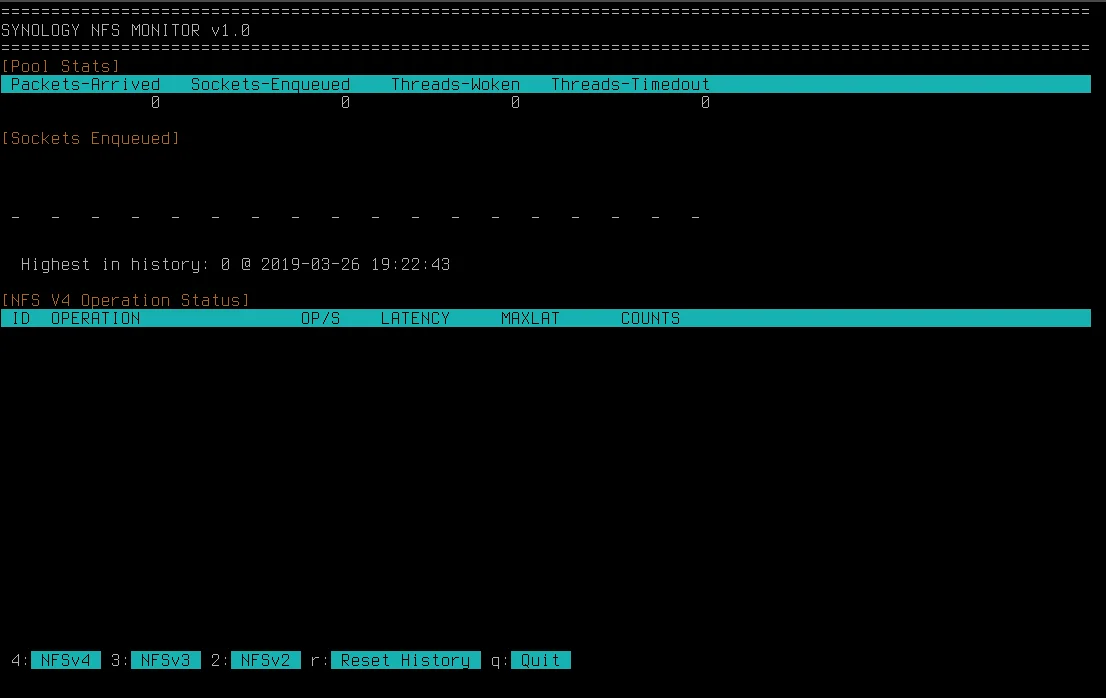
View Synology NFS Monitor:
synonfstop
Reset your Synology NAS (Settings Only):
/usr/syno/sbin/./synodsdefault --reset
Reset your Synology NAS to Factory Default (WARNING: ALL DATA WILL BE WIPED):
/usr/syno/sbin/./synodsdefault --factory-default
Reinstall your Synology NAS Station, all data will be kept:
/usr/syno/sbin/./synodsdefault --reinstall; reboot
The proper way to restart SSH daemon of your NAS via CLI:
synoservicectl --restart sshd
List, uninstall or install a .spk package file (available locally):
synopkg
Install a set of networking and ELF binary debugging tools (and drop into a root session):
synogear
Write and read an .ini style file with lines of key=value pairs:
synosetkeyvalue
synogetkeyvalue
Shut down and power off the NAS (similar to shutdown -h now):
synopoweroff
Show installed packages:
synopkg list | sed 's/: .*$//'
Uninstall a package:
sudo synopkg uninstall
Another Synology shutdown and poweroff method:
syno_poweroff_task
Set/establish password to local user:
synoauth local_username password
Manage IP autoblock feature:
synoautoblock OPTIONS
Manage blog feature:
synoblog_backup [-r|-b] p [-u username] [-o]
Synology disk control device (e.g., /dev/hda or /dev/sda):
syno_disk_ctl OPTIONS DEVICE
Synology clear .tbd file tool:
SYNOClearTdb FILE
Different ways to print various info about your NAS:
more /etc.defaults/VERSION
cat /etc/synoinfo.conf
cat /proc/cmdline
synoshare --enum ALL
synonet --show
synodisk --enum
synospace --enum -a
Restart index:
synoservicectl --restart synoindexd
Check for upgrades:
sudo synoupgrade --check
Restart web server:
/usr/syno/sbin/synoservicecfg --restart httpd-user
/usr/syno/sbin/synoservicectl --restart pkgctl-WebStation
Generate a list for what you can control:
/usr/syno/sbin/syoservice --list
DSM API - Provide DSM information:
syno dsm getInfo --pretty
File Station API - Provide File Station information:
syno fs getInfo --pretty
File Station API - Enumerate files in a given folder:
syno fs listFiles --payload '{"folder_path":"/path/to/folder"}' --pretty
Download Station API - List download tasks:
syno dl listFiles --payload '{"limit":5, "offset":10}' --pretty
Download Station API - Create a download task:
syno dl createTask --payload '{"uri":"https://link"}'
Audio Station API - Search a song:
syno as searchSong --payload '{"title":"my_title_song"}' --pretty
Video Station API - List movies:
syno vs listMovies --payload '{"limit":5}' --pretty
Video Station DTV API - List channels:
syno dtv listChannels --payload '{"limit":1}' --pretty
Surveillance Station API - Get camera information:
syno ss getInfoCamera --payload '{"cameraIds":8}' --pretty
Restart, enable, stop Samba:
/usr/syno/etc/rc.sysv/S80samba.sh --help
Get Synology date:
synodate --getSysDate
Printer stuff:
synoprint
Update index older:
indexfolder --type={SHARE_CREATE|SHARE_REMOVE} --share=<SHARED_FOLDER> --share_path=<SHARED_FOLDER>
Start media server:
/usr/syno/bin/mediaserver.sh start
CAUTION - WILL KILL NAS:
servicetool --get-service-volume download
Get 2FA key if lost:
ssh root@nas cat /usr/syno/etc/preference/wuseman/google_authenticator
List disk info in a fancy way:
dhm_tool -s
Synology Autoblock
Add an IP to autoblock database:
synoautoblock --deny <ip-address>
Reset an IP that was added by mistake:
synoautoblock --reset <ip-address>
Add any IP to whitelist:
synoautoblock --in-white-list <ip-address>
Debugging & System Health
Debug fans and email the result (if email has been set):
syno_fan_debug
Run a health check of your system and email the result once done:
syno_disk_health_record
Check remaining lifetime:
syno_disk_remain_life_check
Run smartmontools and send email once done:
syno_disk_smart_mail_send
Debug hibernation:
syno_hibernation_debug
LED (Get min and max value in: /usr/syno/etc.defaults/led_brightness.xml)
Get current setup:
syno_led_brightness --get (Default on DS416: 1985157252)
Set a new setting:
syno_led_brightness --set <brightness>
Bandwidth
Print a user bandwidth usage:
synobandwidth --status [<list=user|group|all(default)> <transfer=upload|download|all(default)>] <merge=0|1(default)>]
Set a new bandwidth limit for a user:
synobandwidth --set-global-conf <state=enabled|disabled> [<protocol=filestation|webdav|ftp|rsync|all(default)>
Print status user by user for all services:
sh-4.3# synobandwidth --preview wuseman
Protocol     Upload   Download
filestation  0.00       0.00
webdav       0.00       0.00
ftp          0.00       0.00
rsync        0.00       0.00
iSCSI
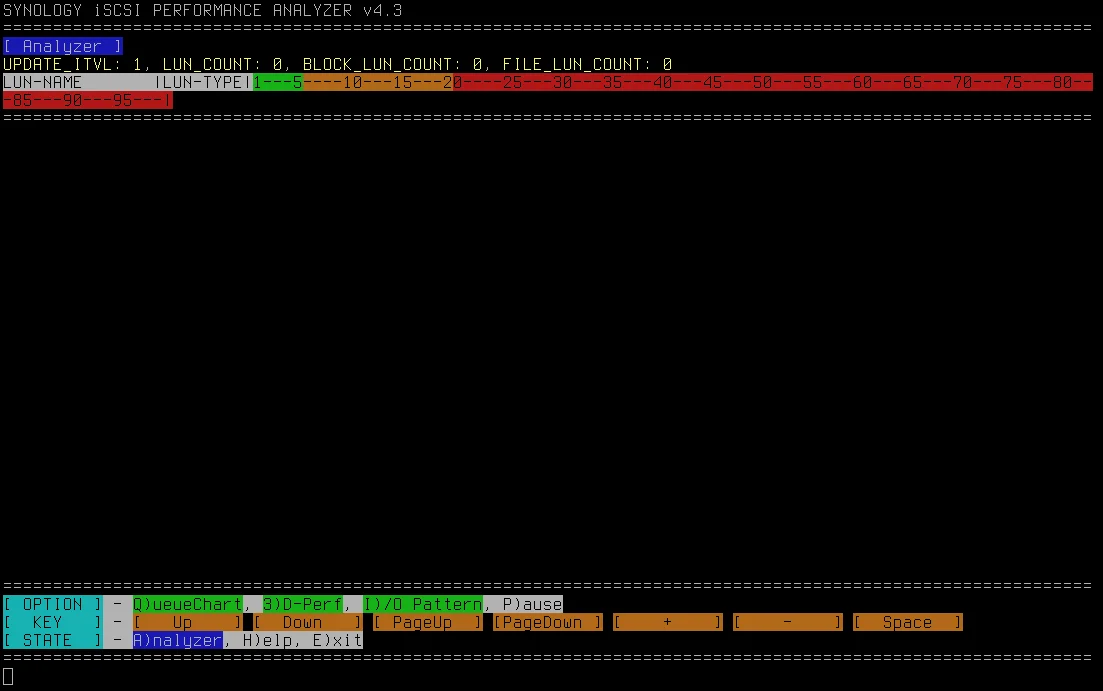
Synology iSCSI Performance Analyzer:
synoiscsitop40
Fan
Set fan config (loudest will sound like an airplane):
synofanconfig -parseXML 1000000
More Synology Commands Listed:
sync
synologconvert
syno-dbus-check.sh
synologrotated
syno-letsencrypt
synologset
syno-move-coredump
synologset1
syno8021Xtool
synolunbackup
synoRTCTime
synolunbkp
syno_adv_test
synoluntransform
syno_dc_ctrl_adapter.sh
synomediaparserd
syno_disk_config_check
synomkflv
syno_disk_ctl
synomkflvd
syno_disk_data_collector
synomkthumb
syno_disk_db_update
synomkthumbd
syno_disk_dsl
synomoduletool
syno_disk_health_record
synomount
syno_disk_information_daily_record
synomustache
syno_disk_log_convert
synomyds
syno_disk_log_import_from_xml
synonclient_send
syno_disk_remain_life_check
synonet
syno_disk_smart_mail_send
synonetd
syno_disk_test_log_import_from_xml
synonetdtool
syno_disk_test_scheduler_set
synonetseqadj
syno_disk_testlog_convert
synonfstop
syno_disk_wcache_config_init
synonotify
syno_dvb_admin.sh
synootp
syno_fan_debug
synoovstool
syno_hdd_util
synopartition
syno_hibernation_debug
synopasswordmail
syno_hw_video_transcoding.sh
synopayment
syno_iptables_common
synoperfeventd
syno_led_brightness
synoperformancediagnose
syno_mem_check
synopftest
syno_pkgicon_sprite.py
synophoto_acl
syno_poweroff_task
synophoto_acl_pgsql
syno_scemd_connector
synophoto_autoblock
syno_smart_result_collect
synophoto_backup
syno_smart_test
synophoto_config
syno_ssd_trim
synophoto_config_root
syno_system_dump
synophoto_dsm_user
synoabnormalloginmail
synophoto_external_access
synoacltool
synophoto_extract_preview
synoagentregisterd
synophoto_music
synoappbkp
synophoto_sdk_share_set
synoappnotify
synophoto_sns_utils
synoapppriv_updater
synophoto_update_db
synoarchivetool
synophoto_watermark_util
synoauth
synophotoio
synoautoblock
synopingpong
synobackup
synopkg
synobackupd
synopkgctl
synobandwidth
synopkghelper
synoblog_backup
synoplatform
synobootseq
synoportforward
synobootupcheck
synopoweroff
synobtrfssnap
synopreferencedir
synocacheclient
synoprint
synocachepinfiletool
synopsql
synocachepinfiletool-status
synoquota
synocachepinfiletoolha
synoraidtool
synocerttool
synorecycle
synocfgen
synorelayd
synocgid
synoretainer
synocgitool
synoretention-lun
synocheckhotspare
synoretentionconf
synocheckiscsitrg
synoretentiontest
synochecknetworkcfg
synoretentiontestutil.sh
synocheckshare
synorouterportfwd
synocheckswapconfig
synoroutertool
synocloudserviceauth
synorsyncdtool
synocmsclient
synosavetime
synocodectool
synoscgi
synoconfbkp
synoscgi
synoconfd
synoschedtask
synocontentextract
synoschedtool
synocontentextractd
synoscimprofile
synocopy
synosdutils
synocredential
synosearch
synocrond
synosearchagent
synocrtregister
synoselfcheck
synocrtunregister
synoservice
synodatacollect
synoservicecfg
synodataverifier
synoservicectl
synodate
synoservicemigrate
synodctest
synosetkeyvalue
synodd
synoshare
synoddnsinfo
synosharequota
synoddsmtool
synosharesnapshot
synodisk
synosharesnaptool
synodiskdatacollect
synosharesnaptree
synodiskfind
synosharingbackup
synodiskpathparse
synosharingchecker
synodiskport
synosharingcron
synodriveencode
synosharingurl
synodrivehook
synosmartblock
synodriveindex
synosnapschedtask.sh
synodriveobject
synosnmpcd
synodrivesettings
synospace
synodriveversion
synospace.sh
synodrivevolume
synosshdutils
synodsdefault
synostgpool
synodsinfo
synostgsysraid
synodsmnotify
synostgvolume
synoeaupgrade
synostorage
synoethinfo
synostoragecore
synoexternal
synostoraged
synofanconfig
synosupportchannelchecker
synofileutil
synosyncdctime
synofirewall
synosyslogmail
synofirewallUpdater
synotc
synoflashcache
synotc_common
synoflvconv
synothumb
synofstool
synotifyd
synogear
synotifydutil
synogetkeyvalue
synotimecontrol
synogpoclientd
synotlstool
synogrinst
synotune
synogroup
synotunnelexec
synoguest
synoupgrade
synohacore
synoupnp
synoindex
synoups
synoindex_mgr
synoupscommon
synoindex_package.sh
synousbcam
synoindexd
synousbcopy
synoindexplugind
synousbdisk
synoindexscand
synousbmodemd
synoindexworkerd
synouser
synoiscsiep
synouserdir
synoiscsihook
synouserhome
synoiscsitool
synovolumesnapshot
synoiscsitop
synovpnc
synoiscsitop40
synovspace
synoiscsiunmap
synovspace_wrapper
synoiscsiwebapi
synow3
synoisns
synow3tool
synokerneltz
synowebapi
synolanstatus
synowifid
synoldapclient
synowin
synoldapclientd
synowireless
synologaccd
synowsdiscoveryd
synologand
synowstransferd
synologanutil
synowstransferd
synozram
synologconfgen
Source: Synology群晖ssh命令详解 - 我不是矿神