The Password Was Right—So Why Did Synology Reject It? Rebuilding DSM’s RSA + AES WebAPI Login
The short version
Some Synology WebAPI clients do more than post
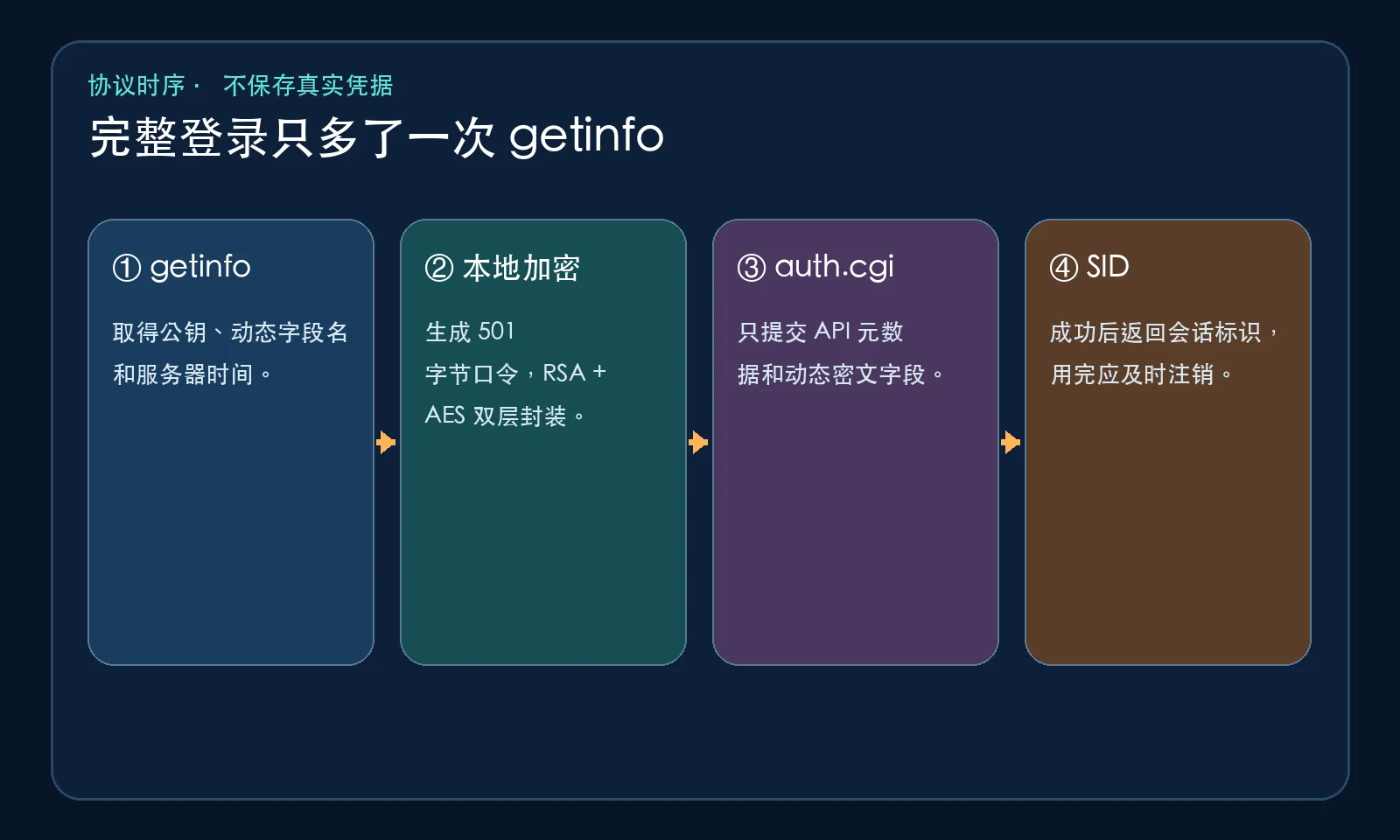
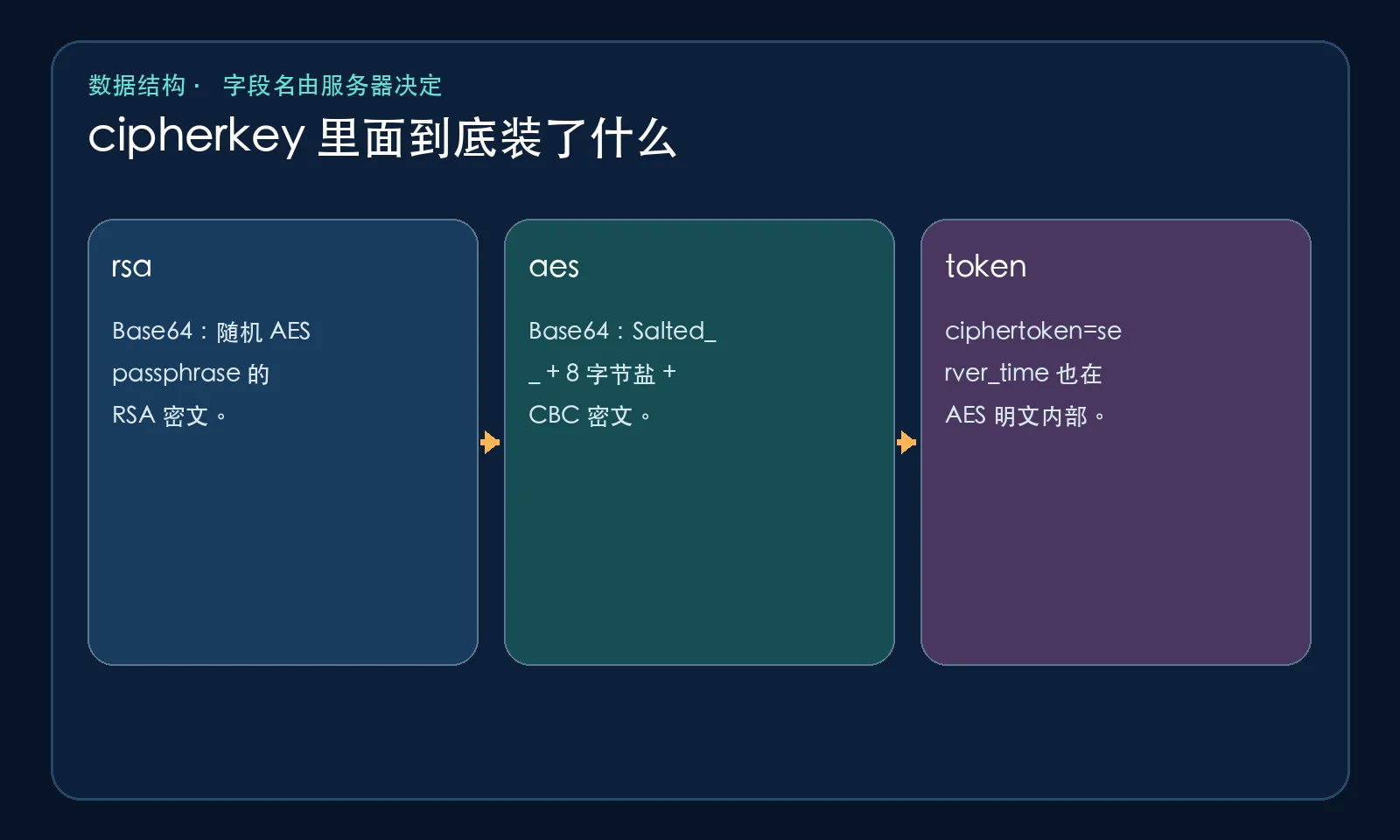
accountandpasswdtoauth.cgi. The implementation preserved in OpenStack Cinder first callsSYNO.API.Encryption.getinfo, receives an RSA public modulus, server time, and two dynamic field names, then generates a one-use passphrase. RSA PKCS#1 v1.5 encrypts that passphrase; an OpenSSL-compatible AES-256-CBC envelope encrypts the URL-encoded login parameters; both Base64 values are finally placed inside the server-providedcipherkeyfield.This is an authorized WebAPI compatibility technique—not a password bypass. A SID for
session=DSMis also not automatically the same thing as a complete browser UI login state. Parameter encryption does not replace HTTPS, because TLS still authenticates the server and protects integrity against an active intermediary.

Why a normal POST can fail even with the right password
The obvious first attempt is to send api=SYNO.API.Auth, method=login, the account, password, session, and SID format directly to /webapi/auth.cgi. Depending on the DSM version and compatibility path, that request may not reproduce the parameter-protection flow expected by the target implementation. The result looks deceptively like a bad password: a generic authentication failure, a missing field, or a request-format error.
Three tempting “fixes” are usually wrong: resetting the password repeatedly, hard-coding __cIpHeRtExT, or reusing an old server_time. The durable rule is to ask the server for the current encryption metadata before each login attempt.
The primary-source evidence
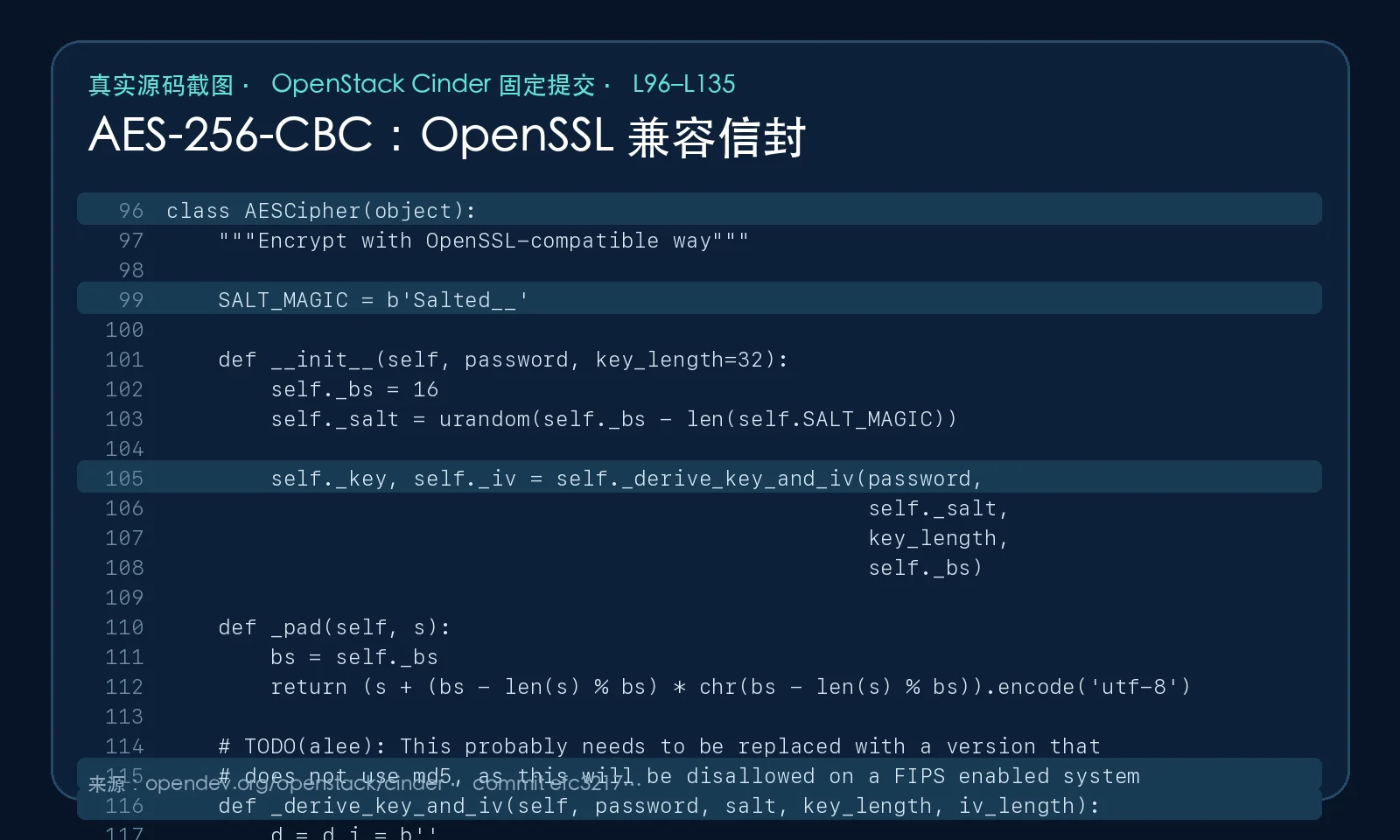
The pinned OpenStack Cinder Synology driver contains an AESCipher class whose output begins with Salted__, followed by an eight-byte random salt and CBC ciphertext. It derives a 32-byte key and a 16-byte IV by chaining MD5 digests, pads the plaintext to a 16-byte boundary, and encrypts it with AES-CBC.
Its _encrypt_params method retrieves public_key, cipherkey, ciphertoken, and server_time; creates a 501-byte random passphrase; inserts the server time under the dynamic token name; RSA-encrypts the passphrase; AES-encrypts the URL-encoded parameters; Base64-encodes both values; and returns them under the dynamic cipher field.
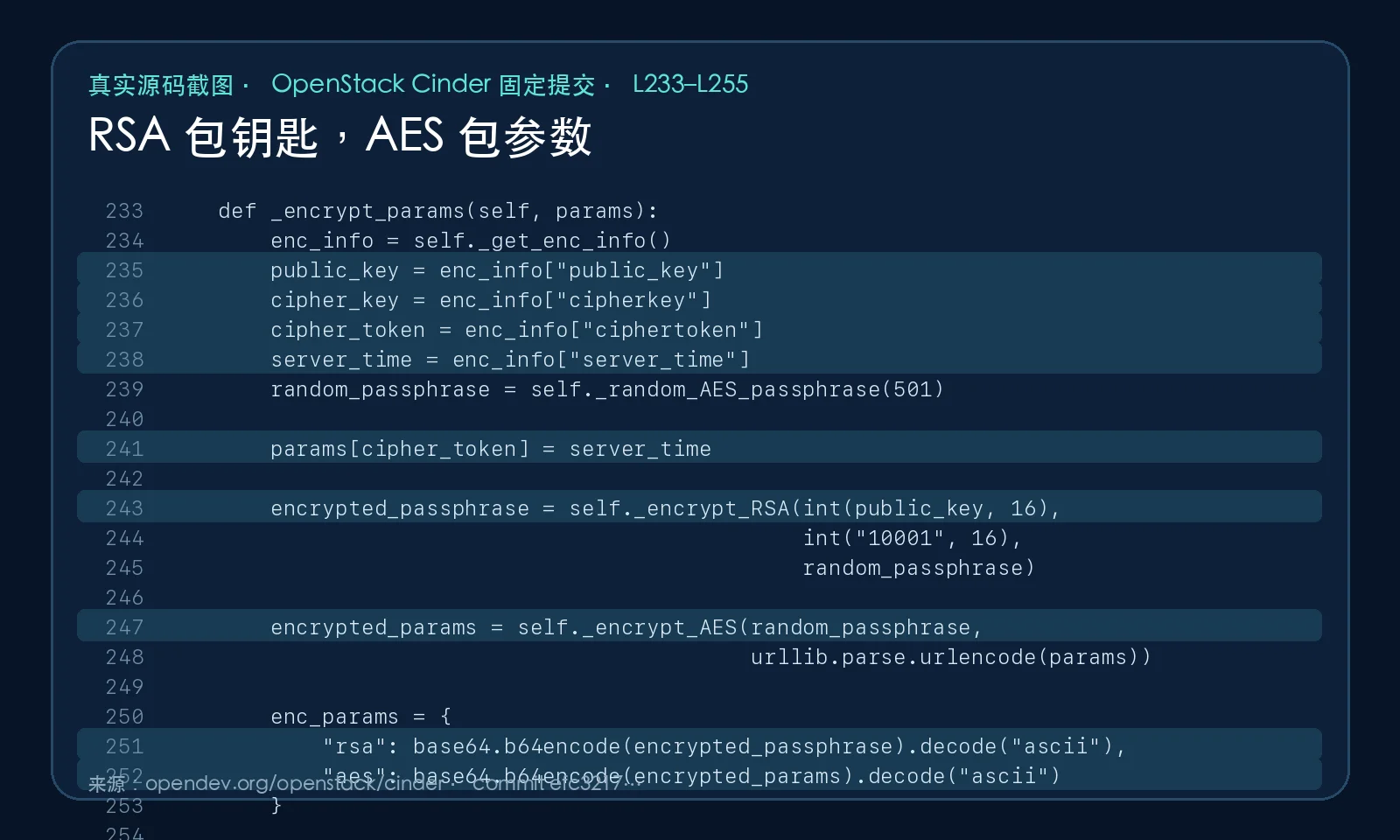
The driver applies this parameter encryption only on its non-HTTPS path. That is a useful warning: the format is compatibility behavior, not a substitute for TLS. A modern integration should still prefer HTTPS with certificate verification enabled.
The double-envelope analogy
Imagine mailing a box containing an account name and password. AES is a small, fast key that can lock the entire box efficiently. The remaining problem is delivering that key without taping it to the outside.
RSA acts like a special public envelope supplied by the NAS. Anyone can lock something inside it, but only the NAS holding the private key can open it. The client puts the one-use AES passphrase in that RSA envelope and puts all login parameters in the AES box. Both packages travel together.
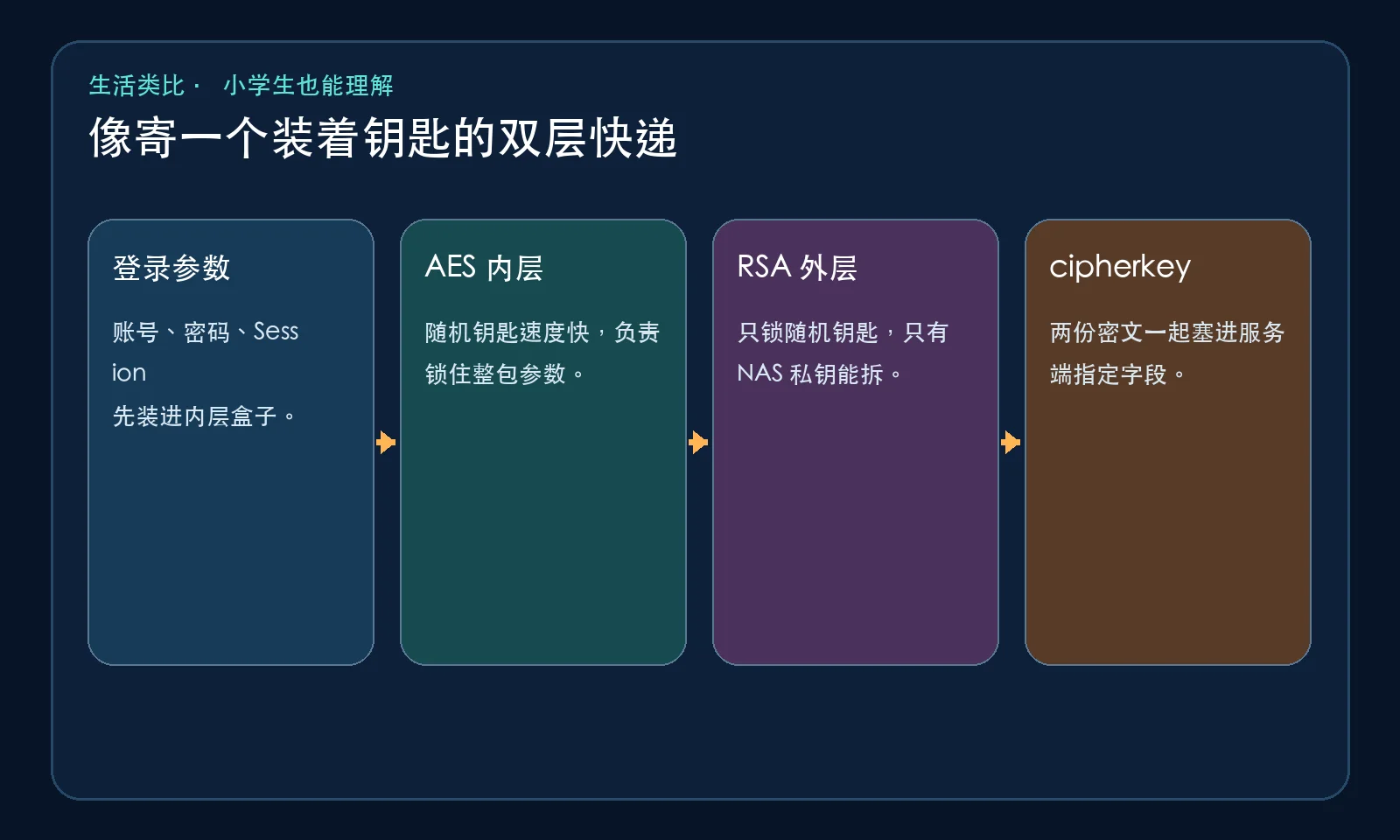
This is hybrid encryption: asymmetric cryptography protects a small secret, while symmetric cryptography handles the larger payload efficiently.
The protocol step by step
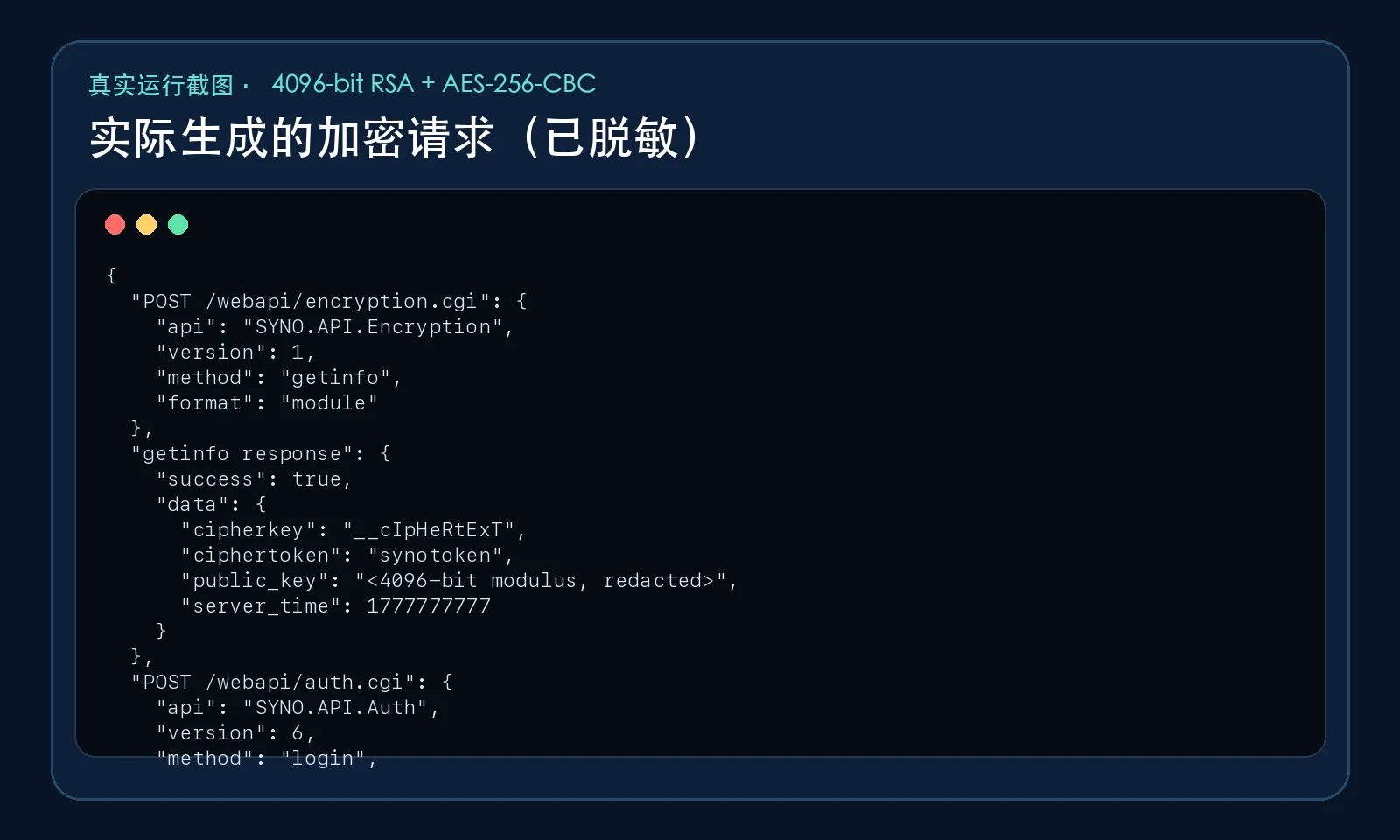
The client first posts the following logical fields to /webapi/encryption.cgi:
api=SYNO.API.Encryption
version=1
method=getinfo
format=module
The response provides four values that should be treated as dynamic:
| Field | Purpose |
|---|---|
public_key |
RSA modulus; the implementation uses exponent 65537 |
cipherkey |
Name of the final encrypted request field |
ciphertoken |
Name of the time field inside the AES plaintext |
server_time |
Current value inserted under that token name |
The client then generates a 501-byte passphrase. With a 4096-bit RSA modulus, PKCS#1 v1.5 can encrypt at most 512 minus 11 bytes, which is exactly 501.
After inserting the dynamic time field, the parameters are URL-encoded. The passphrase and an eight-byte salt are fed into the historical MD5-chain derivation to produce a 32-byte AES key and a 16-byte IV. AES-256-CBC encrypts the padded text, and the final binary value is:
Salted__ + 8-byte salt + ciphertext
The request ultimately carries a JSON string containing rsa and aes Base64 fields under the server-selected cipher field.
Hardening the sample implementation
The downloadable implementation keeps the compatible wire format but improves operational safety. It uses secrets.choice instead of the general-purpose random module, verifies TLS by default, reads the password through hidden input or a temporary environment variable, and does not print the SID unless --show-sid is explicitly requested.
It also checks for missing getinfo fields, malformed JSON, HTTP failures, authentication failures, and responses that claim success without returning a SID. The command accepts a single explicit --url, avoiding ambiguous combinations of scheme, host, and port.
Downloads:
Real offline verification
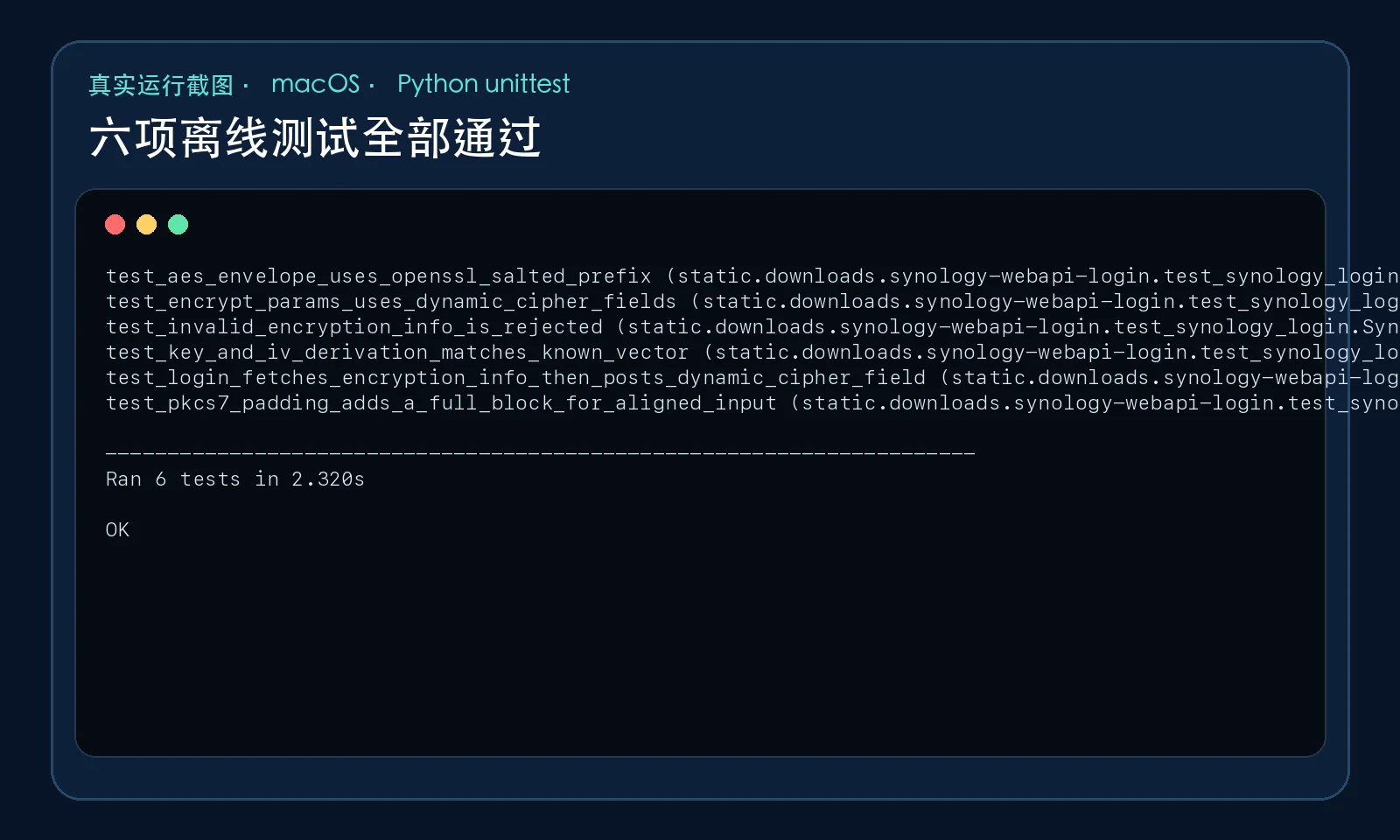
The test suite generates a temporary 4096-bit RSA key, verifies that the private key recovers the exact 501-byte passphrase, checks the OpenSSL Salted__ prefix, decrypts the AES payload back into URL parameters, confirms insertion of the dynamic time token, and proves that the outer authentication request does not contain a plaintext passwd field.
The next screenshot comes from an actual execution that created the encrypted payload. Sensitive values are truncated or replaced, while structural evidence—RSA byte length, AES prefix, dynamic field names, and absence of the plaintext password—remains visible.
These tests do not promise that every DSM release accepts the same private compatibility path. They do prove that the implementation performs the intended cryptographic construction instead of merely producing plausible-looking JSON.
One-command setup on three platforms
Each launcher creates a local .venv, installs pinned dependencies, prompts for the connection values, and lets Python read the password without echoing it.
Windows 11
Set-ExecutionPolicy -Scope Process Bypass
.\install-windows.ps1
Ubuntu 26.04
chmod +x install-ubuntu.sh
./install-ubuntu.sh
macOS 26
chmod +x install-macos.sh
./install-macos.sh
For self-signed deployments, import the correct CA into the trust chain. Do not normalize long-term use of --insecure.
Manual execution
python3 -m venv .venv
source .venv/bin/activate
python -m pip install -r requirements.txt
python synology_login.py \
  --url "https://nas.example.test:5001" \
  --account "reader" \
  --session "DSM"
If an unattended job must use SYNOLOGY_PASSWORD, set it only for the process lifetime, clear it afterward, and ensure the environment is never dumped into CI logs or screenshots.
Agent-assisted setup
Give a local Agent a bounded instruction such as:
Create an isolated Python virtual environment for the Synology WebAPI login tool.
Use only synology_login.py and requirements.txt from the current directory.
Read the password from SYNOLOGY_PASSWORD without printing the variable, SID, cookies, or full responses.
Run one authorized session=DSM login against the HTTPS URL I provide.
Keep TLS verification enabled. If certificate validation fails, stop and report the chain problem; do not add --insecure.
Report only the HTTP stage, whether a SID was returned, elapsed time, and redacted error codes.
The Agent should automate repetitive setup—not weaken the security model.
Troubleshooting
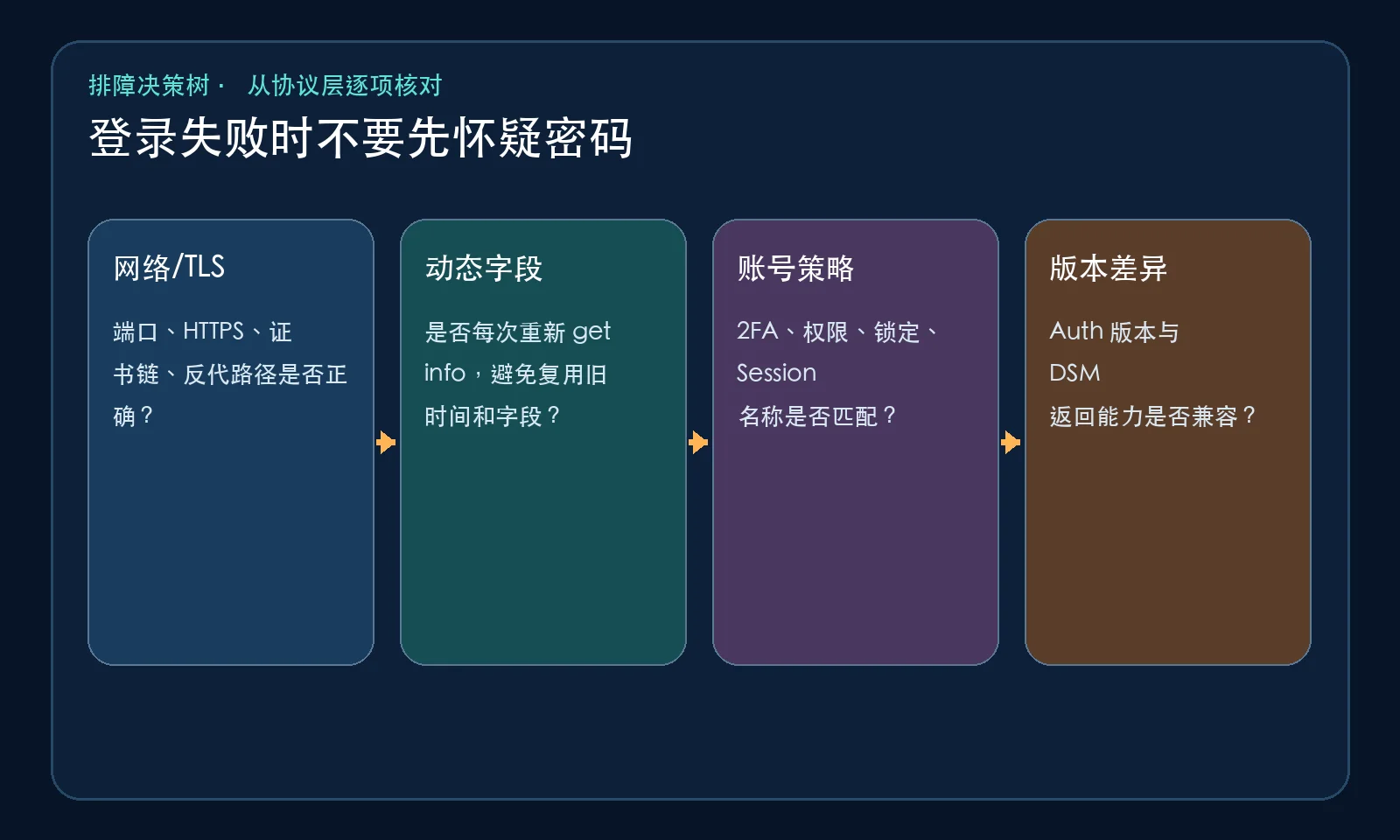
Start with the transport: scheme, port, reverse-proxy path, hostname validation, and CA chain. Then inspect dynamic values: call getinfo for every login, insert ciphertoken=server_time inside the AES plaintext, and do not cache cipherkey indefinitely. Next inspect account policy: lockouts, 2FA, session name, and API permissions. Finally query SYNO.API.Info to select an authentication version the device actually advertises.
A generic login failure is like a returned parcel. The address, wrapping, label freshness, or recipient details may be wrong; the password is only one possibility.
Security limits
AES-CBC does not provide an authentication tag, and this legacy-compatible construction is not a template for designing a new protocol. MD5 is present as a historical key-derivation component; that does not make MD5 appropriate for password storage or signatures.
Without authenticated HTTPS, an active intermediary could replace the getinfo public key and receive a payload encrypted to the attacker’s key. That is why “the parameters are encrypted, so certificate validation can be disabled” is a dangerous conclusion.
Treat the resulting SID as a temporary password-equivalent secret and log out when it is no longer required. Use the technique only on systems you own or are explicitly authorized to administer.
Q&A
Is cipherkey always __cIpHeRtExT?
Do not assume so. The client should consume the field name returned by getinfo.
Does session=DSM log a browser into the DSM UI?
Not by itself. It selects a WebAPI session namespace; browser UI state may additionally involve cookies, CSRF state, device tokens, 2FA, and frontend initialization.
Why PKCS#1 v1.5 instead of OAEP?
Compatibility. A client cannot unilaterally change the padding mode and still expect the existing server to decrypt it. New protocol designs would normally prefer modern choices.
Why exactly 501 bytes?
A 4096-bit modulus is 512 bytes, and PKCS#1 v1.5 encryption reserves at least 11 bytes: 512 - 11 = 501.
What about 2FA?
Implement the OTP or device-token flow advertised by the specific DSM/API version. This tool deliberately does not pretend to bypass second-factor requirements.
Conclusion
The useful lesson is not merely that a Python script can log in. It is the method: obtain the server’s current metadata, follow a primary-source client implementation, and prove each cryptographic layer with reversible tests.
In one sentence: RSA protects the one-use AES passphrase, AES protects the URL parameters, and the dynamic cipherkey carries both packages to the server.
Operationally, add one more sentence: prefer correctly validated HTTPS, never log passwords or SIDs, and never confuse compatibility encryption with an authorization bypass.
References
- OpenStack Cinder Synology driver, pinned commit: https://opendev.org/openstack/cinder/src/commit/efc3217d8b3ce8f4f1a66c7d5b7c940d73a36753/cinder/volume/drivers/synology/synology_common.py
- Python
secrets: https://docs.python.org/3/library/secrets.html - cryptography symmetric encryption primitives: https://cryptography.io/en/latest/hazmat/primitives/symmetric-encryption/