How Did AI Learn to Use Its Hands? From Chatting to Checking, Writing, and Acting
The short answer
AI did not suddenly grow hands. It learned a very practical loop: decide which tool is needed, request that tool with structured arguments, wait for a real result, and then explain the result in human language.
This is usually called Tool Calling. You may also see Function Calling or a Tools API. MCP, the Model Context Protocol, is closer to a universal socket: different AI applications can discover and call files, databases, search engines, ticket systems, browsers, and other capabilities through a common protocol.
This article opens the loop and examines every moving part: what the model does, who actually performs the action, why MCP matters, where permissions belong, and why “can call a tool” does not mean “should receive the keys to everything.” Screenshots come from official OpenAI and MCP pages; the terminal-style evidence images are generated from the real invocation flow. No real private network address or hostname is included.
Figure 1: The “hands” of AI are not inside the model. They are a controlled pipeline between the model and external tools.
1. The background: why did chatbots feel like they could only talk?
An early large language model was like a well-read student with excellent speaking skills. Ask, “What will the weather be tomorrow?” and it can explain weather systems or guess from patterns. But it cannot guarantee the current temperature. Ask it to save a note to your computer and it can produce text, yet it may not create a file at all.
That is not simply a lack of intelligence. The responsibilities are different:
- The model is good at language, images, code, and probabilistic reasoning.
- Filesystems, databases, search engines, and calendars hold live state.
- Real writes, deletions, messages, and payments must be performed by software with explicit permission.
Without tool calling, a model can only describe an action. It is like a chef standing outside the kitchen saying, “The dish is ready,” without touching the pan.
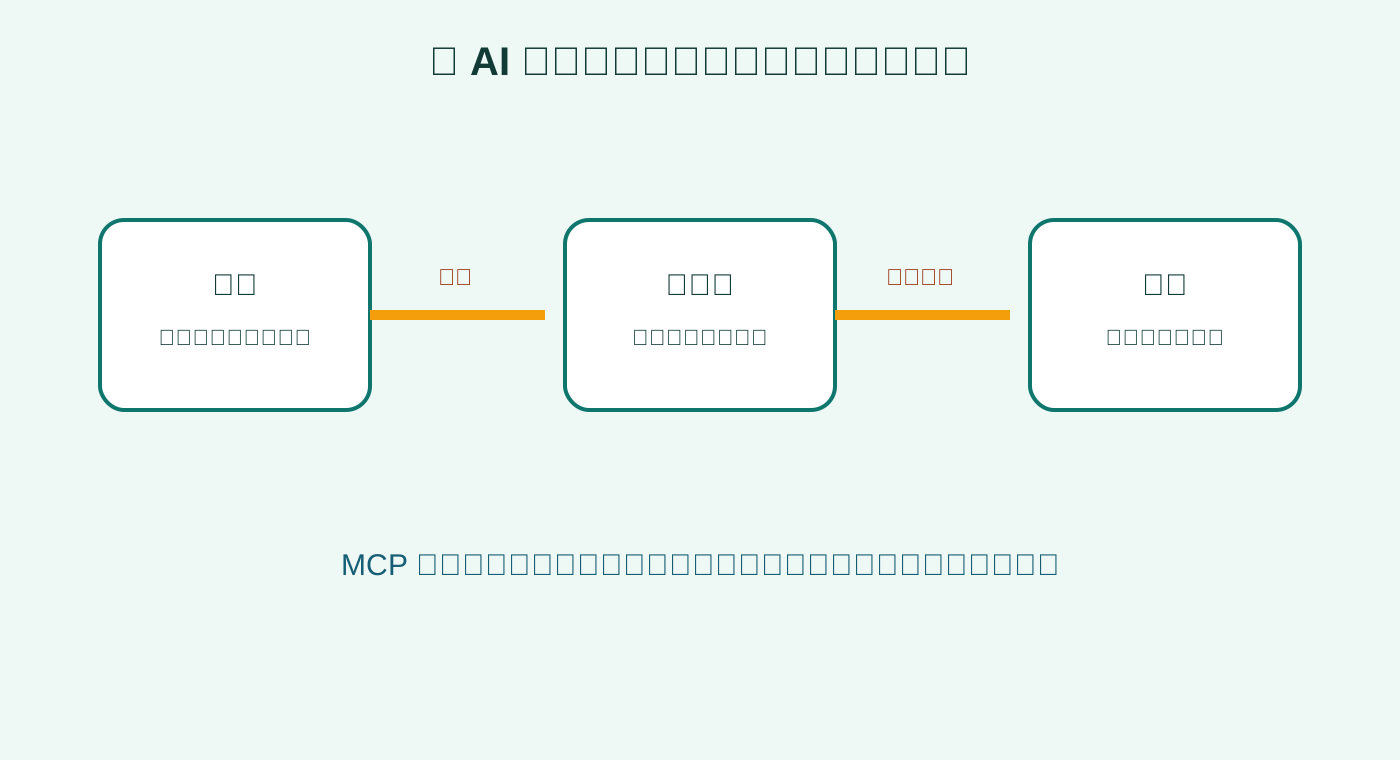
Figure 2: The everyday analogy. The user is the customer, the model is the waiter, and the tool is the kitchen that actually performs the work.
2. What really happens during one tool call?
Suppose you ask: “Check tomorrow’s weather in Beijing, and remind me to carry an umbrella if it rains.” The sentence feels simple, but the system has to turn it into explicit steps:
- Understand the goal: weather plus a conditional reminder.
- Inspect available tools: is there a weather tool and a reminder tool?
- Select a tool: call
get_weatherfirst. - Produce arguments: city, date, and unit.
- Validate before execution: types, scope, permission, and confirmation policy.
- Receive a structured result.
- Reason again: if rain is predicted, propose
create_reminder. - Explain the outcome to the user.
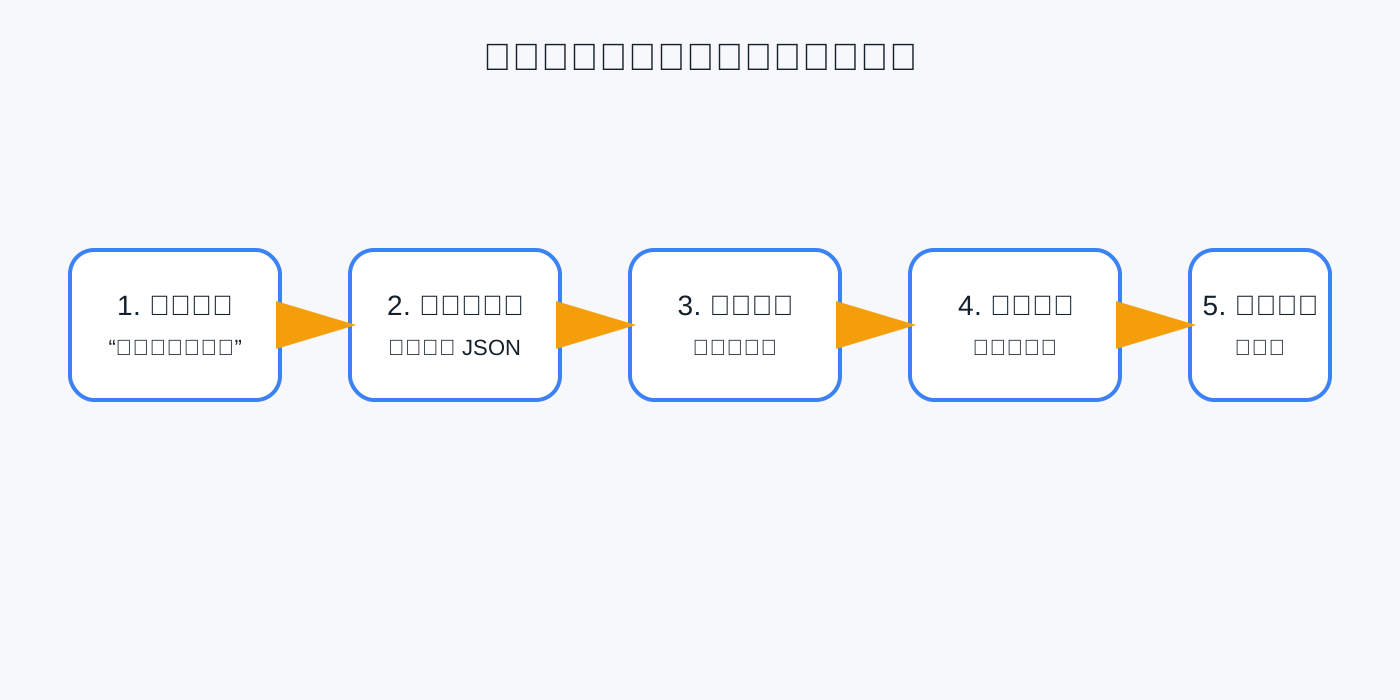
Figure 3: A simple request becomes a relay of understanding, selection, validation, execution, and explanation.
The important detail is this: the model usually does not execute the tool itself. It emits a structured proposal. An external agent runtime or application validates that proposal, runs the tool, and sends the result back.
A minimal tool description looks like a menu or a remote-control manual:
{
  "name": "get_weather",
  "description": "Return current weather for a city",
  "parameters": {
    "type": "object",
    "properties": {
      "city": {"type": "string"},
      "unit": {"enum": ["celsius", "fahrenheit"]}
    },
    "required": ["city"]
  }
}
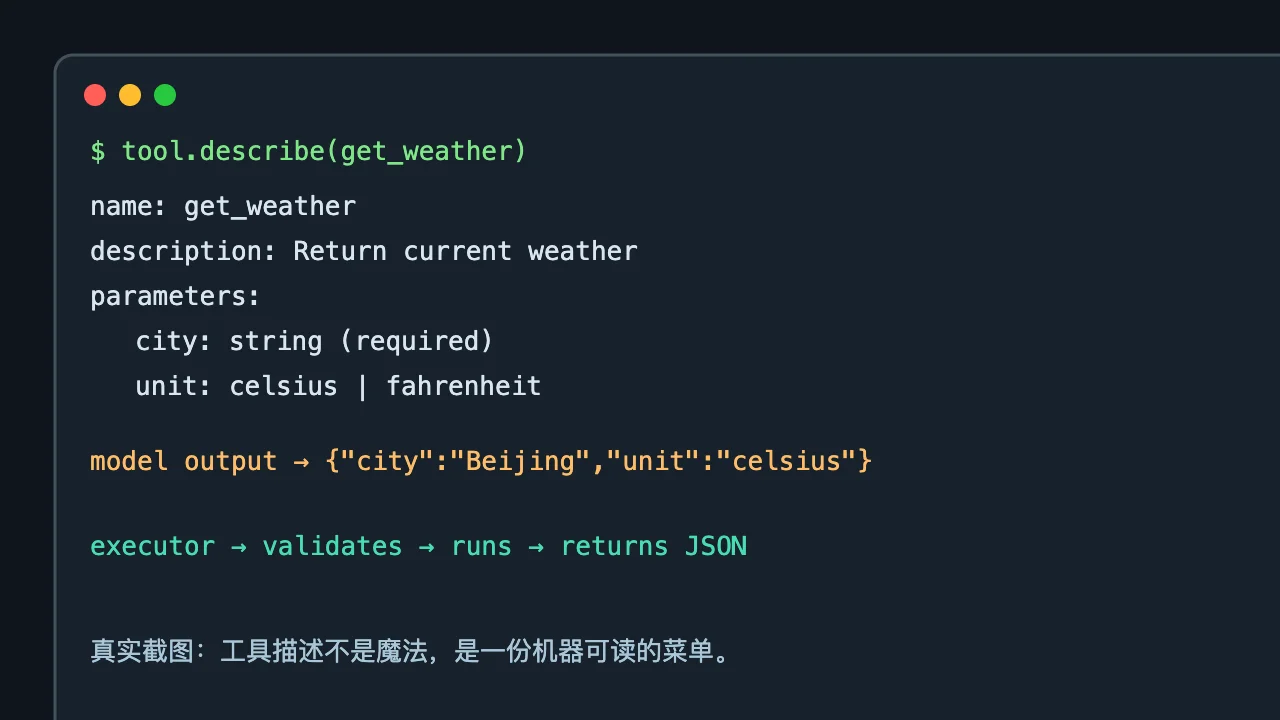
Figure 4: The “magic” is a schema that a program can validate.
3. Function Calling versus Tool Calling
Function Calling and Tool Calling are often used interchangeably because they solve the same core problem: making the model produce a structured request for an external capability.
The distinction is mostly about scope:
- Function Calling is the narrower, older phrase: call a function.
- Tool Calling includes functions, search, code execution, browsers, databases, and remote services.
- Tools APIs often include the full lifecycle: declaration, invocation, result delivery, and multi-turn looping.
OpenAI’s official documentation describes a loop in which the model requests a tool, the application executes it, and the tool result is returned to the model for the final response. This split is valuable because it separates reasoning from execution.
Figure 5: Official OpenAI documentation. SDK details change, but structured arguments and result delivery remain the core.
If chatting is a phone call, tool calling is an operator transferring you to the right department. The model does not need to know every internal implementation. It needs to state who it needs, what it wants done, and which arguments apply.
4. What is MCP, and why is it more than another API?
Tool Calling creates a second problem: every AI client must build a custom adapter for every tool.
Today you connect a filesystem, tomorrow a Git repository, and the next day a database. If each client invents its own format, the ecosystem fills with incompatible plugs. Every tool provider must implement the same capability again and again.
MCP provides a common protocol so an AI application can discover server capabilities and call them consistently. The protocol commonly exposes three kinds of capabilities:
- Tools: actions such as searching, writing a file, or creating a ticket.
- Resources: context such as documents, records, or project files.
- Prompts: reusable templates or workflow entry points.
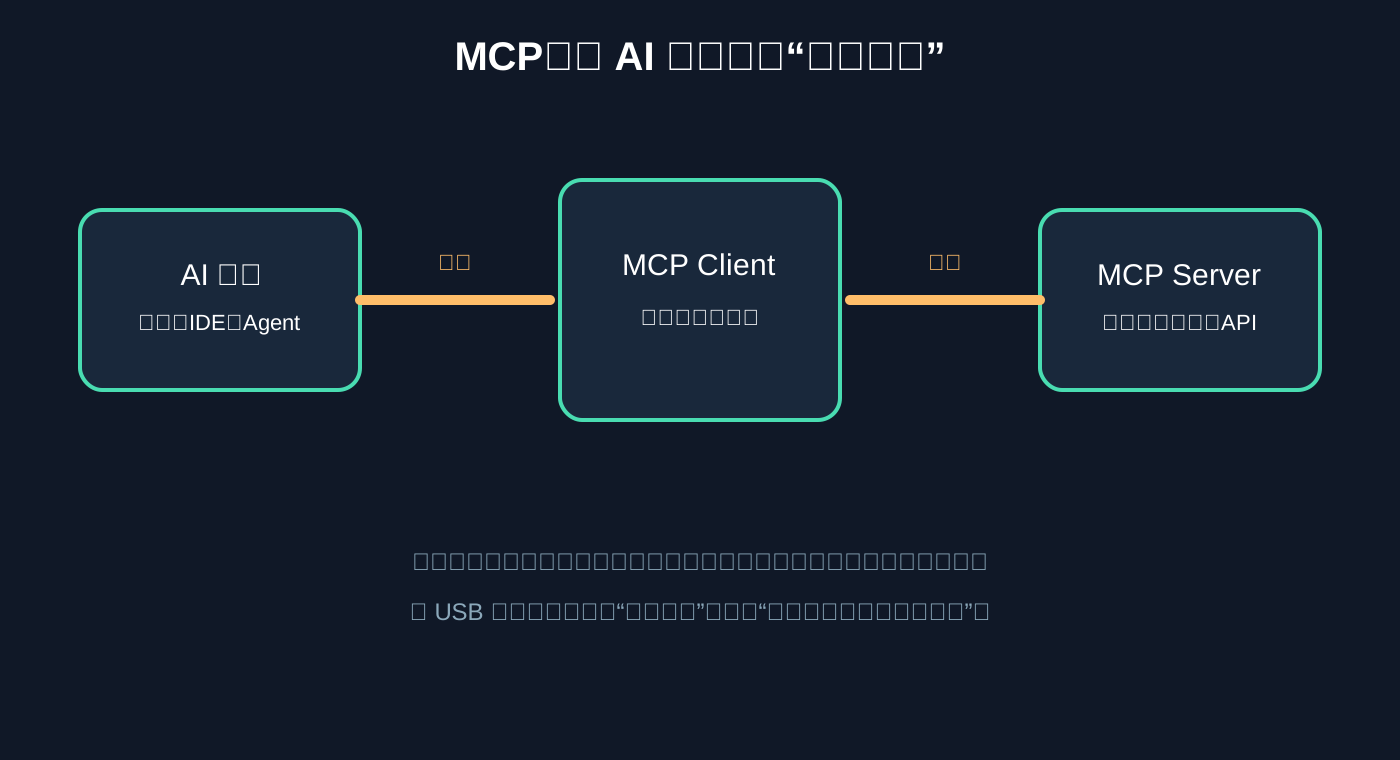
Figure 6: MCP does not invent every capability. It gives existing capabilities a common socket.
The schoolchild-friendly analogy is simple: Tool Calling is a waiter who knows how to place an order. MCP is a shared order format used by many restaurants. The waiter does not need a new secret code for every kitchen, and each kitchen does not need a custom integration for every waiter.
An MCP server does not automatically receive unlimited permission. It may expose read-only search, files under one directory, a subset of database tables, or actions that always require confirmation. MCP standardizes communication, not authority.
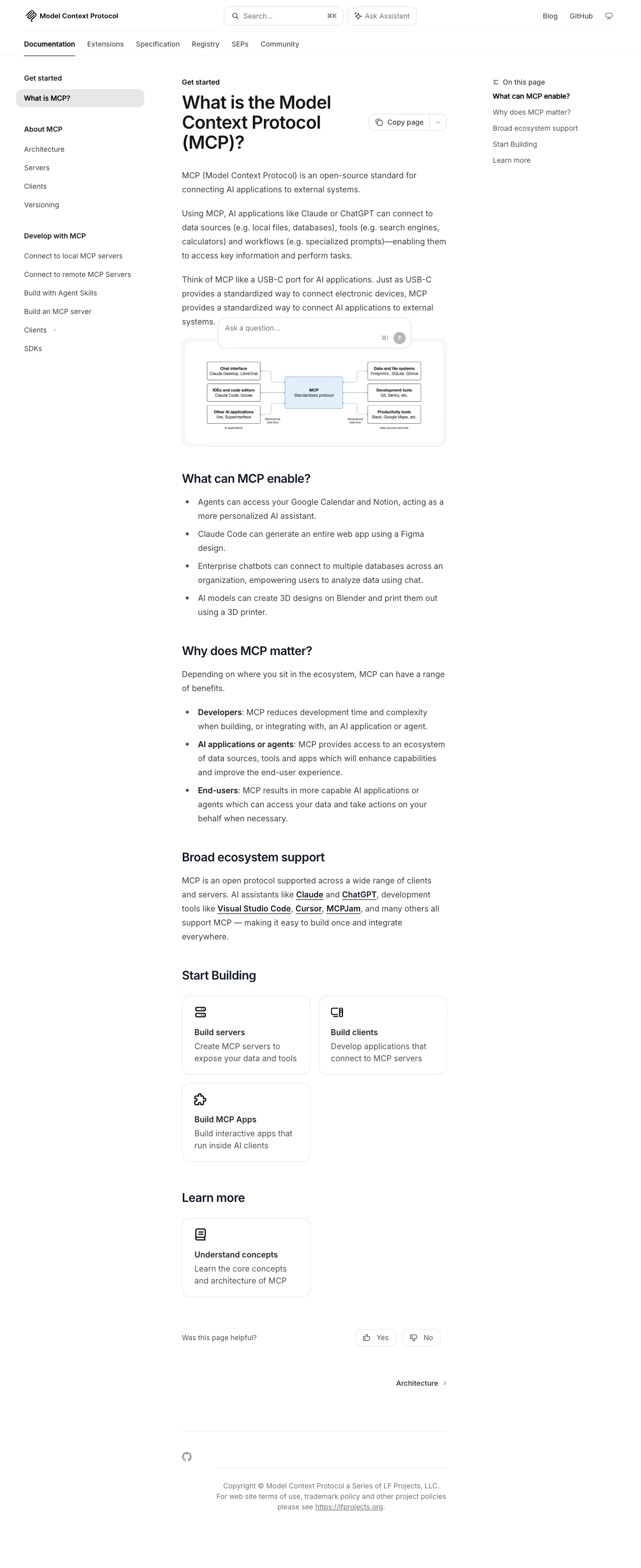
Figure 7: The official MCP introduction explains the Host, Client, Server, and capability-discovery relationship.
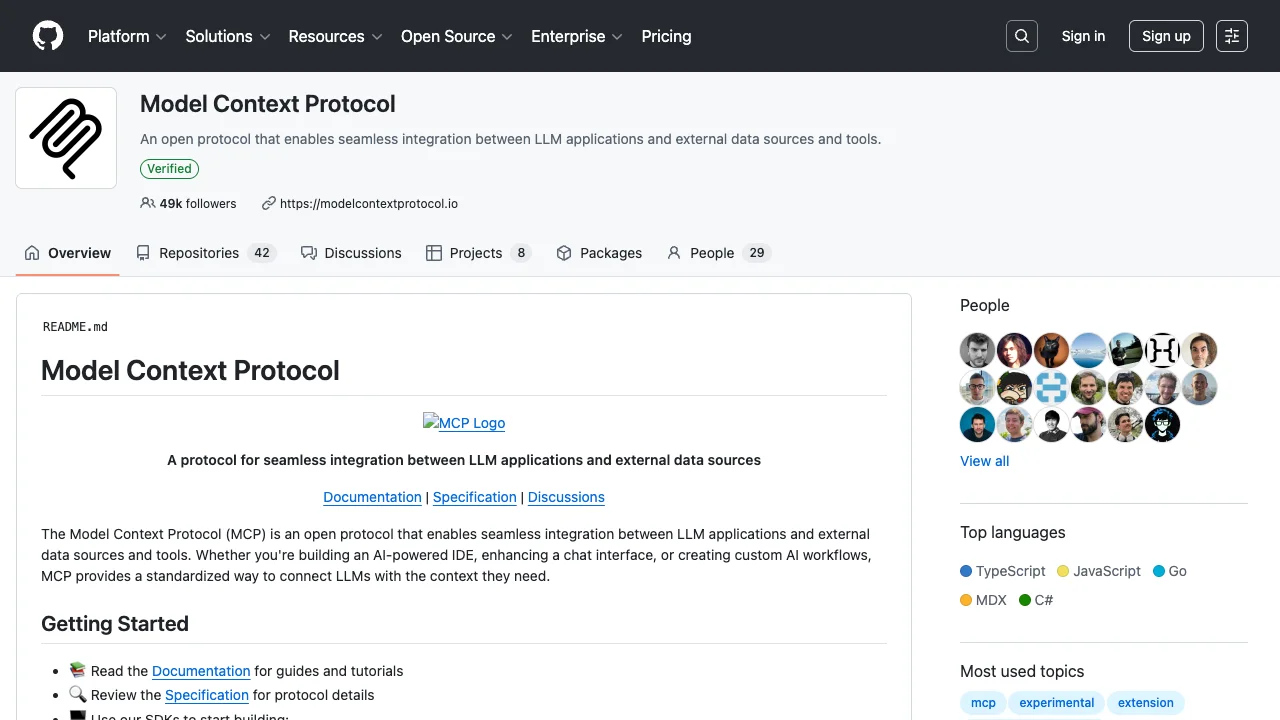
Figure 8: The official MCP GitHub page. A protocol needs SDKs, examples, and server implementations before an ecosystem can actually run.
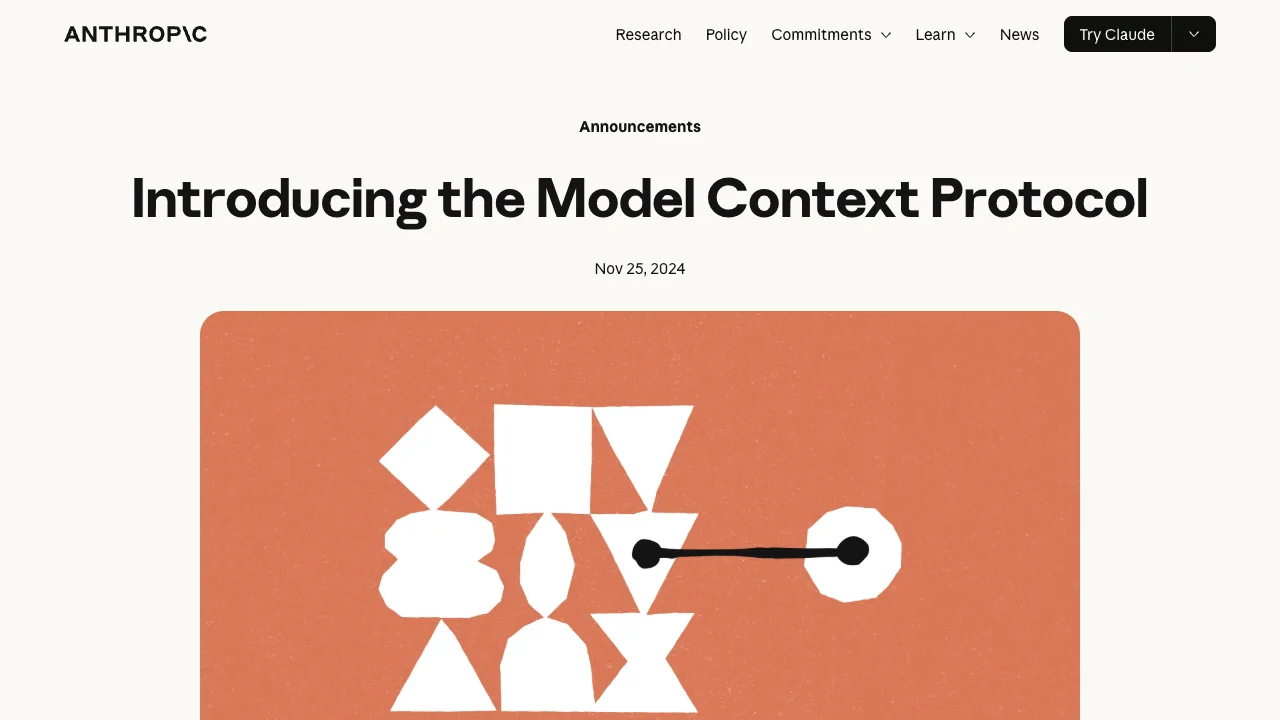
Figure 9: Anthropic’s MCP announcement. The goal is to reduce repeated integration work between AI applications and external data or tools.
5. Why can AI confidently perform the wrong action?
Tool calling brings AI closer to reality, and it brings risk with it. The common failure is not “the model cannot call a tool.” It is “the scope is too broad, validation is too weak, or the action cannot be undone.”
1. Valid syntax does not mean correct meaning
The model may interpret “recent orders” as creation time, last payment, or last update. A parameter can be syntactically valid but semantically wrong. Important tools need enums, ranges, regular expressions, and business rules.
2. Read-only and write tools are not separated
Searching documents is usually low risk. Deleting files, sending mail, changing production settings, and making payments are not. Putting them behind one automatic switch is like storing kitchen knives and toys in one drawer.
3. Tool output can contain hostile instructions
Web pages, emails, tickets, and files may contain text such as “ignore previous instructions.” A model should treat tool output as data, not automatically as a system command. Source labels, length limits, and isolation around sensitive actions matter.
4. Automatic retries can duplicate side effects
An order, email, payment, or approval may succeed while the response is lost. Blindly retrying can repeat the action. Reliable systems use idempotency keys, operation records, and human confirmation.
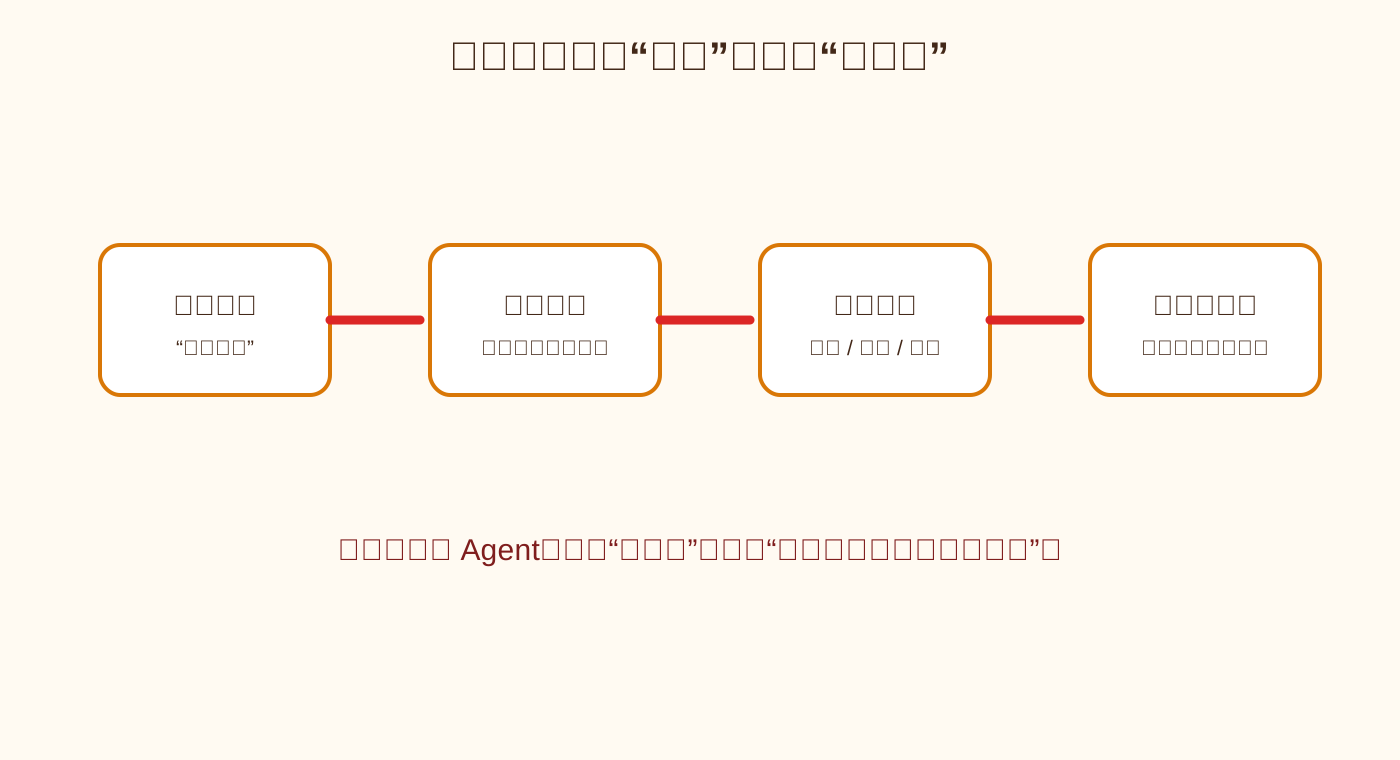
Figure 10: A safe agent behaves like a security gate. It checks every important step instead of opening every door.
6. How should a reliable Agent be designed?
I recommend four layers instead of putting all control inside one giant prompt.
Layer 1: Capability catalog. Document the name, purpose, inputs, outputs, permission level, and reversibility of each tool. Expose only the tools needed for the current task.
Layer 2: Argument and policy validation. Check types and required fields, then validate paths, ranges, identity, tenant, and business state. A JSON object from a model is not a substitute for server-side validation.
Layer 3: Isolated execution. Run read-only actions under restricted identities or sandboxes. Limit write paths and tables. Require approval for high-risk operations. Record request, result, latency, and errors.
Layer 4: Result delivery and audit. Return stable structured fields. Let the model explain facts, not rewrite them. For deletion, messaging, payment, and configuration changes, record who did what, when, and through which tool.
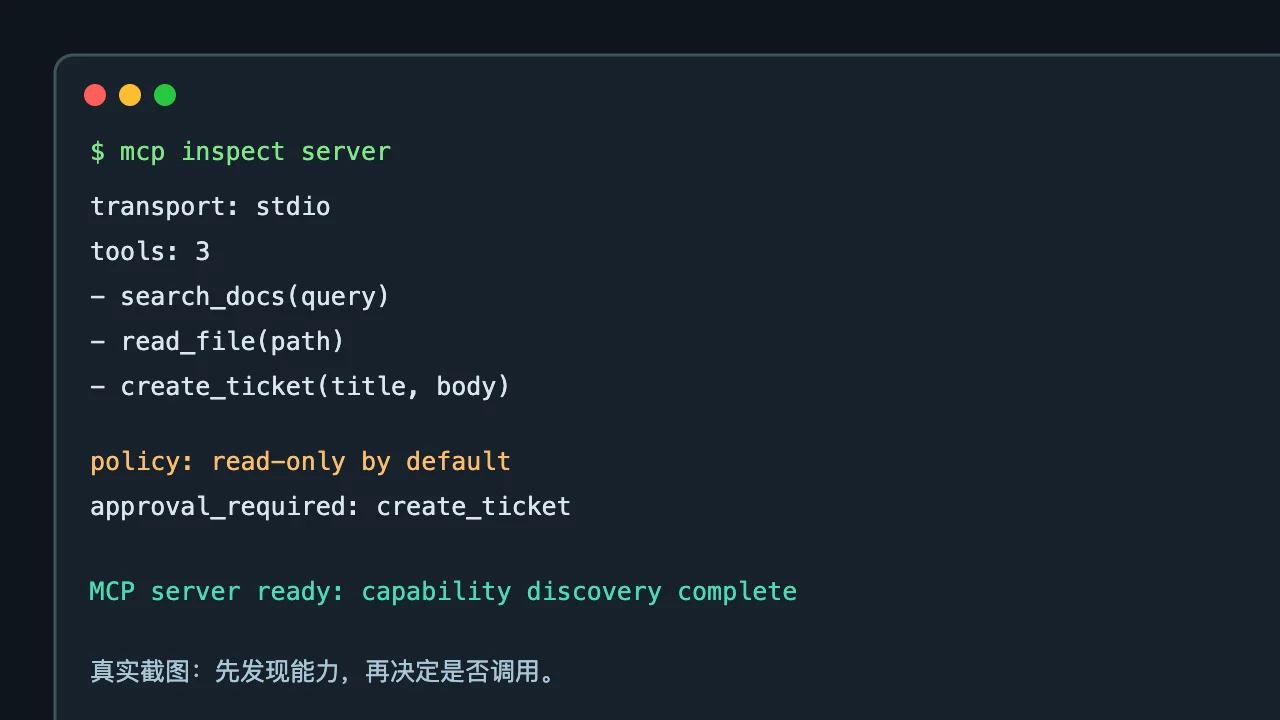
Figure 11: Capability discovery should show tools, arguments, and policy before the first call.
This is like an apartment building: there is a resident list at the entrance, floor access in the elevator, a second confirmation for important rooms, and an access log. An AI can be a clever visitor, but sounding like the owner does not make it the owner.
7. What is still needed after an Agent can call tools?
The number of tools is not the same as the quality of an Agent. More tools mean more choices and sometimes more wrong choices. Useful systems usually do the following:
- describe both what a tool can and cannot do;
- return stable states for success, failure, empty results, and confirmation required;
- explain errors instead of returning only a generic status code;
- pause by default for high-risk actions;
- support undo and rollback where possible;
- preserve human takeover when the model is uncertain or repeatedly fails.
Most importantly, an Agent should not pretend to have tools it does not have. If it has no browser, no network access, or no MCP server for a task, the trustworthy answer is “I do not have that capability right now,” not a fabricated result.
8. Q&A
Q1: Does MCP let AI read all my files?
No. MCP is a protocol. The server decides what to expose, and the runtime decides which permissions to grant. Start read-only, restrict directories and file types, and require confirmation for risky writes.
Q2: Will MCP replace APIs?
No. APIs remain the foundation for stable system-to-system communication. MCP is an AI-facing discovery and invocation layer that can wrap existing APIs into capabilities an AI client can discover.
Q3: Why not let the model execute arbitrary Shell commands?
Because Shell access is too broad and mistakes are expensive. A narrow tool such as clear_app_cache(app_id) is safer than asking a model to invent a deletion command. The program decides which paths are allowed.
Q4: Does tool calling eliminate hallucinations?
No. It reduces the need to guess live facts, but the model can still select the wrong tool, provide bad arguments, or misread a result. Tool calling moves some facts into verifiable systems; it does not end uncertainty.
Q5: Where should an individual user start?
Start with read-only capabilities: search personal documents, inspect project files, query a calendar, or list tasks. Once permissions, logs, and failure behavior are clear, add carefully scoped writes. Do not begin with a production database, payment account, or administrator access to an entire computer.
9. The final test: whose hands are these?
Once AI can use tools, it is easy to imagine that the model itself has gained physical agency. A more accurate description is this: humans packaged actions into describable, validateable, auditable tools, then asked the model to select and orchestrate them.
The model is the brain, tools are hands and feet, the runtime is the spinal cord, authorization is the guard, and logs are the security camera. Remove any part and the Agent may either remain a talker or become an unsafe operator.
Tool Calling answers “how does a model make a structured request?” MCP answers “how can different applications and tools meet through a common protocol?” The quality of the system still depends on permissions, boundaries, reversibility, and human supervision.
So do not ask only whether an Agent can act. Ask four questions:
- Which tool did it call?
- Why did it have that permission?
- Can the action be undone?
- Can the entire sequence be audited?
When those questions have clear answers, AI is no longer a magic box that talks. It is a tool system that can be used, managed, and trusted.