Stop Buying the Wrong Alibaba Cloud Load Balancer: SLB, ALB, NLB, and CLB Explained
Short version
On Alibaba Cloud, do not treat
SLBas one single instance type anymore. The more accurate mental model is this: SLB is the Server Load Balancer product family, and the concrete choices are mainly ALB, NLB, and CLB.
- ALB is the Application Load Balancer for Layer 7 traffic such as HTTP, HTTPS, QUIC, gRPC, and SSE. If you need routing by domain, path, header, cookie, method, or query string, start here.
- NLB is the Network Load Balancer for Layer 4 traffic such as TCP, UDP, and TCPSSL. If you need massive connections, low latency, long-lived sessions, IoT, audio/video, or a message-service entry point, start here.
- CLB is the Classic Load Balancer. It supports TCP, UDP, HTTP, and HTTPS, with solid Layer 4 capability and basic Layer 7 features. It is still useful for existing systems, but new designs should usually evaluate ALB or NLB first.
A simple analogy: ALB is a receptionist who understands business rules, NLB is a high-speed toll gate, CLB is an older all-in-one service counter, and SLB is the name of the whole building.
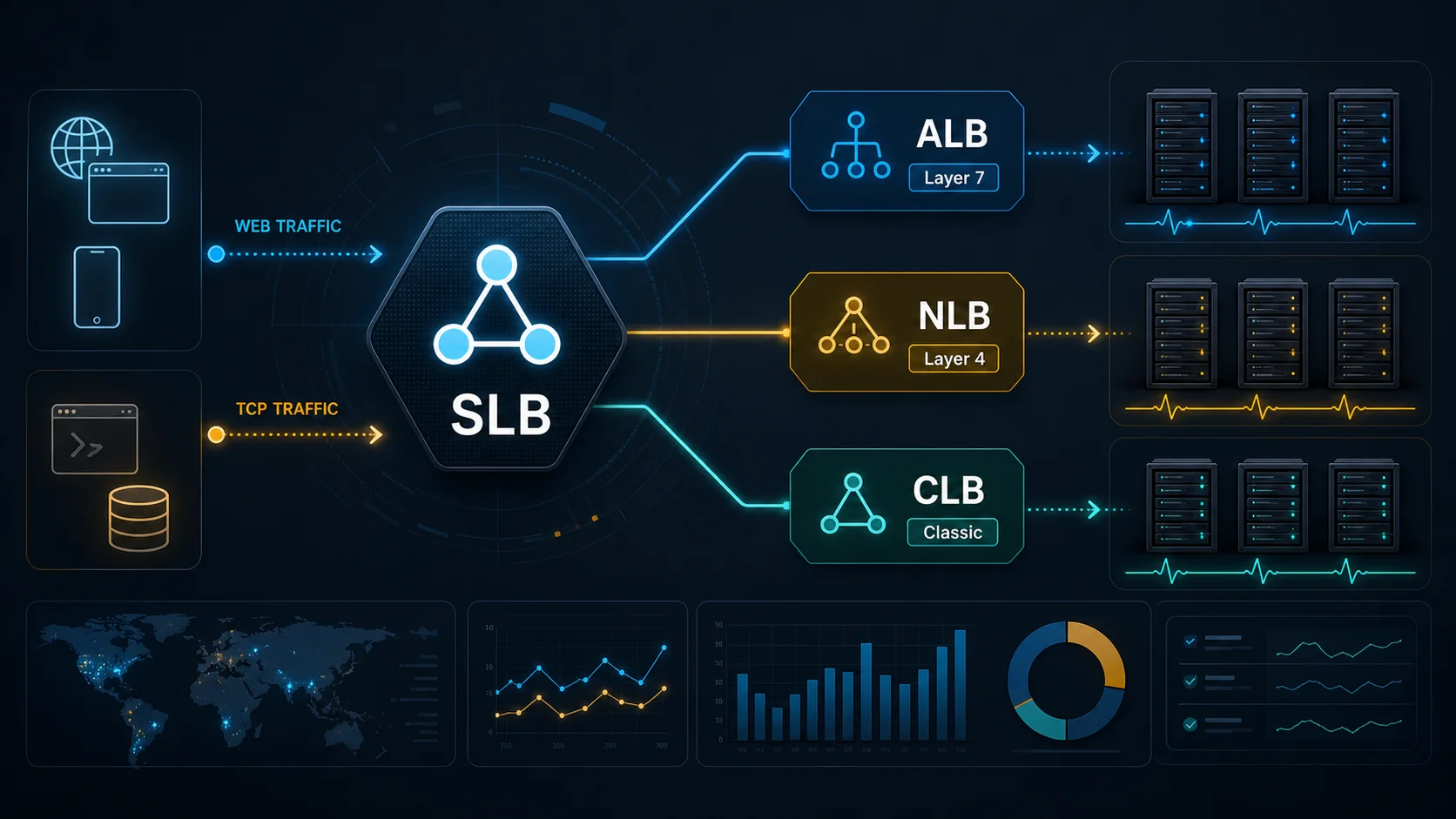
Figure 1: AI-generated cover. Think of SLB as the product family, not as one concrete instance type.
1. Why the names are confusing
If you have used cloud infrastructure for a while, you have probably heard phrases like these:
- “Put an SLB in front of this service.”
- “This public entry point still uses CLB.”
- “Use ALB for Kubernetes Ingress.”
- “For massive TCP long connections, migrate to NLB.”
Each sentence can be correct in its own context, but the combined vocabulary can be confusing. Historically, many engineers casually called a load balancer instance “SLB”. Later, Alibaba Cloud evolved the product line into ALB, NLB, and CLB, while official documentation also uses SLB as the Server Load Balancer product family. That is how one term became a family name, a legacy habit, and sometimes a shorthand for “that old load balancer in my head”.
When I read architecture diagrams, the risky part is not the number of products. The risky part is unclear boundaries. When someone says “we need SLB”, the next question should be: do we need Layer 7 HTTP routing, Layer 4 TCP/UDP distribution, a new design, or a legacy CLB migration? Is this public traffic or private VPC traffic? Without those questions, you can easily buy something that works but is not the right fit.
Alibaba Cloud’s documentation now describes the Server Load Balancer product family as including ALB, NLB, and CLB. In other words, SLB is the family name. It is not the final answer to a concrete design.

Figure 2: Real screenshot. Alibaba Cloud documents ALB, NLB, and CLB under the SLB product family.
2. A simple analogy: the mailroom
Imagine your application is a large office building. Every day, many visitors arrive. Some want to read public information, some submit forms, some call internal departments, and some only need a fast pass. If every visitor walks directly into every office, the building becomes chaotic.
So the building needs a mailroom or front desk:
- It receives all visitors first.
- It reads the label on each request.
- It checks which counter is healthy and available.
- It sends each visitor to the right counter.
A load balancer does something similar. Client requests arrive at the load balancer first, and the load balancer distributes them to backend servers. If a backend server fails health checks, new traffic is no longer sent to it.
The difference between ALB, NLB, and CLB is what kind of “label” each product understands best:
- ALB reads business-level labels: domain, URL path, header, cookie, and HTTP method.
- NLB reads fast network-level labels: protocol, port, connection, and transport behavior.
- CLB is the older general-purpose counter: still useful, especially for existing systems, but not always the best choice for new advanced Layer 7 or high-scale Layer 4 designs.
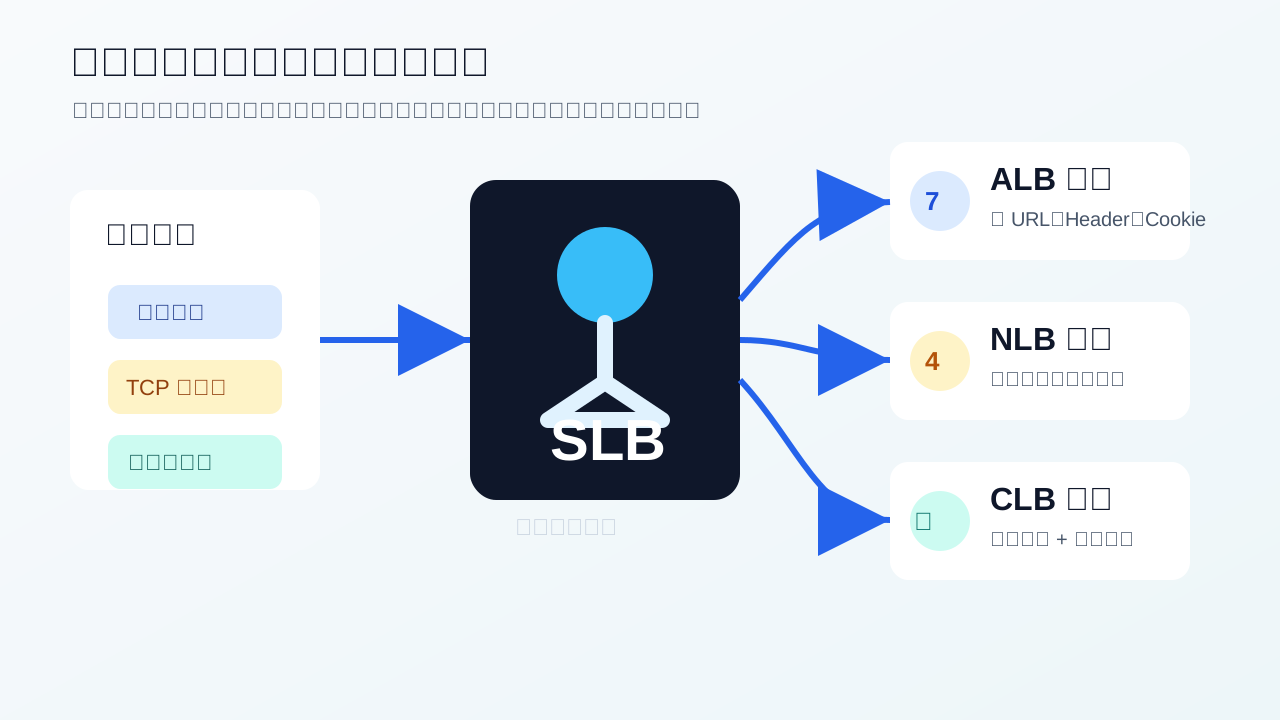
Figure 3: Think of requests as parcels. ALB reads business labels, NLB handles fast lanes, and CLB is the classic general counter.
3. What ALB is good at
ALB stands for Application Load Balancer. It is designed for Layer 7 application traffic such as HTTP, HTTPS, and QUIC. Alibaba Cloud’s documentation also describes ALB as having elastic, large-scale application-layer traffic processing capability, complex business routing, and deep integration with cloud-native services. It is the official cloud-native Ingress gateway on Alibaba Cloud.
Put less formally, ALB does not merely see that “someone connected to a port”. It understands the HTTP request. It can inspect the requested domain, URL path, headers, cookies, methods, and query strings, then route traffic according to business rules.
ALB is a strong fit when:
- One domain contains many routes, such as
/api,/static, and/admin. - You need canary release, blue-green deployment, or traffic splitting by header, cookie, or query string.
- You run Kubernetes Ingress or integrate with ACK, ASK, SAE, Function Compute, or other cloud-native services.
- HTTPS, QUIC, gRPC, or SSE is part of the entry-point requirement.
- You want to combine load balancing with WAF, certificate management, security policies, and end-to-end HTTPS.
This matters even more for modern AI applications. SSE streaming is common for model responses, and Alibaba Cloud’s ALB documentation explicitly mentions SSE streaming for real-time inference results. That is clearly an ALB-shaped problem, not a generic Layer 4 distribution problem.
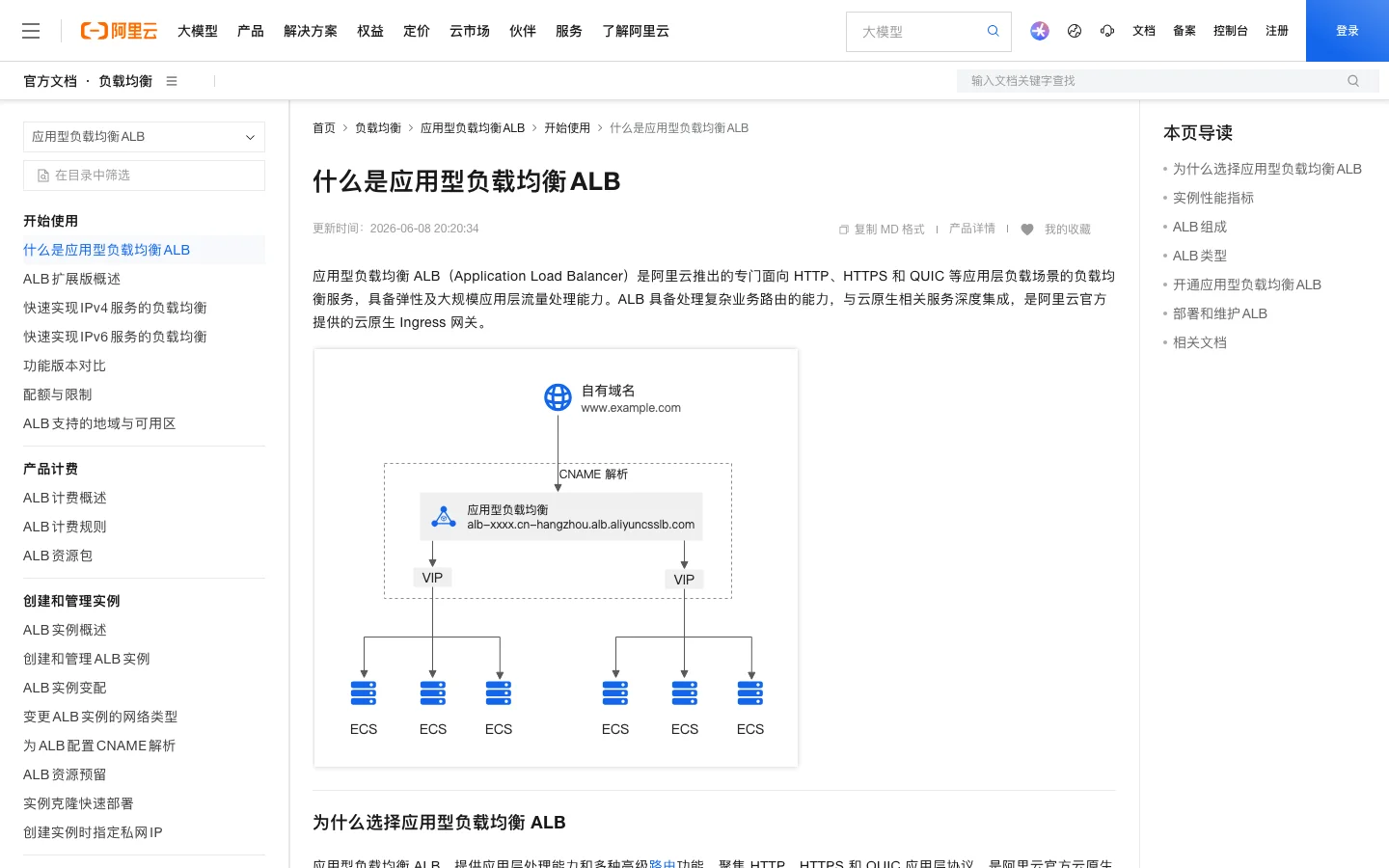
Figure 4: Real screenshot. ALB focuses on HTTP, HTTPS, QUIC, complex routing, and cloud-native Ingress.
4. What NLB is good at
NLB stands for Network Load Balancer. It is focused on Layer 4 traffic such as TCP, UDP, and TCPSSL. Alibaba Cloud describes it as a new-generation Layer 4 load balancer for the connected-everything era, with high performance and automatic elasticity. The documentation states that a single NLB instance can reach up to 100 million concurrent connections.
If ALB is a receptionist who reads business forms, NLB is a high-speed toll gate. It does not need to interpret every document in the vehicle, but it is built to let a huge number of vehicles pass quickly and reliably.
NLB is a strong fit when:
- You have many TCP or UDP long-lived connections, such as IoT devices, connected vehicles, video surveillance, or smart-home systems.
- You run audio/video, game, messaging, or gateway workloads that care about low latency and high concurrency.
- You need TCPSSL offloading and centralized certificate management.
- You need IP-type backend targets and traffic distribution across VPCs, regions, or on-premises IDC through cloud networking.
- Your entry point is not a typical HTTP website but a lower-level network protocol service.
People often ask why NLB exists if ALB is already powerful. The answer is simple: understanding business labels and moving network connections at scale are different jobs. Do not use a receptionist as a toll gate, and do not ask a toll gate to read complex contracts.
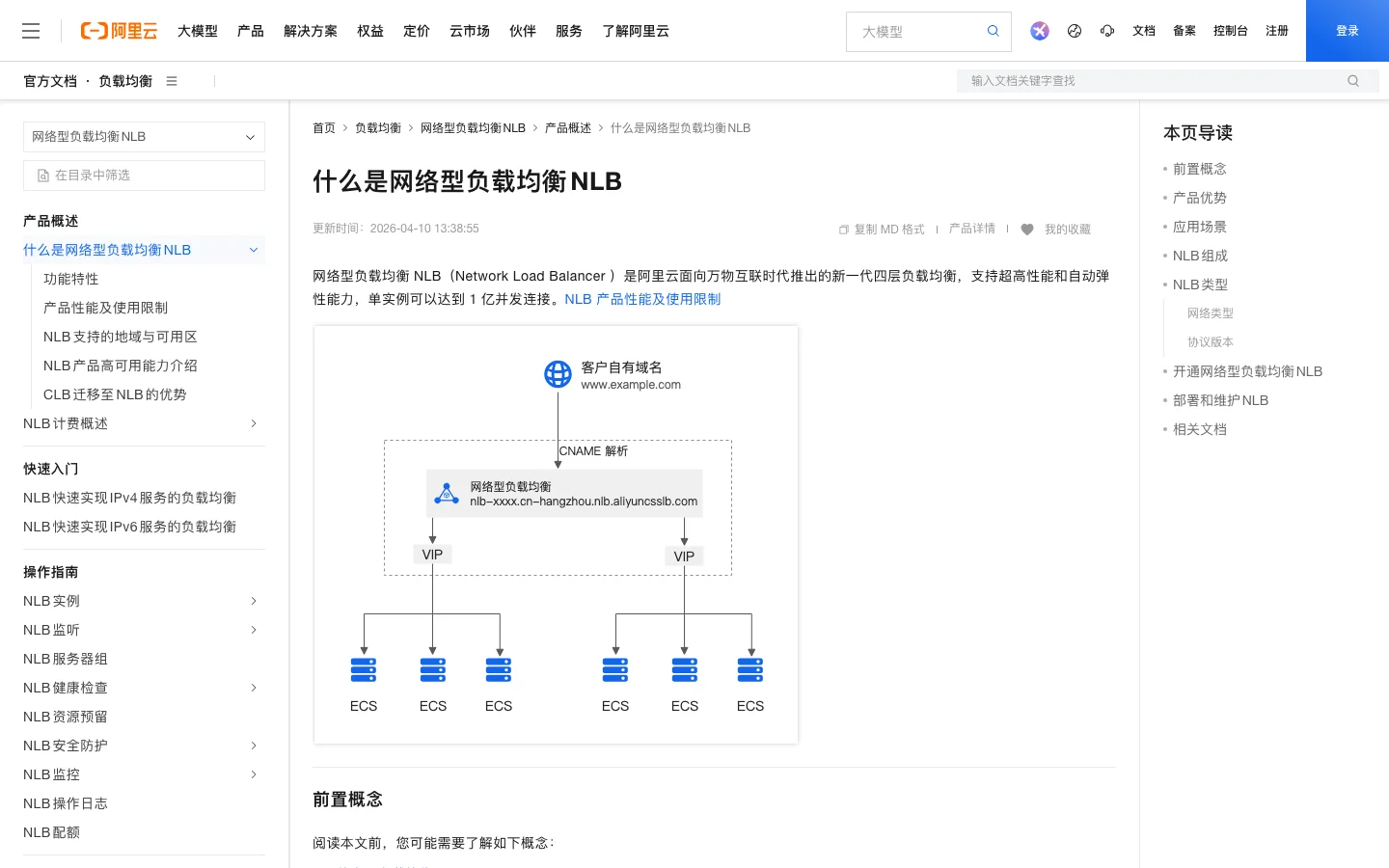
Figure 5: Real screenshot. NLB focuses on Layer 4, high concurrency, automatic elasticity, and TCP/UDP/TCPSSL.
5. What CLB is good at
CLB stands for Classic Load Balancer. It distributes incoming traffic to multiple backend cloud servers according to forwarding policies. It supports TCP, UDP, HTTP, and HTTPS. In practice, it has solid Layer 4 capability and basic Layer 7 capability.
The word “classic” can be misleading. It does not mean useless. CLB is mature, widely deployed, and still perfectly valid for many existing systems. The real point is this: do not choose CLB for a new design just because you are used to the name.
If an existing CLB is stable, its rules are simple, and migration risk is high, continuing to run it can be reasonable. If you are designing a new entry point that clearly needs cloud-native Ingress, advanced Layer 7 routing, HTTP/QUIC/gRPC/SSE, or large-scale Layer 4 connections, evaluate ALB or NLB first.
There is also a product-direction signal worth noticing. Alibaba Cloud documentation says CLB subscription instances stopped accepting new purchases at 00:00:00 on December 1, 2024. That does not mean CLB suddenly cannot be used, but it does show that the product direction has moved toward newer load-balancing forms such as ALB and NLB.
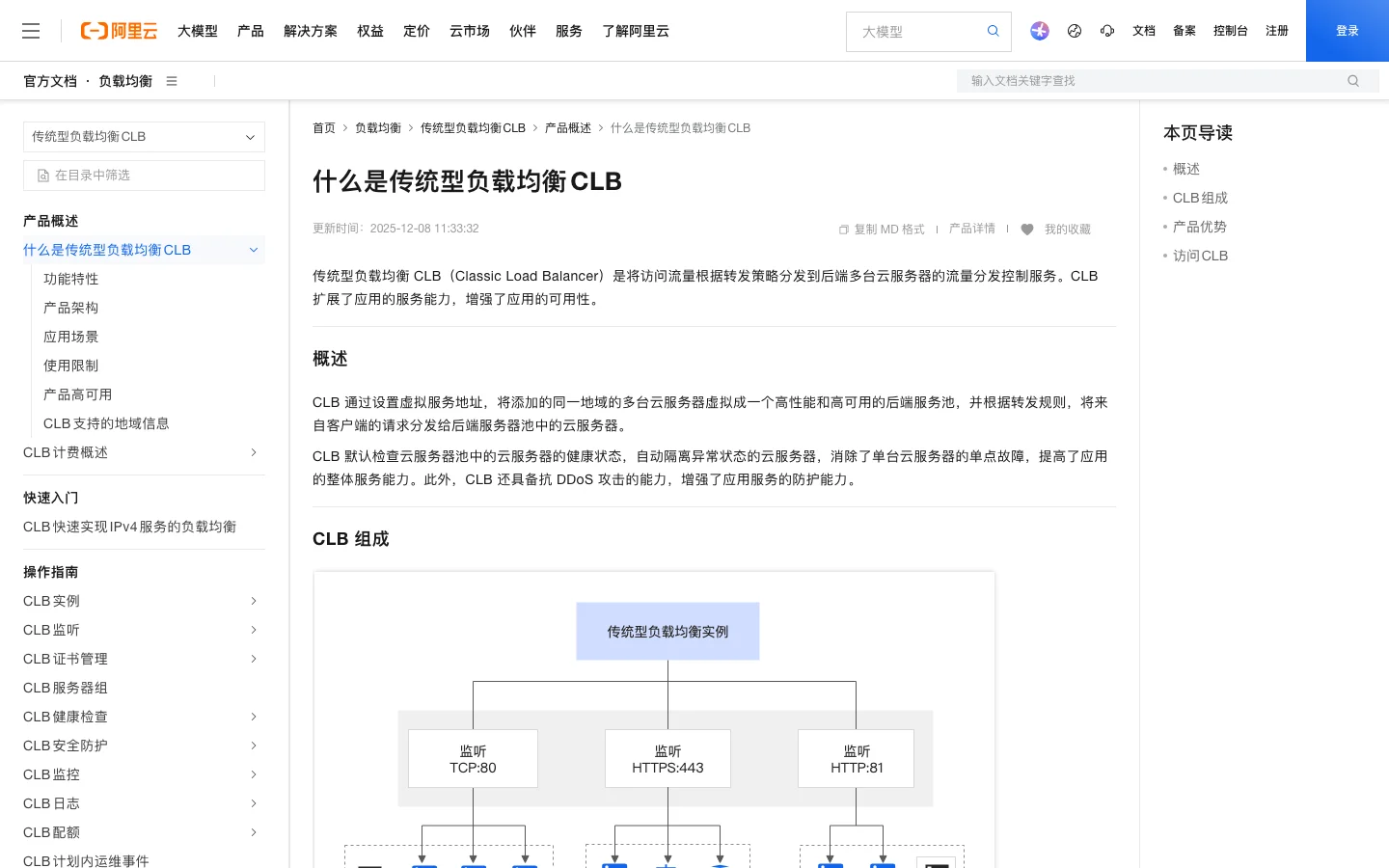
Figure 6: Real screenshot. CLB is the traditional load balancer with Layer 4 and basic Layer 7 capabilities.
6. A practical selection checklist
Tables are useful, but real engineering decisions usually start with a few sharp questions.
First: what is the entry protocol?
For HTTP, HTTPS, QUIC, gRPC, or SSE, start with ALB. For TCP, UDP, or TCPSSL, start with NLB. For an existing CLB with simple TCP or HTTP forwarding, evaluate whether to keep it or migrate.
Second: do you need to inspect application-layer content?
If you need routing by domain, path, header, cookie, method, or query string, choose ALB. If you only need port, protocol, and connection-level distribution, choose NLB.
Third: how large and latency-sensitive are the connections?
For massive long-lived connections, device access, audio/video, or messaging channels, NLB is usually the better direction. For high-volume website/API traffic with complex routing rules, ALB is usually the better direction.
Fourth: is the workload cloud-native?
For Kubernetes Ingress, ACK/ASK, SAE, and Function Compute integration, ALB is the more direct fit. NLB can still be the right Layer 4 entry point for containerized workloads, but it is not a replacement for a Layer 7 Ingress gateway.
Fifth: do you already have CLB in production?
Legacy systems should not be migrated blindly. Check rule complexity, peak traffic, certificates, health checks, backend target types, rollback design, and billing impact. Keep CLB if it is simple and stable. Plan a migration only when the new requirements justify it.
Sixth: who pays for bandwidth and capacity?
ALB, NLB, and CLB differ in billing models and LCU definitions. Technical fit is not enough. Public EIP, shared bandwidth, LCU, instance fees, and migration dual-running cost all matter.
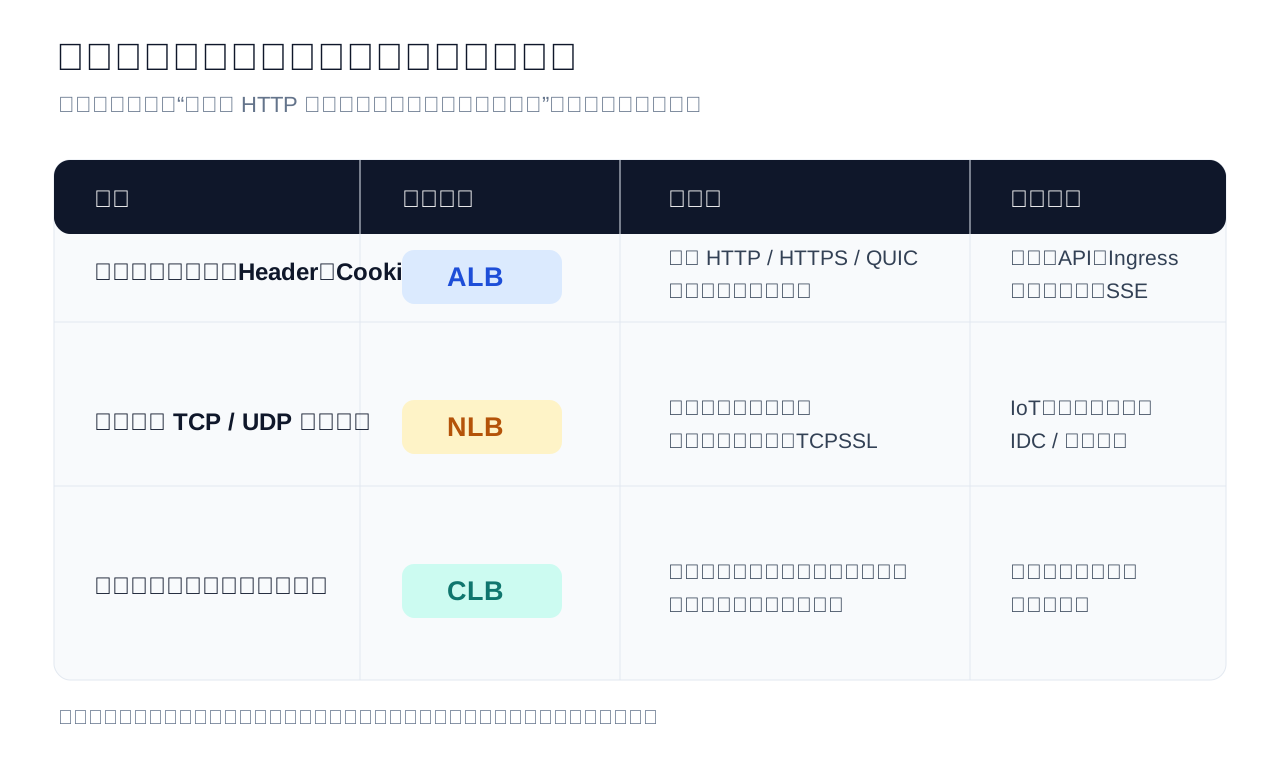
Figure 7: A first-pass selection matrix. It does not replace load testing or billing analysis, but it prevents obvious direction mistakes.
7. Common traps
Trap 1: “SLB means CLB.”
That is a historical habit. In new documentation and architecture diagrams, use SLB for the product family and name the concrete instance as ALB, NLB, or CLB.
Trap 2: “ALB is newer, so use ALB for everything.”
Newer does not mean universal. ALB is strong at Layer 7 application routing. NLB is strong at Layer 4 high-concurrency connections.
Trap 3: “NLB is high-performance, so use it for websites.”
NLB can distribute some web traffic at Layer 4, but once you need path routing, header-based canary release, rewrites, redirects, or WAF-oriented Layer 7 integration, ALB is the natural choice.
Trap 4: “CLB is old, so migrate immediately.”
Migration is not about chasing names. It should reduce risk or unlock required capability. If a CLB-backed system is stable and simple, keep it until there is a real reason to move.
Trap 5: “Health checks solve availability.”
Health checks only prevent traffic from going to obviously unhealthy backends. They do not fix slow queries, database saturation, exhausted thread pools, or half-dead applications whose ports are still open.
8. Q&A
Q1: For a new Web or API service, what should I choose first?
Start with ALB, especially if you need HTTPS, domain/path routing, canary release, redirects, header/cookie rules, Kubernetes Ingress, or SSE streaming.
Q2: For a new TCP or UDP long-connection service, what should I choose first?
Start with NLB. IoT access, audio/video, message gateways, game gateways, TCPSSL offloading, and massive connection retention are NLB-shaped problems.
Q3: Is CLB still usable?
Yes. It is classic, not dead. But for new services, do not choose it automatically. Evaluate ALB or NLB first. Before migrating existing CLB workloads, compare rules, certificates, health checks, backend types, rollback paths, and billing.
Q4: Can ALB and NLB both be public entry points?
They can be configured for public or private access depending on product capability and instance type, but the exact answer depends on region, zone, EIP, shared bandwidth, quotas, and current console availability. Always verify the current region before finalizing an architecture.
Q5: If ALB can reach high QPS and NLB can reach huge concurrency, do I still need load testing?
Yes. Product limits are not the same as your end-to-end capacity. Backend services, databases, caches, cross-zone links, certificates, WAF, and rate limits can all become bottlenecks.
Q6: Why are there no Windows, Ubuntu, or macOS one-click scripts in this article?
Because this is a product-concept and architecture-selection article, not an installation or repair guide for a local machine. Creating ALB, NLB, or CLB involves account context, region, VPC, vSwitches, certificates, backend server groups, billing, and security policies. A context-free script would be irresponsible.
9. The pocket version
If you only remember four lines:
- Need HTTP-aware business routing: ALB.
- Need TCP/UDP connection scale: NLB.
- Already running a simple legacy load balancer: CLB may still be fine.
- Talking about the whole product family: SLB.
Load balancing looks like “just distributing traffic”, but the choice affects certificates, DNS, WAF, Ingress, canary release, bandwidth, billing, disaster recovery, and migration. It is not a final network widget. It is the front door of the application.
References
- Alibaba Cloud Help Center: SLB product family overview
- Alibaba Cloud Help Center: What is ALB
- Alibaba Cloud Help Center: What is NLB
- Alibaba Cloud Help Center: What is CLB