Codex 0.130 Removed /approvals? The Fix Is to Move Permissions to Startup Flags
The short version
If you upgraded to Codex 0.130.0 and noticed that the old
/approvalshabit no longer works, the practical fix is not to downgrade. Move the permission policy to launch time. Use--ask-for-approvalto control when Codex asks,--sandboxto control what commands can touch, and reserve--dangerously-bypass-approvals-and-sandboxfor environments that are already isolated outside Codex. The long flag can also be written directly as--yolo, which is easier to remember, easier to type, and more consistent with command habits from tools such as Gemini.In other words, stop treating approval mode as an in-session toggle. Treat it as part of the way you start the agent.
This article only discusses public Codex CLI flags and generic workflows. It does not include real hostnames, internal addresses, usernames, tokens, private paths, or project names. Commands use placeholders such as <PROJECT> and <TASK>.
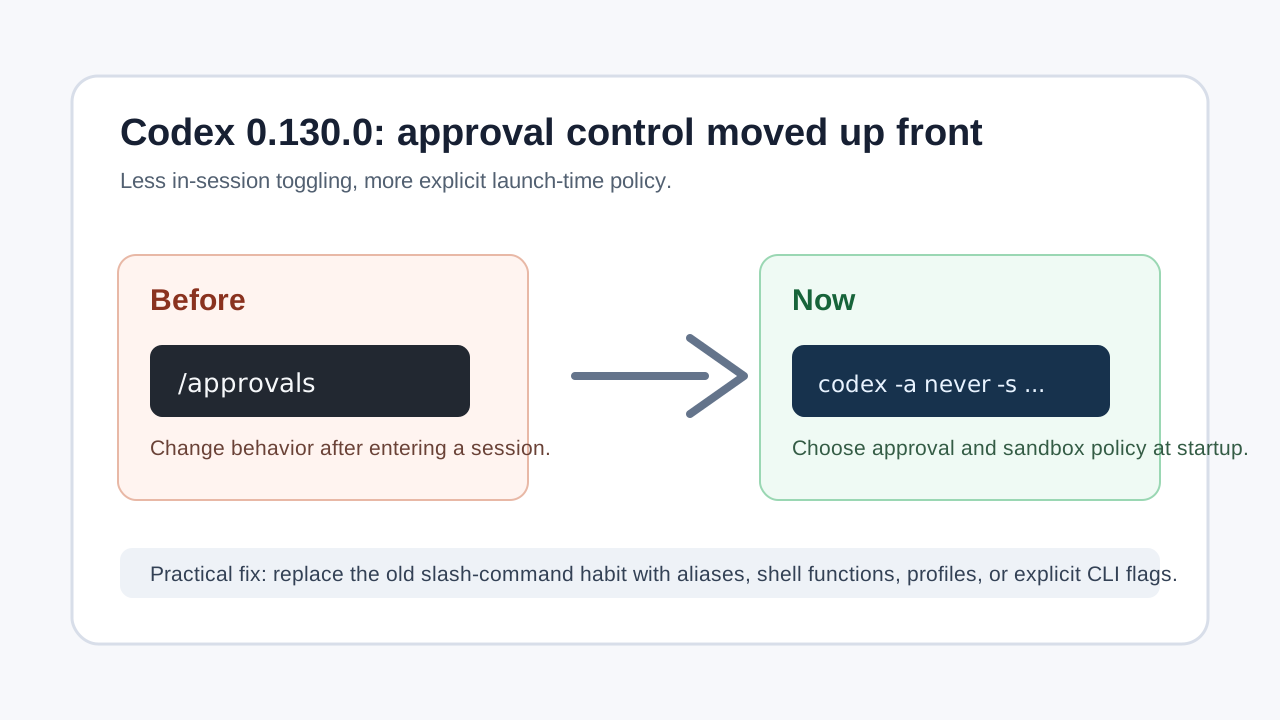
Figure 1: The capability did not disappear. The safer pattern is to choose the policy before the session starts.
1. What changed
Many Codex CLI users developed a simple workflow: enter a project directory, start codex, then adjust approval behavior from inside the session using a slash command. In older setups, /approvals or a similar permission entry point could make Codex less chatty after the session had already started.
After upgrading to 0.130.0, some users find that this command is gone. That feels like a regression at first, but it also reflects a cleaner model. Approval policy, sandbox policy, working directory, writable directories, and network-related behavior are session-level safety boundaries. They are easier to reason about when they are selected before the session begins.
The most direct replacement is:
codex --dangerously-bypass-approvals-and-sandbox
You can also use the shorter form:
codex --yolo
That command skips confirmation prompts and disables Codex’s sandbox. It solves the “please stop asking me” problem, but it is also the highest-risk option. It belongs in a container, disposable VM, temporary worktree, or another environment where the outer system already provides the isolation.
For day-to-day work, the more useful flags are:
codex --ask-for-approval <policy>
codex --sandbox <mode>
codex --cd <DIR>
codex --add-dir <DIR>
codex --search
The real migration is learning the combinations, not memorizing one dangerous bypass flag.
2. Approval and sandbox are different controls
Approval answers one question: when should Codex ask a human before running something?
Sandbox answers a different question: where can the commands run by Codex read and write?
These two controls are related, but they are not interchangeable. --ask-for-approval never means Codex should not ask you for permission; it does not automatically grant unrestricted filesystem access. --sandbox danger-full-access disables the filesystem sandbox; it does not necessarily describe the approval policy by itself. The bypass flag is the blunt option that turns both brakes off.
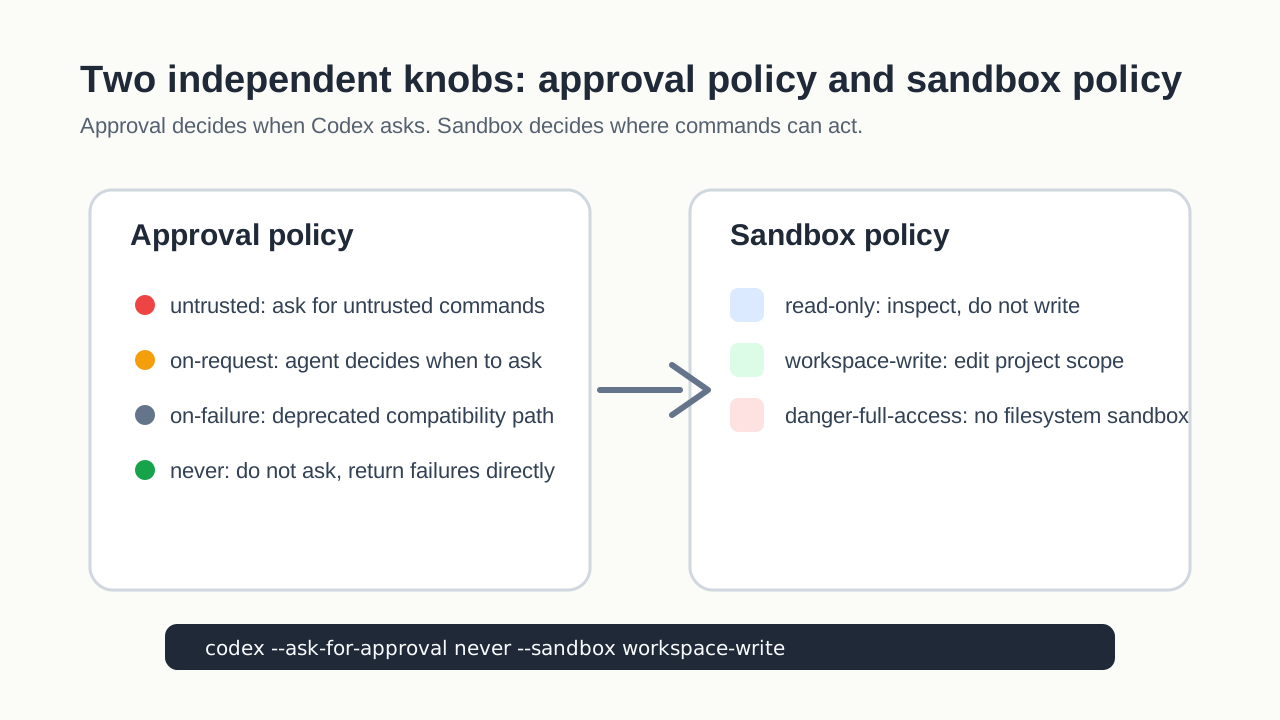
Figure 2: Approval controls prompting. Sandbox controls the blast radius.
2.1 --ask-for-approval
--ask-for-approval can be shortened to -a. In Codex 0.130.0 help output, the common policies are:
| Value | Meaning | Good for |
|---|---|---|
untrusted |
Ask for untrusted commands, while ordinary trusted commands can run directly | Unknown repositories and conservative exploration |
on-request |
Let the agent decide when it needs approval | Interactive development with human checkpoints |
on-failure |
Deprecated compatibility mode that asks after a failure path | Old scripts, not a new default |
never |
Never ask; return execution failures directly to the model | Automation and externally controlled environments |
The important warning is simple: never reduces prompts, not risk. The real safety boundary also depends on sandbox mode, the operating-system user, Git state, mounted directories, secrets, and the scope of the task.
2.2 --sandbox
--sandbox can be shortened to -s. The common modes are:
| Value | Meaning | Good for |
|---|---|---|
read-only |
Commands can inspect but should not write | Explanation, review, diagnosis, planning |
workspace-write |
Codex can write inside the workspace | Normal coding, tests, docs, refactors |
danger-full-access |
No filesystem sandbox | Containers, temporary VMs, disposable environments |
If all you need is project editing, workspace-write is usually the better default. It gives the agent enough room to do useful work while keeping mistakes closer to the repository. Move to broader access only when the task truly needs system-level operations, Docker sockets, package installation, service management, or multiple writable directories.
2.3 --dangerously-bypass-approvals-and-sandbox / --yolo
This is the command people will copy because it feels closest to “skip permissions”:
codex --dangerously-bypass-approvals-and-sandbox
# Equivalent short form
codex --yolo
The long name is accurate: it says “dangerously” for a reason. The short form --yolo is easier to type and remember, and it also matches a naming convention many users already know from tools such as Gemini. Both forms represent the same kind of high-permission mode: approval prompts are skipped and sandboxing is disabled. Codex becomes an automated operator with the power of the current user. If your shell can delete a file, Codex can probably delete it. If your shell can reach credentials, Codex may be able to touch them through commands. If your user can write outside the project, the Codex sandbox is no longer the thing stopping that.
Use it only when the outer environment is already disposable or isolated:
- A throwaway container.
- A temporary VM or snapshot.
- A clean Git worktree without sensitive mounts.
- A task that genuinely needs broad system access.
- A directory that does not contain private keys, tokens, browser data, production configuration, or important personal files.
If your only goal is fewer prompts, start with less dangerous combinations.
3. Recommended combinations
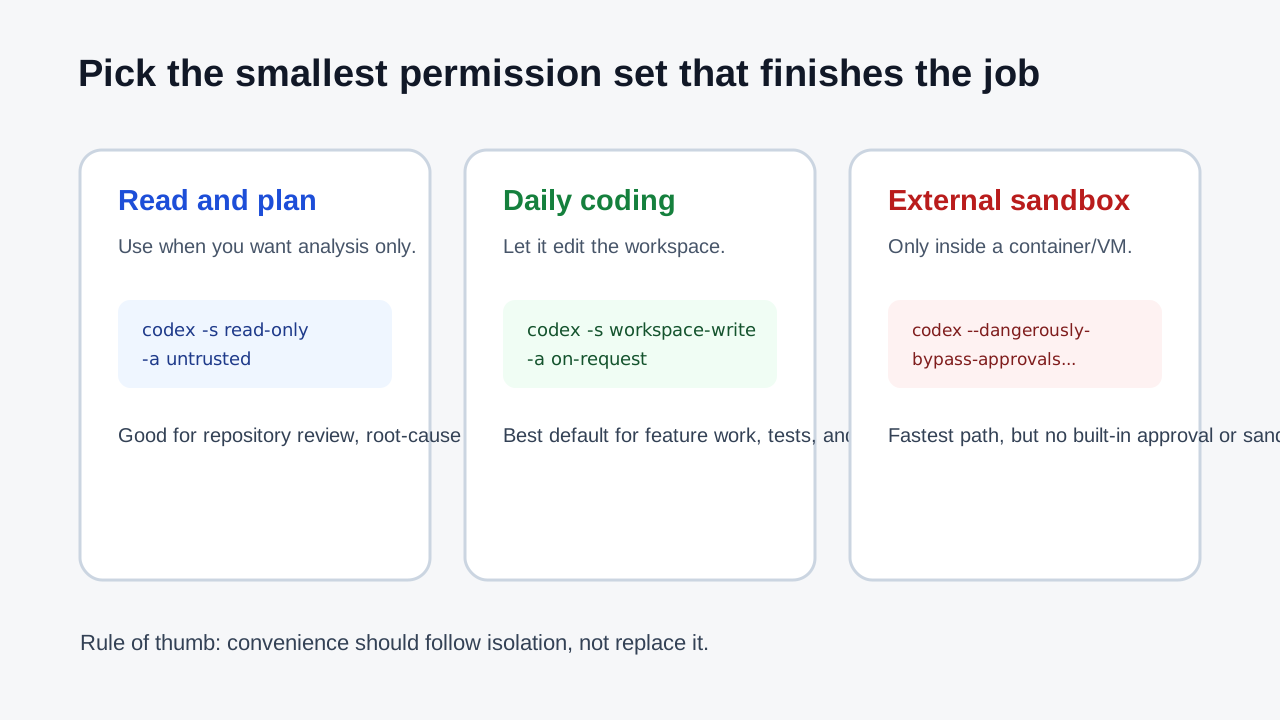
Figure 3: Give the agent the smallest permission set that can finish the job.
3.1 Read-only analysis
Use this when you want Codex to inspect, explain, review, or plan without modifying files:
codex -s read-only -a untrusted --cd <PROJECT>
This is a good first pass for unfamiliar repositories. Ask Codex to identify the test entry points, summarize the architecture, explain a failure, or propose a plan. Since the session is read-only, the cost of a misunderstanding is much lower.
3.2 Daily development
For most coding tasks, start here:
codex -s workspace-write -a on-request --cd <PROJECT>
This lets Codex edit the project and run tests while keeping human checkpoints for operations it considers sensitive. It is much less frustrating than a fully locked-down session and much safer than unrestricted access. Feature work, bug fixes, documentation updates, and focused refactors usually fit this mode well.
If you want more automation, you can use:
codex -s workspace-write -a never --cd <PROJECT>
That still keeps the filesystem sandbox around the workspace, but removes approval prompts. It should be paired with a clean Git state, a branch or worktree you can throw away, a narrow prompt, and final verification.
3.3 Externally isolated fast mode
Use this only when the outer environment is already disposable:
codex --dangerously-bypass-approvals-and-sandbox --cd <PROJECT>
# Or:
codex --yolo --cd <PROJECT>
For non-interactive work:
codex exec --dangerously-bypass-approvals-and-sandbox --cd <PROJECT> "<TASK>"
# Or:
codex exec --yolo --cd <PROJECT> "<TASK>"
The benefit is speed. The downside is the lack of built-in brakes. This mode is reasonable inside a container, temporary VM, clean snapshot, or test runner. It is a poor default for your main machine or any host with sensitive files.
3.4 Web search
Codex 0.130.0 also exposes --search:
codex --search -s workspace-write -a on-request --cd <PROJECT>
Use it when the task actually needs current information: dependency changes, official documentation, breaking changes, release notes, or active incidents. Do not make web search a reflex for every task. Local evidence from the repository, lockfiles, help output, and project docs is often better.
4. Use aliases as explicit launch profiles
Typing the full flags every time is annoying. A small set of aliases makes the new startup model convenient:
alias codex-ro='codex -s read-only -a untrusted'
alias codex-work='codex -s workspace-write -a on-request'
alias codex-auto='codex -s workspace-write -a never'
alias codex-yolo='codex --yolo'
Then choose the profile deliberately:
codex-ro --cd <PROJECT>
codex-work --cd <PROJECT>
codex-auto --cd <PROJECT>
codex-yolo --cd <PROJECT>
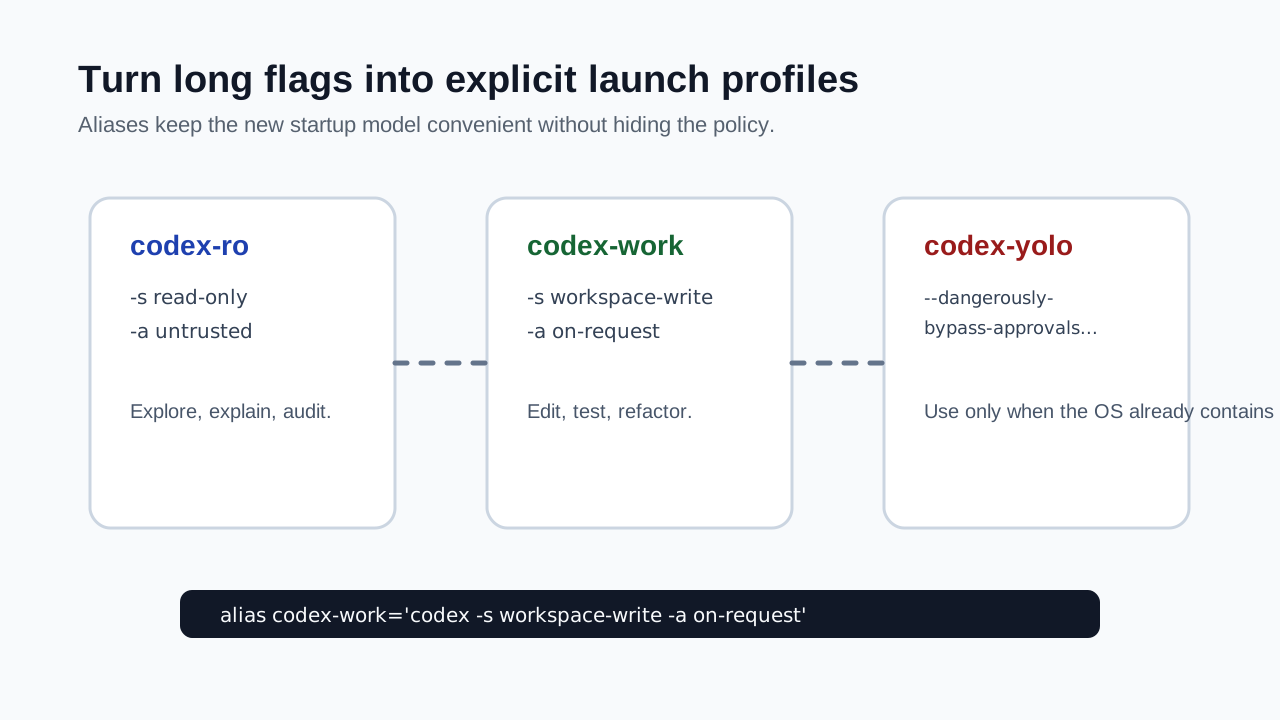
Figure 4: Aliases should make policy visible, not hide it.
--cd is useful because it sets the working root without requiring you to change directories first:
codex-work --cd <PROJECT> "Fix the failing tests and show verification output"
When Codex needs one extra writable directory, prefer --add-dir over full access:
codex -s workspace-write -a on-request --cd <PROJECT> --add-dir <EXTRA_DIR>
This is more precise than jumping to danger-full-access. For example, you may want Codex to edit the project and write generated artifacts to a temporary output directory. Grant that directory explicitly instead of handing it the whole filesystem.
5. The same model applies to codex exec
Interactive codex is good for conversation and iteration. codex exec is better for one-shot tasks and scripts. It uses the same approval and sandbox ideas:
codex exec -s read-only -a never --cd <PROJECT> "Summarize the test entry points"
codex exec -s workspace-write -a on-request --cd <PROJECT> "Add missing tests and run verification"
codex exec --dangerously-bypass-approvals-and-sandbox --cd <PROJECT> "Upgrade dependencies inside this disposable container"
# Or:
codex exec --yolo --cd <PROJECT> "Upgrade dependencies inside this disposable container"
For automation, write the policy explicitly. Do not rely on memory or defaults. When somebody reads the script later, they should be able to tell whether the task ran read-only, workspace-writable, or unrestricted.
If you need machine-readable logs, codex exec also supports JSONL event output:
codex exec --json -s workspace-write -a never --cd <PROJECT> "<TASK>"
Just be careful with logs. Do not paste outputs containing credentials, internal addresses, private paths, or production identifiers into public issues or articles.
6. Why unrestricted mode should not be your global default
It is tempting to make --dangerously-bypass-approvals-and-sandbox, or its short form --yolo, the default. It is fast, and it stops the interruptions.
The problem is blast radius. If Codex misunderstands a task in read-only mode, you get a bad answer. If it misunderstands a task in workspace-write mode, you may get bad edits, but Git can usually help. If it misunderstands a task in unrestricted mode with no approvals, it can affect files and services outside the project.
Agents also tend to expand tasks. You ask for a test fix, and the agent decides to update dependencies. You ask it to inspect a deploy script, and it tries to run the deploy. You ask it to clean temporary files, and it guesses wrong about what is temporary. Most of this is not malicious. It is boundary drift.
My practical rules are:
- Use
workspace-write + on-requestas the daily default. - Use
read-onlyfor initial analysis. - Use
workspace-write + neverfor automation when Git, logs, and rollback exist. - Use
--dangerously-bypass-approvals-and-sandboxor--yoloonly inside externally isolated environments.
The goal is not to slow Codex down. The goal is to put each safety responsibility in the right layer: Codex executes, Git rolls back code changes, containers or VMs isolate the system, and humans make the risky decisions.
7. Migration checklist from /approvals
If you used to rely on /approvals, migrate with this checklist:
- Run
codex --helpandcodex exec --helpon your installed version. - Decide whether your problem is too many prompts or too little filesystem access.
- Create aliases such as
codex-ro,codex-work,codex-auto, andcodex-yolo. - Use
codex-work --cd <PROJECT>for real projects by default. - Use
codex-yolo --cd <PROJECT>only in containers, VMs, or disposable worktrees. - Write
-s,-a, and--cdexplicitly in scripts. - Check
git statusbefore raising permissions. - Do not put real secrets, internal addresses, private paths, or personal data in prompts, logs, posts, or public issues.
Once you make this switch, the missing slash command becomes less important. The session starts with a clear policy: read-only review, normal development, automated workspace execution, or externally isolated unrestricted work.
8. Summary
When /approvals disappears after a Codex 0.130.0 upgrade, the replacement is not one hidden command. It is a startup model:
codex --dangerously-bypass-approvals-and-sandbox
# Equivalent short form
codex --yolo
That is the most aggressive option. The better long-term habits are:
codex -s read-only -a untrusted --cd <PROJECT>
codex -s workspace-write -a on-request --cd <PROJECT>
codex -s workspace-write -a never --cd <PROJECT>
codex --dangerously-bypass-approvals-and-sandbox --cd <PROJECT>
codex --yolo --cd <PROJECT>
If you remember one rule, remember this: Codex permissions are now best treated as startup configuration, not an in-session mood switch.
Sources
- Local
codex-cli 0.130.0output fromcodex --helpandcodex exec --help. - OpenAI Help Center: OpenAI Codex CLI - Getting Started.
- OpenAI Codex GitHub repository and public CLI documentation.