Do Not Waste Your Codex Quota Before the Reset: Meet Codex Reset Radar
The short version
Codex resets have recently become more important to watch. Sometimes the reset is part of the normal usage cycle. Sometimes it is a compensation reset after an incident. Sometimes it follows a fix for abnormal limit consumption. For heavy Codex users, the painful part is not that the quota resets. The painful part is discovering that you still had useful weekly quota left, but you did not use it before the reset overwrote the old window.
Codex Reset Radaris a small public dashboard that turns scattered public signals into a practical warning: if a Codex quota reset window is likely or already open, it tells you to use your remaining weekly quota on valuable work before it expires.
This article discusses only public pages, public status signals, and public references. It does not include private accounts, tokens, internal systems, private network details, or personal usage data. Any discussion of quota, reset windows, and early warnings is a user-side workflow analysis, not an official statement about OpenAI billing, subscription policy, or service guarantees.
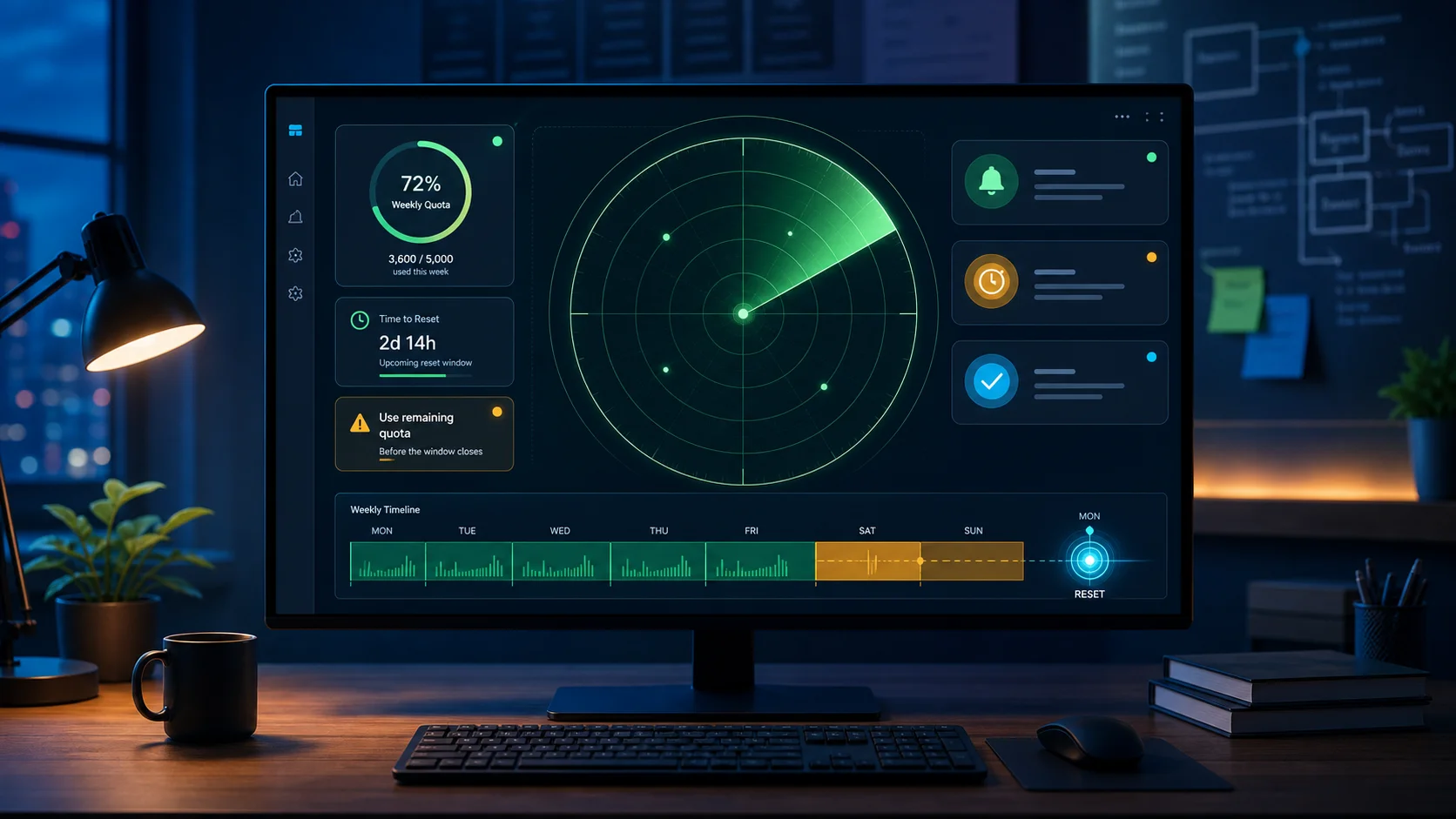
Figure 1: Original hero image for this article. The idea is to merge public status, social signals, community feedback, and historical reset windows into one developer-facing radar.
1. Background: Codex Has Become a Real Workflow Entry Point
A year ago, many people still treated AI coding tools as editor plugins, answer boxes, or code snippet generators. Codex now often plays a larger role. Developers use it to read large repositories, diagnose failures, modify multiple files, explain build logs, run tests, write documentation, review pull requests, and coordinate with local or remote tools.
That kind of work is not a single question and a single answer. It is a long-running workflow. A useful Codex session may last tens of minutes or several hours. It may inspect many files, run many commands, reason through several failed attempts, and gradually converge on a deliverable result. For heavy users, weekly Codex quota is no longer an abstract number. It becomes part of the work schedule.
If you only ask Codex a few casual questions, a reset being earlier or later does not matter much. But if Codex is one of your main engineering assistants, the reset window becomes a resource planning problem. Should you start a large task now? Should you spend the remaining quota on a difficult investigation? Should you wait until tomorrow? If a compensation reset arrives while you still had a lot of quota left in the current cycle, that remaining quota effectively loses its value.
This is not about gaming the system. It is about planning useful work. A developer may already have a backlog of valuable tasks: upgrade scripts, missing tests, dependency analysis, incident writeups, documentation cleanup, bilingual blog drafts, or reusable runbooks. When a reset window is likely, moving those tasks forward can turn otherwise expiring quota into real output.
Codex Reset Radar exists for that moment. It does not use Codex on your behalf. It does not change your account. It does not bypass any limit. It simply exposes a better signal about when a reset may happen, so you can decide whether to act.
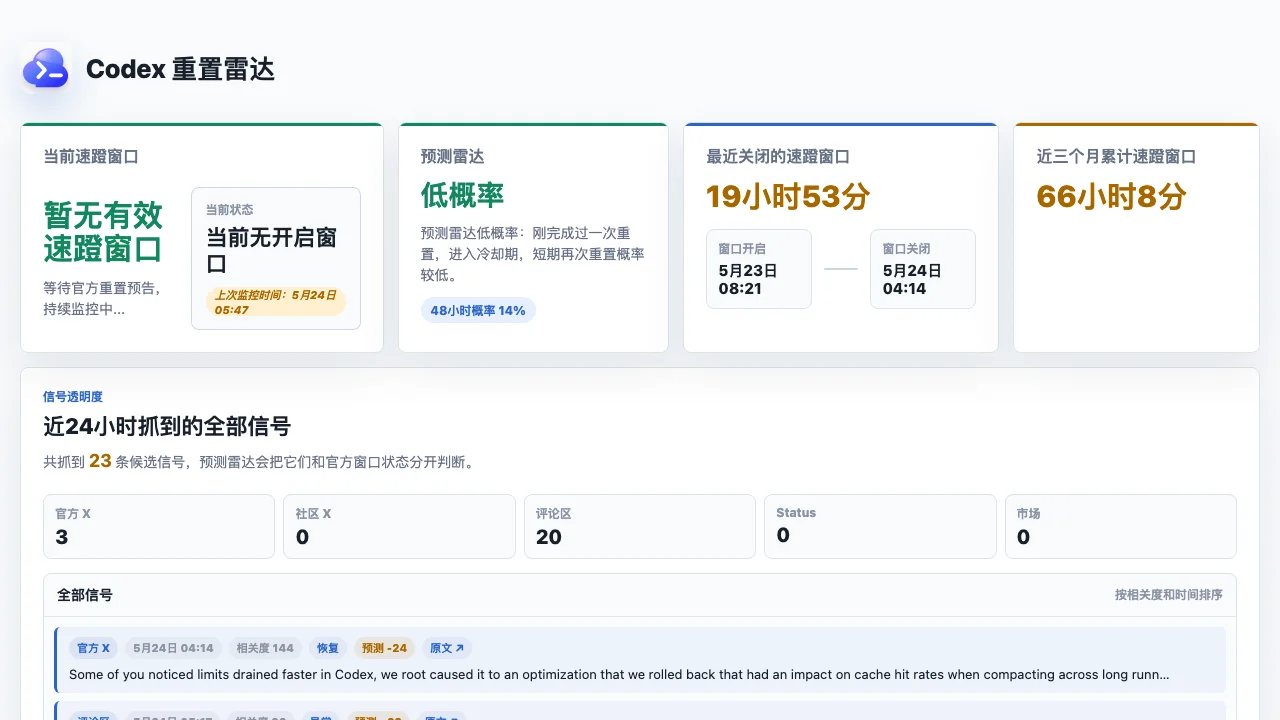
Figure 2: Public dashboard screenshot. The page exposes current window status, recent windows, prediction probability, RSS/JSON endpoints, and history.
2. The Symptom: The Problem Is Not Quota, But Unpredictable Quota Timing
Usage limits are not new. Any expensive compute-backed service needs limits. Some are hourly, daily, weekly, per team, per model, per interface, or per feature. Users can usually live with limits because limits at least create boundaries.
The real frustration is unpredictability.
The first symptom is a mismatch between remaining time and remaining quota. You may believe that your current weekly quota is almost gone and that you need to wait several days. Then, after a fix or compensation event, the cycle resets earlier than expected. That is good news for users who had already stopped working. It is less ideal for users who still had useful quota left.
The second symptom is inconsistent perception across entry points. Codex may be accessed through the web, CLI, app, VS Code extension, API, or integrations. Error messages, recovery timing, limit displays, and task failures may not appear exactly the same across those entry points. Some users see recovery. Others still see limits. Some see rate-limit messages. Others see task failures or connection errors. From the outside, it is difficult to know whether the issue is account-specific, client-specific, or system-wide.
The third symptom is that incidents and compensation become mixed. On May 23, 2026, the OpenAI status feed included an incident titled “Increase in users hitting Codex rate limits,” affecting Codex Web, CLI, App, VS Code extension, and Codex API. After such an incident is resolved, users naturally ask two different questions: is the service recovered, and will there be a quota reset or compensation? A status page is good at reporting service state. It is not necessarily designed to tell every user what action to take next.
The fourth symptom is that community signals often form earlier than a clear user action. Public social posts, replies, and discussions can reveal patterns: who sees a reset, who is still waiting, who hit limits too early, and who recovered after a fix. One post is unreliable. A cluster of similar signals may still be useful as an early warning.
The fifth symptom is that the actionable window can be short. The radar history has shown very different window lengths. Some windows last only minutes. Others last many hours. A public RSS record shows an eight-minute window on May 20, 2026, and another window from May 23 to May 24 that lasted almost twenty hours. The shorter the window, the more useful a subscription alert becomes. The longer the window, the more worthwhile it is to schedule real work.
Together, these symptoms create a familiar kind of anxiety: should I use Codex now, or wait? Is a reset coming? Should I spend the remaining quota? Did my account recover yet? Is this just a local client issue?
3. Why a Pre-Reset Alert Is More Valuable Than a Post-Reset Celebration
Most users are happy when quota resets. That reaction makes sense. But from a resource planning perspective, knowing after the reset is less valuable than knowing before the reset.
The reason is simple: the new quota after the reset remains available. The old quota before the reset is the expiring part.
This resembles many subscription resources: cloud trial credits, API free tiers, monthly export limits, build minutes, or member benefits. If a resource refreshes by cycle, the remaining resource before the cycle ends is the part that can vanish. Codex weekly quota behaves similarly from the user’s point of view. If a compensation reset refreshes the cycle, the previous cycle’s unused quota is no longer useful.
This does not mean users should run meaningless tasks. Burning quota for no reason wastes service resources and pollutes your own workflow. A better approach is to keep a backlog of useful, low-risk tasks that can be moved forward when a reset window appears:
- Ask Codex to read recent changes and produce a technical debt list.
- Add tests or edge cases to existing scripts.
- Draft or translate technical articles.
- Analyze historical logs and produce a reusable troubleshooting flow.
- Review dependency upgrade risks.
- Generate privacy-safe documentation for existing configuration.
- Run a read-only code review.
- Convert scattered commands into a repeatable runbook.
These tasks are useful anyway. They may not be the highest priority on a normal day, but when a reset window appears, they are excellent candidates for turning expiring quota into actual output.
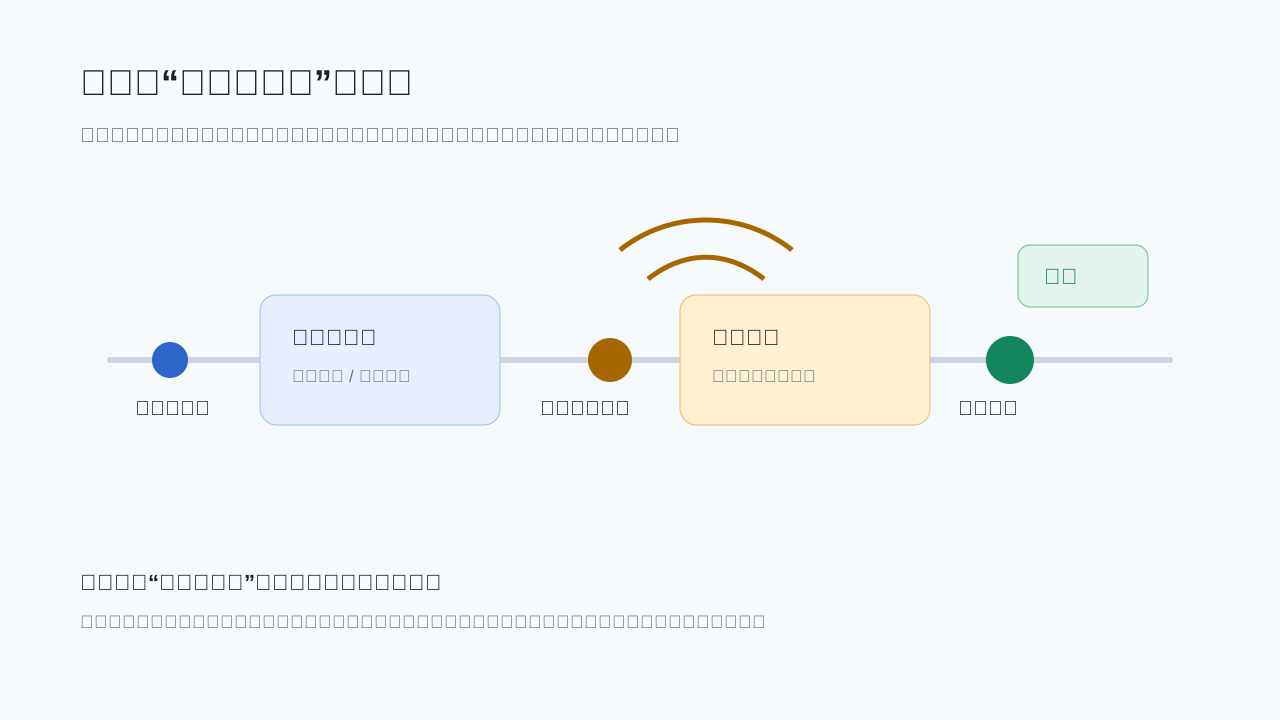
Figure 3: The reset window before the refresh is the action window. Unused quota cannot be recovered after it is overwritten by the next cycle.
4. Root Cause: Users Lack an Action-Oriented Signal Layer
It would be easy to frame the problem as “why does OpenAI have limits?” That misses the point. Limits are normal for high-cost services, especially when long-context, tool-using, multi-step agent tasks consume significant compute and infrastructure. The user-side problem is the lack of a signal layer that turns public information into action advice.
Official documentation usually answers questions such as: how the product is available, which plans can use it, what interfaces exist, and how usage is measured. The status page answers a different question: is there an incident, which components are affected, and has the incident recovered? Public social discussion answers yet another question: what are users seeing in the wild?
All of these are important, but they are not written in the same language.
The user wants answers to practical questions:
- Is a reset window open right now?
- If not, is the probability high in the next 24 to 48 hours?
- When did the latest window open and close?
- Which signals support the judgment?
- Should I wait, observe, or use remaining quota now?
- Can I subscribe through RSS or JSON instead of manually refreshing a page?
Codex Reset Radar sits in this gap. It collects public status, public posts, community feedback, and historical windows. It normalizes signals, scores them, applies cooldown logic, and presents a judgment closer to user action.
That is why the tool is interesting. It is not a large product, but it targets a real pain. Many useful tools are not valuable because they have many features. They are valuable because they compress scattered information into one clear question: should I act now?
5. What Codex Reset Radar Monitors
The public dashboard and JSON files expose several kinds of information.
The first is the current window state. current.json reports whether a valid window exists, whether the window is open, and what action is recommended. If no window is open, the status is effectively “none.” If a window is open, the recommended action is to use remaining quota and wait for a closing signal.
The second is the latest window record. The page and RSS feed record open time, close time, duration, scope, summary, and sources. One recent public record shows a window opening at 08:21 UTC+8 on May 23, 2026 and closing at 04:14 UTC+8 on May 24, 2026, lasting around 19 hours and 53 minutes. This helps users decide whether they are still in a window, or whether the radar is now in a post-window cooldown period.
The third is the prediction level. prediction.json includes levels such as low, medium, or high, with estimated probabilities over 24 and 48 hours. At the time this article was drafted, the radar showed a low probability because the latest window had just closed, so the cooldown logic treated another immediate reset as less likely.
The fourth is signal summary. The radar separates official status, official public posts, community posts, replies, and market or usage-related discussion. It also distinguishes positive, negative, and unrelated signals. That matters because not every mention of “reset” is a reset forecast. Some posts are aftermath. Some are jokes. Some are unrelated. Some may be strong signals.
The fifth is subscription. The dashboard exposes RSS, current.json, and prediction.json. This means it is not just a page to refresh manually. It can be connected to an RSS reader, a notification bot, a personal dashboard, or a scheduled script.
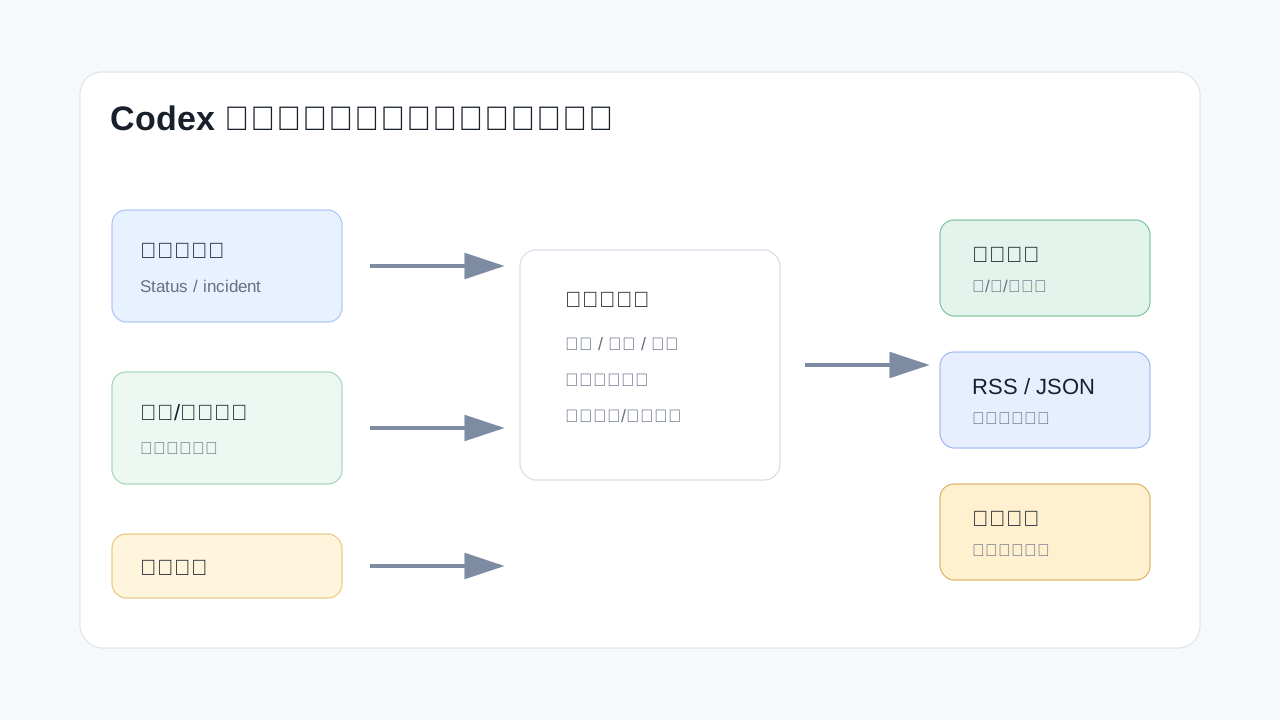
Figure 4: The radar’s value is in compressing public signals into a practical decision: should the user act now?
6. How to Use It: Manual, Heavy-User, and Automated Modes
If you use Codex occasionally, the simplest approach is to open the page and read the main cards. You only need a few signals: current window, latest window, prediction level, signal summary, and history. You do not need to understand every scoring rule.
If you are a heavy user, treat the radar as a scheduling signal. Keep a low-risk task pool ready: documentation, tests, read-only reviews, log analysis, script cleanup, bilingual writing, dependency checks, or runbook generation. When the radar is low, work normally. When the radar is medium, high, or open, pull suitable tasks forward.
If you prefer automation, subscribe to the RSS feed. RSS is mature, boring, and useful. It can connect to readers, mail rules, chat bots, or desktop notifications. It does not require you to hand over any private Codex credentials.
If you want more precise automation, read the JSON endpoints:
curl -s https://codex-reset-radar.pages.dev/current.json
curl -s https://codex-reset-radar.pages.dev/prediction.json
A conservative alert policy might notify you only when window_open is true, or when the prediction level is high and should_notify is true. Do not let low-probability signals interrupt your day. Treat the radar like a weather forecast. It can help you plan, but it does not control the weather.
7. Recommended Workflow: Prepare the Backlog Before the Window Opens
The worst time to decide what to do is after the alert arrives. The best way to use Codex Reset Radar is to prepare the backlog in advance.
I would divide tasks into three groups.
The first group is read-only work. Examples include repository structure analysis, recent commit summaries, complex module explanation, incident timeline reconstruction, and public documentation review. These are low risk and can be started quickly when the radar lights up.
The second group is reversible work. Examples include adding tests, improving documentation, generating scripts, refactoring small modules, and cleaning configuration templates. Codex can modify files here, but version control, build verification, and human review remain mandatory.
The third group is approval-required work. Deployment, deletion, migration, major upgrades, production configuration changes, and permission changes belong here. A quota reset signal should not accelerate these actions. It can justify asking Codex to prepare a plan, compatibility assessment, rollback checklist, or risk list. It should not bypass normal approval.
This classification prevents a common mistake: treating a quota window as a reason to rush everything. The right approach is to send expiring quota into low-risk, high-value work, not to increase operational risk.
8. Important Boundaries: The Radar Is Not an Official Guarantee
Any prediction based on public signals can be wrong. Codex usage limits, resets, compensation, incident recovery, rollout timing, and account-specific state can differ across users. One person seeing a reset does not mean all users see it at the same time. A window closing does not mean every account has finished updating. A noisy public discussion does not guarantee a compensation reset.
Several boundaries matter.
First, it is not an official OpenAI page. Official information comes from OpenAI product interfaces, official documentation, and the OpenAI status page. The radar is an aggregation and interpretation layer.
Second, it should not need your account information. A healthy public alert tool only needs public signals. It does not need your Codex login state, cookies, token, or billing details. Any tool asking for private credentials deserves extra caution.
Third, it will not catch everything. Some resets may have no public early signal. Some signals may be noise. Some windows may affect only certain plans or interfaces.
Fourth, do not create meaningless tasks just to consume quota. The useful pattern is moving real backlog items earlier.
Fifth, do not use reset alerts to rush high-risk changes. Production changes, data deletion, account migration, and permission updates still need normal backups, approval, and rollback planning.
9. A Practical Quota-Window Checklist
For heavy Codex users, I recommend keeping a checklist ready.
Good tasks for a reset window:
- Run a read-only architecture scan of a repository.
- Review recent commits and identify missing test coverage.
- Improve README files, examples, and error handling notes.
- Convert manual operations into runbooks.
- Analyze failure logs and produce a root-cause tree.
- Draft bilingual technical articles with privacy checks.
- Review dependency upgrade risks without immediately changing production.
- Ask for a code review focused on regressions and missing tests.
Tasks that should not be rushed because of a quota window:
- Deleting data or cleaning unknown directories.
- Modifying production credentials, permissions, or network policy.
- Upgrading core services without a rollback plan.
- Giving real tokens, cookies, or billing data to a third-party alert tool.
- Generating useless content only to consume quota.
The principle is simple: a quota window may change priority, but it should not weaken engineering discipline.
10. Q&A
Q1: Can Codex Reset Radar guarantee early prediction for every reset?
No. It only evaluates public signals. If there is no public early signal, if the signal is weak, if noise is high, or if the reset affects only some users, it may miss the event or report it late.
Q2: Does it read my Codex account or remaining quota?
The public dashboard presents public monitoring and prediction. It should not require your account information. You should not provide private account data, cookies, tokens, or billing details to any unofficial alert tool.
Q3: Why does it show “low probability” or “cooldown” after a reset?
Because immediately after a reset window closes, another reset is usually less likely. Cooldown logic helps avoid repeated false alerts after a completed event.
Q4: What should I do when the window is open?
Look at your prepared backlog. If you have low-risk, high-value tasks, use Codex on those tasks first. Do not rush risky operations just because quota may reset soon.
Q5: Why is RSS useful here?
Reset windows can be short. Manually refreshing a page is unreliable. RSS can feed readers, email rules, bots, or desktop notifications with low complexity and low privacy risk.
Q6: Could this kind of tool mislead users?
Yes, if users treat it as an official guarantee. It should be used as a scheduling signal, not as a source of truth for high-risk decisions.
Q7: Why focus on the pre-reset moment instead of the reset itself?
Because the new quota after a reset is still available. The unused quota before a reset is the part that can disappear. Early warning is useful because it lets you convert expiring quota into real work.
11. Summary: The Real Value Is Connecting the Alert to Your Workflow
Codex Reset Radar is a lightweight site: a dashboard, a few JSON files, an RSS feed, historical windows, and prediction signals. But the problem it addresses is not lightweight. It turns the uncertainty around Codex reset timing into a signal that can be observed, subscribed to, and acted on.
It is most useful for three groups:
- Heavy Codex users who run long tasks, complex investigations, or multi-file edits.
- Developers who already use AI tools as part of their daily scheduling.
- People with a backlog of low-risk tasks that can quickly become useful output.
Do not overstate it. It is not an official promise, not a perfect predictor, and not a way to bypass limits. Treat it as an early-warning layer. When the radar lights up, open your prepared backlog and spend the remaining quota on work that is already valuable, low risk, and verifiable.
If Codex helps developers turn ideas into code, Codex Reset Radar helps with a smaller but practical problem: turning expiring time and quota into actual delivered work before the reset arrives.
References
- Codex Reset Radar: https://codex-reset-radar.pages.dev/
- Codex Reset Radar RSS: https://codex-reset-radar.pages.dev/feed.xml
- Codex Reset Radar current.json: https://codex-reset-radar.pages.dev/current.json
- Codex Reset Radar prediction.json: https://codex-reset-radar.pages.dev/prediction.json
- OpenAI Status: “Increase in users hitting Codex rate limits,” May 23, 2026: https://status.openai.com/incidents/01KS88SRADTWQW27NYRAXMBAQN
- OpenAI Help Center: Using Codex with your ChatGPT plan: https://help.openai.com/en/articles/11369540-using-codex-with-your-chatgpt-plan