How to Install Jike AC Virtual Machine in Proxmox VE Environment?
According to 恩山的集客AC AP扫盲贴:
Q: Can I skip
ACand have twoAPconnect directly to the main router for roaming? A: Yes, but roaming works better withACthan without it. Withacpresent, roaming performance won’t disappoint. Jike’s roaming is not a simple weak-signal kick. Withacin place, excellent roaming effects are achieved regardless of whether Jikeapsupportskvr, becauseac+apis proactive roaming, which does not rely onkvrprotocol and has very low requirements on clients. Microaconly handles configuration distribution and cannot perform proactive roaming; roaming effectiveness depends on the client.
Introduction to Jike AC
Previously, several Jike AP devices at home were never centrally managed using AC.
After setting up PVE in a home environment, you can add a Jike AC virtual machine at no extra cost to centrally manage all AP and various wireless devices throughout your home. Isn’t that wonderful?
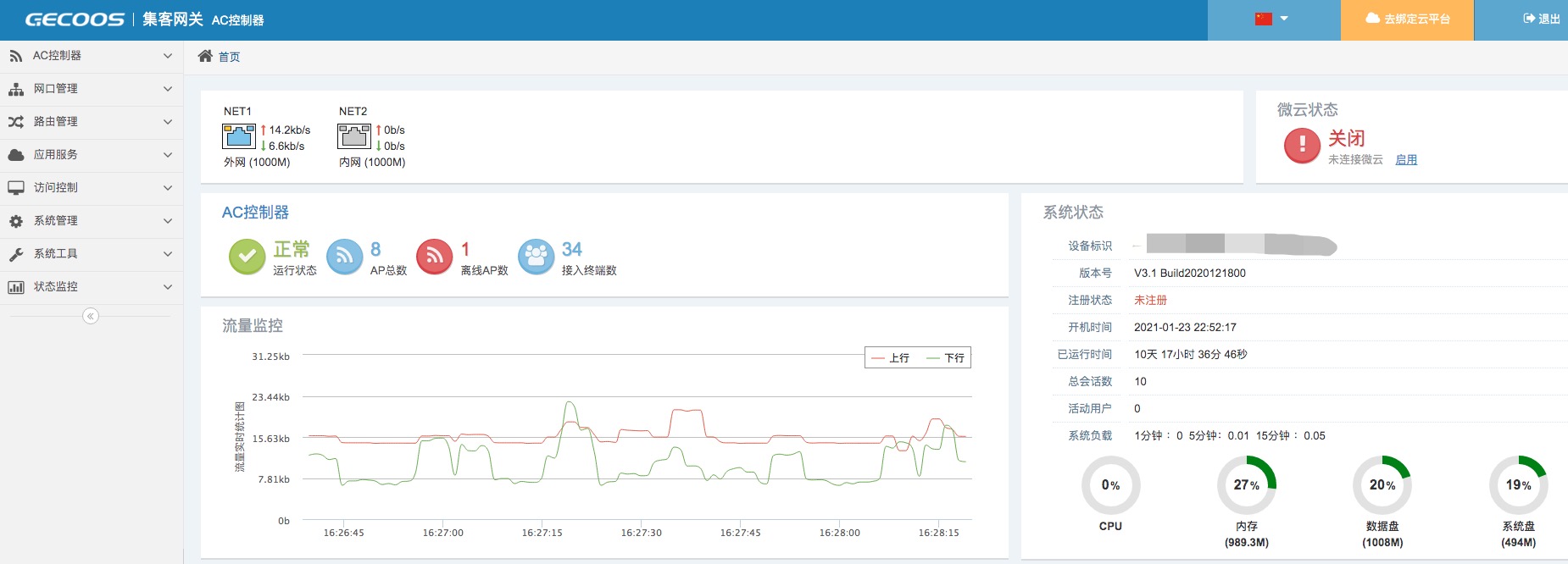
Below is the AC homepage after successful installation:
Installation Mode
It is recommended to use 旁AC mode for installation, so AC is only responsible for managing AP. As for external network access, DHCP and other matters, it takes no responsibility for them.
Download AC x86 Firmware
- Download vhd格式的安装包
- Visit 集客的官方蓝奏云地址 to download the latest upgrade package
Import Virtual Machine Image
- Refer to the previous article 在 Proxmox VE 里面,如何导入第三方的虚拟机镜像? for guidance
Boot and Install Jike AC
- Open the virtual machine in
PVEand connect to it - After successful startup, select
3> AC控制器版as the installation version - After installation is complete, in the management interface of
PVE, shut down the virtual machine, delete the installation disk, and click “Save”. Otherwise, the installation process will repeat.