Still Googling "What Is My IP"? This Niche Site Runs a Full Network Checkup with 1,600 Probes
Quick question: when you want to check your IP address, is your first move opening a search engine and typing “what is my IP”?
If so, this article might change how you think about the task. Checking your IP is like a health checkup — measuring blood pressure (your egress IP) is only the most basic item. The pros run the ECG, blood work, and ultrasound too. ip.skk.moe is exactly that kind of “network clinic”: free, ad-free, running entirely in your browser, offering seven diagnostics that take you from “who am I” all the way to “which city does my DNS leave from”.
I have been tinkering with soft routers and traffic-splitting rules for years. Whenever I need to answer “why is this site slow” or “did my split routing actually take effect”, this is the site I end up opening. Let’s walk through it top to bottom.
1. What it is: a niche tool site alive since 2019
ip.skk.moe is a personal project built by developer Sukka in 2019. You may not know the name, but anyone who uses Surge / Clash rule sets has almost certainly consumed the rulesets he maintains — he is a bona fide veteran in the traffic-splitting scene.
According to his own 2023 year-in-review, the site started as a simple “show my IP” page. After a 2023 rewrite with Next.js + React 18, it gained multi-egress probing, multi-source GeoIP lookup, UDP egress testing, and domain-based split testing. In 2024, CDN edge-node detection for Zenlayer, Melbicom and others was added.
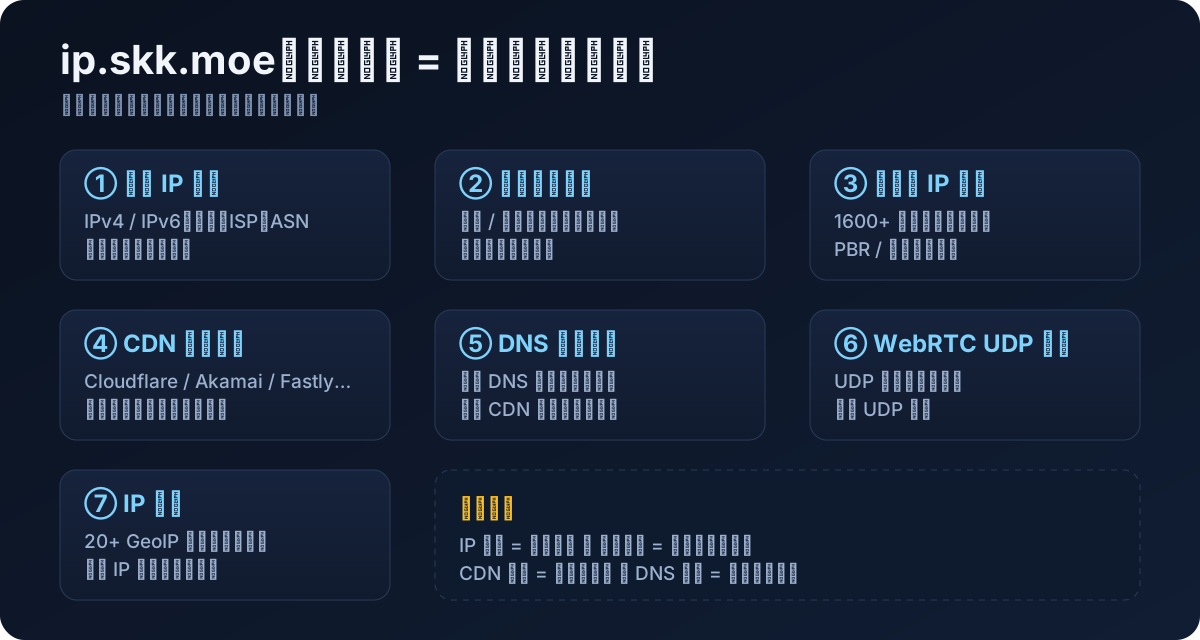
The site currently offers seven tools:
- My IP lookup: IPv4/IPv6, location, ISP, ASN.
- Website split test: which egress domestic vs. international sites take.
- Multi-egress IP lookup: 1,600+ probes validating your policy-based routing.
- CDN edge-node lookup: which edge node each CDN assigned to you.
- DNS exit lookup: which city your recursive DNS exits from.
- WebRTC UDP lookup: which IP your UDP traffic uses.
- IP Insight: one IP interrogated by 20+ GeoIP databases at once.
2. The metaphors first: what are IP, CDN, and DNS anyway
Before diving in, let’s explain the key concepts in plain everyday language. Everything below builds on these five analogies:
- An IP address is your home’s street number. Couriers (data packets) need it to deliver to you. When you browse, websites see your street number.
- Your egress IP is the checkout log at the neighborhood gate. Websites don’t care which apartment you live in — they only record “this visitor exited through gate X”. You and your neighbors may share one gate.
- A CDN is a network of parcel lockers across the country. Big websites don’t keep servers in just one place; they place “lockers” (edge nodes) everywhere so you can pick up packages nearby and fast.
- DNS is the information desk. Before visiting “example.com”, you ask the desk where it is, and it hands you an address.
- The DNS exit is where the information desk itself stands. Here is the catch: locker companies decide which locker to send you to based on where the desk is standing. If the desk stands in Shanghai, you may be routed to a Shanghai locker even if you live in Beijing — this is the hidden reason many people experience slow CDN speeds.
Keep these five analogies in mind and you already understand most of what follows.
3. My IP lookup: cross-validated by four sources
The homepage covers the basics, but with more care than typical IP sites:
- The left panel shows your IPv4 and IPv6 with location, ISP, and ASN (the “ID card” of a network operator).
- The right panel queries iP138, IP.cn, Cloudflare, and IPinfo.io simultaneously — two domestic and two international sources for cross-validation.
- Below sits a connectivity panel: ByteDance, Bilibili, WeChat, Taobao (domestic) plus GitHub, jsDelivr, Cloudflare, YouTube (international), with live latency.
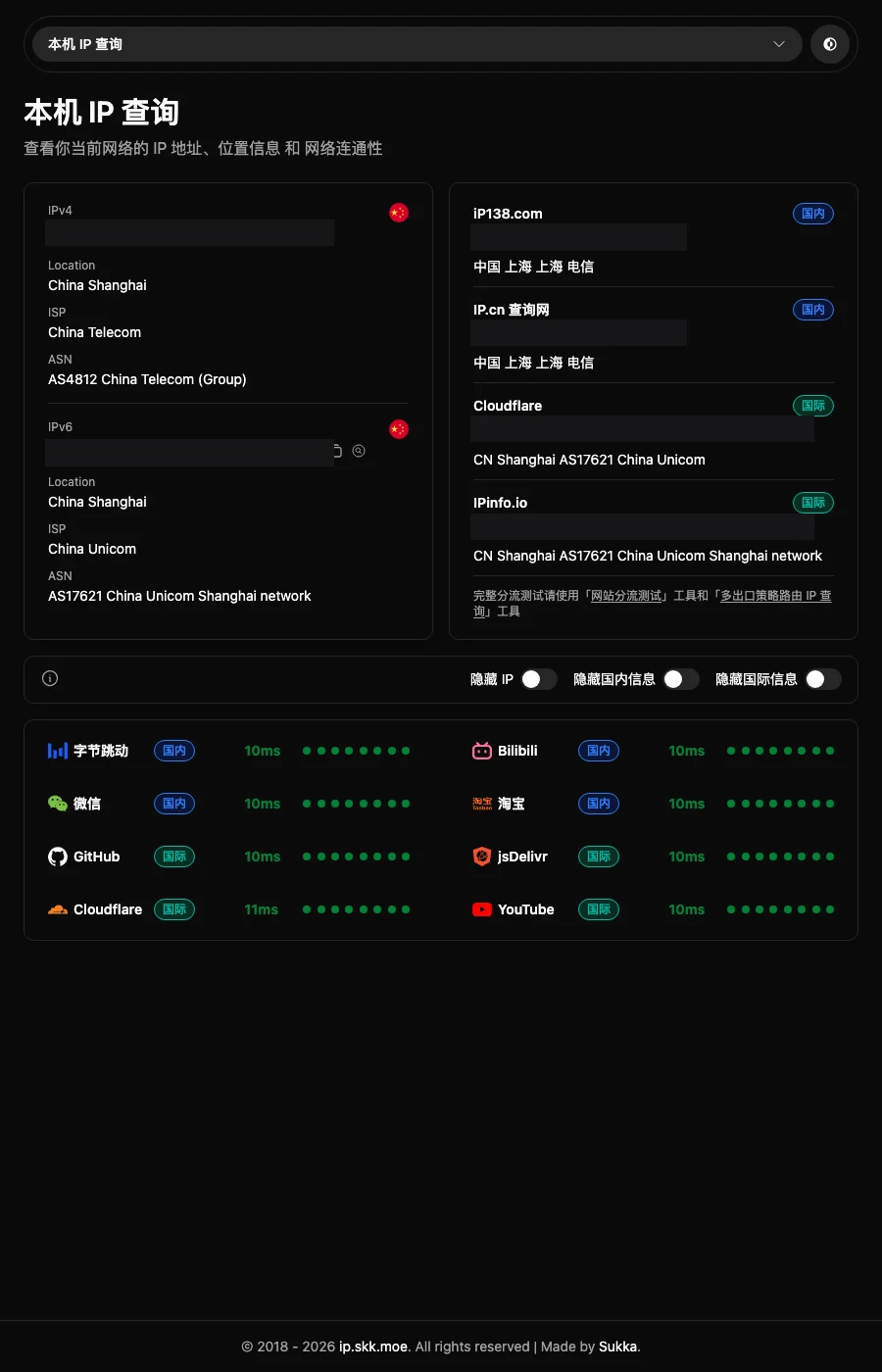
The practical value of this layout: one glance tells you the state of your network. All-green domestic with all-red international means your international egress is down, and vice versa. There are also three toggles — “hide IP / hide domestic info / hide international info” — so you never need to manually mask screenshots before asking for help in a group chat. A small detail that shows the author truly understands users.
Worth noting: the site sits behind Cloudflare with a fairly strict WAF. My headless-browser screenshot attempt got blocked once with a 403 security page. Normal browsing is fine, but scripted bulk access will likely be turned away.
4. Split testing and multi-egress lookup: a “magic mirror” for router tweakers
Next come the two advanced features that separate this site from a search-engine IP lookup.
4.1 Website split test
After configuring split routing (domestic direct, international via relay), how do you verify the rules actually work? This tool visits a batch of domestic and international sites and tells you which egress each one used.
Analogy: your home has two water meters — one for tap water, one for purified water. The split test opens every faucet in turn and reports which water each one flows.
4.2 Multi-egress policy-routing IP lookup
This one goes further: it uses 1,624 probes from different countries and regions (based on speedtest.net nodes), asking each probe to contact your network and report the egress IP it sees.
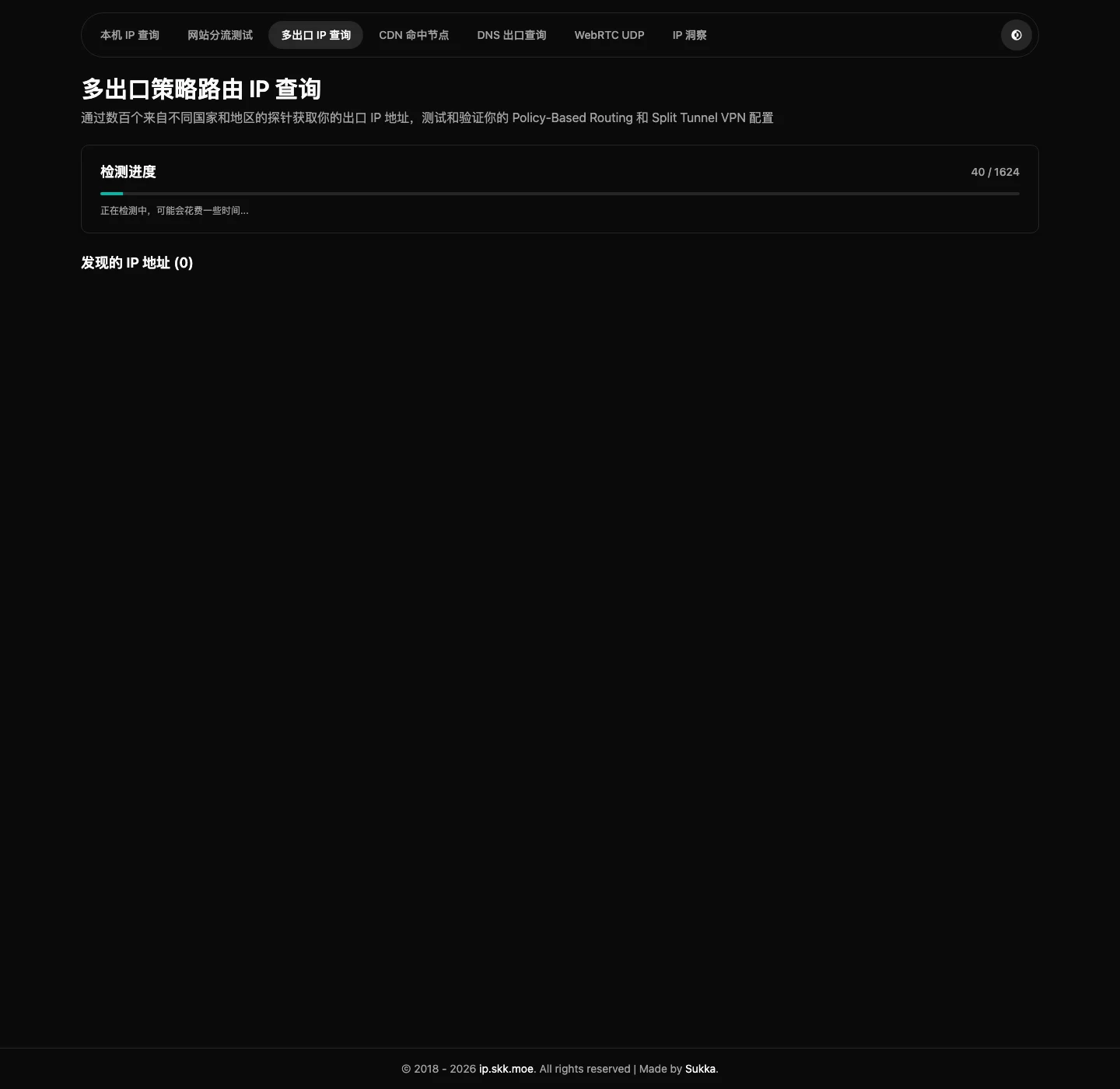
When is this useful? Say you configured a split tunnel so only specific traffic enters the tunnel while the rest goes direct. Not confident it works? Run the multi-egress test. If every probe reports the same IP, your splitting never took effect — everything exits through one gate.
It is like designing a route plan with different exits for different destinations, then posting 1,624 observers at every city gate to see where you actually come out. Whether your route table is correct becomes immediately obvious.
5. CDN edge-node lookup: which locker did you get
This is my favorite page. It shows which edge node you hit for 20+ CDNs: Cloudflare, Cloudflare China, Fastly, jsDelivr, AWS CloudFront, GCP, Akamai, Bunny, CDN77, Tencent EdgeOne, Zenlayer, CDNetworks, and more.
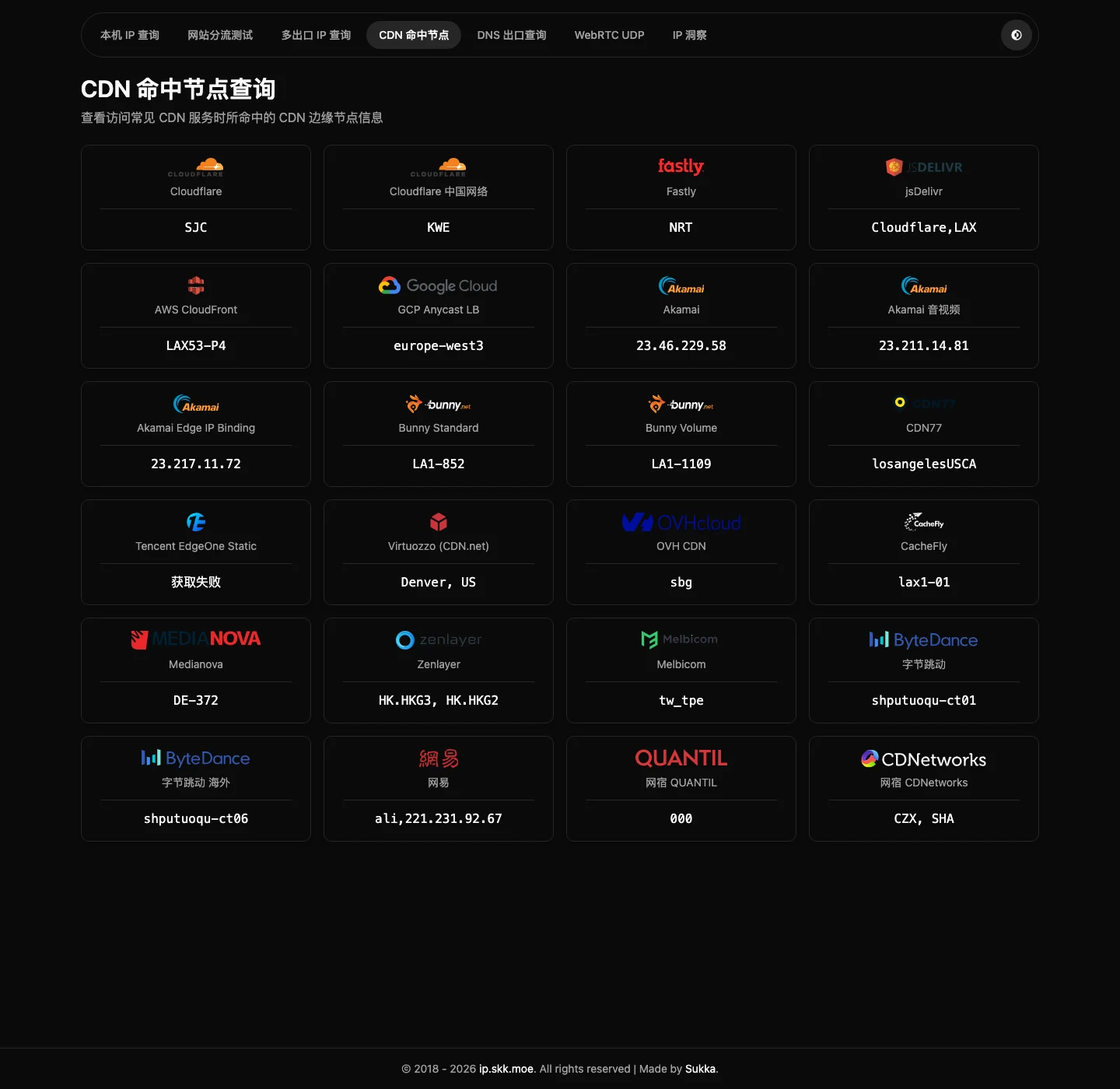
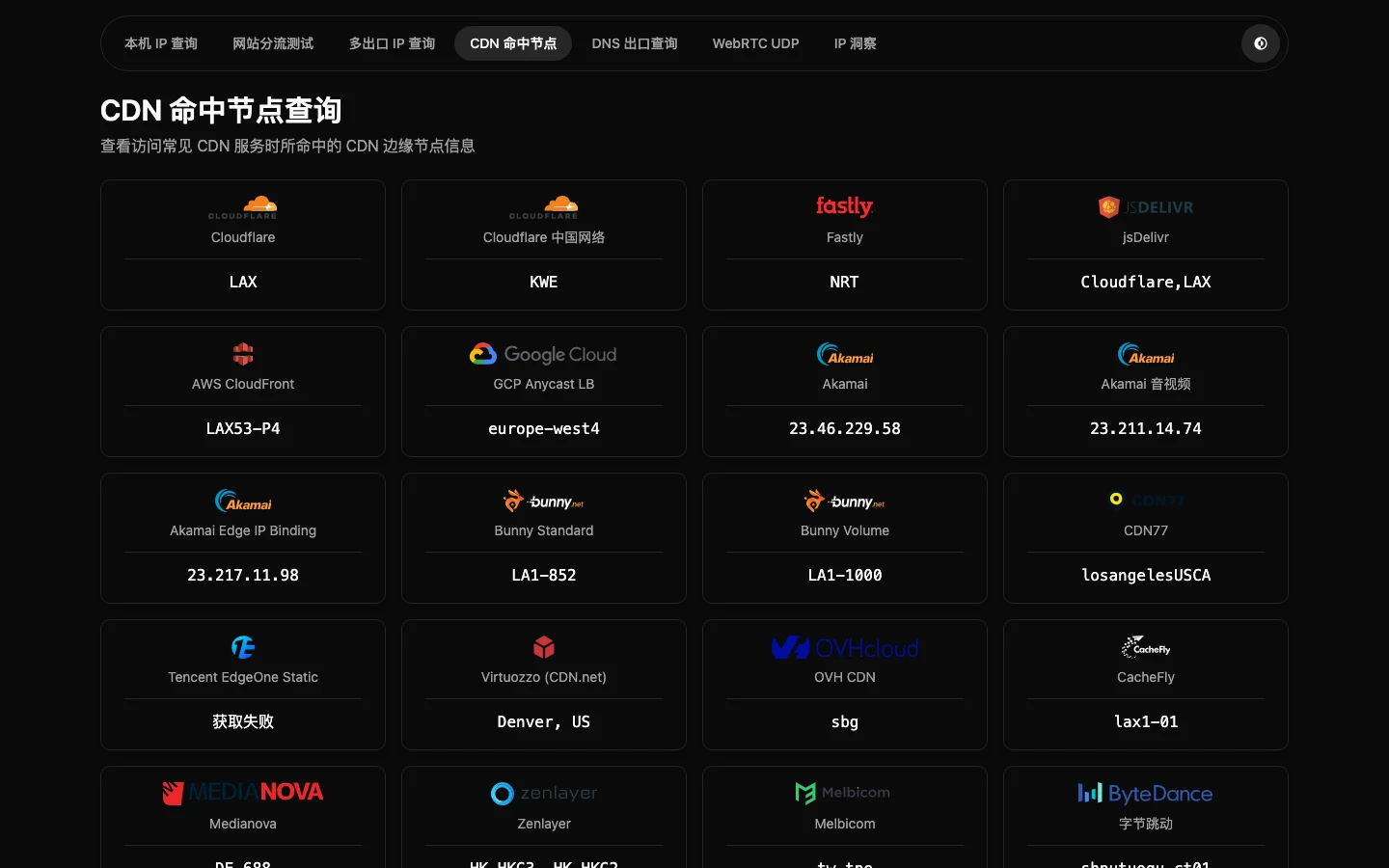
Node codes are airport codes: SJC is San Jose, NRT is Tokyo Narita, LAX is Los Angeles, HKG is Hong Kong. If you are in China but Cloudflare assigns you SJC on the US west coast, that alone explains why some sites feel like dial-up.
In parcel-locker terms: this page lists all 20 locker companies you use and tells you which city each one stored your package in. Nearby lockers are fast; a locker on the other side of the planet can’t be saved by any bandwidth upgrade.
6. DNS exit lookup: finding why you were misrouted
Remember: CDNs assign lockers based on where the information desk stands. So how do you know where your desk is? DNS exit lookup answers exactly that — through multiple detection services (netease, ipleaks, browserleaks, surfshark, alibaba, etc.), it reveals your recursive DNS’s exit IPs and their geolocations.
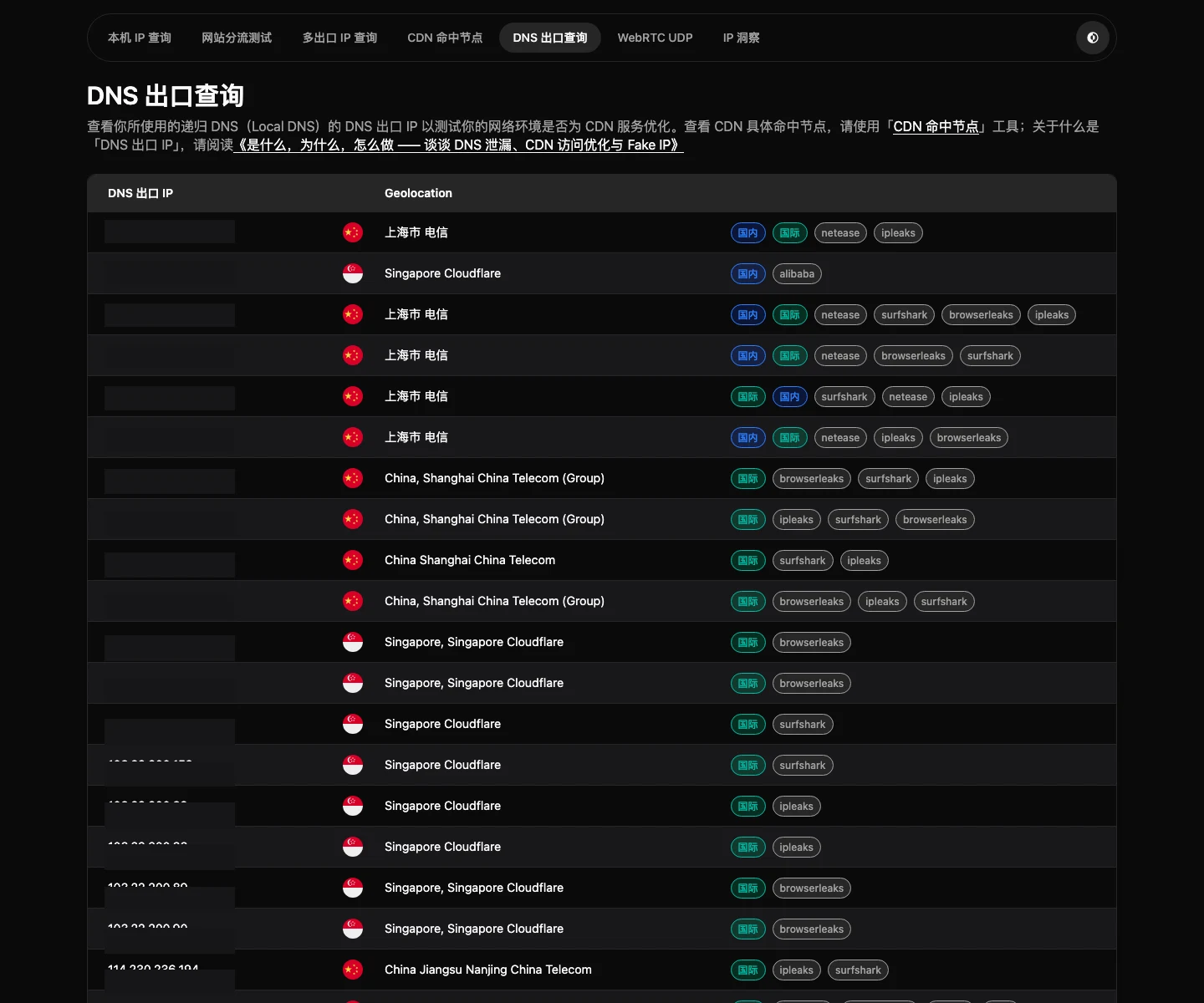
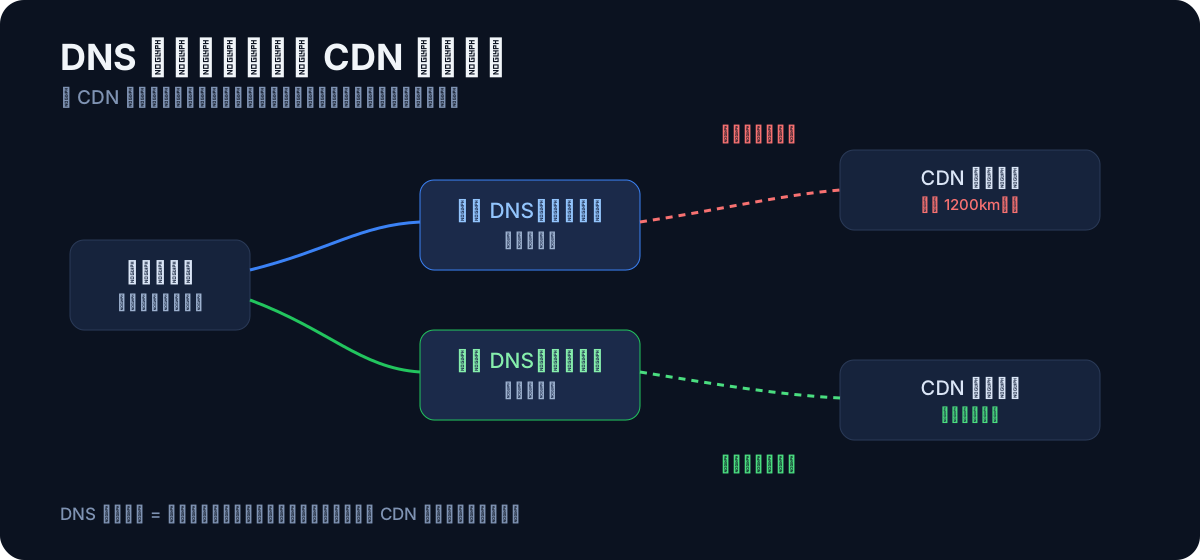
A real scenario: you live in Beijing on Beijing Unicom, but your DNS is a public resolver whose exit sits in Shanghai. The CDN concludes “this user is in Shanghai” and assigns you a Shanghai edge node. Result: 1,200 km of physical distance, at least 20 ms of extra latency, and download speeds cut in half.
That is the value of DNS exit lookup — it turns “why did the CDN misroute me” from superstition into verifiable fact. The author also links a long-form article, “What, Why, and How — DNS Leaks, CDN Optimization, and Fake IP”, for anyone who wants to go deeper.
7. WebRTC UDP lookup: an easily overlooked side channel
Most people only test TCP egress (what web browsing uses), but voice calls, video conferencing, and QUIC/HTTP3 all ride UDP. WebRTC defaults to UDP, and this page probes a series of STUN servers (Xiaomi, Tencent, Douyu, Google, Mullvad, Twilio, etc.) to detect which IP your UDP traffic uses.
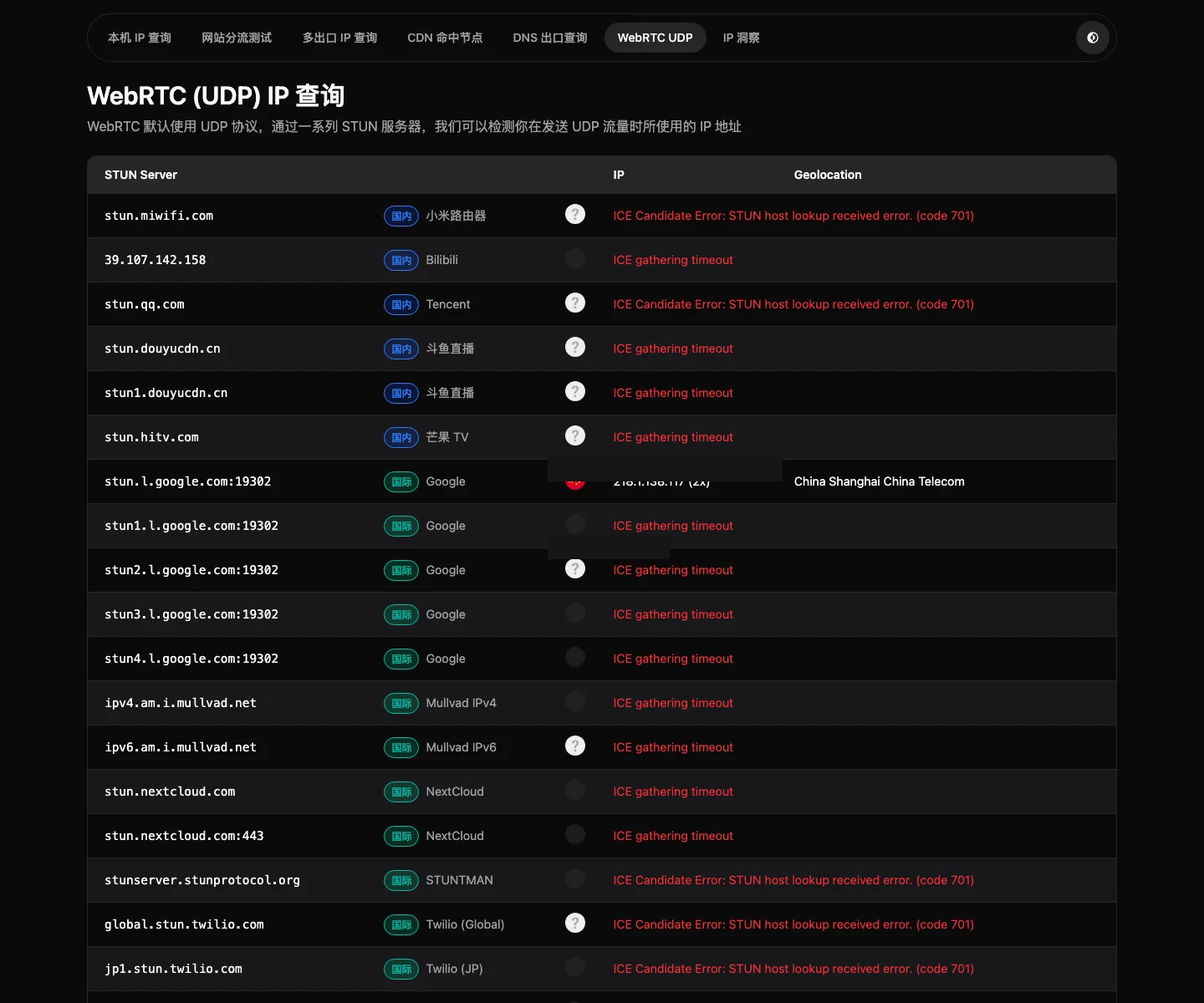
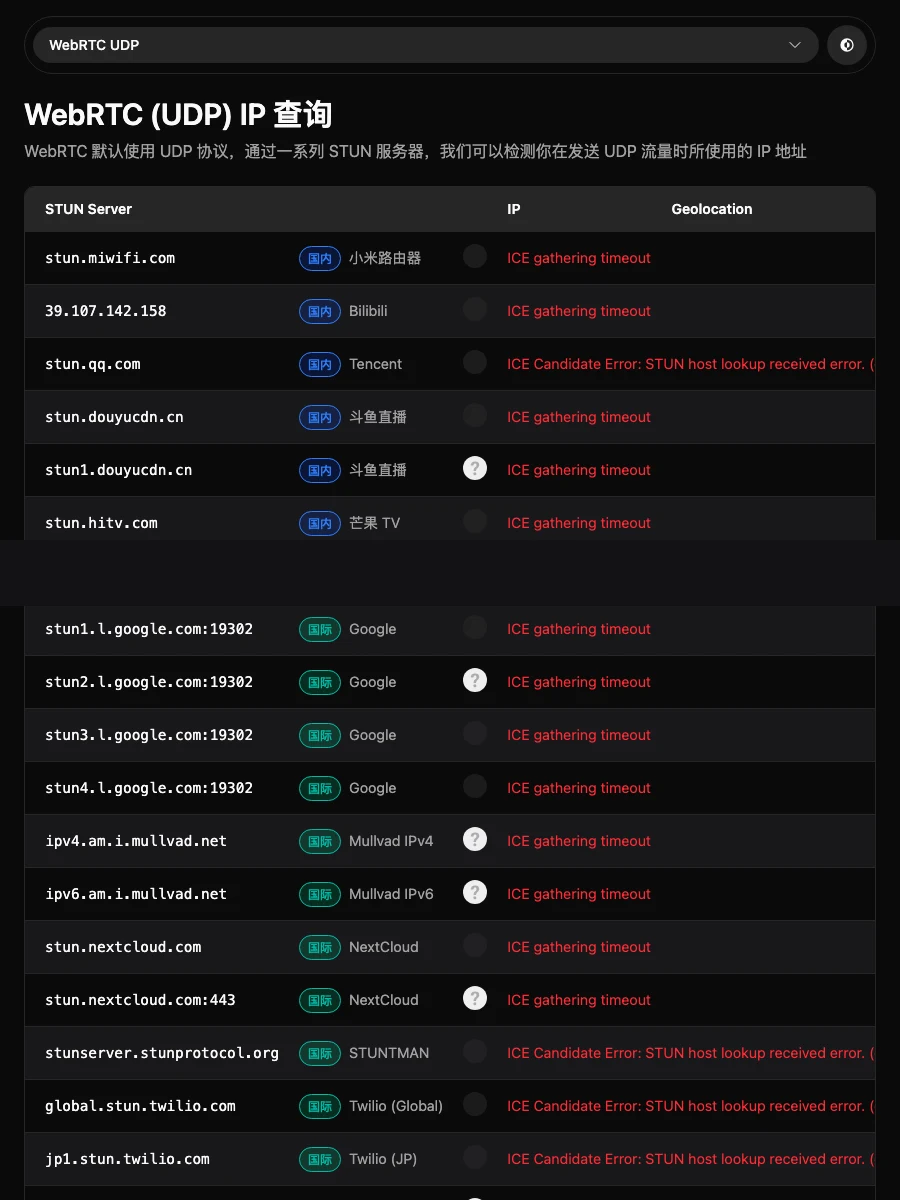
Why does it matter? Many tunnel tools only capture TCP, letting UDP quietly slip out the local egress — you think you’re hidden while your voice traffic runs naked. In analogy: you installed an access-control door (TCP) but forgot the small kitchen window (UDP). This tool checks that window for you.
In my test, only Google’s STUN returned egress info; most others timed out — itself useful information, showing my network restricts most STUN servers.
8. IP Insight: a “panel consultation” of 20+ databases
The final tool is for “archaeology”: enter any IP and it queries 20+ GeoIP databases at once — IP.SB, IPQuery.io, GeoJS, IP-API, IPinfo, DB-IP, GeoLite2, IPIP.net, IP2Location, ipwhois, IPLocate, CZ88, and more — presenting everything in one big table.
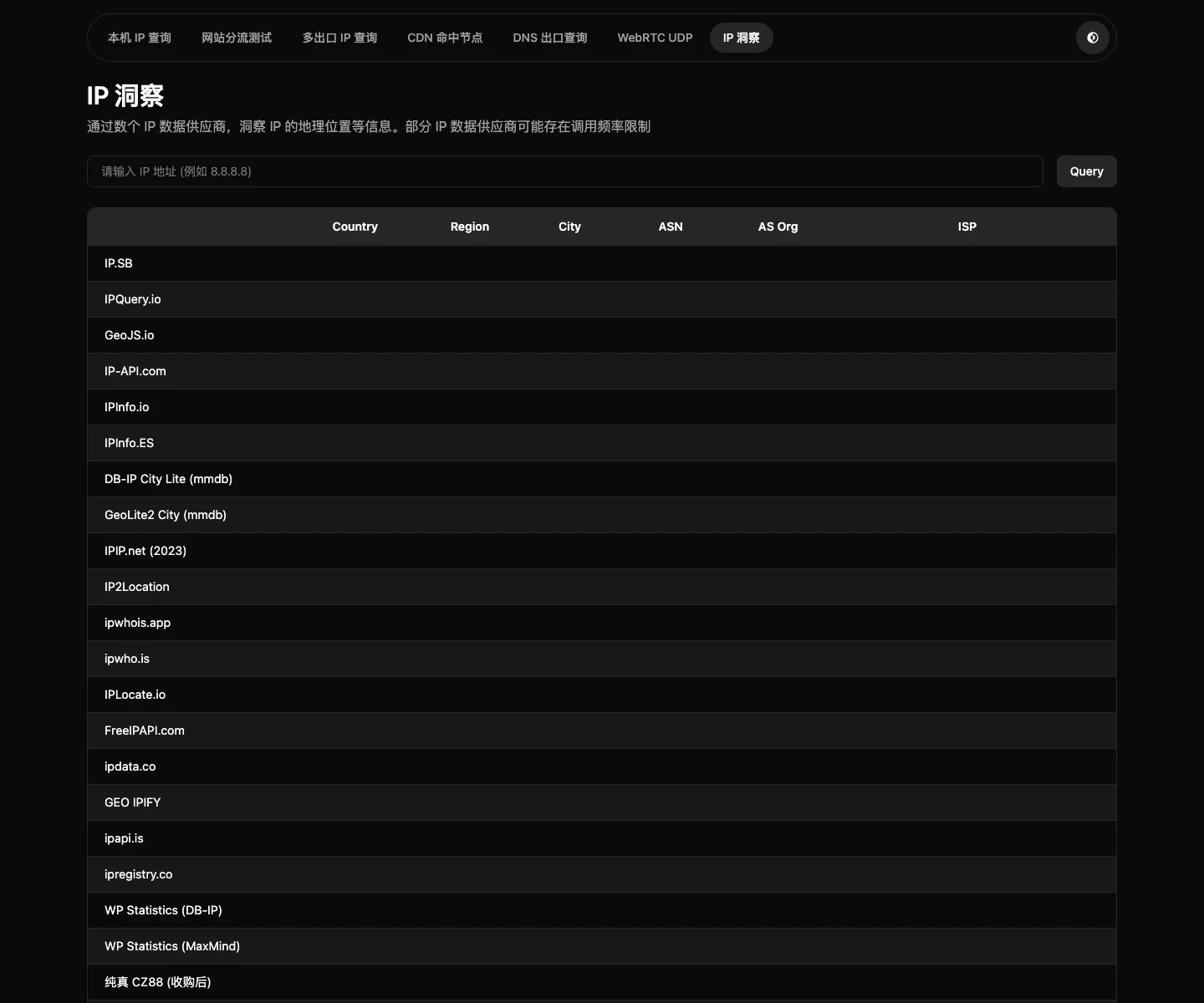
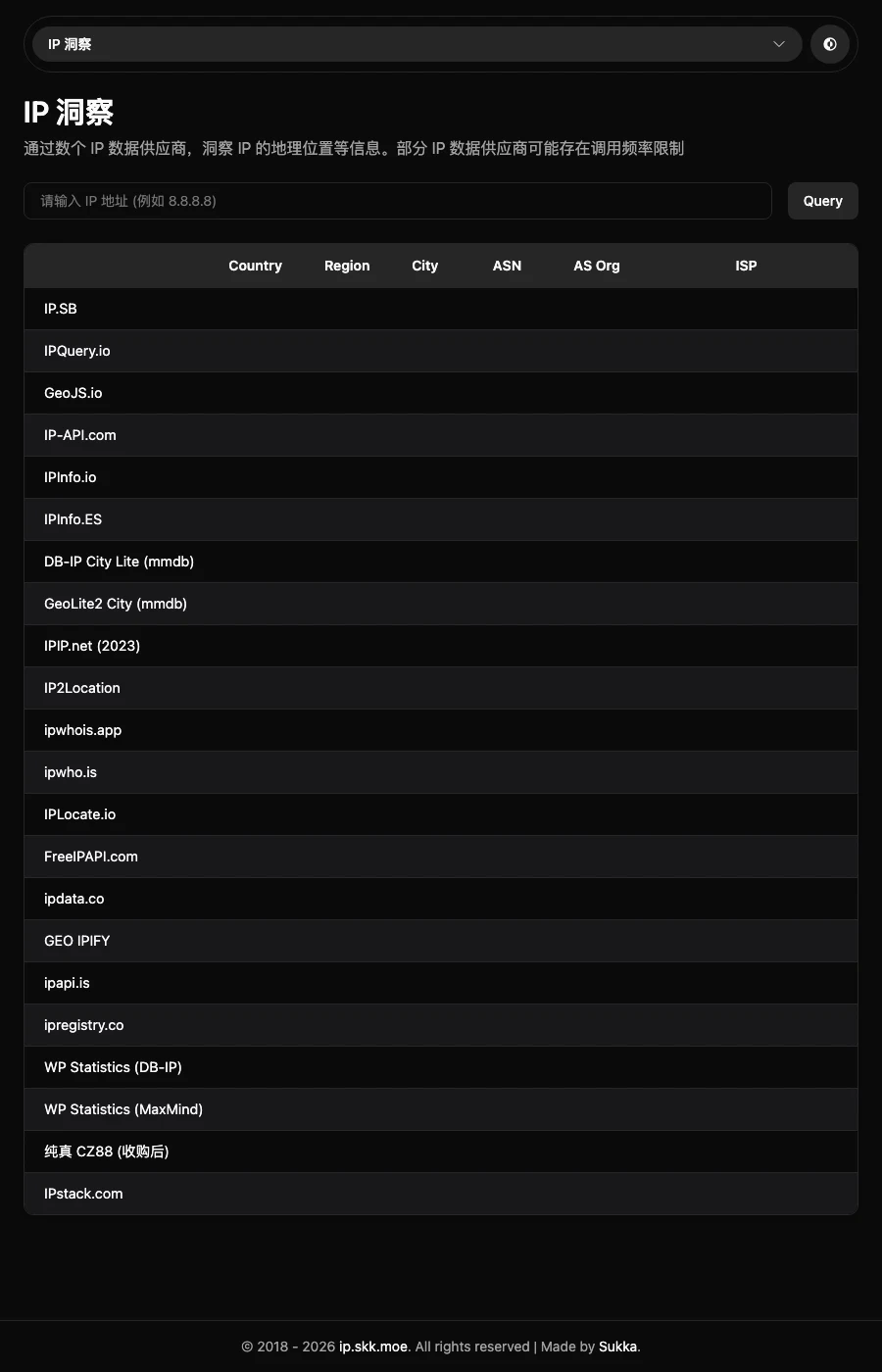
It’s like a medical panel consultation: one doctor (database) may misdiagnose, but twenty doctors together are far more trustworthy. Practical uses abound: checking whether an IP is datacenter or residential, verifying your own IP database’s labels, or simply studying how GeoIP databases disagree — you will find the same IP mapped to different cities or even countries, which is exactly why GeoIP is “for reference only”.
9. Q&A
Q1: Is this site safe? Will it log my IP? A: Every website you visit can see your IP — that’s how the Internet works, not something specific to this site. It’s a well-known developer’s personal project with no ads and no sign of tracking-script abuse. If you’re still concerned, use the built-in “hide IP” toggle on the homepage.
Q2: How is it better than classic IP lookup sites? A: Traditional sites answer “who am I”. This one answers “who am I, which route do I exit by, where does my DNS stand, which CDN node was I assigned, and is my UDP leaking”. One is a thermometer; the other is a full clinic.
Q3: Is it useful for ordinary users, or only for tinkerers? A: Ordinary users only need “My IP + CDN edge nodes”. If a site feels slow, check the CDN page; if you were assigned an overseas node, rebooting your modem for a new egress IP often fixes it instantly.
Q4: Does it work on phones? A: Yes. The responsive design is solid — several screenshots in this article were captured at mobile width.
Q5: Why do most of my STUN tests time out? A: Many ISPs and corporate networks restrict UDP ports like 3478/19302. Timeouts don’t mean your network is broken. As long as one or two STUN servers return a result, that’s enough to judge your UDP egress.
Q6: How long does the multi-egress test take? A: All 1,624 probes take a few minutes, but results stream in live. Usually one or two hundred probes are enough to tell whether splitting works.
10. Final thoughts
Great tool sites share one trait: the author is a heavy user themselves. ip.skk.moe clearly qualifies — not a KPI-driven product, but a toolbox a seven-year routing veteran built for himself and then happened to share with everyone.
Next time someone asks “how do I check my IP”, don’t send them to a search engine. Hand them https://ip.skk.moe/ instead, with one tip: scroll down — the best parts come after the homepage.
References: