Stop Sprinkling API Keys Everywhere: My Self-Hosted NewAPI Relay Station
TL;DR
NewAPI is not a free-model trick and it is not a mysterious proxy. In my setup, it is the front desk for AI usage: every app talks to one endpoint, while the gateway routes requests to authorized upstream providers and handles tokens, quotas, groups, model limits, logs, and usage accounting. For a personal deployment, the big win is not “one more dashboard”; it is no longer scattering upstream keys across every client, script, and agent.
This post explains why I wanted a self-hosted model relay, what people usually misunderstand, how to deploy a minimal Docker Compose version, why I add persistent storage, and how to use one-click scripts for Windows 11, Ubuntu 26.04, and macOS 26. It also includes an agent-driven setup prompt with strict boundaries. No private address, complete machine name, private domain, or real secret is included.
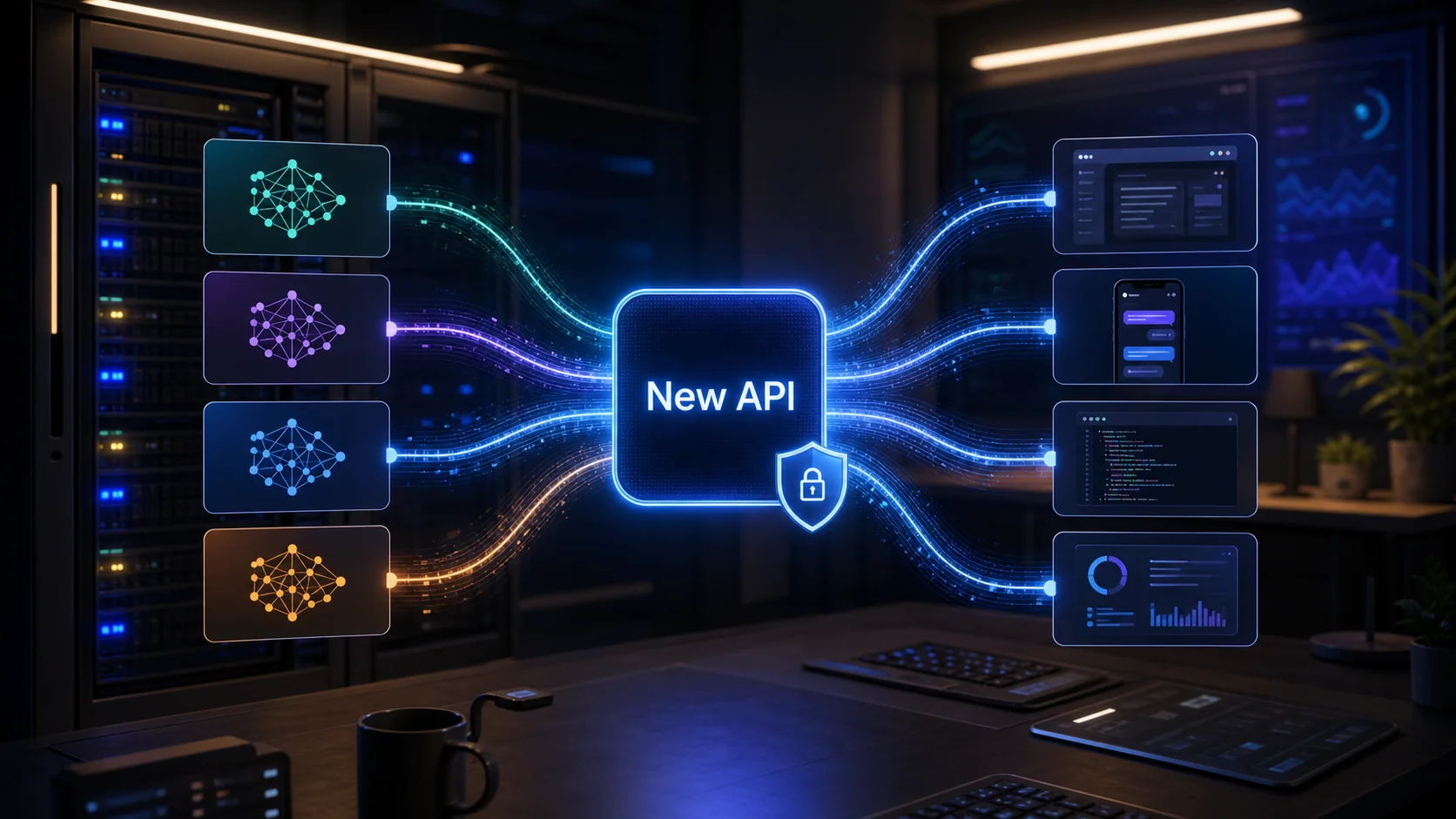
Figure 1: AI-generated cover. NewAPI does not create models; it centralizes model entry points, permissions, and accounting.
1. Background: Why I Wanted a Personal AI Relay
If you only use one model in one chat website, you probably do not need NewAPI. My usage no longer looks like that. I have desktop clients, command-line agents, editors, scripts, and temporary test tools. Each wants model access. The upstream providers are also different: some are cheap, some are fast, some have long context, some are better for coding, and some are enough for small jobs.
The naive approach is obvious: paste an API endpoint and key into every tool. It works, then slowly becomes a mess.
First, secrets scatter everywhere. Months later, you no longer know which old config file, environment variable, or script still contains a key.
Second, model names drift. One client uses one alias, another client uses another. When an upstream model changes, you have to inspect every tool.
Third, usage is hard to explain. Which tool spent the quota? Which model got expensive? Which token should be limited? Without one ledger, you guess.
Fourth, access control is too broad. Giving an upstream key directly to an app is like handing over the whole building keychain when the app only needs the kitchen door.
NewAPI addresses exactly this “too many entry points” problem. The official README describes it as a next-generation LLM gateway and AI asset management system. It includes a modern UI, multi-language support, dashboard, token grouping, model restrictions, usage and cost accounting, and compatibility with OpenAI, Claude, Gemini, and other API styles. My simpler mental model: it is a self-hosted front desk for model access.
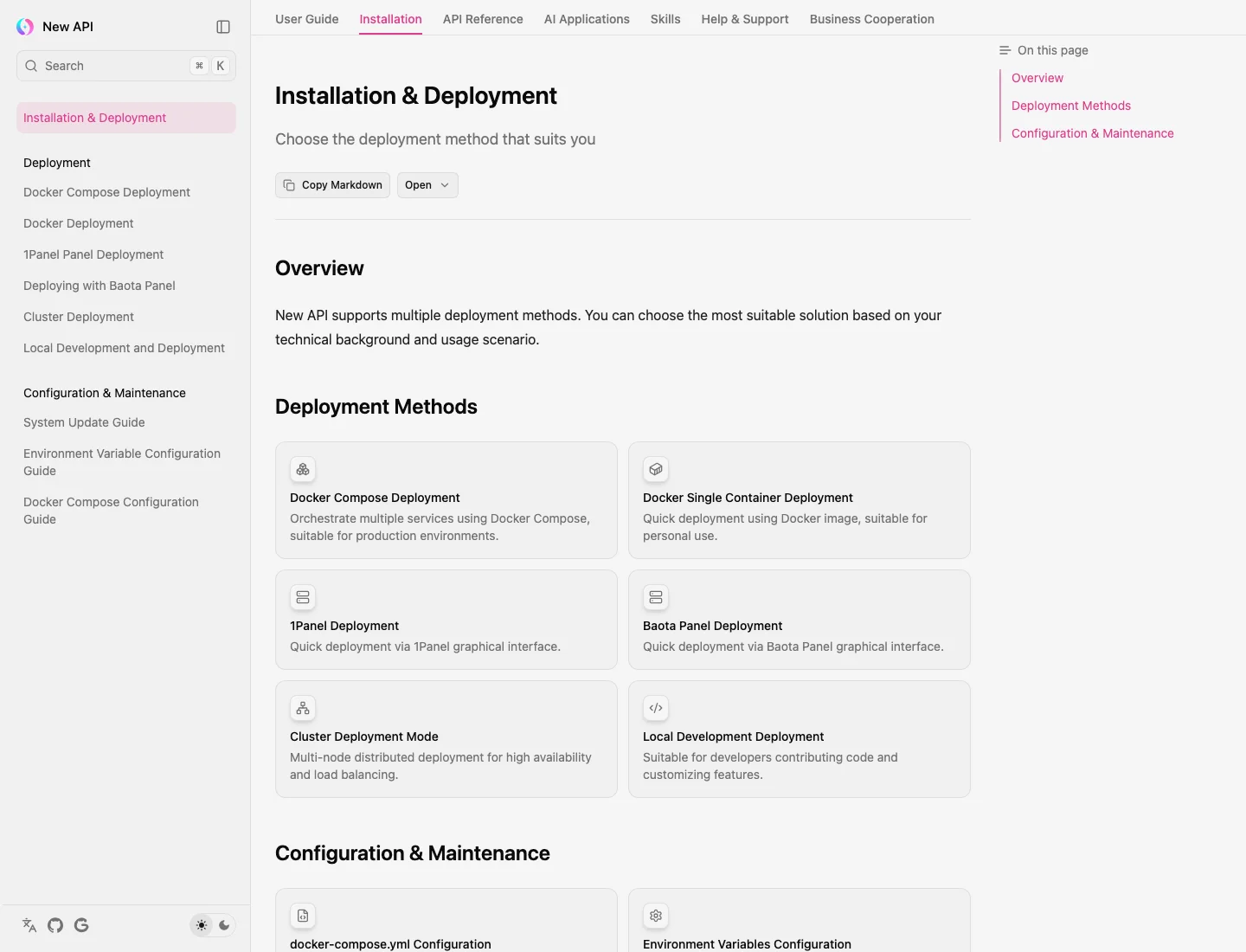
Figure 2: Real screenshot from the official New API installation page. Docker Compose is one of the documented deployment paths and fits long-running self-hosted services.
2. Symptom: You Think It Is Request Forwarding, But It Is Key and Ledger Management
When people hear “relay station”, they often imagine a plain reverse proxy: the client sends a request, the proxy forwards it upstream, and the response comes back. If that were all we needed, a basic HTTP proxy would be enough.
NewAPI is useful because of the middle layer:
- Channel management: upstream providers can be managed as channels, with model mappings, weights, and status.
- Token management: different tools can receive different tokens with quotas, groups, and model scopes.
- Usage records: you can see who called which model and when.
- Compatible entry point: clients can usually call a familiar OpenAI-style endpoint while NewAPI talks to different upstream formats.
- Operational settings: for personal use it is a household ledger; for a small team it becomes budget and permission control.
A simple analogy: upstream API keys are kitchen keys, while NewAPI is the cafeteria card system. Students should not walk into the kitchen and open refrigerators. They should swipe their own cards. The card has balance, allowed counters, and transaction history. If a card is lost, you disable that card; you do not replace every lock in the cafeteria.
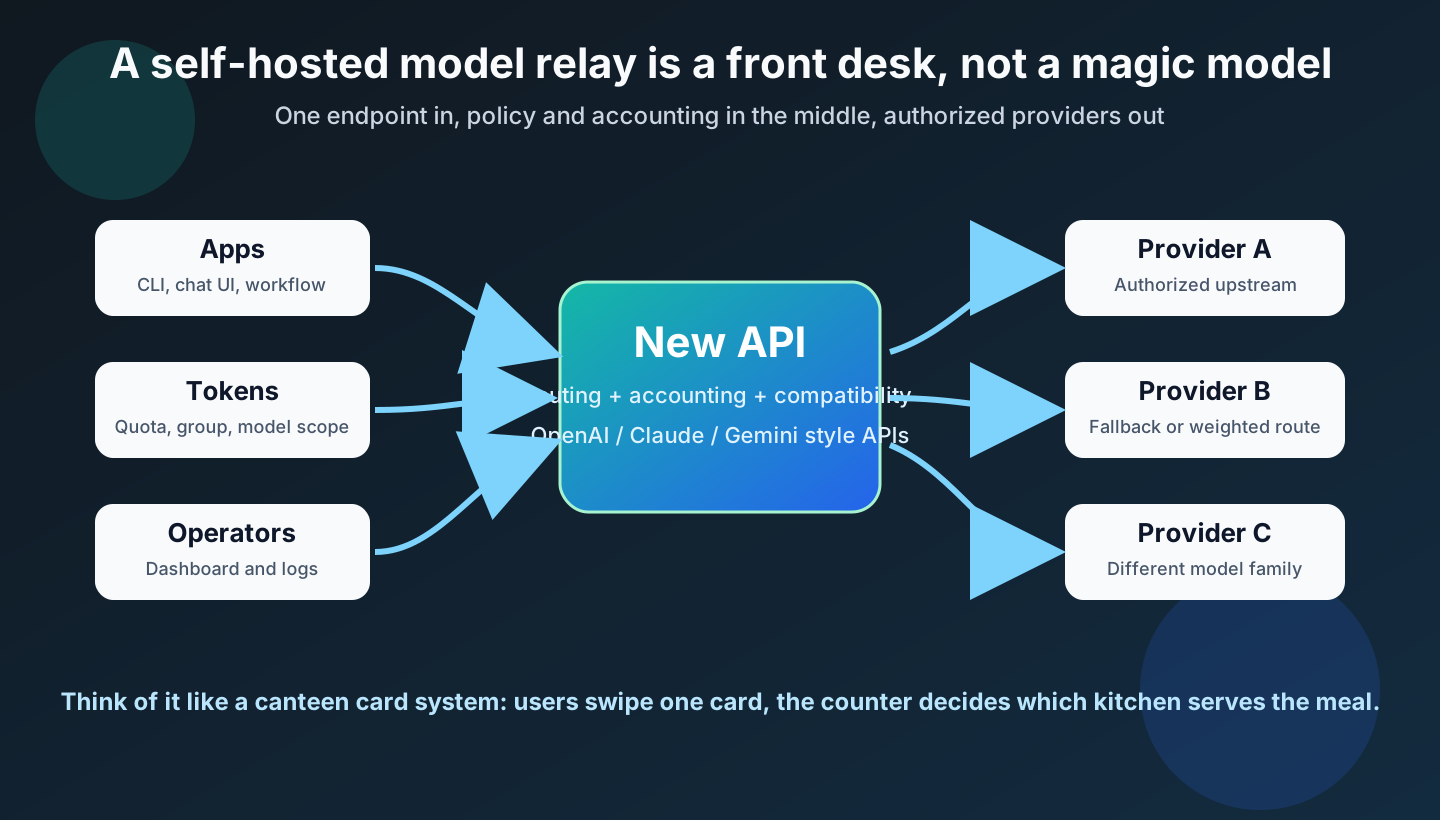
Figure 3: NewAPI is closer to a cafeteria card system than a raw proxy. Clients hold scoped tokens; upstream keys stay at the gateway layer.
3. Analysis: Five Deployment Traps
The most common NewAPI deployment mistake is not a wrong command. It is assuming “the page opens” means “the system is done.”
Trap 1: no persistent data directory. The minimal Compose snippet can start the container, but without ./data:/data, container recreation may lose SQLite data, uploaded files, or local state. Even a personal deployment needs persistence because configuring channels and tokens takes time.
Trap 2: using latest blindly. Official examples often use calciumion/new-api:latest for convenience. I prefer pinning a known tag, such as the user-provided calciumion/new-api:v1.0.0-rc.19-i18nfix.2. Pinning means a rebuild tomorrow uses the same behavior as today. Upgrades become deliberate.
Trap 3: pasting upstream keys into posts, scripts, or chat logs. Articles should contain placeholders only. Real keys should enter the system through the web UI, a secret manager, or a safe local input flow. If an agent helps with setup, do not let it read .env secrets or print sk- values.
Trap 4: no post-init verification. A container being Up only means the process is alive. It does not prove login works, channels work, or tokens can call models. At minimum, check logs, the status endpoint, the admin UI, one authorized channel, one low-quota token, and one minimal client request.
Trap 5: treating a private gateway as a public service. Public generative AI services or API resale involve content safety, identity, retention, taxes, licensing, upstream authorization, and local regulatory obligations. The official README also warns users to handle these requirements themselves. This post is about lawful personal or small internal usage.
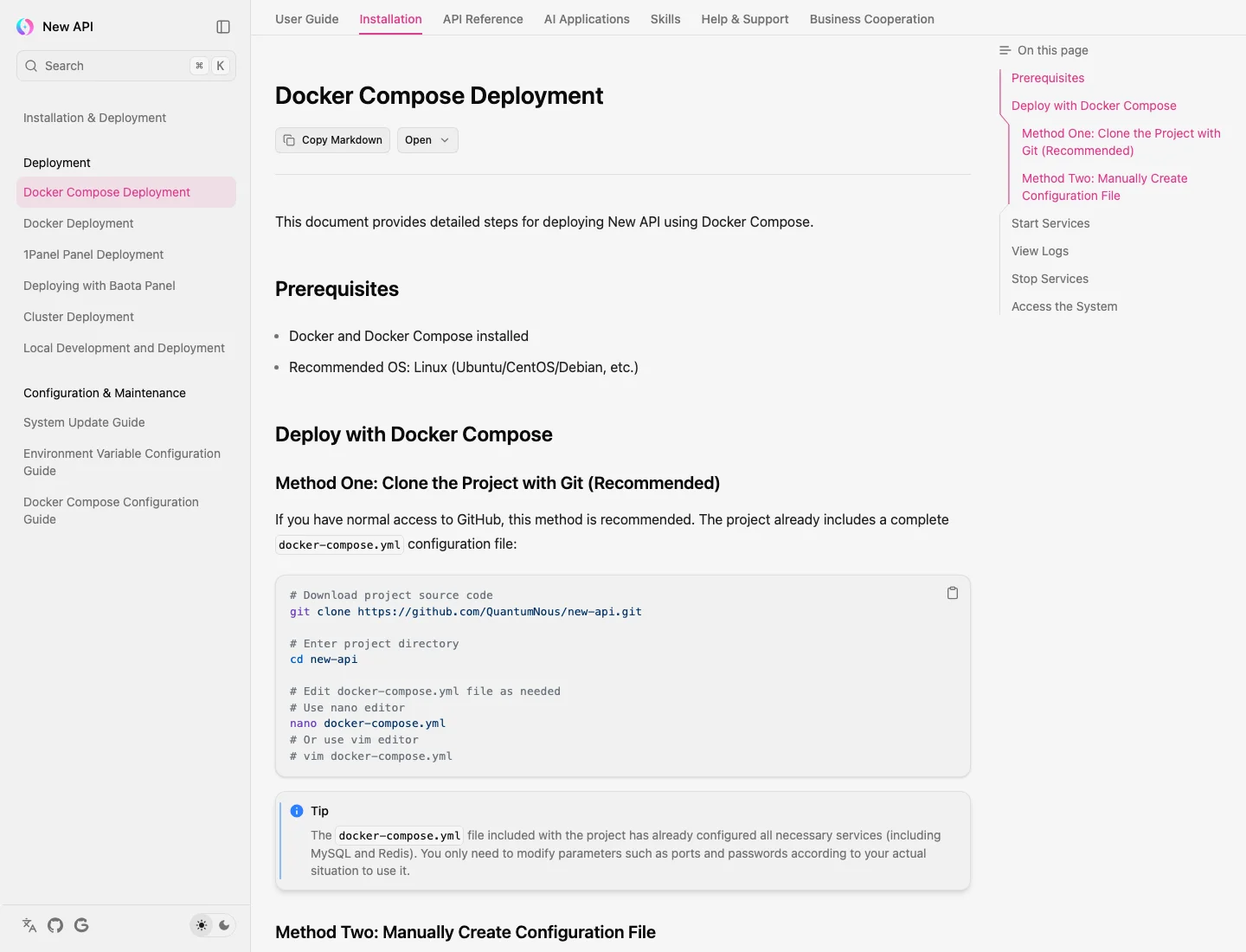
Figure 4: Real screenshot from the official Docker Compose deployment page. Deployment includes logs and status checks, not just copying YAML.
4. Fix: Start Minimal, Then Add Persistence and Verification
The user-provided Compose file is the minimal runnable version:
services:
  new-api:
    image: calciumion/new-api:v1.0.0-rc.19-i18nfix.2
    container_name: new-api
    restart: always
    ports:
      - "3000:3000"
    environment:
      TZ: "Asia/Shanghai"
It can start the service, but I recommend adding a data volume for personal use:
services:
  new-api:
    image: calciumion/new-api:v1.0.0-rc.19-i18nfix.2
    container_name: new-api
    restart: always
    ports:
      - "3000:3000"
    environment:
      TZ: "Asia/Shanghai"
      SESSION_SECRET: "${SESSION_SECRET}"
    volumes:
      - ./data:/data
Do not hardcode a sample SESSION_SECRET; generate it. The ./data:/data mount is the baseline. Think of it as putting your notebook into a backpack: the container can be replaced, but the notes should not vanish.
If the service grows, you can add PostgreSQL/MySQL and Redis later. The official Docker Compose configuration guide includes a production-style example with database, Redis, logs, healthcheck, and variables such as SQL_DSN, REDIS_CONN_STRING, SESSION_SECRET, NODE_TYPE, and SYNC_FREQUENCY. My practical advice: on day one, make the minimal version work; upgrade to the database version when you have multiple users, multiple channels, and a clear backup plan.
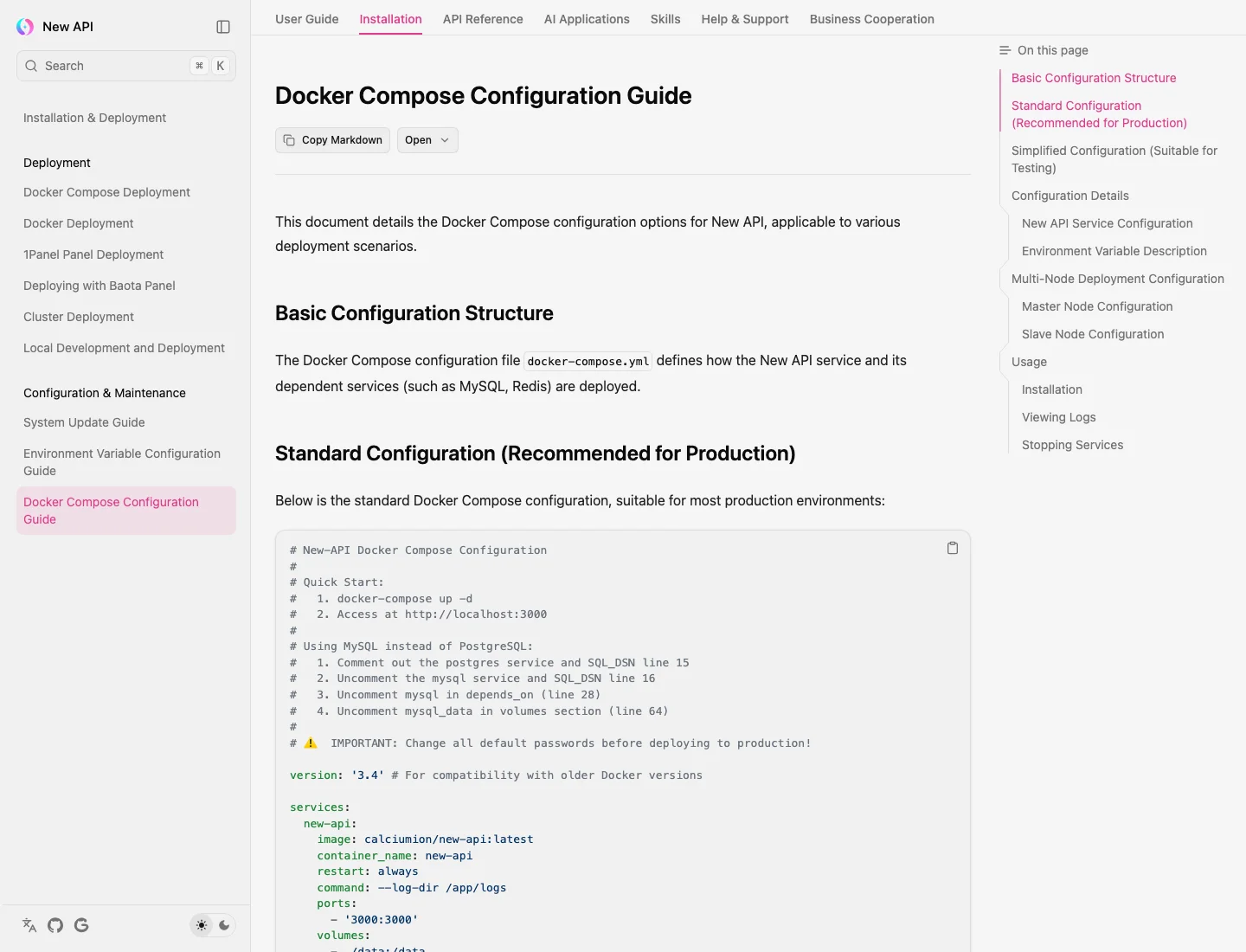
Figure 5: Real screenshot from the official configuration guide. Long-running services need persistent data, database choices, Redis, healthchecks, and changed default passwords.
5. One-Click Scripts: Windows 11, Ubuntu 26.04, macOS 26
All three scripts do the same thing:
- Check Docker and Docker Compose.
- Create a deployment directory.
- Generate a random
SESSION_SECRET. - Write
docker-compose.ymland.env. - Start NewAPI.
- Run a local status check.
- Avoid installing extra services, storing upstream keys, or exposing private addresses.
The scripts themselves do not call extra SaaS services. Docker image pulling still requires your machine to access the registry you already use. The only access URL shown is localhost, plus placeholders where needed.
Windows 11: PowerShell
Save as install-newapi-windows.ps1 and run it in PowerShell:
$ErrorActionPreference = "Stop"

$Root = Join-Path $HOME "newapi"
$Image = "calciumion/new-api:v1.0.0-rc.19-i18nfix.2"
$Port = "3000"

function Need-Cmd($Name) {
  if (-not (Get-Command $Name -ErrorAction SilentlyContinue)) {
    throw "Missing command: $Name. Please install Docker Desktop first."
  }
}

Need-Cmd docker
docker compose version | Out-Null

New-Item -ItemType Directory -Force -Path $Root | Out-Null
New-Item -ItemType Directory -Force -Path (Join-Path $Root "data") | Out-Null

$SecretBytes = New-Object byte[] 32
[Security.Cryptography.RandomNumberGenerator]::Fill($SecretBytes)
$SessionSecret = [Convert]::ToBase64String($SecretBytes)

@"
SESSION_SECRET=$SessionSecret
"@ | Set-Content -Encoding UTF8 (Join-Path $Root ".env")

@"
services:
  new-api:
    image: $Image
    container_name: new-api
    restart: always
    ports:
      - "$Port`:3000"
    environment:
      TZ: "Asia/Shanghai"
      SESSION_SECRET: "`${SESSION_SECRET}"
    volumes:
      - ./data:/data
"@ | Set-Content -Encoding UTF8 (Join-Path $Root "docker-compose.yml")

Push-Location $Root
docker compose up -d
Start-Sleep -Seconds 8
docker compose ps
try {
  $r = Invoke-WebRequest -UseBasicParsing "http://localhost:$Port/api/status" -TimeoutSec 8
  Write-Host "Status endpoint HTTP:" $r.StatusCode
} catch {
  Write-Host "Container started. If status check failed, open http://localhost:$Port and check docker compose logs."
}
Pop-Location

Write-Host "NewAPI files are in $Root"
Write-Host "Open http://localhost:$Port for first-time initialization."
Ubuntu 26.04: Bash
Save as install-newapi-ubuntu.sh and run bash install-newapi-ubuntu.sh:
#!/usr/bin/env bash
set -euo pipefail

ROOT="${HOME}/newapi"
IMAGE="calciumion/new-api:v1.0.0-rc.19-i18nfix.2"
PORT="${NEWAPI_PORT:-3000}"

need_cmd() {
  command -v "$1" >/dev/null 2>&1 || {
    echo "Missing command: $1. Please install Docker Engine and Docker Compose plugin first." >&2
    exit 1
  }
}

need_cmd docker
docker compose version >/dev/null

mkdir -p "${ROOT}/data"
SESSION_SECRET="$(openssl rand -base64 32 2>/dev/null || head -c 32 /dev/urandom | base64)"

cat > "${ROOT}/.env" <<EOF
SESSION_SECRET=${SESSION_SECRET}
EOF
chmod 600 "${ROOT}/.env"

cat > "${ROOT}/docker-compose.yml" <<EOF
services:
  new-api:
    image: ${IMAGE}
    container_name: new-api
    restart: always
    ports:
      - "${PORT}:3000"
    environment:
      TZ: "Asia/Shanghai"
      SESSION_SECRET: "\${SESSION_SECRET}"
    volumes:
      - ./data:/data
EOF

cd "${ROOT}"
docker compose up -d
sleep 8
docker compose ps

if command -v curl >/dev/null 2>&1; then
  curl -fsS "http://localhost:${PORT}/api/status" || true
  echo
fi

echo "NewAPI files are in ${ROOT}"
echo "Open http://localhost:${PORT} for first-time initialization."
macOS 26: Zsh
Save as install-newapi-macos.zsh and run zsh install-newapi-macos.zsh:
#!/usr/bin/env zsh
set -euo pipefail

ROOT="${HOME}/newapi"
IMAGE="calciumion/new-api:v1.0.0-rc.19-i18nfix.2"
PORT="${NEWAPI_PORT:-3000}"

need_cmd() {
  if ! command -v "$1" >/dev/null 2>&1; then
    echo "Missing command: $1. Please install Docker Desktop or a compatible Docker runtime first." >&2
    exit 1
  fi
}

need_cmd docker
docker compose version >/dev/null

mkdir -p "${ROOT}/data"
SESSION_SECRET="$(openssl rand -base64 32)"

cat > "${ROOT}/.env" <<EOF
SESSION_SECRET=${SESSION_SECRET}
EOF
chmod 600 "${ROOT}/.env"

cat > "${ROOT}/docker-compose.yml" <<EOF
services:
  new-api:
    image: ${IMAGE}
    container_name: new-api
    restart: always
    ports:
      - "${PORT}:3000"
    environment:
      TZ: "Asia/Shanghai"
      SESSION_SECRET: "\${SESSION_SECRET}"
    volumes:
      - ./data:/data
EOF

cd "${ROOT}"
docker compose up -d
sleep 8
docker compose ps
curl -fsS "http://localhost:${PORT}/api/status" || true
echo
echo "NewAPI files are in ${ROOT}"
echo "Open http://localhost:${PORT} for first-time initialization."
6. Manual Automated Execution: What Comes After the Script
The scripts only start the service. Initialization and upstream configuration should remain manual because this is where real accounts, upstream keys, and compliance boundaries appear.
My sequence is:
- Open
http://localhost:3000and create the admin account. - Change the important default settings and enable the login protections you need.
- Add one legally authorized upstream channel.
- Use the channel test feature to verify upstream access.
- Create a low-quota token and limit the allowed models.
- Configure one client with the NewAPI base URL and this low-quota token only.
- Send one minimal request and confirm the log entry exists.
- Back up
~/newapi/dataand perform at least one restore test.
This looks slower than “copy a Compose file”, but it prevents expensive mistakes. The low-quota token is the safety valve. If a client is misconfigured or a script loops, only that token’s budget is exposed, not the upstream master key.
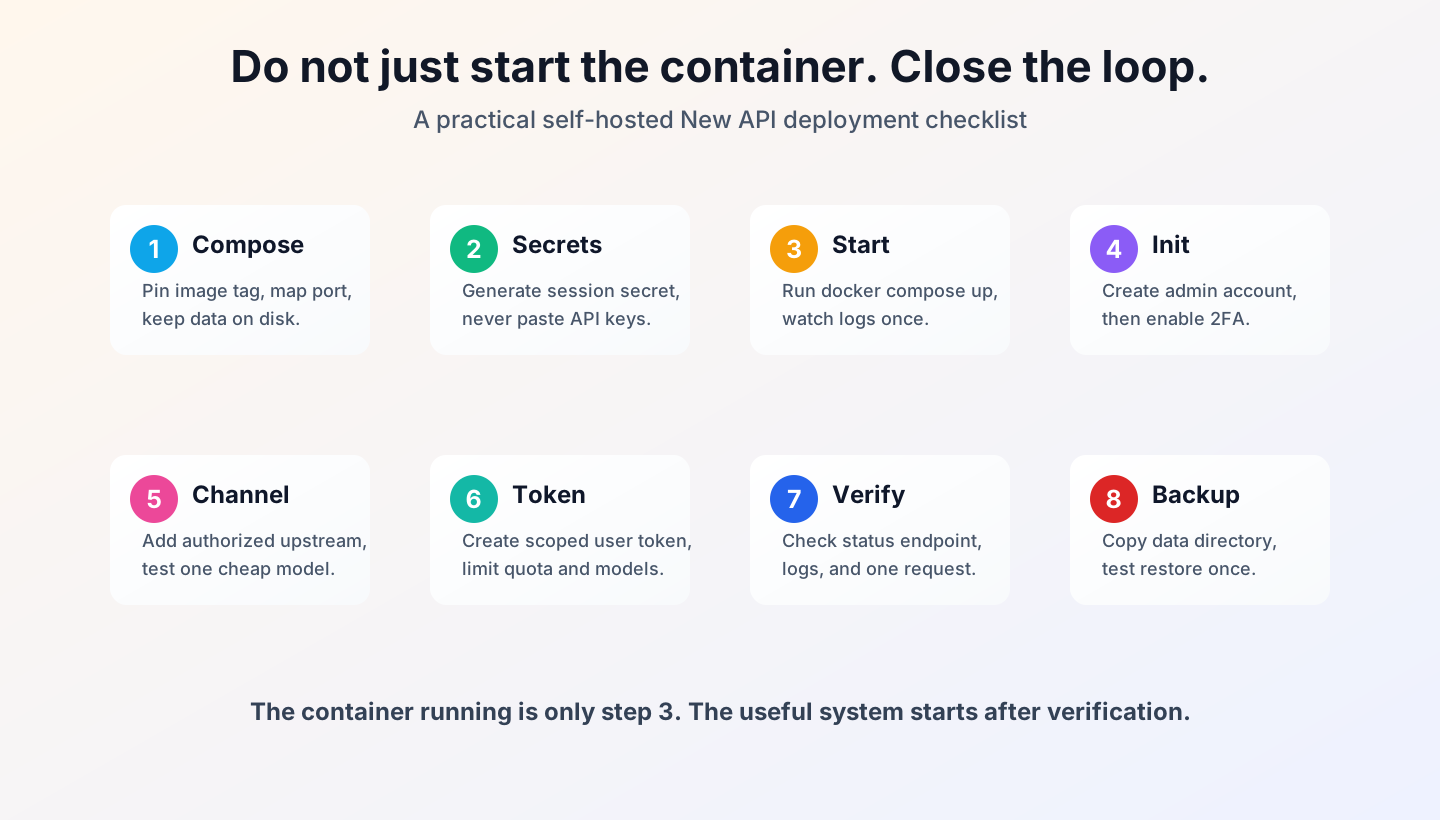
Figure 6: A running container is only step 3. A reliable self-hosted relay must close the loop through token scope, verification, and backup.
7. Agent-Driven Setup: Give Boundaries, Not Raw Keys
If you want Codex, Claude, OpenClaw, HermesAgent, or another agent to configure this automatically, give it a boundary-focused prompt. Let it orchestrate files and services, but do not let it read or print real secrets.
Deploy a personal NewAPI service on this machine with these rules:
1. Use Docker Compose only. Do not install extra third-party services.
2. Use image calciumion/new-api:v1.0.0-rc.19-i18nfix.2.
3. Use a newapi directory under the current user's home directory. Mount ./data:/data.
4. Generate SESSION_SECRET automatically, write it to .env, and restrict file permissions where possible.
5. Expose only local port 3000. Do not write any real private address, machine name, private domain, or API key.
6. After startup, run docker compose ps, docker compose logs --tail=80 new-api, and check http://localhost:3000/api/status.
7. If an upstream model key is needed, tell me where to enter it manually. Do not read, display, or store the real key in the conversation.
8. Finish with the deployment directory, verification result, and the next manual initialization checklist.
I usually add three hard constraints:
- Do not read
.env: the agent may create placeholders or generate a session secret, but it must not echo secret values. - Do not change reverse proxy config: unless I explicitly provide a public domain and certificate path, keep it local first.
- Do not enable open registration: for personal use, users and tokens should be issued by the admin.
An agent is like a very energetic intern. If you say “open the shop”, it may touch the signboard, register, storage room, and door lock. If you say “set up the shelves; I will handle the keys”, the risk is much lower.
8. Verification: Do Not Trust “It Should Work”
The official API documentation shows that NewAPI supports an OpenAI-compatible Chat Completions format at /v1/chat/completions. This is why many clients can treat NewAPI as an OpenAI-style endpoint. But do not start verification with a complex agent workflow. Build the smallest loop first.
Initial checks:
cd ~/newapi
docker compose ps
docker compose logs --tail=80 new-api
curl -fsS http://localhost:3000/api/status
After admin initialization, verify the application layer:
- The channel test succeeds.
- Token quota and model scope are correct.
- The client base URL points to your NewAPI entry point.
- The client uses a NewAPI token, not an upstream key.
- The request appears in logs.
- Disabling the token makes the client request fail.
- A backed-up data directory can be restored in a test location.
Verification is like receiving a package. A “delivered” notification is not enough. You open the door, see the package, and check that the box is not empty.
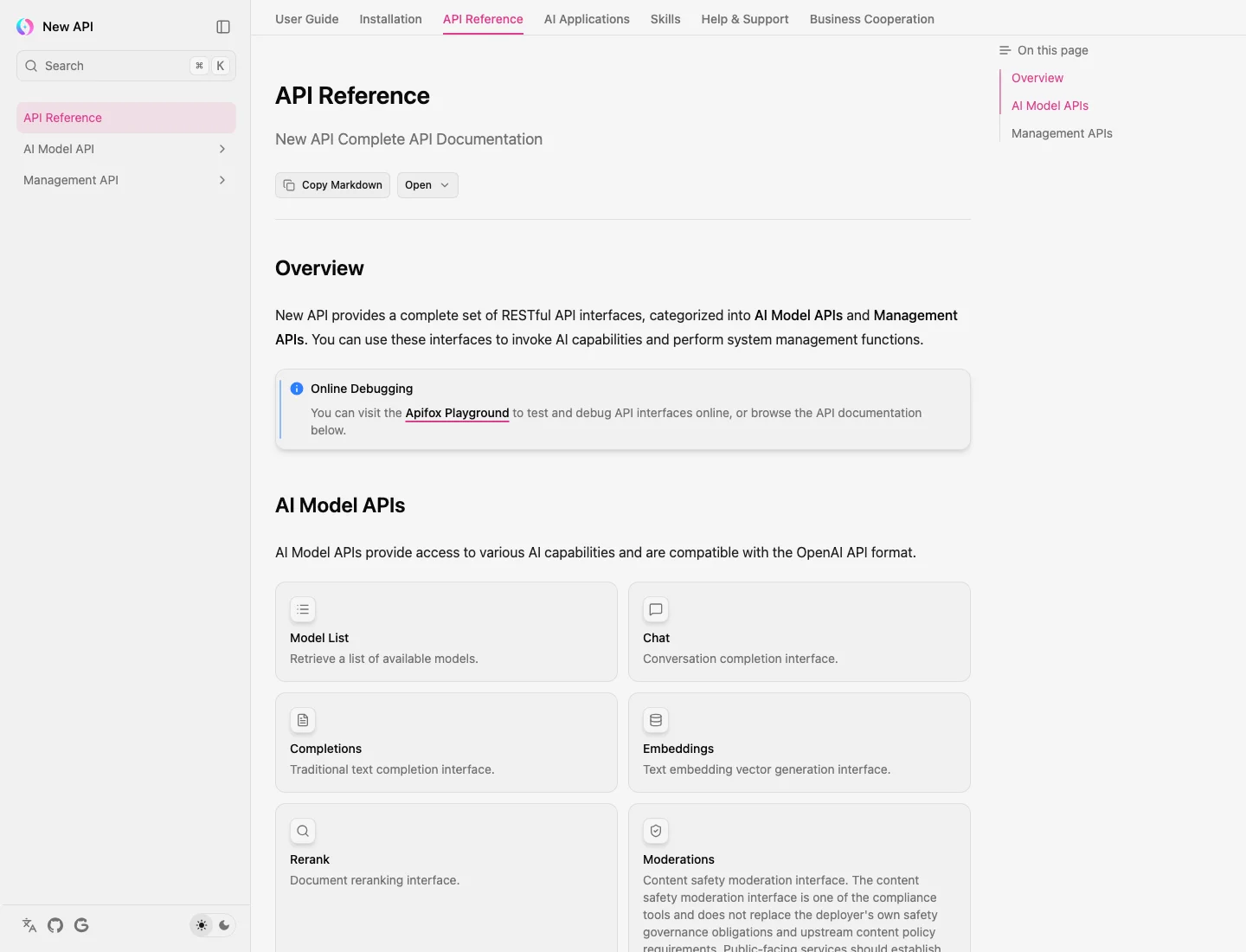
Figure 7: Real screenshot from the official API documentation. Before connecting clients, confirm which compatible API format you plan to use.
9. Root Cause: The Real Problem Is a Scattered Control Plane
Looking back, NewAPI does not mainly solve “I need a proxy URL.” It solves the scattered control plane around AI usage.
Without NewAPI, control lives inside every client: model availability, quota, key location, request logs, and failure diagnosis. Each client becomes a tiny ledger, and too many tiny ledgers become operational debt.
With NewAPI, the control plane moves to the gateway. Clients call models. The admin manages channels, tokens, quotas, logs, model scopes, and backups. This is not always simpler, but it is much more controllable.
My self-hosted rules are:
- Keep it local before exposing it publicly.
- Issue low-quota tokens instead of upstream master keys.
- Pin image tags instead of trusting
latestblindly. - Start with SQLite before adding cluster complexity.
- Verify logs and requests instead of only checking container status.
10. Q&A
Q1: Does NewAPI bypass model authorization?
No. It is a gateway. You must legally obtain upstream accounts, keys, model access, and interface permissions, and you must follow upstream terms.
Q2: Can I open it to the public?
Technically yes, but the responsibility is much larger. Public service involves content safety, identity, logs, payment, tax, licensing, filing, and upstream authorization. This post is for personal or small internal authorized use.
Q3: Is SQLite enough?
For personal usage, a few tokens, and a few channels, SQLite is convenient. For teams, heavier traffic, cluster mode, or stricter restore requirements, use the official production-style Compose with a database and Redis.
Q4: Why not use latest?
latest is fine for a quick trial. It is not ideal for a service you may rebuild months later. Pinning a tag makes upgrades intentional.
Q5: Why do the scripts not configure upstream keys automatically?
Because upstream keys are high-risk secrets. Scripts should deploy the framework. Real keys should be entered through the web UI or a safe input flow, not placed in a blog post, chat log, terminal history, or agent output.
Q6: What should I back up?
At minimum, back up ~/newapi/data, docker-compose.yml, and .env. Treat .env as sensitive because it may contain a session secret. A backup is not complete until you have restored it once in a test location.
References
- New API GitHub repository: https://github.com/QuantumNous/new-api
- New API installation docs: https://www.newapi.ai/en/docs/installation
- Docker Compose deployment docs: https://www.newapi.ai/en/docs/installation/deployment-methods/docker-compose-installation
- Docker Compose configuration guide: https://www.newapi.ai/en/docs/installation/config-maintenance/docker-compose-yml
- Features introduction: https://www.newapi.ai/en/docs/guide/wiki/basic-concepts/features-introduction
- API documentation: https://www.newapi.ai/en/docs/api