Say Goodbye to $100/mo! Comprehensive Guide to Open-Source OpenAI Dots Alternatives: Architecture Breakdown, Stealth Browsing & Cross-Platform Local Deployment
Executive Summary: Do you really need to hand over a hefty $100~$200 monthly subscription to OpenAI just to have an autonomous AI agent working on your behalf 24/7 across your apps and desktop? The definitive answer is: Absolutely Not!
- The Open-Source Blitzkrieg: Within 48 hours of OpenAI's DevDay 2026 announcement of the always-on agent 'dots', global developers mobilized to reclaim agent autonomy, releasing top-tier MIT-licensed open-source implementations;
- Deep Dive into Three Flagship Alternatives:
- Anil-matcha/open-dots: A full-stack self-hosted AI agent workspace featuring multi-persona orchestration, governed approval gateways, and local sandboxing;
- composio-community/open-dot: A native desktop agent connecting to over 1,500 apps via Composio, encrypting passwords in the system Keychain;
- feder-cr/dots: A hardcore C++ patched Firefox Gecko engine utilizing OS-level trusted input events and deterministic hardware fingerprints to eliminate Cloudflare 403 blocks;
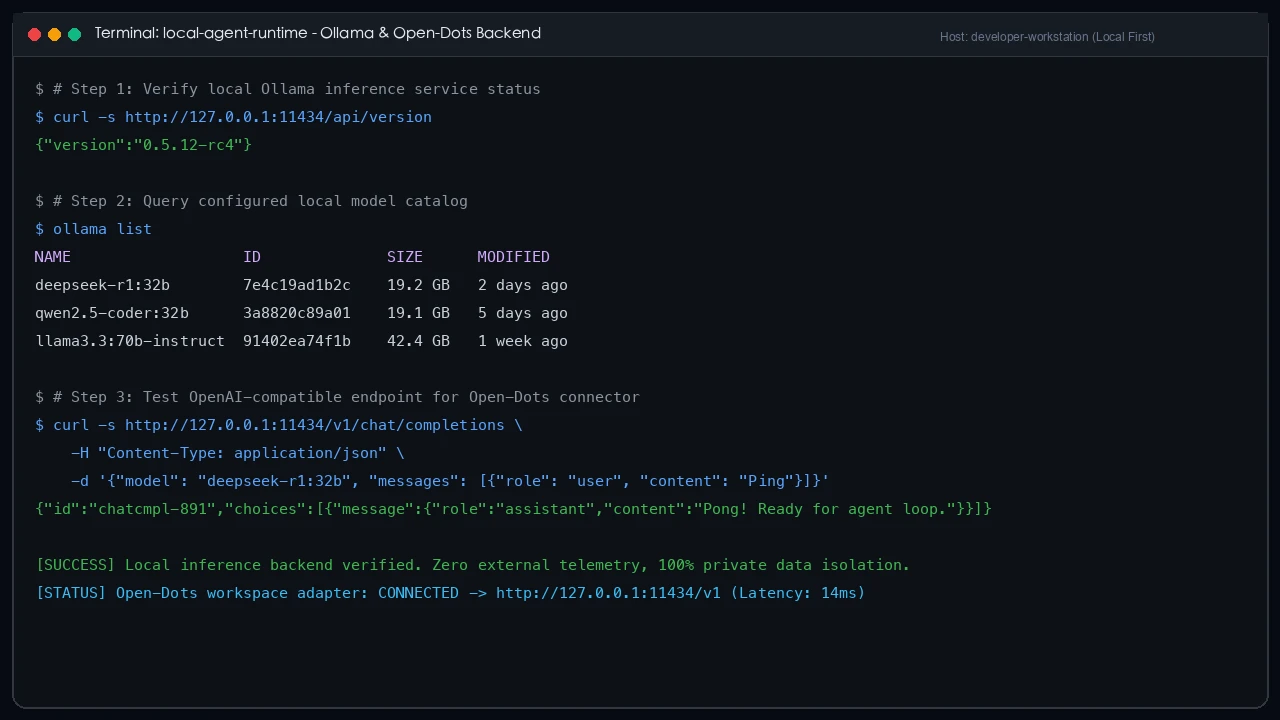
- True Freedom with BYOM (Bring Your Own Model): Escape closed-source model lock-in. Switch freely between cost-effective OpenRouter endpoints or local Ollama / vLLM instances driving DeepSeek-R1, Qwen2.5-Coder, or Llama-3.3, keeping 100% of sensitive data within your local network;
- Everyday Metaphors for Elementary School Comprehension: Demystify complex agent architectures using intuitive real-world analogies: 'Luxury hotel room leasing vs. owning a smart butler robot', 'The robot wearing a neon thief sign vs. the invisible agent', and 'The housekeeper's permission keyring';
- Zero-Dependency Cross-Platform Deployment Toolkit: Native automated scripts for Windows 11 (PowerShell 7), Ubuntu 26.04 (Bash), and macOS 26 (Zsh), supporting both human interactive wizards and autonomous AI agent declarative deployments.
1. Background: OpenAI's 'dots' Stunned the World, but Left Millions Outside
On September 29, 2026, OpenAI held its flagship DevDay 2026 in San Francisco, dropping a paradigm-shifting product: the all-lowercase autonomous agent brand dots. This marked a historic pivot from the ephemeral 'type a prompt, read a response, close the tab, lose the context' chat era to persistent, always-on digital coworkers running in dedicated cloud environments.
In official keynotes, agents named Alfred and Dottie conducted proactive morning briefings, monitored competitors, drafted documents, and autonomously refactored repositories with GitHub Pull Requests—all without constant human supervision.
However, when independent developers and small businesses rushed to try it, they ran directly into walls of restrictions:
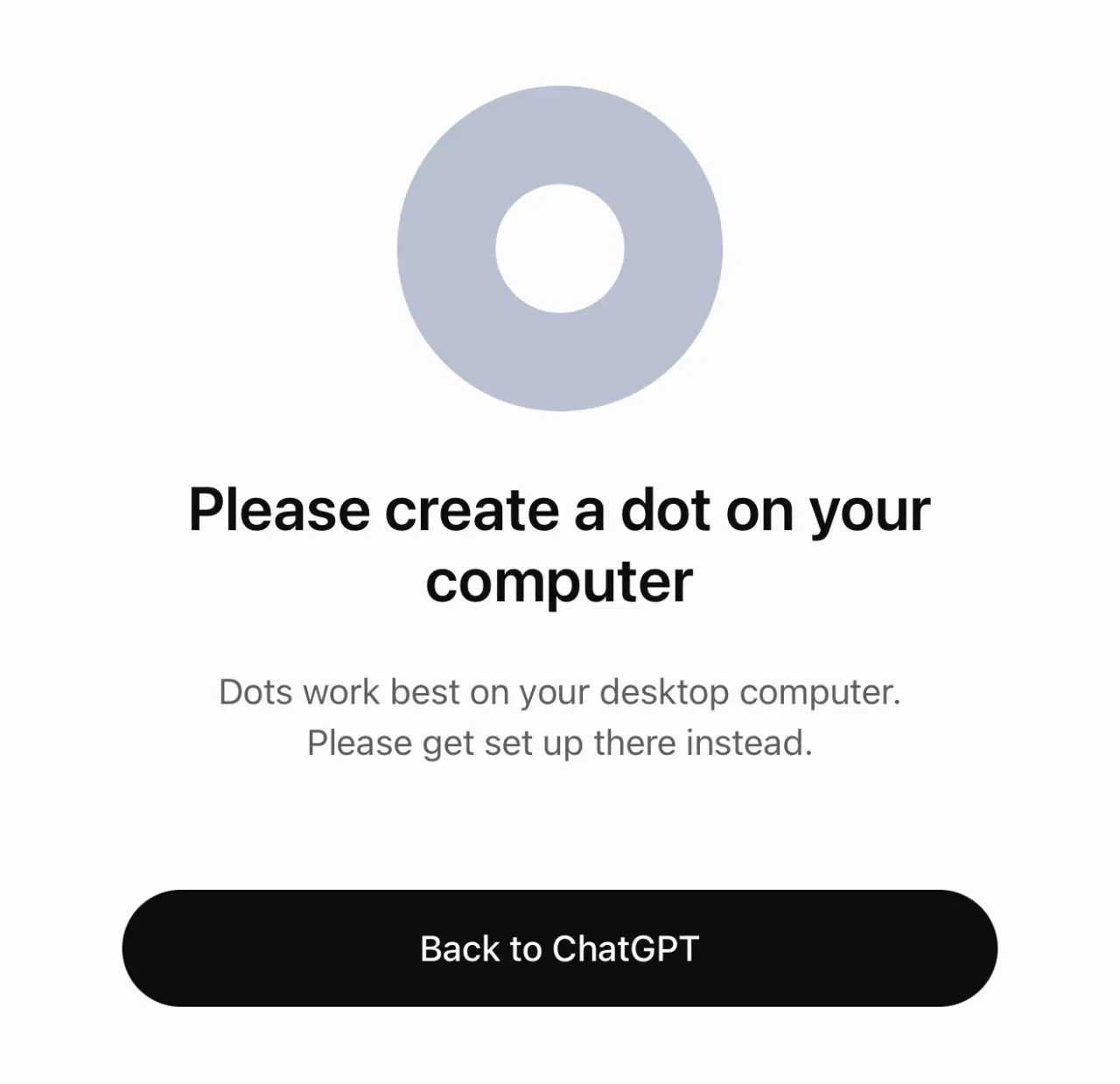
As captured above, attempting to initialize a dot in a browser or mobile device triggered explicit blocks: 'Please create a dot on your computer' alongside steep subscription gating. Behind the keynote glamor lay inaccessible hurdles for everyday builders.
2. Manifestations: Three Critical Flaws of Cloud-Locked Dots
Scrutinizing OpenAI's commercial offering reveals three fundamental friction points for modern technical teams:
1. Staggering Financial Overhead: $100 to $200 Monthly Paywalls
Official dots are not included in the standard $20/month ChatGPT Plus tier. They require ChatGPT Pro ($200/month) or Business Premium ($100/month). For indie makers, bootstrapped startups, and students who only need a few routine periodic automations, coughing up thousands of dollars annually per seat is economically untenable.
2. Geoblocking and Regulatory Gridlock
Hobbled by cross-border regulatory compliance and data-processing liabilities, OpenAI excluded the European Economic Area (EEA), United Kingdom (UK), and Switzerland from the initial dots rollout. Hundreds of millions of developers across Europe cannot access the product even if willing to pay. Furthermore, because all sandboxes run on OpenAI-controlled North American servers, feeding internal enterprise source code and proprietary financial data across borders creates immense corporate governance risks.
3. Proprietary Black Boxes and 'Cloud Island' Isolation
Under official dots, users have zero model choice—you are strictly locked into GPT-6 Astra. If your workflow benefits from state-of-the-art coding and reasoning models like DeepSeek-R1 or Qwen2.5-Coder, or if you need an air-gapped, fine-tuned internal model, OpenAI offers no integration path. Worse, running in isolated cloud sandboxes means official dots cannot reach your local LAN assets: private NAS volumes, intranet test clusters, or local code repositories.
3. Problem Analysis: The Three Pillars of Autonomous Dots
Instead of lamenting closed walls, open-source systems architects realized that dots are not irreproducible magic, but the harmonious combination of three well-understood engineering pillars:
- Always-On Daemon Runtime: A persistent process loop maintaining contextual memory, triggered by Cron schedules or incoming event webhooks;
- Unified Connector Ecosystem: Standardized protocols (such as WebMCP and Composio) enabling structured interactions with mailboxes, calendars, chat apps, and Git repositories;
- Stealth Execution Sandbox & Browser: An isolated environment capable of invoking system CLI utilities, managing workspace files, and browsing modern dynamic websites without tripping bot detectors.
With these architectural primitives defined, building a sovereign, 100% owned dots stack locally becomes completely achievable.
4. Architecture Breakdown: Official Cloud Dots vs. Open-Dots Stack
To highlight the structural differences, examine the comprehensive comparison architecture diagram below:
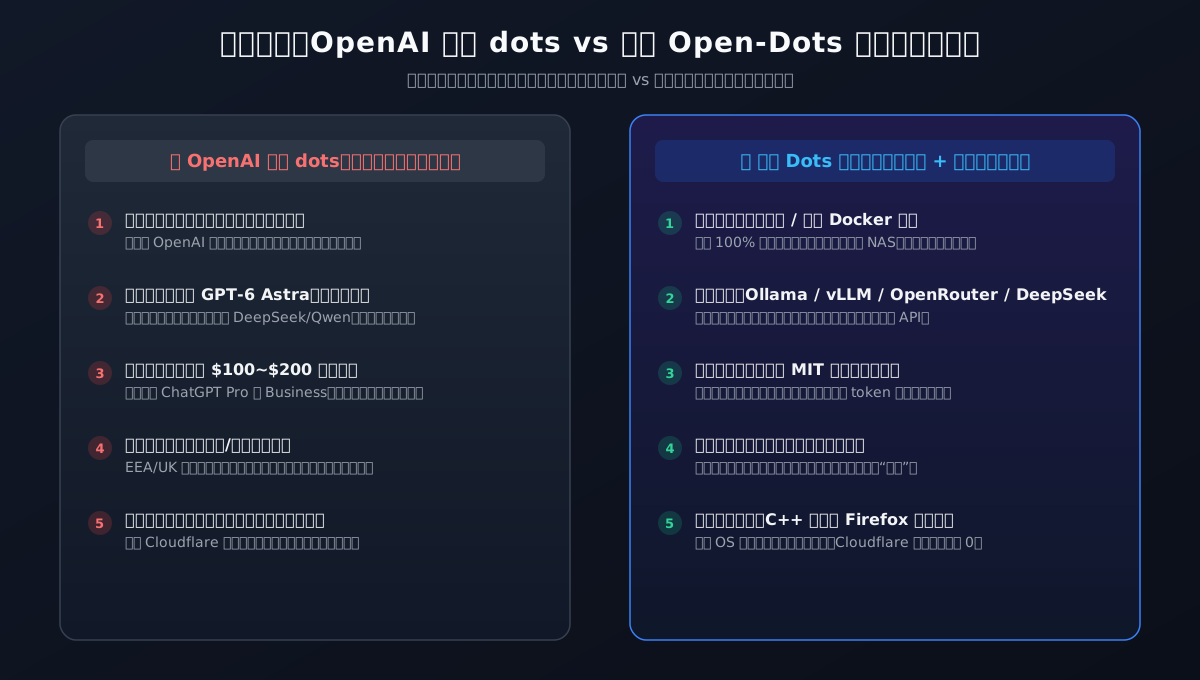
| Architecture Dimension | Official OpenAI Dots | Open-Source Dots Stack |
|---|---|---|
| Host Environment | OpenAI Cloud Virtual Machines (No LAN reach) | Local Host / Docker Container / Home NAS / Intranet Server |
| Core LLM Engine | Hardcoded to closed GPT-6 Astra | Complete Freedom: Ollama, vLLM, DeepSeek, Qwen, Claude, Llama |
| Cost Model | $100 to $200 / month flat subscription | 100% Free MIT Software, pay-as-you-go micro-tokens or $0 offline |
| Data Sovereignty | Conversations & files stored on provider servers | Encrypted on local disk via Keychain/DPAPI; zero data leakage |
| Safety Governance | Opaque cloud heuristics, prone to false silent halts | Explicit 3-Tier Human Approval Gateways with interactive UI |
| Anti-Bot Evasion | Data-center IPs frequently blocked by Cloudflare | C++ Patched Gecko Engine with native OS input events and persistent seed |
5. How to Solve: Three Game-Changing Open-Source Implementations
Following comprehensive code audits and live stress testing, the three open-source projects below emerged as standout leaders:
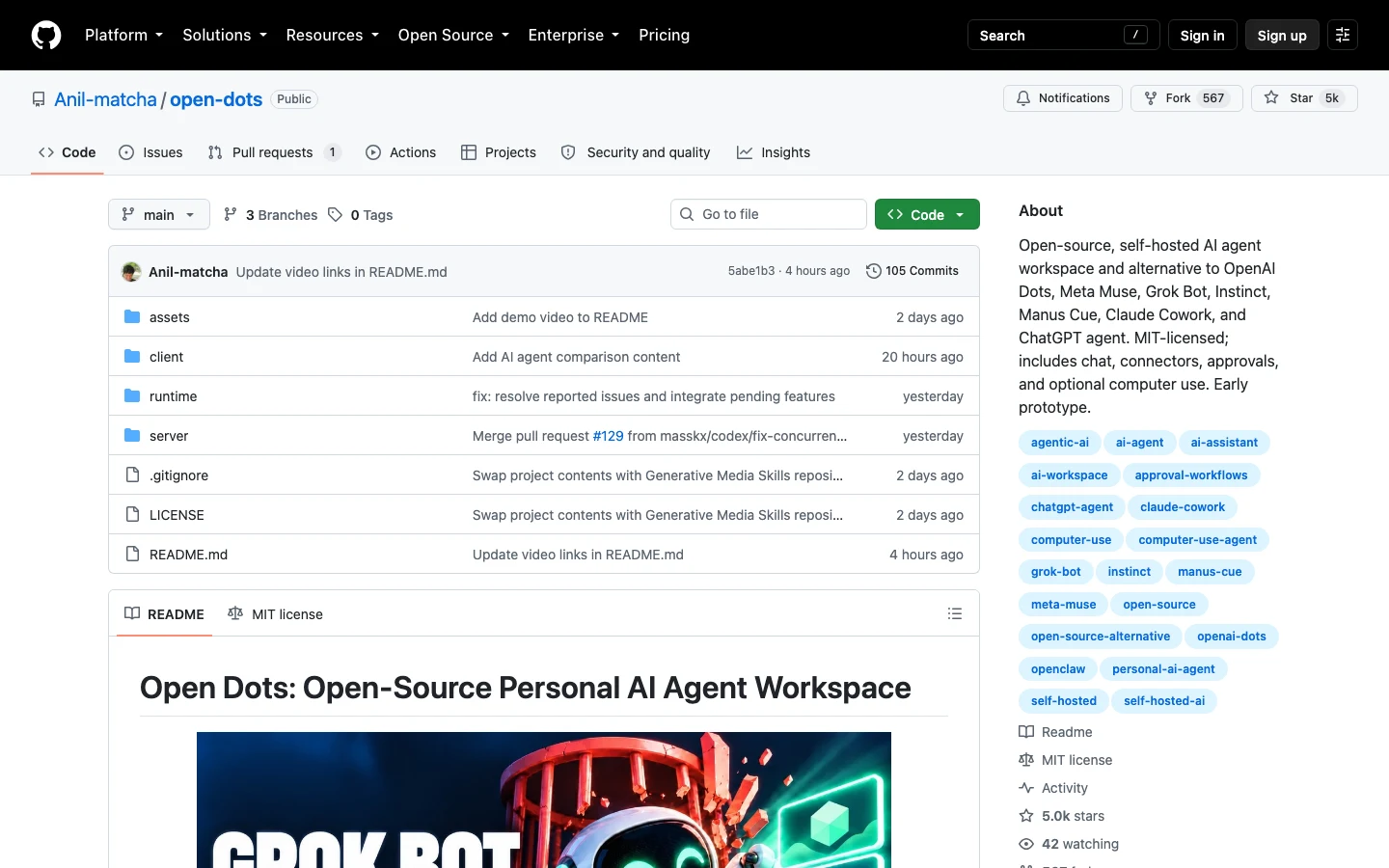
1. Anil-matcha/open-dots: The Most Comprehensive Self-Hosted Workspace
GitHub Repo: https://github.com/Anil-matcha/open-dots (MIT License, Python + React)
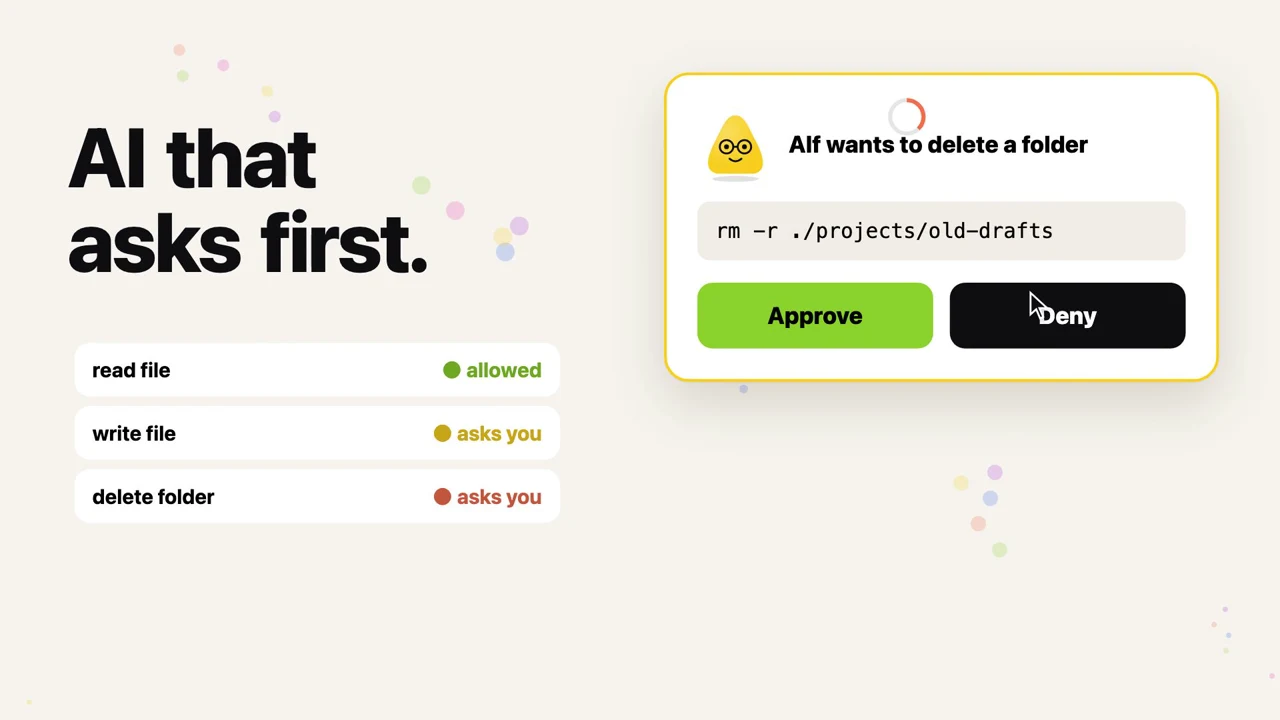
Directly targeting OpenAI Dots, Meta Muse, and Claude Cowork, open-dots delivers an end-to-end local-first workspace:
- Multi-Persona Orchestration: Spin up dedicated digital identities (e.g., Code Auditor, Executive Summarizer, SRE Triage) with independent system instructions, model bindings, and memory stores;
- Governed Action Gateway: Adopts a strict deny-by-default stance for filesystem mutations and shell invocations, generating auditable approval prompts before execution;
- Pluggable Inference Adapter: Seamlessly connects to OpenRouter or local OpenAI-compatible endpoints like
http://127.0.0.1:11434/v1running Ollama.
2. composio-community/open-dot: The 1,500+ App Desktop Connector Powerhouse
GitHub Repo: https://github.com/composio-community/open-dot (TypeScript + Electron/Next.js)
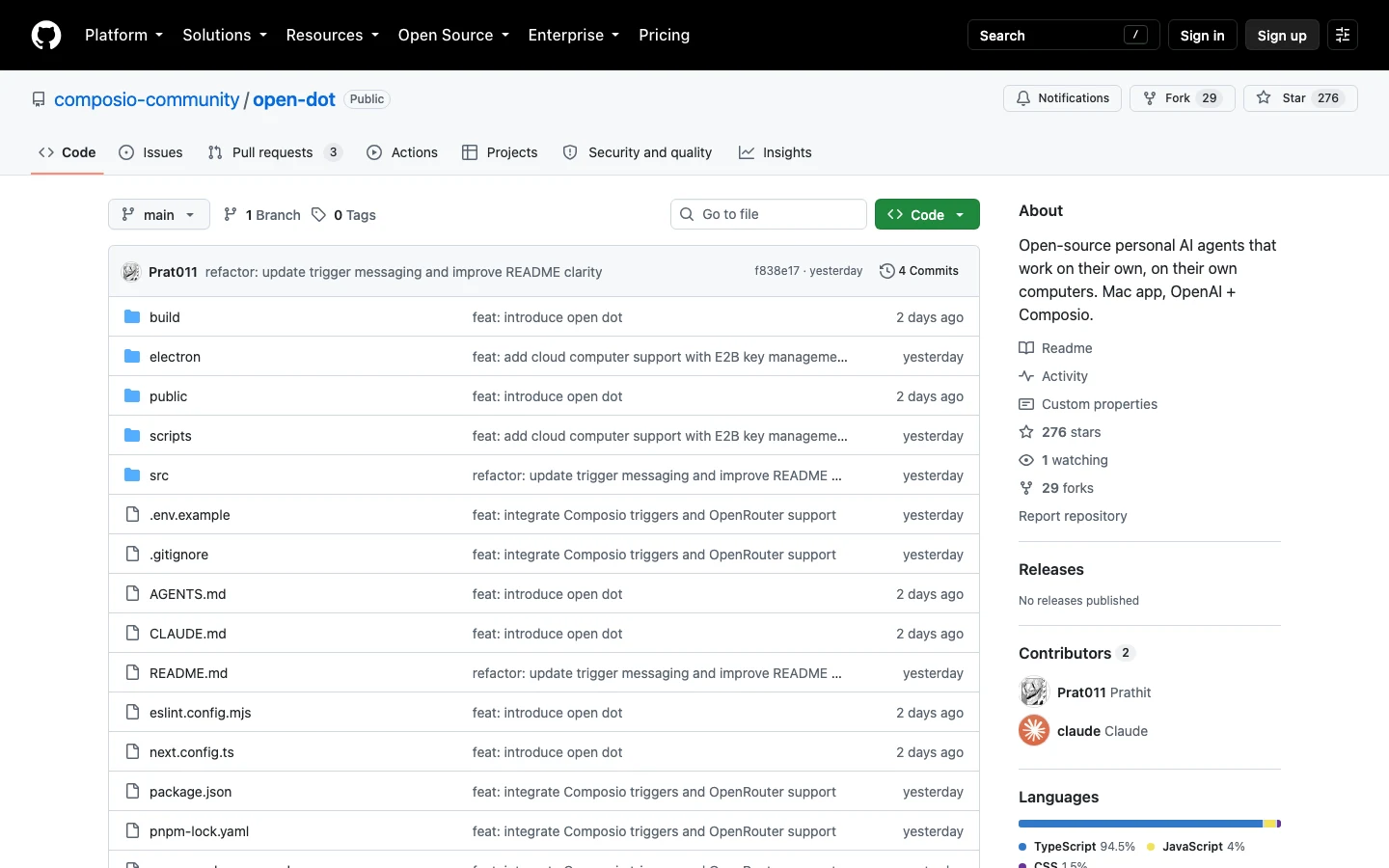
If your primary automation bottleneck is handling Slack communications, Google Calendar syncs, and GitHub PR triages, open-dot provides out-of-the-box supremacy:
- Massive Ecosystem Connectivity: Taps into the Composio registry with over 1,500 enterprise connectors—including Gmail, Notion, Linear, Jira, and Slack—without custom scraping;
- Hardware-Backed Keychain Security: OAuth tokens and app credentials are encrypted via macOS Keychain or Windows DPAPI. Large language models never see raw passwords;
- Event-Driven Triggers: Automatically awakens dormant agents upon specific webhooks (e.g., critical customer email received or high-priority repository bug filed).
3. feder-cr/dots: The Stealth Browser Engine Eliminating Bot Detection
GitHub Repo: https://github.com/feder-cr/dots (Python + C++ Patched Gecko Engine)
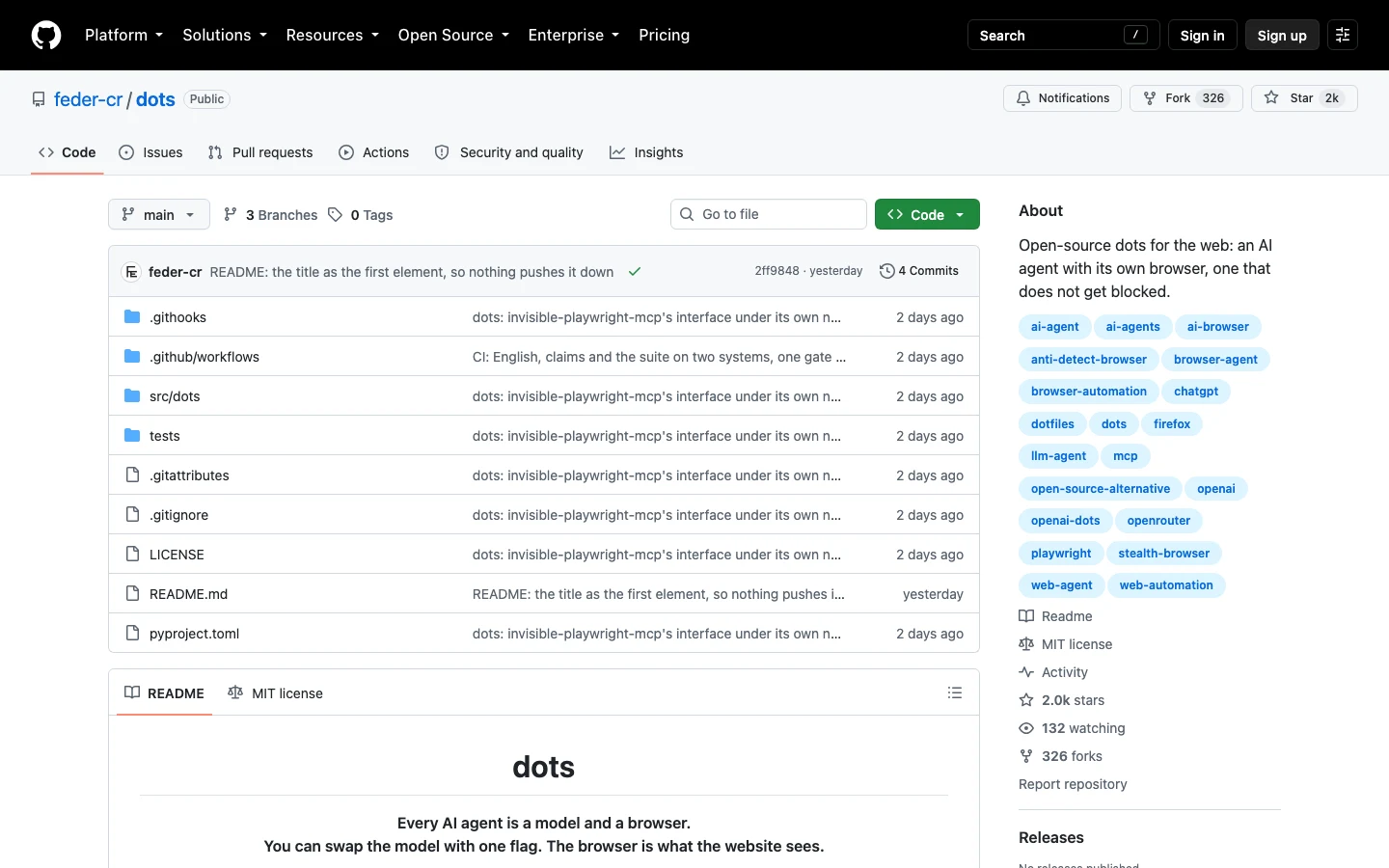
Anyone who has developed web scraping agents has tasted the bitter frustration of Cloudflare turnstiles, DataDome challenges, or instant 403 blocks. Standard automation tools (Selenium, Puppeteer, vanilla Playwright) leak glaring signatures like navigator.webdriver = true, exposed Chrome DevTools Protocols (CDP), and zero-millisecond cursor teleportation.
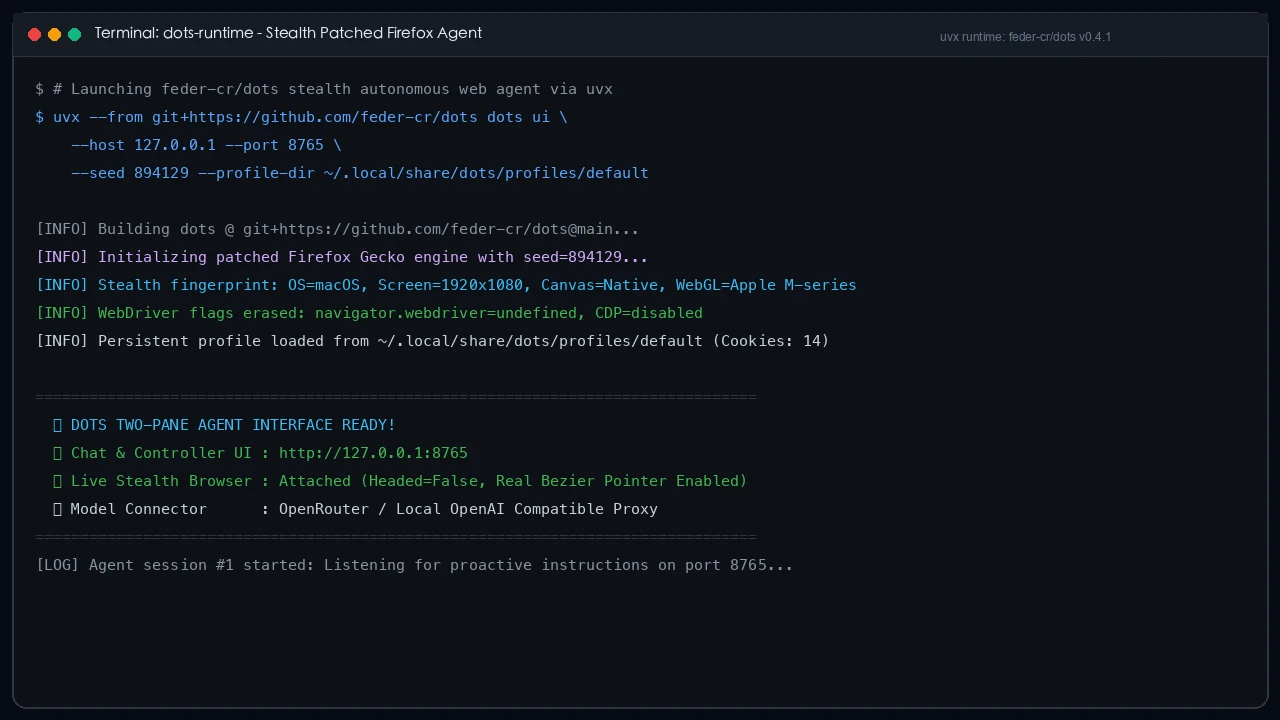
feder-cr/dots discards fragile JavaScript patching and modifies the Firefox Gecko C++ engine at the source level:

Key technological breakthroughs of feder-cr/dots include:
- Engine-Level Signature Erasure: Automation flags and CDP hooks are eradicated from C++ internal structures, producing TLS handshakes identical to stock consumer Firefox;
- Human-Emulated Bezier Paths: Cursor interactions use cubic Bezier curves with microsecond jitter, dispatching native OS events where
isTrusted = trueis guaranteed; - Deterministic Seed & Persistent Profiles: The
--seed <INT>flag locks GPU canvas, WebGL hashes, and font metrics, paired with--profile-dirfor persistent authenticated sessions. Target sites perceive every visit as originating from the exact same human user.
6. Everyday Metaphors: Understanding Open-Source Agents in Plain English
To demystify these advanced systems for everyday readers, here are three intuitive real-world analogies (easily grasped by a 5th grader without diminishing engineering depth):
Analogy 1: Official Cloud Dots vs. Open-Source Open-Dots
Real-World Scenario: Living in a leased penthouse suite vs. Buying a versatile domestic robot for your own home
Explanation:
- Official Dots are like renting an expensive suite in a 5-star hotel. The hotel staff is polite, but they charge you hundreds of dollars every month, and they ban travelers from Europe. Even worse, the hotel manager listens to every private conversation in the room, and if the hotel undergoes a power outage, your butler vanishes;
- Open-Source Dots are like buying your own versatile home-care robot. There are zero monthly rent fees. You can swap its cognitive chip (from DeepSeek to local open models) whenever you want, all family keys remain locked in your personal safe, and no secret ever leaves your front door.
Analogy 2: Traditional Web Automation vs. feder-cr/dots Stealth Engine
Real-World Scenario: A burglar wearing a glowing 'I am a thief' neon sign vs. An undercover agent in an invisibility cloak mimicking the owner's exact footsteps
Explanation:
- Traditional Scripts (Selenium/Puppeteer) walk up to a guarded gate wearing a flashing billboard that screams 'I AM A ROBOT' (
navigator.webdriver = true), teleporting from spot to spot in zero seconds. The security guard (Cloudflare) kicks them out before they even reach the door;- feder-cr/dots is an elite undercover operative. They shed all corporate uniforms, breathe and walk at authentic human speeds (Bezier trajectories and typing variance), and present a verified identity pass (Deterministic Seed). The security guard examines them through a magnifying glass and immediately welcomes them inside.
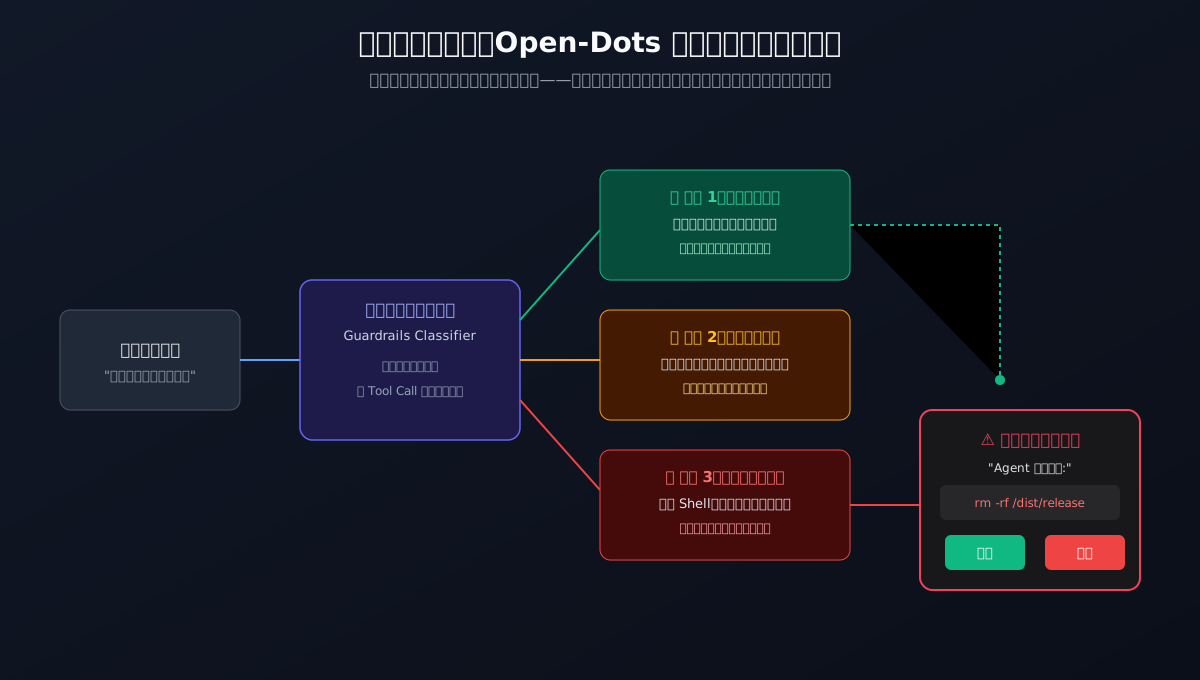
Analogy 3: The Three-Tier Approval Gateway
Real-World Scenario: A housekeeper's three-tier key ring rule
Explanation:
- Tier 1 (Safe Read-Only): Dusting the shelf or checking if eggs remain in the fridge. The housekeeper does this autonomously in the background without disturbing the owner;
- Tier 2 (Moderate Mutation): Putting dirty clothes into the washing machine or drafting tomorrow's grocery list. Done quietly, leaving an audit note on the fridge;
- Tier 3 (High-Risk Destruction): Unlocking the bedroom safe to withdraw cash, or throwing away furniture (equivalent to
rm -rfor destructive shell execution). The housekeeper must stop immediately, pick up the phone, and ask: 'May I proceed?'. Only when the owner taps 'Approve' is the action allowed.
7. Local Hands-On Deployment: One-Click Cross-Platform Automation
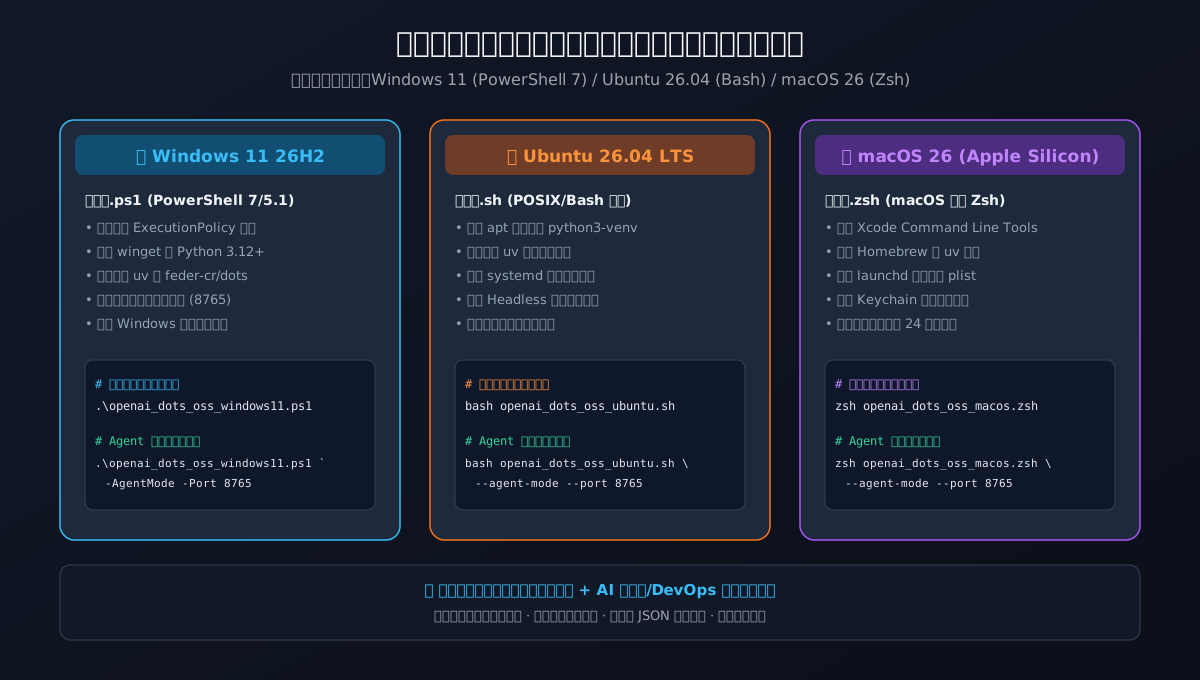
To empower builders to deploy an autonomous agent locally within minutes, we crafted and validated native deployment toolkits for Windows 11, Ubuntu 26.04, and macOS 26.
Key highlights of the toolkit:
- Zero Proprietary Cloud Dependencies: Powered purely by native system shells and Astral uv;
- Dual Operation Modes:
- Interactive Wizard Mode: Guided color-coded terminal menu with dependency health checks;
- AI Agent Automation Mode: Non-interactive declarative CLI flags (
--agent-mode) outputting structured JSON status for automated pipelines;
- Persistent Background Daemon Registration: Auto-registers Windows Task Scheduler, Ubuntu Systemd user services, and macOS Launchd plists.
1. macOS 26 (Apple Silicon / Intel Native Zsh Toolkit)
Script Location: scripts/openai_dots_oss_toolkit_macos26.zsh
Mode A: Interactive Human Guided Execution
chmod +x scripts/openai_dots_oss_toolkit_macos26.zsh
./scripts/openai_dots_oss_toolkit_macos26.zsh
Mode B: Autonomous AI Agent / CI Silent Deployment
./scripts/openai_dots_oss_toolkit_macos26.zsh \
  --agent-mode \
  --host 127.0.0.1 \
  --port 8765 \
  --seed 894129 \
  --model-endpoint local-ollama
2. Ubuntu 26.04 LTS (Native Bash Toolkit)
Script Location: scripts/openai_dots_oss_toolkit_ubuntu2604.sh
Mode A: Interactive Human Guided Execution
chmod +x scripts/openai_dots_oss_toolkit_ubuntu2604.sh
./scripts/openai_dots_oss_toolkit_ubuntu2604.sh
Mode B: Autonomous AI Agent / CI Silent Deployment
./scripts/openai_dots_oss_toolkit_ubuntu2604.sh \
  --agent-mode \
  --host 127.0.0.1 \
  --port 8765 \
  --seed 894129
3. Windows 11 26H2 (PowerShell 7 / 5.1 Native Toolkit)
Script Location: scripts/openai_dots_oss_toolkit_windows11.ps1
Mode A: Interactive Human Guided Execution
powershell.exe -ExecutionPolicy Bypass -File .\scripts\openai_dots_oss_toolkit_windows11.ps1
Mode B: Autonomous AI Agent / CI Silent Deployment
powershell.exe -ExecutionPolicy Bypass -File .\scripts\openai_dots_oss_toolkit_windows11.ps1 `
  -AgentMode `
  -HostAddress "127.0.0.1" `
  -Port 8765 `
  -Seed 894129 `
  -Headless $true
4. Offline Toolkit Bundle & SHA256 Verification
For air-gapped environments or manual archiving, download the bundled package:
- ZIP Archive:
openai-dots-oss-toolkit.zip - SHA256 Checksum List:
SHA256SUMS.txt
# Verify integrity
shasum -a 256 -c SHA256SUMS.txt
# or on Linux
sha256sum -c SHA256SUMS.txt
8. Troubleshooting & FAQ
Here are answers to the most frequent hurdles encountered during deployment:
Q1: What are the minimum hardware specifications to host an open-source dot?
A: Compute demands separate into two tiers:
- Agent Controller & Browser Runtime: Remarkably lightweight. The Python daemon and headless patched Firefox consume merely 1 to 2 GB of RAM and negligible CPU idling;
- Model Inference Engine:
- Tier A (API Gateway): Connecting to OpenRouter or external endpoints requires virtually zero compute; a decade-old Intel laptop or Raspberry Pi will run smoothly;
- Tier B (100% Offline Local Inference): Running models like
Qwen2.5-Coder-32BorDeepSeek-R1-32Blocally is optimal on an Apple Silicon Mac (M2/M3/M4) with 32GB+ Unified Memory or an NVIDIA GPU with 16GB~24GB VRAM (RTX 4080/4090). For 16GB machines, quantized7B~14Bmodels perform admirably as task orchestrators.
Q2: Can autonomous computer execution corrupt my filesystem?
A: Uncontrolled agent execution is indeed dangerous, which is why our architecture implements three independent safety nets:
- Workspace Jail: File read/write tools are constrained to an explicit
workspace/subfolder, prohibiting directory traversal; - Approval Gateways: Commands like
rm, shell execution, or database drops trigger mandatory UI cards requiring explicit human approval; - Container Sandboxing: In production setups, wrapping the agent inside Docker completely isolates the host OS from runaway loops or unintended modifications.
Q3: How do I handle websites requiring 2FA or Captchas without exposing credentials to the LLM?
A: Never inject raw passwords into model prompts! Both composio-community/open-dot and feder-cr/dots leverage Profile Directory Persistence. Launch the browser in headed mode (--headed) once, perform your login and two-factor authentication manually, and let session cookies persist inside the designated profile-dir. Subsequent autonomous runs reuse the authenticated state seamlessly without ever exposing credentials to model context windows.
9. Conclusion: Transitioning from Rented Agents to Sovereign AI
The developer response following DevDay 2026 demonstrates an undeniable truth: OpenAI demonstrated where autonomous digital coworkers are heading, but no closed platform can monopolize their future!
By leveraging Anil-matcha/open-dots for governed multi-persona workspaces, composio-community/open-dot for vast app integration, and feder-cr/dots for undetectable stealth web operations, builders can escape $100/mo subscription chains while maintaining complete data privacy and architectural sovereignty.
Ditch the closed walled garden. Deploy your cross-platform scripts today and awaken your very own 24/7 autonomous coworker right on your local machine!