The Best Home for OpenClaw / HermesAgent: Proxmox VE
The Best Home for OpenClaw / HermesAgent: Proxmox VE
If you treat OpenClaw or HermesAgent as just another chatbot, the installation target looks unimportant. It can run on a physical machine, a VPS, a Docker host, or even a daily laptop.
That changes the moment the agent starts receiving messages, running shell commands, reading and writing files, launching browser automation, storing long-term memory, and executing scheduled tasks. At that point, the question is no longer “where can it run?” The real question is: what boundary should contain it?
My conclusion is simple: for long-running personal agents such as OpenClaw and HermesAgent, the most reliable home is not the physical host itself, but a dedicated virtual machine on Proxmox VE.
This is not because Proxmox VE is fashionable. It is because it solves the three problems that matter most for agent infrastructure: data isolation, compute isolation, and backup/restore.
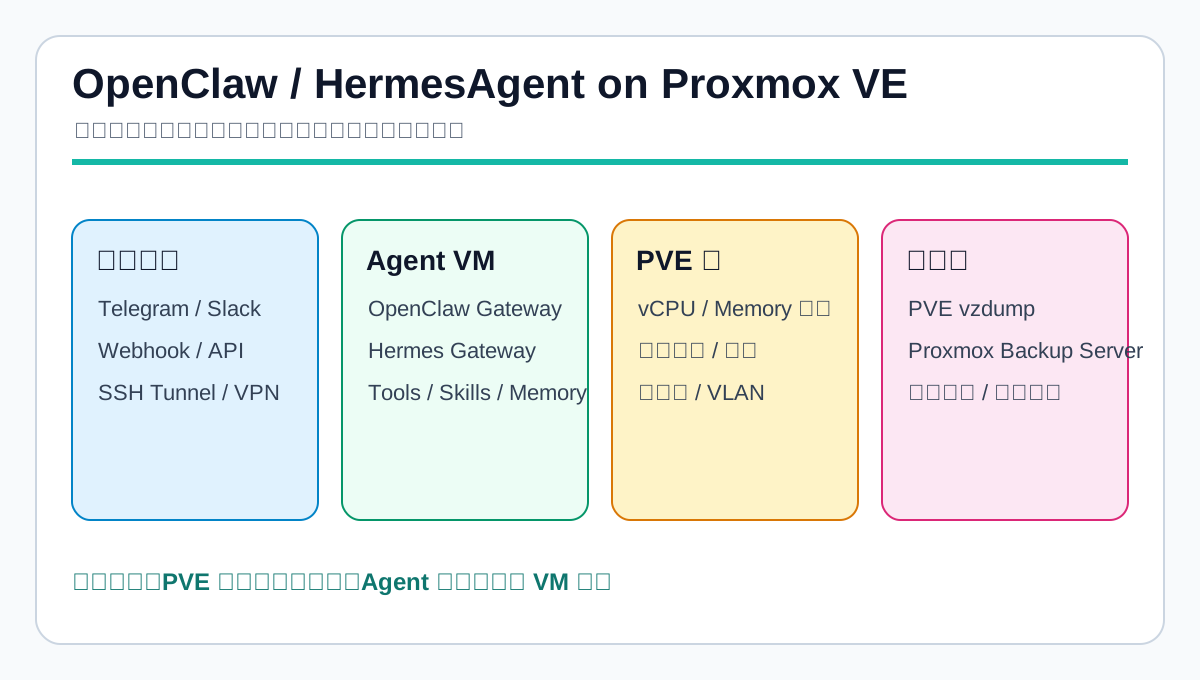
1. What People Actually Use OpenClaw and HermesAgent For
OpenClaw and HermesAgent are no longer simple command-line experiments. The OpenClaw documentation describes it as a self-hosted AI gateway that can connect to messaging platforms such as Telegram, WhatsApp, Discord, and Slack, while providing tools such as web search, code execution, and long-term memory. The HermesAgent README highlights a CLI, messaging gateway, skills, persistent memory, cron scheduling, tool execution, subtask parallelism, and migration from OpenClaw.
In practice, these tools are being used as always-on operational assistants:
- Messaging entry points: receiving tasks from Telegram, Slack, Discord, WhatsApp, Signal, email, or webhooks.
- Personal automation: summaries, reminders, daily reports, calendar-like workflows, and recurring routines.
- Development and operations: reading repositories, writing scripts, running commands, checking logs, creating pull requests, and performing scheduled checks.
- External service integration: GitHub, Notion, email, calendars, search, MCP servers, browser automation, and internal APIs.
- Long-term memory and skills: storing preferences, previous tasks, operational notes, tool patterns, and reusable skills.
- Multi-agent or delegated work: splitting research, coding, testing, and summarization across isolated subagents.
These capabilities are useful, but they change the security model. An agent with messaging access, memory, API keys, file access, browser control, and shell execution is not a normal web service.
A normal web service usually exposes a known port and a predictable data model. OpenClaw and HermesAgent often touch API keys, session state, browser profiles, approval rules, memories, workspaces, messaging tokens, and shell tools. Recent security research on OpenClaw also points out that broad local-system access and sensitive integrations create a real attack surface.
So the deployment target matters. Where the agent runs is where its identity, memory, and tools live.
2. Why Bare-Metal Installation Looks Attractive at First
Installing directly on a physical machine has obvious advantages.
First, it is the shortest path. If the host has Node, Python, Docker, or uv, you can follow the installation guide and get the agent running without virtual disks, bridges, or hypervisor management.
Second, performance is direct. Browser automation, code search, local scripts, long-context tasks, and local model calls have no virtualization layer in between. If the machine is also your workstation, the agent can access your existing browser, files, and development environment.
Third, desktop integration is easier. iMessage-like workflows, local browsers, clipboard operations, audio devices, GPUs, USB devices, and desktop automation are much simpler on the host where those resources already exist.
That is why many people start with bare metal: run it first, design later.
The problem is that once OpenClaw or HermesAgent moves from trial usage to long-term operation, those same advantages become liabilities.
3. The Main Problem with Bare Metal: Soft Boundaries
Bare metal can run the agent. The issue is that its boundaries are too soft.
If the agent is installed on a daily host, it shares the system with your shell configuration, SSH keys, browser data, download folders, source repositories, system services, Docker containers, home services, and maybe even your desktop session.
That creates three concrete problems.
3.1 Weak Data Isolation
Agent memories, messaging tokens, model API keys, tool logs, workspaces, and browser profiles can easily mix with normal user data. Linux users, directory permissions, and Docker volumes help, but they are still application-level constraints. A script with an overly broad path or a tool with excessive permissions can cross that boundary.
The state also becomes scattered: some files in the home directory, some in systemd user services, some in Docker volumes, some in browser profiles, and some in shell startup files. When it is time to back up or migrate, it is hard to know what “complete state” means.
3.2 Weak Compute Isolation
Agents can suddenly become heavy. A browser automation job can hang, a code search can scan a huge tree, a subagent can loop, or several scheduled tasks can start at once. CPU, memory, and disk I/O can spike unexpectedly.
Yes, bare metal can use cgroups, systemd limits, Docker quotas, and firewalls. In reality, many personal deployments do not start with a complete resource policy. The result is resource contention: sync jobs slow down, databases stutter, reverse proxies time out, and the desktop becomes unstable.
3.3 Expensive Recovery
When a bare-metal agent upgrade fails, recovery is rarely a single rollback. You need to know which packages changed, which config files were migrated, which state files were rewritten, and which tokens or channels were re-registered. With fast-moving agent frameworks, that can be painful.
Without a full system snapshot, recovery becomes manual archaeology.
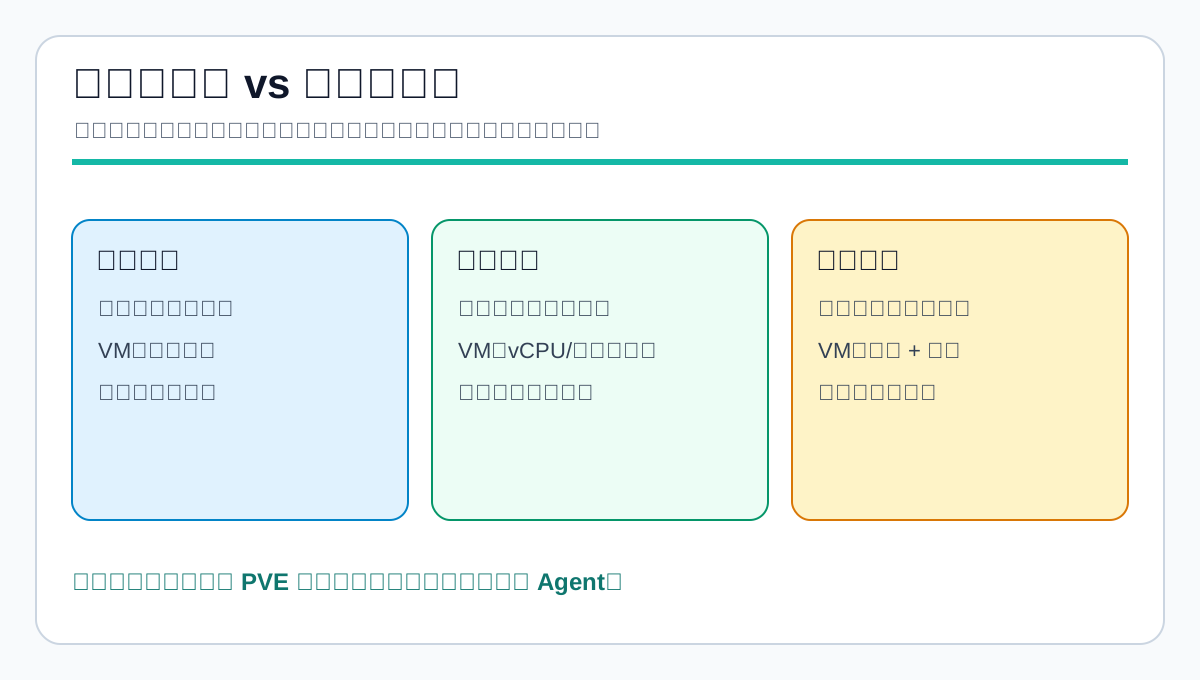
4. Why Virtual Machines Fit Long-Running Agents Better
Putting OpenClaw or HermesAgent into a VM makes the runtime boundary harder.
A VM in Proxmox VE has its own disk, operating system, user space, network interface, service lifecycle, and backup target. If the agent corrupts its state, the damage usually stays inside that VM. If browser automation consumes memory, it hits that VM’s memory ceiling. If an upgrade fails, the VM can be restored from a snapshot or backup.
This matters because agents are not traditional deterministic services. Their behavior is shaped by model reasoning, tool permissions, memory, and current input. Since the behavior boundary is flexible, the infrastructure boundary should be firm.
4.1 Data Isolation: Package the State into a Virtual Disk
In a VM-based setup, OpenClaw or HermesAgent configuration, databases, memories, skills, logs, caches, and browser profiles can all live inside one virtual disk. You still need application-level backups, but VM-level backup gives you a complete fallback.
You can also split VMs by trust boundary:
- One VM for daily messaging.
- One VM for research and code tasks.
- One VM for experimental skills.
- One VM for reverse proxy, VPN, or controlled ingress.
A broken or risky skill then affects its own VM instead of every agent you run.
4.2 Compute Isolation: Put Failure Inside a Quota
Proxmox VE lets you assign vCPU, memory, disk size, and network policy to each VM. This is more useful than post-incident debugging.
For example, a daily OpenClaw VM may get 2 to 4 vCPUs and 4 to 8 GB of RAM. A HermesAgent research VM may get more CPU and disk. A lightweight gateway VM may get a smaller footprint. If a workload misbehaves, one VM slows down instead of the whole host.
If you run local models, separate model inference from the agent gateway. Put the model server in its own VM or GPU host, and let the agent VM call it over a controlled API. Agent failure should not kill inference, and model service restarts should not corrupt agent memory.
4.3 Network Isolation: Narrow the Ingress Path
Self-hosted agents should not expose management ports casually. TechRadar’s OpenClaw VPS deployment guide also recommends keeping the gateway off the public internet and using Nginx, SSH tunnels, or private networking instead.
With PVE, the agent VM can sit on an internal network. Only a reverse proxy, VPN, or tunnel VM accepts external traffic. The agent VM talks to the outside world only through the routes it needs. This is easier to audit than mixing every service on the physical host.
5. The Real PVE Advantage: Snapshots and Backups
OpenClaw and HermesAgent upgrades are not just binary replacement. They may involve config formats, skill directories, memory indexes, messaging channels, approval policies, Python or Node dependencies, and browser automation components.
The main risk is not that an upgrade fails. The real risk is not knowing how to return to the last known good state.
This is where Proxmox VE is valuable.
Before upgrading, take a VM snapshot. If messages stop arriving, tools stop running, the memory index breaks, or a channel loses authentication, roll back first and investigate later.
If Proxmox Backup Server is part of the setup, VM backups can be placed under a normal retention and verification policy. The PBS documentation covers Proxmox VE integration, backup storage, encryption, restore workflows, verification, and retention. For a home lab or small team, that turns the agent from “some state on a random machine” into a recoverable service.
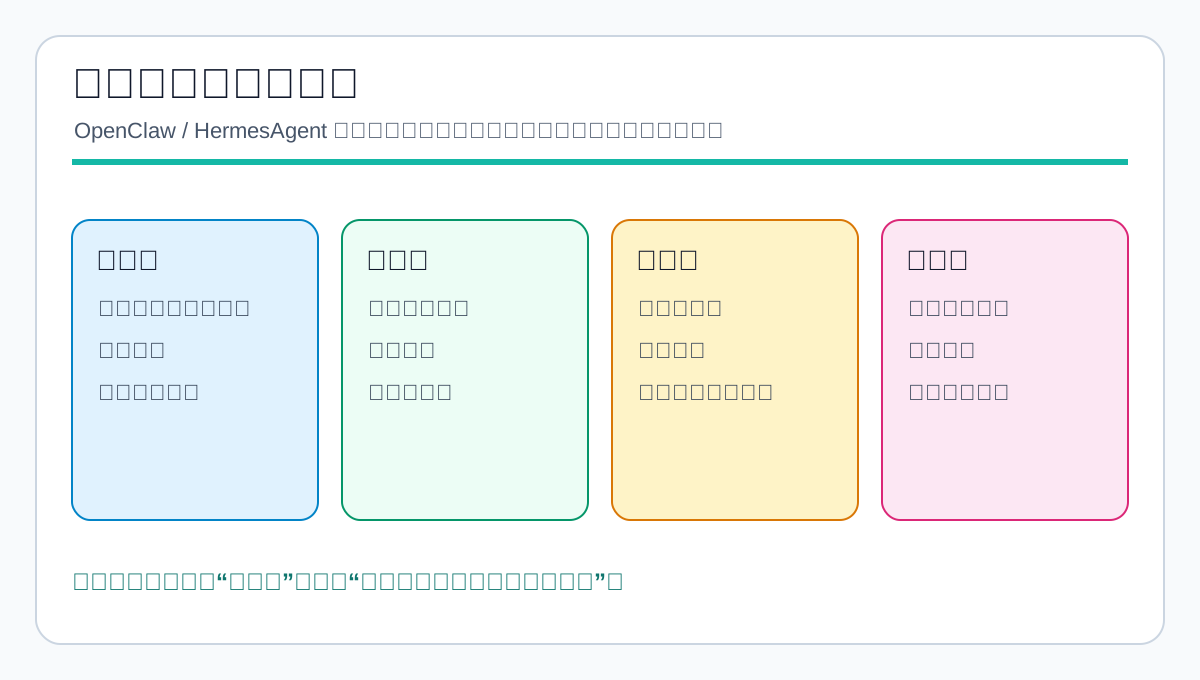
6. Direct Comparison: Bare Metal, VPS, and PVE VM
6.1 Bare-Metal Daily Machine
Pros:
- Fastest installation.
- Best access to desktop files, browsers, and peripherals.
- Good local development experience.
- No virtualization platform to maintain.
Cons:
- Shares space with personal data, repositories, SSH keys, and browser state.
- Upgrade failures are hard to roll back.
- Resource spikes affect the whole machine.
- 24/7 reliability is weaker than a server.
- Not ideal for messaging gateways, scheduled jobs, or high-privilege automation.
Best fit: short trials, lightweight local assistants, and workflows that truly need desktop integration.
6.2 Ordinary VPS
Pros:
- Always online.
- Public ingress is easier.
- Isolated from your personal computer.
- Cost can be predictable.
Cons:
- Snapshot and restore depend on the provider.
- Backup strategy may be locked to the provider.
- If the VPS runs many services, the agent still competes with databases, websites, proxies, and sync jobs.
- Provider account or network incidents can complicate recovery.
Best fit: users without a home server, lightweight agents, and deployments that accept provider-managed backup semantics.
6.3 Dedicated PVE VM
Pros:
- Clear state boundary.
- vCPU, memory, disk, and network limits.
- Snapshots and backups fit upgrade risk.
- Multiple VMs can represent different trust boundaries.
- Backups can be layered across local storage, NAS, PBS, or offsite sync.
- The physical host remains a virtualization host, not an agent runtime.
Cons:
- Initial setup is more work.
- PVE, storage, and backup policy must be maintained.
- A single physical host is still a single hardware failure domain.
- Strong desktop dependencies such as audio, USB, native messaging, or local GUI automation are harder.
Best fit: long-running self-hosted agents, messaging gateways, operational automation, multiple agents, and anyone who cares about recovery.
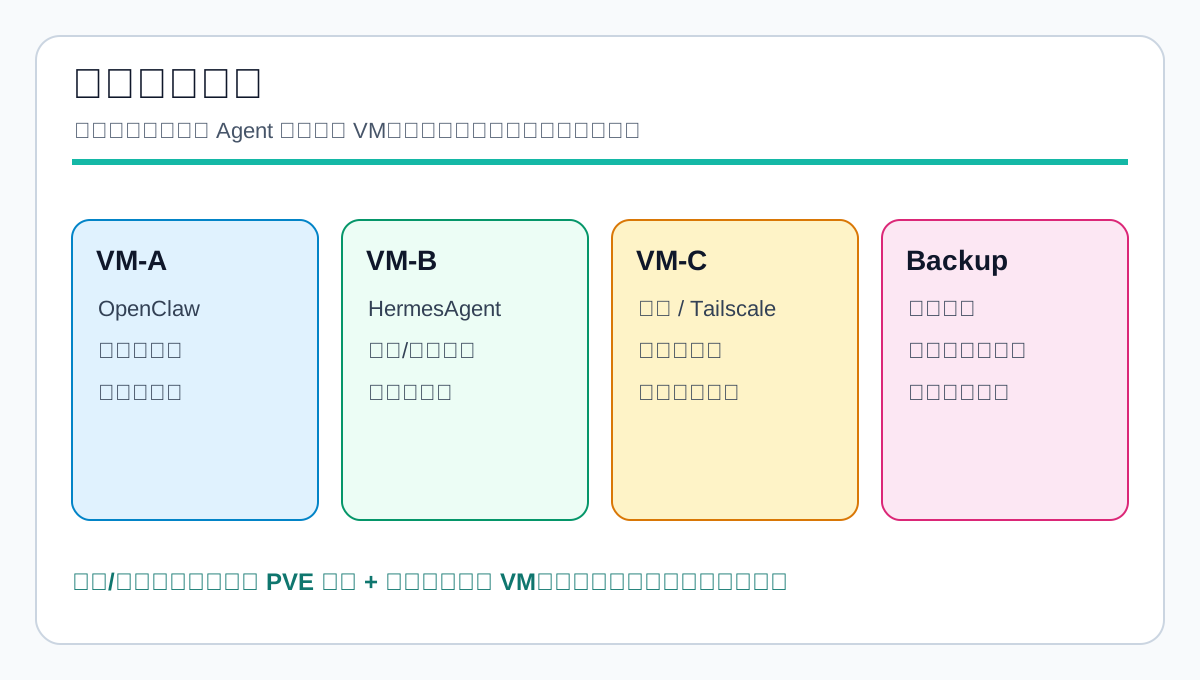
7. Recommended Topology
My recommended deployment is:
- Install Proxmox VE on the physical server. The host should remain a hypervisor, not an application server.
- Run OpenClaw in its own VM. Use it for messaging, daily automation, and stable workflows.
- Run HermesAgent in its own VM. Use it for research, coding, experimental skills, and longer tasks.
- Use a separate ingress layer. Reverse proxy, VPN, or SSH tunnel should control access. Do not expose agent management ports directly.
- Back up through PVE/PBS/NAS. Snapshot before major changes, run scheduled backups, and test restores.
Why separate OpenClaw and HermesAgent?
Their emphasis is not identical. OpenClaw is closer to a multi-channel, multi-tool central gateway. HermesAgent emphasizes self-improvement, skills, CLI/TUI usage, persistent memory, and personal learning loops. Both can do many jobs, but putting them in the same OS makes dependencies, ports, channels, state directories, and failure modes harder to reason about.
Separate VMs make operations simpler: restart one, snapshot one, upgrade one, and limit experimental skills to one blast radius.
8. A Practical Sizing Recommendation
For a home lab or small team, I would start here.
OpenClaw VM
- Ubuntu Server LTS.
- 2 to 4 vCPUs.
- 4 to 8 GB RAM.
- 40 GB or larger system disk.
- A non-root service user.
- Gateway bound only to localhost or an internal network.
- External access through reverse proxy, VPN, or SSH tunnel.
HermesAgent VM
- Ubuntu Server LTS.
- 2 to 6 vCPUs depending on coding and research workload.
- 8 GB RAM or more if browser automation is common.
- 60 GB or larger disk for sessions, skills, cache, and workspaces.
- Experimental skills start here, not in the daily OpenClaw VM.
Backup Policy
- Daily VM backup.
- Snapshot before major upgrades.
- Snapshots are short-term rollback points, not long-term backups.
- Keep at least one local backup and one NAS/PBS/offsite copy.
- Restore one backup to a temporary VM every month to prove the runbook works.
This setup is not the only answer. Its strength is that failure boundaries are visible.
9. When PVE Is Not Necessary
Not every deployment needs Proxmox VE.
If you only want to test the HermesAgent CLI or run a lightweight local OpenClaw assistant, a laptop or a small VPS is fine.
If you depend heavily on macOS desktop capabilities such as native messaging, Keychain, local browsers, or desktop automation, installing on that physical machine may be more practical. Just accept the cost: backup must be designed separately, permissions must be tight, and the agent should not be treated as a disposable service.
If you only have a cloud VPS, do not add virtualization complexity just to copy this architecture. Instead, use one service user per agent, Docker or systemd limits, a separate data disk, provider snapshots, and minimal shared directories.
PVE shines when the workload is long-running, multi-service, and recovery-sensitive. Without those requirements, it is optional.
10. Final Recommendation
OpenClaw and HermesAgent are useful because they connect the agent to the real world: messages, files, commands, browsers, memory, scheduled tasks, and external APIs. That is exactly why they should not be treated like ordinary scripts on a random physical host.
My recommendation is:
- Install Proxmox VE on the physical machine.
- Run OpenClaw and HermesAgent in dedicated VMs.
- Split VMs by trust boundary instead of putting every agent into one OS.
- Snapshot before upgrades, back up daily, and test restores.
- Do not expose management ports directly, and never place secrets in public posts, scripts, or repositories.
This is not architectural decoration. It is how an agent becomes an operable service.
Once an agent can read files, run commands, receive messages, store memory, and schedule work, the most important question is not how smart it is. The first question is whether it is contained by a boundary you can understand and recover.
For me, that boundary is a Proxmox VE virtual machine.
References
- OpenClaw Documentation
- NousResearch/hermes-agent GitHub README
- Your Agent, Their Asset: A Real-World Safety Analysis of OpenClaw
- Tom’s Guide: OpenClaw is the viral AI assistant that lives on your device
- TechRadar: How to self-host your OpenClaw environment on a VPS server
- Proxmox Backup Server Documentation