Mystery: Where Did That http_proxy Come From in My New Tmux Session?
Preface
Today I ran into a truly bizarre problem: in a freshly created tmux session, echo $http_proxy showed a valid proxy address. But I distinctly remember that my .zshrc only defines two aliases — proxy_on and proxy_off — both of which require manual invocation and don’t run automatically.
The weirdest part: my main shell shows http_proxy as empty, but as soon as I enter tmux, it’s there. I spent nearly an hour tracking this down, so I’m documenting it for posterity.
The Problem
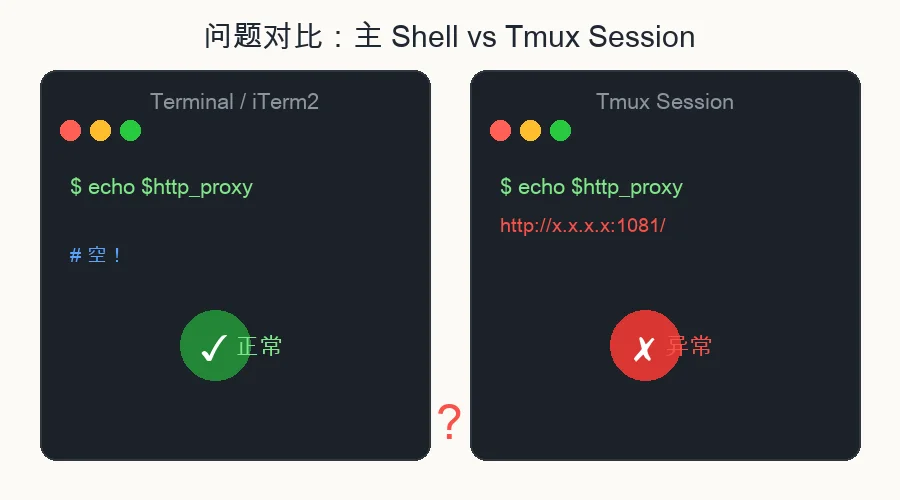
Main shell (Terminal.app / iTerm2):
$ echo $http_proxy

# Empty. Nothing.
New tmux session:
$ tmux new -s test
$ echo $http_proxy
http_proxy=http://x.x.x.x:1081/
Notice that it shows a proxy on an internal IP range, and the port 1081 is different from the 1031 I normally use. This means it wasn’t configured by me.
Investigation
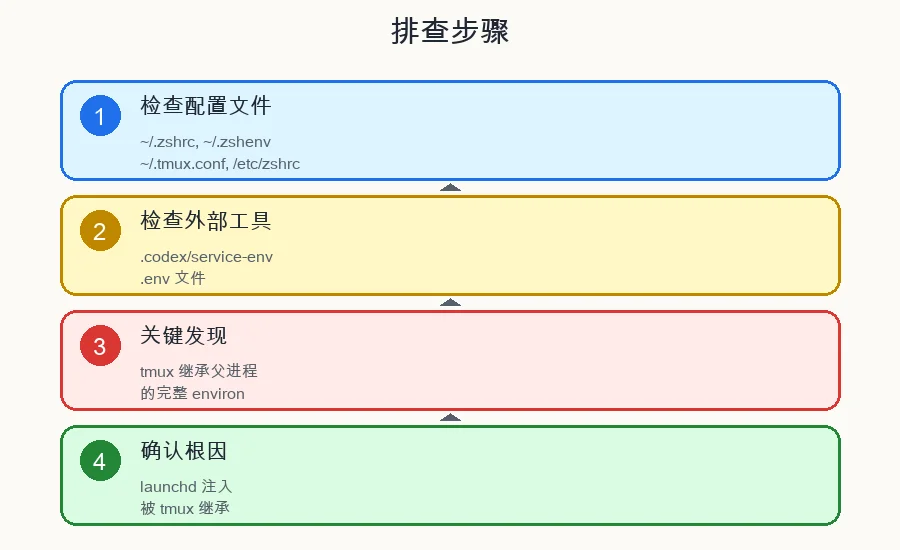
Step 1: Checking Configuration Files
I examined all the usual suspects:
~/.zshrc— only hasproxy_on/proxy_offaliases, no exports~/.zshenv— doesn’t exist~/.zprofile— only one line:brew shellenv~/.tmux.conf— no set-environment proxy directives/etc/zshrc— system-level config, no proxy settings
Result: No configuration file anywhere automatically sets http_proxy
Step 2: Checking External Tool Injection
I found that ~/.codex/service-env/ai.codex-desktop.env contains:
http_proxy=http://x.x.x.x:1081
https_proxy=http://x.x.x.x:1081
This file is injected by the Codex desktop app via launchd. But this file shouldn’t be automatically loaded by tmux or zsh.
Step 3: Key Finding — tmux Inherits Parent Process Environment
The strangest discovery:
# Parent shell
$ echo $http_proxy
# Empty

$ tmux new-session -d -s test
$ tmux send-keys -t test "echo $http_proxy" Enter
$ tmux capture-pane -t test -p
http_proxy=http://x.x.x.x:1081/   # It has a value in tmux!
But tmux show-environment doesn’t display this variable. What does that tell us?
tmux inherits the parent process’s environment by default. Yet the parent shell shows it as empty. There can only be one explanation — the parent shell’s environment had the variable set at some point, but it got cleaned up before my echo check ran.
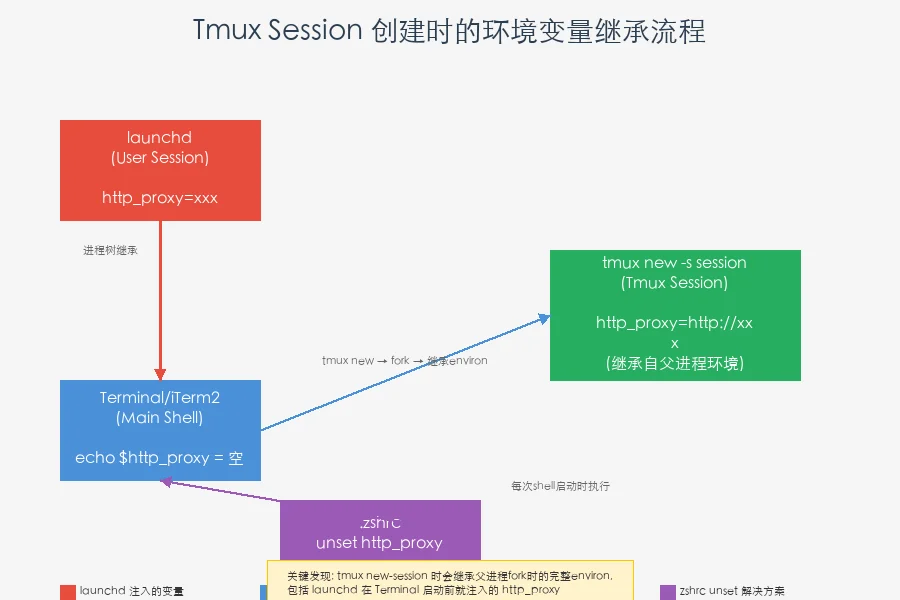
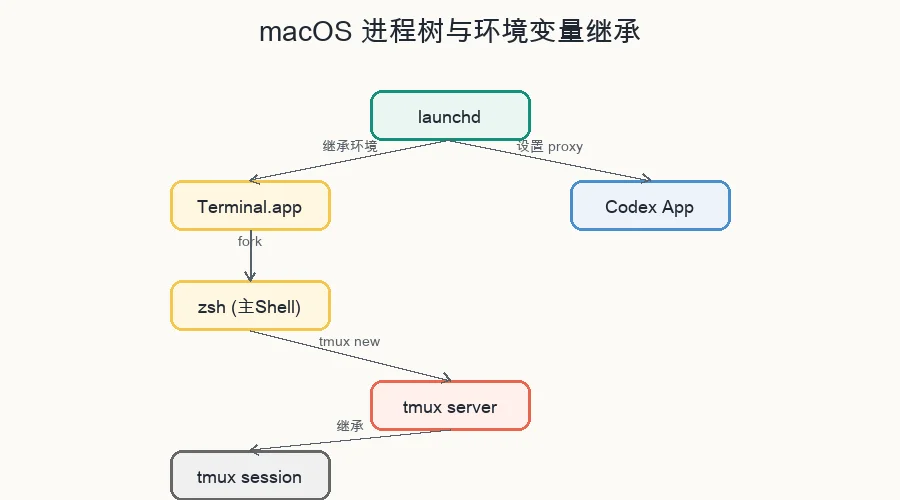
After deeper investigation: launchd injects environment variables into the entire user process tree. These variables already existed when Terminal.app started, but they got cleaned up somewhere in the main shell’s startup sequence. However, when tmux creates a new session, it re-inherits these variables from the parent shell’s environment snapshot at that moment.
Step 4: How tmux’s Environment Variable Mechanism Works
tmux has two layers of environment variable management:
- Server-level (
tmux show-environment -s) — shared across all sessions - Session/Window-level — inherited at each
new-sessionfrom the parent process
When you run tmux new -s session-name, tmux forks a process, and that process inherits the full environ of the parent shell, including those proxy variables injected by launchd.
Root Cause
The root cause: environment variables injected by launchd are inherited by tmux when creating new sessions.
- Desktop apps like Codex/OpenClaw set
http_proxyandhttps_proxythrough launchd - macOS’s launchd injects these variables into the entire user session process tree
- When Terminal/iTerm2 starts, it loads
.zshrc, which may not properly handle these variables at that point - When the user runs
tmux new, the tmux process inherits the completeenvironfrom the parent shell, including those proxy variables
More precisely: the problem isn’t with tmux — it’s that variables injected by launchd aren’t being properly cleaned up in the main shell.
The Solution
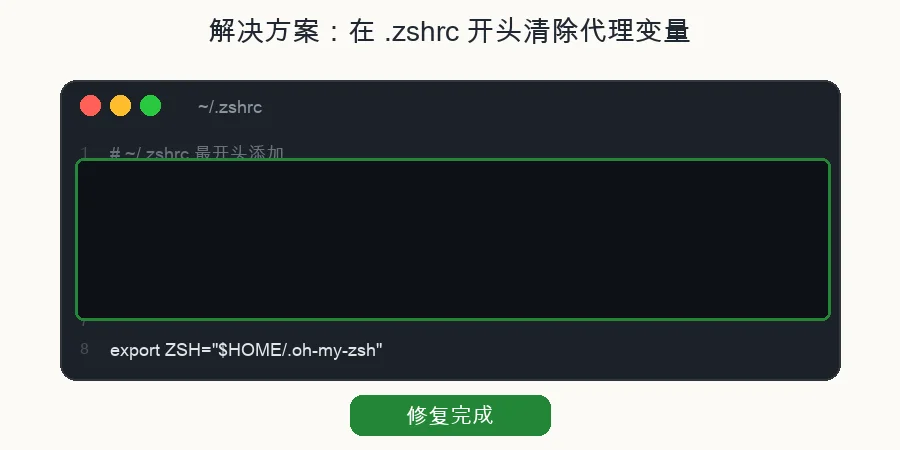
The simplest and most effective fix: add an unset at the very top of .zshrc to proactively clear these proxy variables when zsh starts.
# Add at the very top of ~/.zshrc

# Clear proxy variables to prevent automatic proxy from external tools
unset http_proxy https_proxy HTTP_PROXY HTTPS_PROXY
Why does this work?
Because .zshrc is executed every time a zsh shell starts. Whether:
- Opening a new Terminal tab
- Creating a new tmux session (tmux executes login shell by default)
- SSH-ing into the machine
The unset runs before any other configuration, ensuring proxy variables are cleared.
Alternative approach: Find which launchd plist is setting these variables and delete it. But that might break the associated application’s functionality.
Verifying the Fix
After the change, create a new tmux session:
$ tmux new -s verify
$ echo $http_proxy

# Empty! Fix successful
Summary
| Item | Content |
|---|---|
| Problem | Unexpected http_proxy appears in new tmux sessions |
| Root Cause | launchd-injected environment variables inherited by tmux |
| Solution | unset http_proxy https_proxy HTTP_PROXY HTTPS_PROXY at the top of .zshrc |
| Prevention | Regularly check `env |
Q&A
Q: Why not put the unset in .zshenv instead?
A: .zshenv is loaded on every zsh invocation (including subshells), while .zshrc only loads for login shells. But if the proxy variable is set after the login shell (e.g., inside tmux), the .zshrc unset still applies since .zshrc runs for each new shell.
Q: Will this break work that needs a proxy?
A: No. If you genuinely need a proxy, you can manually run the proxy_on alias — those aliases are still available in .zshrc.
Q: How do I find out who’s setting this variable?
A: Run launchctl export user | grep proxy to see launchd-injected variables, or use ps -e -o pid,ppid,comm to trace the process tree.
If you’ve encountered a similar issue or have a better solution, feel free to leave a comment!