From a Father's Weekend Hack to 500+ Stars: A Hardcore Retrospective on Building an AI Wrong-Notebook
If all you need is an instant answer to an arithmetic question, the market offers countless mobile apps that can deliver a solution in under a second.
However, if you are a parent who sits beside your child every evening under the desk lamp to review homework, you will quickly notice a disheartening phenomenon: the apps’ answers are increasingly polished, but the child’s understanding is drifting further away. When a problem-solving app outputs the perfect step-by-step proof, the student promptly transcribes it into their notebook. Two weeks later on the monthly test, when the problem simply changes the names or numbers, the test paper remains completely blank.
Two weeks ago, determined to break free from this vicious cycle of meaningless transcription, I deeply re-engineered and open-sourced wrong-notebook. What began as a personal utility to tackle household tutoring challenges unexpectedly resonated across the developer and parent communities: in just under two weeks, the project surged past 500 GitHub Stars, gathered over 90 forks, and has resolved 100% of community-submitted issues.
In this retrospective, I will skip marketing hype and technical jargon to offer a full-spectrum, hardcore debrief covering the background, symptoms, root causes, architectural surgeries, and real-world deployment. At the end of this article, you will find zero-dependency, automated deployment scripts tailored for Windows 11, Ubuntu 26.04, and macOS 27, suitable for both manual execution and AI agent configuration.
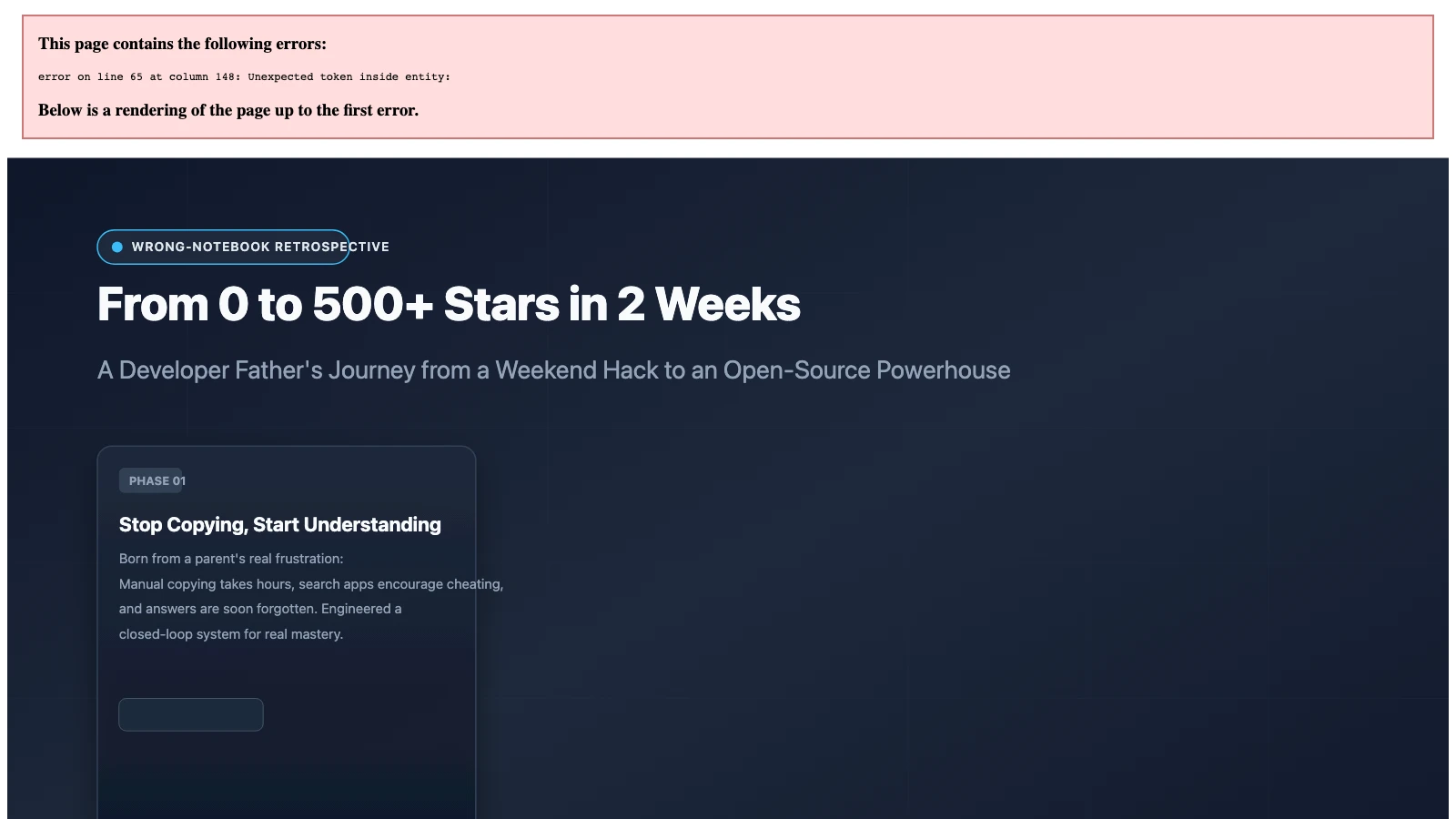
Figure 1: Original infographic illustrating the three-stage evolution of wrong-notebook, from household tutoring pain points to community resonance and production hardening.
1. Background: Why Commercial “Snap-and-Solve” Apps Weaken Thinking Skills
In pedagogy, an error notebook (or “wrong-question book”) is widely recognized as one of the most effective tools for mastery. The core thesis is straightforward: an error is a thermometer for cognitive blind spots. By revisiting and mastering past mistakes, those gaps are permanently sealed.
In real-world family life, however, traditional error tracking quickly devolves into exhausting manual labor for parents.
A typical household routine looks like this: when a child makes a mistake, the parent takes a phone photo. Out come scissors and glue to paste paper cutouts into bulky physical notebooks, or an inkjet printer churns out smudge-filled slips. The parent is utterly drained, while the child’s mind is elsewhere.
Worse still, commercial search apps have turned into copy-paste shortcuts. Think of it like ordering restaurant takeout: the food arrives on your doorstep and satisfies immediate hunger, but you will never learn how to cook. When a student glances at a complete answer key, the neural pathways responsible for hypothesis formulation and deductive reasoning are bypassed. The brain receives a deceptive dopamine hit signaling “this problem has been corrected,” when in fact no durable mental model was constructed.
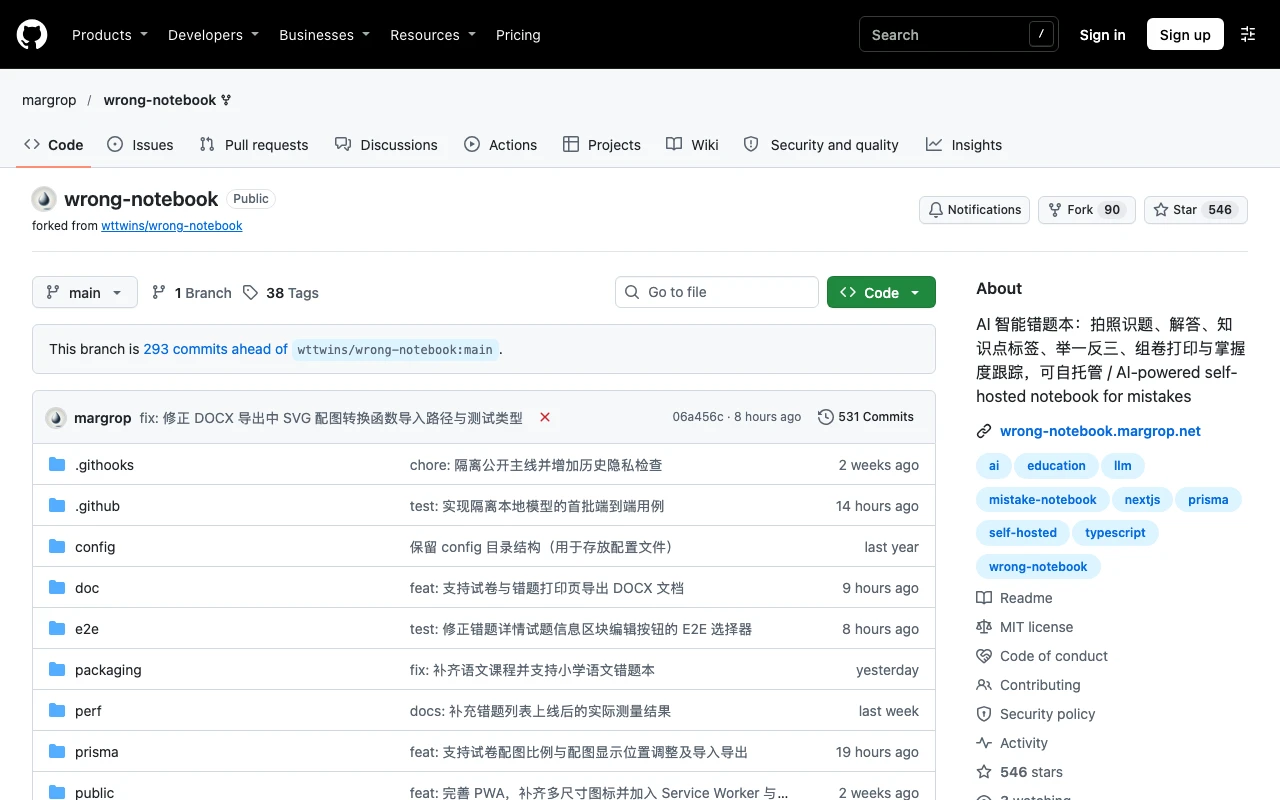
Figure 2: Real screenshot of the public GitHub repository captured on November 2, 2026, showing 540+ Stars, 90+ forks, and active community collaboration.
What I wanted was an educational companion system that delegates repetitive chores to machines while reserving deep cognition for the child: instant handwriting removal, automated standard curriculum alignment, animated blackboard proofs, and, above all, variant drills scheduled precisely at the right cognitive intervals.
2. Problem Symptoms: Three Critical Friction Barriers
When I shared this initial prototype with fellow parents and tech friends, reality quickly exposed three formidable barriers preventing adoption.
1. The API Key Barrier: Frustrating Non-Technical Parents
In the software development world, obtaining an LLM API key and setting environment variables takes minutes. But for a non-technical mother trying to guide her child through second-grade math, it is an insurmountable hurdle.
The user experience was broken at step zero: a modal pops up asking for API Base URL, API Key, and Model Name. Many parents gave up right away: “I just want to check my child’s word problems. Why do I need to bind an international credit card and calculate token rates?” Technical complexity alienated the exact audience who needed the tool most.
2. The Hardware Barrier: Who Keeps a 24/7 Server at Home?
Self-hosted open-source software often assumes users own a Synology NAS, a home server, or an always-on desktop rig. Yet in typical households, the primary educational hardware consists of a child’s Android tablet, a parent’s mobile phone, or a lightweight laptop that stays closed most of the day.
Without an always-on server, must a parent boot a terminal in the home office just to check two math problems? And if the family travels or visits grandparents without reliable Wi-Fi, does homework review completely grind to a halt?
3. The Review Breakdown: Notes Accumulate into a Digital Graveyard
Most error-tracking software degrades into unsearchable digital landfills.
Questions are captured and hundreds of photos pile up in gallery albums. But what next? What should be reviewed tomorrow? Did the child master that tricky geometry theorem from last Tuesday? Can the parent auto-generate a targeted practice sheet before next week’s exam? Traditional apps break down here, forcing parents back into the role of disorganized clerks sorting through messy chat histories.
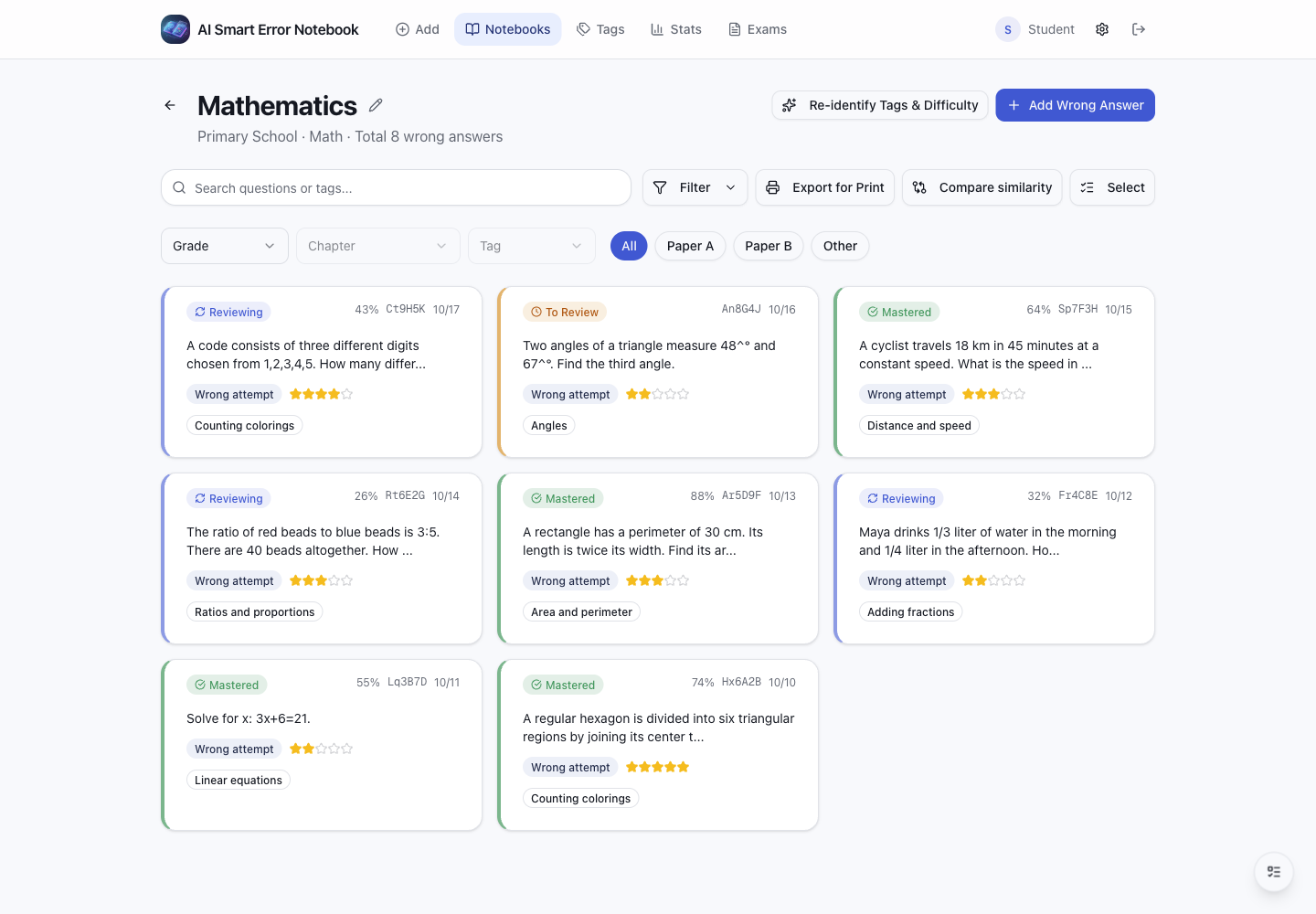
Figure 3: Real screenshot of the main notebook workspace displaying question cards, subject filters, curriculum tags, and review statuses.
3. Problem Analysis and Root Causes: The “Last Mile” Failure of AI Products
Faced with these symptoms, merely patching UI glitches would leave the project as an unremarkable GitHub demo. Before refactoring, I conducted a root-cause breakdown of the entire pipeline.
Root Cause 1: Cognitive Mismatch – Offloading DevOps Responsibilities onto End Users
Traditional open-source AI projects tend to expose architectural internals directly to the user. Developers assume that providing a detailed README fulfills their duty, overlooking the unique dynamics of family education: users are parents and children, and any setup requiring more than three manual steps causes over 90% churn. To turn AI into real productivity, technical complexity must be buried beneath intuitive interfaces.
Root Cause 2: Data Isolation – Absence of a Temporal Retrieval Engine
Human forgetting follows strict biological curves. According to the Ebbinghaus forgetting curve, newly acquired information drops below 30% retention within 24 hours without active retrieval practice.
Traditional error notebooks fail because they represent static, two-dimensional storage lacking a time-based scheduling engine. Logging a question is only the starting line; without proactive prompts aligned with memory decay cycles, an error notebook is a cold archive rather than an active learning engine.
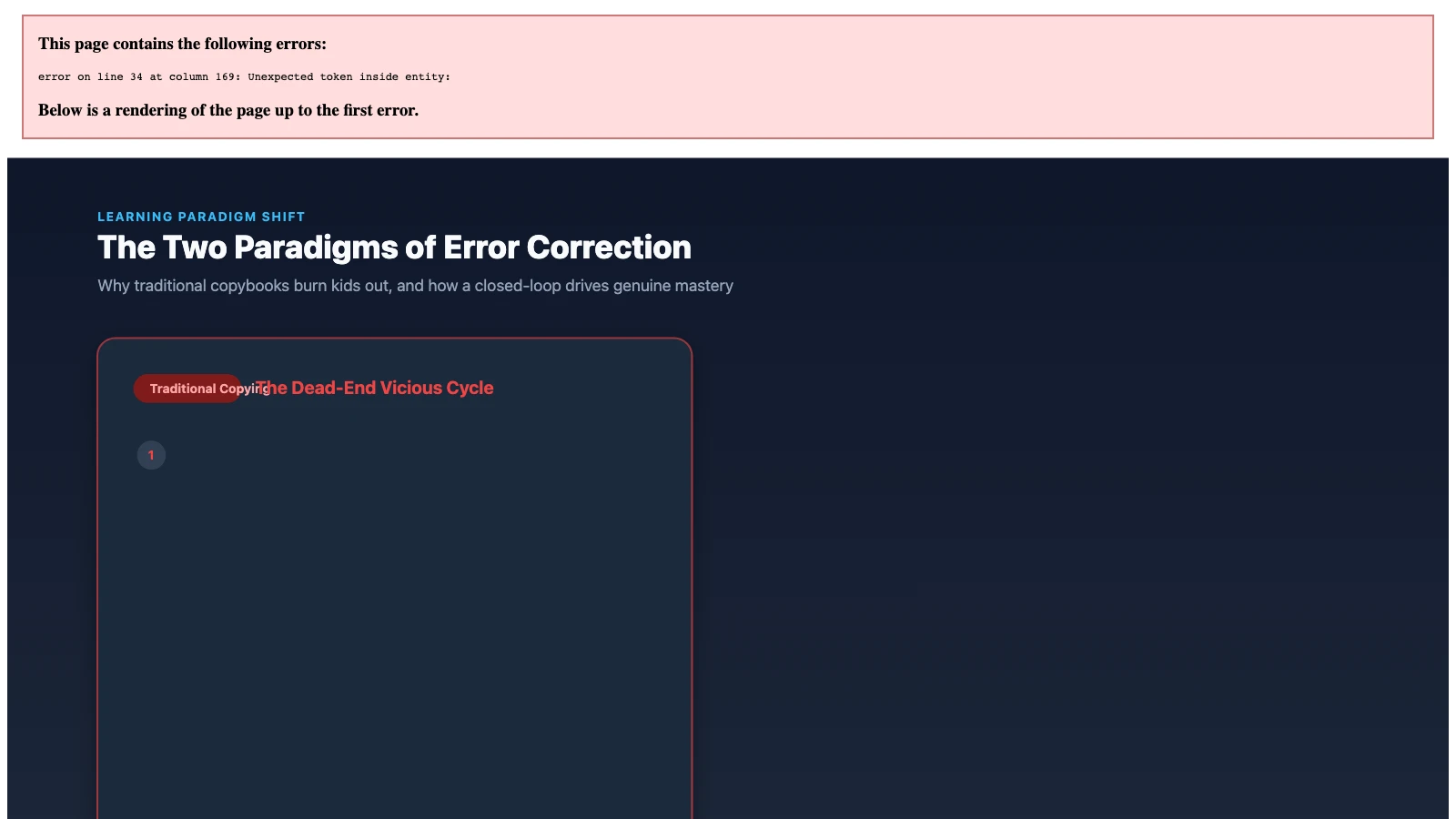
Figure 4: Original architectural comparison illustrating the contrast between the traditional copybook cycle and the wrong-notebook closed-loop learning flow.
Root Cause 3: The “People-Pleaser” AI Illusion – Lenient Grading Undermining Mastery
In early testing, we discovered that when generic LLMs graded student solutions, they frequently displayed an overly agreeable personality.
For instance, when a multi-step calculation had a final answer of “15.5” and a child carelessly wrote “15”, generic models would often comment: “Great reasoning, just a small arithmetic oversight. Full marks!” While encouraging in casual conversation, this leniency is catastrophic in academic learning. Without rigorous validation, students carry false confidence straight into exams.
4. How the Problem Was Solved: Five Engineering Surgeries
Having identified the core bottlenecks, the past two weeks were dedicated to intense architectural refactoring. We performed five surgical upgrades that redefined wrong-notebook.
1. Surgery 1: Hide the Key Behind the Door – Free MiniMax OAuth and Unified LLM Integration
To eliminate the API Key barrier once and for all, wrong-notebook integrated MiniMax Code OAuth authentication.
Think of it like visiting a theme park: previously, visitors were handed an electrical schematic and told to wire the rides themselves (configuring base URLs and secret keys); now, a self-service kiosk allows parents to tap “Web Login”, complete authorization in an official pop-up, and immediately obtain secure credentials to run OCR and tutoring features using platform-provided free quotas.
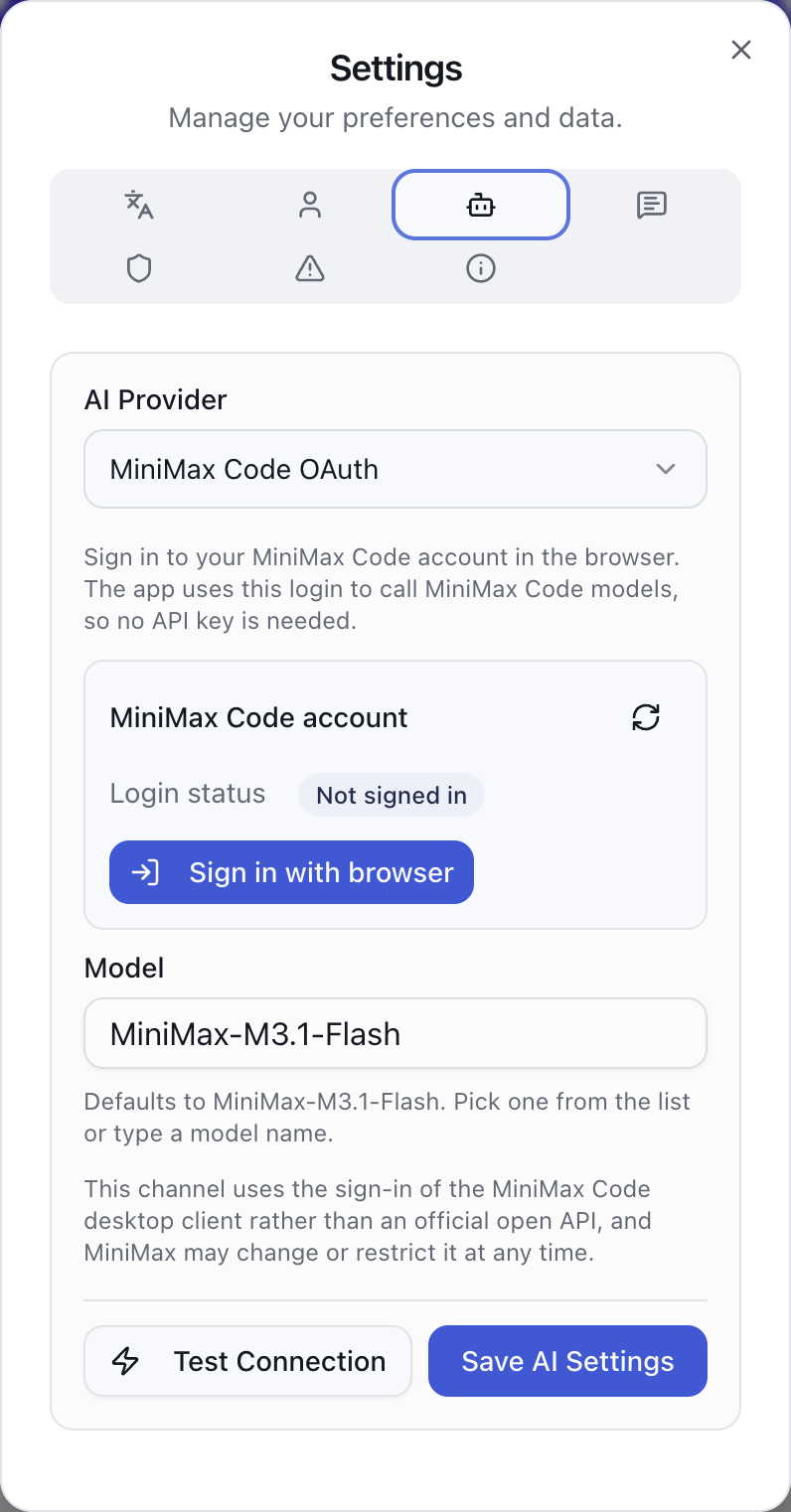
Figure 5: Real settings interface demonstrating one-click MiniMax Code OAuth web authorization alongside Volcengine Doubao, DeepSeek, and Kimi integrations.
Simultaneously, we expanded support to prominent domestic AI ecosystems, including Volcengine (Doubao, Coding Plan, Agent Plan), DeepSeek, Moonshot Kimi, Alibaba Qwen, Zhipu GLM, and StepFun, complete with real-time connectivity testing and informative error diagnosis.
2. Surgery 2: The “Library Card” Lifecycle – Three Review States and Spaced Daily Reviews
To prevent questions from languishing in digital archives, we assigned each error an explicit lifecycle state machine.
We can compare this to a university library card:
- To-Review State: newly recorded questions are like newly acquired catalog items placed in the intake bin;
- In-Review State: based on Ebbinghaus intervals (days 1, 2, 4, 7, 15, and 30), the scheduler automatically queues questions into “Today’s Review”, asking the child to solve generated variants;
- Mastered State: only when a student consistently solves variant drills across multiple spaced review cycles does the problem receive a certified “Mastered” stamp and graduate to the archive.
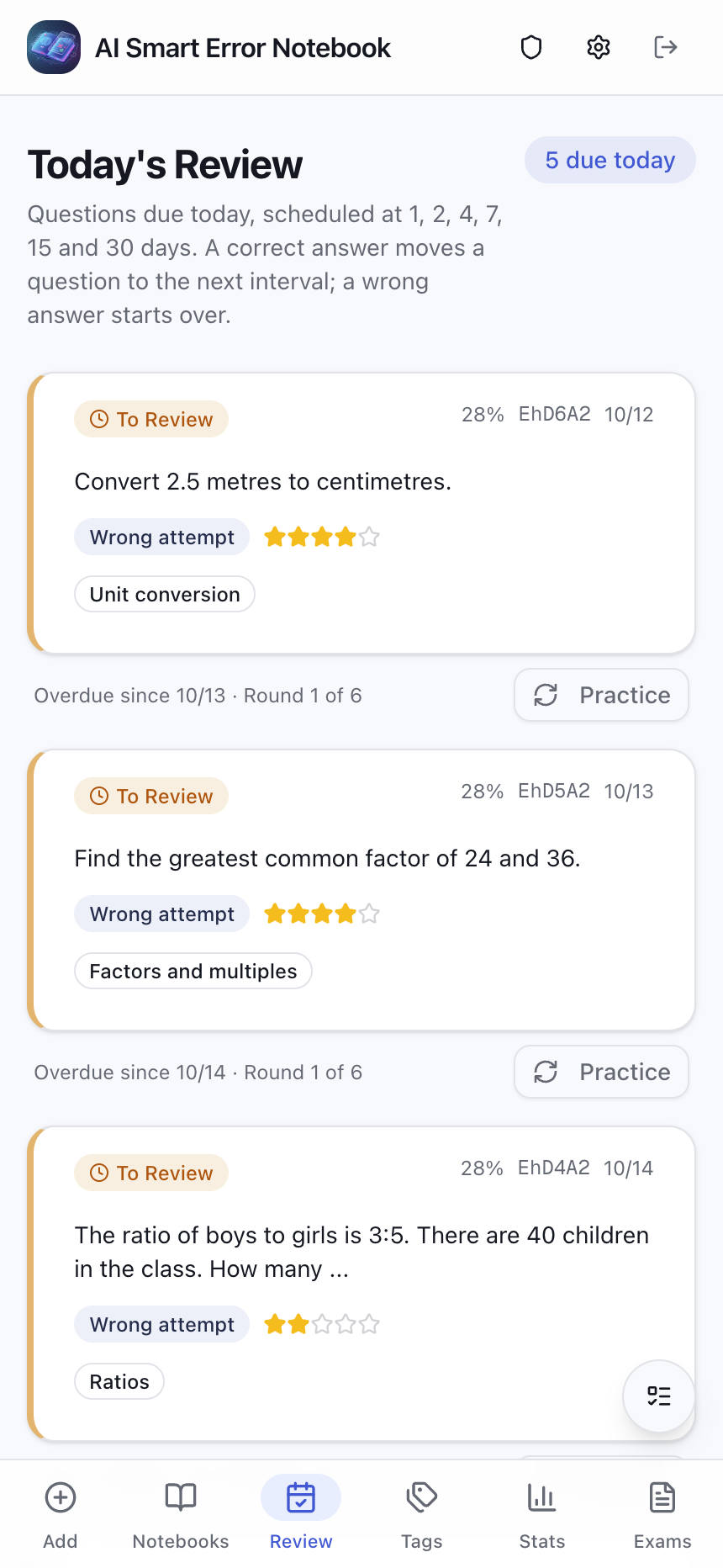
Figure 6: Real interface showing Today’s Review dynamically calculated via spaced repetition, offering variant exercises and instant solution submission.
With this library card model, every variant drill, printed exam, and historical attempt links back to the original question, establishing a transparent learning trajectory.
3. Surgery 3: Dynamic Step-by-Step Blackboard Proofs – SVG Animation and Cloud TTS
For complex geometry theorems or multi-step logic proofs, paragraphs of static text often leave children confused.
To bring reasoning to life, wrong-notebook introduced dynamic step-by-step SVG whiteboard demonstrations coupled with cloud text-to-speech (TTS) audio narration.
It feels like having an experienced tutor beside you: click “Explain”, and the geometric figure animates in real time. Auxiliary lines appear progressively alongside audio explanations, key angles pulse gently, and theorems are dissected step by step.
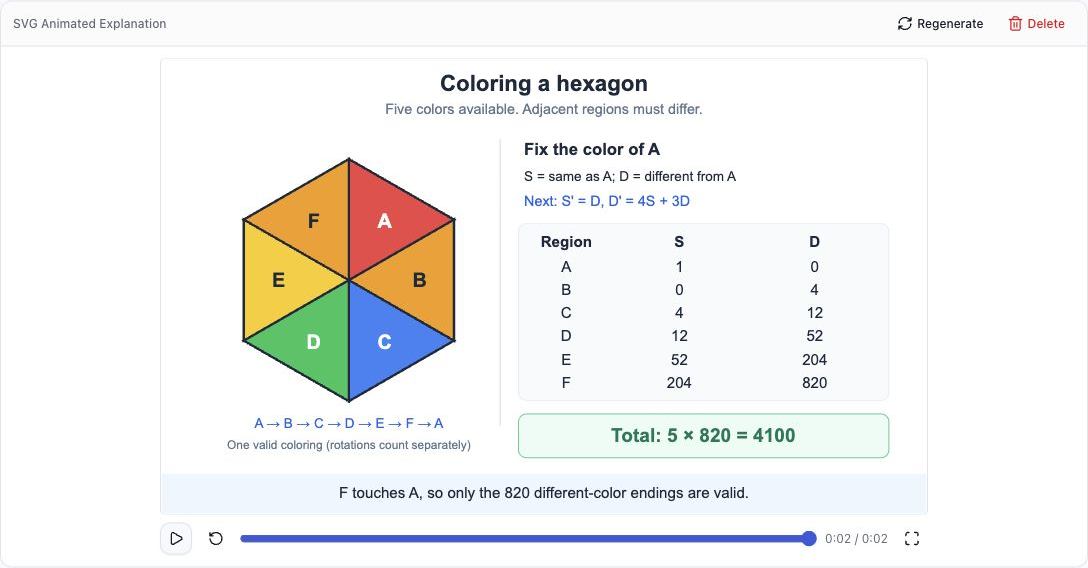
Figure 7: Real screenshot of interactive SVG animations illustrating geometry proofs step by step, synchronizable with cloud TTS voiceover.
Paired with strict local string and formula normalization, the system eliminates hallucinated grading: incorrect derivations are caught decisively, fostering genuine rigor.
4. Surgery 4: Packing the Kitchen into a Backpack – Standalone Android Offline Sandbox
To eliminate the need for home servers, we achieved an ambitious milestone: launching a standalone Android APK.
In typical web architecture, front-end clients require remote servers. In wrong-notebook’s standalone Android build, the entire backend engine (an embedded Node.js runtime) and storage layer (an embedded SQLite engine) are bundled directly inside the mobile app package.
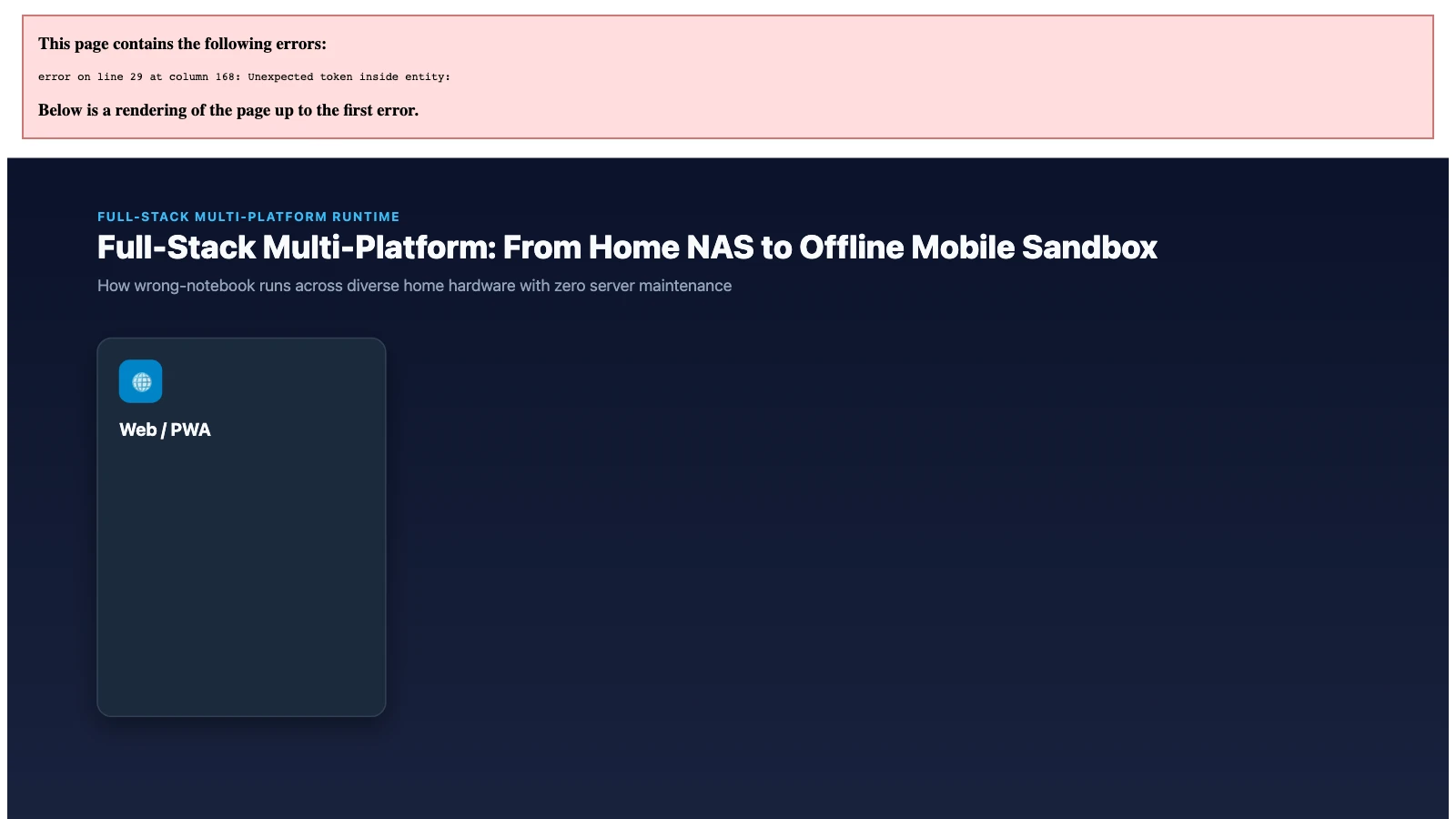
Figure 8: Original diagram of the multi-terminal matrix, encompassing Web/PWA, fnOS/Docker private clouds, Electron desktop, and the offline standalone Android runtime.
Parents simply install an APK file onto a standard tablet or smartphone. The app automatically initializes a self-contained local server process upon launch. No cloud hosting, no port-forwarding, and zero public data leaks: full functionality remains accessible even during offline travels.
5. Surgery 5: Formatted Printable Tests – Curriculum Standards and Smart Layout Spacing
When transferring digital questions to physical paper, parents frequently encounter frustrating layout bugs: multiple-choice options collapse onto a single line, or comprehensive essay questions leave only two narrow lines of blank space, impossible for a child’s handwriting.
In recent releases, we integrated comprehensive curriculum standards, supporting multi-tag hierarchies and customizable paper sections. Furthermore, we introduced smart layout algorithms and DOCX export:
- Type-aware spacing: multiple-choice and fill-in-the-blank questions retain compact margins, while complex proof questions automatically expand blank answering space based on cognitive difficulty;
- Clean option wrapping: options (A, B, C, D) are neatly aligned on fresh lines, mirroring authentic exam standards;
- Flexible customization: parents can adjust global spacing presets or manually enlarge the answering box for specific drawing problems.
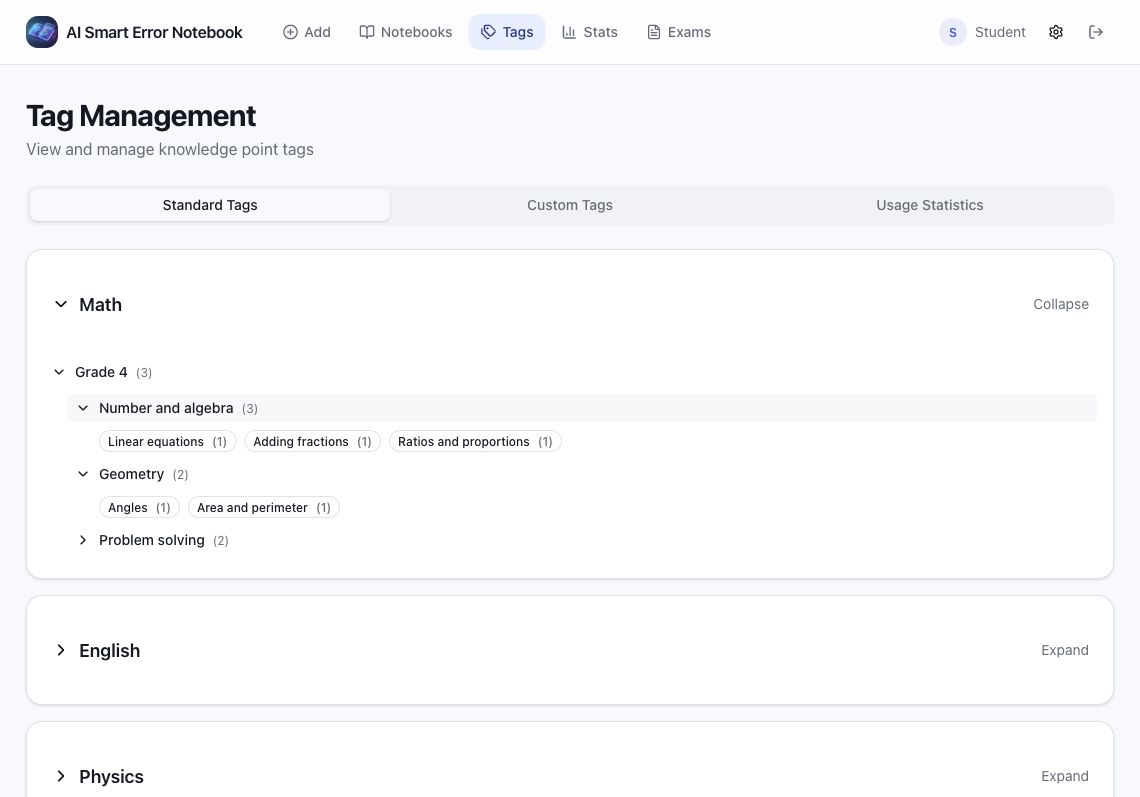
Figure 9: Real screenshot of the built-in curriculum tag management tree, supporting nested structures and multi-subject system toggling.
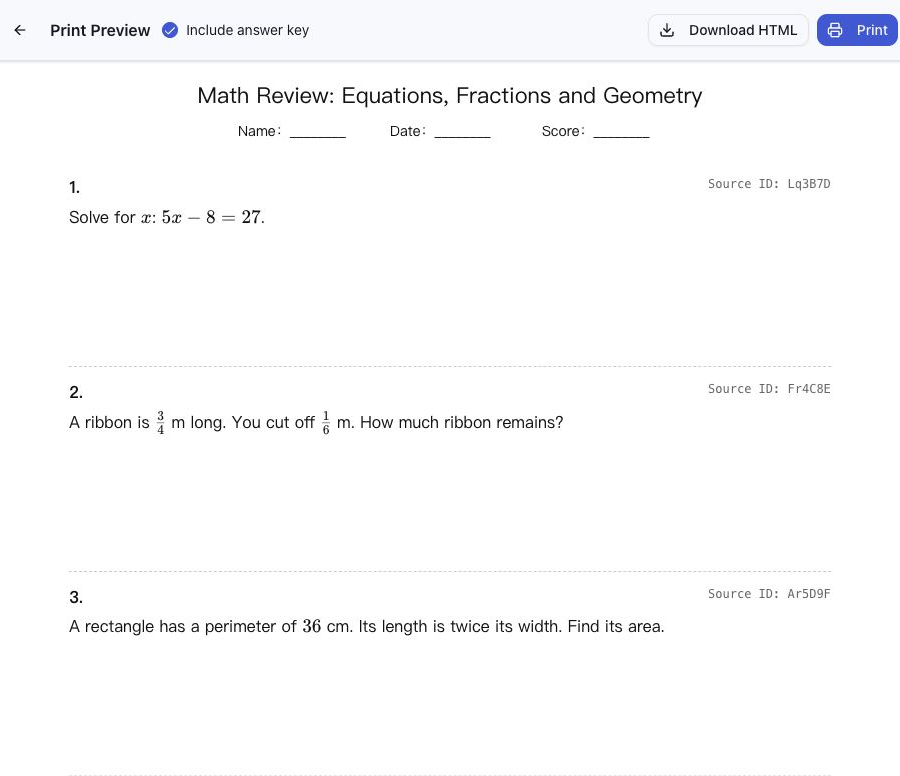
Figure 10: Real preview of printed test compilation, demonstrating adaptive answering blanks, option line breaks, and DOCX document export.
5. One-Click Automated Setup Scripts for Three Operating Systems
For readers looking to quickly experience wrong-notebook on local machines or home servers, we have prepared zero-dependency, automated startup scripts for Windows 11, Ubuntu 26.04, and macOS 27.
All scripts detect existing environments automatically, preferring Docker Compose when available, and falling back gracefully to native Node.js runtime without requiring any closed-source third-party dependencies.
Method 1: Manual One-Click Automated Execution
1. Windows 11 Automated Script (PowerShell)
Open PowerShell on Windows 11 (standard user permissions are sufficient) and run:
# Windows 11 One-Click Automated wrong-notebook Launch
$ErrorActionPreference = "Stop"
Write-Host ">>> [1/4] Detecting environment and dependencies..." -ForegroundColor Cyan

$AppDir = Join-Path $HOME "wrong-notebook"
if (!(Test-Path $AppDir)) {
    Write-Host ">>> [2/4] Cloning latest open-source repository..." -ForegroundColor Cyan
    git clone --depth 1 https://github.com/margrop/wrong-notebook.git $AppDir
} else {
    Write-Host ">>> [2/4] Repository exists locally, pulling updates..." -ForegroundColor Cyan
    Set-Location $AppDir
    git pull
}

Set-Location $AppDir

if (Get-Command docker -ErrorAction SilentlyContinue) {
    Write-Host ">>> [3/4] Docker detected. Launching containerized service..." -ForegroundColor Green
    docker compose up -d --build
    Write-Host ">>> [4/4] Deployment successful! Opening browser..." -ForegroundColor Green
    Start-Sleep -Seconds 3
    Start-Process "http://localhost:3000"
} else {
    Write-Host ">>> [3/4] Docker not detected. Falling back to native Node.js..." -ForegroundColor Yellow
    if (!(Get-Command node -ErrorAction SilentlyContinue)) {
        Write-Error "Please install Node.js or Docker to proceed."
    }
    npm ci --registry=https://registry.npmjs.org
    npx prisma generate
    npx prisma migrate deploy
    Write-Host ">>> [4/4] Build complete. Starting development server..." -ForegroundColor Green
    Start-Process "http://localhost:3000"
    npm run dev
}
2. Ubuntu 26.04 Automated Script (Bash)
In your Ubuntu terminal, execute:
#!/usr/bin/env bash
# Ubuntu 26.04 One-Click Automated wrong-notebook Launch
set -euo pipefail

echo ">>> [1/4] Preparing workspace directory..."
TARGET_DIR="${HOME}/wrong-notebook"
if [[ ! -d "${TARGET_DIR}" ]]; then
  echo ">>> [2/4] Cloning latest source code..."
  git clone --depth 1 https://github.com/margrop/wrong-notebook.git "${TARGET_DIR}"
else
  echo ">>> [2/4] Existing repository found, updating..."
  cd "${TARGET_DIR}" && git pull
fi

cd "${TARGET_DIR}"

if command -v docker &>/dev/null && docker compose version &>/dev/null; then
  echo ">>> [3/4] Docker detected. Building and starting container service..."
  docker compose up -d --build
  echo ">>> [4/4] Service started successfully! Access: http://127.0.0.1:3000"
else
  echo ">>> [3/4] Docker not found. Initializing with native Node.js..."
  npm ci --registry=https://registry.npmjs.org
  npx prisma generate
  npx prisma migrate deploy
  echo ">>> [4/4] Starting service on local port 3000..."
  npm run dev
fi
3. macOS 27 Automated Script (Zsh)
In macOS terminal, run:
#!/bin/zsh
# macOS 27 One-Click Automated wrong-notebook Launch
set -e

echo ">>> [1/4] Initializing macOS workspace..."
APP_PATH="${HOME}/wrong-notebook"
if [[ ! -d "${APP_PATH}" ]]; then
  echo ">>> [2/4] Checking out latest source from GitHub..."
  git clone --depth 1 https://github.com/margrop/wrong-notebook.git "${APP_PATH}"
else
  echo ">>> [2/4] Local repository found, fetching latest commits..."
  cd "${APP_PATH}" && git pull
fi

cd "${APP_PATH}"

if command -v docker &>/dev/null; then
  echo ">>> [3/4] Starting Docker Compose engine..."
  docker compose up -d --build
  echo ">>> [4/4] Opening default web browser..."
  sleep 2
  open "http://localhost:3000"
else
  echo ">>> [3/4] Installing dependencies and migrating database..."
  npm ci --registry=https://registry.npmjs.org
  npx prisma generate
  npx prisma migrate deploy
  echo ">>> [4/4] Starting server and launching browser..."
  open "http://localhost:3000"
  npm run dev
fi
Method 2: AI Agent / CLI Headless Configuration
If you manage infrastructure via autonomous AI agents or headless CLI pipelines, you can run a non-interactive silent deployment using standardized directives:
[Agent Configuration Directive]
1. Prerequisites: Git, Docker / Node.js 22+
2. Execution Steps:
   - Run: git clone https://github.com/margrop/wrong-notebook.git /opt/wrong-notebook
   - Environment Setup:
     DATABASE_URL="file:./dev.db"
     ALLOW_REGISTRATION="true"
     NEXTAUTH_SECRET="custom_generated_jwt_secret_token_at_least_32_chars"
     NEXTAUTH_URL="http://127.0.0.1:3000"
   - Commands:
     cd /opt/wrong-notebook && npm ci && npx prisma generate && npx prisma migrate deploy && npm run build
   - Healthcheck:
     Ensure HTTP GET http://127.0.0.1:3000/api/health returns status 200 OK.
Your agent can complete setup silently within two minutes without interactive prompts.
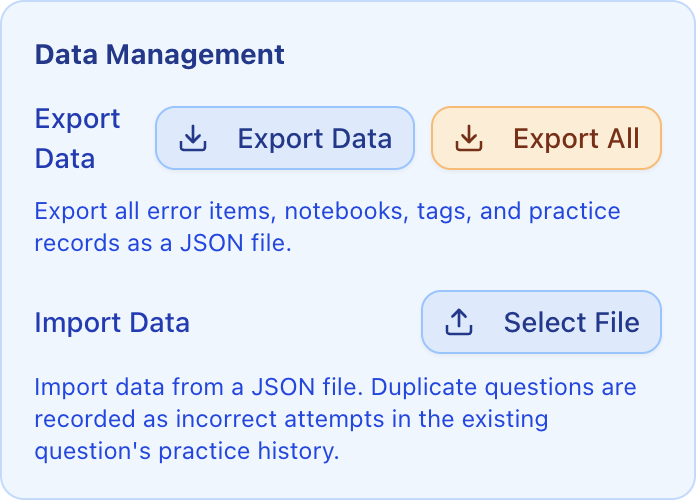
Figure 11: Real screenshot of the backup and privacy interface, supporting complete data portability in standard JSON v3 format.
6. Deep Q&A: Community Reflections on Open Source and AI Tutoring
During our growth to 500+ Stars, numerous insightful discussions arose in GitHub issues and developer groups. Here are candid reflections on the most common questions.
Q1: Does giving children direct access to this tool foster dependency?
Answer: It depends on whose hands hold the steering wheel. If you simply hand an unlocked tablet to a young child, any smart app can become a shortcut for avoiding mental effort. wrong-notebook was intentionally engineered as a collaborative parent-child tutoring hub. During review, we deliberately suppress immediate answer keys, focusing instead on variant challenges. The original answer can be masked entirely; only when the student deduces the variant step by step and submits their own work does the grading system validate mastery. It acts not as a solver for homework, but as an objective verifier of comprehension.
Q2: Why stick with SQLite instead of PostgreSQL or MySQL?
Answer: Technical choices must respect operational realities rather than theoretical perfection. wrong-notebook targets households, individual parents, and small study groups. In a home environment, spinning up an auxiliary MySQL container consumes hundreds of megabytes of RAM and introduces port conflicts, permission issues, and volume mapping friction. A single misconfiguration or power outage can brick the setup. SQLite is a single local file. Configured with Write-Ahead Logging (WAL), its concurrent read/write throughput in household scenarios is stellar. Paired with our JSON v3 backup engine, migrating to a new machine is as simple as copying a directory or a single database file. Lightweight, self-contained resilience is genuine engineering elegance.
Q3: With so many model options, which offers the best value for daily family use?
Answer: For complete zero-cost onboarding, start with MiniMax Code OAuth. The complimentary points provided by the platform easily cover typical daily photo OCR and variant generation needs. For users with API access, Volcengine’s Doubao delivers rapid responsiveness and remarkable affordability, while DeepSeek and Moonshot Kimi show exceptional deductive rigor in middle- and high-school mathematics. The platform allows dynamic switching at any time, avoiding vendor lock-in.
Q4: Does self-hosting truly safeguard children’s data privacy?
Answer: Absolutely. All homework photos, extracted LaTeX equations, practice records, and notebook structures remain strictly on your local hardware drives. Only at the exact moment you invoke AI OCR or generate variant questions is the specific question text or cropped image transmitted over encrypted HTTPS to the selected provider. Once the call returns, no external connections persist. This is why we intentionally refrain from operating a centralized multi-tenant cloud service: your child’s academic journey belongs entirely under your own roof.
7. Closing Thoughts: Code Deprecates, but Presence Endures
From sitting beside my child at the desk frustrated by tedious transcription, to watching over 500 fellow developers star the repository, the growth of this project has far exceeded my initial imagination.
Over the past two weeks, I have received warm feedback from elementary school educators, localization tips from overseas bilingual families, and performance patches for the standalone Android engine submitted by fellow tech-minded fathers.
Tech buzzwords shift every few months, and LLM leaderboards will continually reshuffle. Yet regardless of how advanced AI becomes, the heart of education remains the patient bond between mentor and child.
I hope wrong-notebook continues to serve as a modest, sturdy bridge: using code to shoulder tedious chores in the background, while leaving warmth, patience, and encouraging smiles for the child seated under the desk lamp, discovering the joy of solving problems one step at a time.
Explore the repository and join our community:
- GitHub Repository: https://github.com/margrop/wrong-notebook
- Official Documentation: https://wrong-notebook.margrop.net
- Live Interactive Demo: https://wrong-notebook-demo.margrop.net