Exposing Your Front Door to the Whole Internet? The Ultimate Home Assistant Security Guide for Beginners: Demystifying Dual Tokens, Zero-Exposure Remote Access, and Hardening AI Agent Integration (with Cross-Platform Toolkit)
The magic of modern smart home automation lies in that seamless sense of complete agency: arriving one mile from home while the air conditioner turns on to your ideal temperature; tapping a mobile screen to dim the living room lights for movie night; or simply whispering an instruction to an AI Agent to dispatch the robot vacuum.
However, for beginners who have just completed their first Home Assistant (HA) installation, a silent and dangerous trap often looms: Unlike a self-hosted media server or a hobbyist blog, Home Assistant is a mission-critical digital control tower physically wired to your real-world household locks, security cameras, and electrical breakers.
All too often, enthusiastic beginners want remote access while away at work. Without second thought, they open their router settings, configure a port forwarding rule for 8123:8123 directly to the public internet, or generate a Long-Lived Access Token and paste it unencrypted into a random online service or public script.
Within 48 hours, router connection logs flood with automated global bot scans, notifications trigger repeated Login attempt failed warnings, and in worst-case scenarios, smart switches click erratically at 3 AM while security cameras stream to unknown IP addresses.
How should you truly secure your self-hosted Home Assistant? What is the real difference between a session Refresh Token and a Long-Lived Access Token? How can modern AI Agents be safely integrated without handing over unrestricted master control? In this guide, we break down core risks using intuitive real-world analogies, construct three fortified defense perimeters, and provide an open-source, zero-dependency audit toolkit to safeguard your home.

Figure 1: Architectural overview of the end-to-end security delivery pipeline, covering zero-exposure remote tunnels, dual-token lifecycle analysis, AI Agent guardrails, and automated cross-platform security auditing.
Background & Real-World Symptoms: Why HA Security is Exponentially More Critical
In cybersecurity, a universal rule applies: Every device directly connected to the public internet is scanned and probed thousands of times every single day.
Many newcomers assume: “I am just an everyday homeowner with a few smart light bulbs. Why would any hacker care about my little setup?” That false sense of obscurity is precisely what attackers exploit.

Figure 2: Elementary school analogy. Deconstructing token lifecycles through 30-minute hotel room keycards, front-desk verified registration vouchers, and perpetual 10-year golden master keys.
1. Physical Actuators vs. Digital Data
When an ordinary personal blog is compromised, the damage is typically confined to database corruption or defaced webpages. Home Assistant, however, controls physical actuators:
- Smart Door Locks & Garage Doors: An attacker can remotely unlock your home while your family is asleep;
- Surveillance Cameras & Microphones: Attackers can hijack internal RTSP streams, turning private bedrooms and living rooms into public surveillance feeds;
- High-Wattage Relays & Appliances: Malicious commands can rapidly cycle heavy inductive loads, damaging compressors or tripping electrical breakers;
- Security Alarm Systems: Intruders can silence sirens, bypass door sensors, and disable motion alerts prior to physical break-ins.
2. Common Security Failure Scenarios
Across smart home forums, beginner mistakes repeatedly fall into three classic patterns:
- Symptom 1: Raw Public Port Forwarding & Shodan Indexing
Users map port
8123directly on their home gateway. Within hours, internet search engines (like Shodan and Censys) catalog the instance, triggering persistent dictionary brute-force attacks against the login endpoint. - Symptom 2: Cleartext HTTP Sniffing on Public Wi-Fi
Accessing an unencrypted
http://endpoint from hotel or cafe Wi-Fi transmits session cookies, passwords, and tokens across unencrypted wireless packets, leaving them trivial to capture with standard network analyzers. - Symptom 3: The Unrestricted AI Agent “Demolition Disaster” Eager to experiment with LLM assistants, a user supplies their personal Owner/Admin Long-Lived Access Token to an agent prompt. When the user asks the agent to “turn off all unused electronics,” the LLM systematically shuts down power to the home NAS, the network gateway, and vital refrigeration circuits!
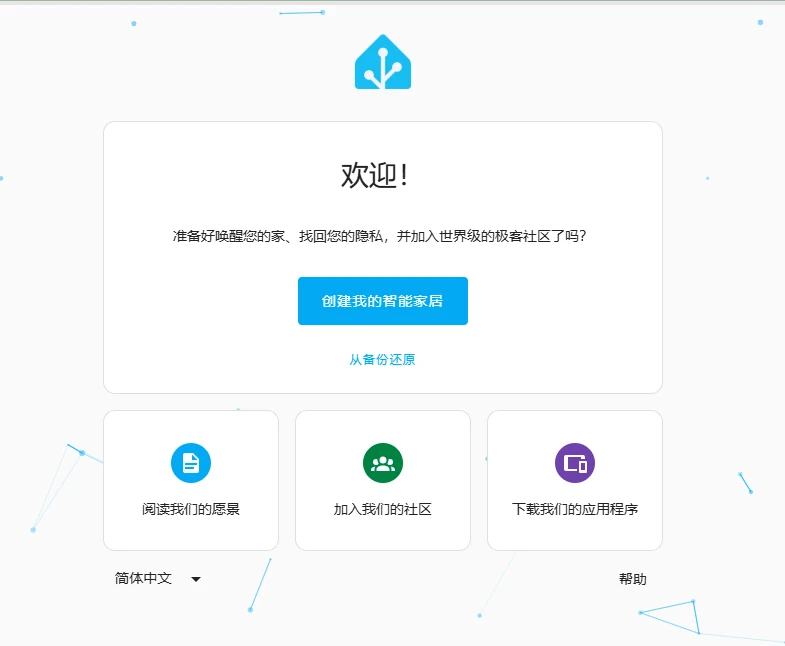
Figure 3: Home Assistant initial onboarding screen. The very first user created here is granted full superuser administrative privileges across the entire home.
Core Concepts & Everyday Metaphors: Demystifying Refresh Tokens vs. LLAT
To effectively secure Home Assistant, one must master the token mechanics governing authentication. Beginners frequently encounter “Refresh Tokens” and “Long-Lived Access Tokens” without grasping their operational boundaries.
Let us use an elementary-school-friendly hotel metaphor to demystify OAuth 2.0 token lifecycles.
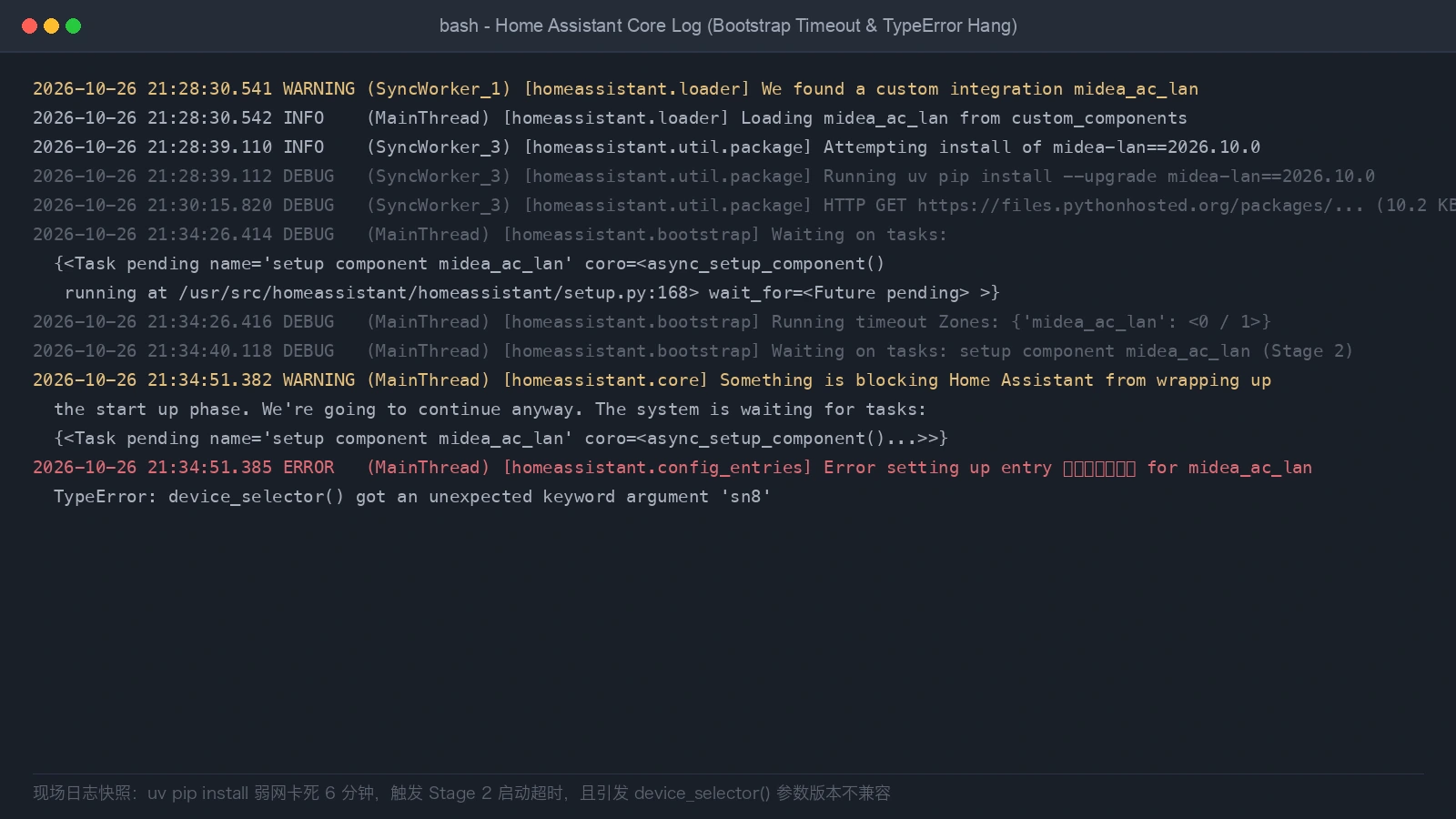
Figure 4: Home Assistant system console log audit. Real-time logging tracks integration status, network health, and authentication rejections.
1. The 30-Minute Temporary Access Token: The Hotel RFID Keycard
- Everyday Metaphor: When checking into a hotel, the clerk hands you a blue plastic RFID room card. For security reasons, the card magnetic strip is programmed to expire in exactly 30 minutes.
- Technical Reality: This is the
Access Token. Every time your browser or smartphone app toggles a light switch or queries temperature data, it includes this token in the HTTP header (e.g.,Authorization: Bearer <token>). - Security Principle: If this plastic keycard is accidentally dropped in a hallway or intercepted over Wi-Fi, the thief can only use it for whatever brief minutes remain. Once 30 minutes elapse, the keycard dies permanently, locking the intruder out.
2. The Refresh Token: The Front-Desk Registration Voucher
- Everyday Metaphor: If room keycards expire every 30 minutes, must guests walk down to the lobby 48 times a day to stand in line and renew their card? Of course not! Instead, when you first registered with your passport, the hotel clerk gave your mobile app an encrypted digital voucher. One minute before your room keycard expires, your smartphone app silently transmits this voucher over the wireless network to the front desk. The clerk verifies your reservation and invisibly recharges the card for another 30 minutes. You enjoy continuous access without manual intervention.
- Technical Reality: This is the OAuth 2.0
Refresh Token. It resides securely within your trusted browser cache or the encrypted keychain of the official Home Assistant Companion App. - Defensive Strength:
- It is communicated strictly to the dedicated authentication endpoint
/auth/tokenand is never exposed in routine entity requests; - It is fully auditable: Visiting Profile -> Security reveals an exact inventory of all active sessions (e.g., iPhone, living room tablet, work laptop);
- Instant Revocation: If your phone is lost or stolen, simply open your Home Assistant profile on a laptop and click the trash can icon next to that device. The registration voucher is revoked instantly, preventing that lost device from ever obtaining another temporary keycard!
- It is communicated strictly to the dedicated authentication endpoint
3. The Long-Lived Access Token (LLAT): The 10-Year Golden Master Key
- Everyday Metaphor: Suppose the hotel chief engineer needs uninterrupted access to maintain pump rooms and electrical conduits at all hours, using legacy diagnostic equipment that cannot negotiate 30-minute renewals. The owner forges a special solid-gold master key that unlocks any door in the building and never expires for 10 years!
- Technical Reality: This is the
Long-Lived Access Token (LLAT)generated at the bottom of your Profile page. It is a three-part base64-encoded string containing signature algorithms, claims, and cryptographic hashes. - Severe Vulnerability:
- It bypasses the 30-minute expiration rotation completely;
- It functions as an immortal, un-expiring pass that ignores 2FA entirely;
- Anyone who obtains this string can wield full superuser API privileges across your entire system from anywhere in the world;
- Cardinal Rule: Never commit a Long-Lived Access Token to a public git repository, never share it in chat support groups, and never paste it into untrusted public AI prompts!
Hardening Self-Hosted Home Assistant: Three Defense Lines
Armed with this understanding, how do we transform our self-hosted Home Assistant into a fortress? Implement the following three fortified defensive lines:

Figure 5: Architectural breakdown of three defensive lines: zero-exposure encrypted perimeter tunnels, modern TLS reverse proxies, and host-level IP bans.
Defense Line 1: Zero-Exposure Network Perimeter
The primary beginner pitfall is forwarding WAN port 8123 directly through residential optical routers.
Cease this practice immediately.
Modern secure remote access adheres to one core premise: Outbound-Only Encrypted Tunnels with Zero Inbound Listening Ports.
- Approach A: Cloudflare Tunnel (Zero Trust Perimeter, Ideal for Family Members)
- Run the lightweight
cloudflaredconnector inside Home Assistant or Docker; - The daemon initiates persistent outbound TLS connections to Cloudflare edge nodes;
- Cloudflare manages automated Let’s Encrypt certificates, DDoS mitigation, and edge caching;
- Cloudflare Zero Trust policies can enforce an authentication wall (e.g., email OTP or Google SSO) before visitors even see the Home Assistant login screen.
- Run the lightweight
- Approach B: Tailscale WireGuard Mesh (Ideal for Power Users & AI Agents)
- Install Tailscale across your laptops, mobile phones, and Home Assistant host;
- Nodes establish point-to-point encrypted WireGuard connections within a private
100.x.x.xsubnet; - Zero public IP addresses or router ports are opened, completely concealing your installation from worldwide port scanners.
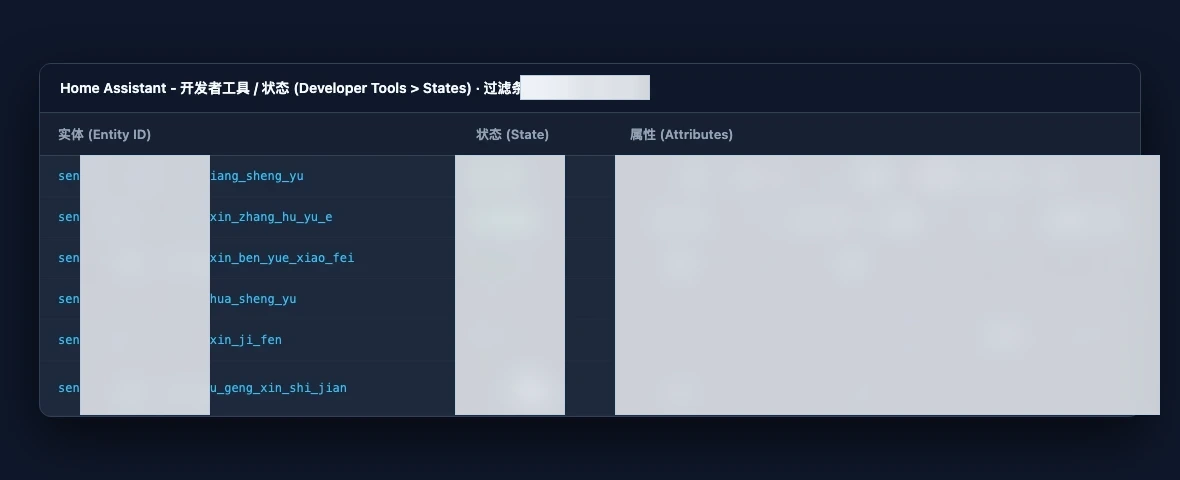
Figure 6: Home Assistant entity registry management. Every physical actuator, sensor, and integration is tracked with granular entity identifiers.
Defense Line 2: Mandatory Encryption & Auth Hardening
- Enforce HTTPS and HTTP Redirection: When deploying a reverse proxy (such as Nginx Proxy Manager or Caddy), always provision verified TLS certificates to eliminate plain HTTP eavesdropping.
- Reverse Proxy Trust Configuration:
To prevent spoofed reverse proxy requests, Home Assistant requires explicit upstream proxy whitelisting in
configuration.yaml:
# /config/configuration.yaml
http:
  use_x_forwarded_for: true
  trusted_proxies:
    - 127.0.0.x       # Local loopback subnet (replace x with your loopback index)
    - ::1             # IPv6 local loopback
    - 172.30.x.0/24   # Internal Docker addon subnet for reverse proxies
    - 10.x.x.0/24     # Replace with your actual local reverse proxy subnet
  ip_ban_enabled: true
  login_attempts_threshold: 5
- Mandate Multi-Factor Authentication (TOTP 2FA): Navigate to Profile -> Multi-factor Authentication Modules and link an authenticator app (Google Authenticator, 1Password, or Microsoft Authenticator). Even if your primary password is leaked, unauthorized access remains impossible without the rotating 6-digit code.
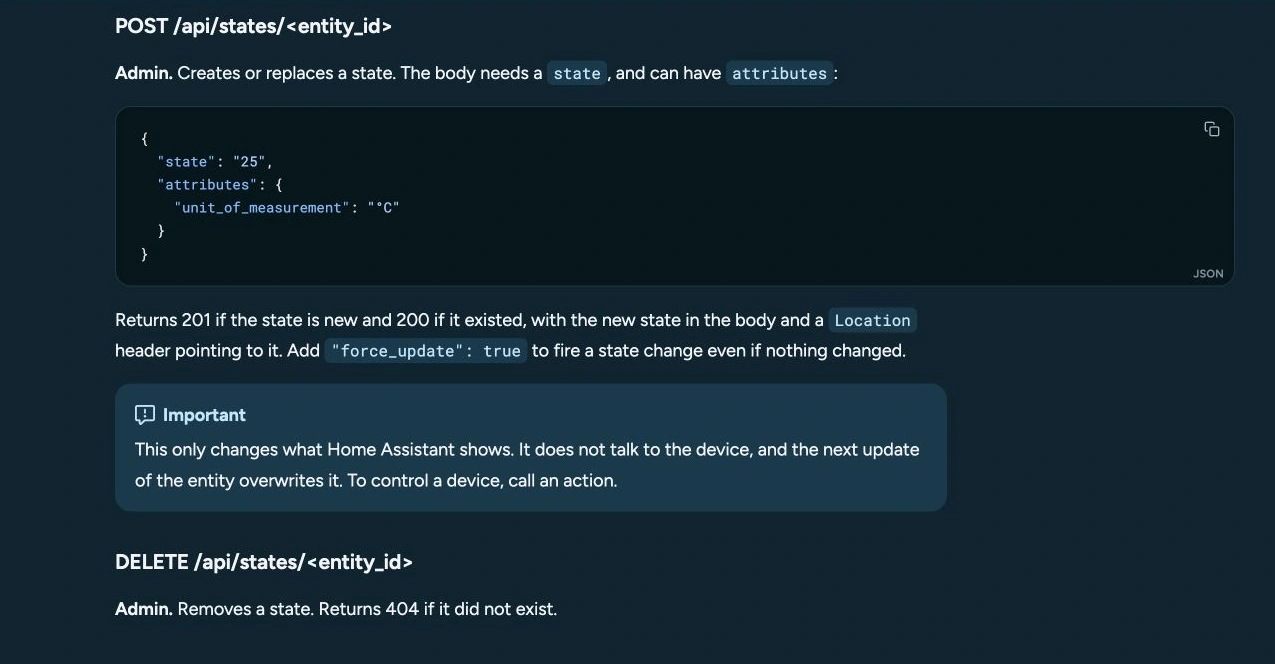
Figure 7: Home Assistant REST API specifications. Illustrating Bearer token headers and structured JSON communication payloads.
Defense Line 3: Host-Level Automated IP Bans & IoT Segmentation
In the configuration.yaml snippet above, two settings provide vital defense:
ip_ban_enabled: truelogin_attempts_threshold: 5
When enabled, any client IP failing 5 consecutive login or token verification attempts is automatically appended to /config/ip_bans.yaml. Future TCP connection attempts from that banned address are severed at the socket layer, consuming negligible CPU overhead.
Furthermore, smart light bulbs, sockets, and robot vacuums should be placed on an isolated IoT VLAN. Firewall rules should permit Home Assistant to initiate connections to IoT hardware, while strictly prohibiting IoT devices from initiating unsolicited connections to your personal PCs, NAS units, or the HA host itself.
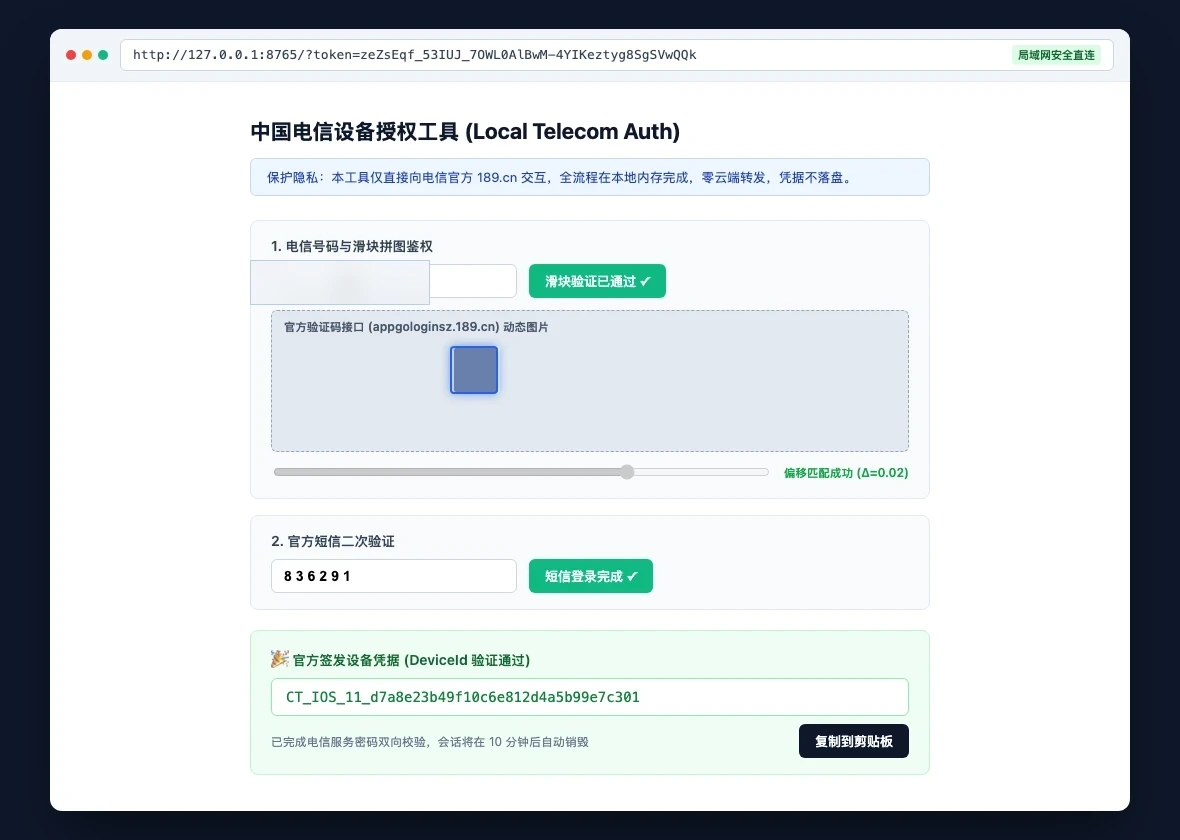
Figure 8: Local authentication tool UI. Verifying endpoint status codes, authentication token validity, and request latencies.
Safe AI Agent Integration: Putting Armor on Your Smart Butler
Large Language Models (LLMs) and autonomous agents have transformed smart home interaction from brittle rule-based automations into conversational home intelligence.
However, LLMs inherently suffer from hallucinations and non-deterministic behavior. Granting an AI Agent an unrestricted Owner/Admin Long-Lived Access Token is the digital equivalent of handing a novice apprentice the keys to a fireworks warehouse.

Figure 9: Architectural guardrails for AI Agent onboarding: dedicated non-admin service tokens, physical actuator isolation, and two-phase human confirmation gates.
1. Principle of Least Privilege: Dedicated Non-Admin Service Accounts
Never reuse your personal administrator token for an AI Agent! Best Practice Workflow:
- Open Home Assistant and navigate to Settings -> People & Zones -> Users;
- Click “Add User” and create a dedicated account (e.g.,
ai_agent_runner); - Crucial Step: Ensure the “Administrator?” toggle is turned OFF. Set the account role to Standard User;
- Log out of your admin account, log in as
ai_agent_runner, and generate a dedicated Long-Lived Access Token; - Even if this token is compromised, an attacker cannot modify system configurations, manage add-ons, or delete existing users.
2. Entity Whitelisting & Domain Classification
When exposing tools to an LLM via the Model Context Protocol (MCP) or custom function calling, strictly enforce entity categorization:
- Unrestricted Read Zone (Sensors): Temperature, humidity, air quality, solar production, and weather entities. These provide environment context without altering physical reality.
- Controlled Action Zone (Everyday Actuators): Living room ceiling lights, desk lamps, and air purifier fan speeds. These pose minimal safety hazards if toggled erroneously.
- Prohibited Critical Zone (High-Risk Actuators):
Door locks (
lock.), security alarm panels (alarm_control_panel.), motorized covers (cover.), water valves (valve.), and main circuit switches. Autonomous execution on these domains must be barred by default.
3. Two-Phase Human-in-the-Loop Confirmation
When an AI Agent infers that a high-risk action is requested (e.g., an in-car voice command stating “I am approaching home, unlock the door”):
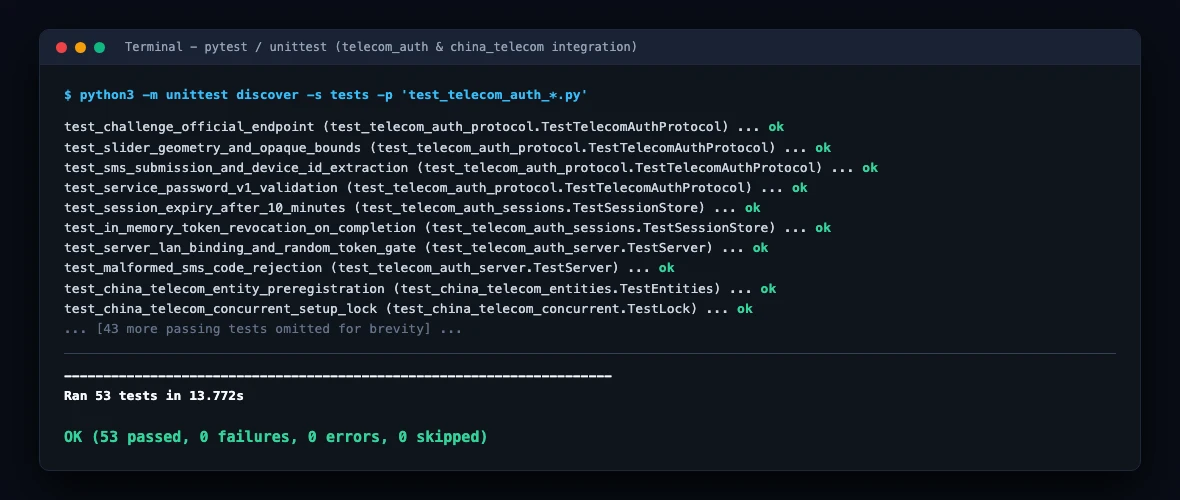
Figure 10: Automated test suite verification screen. Validating token handshakes, actuator blocking filters, and entity access permissions.
- Phase 1: Agent creates an execution ticket without triggering hardware actuation;
- Phase 2: Push notification dispatches to the homeowner smartphone (via Telegram Bot, DingTalk Card, or iOS Actionable Notification):
⚠️ Security Alert: AI Agent requests disarming the alarm and unlocking the front door. Authorize this action? [Approve] / [Deny] - Phase 3: Real physical unlocking executes only after biometric confirmation on the user mobile device.
With this structure, prompt injections or hallucinations can never covertly compromise your physical premises.
Cross-Platform Zero-Dependency Security Toolkit
To provide instant visibility into your Home Assistant security posture, we have engineered ha-security-toolkit: a zero-dependency diagnostic suite that performs network probes, TLS checks, token validation, entity risk profiling, and automated MCP config generation.
Built entirely on the standard Python 3 runtime (urllib, ssl, json, argparse), the toolkit requires zero pip dependencies and runs natively on Windows 11, Ubuntu 26.04, and macOS 27.

Figure 12: Architecture of the cross-platform zero-dependency security toolkit, showing CLI human inspection mode alongside structured JSON agent integration.
1. Download & Package Structure
Download the pre-bundled toolkit archive directly:
- Toolkit Distribution Archive:
ha-security-toolkit.zip
The package contains:
ha_security_toolkit.py: Core engine built with pure Python 3 standard library;windows-11.ps1: Native Windows 11 PowerShell launcher;ubuntu-26.04.sh: Native Ubuntu 26.04 Bash launcher;macos-27.sh: Native macOS 27 Zsh launcher;config.example.json: Sample configuration file for storing endpoints and tokens safely.
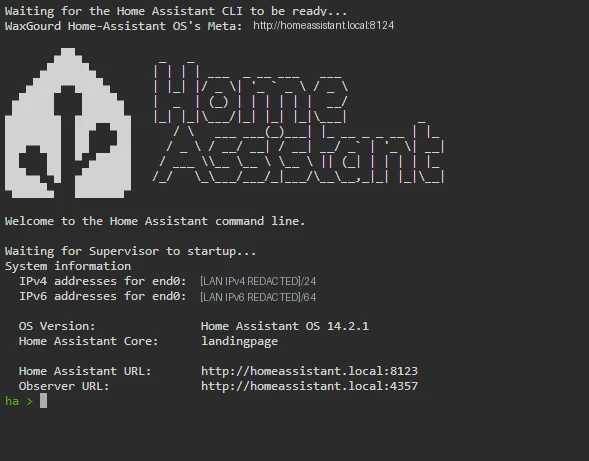
Figure 11: Real terminal console executing local security audit, inspecting endpoint status codes, and printing diagnostic summaries.
2. Interactive Human Execution (Operator Mode)
Select the command corresponding to your desktop operating system:
A. Windows 11 (PowerShell)
# 1. Probe network endpoint and auth boundary
.\windows-11.ps1 probe --url "http://homeassistant.local:8123"

# 2. Audit Long-Lived Access Token validity
.\windows-11.ps1 token-audit --url "http://homeassistant.local:8123" --token "YOUR_TOKEN"

# 3. Perform comprehensive entity risk assessment
.\windows-11.ps1 entity-guard -c config.example.json

# 4. Generate hardened Agent MCP config excluding critical door locks
.\windows-11.ps1 generate-mcp -c config.example.json -o agent_mcp.json
B. Ubuntu 26.04 (Bash)
chmod +x ubuntu-26.04.sh
# 1. Probe network boundary
./ubuntu-26.04.sh probe --url "http://homeassistant.local:8123"

# 2. Audit entity registry risks using config file
./ubuntu-26.04.sh entity-guard -c config.example.json

# 3. Export safe MCP whitelisting rules
./ubuntu-26.04.sh generate-mcp -c config.example.json
C. macOS 27 (Zsh)
chmod +x macos-27.sh
# 1. Run network probe
./macos-27.sh probe --url "http://homeassistant.local:8123"

# 2. Verify token validity and core metadata
./macos-27.sh token-audit -c config.example.json

# 3. Evaluate total entity exposure scores
./macos-27.sh entity-guard -c config.example.json
3. Automated AI Agent Execution (Machine JSON Mode)
When integrating into autonomous agent loops or periodic cron monitors, invoke agent-audit to receive clean, unformatted JSON:
python3 ha_security_toolkit.py agent-audit -c config.json
Structured Machine Response Example:
{
  "target": "ha.local",
  "total_entities": 84,
  "counts": {
    "critical_actuators": 2,
    "medium_actuators": 18,
    "read_only_sensors": 56,
    "other": 8
  },
  "critical_entities_sample": [
    "lock.front_door_lock",
    "alarm_control_panel.home_security"
  ],
  "security_score": 70,
  "grade": "B",
  "warnings": [
    "HIGH RISK: 2 physical security devices (locks/alarms/valves) directly controllable by this token!",
    "TRANSPORT RISK: Connecting over plain HTTP. Tokens are susceptible to local eavesdropping."
  ]
}
The AI Agent can parse this payload, detect that lock.front_door_lock is exposed, and automatically recommend that the administrator revoke administrative scope or enforce human confirmation gates.
Frequently Asked Questions (Q&A)
Q1: If I never forward ports to the WAN and only use HA on my home Wi-Fi, am I completely safe?
Not necessarily. A local area network is not an impervious sanctuary. Inexpensive smart plugs, robot vacuums, and children connected toys frequently run outdated firmware with known vulnerabilities. If a compromised IoT gadget is weaponized on your LAN, it can launch ARP spoofing or port scans against your Home Assistant instance. Even in local-only setups:
- Always protect admin accounts with robust passwords and TOTP 2FA;
- Apply core and integration security updates promptly;
- Isolate IoT hardware in a segregated VLAN that cannot initiate connections to your primary network.
Q2: What should I do if I accidentally committed a Long-Lived Access Token to a public GitHub repo?
Take these two emergency actions within 60 seconds:
- Revoke the token immediately: Open Home Assistant, go to Profile -> Security, scroll down to “Long-Lived Access Tokens”, locate the compromised token, and click the Trash Can icon to delete it. The token is deleted from the database and all subsequent API requests with it will fail immediately with
401 Unauthorized. - Audit system logs and IP bans: Navigate to System -> Logs to verify whether unauthorized API calls were attempted. Check
/config/ip_bans.yamlfor blocked suspicious IP addresses.
Q3: Can I configure an expiration date (e.g., 7 or 30 days) on a Long-Lived Access Token?
Currently, Home Assistant Web UI generates Long-Lived Access Tokens with a fixed lifespan of 10 years (effectively permanent). Because tokens do not auto-expire, you must maintain active token hygiene. Perform semi-annual audits in your Profile settings and delete abandoned tokens that were generated for past experiments.
Q4: Why doesn’t Home Assistant provide native Read-Only scopes for Long-Lived Access Tokens?
This stems from legacy architectural constraints in Home Assistant RBAC model. Tokens inherit all capabilities assigned to their creating user. You can achieve equivalent scoped isolation by:
- Creating a Standard User (Non-Admin) to issue the token, preventing administrative API access;
- Utilizing an MCP Gateway between your AI Agent and Home Assistant, programmatically filtering out write calls to sensitive domains like
lockorcover.
Q5: Should AI Agents communicate via WebSocket or REST API?
- Choose WebSocket for real-time event streaming: If your AI Agent operates as an active sentinel reacting immediately to door openings or motion detections, subscribe to
/api/websocketfor sub-second event broadcasts; - Choose REST API for on-demand task execution: If your Agent only queries sensors or toggles devices when instructed by a user, standard REST endpoints (
/api/statesand/api/services/<domain>/<service>) are lighter, idempotent, and easier to wrap with error handling and retry logic.
Conclusion: Embrace Automation, Sleep with Peace of Mind
The true beauty of self-hosting lies in reclaiming complete sovereignty over personal data. Yet true sovereignty requires respect for the digital boundaries protecting our physical homes.
Never sacrifice basic security for convenience. Take 15 minutes today to eliminate raw port forwarding, deploy an encrypted outbound tunnel, issue dedicated non-admin agent tokens, and set up two-phase human confirmation for door locks. When the lights turn off at night, you can sleep soundly knowing your digital castle is truly secure.