Installed omp but Still Just Chatting? From One Prompt to a Verifiable Delivery
TL;DR
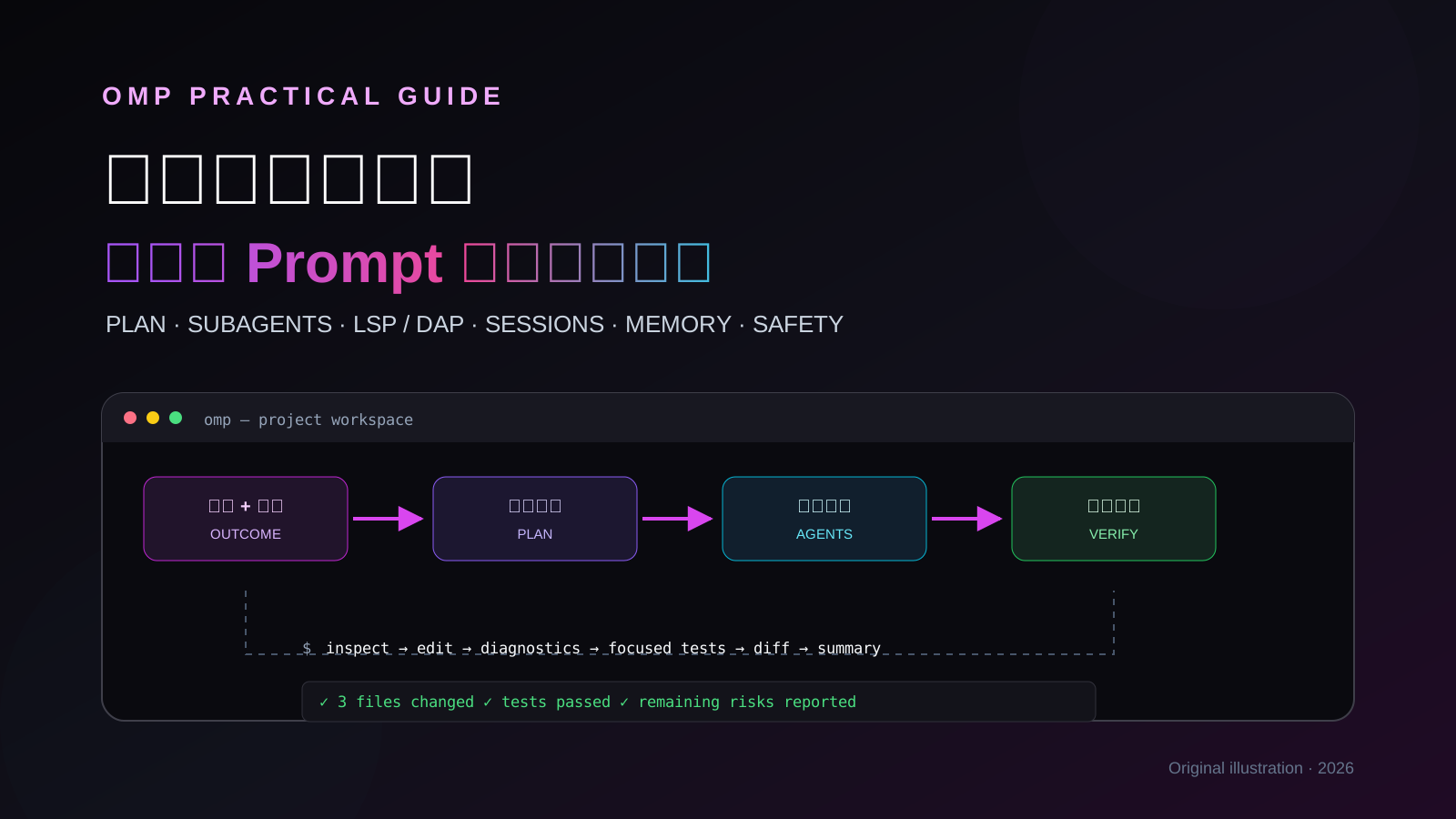
omp becomes interesting when it stops being “a chatbot that can edit code” and becomes a visible, interruptible, reviewable delivery pipeline. State the outcome and boundaries, investigate or enter read-only Plan mode, delegate independent work when that helps, use LSP, DAP, and Hashline to change code, then demand tests, diagnostics, a diff, and remaining risks as evidence.
This is the hands-on sequel to the pi and oh-my-pi introduction and installation guide. It deliberately does not repeat installation. The hands-on checks used omp 18.0.8 while the upstream main line had already reached 18.0.10. omp moves quickly, so your local
omp --help,/hotkeys, and version-matched documentation remain authoritative. No real credentials, private addresses, machine names, or account details appear here.
1. The Problem: omp Is Installed, but It Is Still Being Used as a Chat Box
A surprisingly common first prompt is:
Take a look at this project.
It is not wrong, but it leaves every important decision to the model: what to inspect, why it is inspecting it, whether it may edit, how large the change may become, what would prove success, and when it should stop and ask. The result is often one of three things: a long tour with no conclusion, an unnecessary change outside the intended scope, or a confident “done” without evidence.
This is not caused by omp having too few tools. The opposite is true. omp can read files, execute commands, edit code, query language servers, drive a debugger, launch subagents, search the web, operate a browser, and preserve branching sessions. Giving it all of that and saying “do something useful” is like opening a full restaurant kitchen and telling the chef to “make food.” Almost any outcome satisfies the sentence.
The root cause is simple: we supplied capability but not acceptance criteria.
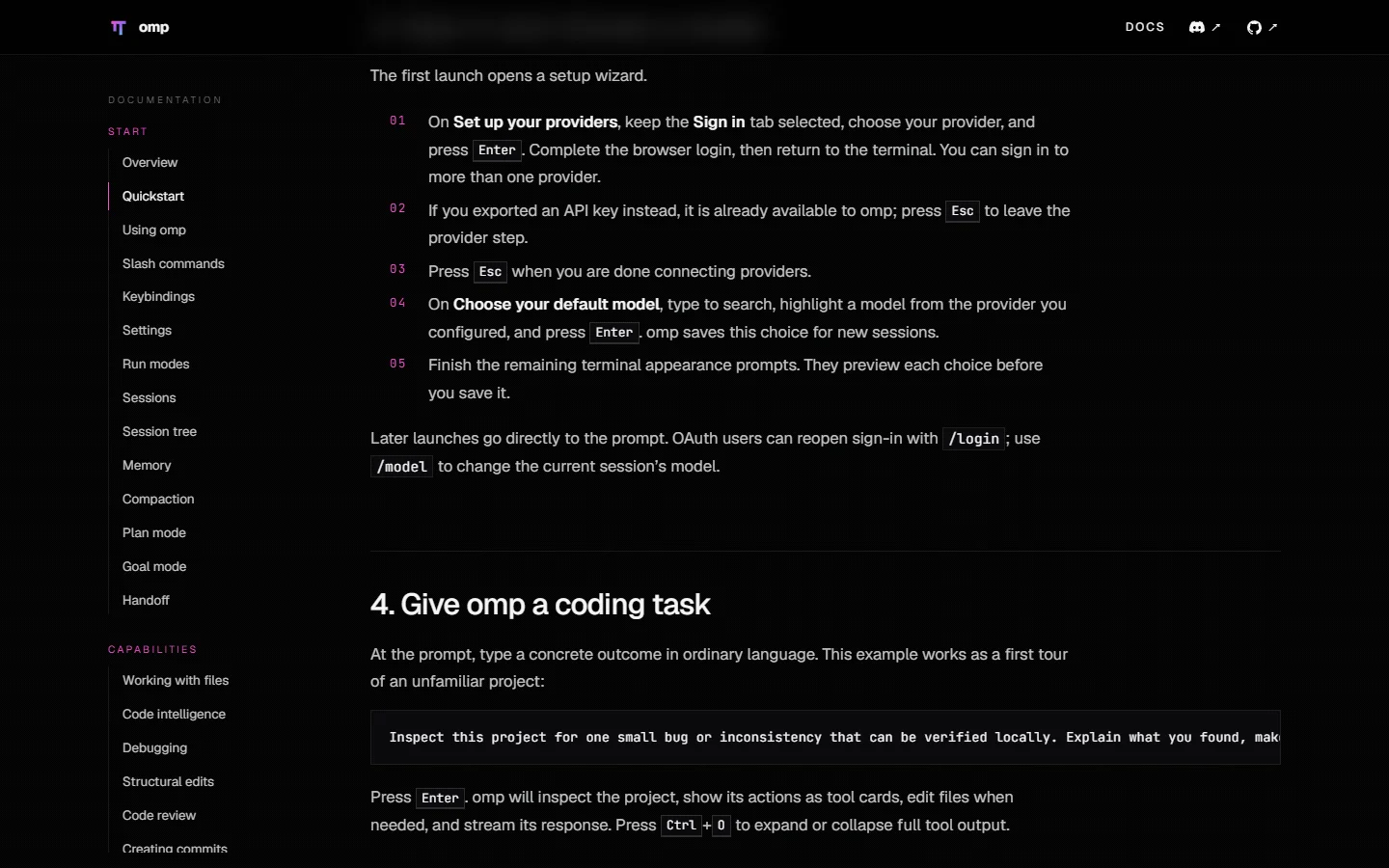
The official Quickstart example is worth copying. It asks omp to find one locally verifiable problem, explain it, make the smallest safe fix, and run the most relevant check. Outcome, scope, change discipline, and verification all appear in one short request.
2. Change the Mental Model: Send an Acceptable Work Order, Not a Question
Think of omp as an engineer who can inspect the repository, take action, and ask specialists for help. A useful work order contains at least five things:
- Outcome — what should be observably different at the end.
- Scope — the directories, files, or behavior that matter.
- Boundaries — what must not change and what requires a separate approval.
- Verification — the test, diagnostic, or visible result that constitutes evidence.
- Stopping condition — when omp must ask instead of guessing.
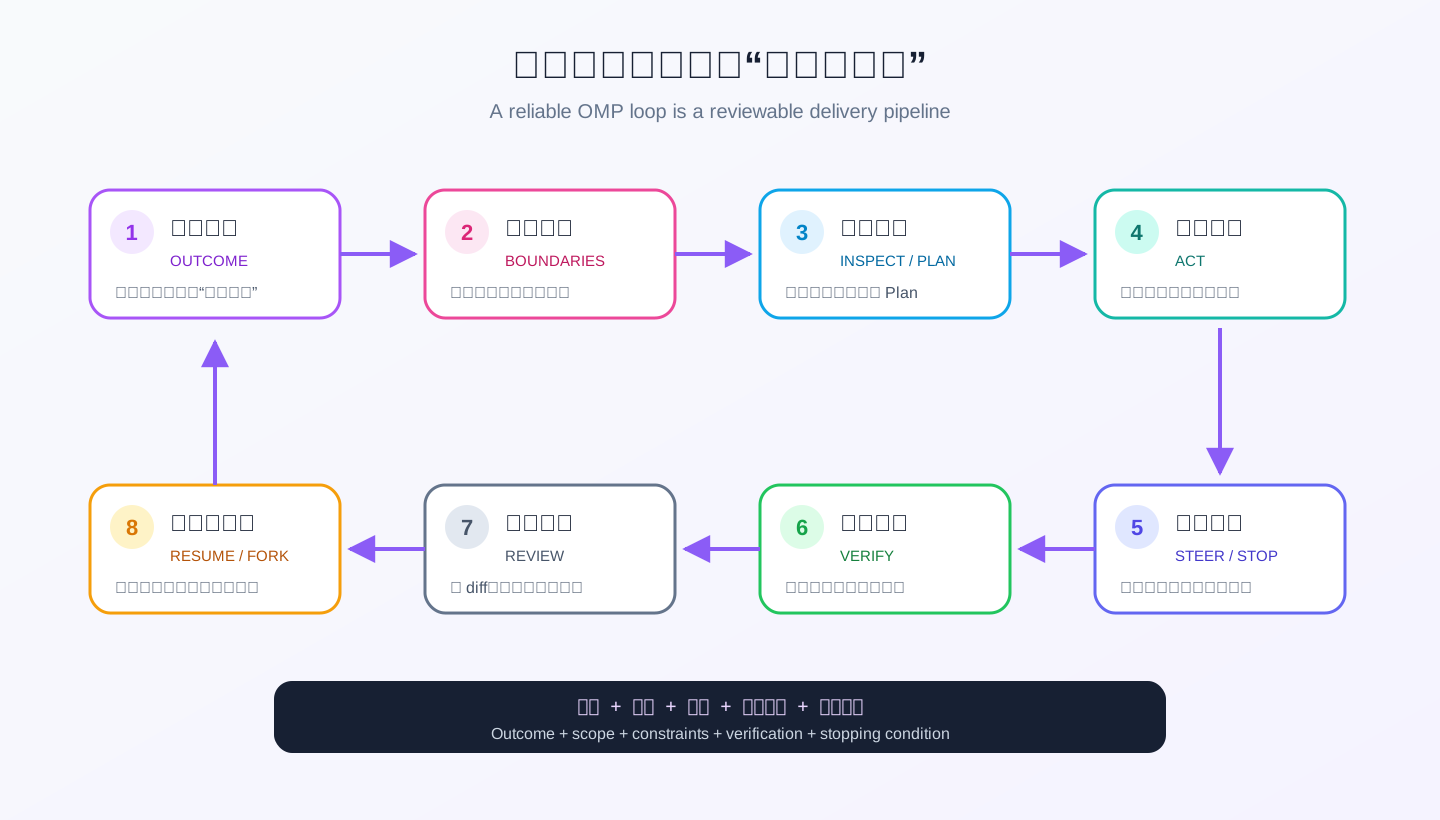
This is the template I use. A small task does not need every label, but the missing decisions should still be clear:
Outcome: Fix duplicate writes during batch import.
Scope: Inspect only the import service and its focused unit tests.
Boundaries: Do not change the database schema or public API. Do not commit or push.
Verification: Reproduce first, run the narrowest relevant test, then report the diff and exit status.
Stop: If the root cause requires a data migration, explain the plan and rollback risk, then wait.
This is not prompt mysticism. It is ordinary engineering communication written down. Strong models use the extra freedom inside the right boundary. Weaker models benefit even more because the testable finish line prevents them from wandering indefinitely.
3. Run One Complete Task: Start at the Project Root and Watch the Evidence
3.1 Start from the intended directory
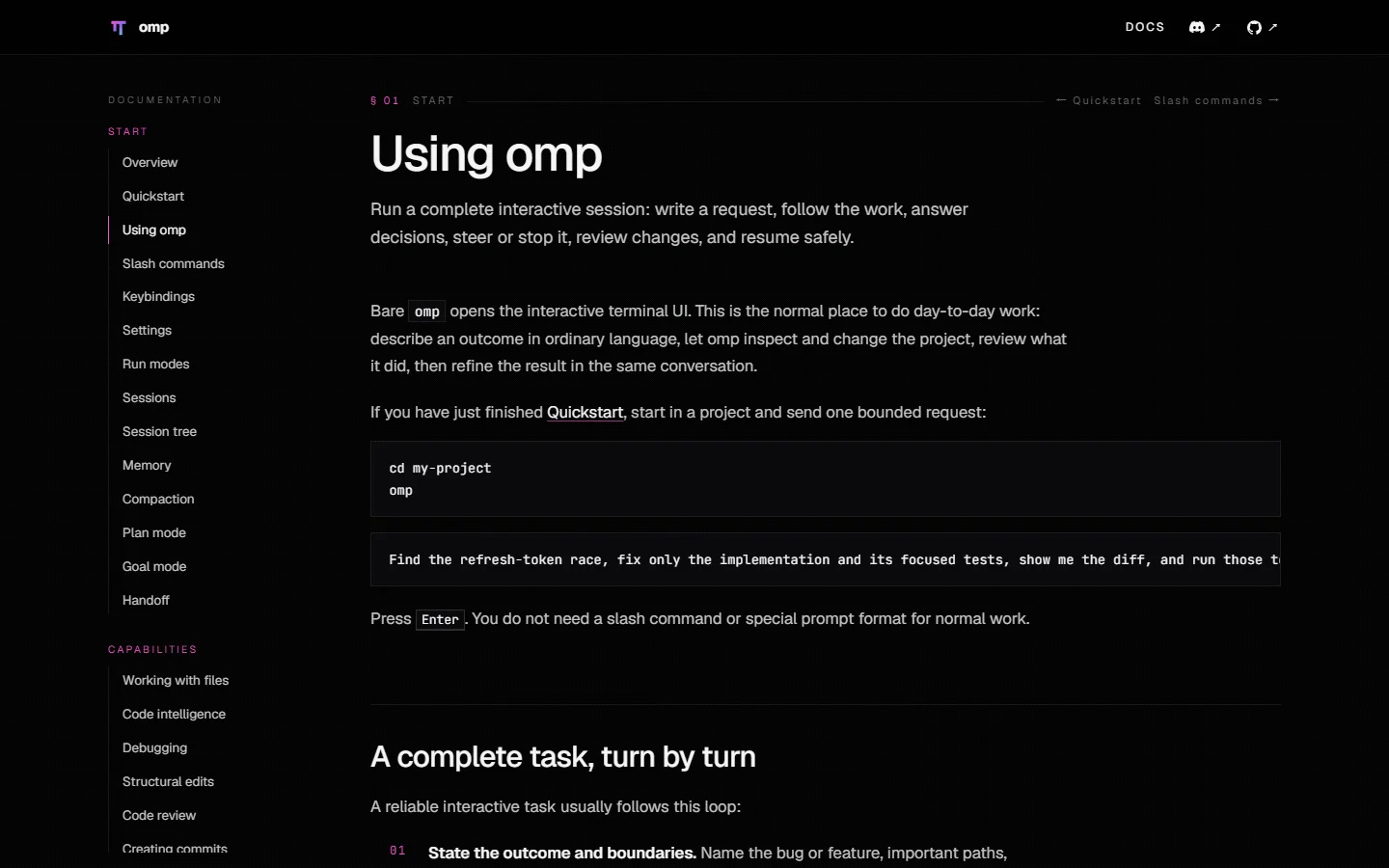
The normal entry point is deliberately boring:
cd my-project
omp
The launch directory affects project configuration, session ownership, discovered context files, and the workspace visible to tools. Before sending a task, read the status line: current path, model, thinking level, mode, Git state, and context usage. It is an instrument panel, not decoration. If the path or mode is wrong, more prompting only drives farther in the wrong direction.
For a temporary read-only audit, narrow the runtime from the command line:
omp --tools read,grep,glob --approval-mode always-ask \
  "Review the current changes for obvious regressions. Report only; modify nothing."
3.2 The composer accepts more than prose
- Type
@and search for a file. The selected path and its content become part of the turn. - Paste an image with
Ctrl+V. Large text pastes collapse into attachment chips instead of flooding the editor. - Press
Ctrl+Gto edit a long draft in your external editor. - Press
Ctrl+Rto search prior prompts. - Use
Shift+Enter,Ctrl+J, orAlt+Enterfor a newline.Alt+Enteris the least surprising choice in Windows Terminal.
A path is material, not intent. Do not send only @src/module.ts; say what it should be compared with, what you are trying to establish, and whether a modification is permitted.
3.3 Tool cards are an audit trail
Each read, command, edit, or tool operation appears as a card in the transcript. Ctrl+O expands or collapses full tool output. Ctrl+Shift+O hides or shows tool activity when you want a prose-only view.
Keep one distinction in mind: a successful tool card proves that action completed; it does not prove the task is correct. A successful git diff is not a design review. A green test command matters only if it actually ran the intended test. At the end, inspect the changed paths, command exit status, test or diagnostic evidence, and the risks omp says remain.
3.4 Steer immediately instead of waiting for the end
You can type while omp is working:
- Press
Enterto steer the active turn: “Do not change the API; fix the implementation only.” - Use
Ctrl+QorCtrl+Enterto queue a follow-up for after the current turn. - Press
Escto interrupt an active operation. If a picker or autocomplete list has focus, the first Escape closes that surface. - Send
.orcto continue the prior intent after an accidental interruption. - Press
Alt+Rto retry the last failed model turn.
This is passenger-seat navigation: correct the missed exit when you see it rather than complaining after the car reaches the wrong city.
3.5 Four local escape prefixes
Sometimes you want to run something yourself without asking the model to choose a tool:
! git status       # run it and include output in model context
!! git diff --stat # run and display it, but exclude output from model context
$ print(2 + 2)     # run in the shared Python kernel and include the result
$$ print(2 + 2)    # run and display it without adding the result to context
!! and $$ are privacy controls for model context, not a sandbox. The command or code still runs with your local permissions and may change files.
4. Tighten the Safety Valve Before Serious Work: Default Yolo Is Not Universal
This is the first setting I would inspect. The official schema currently defaults tools.approvalMode to yolo, which auto-approves normal read, write, and execution calls.
| Mode | Auto-approved | Prompts for |
|---|---|---|
always-ask |
read | write and execution |
write |
read and workspace write | execution-class actions |
yolo |
read, write, execution | nothing by default |
Check the effective value:
omp config get tools.approvalMode
Tighten one launch without changing persisted settings:
omp --approval-mode always-ask
Or persist a more balanced global default:
omp config set tools.approvalMode write
write is a practical interactive compromise: ordinary workspace edits do not require a click every time, while command execution still asks. Use always-ask for unfamiliar repositories, production-adjacent work, or tasks connected to external systems.
There are two subtleties worth knowing. First, bash.patterns governs the Bash tool only. The eval tool can start a subprocess too, so closing a dangerous Bash pattern while leaving eval unrestricted creates a side door. Give eval an explicit prompt or deny policy when that matters. Second, subagents run headlessly and cannot answer prompt. The parent task approval is therefore the delegation boundary. The bootstrap scripts later in this article are designed around that behavior.
5. Why a Configuration “Did Nothing”: Five Layers and the Array Trap
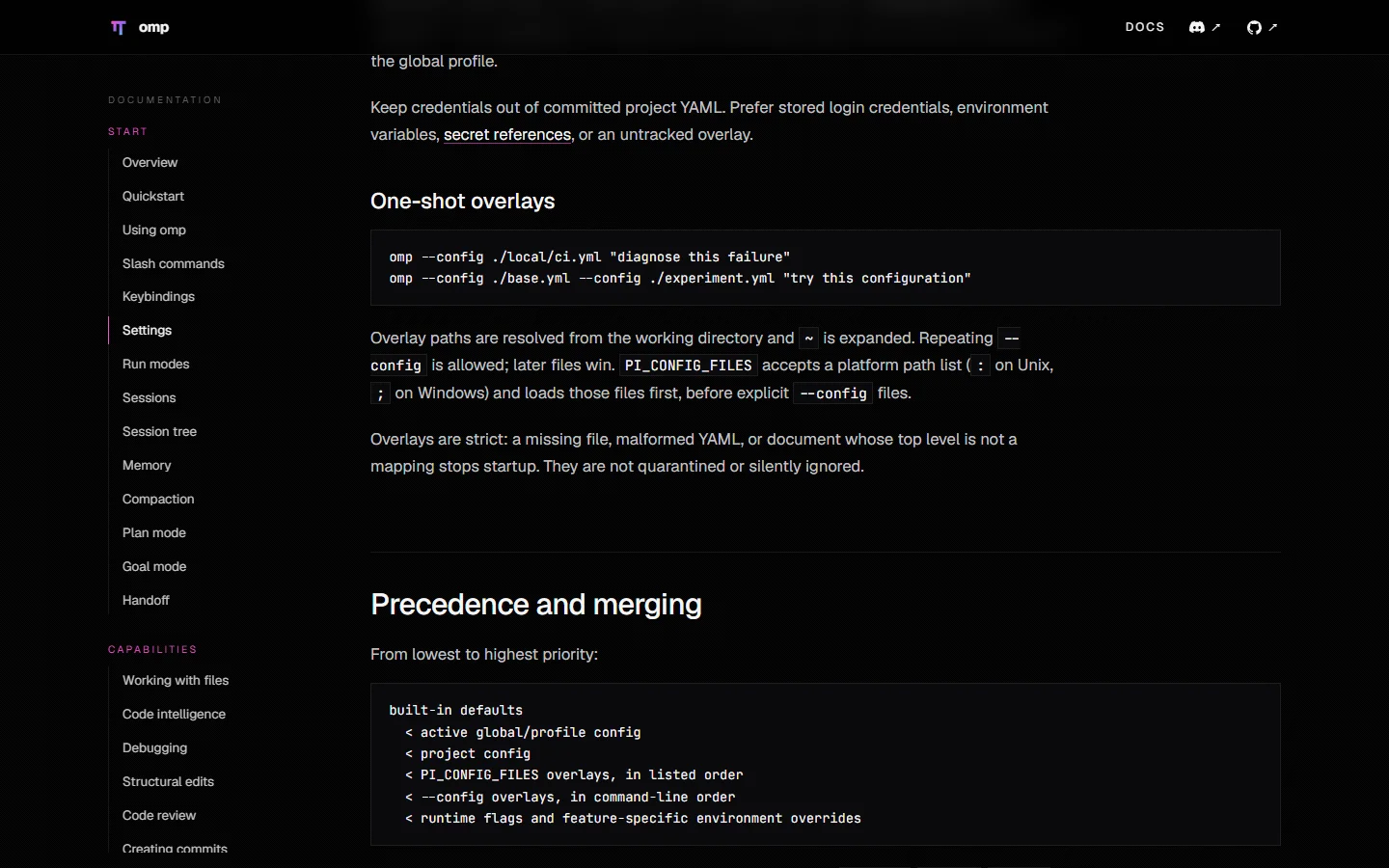
From low to high priority, omp resolves settings as:
built-in defaults
  < global or profile config
  < current project config
  < PI_CONFIG_FILES and --config overlays
  < runtime flags and feature-specific environment overrides
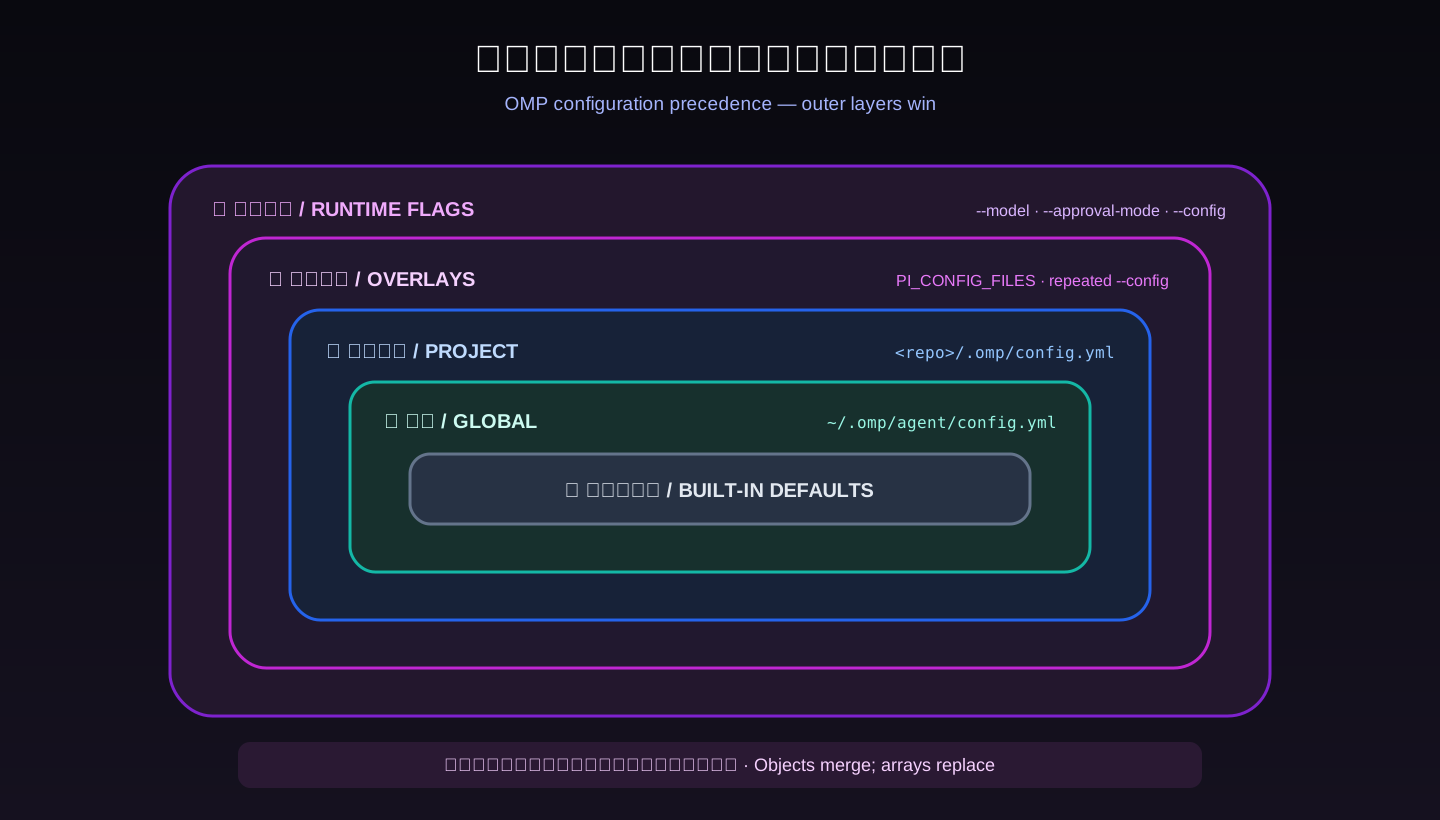
Think of winter clothing. The inner layers still exist, but the outer coat determines what is visible now. The paths you will use most are:
- Global:
~/.omp/agent/config.yml - Project:
<repo>/.omp/config.yml - One launch:
omp --config ./temporary.yml
Objects deep-merge, but arrays replace the entire lower array. If global config disables two providers and project config supplies a new disabledProviders array containing one entry, the project array does not append a third entry; it replaces the global list. This is a common explanation for settings that appear to vanish.
Another surprise: omp config set writes the global config. It does not write arbitrary project settings for you. Edit .omp/config.yml directly for repository-specific behavior. Project settings are discovered from the launch working directory, so start from the directory containing that file and run omp config get <key> to inspect the merged effective value.
6. Use Plan for Expensive Mistakes: Review the Blueprint Before Demolition
Tiny edits are faster without ceremony. Cross-file refactors, migrations, unfamiliar systems, and work with rollback requirements deserve Plan mode:
/plan Replace the in-memory job queue with a persistent queue. Preserve the public API.
List migration order, compatibility window, and rollback path. Investigate and propose only; do not edit.
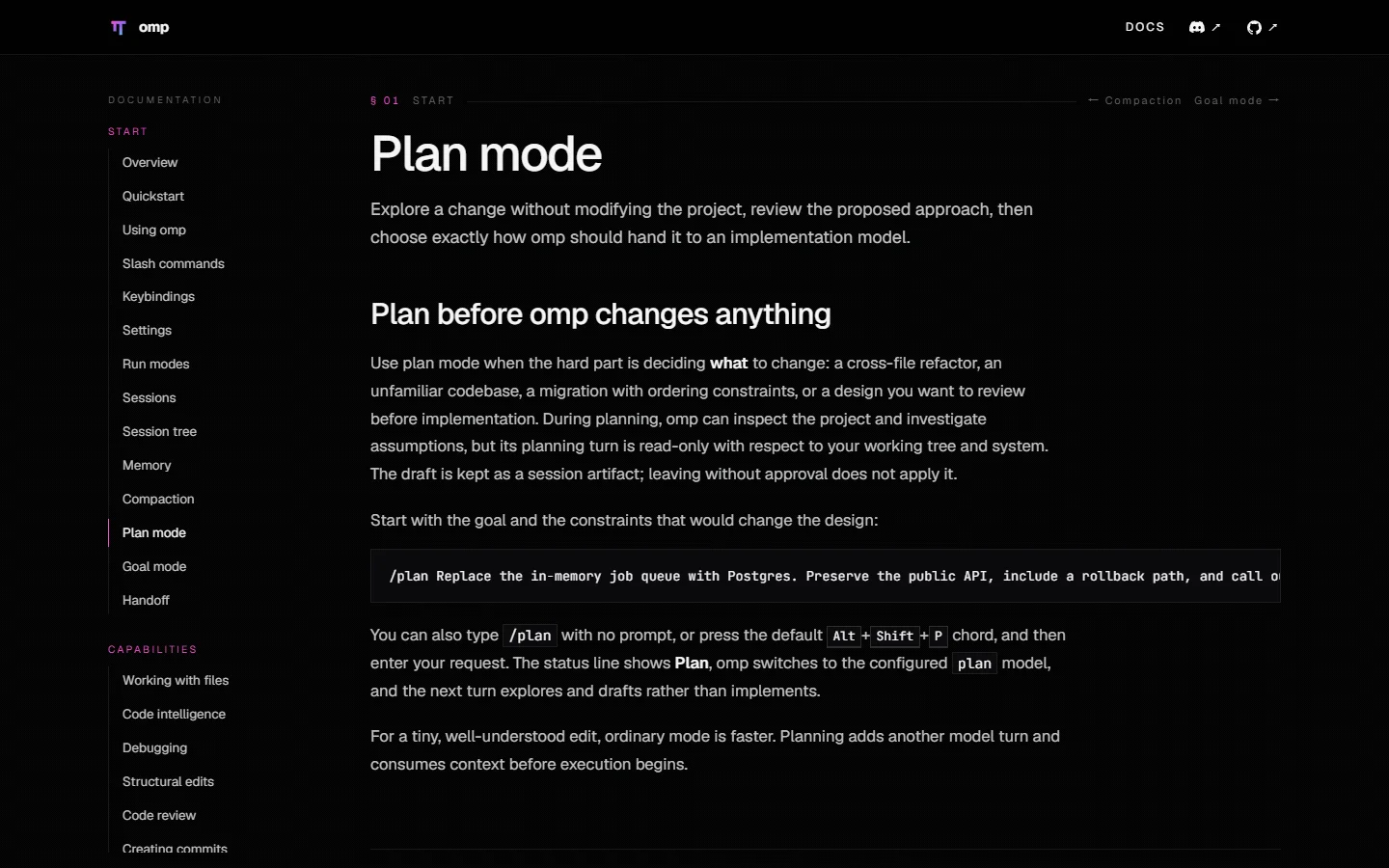
Plan mode is a blueprint review. omp may inspect the project, test assumptions, and write a proposal, but it does not knock down a wall and then ask which floor plan you wanted. You can revise the plan line by line, approve it and choose an implementation model, or leave without applying it.
Planning is not free. It adds a model turn and consumes context before implementation begins. Opening Plan for a spelling correction is like convening a three-hour architecture meeting before changing a light bulb. Ask one question: is the cost of the wrong direction materially larger than the cost of an extra planning turn? If yes, use Plan.
7. Model Roles: Do Not Make the Principal Engineer Operate the Copier
Open the model hub with /model or Alt+M. Use /switch or Alt+P for a temporary session-only choice, Ctrl+P to cycle configured role models, and Shift+Tab to change supported thinking effort.
omp can route different work through different roles instead of storing only one default model:
defaultfor day-to-day implementation and general judgment.smolfor titles, summaries, and cheap lightweight investigation.slowfor difficult reasoning.planfor architecture and planning.visionfor image understanding.taskfor generic delegated work.commit,advisor,designer, and others for specialized workflows.
The everyday analogy is simple: the principal engineer makes the consequential design call, an assistant organizes routine material, and an independent reviewer checks the result. Sending every task to the most expensive model wastes time and money. Sending every task to the fastest model saves money precisely where a mistake costs more.
Start with the /model role UI rather than copying somebody else’s model identifiers. Your authenticated providers, context windows, prices, and tool-call quality will differ. After assigning roles, test each with a small bounded task before relying on automatic routing.
8. Subagents and Agent Hub: Open a Kitchen, but Do Not Put Four Cooks on One Pan
Delegation works when tasks are independent, bounded, and mergeable. A scout can map call paths, a librarian can verify upstream documentation, a reviewer can inspect only the current diff, and a task worker can perform a bounded implementation or test. Names vary by release, plugin, and project definition, so /agents is the source of truth.
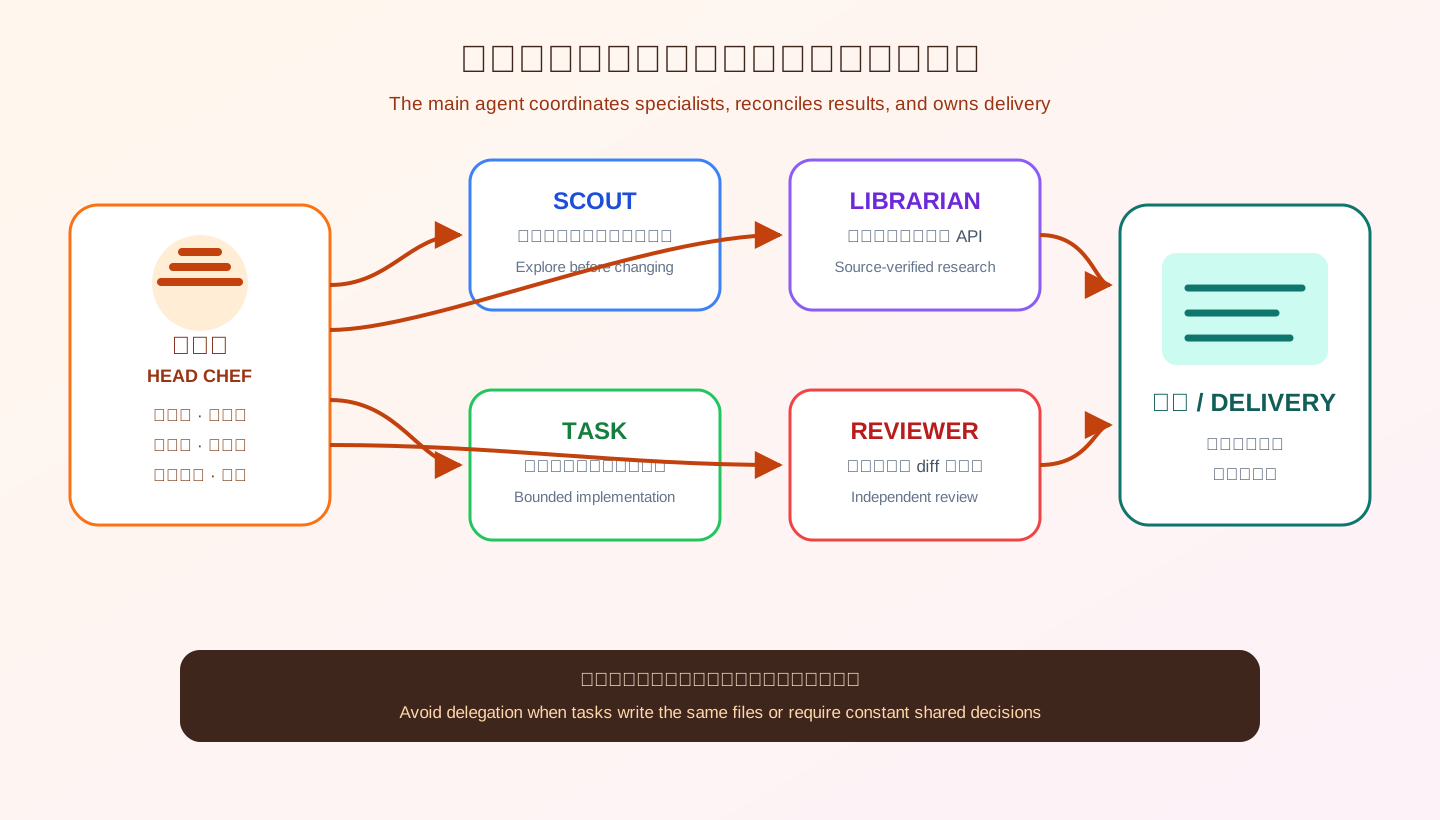
You do not need to write the tool schema. Describe the desired delegation in ordinary language:
Do not edit yet. Ask scout to map the login flow, librarian to verify the dependency's
official upgrade notes, and reviewer to inspect only the existing diff. Run them in parallel.
When they return, reconcile disagreements and ask me whether to enter implementation.
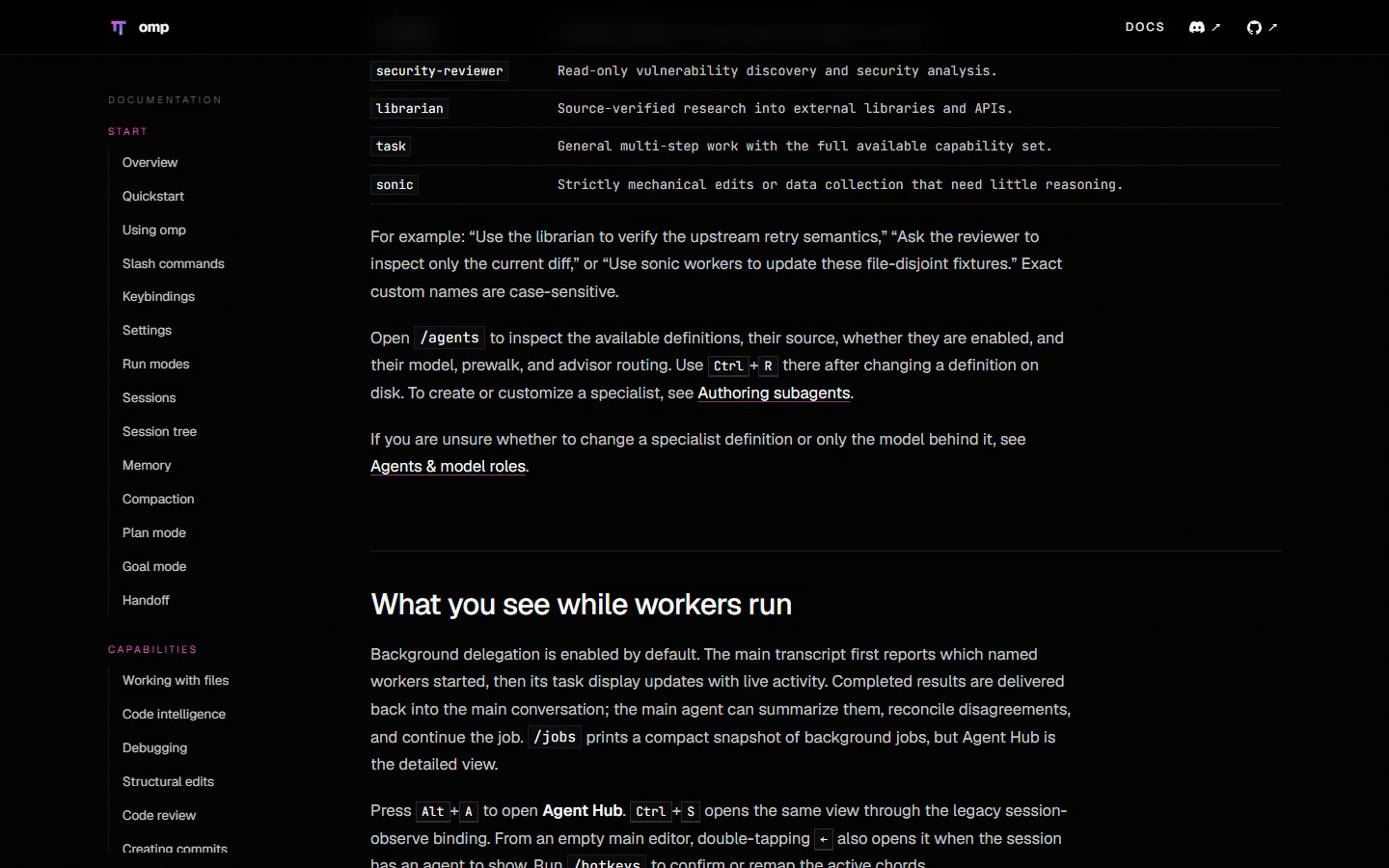
Agent Hub shows background work; the official default shortcut is Alt+A, while /jobs prints a compact snapshot. You can inspect a worker’s transcript, steer it, follow up, or stop it.
Do not delegate for theatre. A single agent is usually better when:
- Workers would edit the same files.
- Step two depends on detailed output from step one.
- The workers need a new shared decision every few minutes.
- The task is smaller than the coordination overhead.
The safety boundary also changes. A subagent has no interactive UI, so ordinary tier-based prompts cannot block waiting for a click. Parent task approval, explicit tool-level deny rules, and workspace isolation are the meaningful controls. In an unfamiliar repository, delegate read-only investigation first or request an isolated workspace that returns a patch. Avoid several workers writing freely into one shared checkout.
9. LSP, Hashline, and DAP: Give the Agent IDE Eyes, Stable Addresses, and a Debugger
9.1 LSP knows which symbol a name refers to
Text search sees matching characters. A language server knows definitions, references, inferred types, imports, and diagnostics. For a project-wide rename, ask for semantic preview rather than blind replacement:
Rename issueToken to mintToken. Confirm which language server owns the files and preview
all reference and import changes before applying them. Then run the narrowest relevant test.
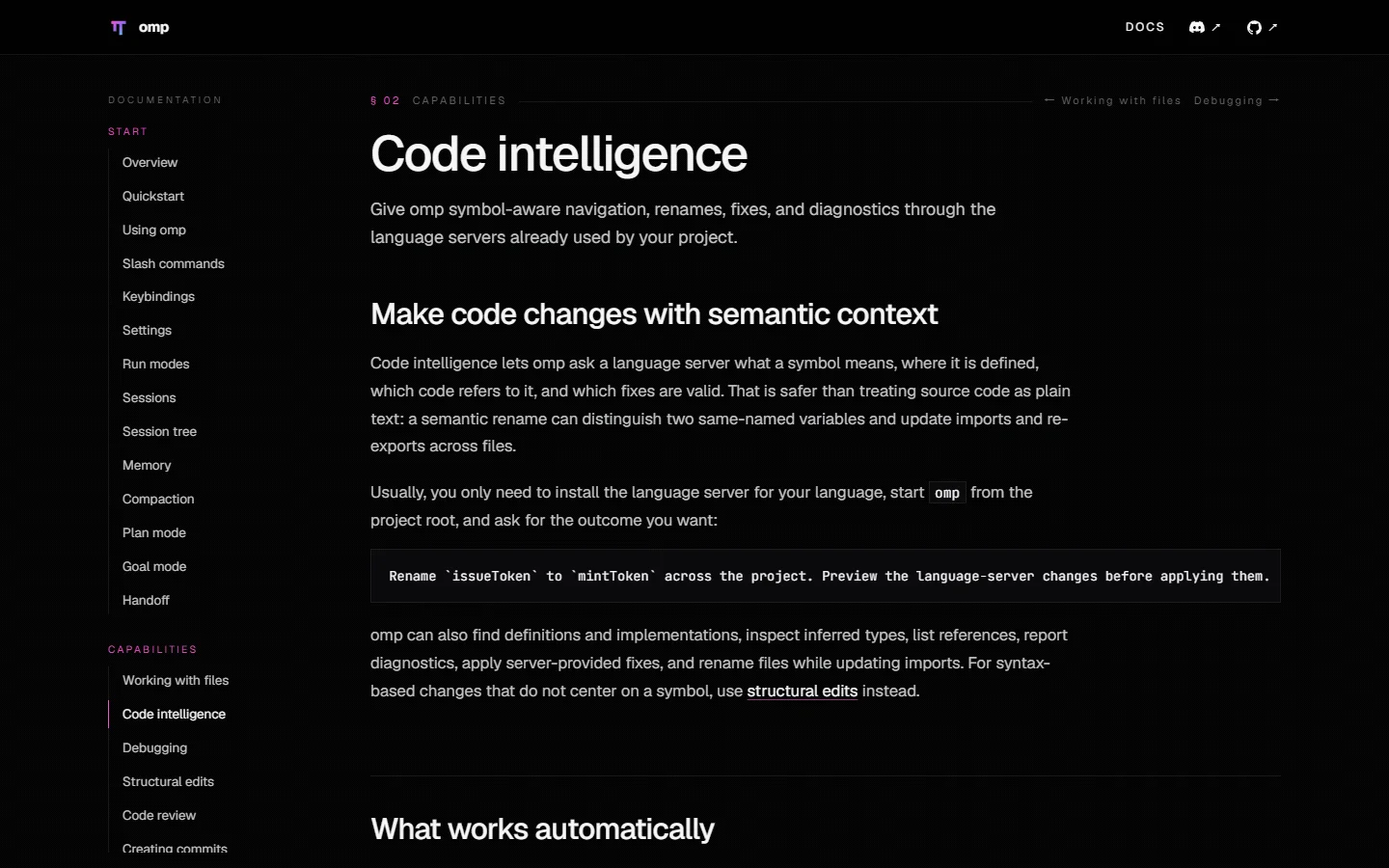
lsp.enabled defaults to true and servers start lazily, but the relevant language server still needs to exist locally. If omp performs plain text replacement without diagnostics, first ask which server handles the file, then inspect root markers and the server command. Use omp --no-lsp for a controlled comparison.
9.2 Hashline gives each line a temporary street address
Hashline is the default edit mode. A read attaches a content-derived identifier to each line. An edit references those identifiers, detects when the file changed after it was read, and avoids reproducing a large old string exactly. It is the difference between delivering to a street number and guessing “the red door near the corner.”
Check the effective mode:
omp config get edit.mode
9.3 DAP lets the model inspect the scene at a breakpoint
DAP is the common protocol between editors and debuggers. With a suitable adapter available, omp can launch or attach, set breakpoints, inspect locals, threads, and stack frames. A useful request is specific:
Use the project's existing debug adapter to start the import job and stop at the transform entry.
When the third record becomes invalid, compare the current locals with the caller arguments and
explain where the bad value enters. Do not edit yet.
If the adapter is unavailable, install and validate the language-specific adapter first. “omp includes a debug tool” does not mean every language debugger is bundled and ready.
10. Sessions Are a Tree, Not a Flat Chat Log
The two recovery commands worth memorizing are:
omp -c  # continue the latest session for this project
omp -r  # open this project's session picker
Inside the TUI:
/treereturns to an earlier message or another branch in the current session./branchstarts another route from an earlier message inside the same session./forkcopies the current state into a new saved session, useful for risky experiments or separate sharing./renamegives a session a searchable name, and/pinkeeps an important one visible./exportcreates a local HTML review copy./sharecan create an encrypted link. For sensitive work, local export plus your controlled delivery channel is usually the safer choice.
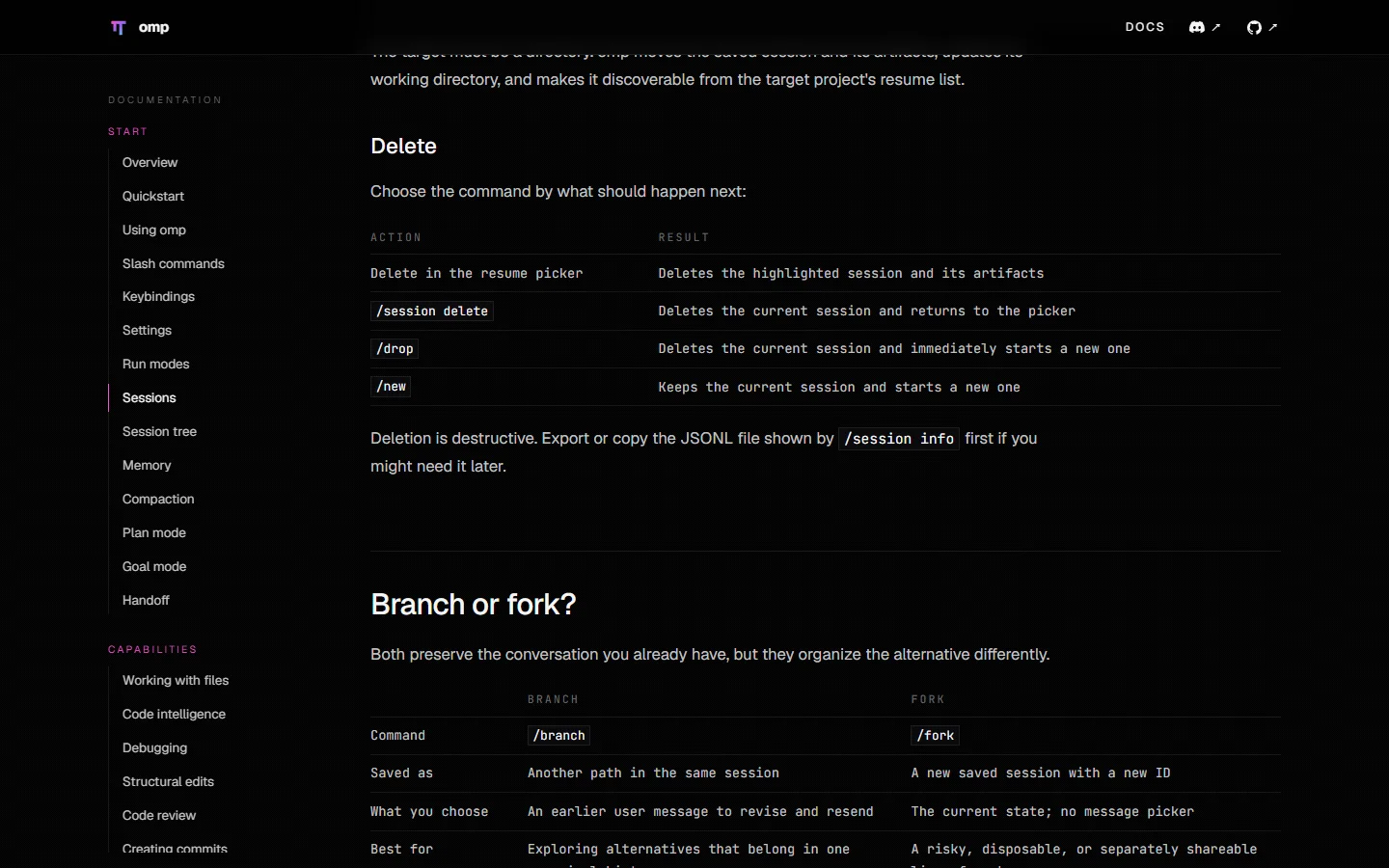
The Git analogy is useful: a branch is another path inside the same history; a fork becomes a separate working record. Failed approaches no longer need to accumulate in one enormous, contradictory conversation.
11. Context, Session, Compaction, and Memory Belong in Different Drawers
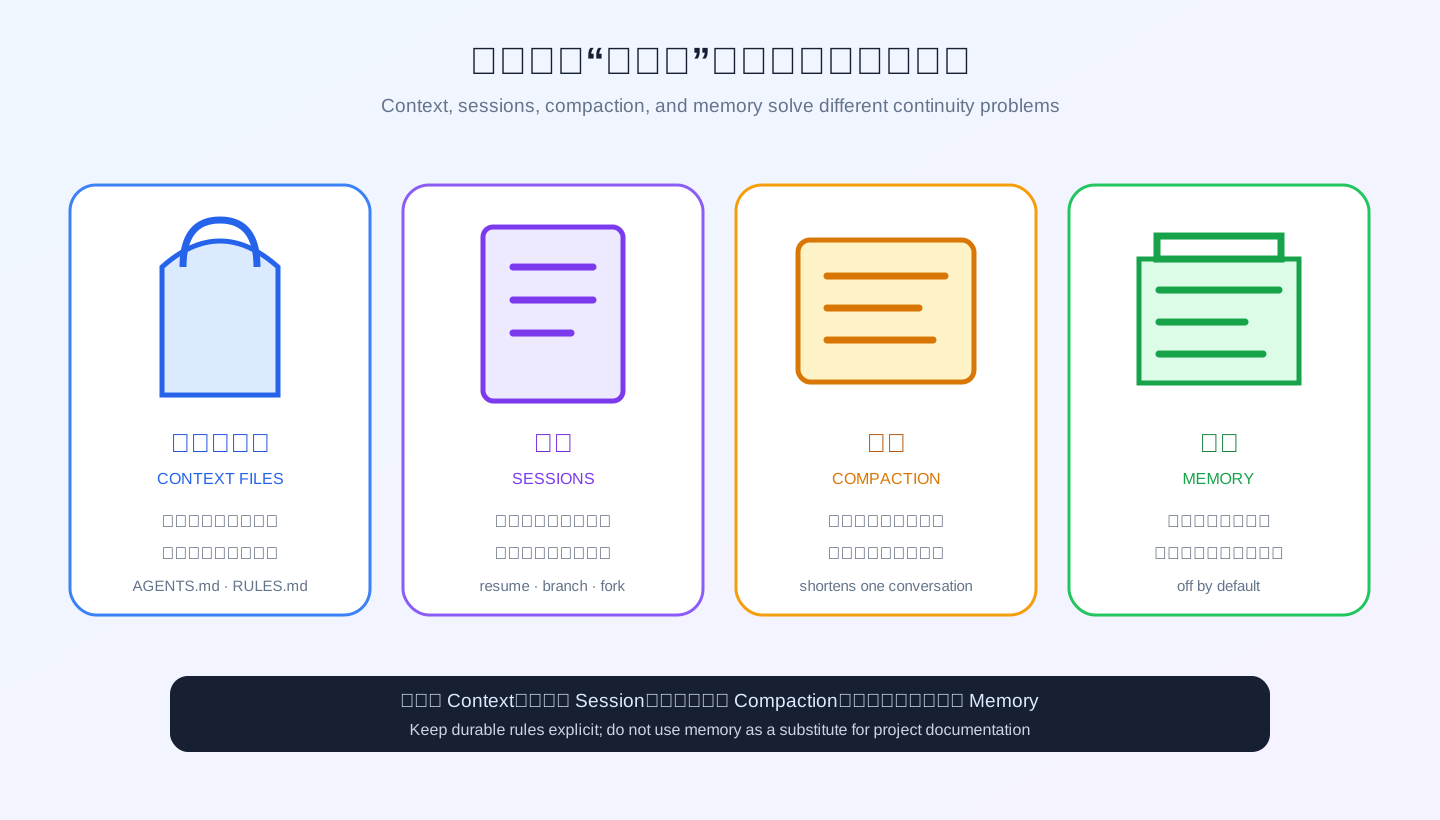
These concepts sound similar but solve different continuity problems:
- Context files are loaded when a session starts.
.omp/AGENTS.mdis a good home for build commands, architecture, conventions, and acceptance expectations. - RULES.md contains short sticky requirements that must stay prominent in long conversations, such as “do not commit or push without an explicit request.”
- Session is the full conversation and tool history that can be resumed, branched, forked, or exported.
- Compaction summarizes older active context so the current conversation can continue within its window.
- Memory carries durable preferences, decisions, or project knowledge into later sessions.
Memory defaults to off, a sensible privacy default. Current backends include local, mnemopi, and hindsight. local periodically distills persisted sessions into project-oriented local summaries. mnemopi provides searchable memory on the local machine. hindsight targets an existing remote or self-hosted service. Do not enable everything merely because it exists. First answer: where is it stored, how is scope isolated, and how can it be inspected and deleted?
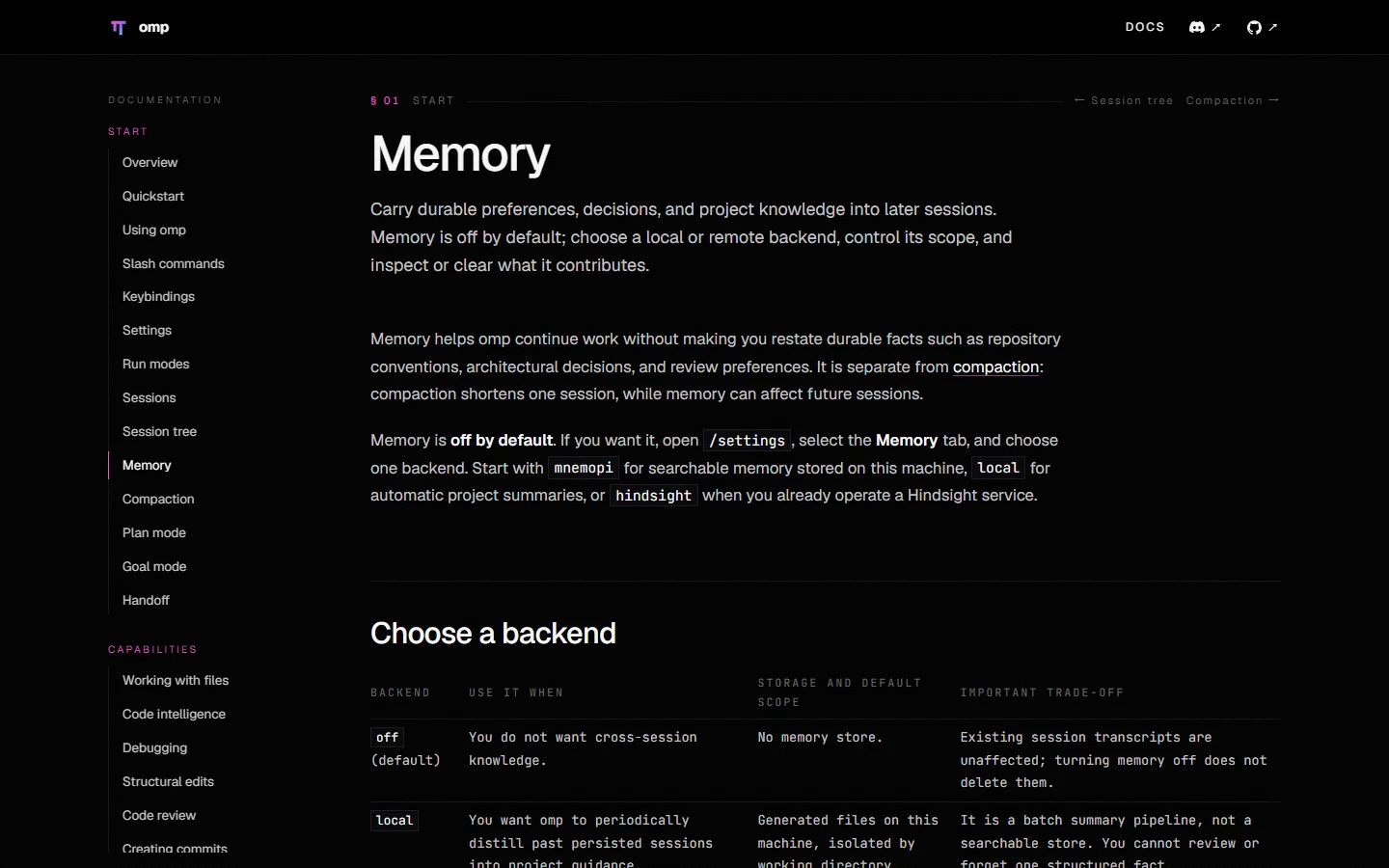
Enable local summaries only when you actually want them:
omp config set memory.backend local
omp config get memory.backend
Durable architecture and policy still belong in version-controlled documentation. Memory is not a substitute for project docs; otherwise the process exists only in one experienced employee’s head and disappears when that employee changes teams.
12. Web, Browser, and GitHub: Choose the Lightest Capability That Works
omp has several routes for network-facing work:
- You do not know the source and need several references: web search.
- You know a public URL and only need content: direct URL or document reading.
- Rendering JavaScript, clicking, or filling a form is necessary: managed browser.
- An already signed-in Chrome session is necessary: Browser Relay, with an explicitly selected tab.
- The target is a GitHub issue, pull request, or workflow: prefer the structured GitHub integration over scraping HTML.
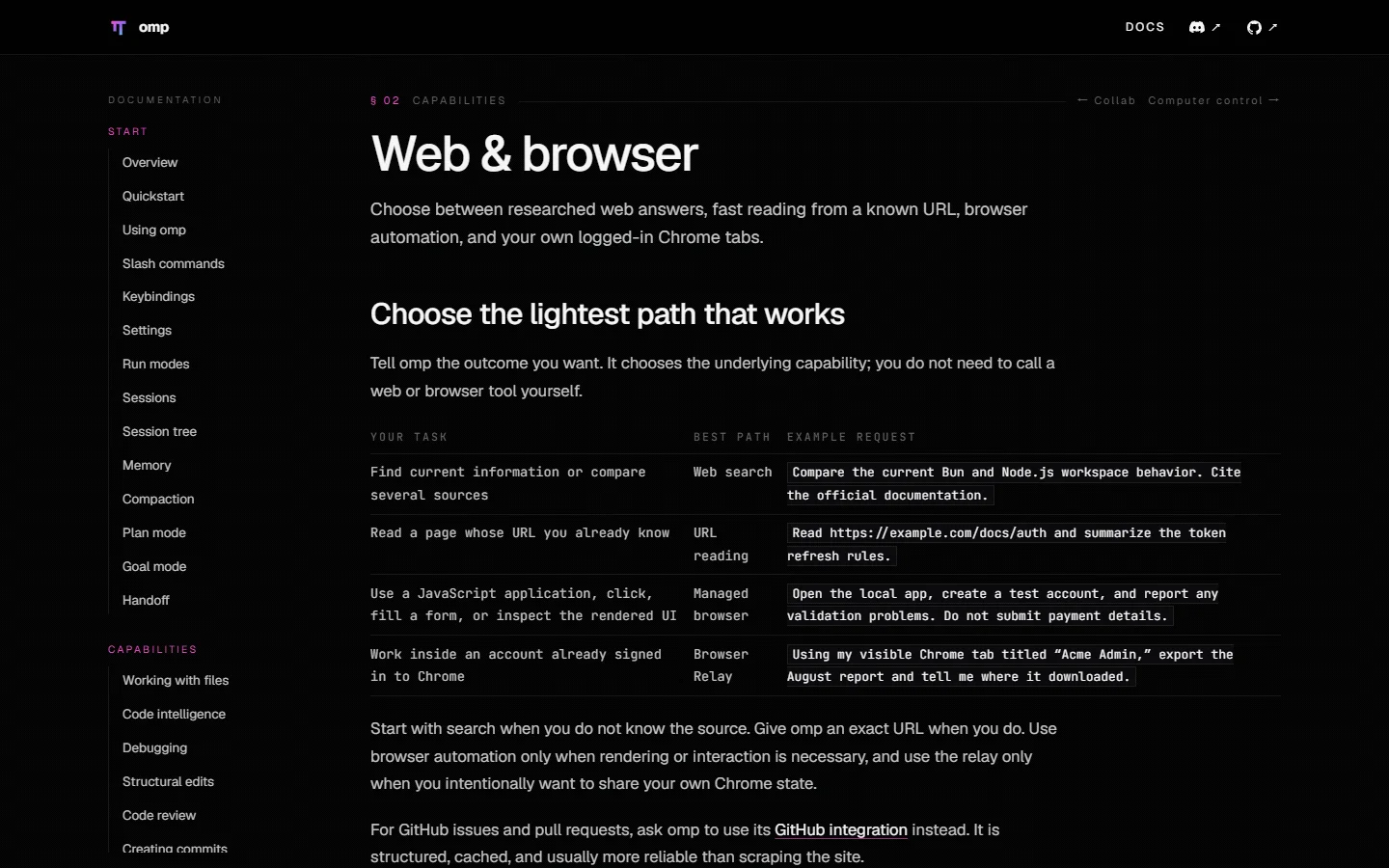
The principle is mundane and useful: if a phone call answers the question, do not begin by picking the lock. Browser automation has broader permissions and more state, so use it only when interaction is required. For sending, submitting, buying, publishing, deleting, or changing permissions, put “stop before final confirmation” in the task and set browser approval to prompt.
13. Headless and Automated Runs Still Need Fences
Print mode handles one-shot work:
omp -p "Explain the risks in the current changes. Do not modify files."
For machine-readable CI output:
omp -p --mode json --no-session --max-time 10m \
  --tools read,grep,glob \
  "Check whether generated files match their sources. Output evidence only." > omp-events.jsonl
The common automation mistake is enabling Yolo because nobody is present to click an approval. Safer automation goes the other direction: restrict the tool list, bound wall time, use a one-shot overlay, expose only necessary directories, and make writes or external actions a separate explicit pipeline stage.
14. One-Click Project Bootstrap for Three Platforms
These scripts assume omp is already installed. They create only project-local files:
.omp/config.ymlwithwriteapproval mode, Hashline, LSP diagnostics, compaction, secret redaction, and targeted tool policies..omp/AGENTS.mdwith a working contract. If a rootAGENTS.mdexists, it is imported through@../AGENTS.mdrather than discarded..omp/RULES.mdwith sticky rules against unrequested commits, pushes, publication, destructive work, and external changes.
The scripts install nothing, do not read or configure API keys, and call no third-party service. Unknown existing files are preserved and a .recommended candidate is written. Only explicit -Force or --force first backs up and then replaces them. Each script ends with omp config get checks so a rejected setting cannot masquerade as success.
14.1 Windows 11 — PowerShell
Download: omp-bootstrap-windows11.ps1
# Run from the project directory. Read the script first.
powershell -NoProfile -ExecutionPolicy Bypass `
  -File .\omp-bootstrap-windows11.ps1 `
  -ProjectRoot .
To back up and replace existing custom files deliberately:
powershell -NoProfile -ExecutionPolicy Bypass `
  -File .\omp-bootstrap-windows11.ps1 `
  -ProjectRoot . -Force
14.2 Ubuntu 26.04 — Bash
Download: omp-bootstrap-ubuntu2604.sh
# Run from the project directory. sudo is not required.
bash ./omp-bootstrap-ubuntu2604.sh .
To back up and replace existing files:
bash ./omp-bootstrap-ubuntu2604.sh --force .
14.3 macOS 26 — zsh
Download: omp-bootstrap-macos26.zsh
# Run from the project directory. Administrator access is not required.
zsh ./omp-bootstrap-macos26.zsh .
To back up and replace existing files:
zsh ./omp-bootstrap-macos26.zsh --force .
14.4 Manual automation versus Agent-assisted configuration
The commands above are human-reviewed automation: inspect a deterministic script, run it once, and receive a reproducible result that a team can review.
For a repository with complex .omp files, layered AGENTS.md instructions, or organizational policy, ask an existing coding agent to investigate before configuring. Use this prompt:
Configure the already-installed omp for the current project. Do not install or upgrade software.

Requirements:
1. Confirm the true project root. Inspect existing .omp, AGENTS.md, CLAUDE.md, and
   .github/instructions sources, and report shadowing or conflicts before editing.
2. Do not overwrite unknown files. Show a diff first; after approval, back up before changing.
3. Use project .omp/config.yml. Set tools.approvalMode to write; set computer to deny and
   browser, eval, and task to prompt. Keep Hashline, LSP diagnostics on write, and compaction.
4. Keep memory.backend off and set secrets.enabled true. Do not read, print, or configure keys.
5. Create a short .omp/RULES.md: no commit, push, publish, deletion, or external-system change
   without my explicit request. Preserve and import existing project instructions in .omp/AGENTS.md.
6. Do not contact third-party services, launch a browser, or modify global ~/.omp configuration.
7. Validate with omp config get tools.approvalMode, edit.mode, and memory.backend. Then report
   changed files, checks actually run, results, and decisions still required. Do not claim success
   without the validation output.
The Agent route adapts to a complicated repository but demands careful diff review. The script route is predictable but intentionally does not infer local architecture. This is the difference between a standardized checklist and an on-site engineer, not a contest over which is more advanced.
15. Troubleshooting and Q&A
Q1: Why have I never seen an approval prompt?
Run omp config get tools.approvalMode. The default yolo mode permits ordinary reads, writes, and execution. Test one launch with --approval-mode always-ask, then choose a deliberate global or project policy.
Q2: Why does omp keep investigating but refuse to edit?
Check the mode segment in the status line and look for an unanswered approval or question. Plan is intentionally read-only. Approve the plan, leave Plan, or answer the pending decision before expecting implementation.
Q3: Why did omp config set not change the project file?
It writes global ~/.omp/agent/config.yml. Edit project .omp/config.yml directly, launch a new session from that directory, and inspect the merged value with omp config get.
Q4: Why did a project disabledProviders list make global entries disappear?
Arrays replace rather than append. The project layer must contain the complete desired list.
Q5: Why can the main agent use a tool that a subagent cannot?
Subagents have no UI and cannot answer prompt. An explicitly inherited prompt policy therefore rejects that call. Treat parent task approval as the delegation boundary: selectively allow a capability for trusted isolated work, and deny an untrusted capability. Do not use Yolo to hide a policy design problem.
Q6: How does Memory differ from /compact?
/compact shortens active context inside the current session. Memory carries selected information into future sessions. One is a summary of today’s lesson; the other is a long-term archive.
Q7: Are more subagents always faster?
No. Independent research often parallelizes well. Several agents changing the same files resemble four people writing on one whiteboard: coordination and conflicts can cost more than the original task.
Q8: How do I know omp really finished instead of merely saying “done”?
Require changed paths, actual commands, exit status, test or diagnostic output, uncovered scope, and remaining risk. Then inspect the diff yourself. “Done” without evidence is only a sentence.
16. Closing Thought: Replace “Can It Do This?” with “Can I Accept This?”
omp has a large feature surface, but the daily spine is straightforward: state outcome and boundaries, investigate first, plan expensive changes, steer while work is active, route work to appropriate roles, and accept only evidence.
Fluency does not mean memorizing every slash command. It means knowing when to remain read-only, when a plan is worth the extra turn, when a session should branch, when delegation genuinely helps, and when your hand belongs on the brake.
If you remember one sentence, use this one: do not ask “are you finished?” Ask “what evidence proves the task is finished?” That is the moment omp stops being a chat box and becomes an engineering tool.
References
- omp documentation, Quickstart, and Using omp
- Settings, Tool approvals, and Context files
- Plan mode, Subagents, Code intelligence, and Debugging
- Sessions, Memory, Web & browser, and CLI reference
- oh-my-pi GitHub repository and README and @oh-my-pi/pi-coding-agent on npm
Features, defaults, and screenshots were checked on 2026-08-29. When the site and local behavior differ, prefer your installed version’s help, settings schema, and version-matched source.