Stop Clicking Through VMs: A Hands-On Guide to Connecting Proxmox VE to an AI Agent Safely
Connecting an AI agent to Proxmox VE sounds like giving a robot administrator the keys to your datacenter. That is exactly what you should not do. The safe starting point is a dedicated, revocable, read-only API token, a locally running MCP server, and a clear approval boundary for every write operation. This guide explains the architecture, shows manual and agent-assisted setup, and provides one-click installers for Windows 11, Ubuntu 26.04, and macOS 26.

The short answer
- Proxmox VE is an open-source virtualization platform for KVM virtual machines, LXC containers, storage, networking, backups, and clusters.
- An AI model does not natively understand Proxmox. A local MCP server exposes structured tools and translates calls into Proxmox REST API requests.
- Start with the built-in
PVEAuditorrole and keepPROXMOX_ALLOW_ELEVATED=false. - Use a dedicated API token instead of a root password.
- A successful setup must prove tool discovery, authenticated read-only access, correct scope, and rejection of unauthorized write operations.
What Proxmox VE is
Proxmox Virtual Environment, usually called Proxmox VE or PVE, combines a web interface, command-line tools, and a REST API for managing virtualization infrastructure. It can run full KVM guests, lightweight LXC containers, multiple storage backends, software-defined networking, backups, snapshots, high availability, and clusters.
Think of a Proxmox cluster as a school campus. Physical servers are buildings, VMs are classrooms, storage is the warehouse, and networks are corridors. Proxmox VE is the facilities office that knows where everything is and whether it is healthy.
As of July 2026, the official download page offers Proxmox VE 9.2. Always verify the current release and compatibility before upgrading a real cluster.
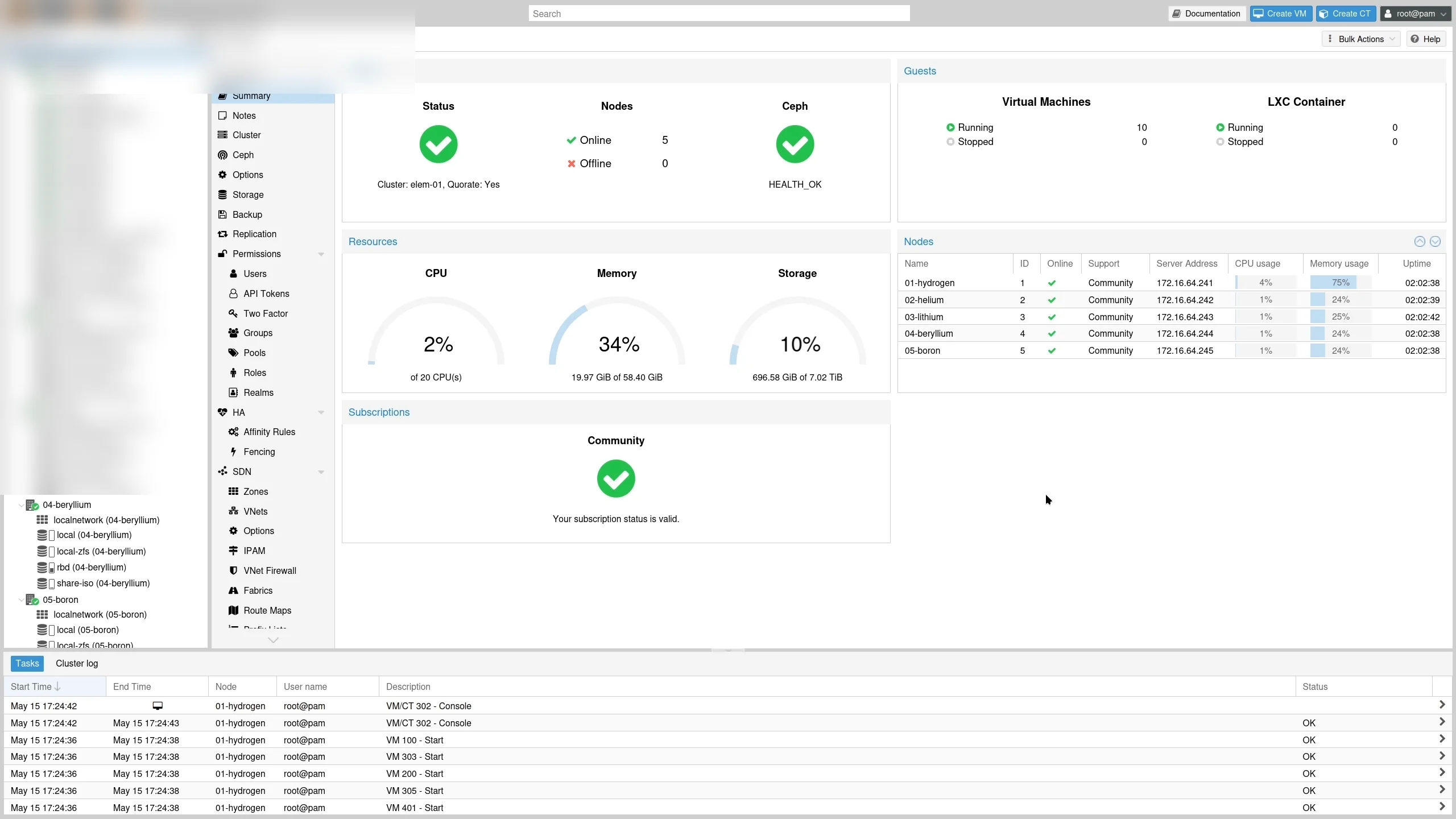
Official Proxmox VE 9.2 screenshot with environment-specific names blurred.
Why connect it to an AI agent
Routine infrastructure work is often repetitive: inspect nodes, count stopped guests, check storage, review backup failures, and summarize risks. An agent can turn a natural-language request into several structured, read-only queries:
Group stopped guests by node, check storage utilization, summarize risks, and do not change anything.
The model is not directly logging into Proxmox. The AI agent selects tools, the MCP server calls the API, Proxmox validates the token, and the agent summarizes the returned data.
It is similar to ordering food. You describe what you want to a waiter, the waiter sends a structured order to the kitchen, and an employee badge controls which doors the waiter can open. The API token is that badge.
Why MCP fits
Model Context Protocol gives agents a consistent way to discover and call external tools. Instead of writing a unique integration for every agent, an MCP server describes its tools, input schemas, and outputs.
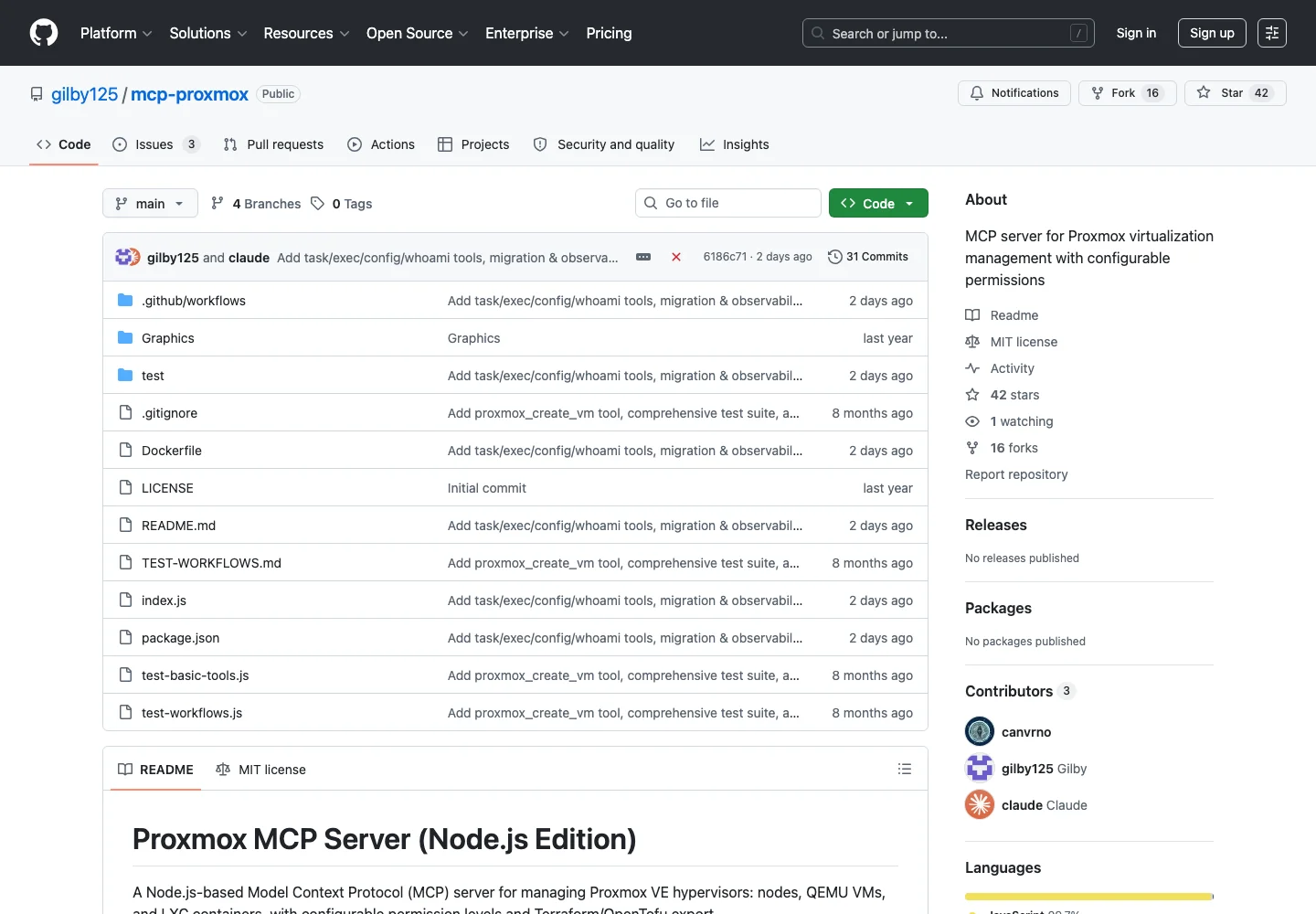
This article uses the open-source Node.js project gilby125/mcp-proxmox. It is read-only by default, requires explicit opt-in for elevated tools, and supports node and VMID allowlists. I ran its current unit-test suite locally: all 61 tests passed. I also verified its stdio tool-discovery response. I did not fabricate a live query against a reader’s private cluster; the final cluster validation must run inside your own network.
The request path
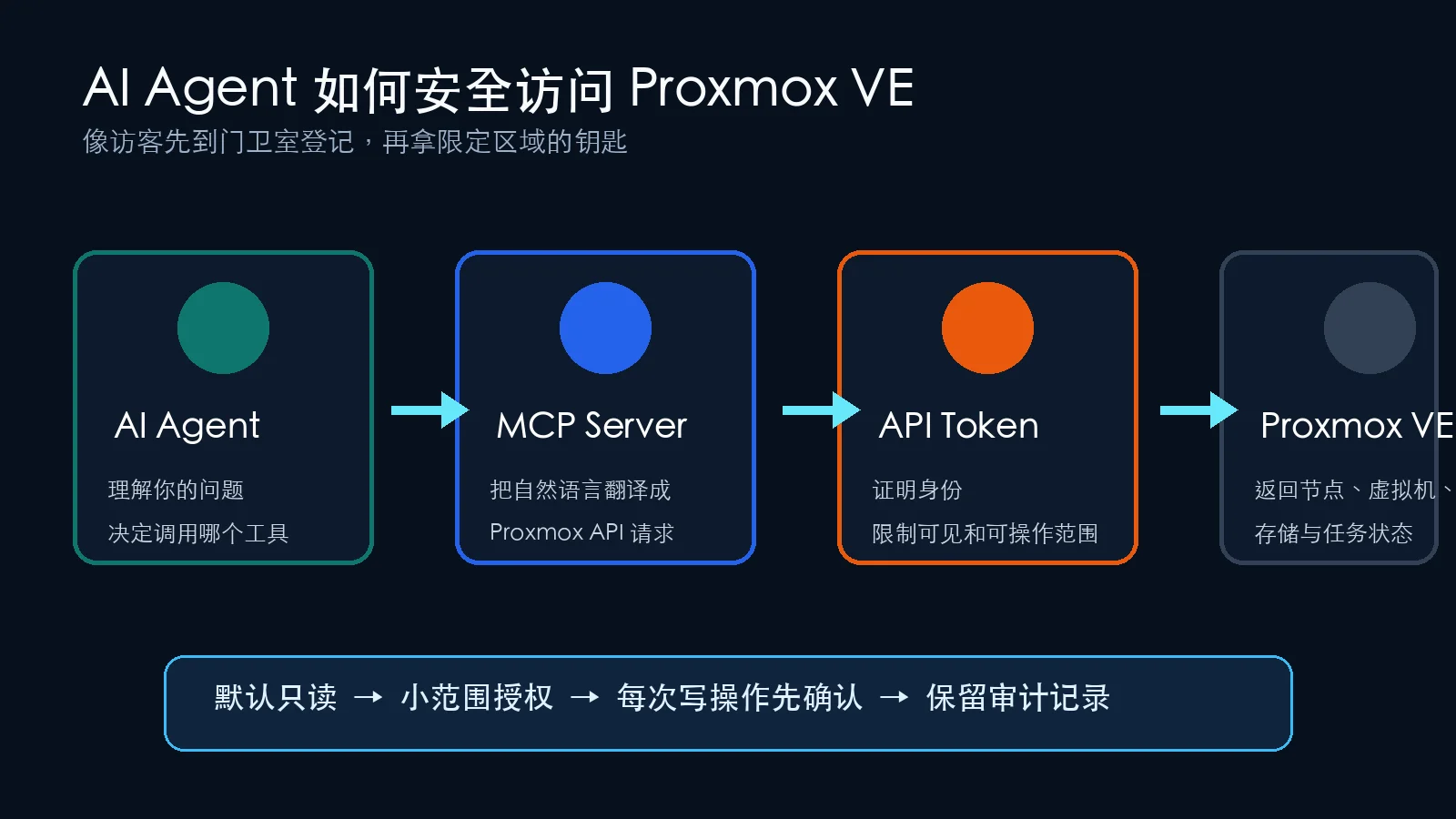
A read-only request follows these steps:
- You ask the agent which guests are stopped.
- The agent selects
proxmox_get_vms. - The local MCP server uses the configured host and token.
- Proxmox VE evaluates the identity and ACL.
- The API returns structured guest data.
- The agent summarizes it without changing infrastructure.
Each layer can be revoked independently. That is much safer than storing an administrator password in a prompt or shell history.
Start read-only
Use a staged permission model:
- Inventory nodes, guests, storage, tasks, and backups.
- Restrict access to selected nodes, pools, or VMIDs.
- Add low-risk actions such as start, graceful shutdown, or snapshot only after testing.
- Keep destructive actions such as delete, rollback, disk modification, and migration under human control.
- Consider unattended remediation only with strict conditions, audit logs, idempotency, and rollback.
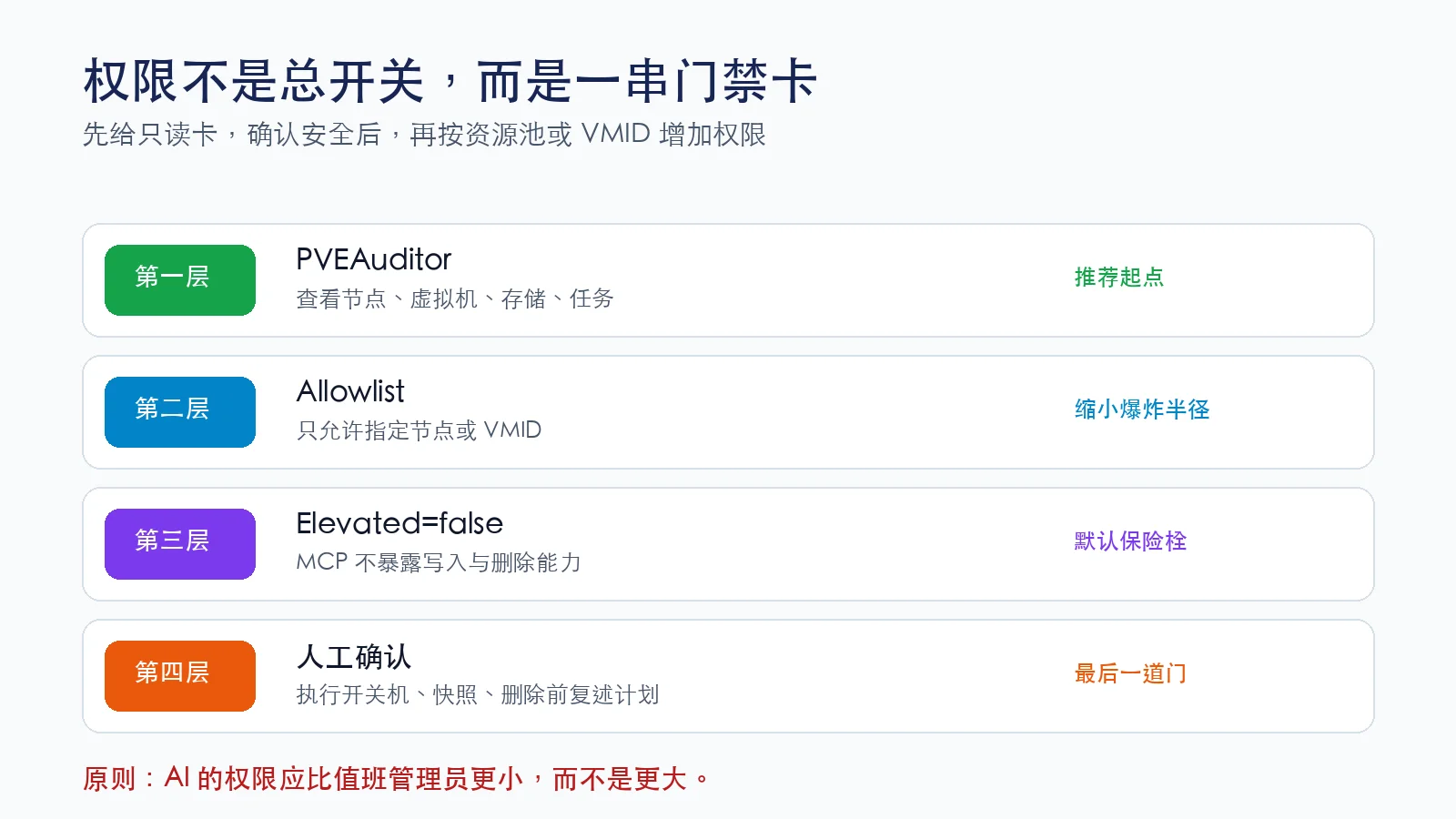
An agent should have less privilege than an on-call administrator, not more. If you temporarily use PROXMOX_VERIFY_TLS=false for a trusted internal self-signed certificate, plan to install a trusted certificate and turn verification on.
Create a read-only API token
Web interface
Open Datacenter → Permissions → Users and create a dedicated user such as ai-agent@pve. Then open Datacenter → Permissions → API Tokens, create a token named mcp, and keep privilege separation enabled. Save the secret immediately; it is normally shown only once.
Finally, grant the token PVEAuditor at /, /vms, or a narrower pool path. A narrower path reduces the blast radius.
Shell commands
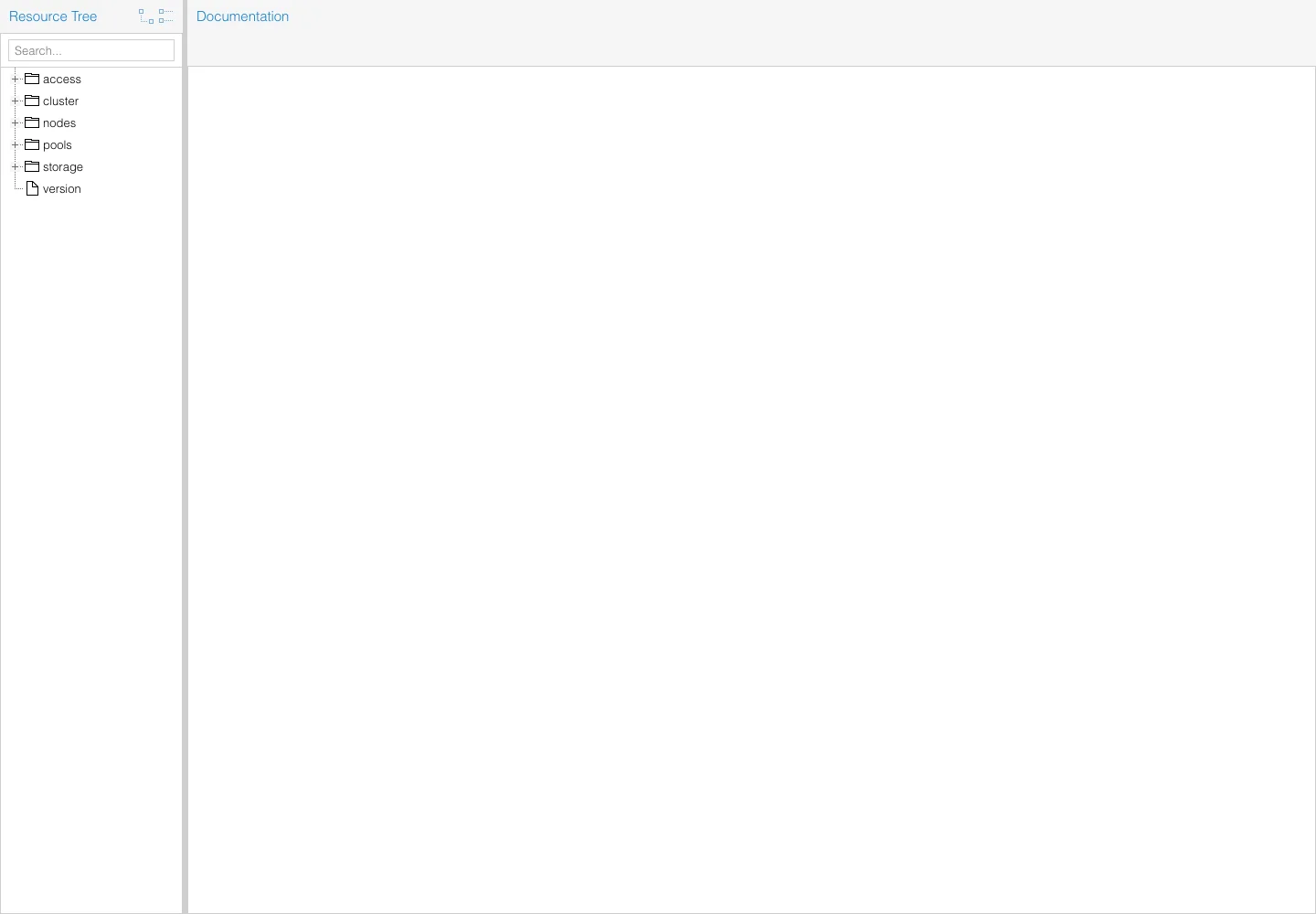
pveum user add 'ai-agent@pve' --comment 'Read-only AI Agent'
pveum user token add 'ai-agent@pve' 'mcp' --privsep 1
pveum acl modify / -token 'ai-agent@pve!mcp' -role PVEAuditor
pveum user token permissions 'ai-agent@pve' 'mcp'
The token-creation command prints the secret. Store it securely and avoid terminal recordings, screenshots, chat messages, and Git commits.
Manual MCP installation
Install Node.js 20 or newer, then run:
git clone https://github.com/gilby125/mcp-proxmox.git
cd mcp-proxmox
npm install
npm test
Test tool discovery:
printf '{"jsonrpc":"2.0","id":1,"method":"tools/list"}\n' \
  | PROXMOX_HOST='<PVE_HOST>' \
    PROXMOX_TOKEN_VALUE='<TOKEN_SECRET>' \
    node index.js
Then add the server to an MCP-compatible client:
{
  "mcpServers": {
    "proxmox": {
      "command": "node",
      "args": ["<ABSOLUTE_PATH>/mcp-proxmox/index.js"],
      "env": {
        "PROXMOX_HOST": "<PVE_HOST>",
        "PROXMOX_USER": "ai-agent@pve",
        "PROXMOX_TOKEN_NAME": "mcp",
        "PROXMOX_TOKEN_VALUE": "<TOKEN_SECRET>",
        "PROXMOX_ALLOW_ELEVATED": "false",
        "PROXMOX_VERIFY_TLS": "false"
      }
    }
  }
}
Protect the configuration because it contains the token secret. Use chmod 600 <CONFIG_FILE> on Linux and macOS, or restrict the Windows ACL to your own account.
One-click installers
The scripts install local prerequisites, clone the MCP server, install dependencies, ask for the token interactively, and update a common MCP client configuration without enabling elevated mode.
Windows 11
Download the PowerShell installer
Set-ExecutionPolicy -Scope Process Bypass
.\install-proxmox-agent-windows11.ps1
Ubuntu 26.04
chmod +x install-proxmox-agent-ubuntu-2604.sh
./install-proxmox-agent-ubuntu-2604.sh
macOS 26
chmod +x install-proxmox-agent-macos.sh
./install-proxmox-agent-macos.sh
GitHub and npm are used to obtain open-source code and packages, but the bridge and credentials run locally; there is no hosted management relay between your agent and PVE. Fully offline environments can mirror the repository and npm dependencies.
Agent-assisted configuration
Give the following prompt to a local agent that can safely run terminal commands. Enter the secret manually when the installer asks for it; never paste it into the prompt.
Configure a read-only Proxmox VE MCP integration.
- Detect Windows 11, Ubuntu 26.04, or macOS 26.
- Download and run the matching installer from this article.
- Let me enter the token secret interactively; never echo or log it.
- Keep PROXMOX_ALLOW_ELEVATED=false.
- Preserve all existing MCP servers.
- Validate tools/list and a read-only node query only.
- Do not start, stop, snapshot, migrate, delete, or modify anything.
- Stop on 401, 403, or TLS errors and explain the failing layer instead of widening permissions.
Validation checklist
Ask the agent to list available Proxmox tools, query node status with names redacted, count running and stopped QEMU/LXC guests, and summarize storage or failed tasks. Then perform a negative test by asking it to delete a guest. With the default setup, the request must be refused because elevated tools are disabled.
If deletion is possible, revoke the token immediately and inspect the ACL and environment variables.
Troubleshooting
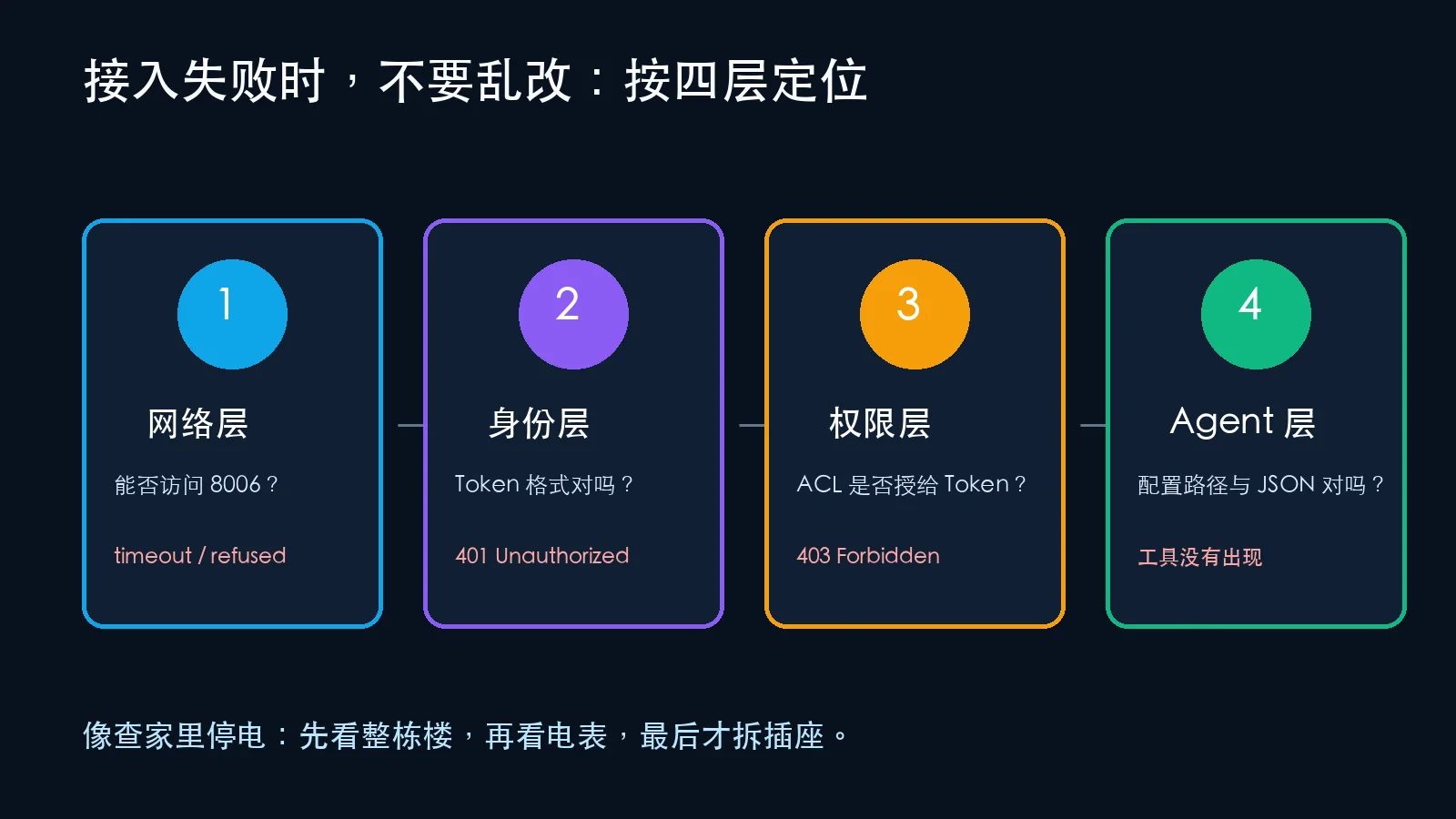
Timeout or connection refused
Verify routing, firewall rules, the management port, and the configured host. A network failure occurs before authentication, so recreating a token will not fix it.
401 Unauthorized
Check the realm in PROXMOX_USER, the token name, the complete secret, and whether the token was deleted or regenerated.
403 Forbidden
The identity is recognized, but its ACL does not permit the requested path. With privilege separation enabled, make sure the token itself has an ACL:
pveum user token permissions 'ai-agent@pve' 'mcp'
No Proxmox tools in the agent
Validate JSON syntax, client configuration location, and absolute paths to node and index.js. Run tools/list directly in a terminal to separate client configuration problems from MCP startup problems.
TLS errors
The long-term fix is a trusted certificate with PROXMOX_VERIFY_TLS=true. Disabling verification should only be a temporary choice on a trusted internal network.
When to enable elevated tools
Only consider PROXMOX_ALLOW_ELEVATED=true after you have tested inside a disposable pool, assigned a non-administrator token, configured node or VMID allowlists, required confirmation, prepared backups, and enabled auditing. Deletion, rollback, shrinking storage, and other irreversible operations should remain manual.
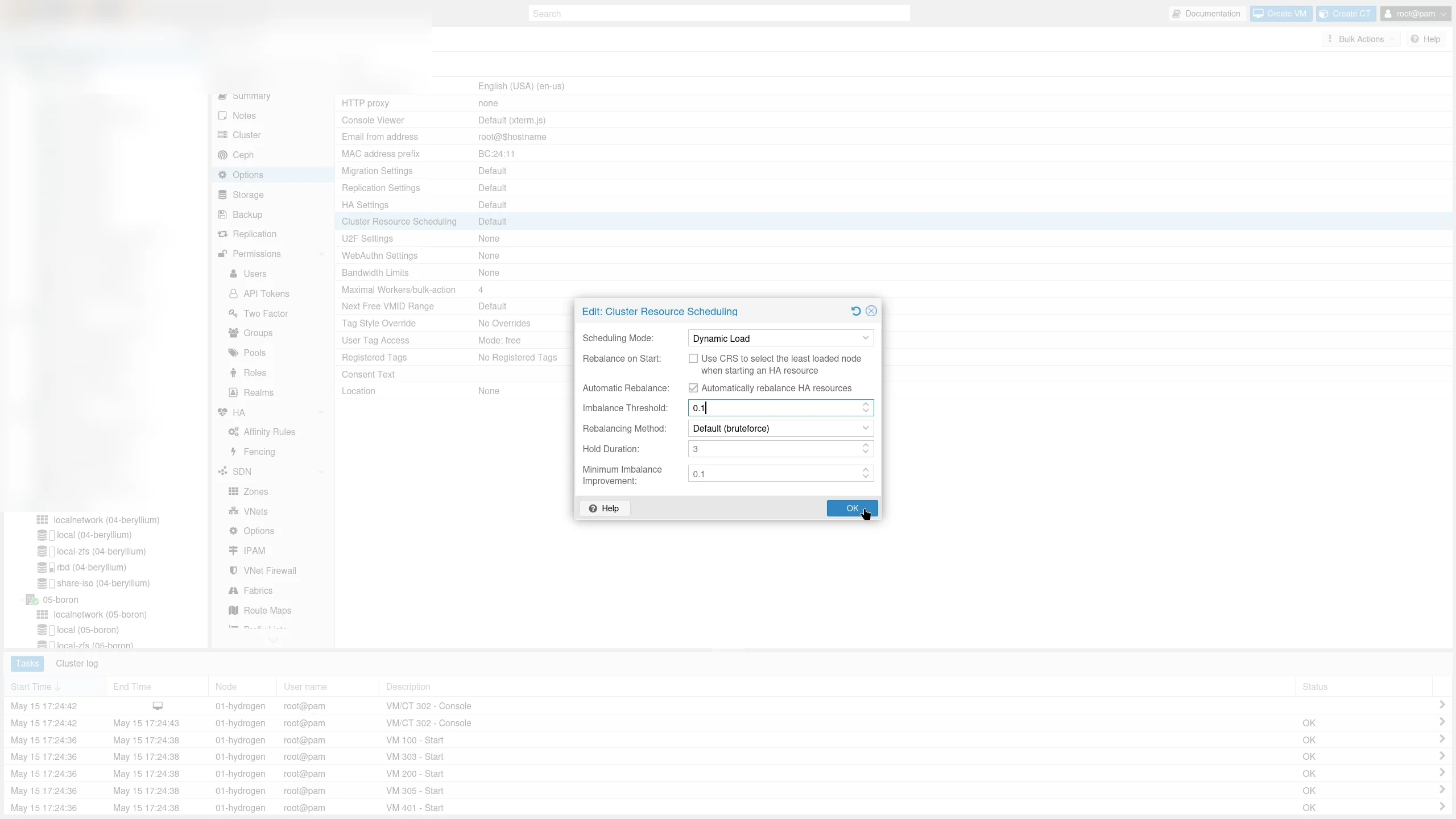
Official screenshot with environment names blurred. An agent can explain balance and migration options, but production migration still requires storage, HA, network, and maintenance-window checks.
Good first use cases
- Daily node, guest, container, and storage summaries;
- Identification of long-stopped guests that still consume resources;
- Backup, task, and snapshot failure summaries;
- Configuration comparison before and after a change;
- Terraform or OpenTofu drafts generated from existing guests;
- Capacity-planning inventories and risk explanations;
- Start, graceful shutdown, or snapshot after explicit human approval.
Let the agent organize the ledger before allowing it to sign checks.
Q&A
Is MCP mandatory?
No. You can build REST scripts or use restricted SSH with pvesh. MCP is useful because tools and schemas are discoverable and reusable across compatible agents.
Can I use a root token?
You technically can, but you should not. A dedicated user, dedicated token, minimum ACL, and easy revocation substantially reduce impact when credentials leak or an agent chooses the wrong action.
Does the model see the secret?
The MCP client normally passes environment variables directly to the local server rather than inserting them into the conversation. The configuration file is still sensitive: restrict permissions, avoid cloud sync, never commit it, and rotate the token.
Can the agent automatically repair failures?
Eventually, but start with detection and a proposed plan. Unattended remediation needs explicit triggers, idempotency, timeouts, rollback, scope restrictions, and audit records.
Final advice
Connecting Proxmox VE to an AI agent is not merely adding a chat box to a datacenter. It is adding a natural-language orchestration layer above a mature API. A trustworthy design is read-only by default, minimally privileged, scope-limited, secret-aware, confirmable, verifiable, auditable, and quickly revocable.
Let the agent become an inspector before it becomes an operator.
References
- Proxmox VE downloads: https://www.proxmox.com/en/downloads/proxmox-virtual-environment
- Proxmox VE Administration Guide: https://pve.proxmox.com/pve-docs/pve-admin-guide.html
- Proxmox VE API Viewer: https://pve.proxmox.com/pve-docs/api-viewer/
- MCP server used in this guide: https://github.com/gilby125/mcp-proxmox
- Model Context Protocol: https://modelcontextprotocol.io/