Should QingLong Panel Still Face the Public Internet? After the 2026 Bypass, I Would Start With BaiHu
Bottom line first
QingLong Panel used to be the default answer for many self-hosted scheduled-script setups. It can run scripts, manage environment variables, show logs, synchronize repositories, and wrap crontab-like workflows in a friendly web UI. But the critical QingLong issues publicly discussed in early 2026 changed the risk calculation: a task scheduler panel is not just another web admin page. It often holds scripts, secrets, notification tokens, and execution privileges. If authentication can be bypassed, the attacker is not merely viewing a dashboard; they may be standing in front of a machine that can run jobs.
For new lightweight deployments, I would now evaluate BaiHu Panel first. BaiHu is a Go + Vue3 automation task scheduling platform focused on low overhead and high performance. Its public README describes Docker / Docker Compose deployment, Mise-based runtime management, repository task synchronization, logs, notifications, and secret handling. It is not a perfect one-to-one replacement for every QingLong workflow, but it is a better starting point for many personal script-hosting cases.
If you must keep using QingLong temporarily because of old jobs, migration cost, or compatibility constraints, do not expose it directly to the public Internet. Put a protection layer in front of it: VPN, zero-trust access, reverse-proxy Basic Auth, an allowlist, WAF rules, or equivalent access control. This article includes one-click scripts for Windows 11, Ubuntu 26.04, and macOS 26. They deploy BaiHu by default, require an explicit switch to deploy QingLong, and put either panel behind Caddy Basic Auth.

Figure 1: AI-generated cover. A task panel is not just a dashboard; it usually contains buttons that can execute real work.
1. What QingLong and BaiHu Panels Are
QingLong Panel is best understood as a scheduled alarm clock, file cabinet, and logbook for scripts. You can place Python, JavaScript, Shell, or TypeScript scripts inside it, define Cron expressions, and let the panel run them on schedule. You can also manage environment variables, inspect job logs, configure notifications, and edit files from the browser. For many self-hosted users, the appeal is obvious: no manual crontab editing, no repeated SSH sessions just to check logs, and no scattered script directories.
The downside is equally important: a scheduled-task panel usually has more power than a normal blog, photo gallery, or RSS admin page. If a blog admin is compromised, the attacker may edit posts. If a photo app is compromised, private photos may be exposed. If a task scheduler is compromised, the attacker may create tasks, read variables, modify scripts, and trigger execution. It is closer to a combined electrical box and tool room than a simple web page.
BaiHu Panel is another automation task scheduling platform. Its public README and documentation describe it as a lightweight, high-performance platform built with Go + Vue3. It integrates Mise to manage runtime environments such as Python, Node.js, Go, Rust, and PHP. It also supports Docker / Docker Compose deployment, task scheduling, online management, execution logs, notifications, encrypted secrets, and repository task synchronization.
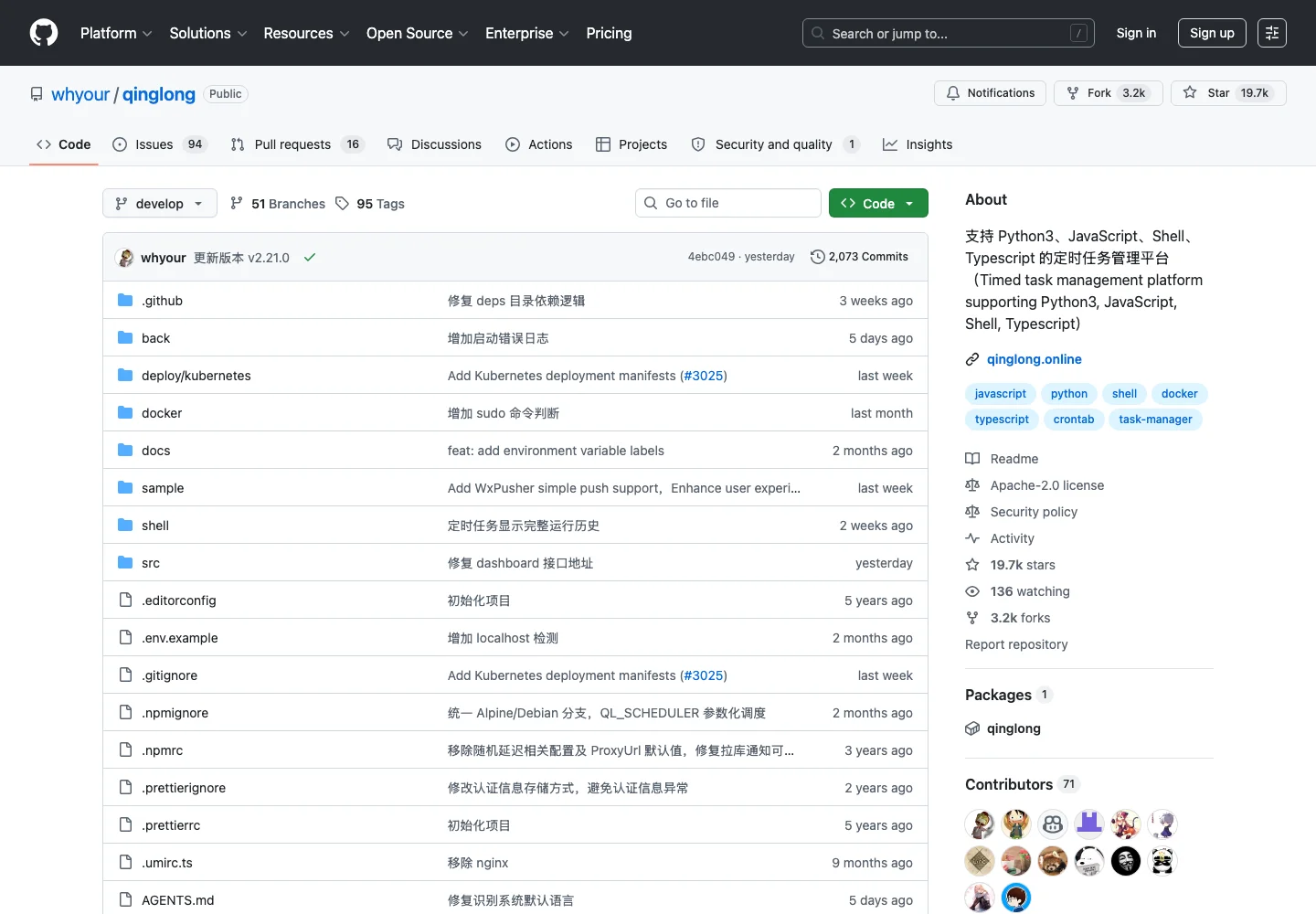
Figure 2: QingLong is popular and capable. Popularity plus script execution plus public exposure is also why attackers pay attention.
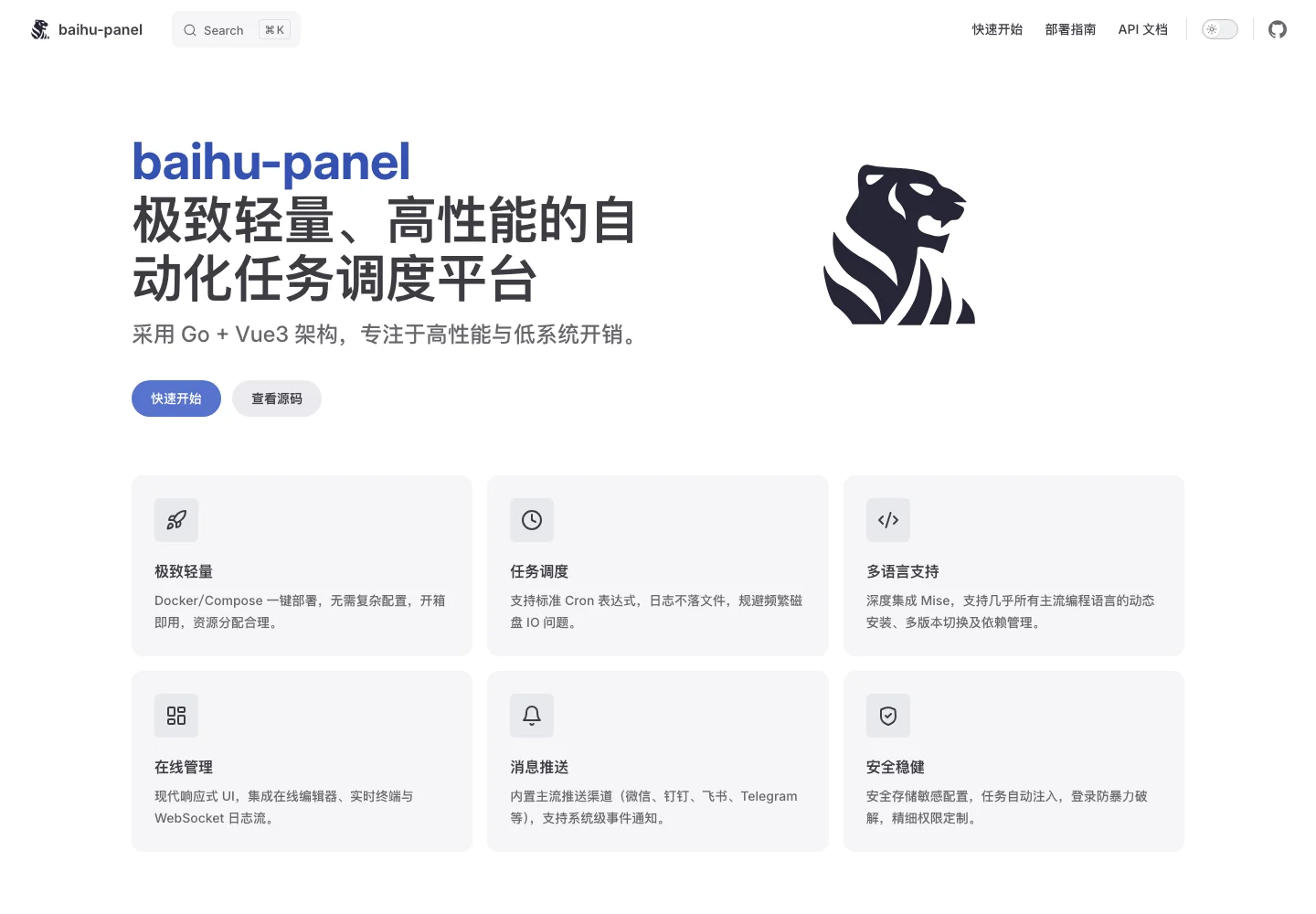
Figure 3: BaiHu’s public docs position it around lightweight deployment, Docker/Compose, and automation scheduling.
A simple analogy: QingLong and BaiHu are both like robot housekeepers. You tell the robot when to clean, when to water plants, and when to take out the trash. The problem is that the robot has keys. If the front door is placed directly on the street and the access control can be bypassed, the issue is not that the robot is buggy; strangers may be able to command it.
2. The 2026 Problem: Not a Weak Password, but a Broken Gate
In early 2026, Snyk published an analysis of remote-code-execution risks in QingLong Task Scheduler and noted exploitation activity that deployed cryptomining-related payloads. Snyk’s vulnerability database also contains a high-severity record for @whyour/qinglong. GitHub security pages later showed advisory activity around an incomplete-fix path. In practical terms, this was not a purely theoretical bug. It was the kind of issue that real attackers care about.
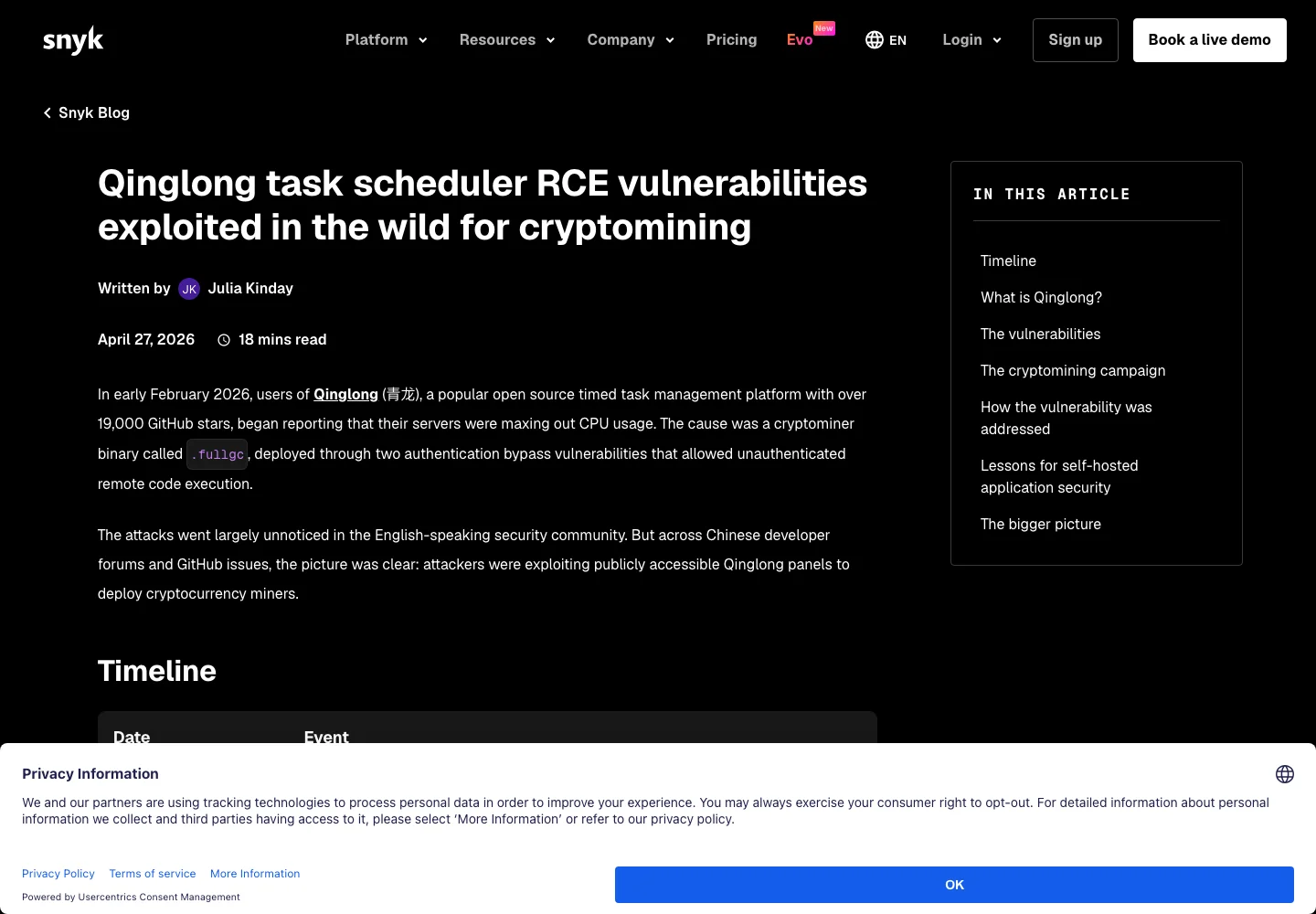
Figure 4: The public security analysis is clear: once a task scheduler is abused, the impact can move from web access to command execution.
I am not going to publish copy-paste exploit requests here. The goal of this article is to help self-hosted users understand risk and harden deployments, not to reduce the search cost for attackers. The important part is the security model: authentication bypass.
Normally the login page is like the gate at an apartment building. No card, no entry. An authentication bypass is like a broken card reader that lets strangers walk inside without knowing your password. With a task scheduler, what sits behind that broken gate is especially sensitive: tasks, scripts, environment variables, logs, and execution controls.
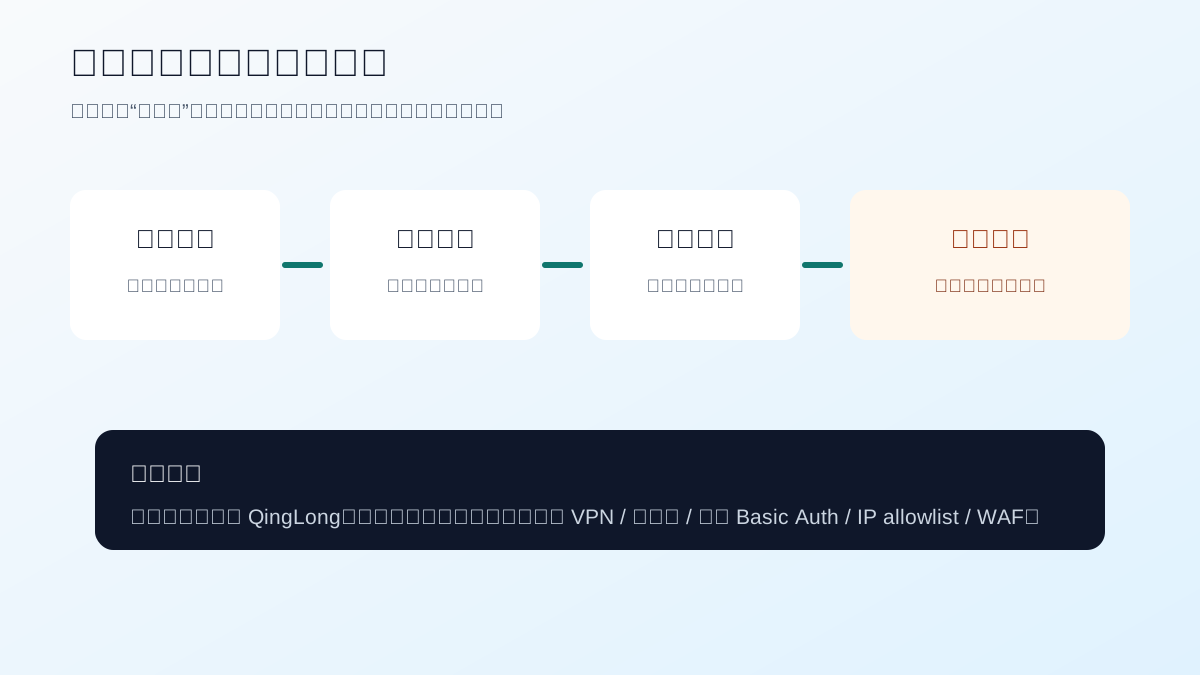
Figure 5: The danger is a chain reaction. The wider the public entry point, the more dangerous every later step becomes.
That is why I no longer recommend QingLong as a long-term publicly exposed panel on Internet-facing machines. This does not mean every QingLong instance will instantly be compromised. It also does not mean BaiHu can never have vulnerabilities. The point is simpler: the risk/reward balance has changed. If the job is ordinary personal script hosting, keeping a scheduler with a recent real-world exploitation history directly exposed to the Internet is no longer a good trade.
3. Installing QingLong: Only Locally or Behind Protection
The QingLong README shows a Docker deployment pattern with a persistent data directory, the 5700 service port, and the whyour/qinglong image. A minimal Compose file looks like this:
services:
  qinglong:
    image: whyour/qinglong:debian
    container_name: qinglong
    volumes:
      - ./qinglong-data:/ql/data
    restart: unless-stopped
Notice that I intentionally did not publish a direct ports: mapping. For a local test you may temporarily map a port. For a public server, I do not recommend exposing the panel container directly. A reverse proxy should stand in front of it and handle TLS, Basic Auth, source restrictions, logs, and rate limiting.
A safer temporary Compose structure looks like this:
services:
  qinglong:
    image: whyour/qinglong:debian
    container_name: qinglong
    volumes:
      - ./qinglong-data:/ql/data
    restart: unless-stopped

  gateway:
    image: caddy:2
    container_name: qinglong-gateway
    depends_on:
      - qinglong
    ports:
      - "8088:8088"
    volumes:
      - ./Caddyfile:/etc/caddy/Caddyfile:ro
      - ./caddy-data:/data
      - ./caddy-config:/config
    restart: unless-stopped
The Caddyfile core is:
:8088 {
  basicauth {
    admin <BCRYPT_HASH>
  }
  reverse_proxy qinglong:5700
}
This is still temporary protection. It does not remove vulnerabilities from the application. It only places another door before the application login page. If your house lock is suspicious, the first step is to keep strangers out of the building, not to admire the lock manual.
4. Installing BaiHu: A Better Starting Point for New Deployments
BaiHu’s public README shows ghcr.io/engigu/baihu:latest, a default panel port of 8052, and persistent data and envs directories. A trimmed Compose file looks like this:
services:
  baihu:
    image: ghcr.io/engigu/baihu:latest
    container_name: baihu
    volumes:
      - ./baihu-data:/app/data
      - ./baihu-envs:/app/envs
    environment:
      - TZ=Asia/Shanghai
      - BH_SERVER_PORT=8052
      - BH_DB_TYPE=sqlite
      - BH_DB_PATH=/app/data/baihu.db
      - BH_DB_TABLE_PREFIX=baihu_
      - BAIHU_SECRET_KEY=<CHANGE_ME_TO_A_LONG_RANDOM_SECRET>
    restart: unless-stopped
BaiHu generates a random administrator password on first start. Its README says to check the container logs for the initial admin password and change it after login. That is a healthier pattern than fixed default passwords. A fixed default password is like giving every new apartment the same key.
Even when using BaiHu, I still recommend putting a reverse-proxy authentication layer in front of the panel. “Recommended over QingLong for new deployments” does not mean “safe to expose carelessly.” Any system that can execute scripts, manage variables, and store notification tokens deserves a second gate.
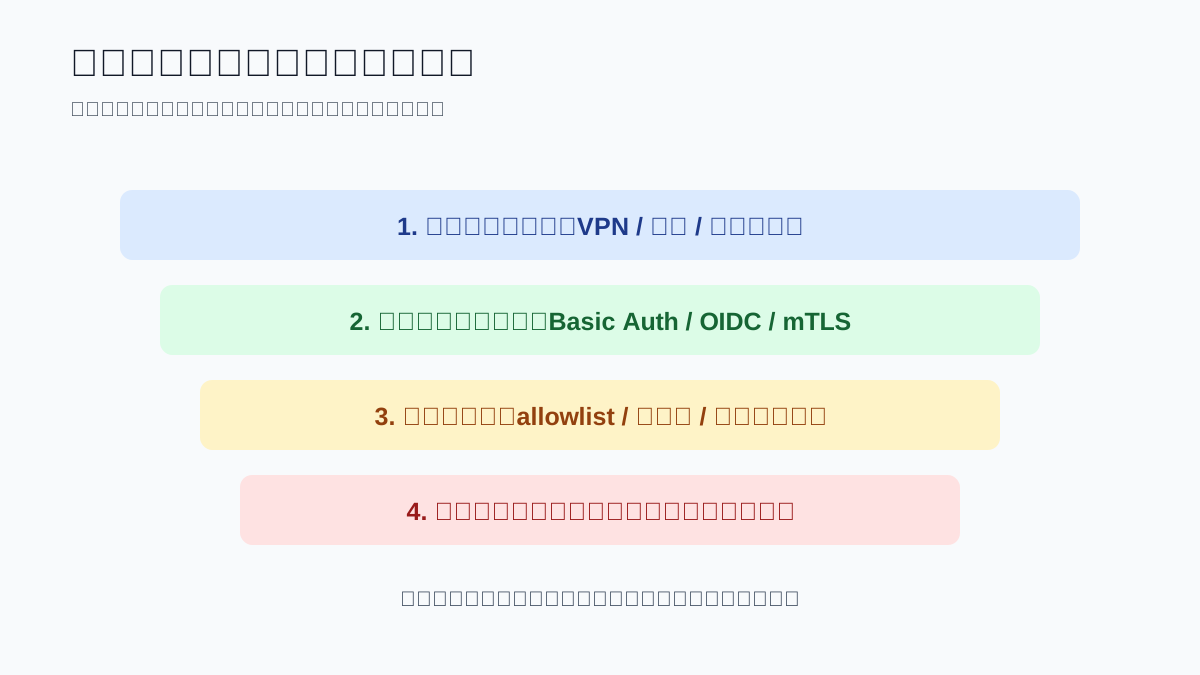
Figure 6: Security is not only about the panel itself. Narrow the entrance first, then handle versions, passwords, and permissions.
5. One-Click Scripts for Windows 11, Ubuntu 26.04, and macOS 26
The following scripts all do the same thing: create a Docker Compose directory, deploy BaiHu by default, deploy QingLong only when explicitly requested, and put a Caddy Basic Auth gateway in front of either panel. They do not rely on a third-party cloud service or external database. Like any container installation, they still pull public container images from registries.
5.1 Windows 11 PowerShell
Default BaiHu deployment:
powershell -ExecutionPolicy Bypass -File .\Install-Panel-Gateway.ps1
Temporary QingLong deployment:
powershell -ExecutionPolicy Bypass -File .\Install-Panel-Gateway.ps1 -Panel qinglong
param(
    [ValidateSet("baihu", "qinglong")]
    [string]$Panel = "baihu",
    [string]$InstallDir = "$HOME\panel-gateway",
    [string]$User = "admin",
    [string]$Password = ""
)

$ErrorActionPreference = "Stop"

if (-not (Get-Command docker -ErrorAction SilentlyContinue)) {
    throw "Docker is required. Install Docker Desktop first, then re-run this script."
}

if ([string]::IsNullOrWhiteSpace($Password)) {
    $bytes = New-Object byte[] 24
    [Security.Cryptography.RandomNumberGenerator]::Fill($bytes)
    $Password = [Convert]::ToBase64String($bytes).TrimEnd("=")
}

New-Item -ItemType Directory -Force -Path $InstallDir | Out-Null
Set-Location $InstallDir

$hash = docker run --rm caddy:2 caddy hash-password --plaintext $Password
if ($LASTEXITCODE -ne 0 -or [string]::IsNullOrWhiteSpace($hash)) {
    throw "Failed to generate Caddy password hash."
}

if ($Panel -eq "baihu") {
    $target = "baihu:8052"
    $service = @"
  baihu:
    image: ghcr.io/engigu/baihu:latest
    container_name: baihu
    volumes:
      - ./baihu-data:/app/data
      - ./baihu-envs:/app/envs
    environment:
      - TZ=Asia/Shanghai
      - BH_SERVER_PORT=8052
      - BH_DB_TYPE=sqlite
      - BH_DB_PATH=/app/data/baihu.db
      - BH_DB_TABLE_PREFIX=baihu_
      - BAIHU_SECRET_KEY=$([Guid]::NewGuid().ToString("N"))$([Guid]::NewGuid().ToString("N"))
    restart: unless-stopped
"@
} else {
    $target = "qinglong:5700"
    $service = @"
  qinglong:
    image: whyour/qinglong:debian
    container_name: qinglong
    volumes:
      - ./qinglong-data:/ql/data
    restart: unless-stopped
"@
}

@"
$service

  gateway:
    image: caddy:2
    container_name: panel-gateway
    depends_on:
      - $Panel
    ports:
      - "8088:8088"
    volumes:
      - ./Caddyfile:/etc/caddy/Caddyfile:ro
      - ./caddy-data:/data
      - ./caddy-config:/config
    restart: unless-stopped
"@ | Set-Content -Encoding UTF8 docker-compose.yml

@"
:8088 {
  basicauth {
    $User $hash
  }
  reverse_proxy $target
}
"@ | Set-Content -Encoding UTF8 Caddyfile

docker compose up -d

Write-Host ""
Write-Host "Panel: $Panel"
Write-Host "URL: http://localhost:8088"
Write-Host "Gateway user: $User"
Write-Host "Gateway password: $Password"
Write-Host "Keep this password. If BaiHu was installed, check container logs for the BaiHu initial admin password."
5.2 Ubuntu 26.04 Bash
Default BaiHu deployment:
bash install-panel-gateway.sh
Temporary QingLong deployment:
PANEL=qinglong bash install-panel-gateway.sh
#!/usr/bin/env bash
set -euo pipefail

PANEL="${PANEL:-baihu}"
INSTALL_DIR="${INSTALL_DIR:-$HOME/panel-gateway}"
USER_NAME="${USER_NAME:-admin}"
PASSWORD="${PASSWORD:-}"

if [ "$PANEL" != "baihu" ] && [ "$PANEL" != "qinglong" ]; then
  echo "PANEL must be baihu or qinglong" >&2
  exit 1
fi

if ! command -v docker >/dev/null 2>&1; then
  echo "Docker is required. Install Docker Engine first, then re-run this script." >&2
  exit 1
fi

if [ -z "$PASSWORD" ]; then
  PASSWORD="$(openssl rand -base64 24 | tr -d '=')"
fi

mkdir -p "$INSTALL_DIR"
cd "$INSTALL_DIR"

HASH="$(docker run --rm caddy:2 caddy hash-password --plaintext "$PASSWORD")"

if [ "$PANEL" = "baihu" ]; then
  TARGET="baihu:8052"
  SECRET="$(openssl rand -hex 48)"
  cat > docker-compose.yml <<YAML
services:
  baihu:
    image: ghcr.io/engigu/baihu:latest
    container_name: baihu
    volumes:
      - ./baihu-data:/app/data
      - ./baihu-envs:/app/envs
    environment:
      - TZ=Asia/Shanghai
      - BH_SERVER_PORT=8052
      - BH_DB_TYPE=sqlite
      - BH_DB_PATH=/app/data/baihu.db
      - BH_DB_TABLE_PREFIX=baihu_
      - BAIHU_SECRET_KEY=${SECRET}
    restart: unless-stopped

  gateway:
    image: caddy:2
    container_name: panel-gateway
    depends_on:
      - baihu
    ports:
      - "8088:8088"
    volumes:
      - ./Caddyfile:/etc/caddy/Caddyfile:ro
      - ./caddy-data:/data
      - ./caddy-config:/config
    restart: unless-stopped
YAML
else
  TARGET="qinglong:5700"
  cat > docker-compose.yml <<YAML
services:
  qinglong:
    image: whyour/qinglong:debian
    container_name: qinglong
    volumes:
      - ./qinglong-data:/ql/data
    restart: unless-stopped

  gateway:
    image: caddy:2
    container_name: panel-gateway
    depends_on:
      - qinglong
    ports:
      - "8088:8088"
    volumes:
      - ./Caddyfile:/etc/caddy/Caddyfile:ro
      - ./caddy-data:/data
      - ./caddy-config:/config
    restart: unless-stopped
YAML
fi

cat > Caddyfile <<CADDY
:8088 {
  basicauth {
    ${USER_NAME} ${HASH}
  }
  reverse_proxy ${TARGET}
}
CADDY

docker compose up -d

printf '\nPanel: %s\nURL: http://localhost:8088\nGateway user: %s\nGateway password: %s\n' "$PANEL" "$USER_NAME" "$PASSWORD"
printf 'Keep this password. If BaiHu was installed, check container logs for the BaiHu initial admin password.\n'
5.3 macOS 26 zsh
Default BaiHu deployment:
zsh install-panel-gateway-macos.zsh
Temporary QingLong deployment:
PANEL=qinglong zsh install-panel-gateway-macos.zsh
#!/usr/bin/env zsh
set -euo pipefail

PANEL="${PANEL:-baihu}"
INSTALL_DIR="${INSTALL_DIR:-$HOME/panel-gateway}"
USER_NAME="${USER_NAME:-admin}"
PASSWORD="${PASSWORD:-}"

if [[ "$PANEL" != "baihu" && "$PANEL" != "qinglong" ]]; then
  print -u2 "PANEL must be baihu or qinglong"
  exit 1
fi

if ! command -v docker >/dev/null 2>&1; then
  print -u2 "Docker Desktop or a compatible Docker runtime is required."
  exit 1
fi

if [[ -z "$PASSWORD" ]]; then
  PASSWORD="$(openssl rand -base64 24 | tr -d '=')"
fi

mkdir -p "$INSTALL_DIR"
cd "$INSTALL_DIR"

HASH="$(docker run --rm caddy:2 caddy hash-password --plaintext "$PASSWORD")"

if [[ "$PANEL" == "baihu" ]]; then
  TARGET="baihu:8052"
  SECRET="$(openssl rand -hex 48)"
  cat > docker-compose.yml <<YAML
services:
  baihu:
    image: ghcr.io/engigu/baihu:latest
    container_name: baihu
    volumes:
      - ./baihu-data:/app/data
      - ./baihu-envs:/app/envs
    environment:
      - TZ=Asia/Shanghai
      - BH_SERVER_PORT=8052
      - BH_DB_TYPE=sqlite
      - BH_DB_PATH=/app/data/baihu.db
      - BH_DB_TABLE_PREFIX=baihu_
      - BAIHU_SECRET_KEY=${SECRET}
    restart: unless-stopped

  gateway:
    image: caddy:2
    container_name: panel-gateway
    depends_on:
      - baihu
    ports:
      - "8088:8088"
    volumes:
      - ./Caddyfile:/etc/caddy/Caddyfile:ro
      - ./caddy-data:/data
      - ./caddy-config:/config
    restart: unless-stopped
YAML
else
  TARGET="qinglong:5700"
  cat > docker-compose.yml <<YAML
services:
  qinglong:
    image: whyour/qinglong:debian
    container_name: qinglong
    volumes:
      - ./qinglong-data:/ql/data
    restart: unless-stopped

  gateway:
    image: caddy:2
    container_name: panel-gateway
    depends_on:
      - qinglong
    ports:
      - "8088:8088"
    volumes:
      - ./Caddyfile:/etc/caddy/Caddyfile:ro
      - ./caddy-data:/data
      - ./caddy-config:/config
    restart: unless-stopped
YAML
fi

cat > Caddyfile <<CADDY
:8088 {
  basicauth {
    ${USER_NAME} ${HASH}
  }
  reverse_proxy ${TARGET}
}
CADDY

docker compose up -d

print ""
print "Panel: $PANEL"
print "URL: http://localhost:8088"
print "Gateway user: $USER_NAME"
print "Gateway password: $PASSWORD"
print "Keep this password. If BaiHu was installed, check container logs for the BaiHu initial admin password."
6. Manual Automation and Agent Automation
The manual path is straightforward: choose the panel, keep BaiHu as the default, save the script, confirm Docker is available, run the script, open http://localhost:8088, pass the gateway login, then complete the panel’s own login flow. For BaiHu, read the initial admin password from container logs. For QingLong, follow its initialization wizard.
The Agent path is useful when you already operate machines through Codex, Claude, OpenClaw, HermesAgent, or a similar tool. Give the Agent boundaries, not just an outcome:
Deploy a Basic Auth protected task scheduling panel on the current machine.
Use BaiHu by default. Do not deploy QingLong unless I explicitly ask for it.
Do not expose the panel container port directly.
Use Docker Compose and expose only gateway port 8088.
After completion, output the compose path, gateway username, random password, container status, and local access URL.
Do not print or store real public addresses, private addresses, internal domains, hostnames, tokens, or cookies in the article or logs.
If you must temporarily deploy QingLong for migration testing, make the risk boundary explicit:
I need a temporary QingLong deployment for migration validation.
Put it behind Caddy Basic Auth and do not publish the QingLong container port directly.
After deployment, run docker compose ps and remind me to shut it down or replace it after migration.
Do not generate exploit test requests.
The point is not to make the Agent “smarter.” The point is to stop it from confidently publishing the most sensitive port because a shorter Compose file looked convenient.
7. Q&A
Is QingLong completely unusable now?
No. It may still be acceptable in local networks, labs, migration windows, or environments protected by VPN or zero-trust access. I do not recommend it as a long-term publicly exposed panel, especially when it contains notification tokens, account variables, business scripts, cookies, or tasks that can run system commands.
Is BaiHu absolutely safe?
No. Any admin system can have vulnerabilities. BaiHu’s advantages are low overhead, active development, modern runtime management, and a better fit for many new deployments. The same security rules still apply: do not expose it carelessly, keep it updated, use strong passwords, minimize script privileges, store secrets properly, and keep backups.
Why not publish the exploit reproduction steps?
Because the useful part for defenders is the risk model and mitigation path, not a copyable attack request. Public vulnerability information is already available. Reprinting weaponized steps in a blog post lowers the bar for abuse without helping normal operators much.
How should I migrate old QingLong scripts?
Export scripts, variables, and task definitions, then migrate in batches. BaiHu’s README mentions compatibility with QingLong-style repository commands for syncing tasks from Git repositories, so repository-synchronized jobs are a good first test. Do not migrate everything at once. Start with low-risk jobs, confirm runtime dependencies, notifications, and logs, then move critical tasks.
What is the minimum temporary protection?
At minimum: do not publish the panel container port directly, put reverse-proxy authentication in front, use a strong panel password, and keep the panel updated. A better design only allows access through VPN or zero-trust entry.
References
- QingLong GitHub: https://github.com/whyour/qinglong
- QingLong installation docs: https://qinglong.online/guide/getting-started/installation-guide
- BaiHu Panel GitHub: https://github.com/engigu/baihu-panel
- BaiHu Panel docs: https://engigu.github.io/baihu-panel/
- Snyk QingLong RCE analysis: https://snyk.io/blog/qinglong-task-scheduler-rce-vulnerabilities/
- Snyk vulnerability record:
SNYK-JS-WHYOURQINGLONG-9526704(page no longer available)